Why Choose monday.com Over Bonterra?

In the rapidly evolving landscape of non-profit management, staying ahead with the right tools is crucial. While Bonterra continues to operate, some non-profits are exploring alternatives that better fit how their teams work.
Faced with several CRM options, organizations need a solution that matches Bonterra's capabilities and revolutionizes how they manage their workflows, daily operations, and automation. Enter monday.com, a flexible work platform with a dedicated nonprofit program.
monday.com isn’t a like-for-like replacement; it’s a different approach. Known for its intuitive design and flexibility, monday.com offers a modern solution that transforms non-profit management. From customizable dashboards to seamless integrations, it empowers teams to work smarter, not harder. So, ready to dig deeper into monday.com vs Bonterra for non-profits? If you are already planning a move, see our guide to migrating from Bonterra.
Ready To Streamline Your Migration From Bonterra to monday.com?
Book a Consultation With UsFree 30-minute call · No obligation
Overview of Bonterra and monday.com
Navigating the transition from Bonterra to monday.com starts with understanding both platforms' core functionalities and histories. This section will give you a clear picture of what each offers and where monday.com fits best.
Bonterra: A Brief Overview
Bonterra offers software for nonprofits, foundations, corporations and government. Its fundraising lineup includes EveryAction (donor CRM, fundraising and marketing automation), Network for Good (an all-in-one platform for small nonprofits), DonorDrive (peer-to-peer and event fundraising), Mobilize (volunteer management) and GiveGab (giving days), alongside case and grant management tools. Its AI assistant, Bonterra Que, is built into Network for Good and EveryAction.
Some non-profits still look for a reliable alternative, especially when they want one flexible workspace for programs, operations and fundraising teams.
monday.com: A New Era for Non-Profit Management
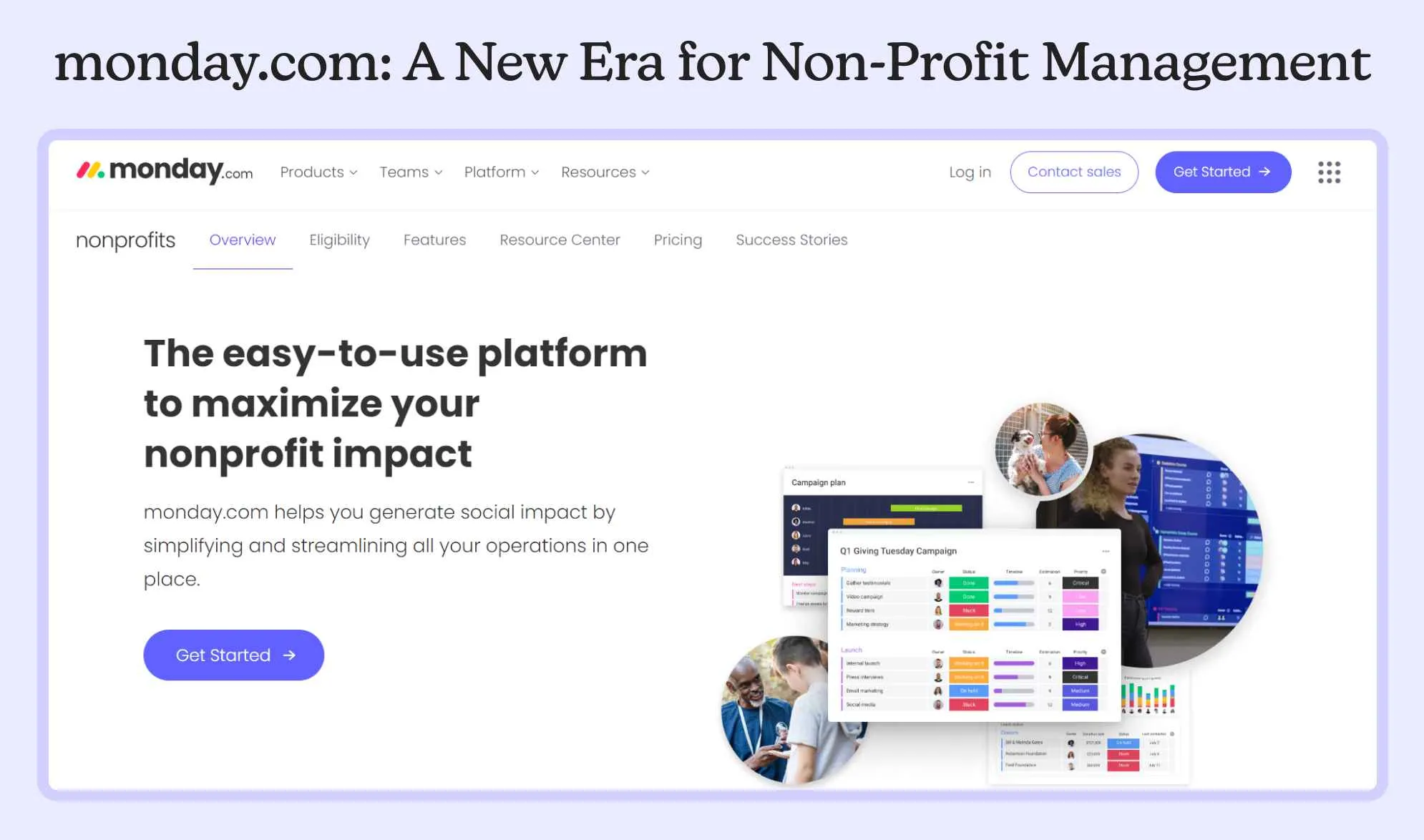
monday.com emerges as a top contender in the quest for a new CRM solution. Established as a versatile work operating system, monday.com is known for its flexibility and wide range of functionalities, making it a good fit for the diverse needs of many non-profits.
Key Features of monday.com
- Customizable Workflows: Tailor your dashboards and workflows to match your organization's needs.
- Seamless Integrations: Connect with 850+ integrations and apps, including tools you already use like Slack and Google Drive.
- User-Friendly Interface: An intuitive, modern design that makes navigation and task management easy.
By offering these features, monday.com helps non-profits streamline their operations, improve team collaboration, and ultimately increase their impact. Moreover, if you are migrating to monday.com, then it is not just a move but an opportunity to enhance your organization's efficiency and effectiveness. With its advanced capabilities, monday.com provides a platform where non-profits can adapt and grow.
Feature Comparison: Bonterra vs. monday.com
Choosing the right CRM platform involves examining its core features and determining how they align with your organization's needs. In this section, we will provide a detailed comparison of Bonterra and monday.com, giving you a fair comparison between both platforms.
| Feature | Bonterra | monday.com |
|---|---|---|
| What it is | Nonprofit software suite (EveryAction, Network for Good, DonorDrive, Mobilize, GiveGab and more) | Flexible work platform with a CRM product and a nonprofit program |
| Donor management | Donor profiles, giving history, engagement and moves management | Donors and grants managed in one CRM, built on customizable boards |
| Outreach | Coordinated email, text and social campaigns (EveryAction) | Comments, tags and file sharing for internal teamwork |
| Automation | Automated segmentation, campaign creation, stewardship and reporting | Automation actions per month: Standard 250, Pro 25,000, Enterprise 250,000 |
| AI | Bonterra Que, built into Network for Good and EveryAction | AI credits on every paid plan (Basic 1,000) |
| Integrations | CRM and social media integrations (DonorDrive) | 850+ integrations and apps |
| Pricing (USD) | Per product, on Bonterra’s own pricing pages | Basic $9, Standard $12, Pro $19 per seat/month, billed yearly |
| Nonprofit offer | Products built exclusively for nonprofits | 10 free seats and 70% off additional seats |
monday.com shows prices in local currency: visitors from Canada see Basic at CAD 13, Standard at CAD 17 and Pro at CAD 26 per seat/month, billed yearly.
Detailed Comparison
Donor Management and Fundraising
- Bonterra: EveryAction unifies donor CRM, fundraising and marketing automation, and Network for Good combines donation pages, outreach, events, grant support and volunteer tracking for small nonprofits.
- monday.com: Its nonprofit solution manages donors and grants in one CRM, with a modern interface and customizable dashboards.
Customization and Flexibility
- Bonterra: Offers separate products for fundraising, peer-to-peer events, volunteering, case management and grants; DonorDrive’s event builder is configured "with clicks, not code".
- monday.com: Highly customizable workflows and templates allow non-profits to tailor the platform to their unique processes and requirements. For help tailoring it, see our monday.com customization services.
Collaboration and Communication
- Bonterra: EveryAction runs coordinated email, text and social campaigns to supporters from one platform.
- monday.com: Offers advanced collaboration tools, including comments, tags, and file sharing, promoting efficient teamwork.
Integration Capabilities
- Bonterra: DonorDrive lists CRM integration and social media integrations.
- monday.com: Offers 850+ integrations and apps with popular third-party tools. See how monday.com integrates with your favorite tools.
Reporting and Analytics
- Bonterra: Uses Bonterra Que to automate reporting and analysis and to explain where campaigns underperform.
- monday.com: Offers detailed, customizable reporting and analytics, helping non-profits make data-driven decisions.
Automation
- Bonterra: Automates segmentation, campaign creation, stewardship and reporting.
- monday.com: Automation actions per month by plan (Standard 250, Pro 25,000, Enterprise 250,000) help manage repetitive tasks, saving time and reducing errors.
Support and Resources
- Bonterra: Network for Good pairs its software with expert fundraising coaching.
- monday.com: Offers a help center, a knowledge base and a community; its pricing page lists 24/7 prioritized support on Enterprise.
Making an Informed Choice
Bonterra is built specifically for nonprofit fundraising, with donor CRM, donation tools and AI built in. monday.com is the stronger fit when your priority is flexible workflows across programs, operations and teams, with donor and grant tracking set up to match how you work.
Benefits for Non-Profits
Switching to monday.com brings numerous advantages tailored to the unique needs of non-profit organizations. Here are the key benefits, each explained in detail:
Streamlined Operations
monday.com’s customizable workflows allow non-profits to automate repetitive tasks, freeing up valuable time and resources. This means your team can focus more on mission-critical activities than administrative work.
Improved Task Management
With intuitive dashboards and task assignments, teams can manage their responsibilities more effectively, ensuring nothing falls through the cracks.
Reduced Overhead
By streamlining processes and reducing the need for multiple software solutions, non-profits can save on operational costs. This allows more funds to be directed towards achieving their mission.
Flexible Growth
monday.com grows with your organization. Whether you’re a small local charity or a large international non-profit, the platform can scale to meet your needs. Your management tools can keep up as your organization expands.
Detailed Insights
monday.com’s advanced reporting tools provide in-depth insights into your operations, helping you make data-driven decisions.
Customizable Reports
Create reports tailored to your specific needs, whether you’re tracking donor engagement, volunteer hours, or project outcomes.
Migration Process: A Step-by-step Guide To Follow
If done correctly, migrating from Bonterra to monday.com can be seamless. Below are concrete steps to guide you through the transition, ensuring your non-profit experiences minimal disruption.
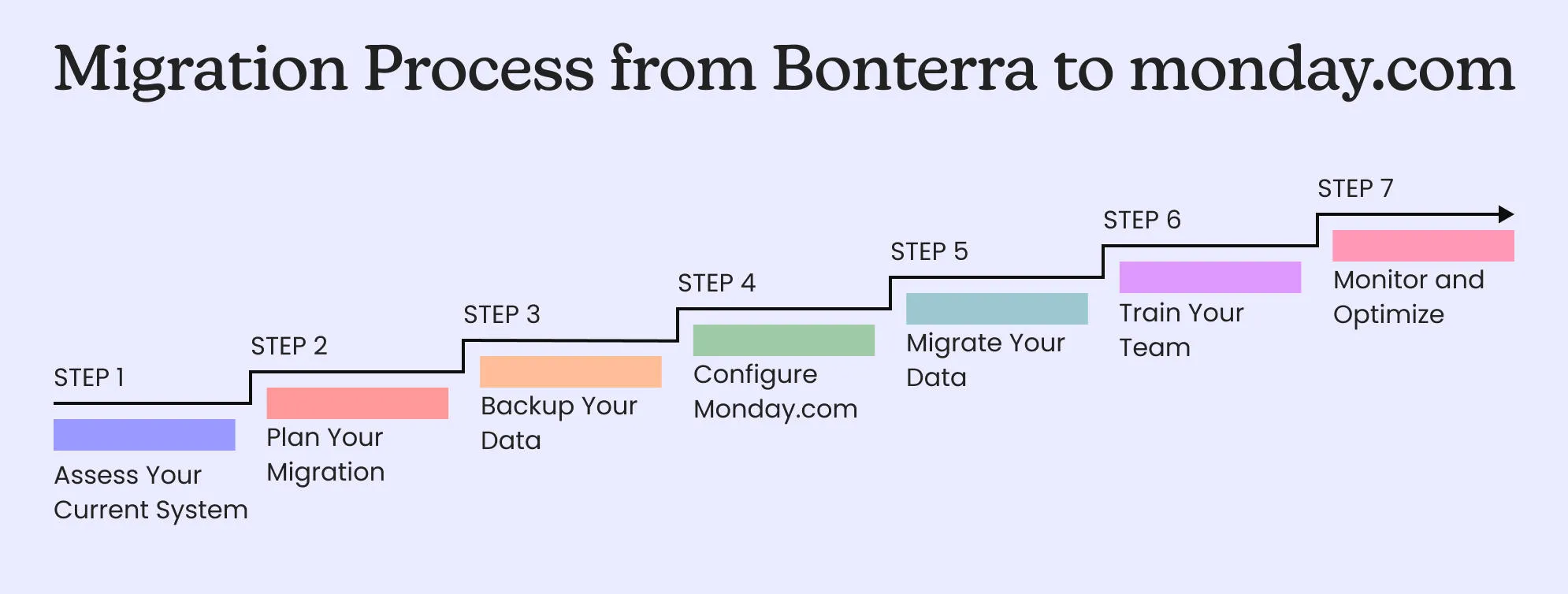
Step 1: Assess Your Current System
Evaluate Data
Review all the data currently stored in Bonterra. Identify what needs to be migrated and what can be archived.
Map Out Workflows
Document existing workflows to understand their components and dependencies.
How TaskRhino Can Help?
Our monday.com experts can comprehensively assess your current system, ensuring nothing is overlooked. Before you begin the process of migrating, you can consult our monday.com experts, who will help you decide whether monday.com is the right choice for you.
Step 2: Plan Your Migration
Set Objectives
Define clear goals for what you want to achieve with the new system.
Create a Timeline
Establish a realistic timeline for each phase of the migration process.
Assign Roles
Determine who will be responsible for each task during the migration.
How TaskRhino Can Help?
We can help you set achievable objectives and create a detailed migration and implementation plan tailored to your organization’s needs. Talk to our experienced monday.com professionals about implementing monday.com for your organization.
Step 3: Backup Your Data
Secure Data Backup
Before making any changes, ensure you have a complete backup of all your data from Bonterra.
How TaskRhino Can Help?
Our team can guide you through the best practices for data backup to prevent any loss during the transition.
Step 4: Configure monday.com
Set Up Workflows
Replicate and customize your workflows on monday.com.
Integrate Tools
Connect monday.com with other tools and platforms your organization uses.
Customize Dashboards
Create dashboards tailored to different teams and functions.
How TaskRhino Can Help?
Our customization services can help you configure monday.com to fit your requirements.
Step 5: Migrate Your Data
Data Import
Carefully import your data from Bonterra to monday.com.
Verify Integrity
Check the integrity of the data post-migration to ensure everything has transferred correctly.
How TaskRhino Can Help?
We can assist with the technical aspects of data migration, with checks for accuracy and completeness.
Step 6: Train Your Team
User Training
Conduct comprehensive training sessions for your team to familiarize them with the new system.
Provide Resources
Offer guides, tutorials, and resources for ongoing support.
How TaskRhino Can Help?
Our training and onboarding services help your team use monday.com effectively from day one.
Step 7: Monitor and Optimize
Review Performance
Regularly review how the new system performs against your initial objectives.
Make Adjustments
Optimize workflows and configurations based on user feedback and performance data.
How TaskRhino Can Help?
We offer ongoing support and optimization services to help you get the most out of monday.com.
Get More Done with Less Effort
Our experts help you maximize productivity and streamline workflows with ease.
Contact UsFree 30-minute call · No obligation
Planning a move? See our Bonterra to monday.com migration service: what moves, what we rebuild and what cannot move.
Power Up Your Projects with 
More in Data Migration


Related posts