10 Best Salesforce Alternatives for Startups: Pricing, Features & Scalability Compared

Salesforce is one of the most powerful and widely adopted CRM platforms in the world. It serves Fortune 500 enterprises, mid-market companies, and small businesses alike, offering scalable architecture that can grow with a company over time.
For many teams, that scalability is a major advantage.
But early-stage startups often face a different question: do you need enterprise-grade flexibility from day one or do you need something lighter, faster to deploy, and easier to adapt as you refine your sales motion?
The CRM market has evolved significantly in the past decade. Alongside established leaders like Salesforce, a new generation of modern and open platforms such as Twenty CRM has emerged, which is built specifically with startup speed and customization in mind. According to Forrester’s CRM market research, CRM adoption is high (70% of surveyed organizations use it for customer service) while satisfaction stays low, and 57% expect their CRM spending to increase in the next 12 months — a clear signal that teams are actively searching for better-fit solutions.
Today, founders don’t have to choose between “robust” and “affordable.” The real decision is about fit, timing, and growth stage.
In this guide, we break down top 10 Salesforce alternatives designed for startups. We’ll compare platforms head-to-head, explore when switching makes sense, and help you choose a CRM that supports momentum without adding unnecessary complexity. If you are a startup founder with a team of 5–50 who need a CRM that’s fast to deploy, affordable to scale, and flexible enough to evolve, you need to check the other CRM options.
When to Look for Salesforce Alternatives: 4 Key Reasons
Salesforce is designed to support highly structured sales organizations, with features that accommodate complex workflows, territory management, and global operations.
For early-stage startups, priorities can look different. Teams are smaller, sales processes are still evolving, and speed often matters more than advanced configuration.
As your company grows, the right CRM depends on what you need right now — not what you might need years from today.
Here are four signals that it may be worth exploring other Salesforce alternatives:
Reason 1: Your CRM costs more than your marketing budget
The Salesforce Starter Suite starts at $25 per user per month, but growing teams often need capabilities available in the Pro Suite ($100 per user per month), such as advanced reporting, workflow automation, and API access.
Run the math: a 20-person team on Pro Suite would spend $24,000 a year on licensing alone.
Depending on your setup, additional costs can include implementation support, administrative management, and third-party integrations.
The total first-year investment can climb significantly beyond subscription fees, and consultant time is often one of the largest extra line items: see what drives Salesforce consultant rates.
Research from Nucleus Research shows that CRM investments return an average of $3.10 per dollar spent — but that return depends on choosing a tool that matches your actual usage and growth stage. For early-stage startups, money spent on systems is money not spent on hiring, product development, or acquisition, so the question is whether the investment fits your current stage.
Reason 2: You’re still configuring while competitors are selling
Salesforce implementations often take several months before the system is fully tailored and delivering real value even with clear requirements and dedicated support. As we explored in Why Salesforce CRM Projects Underperform, the gap between expected and actual outcomes is wider than most teams anticipate.
That timeline assumes you have:
- defined requirements,
- budget for consultants or admin time, and
- internal capacity for training and rollout.
Most early-stage startups don’t have all three.
You need a CRM that works on day one, not day 180. While you’re debating custom object schemas and approval hierarchies inside Salesforce, competitors using simpler and open source platforms like Twenty are already building pipelines and closing deals. See our list of open-source Salesforce alternatives.
Reason 3: You’re renting a mansion when you need a studio apartment
Salesforce offers hundreds of features across its ecosystem. Most startups use a small fraction of them.
You’re paying for territory management you won’t need until you have territories. CPQ functionality designed for enterprises with complex pricing models. Einstein AI trained on datasets far larger than your customer base will generate for years.
Every unused feature adds interface complexity, training overhead, and cognitive load for your team. Low user adoption is one of the top reasons CRM implementations fail — and feature overload is a major contributor. You can choose a CRM designed for startups that offers the features teams actually need most.
Reason 4: Your most valuable asset lives on someone else’s servers
Salesforce controls your customer data infrastructure. They set the limits on your API calls. They determine export formats. They decide when features get deprecated and prices get raised.
This dependency compounds over time. Custom objects, automation rules, and integrations create switching costs that grow with every quarter you stay. The longer you stay, the bigger the migration project becomes. If you sell software, our guide to Salesforce alternatives for SaaS companies compares the options for recurring-revenue teams.
For startups that might pivot, get acquired, or simply want negotiating leverage, data portability matters. Open source, self-hosted alternatives give you options that Salesforce doesn’t.
Salesforce optimizes for enterprise scale, compliance, and feature completeness. If those aren’t your top priorities, as for most startups, there are alternatives that optimize for speed, simplicity, and sustainable cost.
Let’s explore the next section for a quick overview of the 10 best Salesforce alternatives for startups and small businesses looking for scalable, cost-effective CRM solutions.
Quick Comparison: 10 Salesforce Alternatives for Startups
Before diving into detailed reviews of each CRM, here’s a snapshot to help you identify which platforms match your priorities.
| Platform | Best for | Starting price (USD) |
|---|---|---|
| Twenty | Technical and product-led teams | Free (self-hosted) / $9/user/month |
| HubSpot | Inbound, content-driven growth | Free (up to 2 users) / Starter from $7/seat/month |
| Pipedrive | Outbound sales pipelines | $14/user/month (Lite) |
| Attio | Flexible data models | Free (up to 3 seats) / $35/user/month |
| Folk | Relationship management | $24/member/month |
| Freshsales | Budget all-rounder | $9/user/month |
| Zoho CRM | All-in-one suite on a budget | Free (up to 3 users) / $14/user/month |
| Close | Outbound calling teams | $9/user/month (Solo) |
| Copper | Google Workspace teams | $23/seat/month |
| Salesflare | Automatic data capture | $29/user/month |
Paid prices are billed annually, in USD as listed on each vendor’s pricing page in October 2026; vendors may show local currency to Canadian visitors.
Now that you have the overview, let’s examine each platform in detail. We’ll start with our top recommendation for startups seeking a modern, developer-friendly CRM foundation.
Ready to Ditch Salesforce Complexity?
TaskRhino helps your startup to switch from highly complex Salesforce CRM to Twenty and provide you full support throughout implementation, customization, and integration.
Schedule a Free ConsultationFree 30-minute call · No obligation
Detailed Review: 10 Best Salesforce Alternatives for Startups
1. Twenty CRM – The modern open source CRM
Twenty.com represents the new generation of CRM software, built from scratch with modern technologies and design principles that today’s startups expect. Twenty’s interface is clean, fast, and intuitive without sacrificing power.
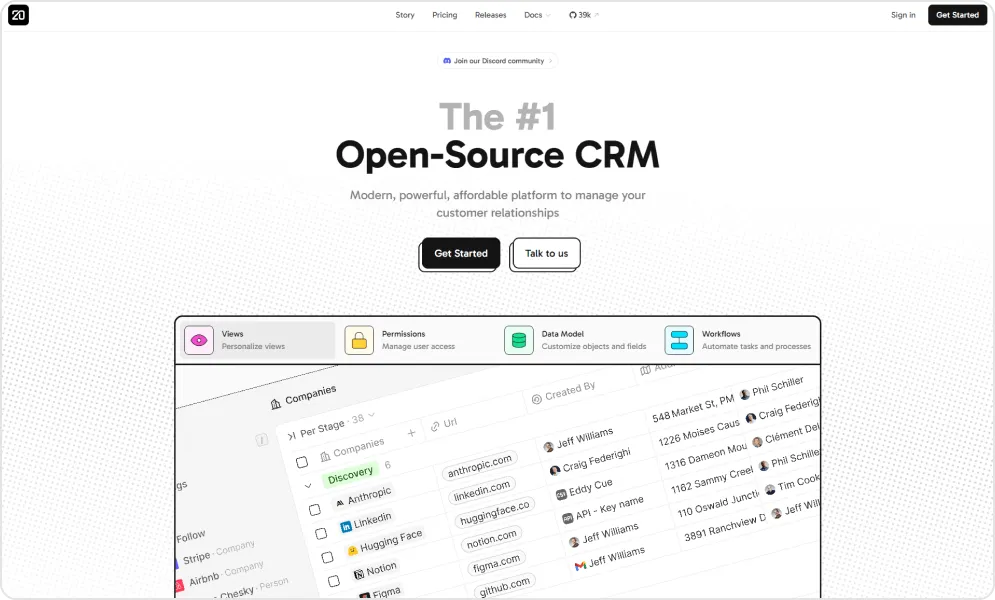
Unlike legacy CRM platforms that bolt on features year after year, Twenty started with a blank slate in the 2020s. The platform’s core is AGPLv3-licensed (some enterprise files use a commercial license), meaning you own the software rather than rent it. For startups concerned about long-term costs or data sovereignty, this model greatly reduces vendor lock-in. You get the simplicity of modern SaaS with the freedom and cost savings of open source.
What sets Twenty apart is its flexible data architecture.
Beyond standard objects like contacts and companies, you can create custom objects tailored to your business like conference objects for event organizers, restaurant objects for franchise managers, or any entity your workflow requires. Add custom fields to capture exactly the data you need, then view everything in list or Kanban formats with sorting, filtering, tasks, and notes.
Twenty’s GraphQL and REST APIs let you extend the platform beyond CRM into custom tools and integrations. The codebase is clean and well-documented, giving technical teams a foundation designed for growth rather than a locked-down system to fight against.
For a deeper look at where Twenty excels and where it still has gaps, read our full Twenty CRM Review: Features & Limitations 2026. And for a side-by-side breakdown against the market leader, see Twenty CRM vs Salesforce: Full 2026 Comparison.
Pros and cons of using Twenty

- Modern, clean interface that keeps workflows simple and reduces cognitive overload.
- Fully open source, giving users complete ownership of their data and the option to self-host instead of depending on vendor pricing or roadmap decisions.
- Supports custom objects, custom fields, APIs/webhooks, and pipeline visualization, allowing teams to adapt the CRM to their processes rather than fit into rigid structures.
- Balances simplicity and capability — lightweight enough for fast adoption, yet robust enough to replace more complex tools like HubSpot for many growing teams.
- Regular product updates and transparent communication from the core team provide visibility into the roadmap and future development.
- Twenty is backed by Y Combinator (Summer 2023 batch).

- Some advanced CRM features may not be as mature as those found in long-established enterprise platforms.
- Support response times can vary, which may be challenging for teams needing immediate assistance.
- Self-hosting requires technical expertise, making it less accessible for non-technical users.
- Requires a stable internet connection, which may limit usability for field teams or areas with unreliable connectivity.
Pricing of Twenty
| Option | Cost |
|---|---|
| Self-Hosted | Free (you pay only for hosting) |
| Cloud Pro | $9/user/month (billed yearly) |
| Cloud Organization | $39/user/month (billed yearly) |
| Enterprise | From $50,000/year |
User perspective
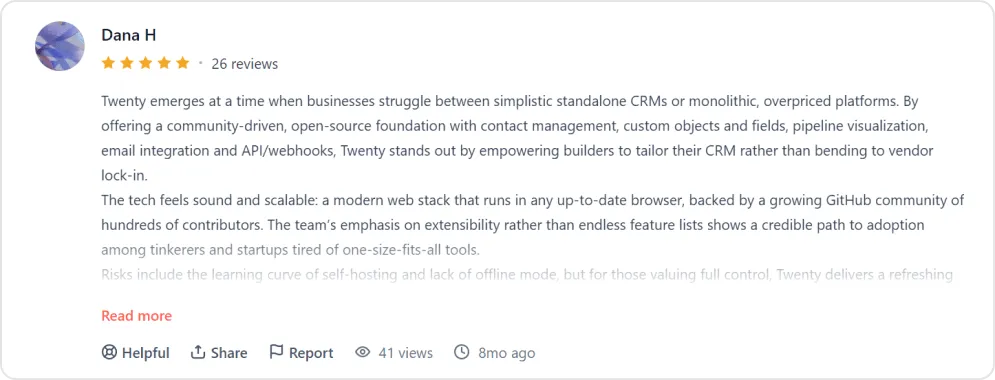
Best for: Technical startups and product-led teams that want full codebase access, self-hosting options, and minimal vendor lock-in. Ideal if you have developer resources or an implementation partner and want to avoid per-user licensing entirely.
Switch to Modern CRM Without Enterprise Costs
Twenty combines open-source flexibility with modern SaaS usability. TaskRhino manages your migration from Salesforce, including data transfer, configuration, and integrations — so your team can stay focused on closing deals.
Schedule Your CRM MigrationFree 30-minute call · No obligation
2. HubSpot CRM – The inbound marketing powerhouse
HubSpot has become the default starting point for startups new to CRM, and for good reason. The free tier offers genuine functionality rather than a crippled trial, and the platform’s strength in inbound marketing makes it ideal for content-driven growth strategies.
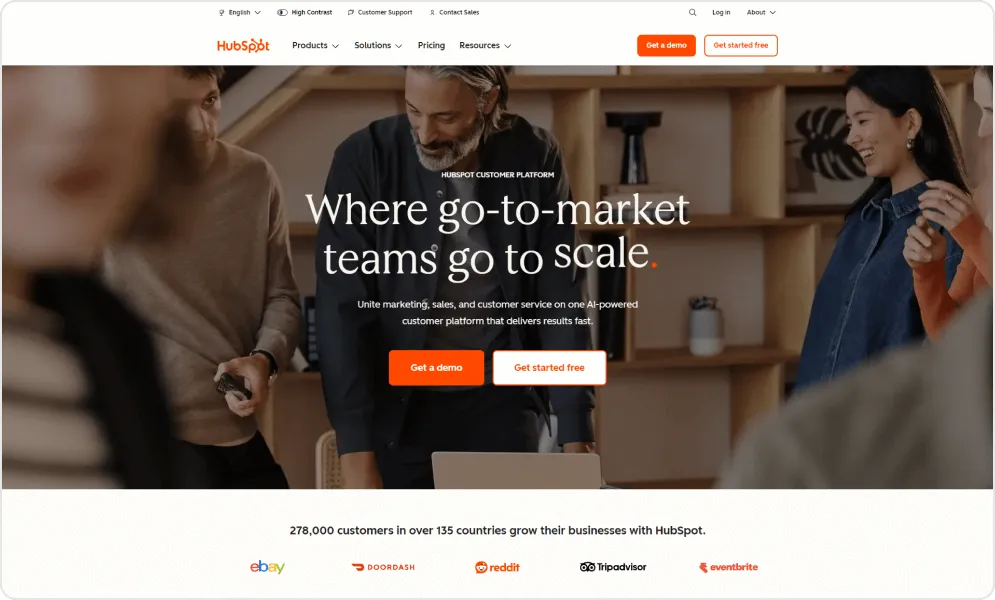
The unified hub architecture means marketing, sales, and support teams work from the same customer data. When a lead downloads your whitepaper, that interaction appears in your sales pipeline. When a customer opens a support ticket, their full purchase history is visible. This integration eliminates the data silos that plague startups using disconnected tools.
HubSpot’s interface prioritizes usability over configurability. New team members can start working productively within hours rather than weeks. For startups where everyone wears multiple hats, this low learning curve translates directly to faster execution.
Pros and cons of using HubSpot
- Free plan for up to 2 users. Includes features like web forms, email marketing, ticketing, email tracking, and landing pages.
- User-friendly interface with guided setup, demos, and intuitive navigation, making it accessible for beginners while still powerful for growing teams.
- Lead management tools are especially strong.
- Strong customer support with in-dashboard chat and responsive agents, plus extensive educational resources through the knowledge base, blog, and HubSpot Academy.
- Built-in calling feature that lets users place and record calls directly from the CRM, automatically logging conversations to contact records.
- Advanced features such as deeper automation and reporting require paid plans, which can become costly as your business scales.
- The platform can feel complex as you add multiple hubs (Sales, Marketing, Service), requiring more structured management over time.
- Customization and advanced reporting capabilities are limited on lower-tier plans.
Pricing of HubSpot
| Edition | Cost |
|---|---|
| Free | $0 (up to 2 users) |
| Starter | $7-$20/seat/month |
| Professional | $90-$100/seat/month + $1,500 onboarding |
| Enterprise | $150/seat/month + $3,500 onboarding |
User perspective
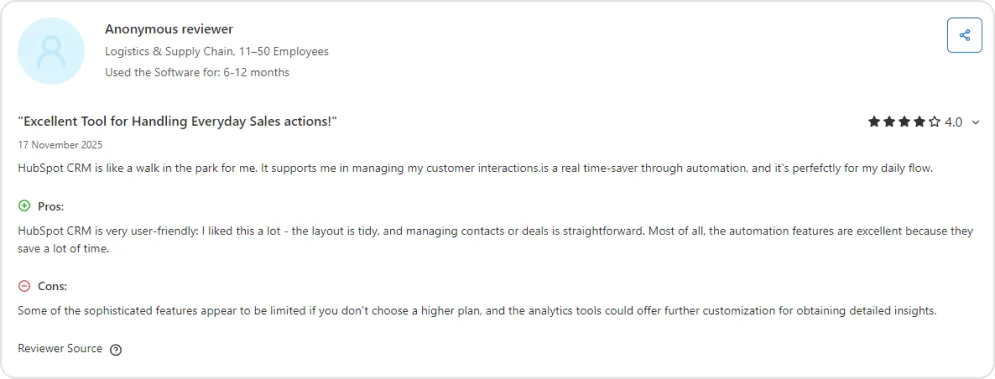
Best for: Content-driven and inbound-first startups that want marketing, sales, and support on one platform. Ideal if your growth strategy centers on content marketing, SEO, and lead nurturing — and you want a free CRM that scales.
3. Pipedrive – The sales-first pipeline manager
Pipedrive was built by salespeople who were frustrated with CRMs designed by engineers. Every screen answers the question “what should I do next?” rather than presenting endless configuration options. This focus makes Pipedrive one of the most intuitive pipeline management tools available.
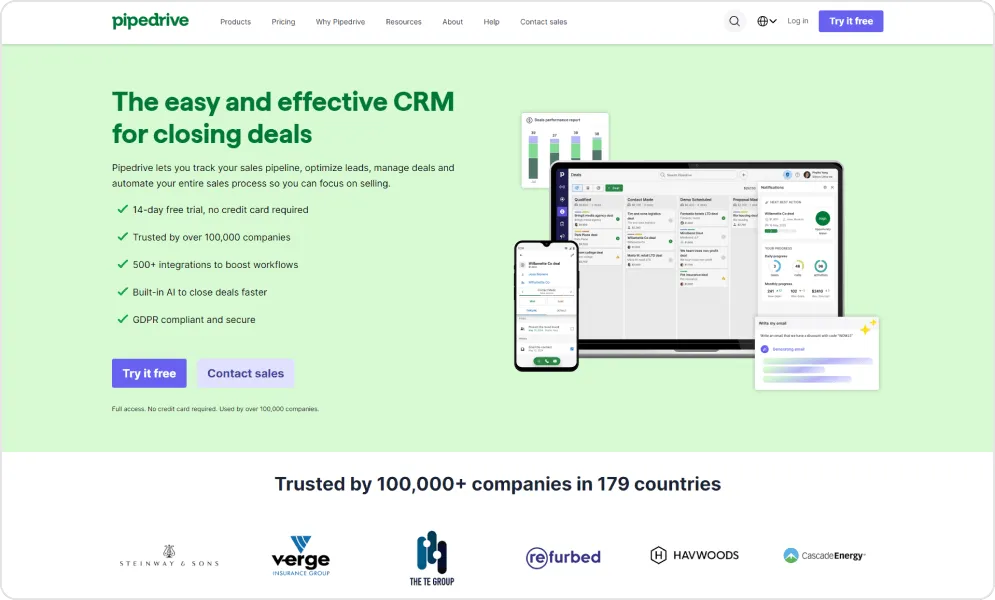
The visual pipeline interface transforms abstract sales data into actionable clarity. Drag deals between stages, see where bottlenecks form, and identify which opportunities need attention today. Instead of tracking deals passively, Pipedrive prompts reps to schedule the next touchpoint, maintaining momentum through every stage.
For startups with defined sales processes and outbound-heavy motions, Pipedrive’s constraints become features. The platform doesn’t try to be everything. It does pipeline management exceptionally well and integrates with specialized tools for everything else.
Pros and cons of using Pipedrive
- Simple, intuitive interface with a minimal learning curve, supported by tutorials and onboarding resources that help teams get started quickly and use the platform efficiently.
- Customizable visual sales pipelines that make deal tracking clear and forecasting straightforward, suitable for both new sales reps and experienced teams.
- Strong collaboration features, including shared visibility, centralized activity tracking, and smooth handoffs between team members.
- Reporting capabilities are more limited compared to platforms like Salesforce or HubSpot, particularly for advanced customization, automation, and in-depth analytics.
- Search and filtering functions can feel unintuitive, sometimes requiring extra steps or configuration to generate precise results.
Pricing of Pipedrive CRM
| Tier | Monthly Cost (Annual) |
|---|---|
| Lite | $14/user |
| Higher tiers (Growth, Premium, Ultimate) | See pipedrive.com/pricing |
User perspective
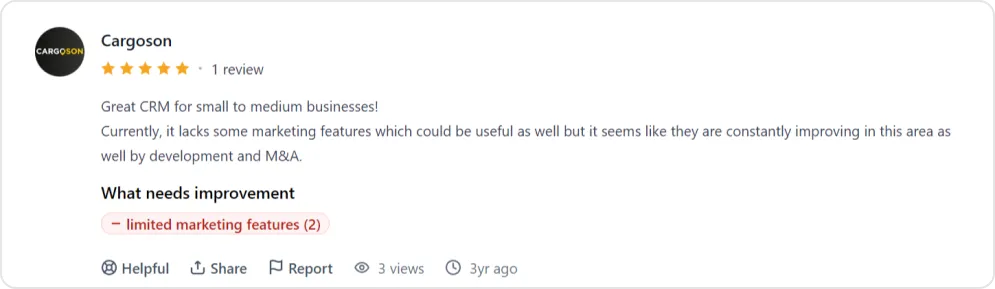
Best for: Outbound-heavy sales teams with a defined pipeline who need a CRM that answers “what should I do next?” Ideal for startups with 5–30 reps focused on deal velocity over marketing automation.
4. Attio – The flexible AI native CRM
Attio represents what happens when CRM meets modern data tooling. If Airtable and Salesforce had a child raised by Notion, the result would look something like Attio. It’s structured enough to manage real sales processes yet flexible enough to adapt to how your team actually works.
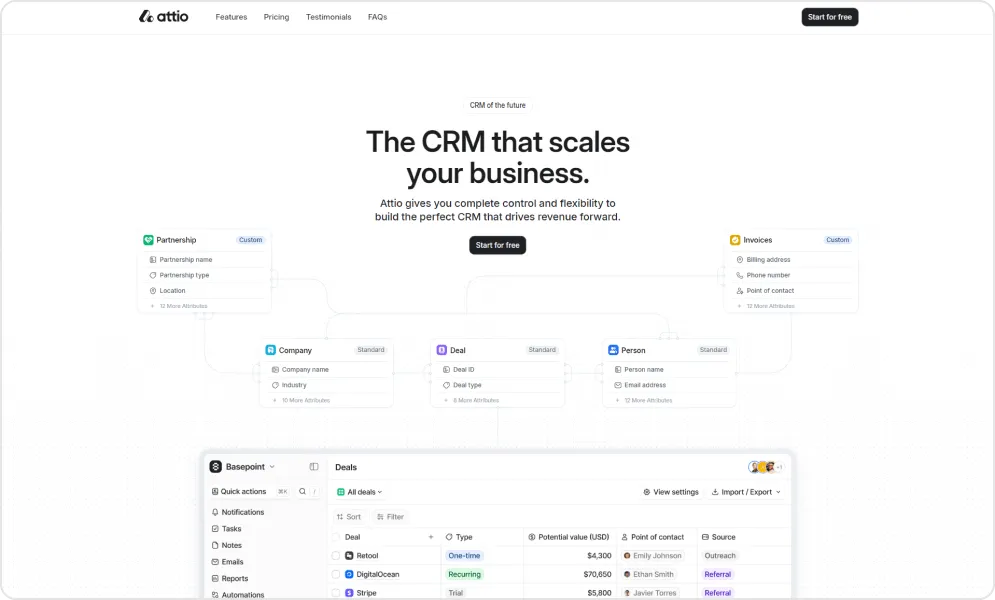
The platform’s core innovation is treating CRM as a data problem rather than a workflow problem. Instead of forcing your business into predefined objects, Attio lets you model relationships the way they actually exist.
Automatic relationship mapping and enrichment eliminate tedious data entry. Connect your email and calendar, and Attio surfaces connections, updates contact details, and builds a relationship graph automatically. For startups where relationship context matters more than rigid pipeline stages, this intelligence is transformative.
Pros and cons of using Attio
- Highly customizable platform that allows teams to design workflows around their exact processes, including AI-powered automation and flexible data structures.
- Modern, intuitive interface that keeps the system approachable despite its flexibility.
- Responsive and helpful customer support team that assists quickly when issues arise.
- Initial learning curve for teams unfamiliar with highly flexible or advanced CRM systems.
- Some advanced features found in long-established platforms may not yet be as extensive.
Pricing of Attio
| Edition | Cost |
|---|---|
| Free | $0 (up to 3 seats) |
| Plus | $35/user/month |
| Pro | $79/user/month |
| Enterprise | Custom |
User perspective
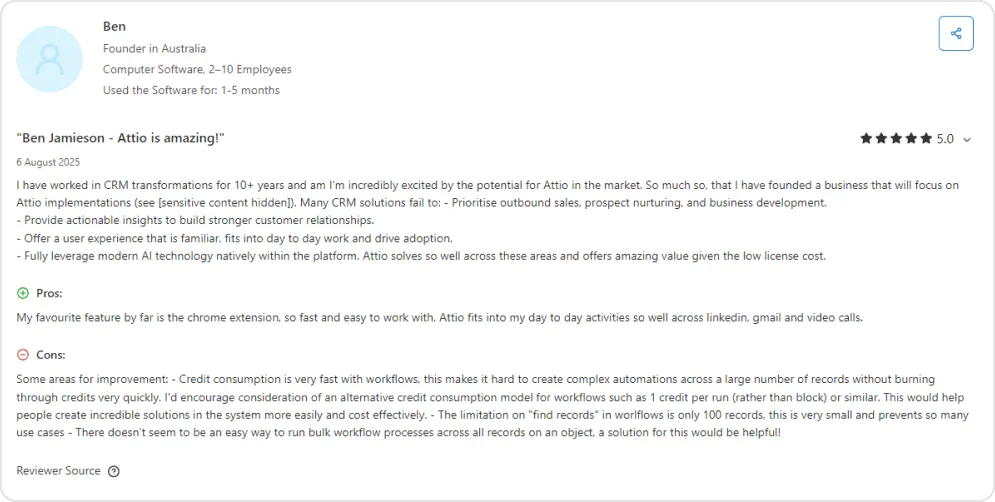
Best for: Startups with non-standard data models or evolving workflows that need a CRM flexible enough to adapt without rigid schema constraints. Ideal for teams that think about CRM as a data tool, not just a pipeline tracker.
5. Folk – The relationship workspace
Folk does the busy work for you, so you can focus on building real relationships. It syncs all inboxes to centralize communication history, imports contacts from anywhere using the folkX extension, enriches contact data in one click, and supports customizable pipelines for team collaboration. With 5,000+ integrations, teams can automate workflows without complexity.
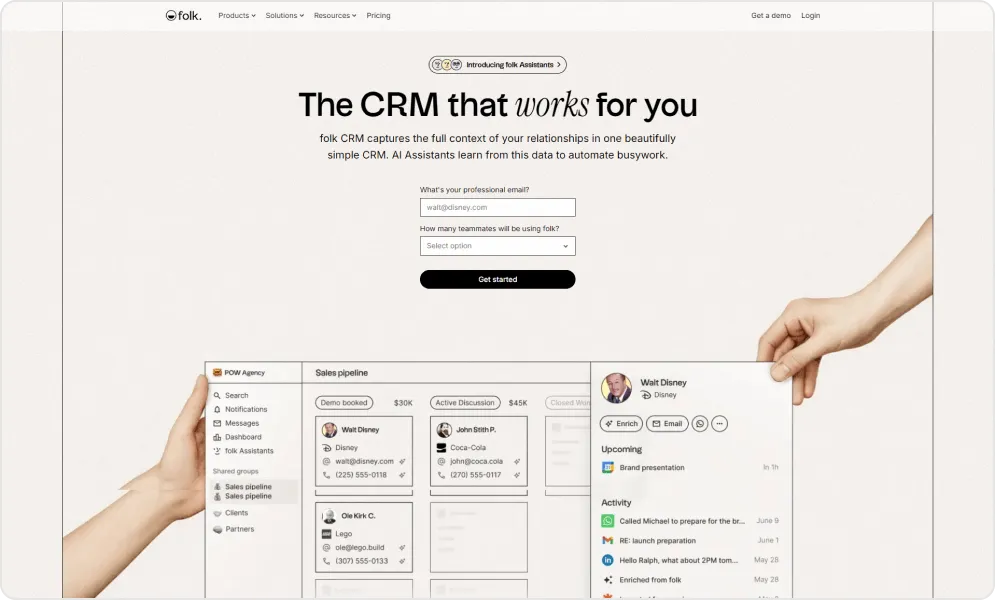
Unlike traditional CRMs built for pipeline velocity, Folk reimagines CRM as a collaborative workspace optimized for relationship depth. Its interface feels like a smart spreadsheet with superpowers more Notion than Salesforce. Built-in mail merge, email sequences, and enrichment let founders work directly from their inbox instead of inside rigid CRM workflows.
Folk shows strong adoption among startups managing investors, partners, and customers together. Track fundraising prospects, strategic relationships, and sales deals in one unified system, making Folk ideal for early-stage teams where context and relationships matter more than volume.
Pros and cons of using Folk
- Intuitive, spreadsheet-style interface that makes contact management and basic CRM tasks easy to pick up and use.
- Fast setup and contact import, including automatic deduplication and enrichment from mailboxes and tools like LinkedIn.
- Built-in email features with bulk sending, personalization, and tracking help streamline outreach without extra tools.
- Efficient centralization of contacts and communication history keeps all customer interactions visible in one place.
- Collaboration features and shared data views support small teams working together on relationship management.
- Good value for money for small teams and freelancers, with transparent pricing and a free trial to test before committing.
- Limited advanced sales features and reporting — it lacks deep forecasting, complex analytics, and full sales pipeline tools.
- Smaller native integration ecosystem, often requiring third-party tools like Zapier or Make for broader connectivity.
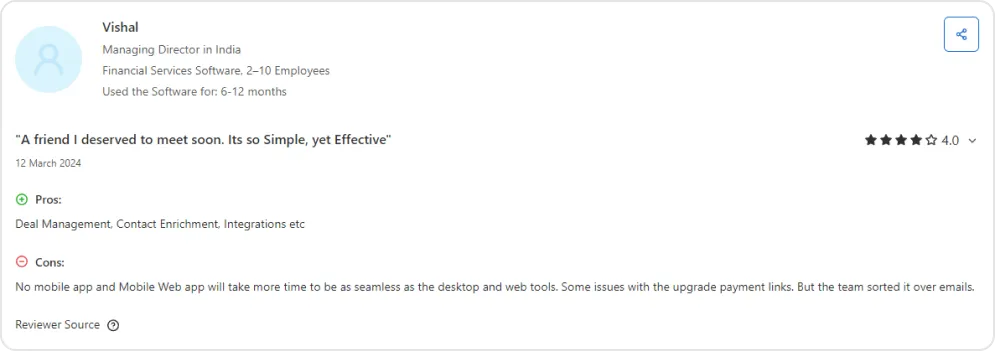
- Mobile app support is limited or unavailable, which can reduce flexibility for on-the-go users.
- Some users note basic filters and segmentation tools compared to more mature CRMs.
- Pricing can increase for larger teams or higher usage tiers, making it less cost-effective at scale.
Pricing of Folk
| Edition | Cost |
|---|---|
| Free | $0 (limited) |
| Standard | $24/member/month |
| Premium | $48/member/month |
| Enterprise | From $80/member/month |
User perspective
Best for: Founders and small teams managing fundraising, partnerships, and customer relationships in a single workspace. Ideal for pre-revenue or early-revenue startups where relationship context matters more than sales velocity.
6. Freshsales – The Affordable Enterprise Alternative
Freshsales delivers what many startups actually want from Salesforce: comprehensive functionality without the complexity or cost. Built-in phone, email, chat, and AI-powered lead scoring reduce tool sprawl while keeping the interface approachable.
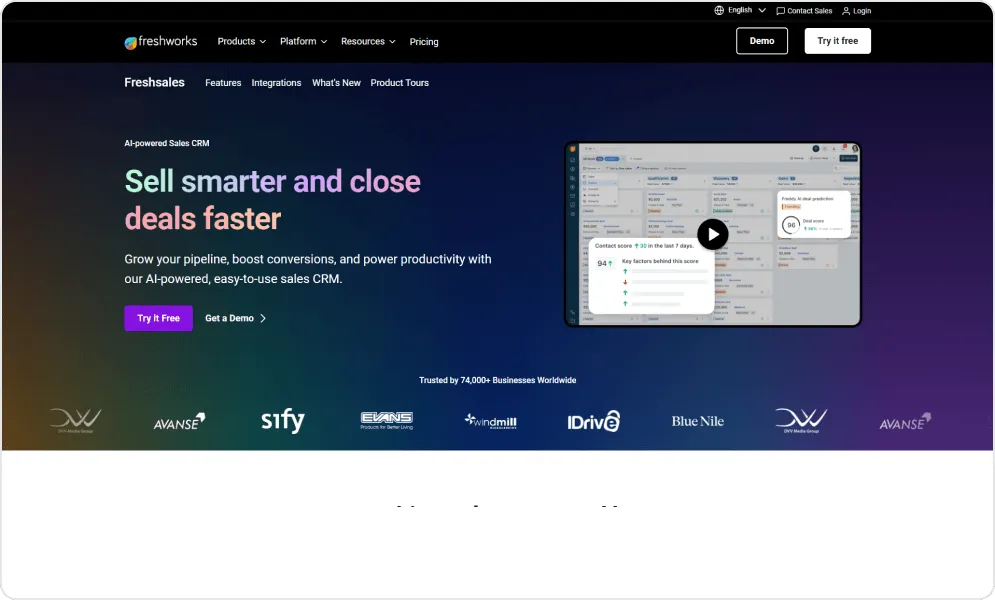
Freddy AI powers predictive contact scoring, helping small teams focus on leads most likely to convert. Instead of guessing which prospects deserve attention, your team gets data-driven prioritization. The visual sales pipeline includes drag-and-drop deal management with automated workflow triggers that fire without engineering resources.
As part of the larger Freshworks ecosystem, Freshsales offers a natural expansion path. Start with CRM, add customer support with Freshdesk, then marketing automation with Freshmarketer. The integrated approach prevents the tool sprawl that plagues growing startups while maintaining competitive pricing.
Pros and cons of using Freshsales
- Clean, intuitive interface with quick setup and a minimal learning curve.
- Affordable pricing with useful features like sequences, bulk email, lead scoring, and pipeline tracking.
- Built-in email automation with personalization, segmentation, and engagement tracking (opens, clicks, follow-ups).
- Workflow automation for reminders and task assignments to reduce manual work.
- Customizable fields, filters, and views to match different sales processes.
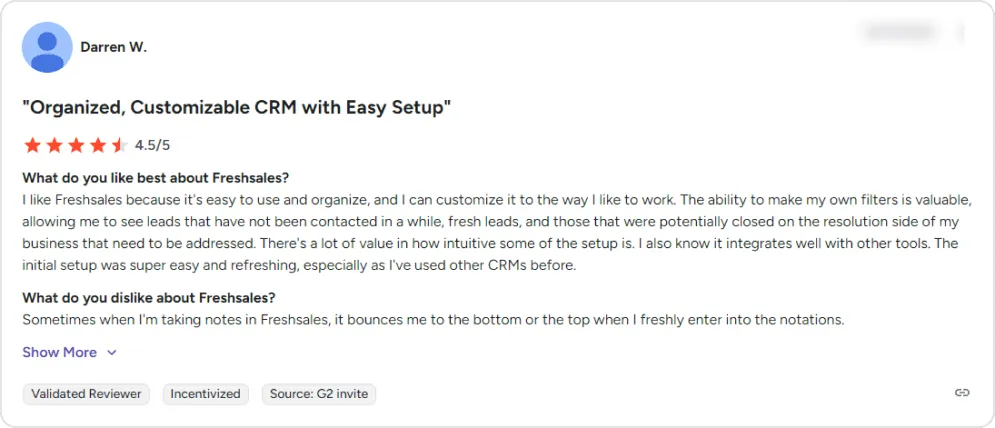
- Responsive support team and solid integrations with email and calendar tools.
- Reporting and analytics are relatively basic compared to more advanced competitors.
- Occasional bugs and performance slowdowns, especially with larger datasets.
- Billing and subscription management can feel complex for some users.
- Advanced automation may require extra setup and has limited guided onboarding.
- Lead capture from social and ad platforms is not fully seamless.
- Mobile app experience may feel less smooth for heavy on-the-go use.
Pricing of Freshsales
| Tier | Cost (billed annually) |
|---|---|
| Growth | $9/user/month |
| Pro | $39/user/month |
| Enterprise | $59/user/month |
User perspective
Best for: Cost-conscious startups that want Salesforce-style functionality — built-in phone, email, chat, and AI lead scoring — without the complexity or price tag. Ideal for teams of 5–30 running structured sales processes.
7. Zoho CRM – The value champion
Zoho’s ecosystem approach bundles CRM with the 45+ apps of Zoho One, covering email, documents, accounting, HR, and more. For startups seeking breadth over specialization, Zoho delivers a lot of functionality per dollar.
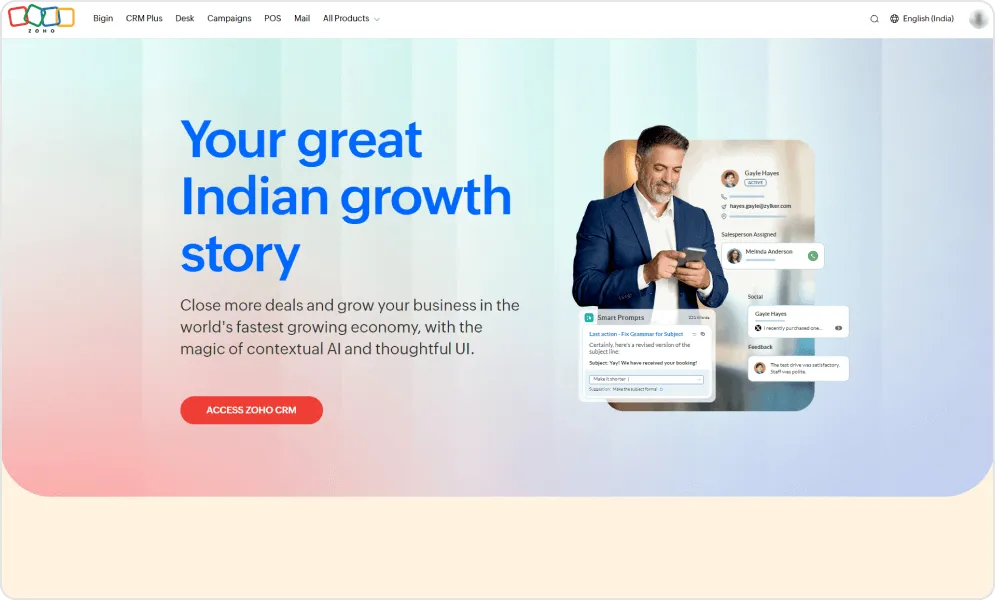
Canvas design studio lets you build custom interfaces without code, adapting the CRM to your exact workflow. Blueprint feature enforces sales processes, ensuring reps follow proven playbooks rather than improvising. For startups establishing repeatable processes, these guardrails accelerate consistency.
The integration advantage compounds over time. Start with CRM, add Zoho Books for accounting, Zoho Desk for support, Zoho Campaigns for email marketing. Everything shares the same data layer, eliminating the sync issues that plague multi-vendor stacks.
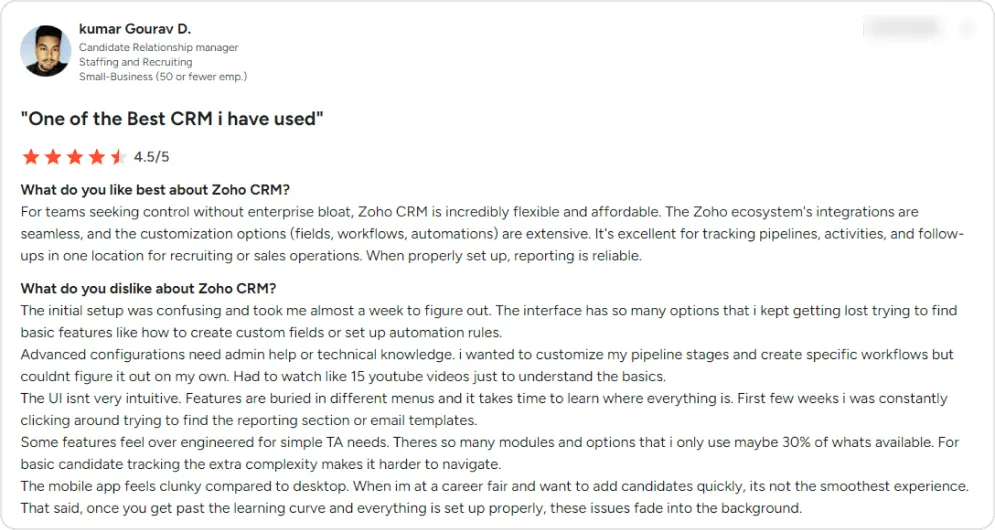
The trade-off is experience. Zoho’s interface feels dated in places, documentation quality varies, and support responsiveness depends heavily on your tier. Teams prioritizing modern UX may find the platform frustrating despite its capabilities.
Pros and cons of using Zoho CRM
- Extensive customization across modules, workflows, fields, and automations — allowing teams to adapt the system without heavy development.
- Seamless integration with other Zoho products like Zoho Mail, Zoho Books, and Zoho Sheet, creating a unified business ecosystem.
- Cost-effective solution offering advanced features suitable for small to mid-sized businesses.
- Automation tools that streamline follow-ups and reduce manual effort across the sales pipeline.
- Strong reporting and analytics for tracking performance and supporting data-driven decisions.
- Centralized communication tracking to keep client interactions organized in one place.
- Supports third-party integrations, including tools like ZoomInfo, for broader tech stack compatibility.
- Modern interface with AI-powered features like Zia, providing deal predictions, smart prompts, and email timing insights.
- Initial setup and configuration can be time-consuming, sometimes requiring significant planning before the system runs smoothly.
- The interface may feel cluttered, with certain features nested within multiple menus.
- Advanced customizations and integrations often require technical expertise or developer support.
- Feature depth can be more than some teams need, leading to underutilized functionality.
- Customer support experiences can vary, particularly for complex integration issues.
- Uses a proprietary scripting language for deeper customization, which may present a learning curve compared to widely used languages.
- Some modules do not integrate as seamlessly as expected, such as overlaps between CRM forms and Zoho Forms.
- Onboarding can require structured training before full adoption.
- Creating highly specific reports may take additional setup and configuration.
Pricing of Zoho CRM
| Tier | Monthly Cost (billed yearly) |
|---|---|
| Free Edition | $0 (max 3 users) |
| Standard | $14/user |
| Professional | $23/user |
| Enterprise | $40/user |
| Ultimate | $52/user |
User perspective
Best for: Startups that want an all-in-one business suite (CRM + accounting + support + email marketing) at the lowest possible price per user. Ideal if you plan to adopt multiple business tools from a single vendor ecosystem.
8. Close – The high-velocity sales machine
Close integrates calling, SMS, and email directly into the CRM interface, eliminating the context-switching that kills sales momentum. Every feature is designed to minimize time between leads and conversations. For startups where speed-to-contact drives conversion, Close delivers measurable impact.
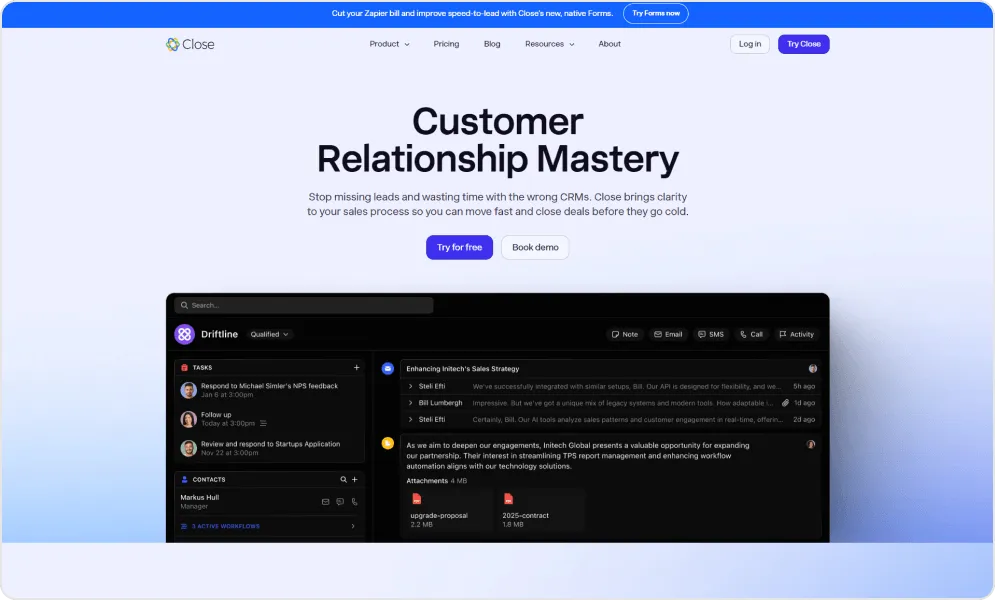
The power dialer (on the Growth plan and up) lets reps burn through call lists efficiently. The system automatically moves to the next number when a call goes unanswered, maximizing productive talk time. Built-in call coaching with recording and transcription helps managers train teams without sitting in on every call.
For outbound-focused startups, Close consolidates tools that would otherwise require three or four separate subscriptions.
Pros and cons of using Close
- Clean, intuitive interface with a practical dashboard that gives a clear, real-time view of sales activities and follow-ups.
- Designed specifically for sales teams, helping reps stay organized and focused on closing deals faster.
- Strong built-in communication tools, including calling, call recording, power dialer, voicemail drops, and email management.
- Automation features such as call cadences, automated follow-ups, and multi-touch sequences to revive and nurture leads.
- Useful forecasting and analytics tools for tracking performance and pipeline progress.
- Smart Views and centralized inbox keep outreach, tasks, and conversations in one place.
- Generally easy setup with responsive customer support and a clear product roadmap.
- The trial period may feel short for teams evaluating multiple CRM options.
- The feature set may feel limited compared to larger, more established CRM platforms.
- Email scheduling edits can log multiple versions, which some users find inconvenient.
- Filters and advanced views can take time to fully understand.
- Learning curve for mastering more advanced automation and workflow features.
Pricing of Close
| Edition | Cost |
|---|---|
| Solo | $9/user/month |
| Essentials | $35/user/month |
| Growth | $99/user/month |
| Scale | $139/user/month |
User perspective
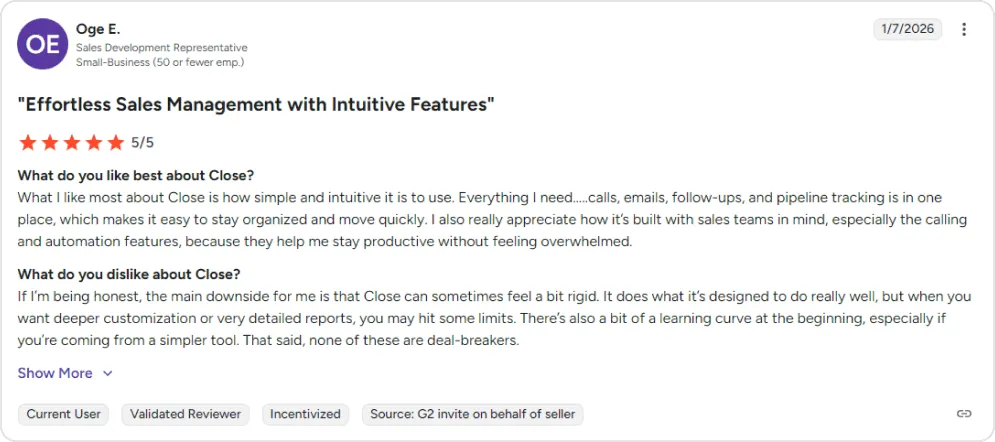
Best for: Inside sales teams that live on the phone and need built-in calling, SMS, and email sequences in one interface. Ideal for outbound-first startups where speed-to-contact directly drives conversion.
9. Copper – The Google workspace native
Copper lives inside Gmail rather than alongside it. The Chrome extension surfaces CRM data without leaving your inbox, and contacts, emails, and calendar events sync automatically. For startups already standardized on Google Workspace, Copper eliminates the friction of adopting yet another tool.
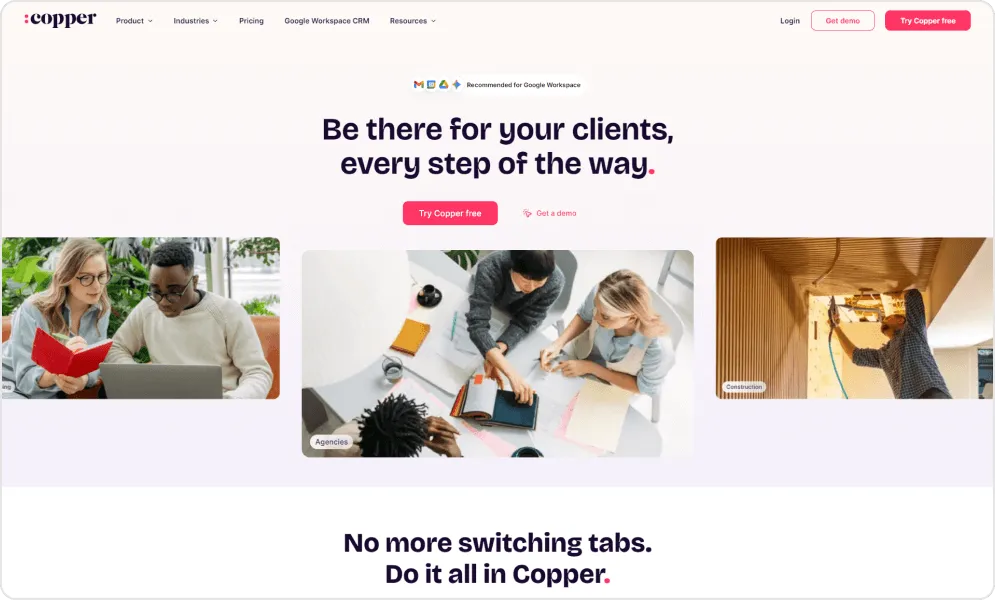
The integration depth goes beyond basic sync. For teams where email is the primary customer touchpoint, Copper makes CRM invisible in the best way. The interface mirrors Google’s design language, making adoption nearly instant for teams familiar with Gmail, Drive, and Calendar.
Pros and cons of using Copper
- Strong, native integration with Google Workspace (Gmail, Calendar, Drive) makes contact and email management seamless, eliminating manual data entry.
- Intuitive and easy-to-use interface with quick onboarding, reducing the learning curve for new CRM users.
- Reliable performance with minimal bugs and solid platform stability reported by many users.
- Automation features streamline repetitive tasks and increase productivity.
- Responsive customer support with helpful assistance.
- Centralized contact and pipeline management helps keep sales processes organized.
- Pricing can become expensive as teams grow or when higher-tier features are required.
- Advanced customization, reporting, and analytics are more limited compared to larger CRM platforms.
- Some users report limited third-party integrations outside Google, which may constrain tech stack flexibility.
- Mobile app functionality and performance receive mixed feedback, with reduced features compared to the web version.
- Occasional bugs, slow features, or UI quirks can disrupt workflow for some teams.
Pricing of Copper
| Edition | Cost |
|---|---|
| Basic | $23/seat/month |
| Professional | $59/seat/month |
| Business | $99/seat/month |
User perspective
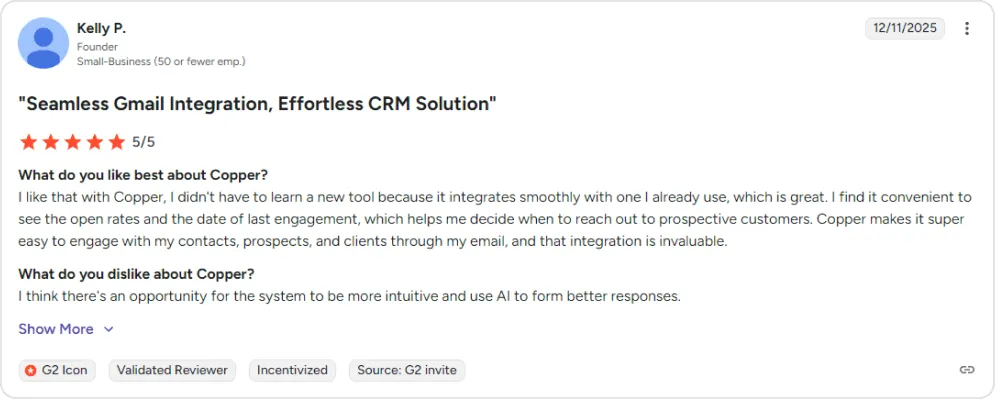
Best for: Startups already standardized on Google Workspace that want CRM data inside Gmail, not beside it. Ideal for service businesses, agencies, and consulting firms where email is the primary customer touchpoint.
10. Salesflare – The automated data entry solution
Salesflare solves the problem that kills most CRM implementations: data entry. The platform automatically populates contact and company information from email signatures, social profiles, and calendar events. Your database builds itself from existing communications.
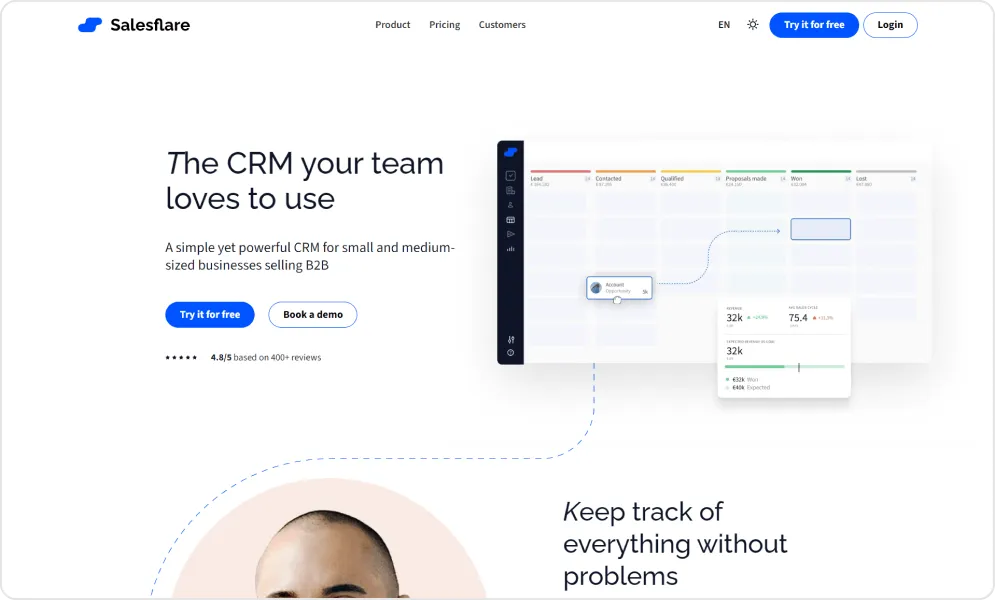
Automatic email and meeting logging means reps spend time selling rather than documenting. Every interaction is captured without manual input. Smart reminders surface accounts going cold before they’re lost, ensuring follow-up happens even when reps get busy.
The interface stays focused on what matters: relationships and deals. Salesflare does one thing exceptionally well and trusts other tools to handle everything else.
Pros and cons of using Salesflare
- Intuitive and easy-to-use interface that allows teams to get started quickly with minimal training.
- Strong automation features that save time by automatically capturing emails, meetings, and contact data.
- Seamless integrations with commonly used tools, helping centralize workflows without heavy manual input.
- Responsive and supportive customer service that enhances overall user satisfaction.
- Balanced combination of simplicity and powerful core features tailored for small sales teams.
- The feature set may feel limited compared to more advanced CRM platforms.
- Reporting capabilities can be basic or complex to configure for deeper analytics needs.
- UI updates and new feature releases may feel slower than expected for some users.
- Email alias limitations and account handover processes can create friction in certain sales workflows.
Pricing of Salesflare
| Edition | Cost (billed annually) |
|---|---|
| Growth | $29/user/month |
| Pro | $49/user/month |
| Enterprise | $99/user/month |
User perspective
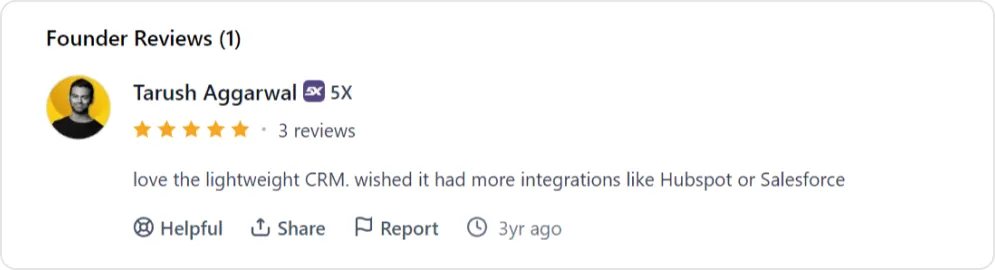
Best for: Small B2B sales teams (2–15 people) that hate manual data entry and want a CRM that automatically captures contacts, emails, and meetings. Ideal if your biggest CRM risk is that reps won’t use it.
With so many Salesforce alternatives available, choosing the one that fits your startup’s needs can feel overwhelming. The right decision balances features, scalability, budget, and ease of use, so you get a CRM that grows with your business.
How to Pick the Right Salesforce Alternative for Your Startup (A Decision Framework)
Choosing the right CRM from these ten options depends on your startup’s stage, sales motion, and internal capabilities. There is no one-size-fits-all answer. The best Salesforce CRM alternative is the one that aligns with how your team actually sells today.
| Primary need | Best CRM choice | Why it fits best |
|---|---|---|
| Developer-first flexibility and open architecture | Twenty CRM | Open-source, API-first CRM with full data ownership and deep customization, ideal for technical and product-led teams |
| Inbound marketing and content-driven growth | HubSpot | Strong marketing automation, lead nurturing, attribution, and tight marketing–sales alignment |
| Sales teams living in the pipeline | Pipedrive | Visual, sales-first pipelines that keep reps focused on deal movement and closing velocity |
| Flexible data modeling and evolving workflows | Attio | Modern CRM that adapts to your processes instead of forcing rigid structures |
| Relationship-focused selling | Folk | Designed for managing investors, partners, and customers together in a collaborative workspace |
| Enterprise-style features without enterprise cost | Freshsales | Balanced mix of automation, analytics, and AI at a mid-market-friendly price |
| Maximum functionality on a tight budget | Zoho CRM | Broad feature set with strong value-for-money for cost-conscious startups |
| High-velocity outbound sales | Close | Built-in calling, sequences, and reporting optimized for fast-moving inside sales teams |
| Google Workspace–centric teams | Copper | Deep Gmail and Calendar integration that keeps CRM work inside Google tools |
| Automated data accuracy and minimal manual entry | Salesflare | Automatically captures activities and keeps CRM data clean and up to date |
There is no universally best CRM. The right decision comes from choosing what supports your current sales motion and team maturity. Start with what you need now, and leave room to evolve as your business grows.
How TaskRhino Helps You Choose and Implement the Right CRM
Selecting a Salesforce alternative is a strategic decision, but real success depends on execution. TaskRhino helps startups and scaling businesses evaluate, implement, and optimize the CRM that best fits their stage, sales motion, and technical maturity.
We work closely with your team to assess current pain points, data complexity, and growth plans, then guide you toward the right platform whether that’s Twenty, HubSpot, Attio, Folk, or another modern CRM. Once the decision is made, we handle everything from data migration and custom configuration to integrations, automation, and user onboarding.
Our Twenty CRM services prioritize speed, clarity, and adoption. TaskRhino offers a free initial CRM assessment with no obligation. Implementation engagements include defined scope, timeline, and deliverables agreed before work begins — with full knowledge transfer so your team owns the system independently.
We avoid overengineering and build CRM foundations that can evolve as your business grows. Rather than creating consultant dependency, we focus on knowledge transfer — making sure your team understands and owns the system we build together.
As your needs change, TaskRhino remains your long-term partner, continuously optimizing your CRM so it supports growth instead of slowing it down.
If you’re exploring Salesforce alternatives and want expert guidance from selection through implementation, TaskRhino helps you move forward with confidence and avoid costly missteps.
Ready to Break Free from Salesforce With TaskRhino?
Twenty gives you a modern, open source foundation with zero licensing fees and full data ownership. Whether you self-host or use Twenty’s cloud, you stay in control.
Connect With Our ConsultantsFree 30-minute call · No obligation
Frequently Asked Questions
How much can startups realistically save versus Salesforce?
For a 10-person team, Salesforce Pro Suite costs $1,000 a month ($12,000 a year) before add-ons. Pipedrive Lite comes to $140 a month, Freshsales Growth to $90 a month, and Twenty to $90 a month on Pro or nothing in licenses when self-hosted — 86% or more off the license bill. All prices are USD as listed on vendor pricing pages; check each vendor’s page for local-currency rates.
Can I migrate data from Salesforce to these alternatives?
Yes. Most platforms support CSV imports, and many offer Salesforce import tools. How long it takes depends on data volume and complexity. Key considerations: custom fields, workflow automation, and integration dependencies may require manual recreation.
Which CRM is best for a technical or developer-focused startup?
Twenty (open source) offers full codebase access, GraphQL API, and self-hosting options. Attio provides flexible data modeling with a strong API. Both cater to teams comfortable building custom integrations and workflows without depending on vendor roadmaps.
What about integrations with existing tools?
HubSpot, Pipedrive, Zoho, and Freshsales all have large integration marketplaces. Newer players (Attio, Folk, Twenty) have smaller ecosystems but strong APIs for custom connections (Folk lists 5,000+ integrations through connectors). Check specific integrations (Slack, email provider, billing system) before committing.
Do I need technical staff to run these CRMs?
For cloud-hosted options (HubSpot, Pipedrive, Copper, Folk), no technical expertise is required. For self-hosted solutions (Twenty), you’ll need someone comfortable with server administration. Most mid-tier customizations can be handled by a technically-inclined ops person rather than a dedicated developer.
How do these CRMs handle scaling from 5 to 50+ users?
HubSpot, Freshsales, and Zoho have clear enterprise tiers for scaling teams. Pipedrive and Close handle mid-market well but may feel constrained at 100+ users. Twenty and Attio are architected for scale but have less enterprise track record. Plan migration paths when approaching 30-40 users.
What is the best free CRM for startups in 2026?
Twenty CRM (self-hosted) is fully free with no user limits — you pay only for your own hosting infrastructure. Among cloud plans, HubSpot is free for up to 2 users, and Zoho CRM and Attio are free for up to 3. For startups that want zero cost and full data ownership, Twenty’s self-hosted option is the strongest free CRM on this list.
Want to Host, Customize, or Migrate to Twenty CRM
More in Salesforce Alternatives