

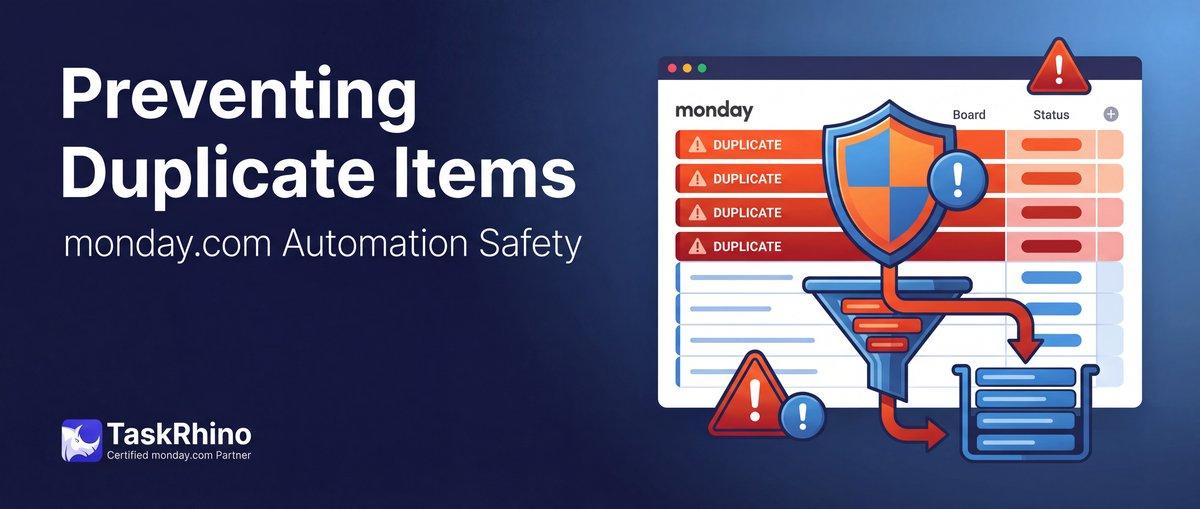
monday.com Automation Safety: Preventing Duplicate Items
Status changes to “Confirmed.” Automation fires. Travel item created.
User accidentally toggles the status back to “Pending” and then to “Confirmed” again.
Automation fires again. Second travel item created.
Now you have two travel items for the same person.
Do it five times (testing, accidental clicks, status corrections), and you have five duplicate items cluttering your board.
Monday.com automations have no memory. No deduplication. No “already ran” check.
Every trigger fires every time, even if it already ran.
Automation Pain Point #23-27: No Safety Guards or Idempotency in Monday.com
Here’s what teams need:
Idempotency — automations that don’t re-run if they already executed:
- Status toggled back and forth → automation fires once, not five times
- Button clicked twice → action runs once
- “Already exists” check → don’t create duplicate items
Pre-action validation — block automations when required data is missing:
- Don’t send email if recipient column is empty
- Don’t create item if required fields are blank
- Don’t fire button action if form isn’t filled out yet
Deduplication — prevent duplicate items by name, email, or other unique identifier:
- Don’t create two travel items for the same person
- Don’t create duplicate vendor entries
- Check if item already exists before creating
Safety prompts — confirm before destructive actions:
- “Are you sure you want to send this email to 50 clients?”
- “This will create items on 5 boards. Continue?”
Rollback/undo — reverse automation actions if triggered by mistake:
- Undo item creation
- Recall sent email
- Restore previous status
What monday.com offers:
None of the above.
- Automations fire every time, even if they already ran
- No validation before actions execute
- No duplicate checking
- No confirmation prompts
- No rollback (once fired, actions are permanent)
Related feature in monday.com CRM: monday.com CRM users have a “Manage Duplicates” tool, but this is manual merge only — it does NOT prevent duplicate item creation via automation. Deduplication must be done by hand, after duplicates are already created.
The result: Duplicate items, duplicate emails, test data mixed with production, and no way to undo mistakes.
What Monday.com Users Are Saying
Thread: Item duplication to infinity — November 2023
“when a form submission comes in, given certain responses, the item will be duplicated and the copy will be moved to another group” — rosenthd (David Rosenthal), November 9, 2023
“‘When an item is created, duplicate it’ is indeed causing a loop” — basdebruin (Bas de Bruin), November 9, 2023
No monday.com staff response. Community workaround uses a status field to break the duplication cycle.
Thread: Why does an automation keeping repeating — August 2021
“continuous loop of the item appearing as a new pulse in the other board every 15 seconds” — MDPAdmin (Ramon Utting), August 17, 2021
“I deleted the automations and wrote them again with success” — MDPAdmin, August 17, 2021
The only fix was deletion and recreation. No monday.com staff response.
Thread: Trigger status change automation only when changed by user — August 2023 – July 2024 (11 months unresolved)
“Is it possible to trigger a status change automation only when the change is made by a user and not when the status was changed by an automation?” — dk_NFroehlich, August 10, 2023
“still looking for a way to take into account who triggers an automation.” — dk_NFroehlich, July 29, 2024
“there is no way to differentiate whether a change is made by a person or via an automation. Perhaps it is possible to do so via the API, but this would require implementation and maintenance costs.” — GiannisKoukounas (Implementation Consultant), August 30, 2023
No monday.com staff response. Confirmed unsupported by community experts.
Thread: Possible infinite loop caused by API and Monday integrations — January 2023
“one change could start an infinite loop of changes!” — joseph_skyclover, January 24, 2023
No monday.com staff response. Community confirmed “not available.”
Thread: Alert window to stop/continue a manually triggered automation — July – August 2023
“I want to avoid that my users do reset the Status to an earlier or later stage manually without giving them the chance to reconsider.” — BGK0311 (Bernd), July 18, 2023
Monday.com staff confirmed no confirmation dialogs exist:
“To my knowledge, the ability for a pop-up warning does not exist.” — Kayla K (Monday.com staff), July 18, 2023
Thread: Avoid or warn about duplicate items — November 2021 – September 2024
“‘Distinct’ on a field sound like a basic requirement.” — maximl, November 9, 2021
“It’s ridiculous that a CRM tool was created without the ability to restrict users from entering the same email/contact more than once.” — Downing510, September 24, 2024
“I’m not looking to install another, separate app to achieve something virtually every database has as a basic setting.” — Michael_H, June 19, 2022
Thread: Prevent duplicate item — January 2020 – December 2021 (14 replies)
“This whole thread is about having native duplicate prevention functionality…the need for this is biggest when building complex CRM modules.” — Thomas Karlsson, June 14, 2020
Monday.com staff confirmed no native solution:
“As mentioned earlier in this thread, this is not something we internally support at this time” — jennap (Monday.com staff), December 21, 2021
Thread: Duplicate emails being produced by automation — November 2023 – July 2024
Set up Gmail automation for status change to “Approved” but “each time I do this test I receive two emails” — kdawkins, November 10, 2023
One from monday.com notification and one from Gmail integration — no way to prevent the dual-send. No monday.com staff response.
Thread: Restrict status change if certain columns are empty — June 2023 – February 2024
“Is there a way to restrict board users from changing a status label until certain other board columns are populated?” — Zachk11, June 19, 2023
“That is currently not possible.” — basdebruin, June 19, 2023
Criticized the $49/month Mandatory Fields app, stating such functionality “should be INCLUDED as a basic feature.” — jeffreywhunter, January 17, 2024
No monday.com staff response. Only third-party paid apps ($49/mo+) address this.
Official documentation (Required columns): Required column validation exists for manual moves but NOT as a pre-condition for automation-triggered actions.
Cross-Board Workflows That Actually Work
One trigger, actions across multiple boards. No more one-automation-per-board limits.
How BoardBridge Solves This
1. Idempotency: 5-Second Deduplication Window
Problem: User toggles status back and forth. Same automation fires multiple times.
BoardBridge solution:
When an automation fires, the system checks: “Did this exact automation already run on this item in the last 5 seconds?”
If yes → skip the action (deduplicate).
Example:
- 2:00:00 PM — Status changes to “Confirmed” → automation fires → travel item created
- 2:00:02 PM — Status changes to “Pending”
- 2:00:03 PM — Status changes to “Confirmed” again → automation checks: “Did I already run at 2:00:00?” → Yes (within 5 seconds) → skip
Result: Only one travel item created, even though the trigger fired twice.
Why 5 seconds? Long enough to catch accidental double-clicks and status toggles, short enough to allow legitimate re-runs (e.g., user intentionally re-confirms after 10 seconds).
2. Name-Based Idempotency
Problem: Same person confirmed twice (status toggled). Don’t create two travel items with the same name.
BoardBridge solution:
Before creating an item on the Travel board, check: “Does an item with this exact name already exist on this board?”
If yes → skip item creation.
Example:
- First confirmation: “Alex Johnson” → Travel item created: “Alex Johnson – Outbound Travel”
- Status toggled back and forth
- Second confirmation: “Alex Johnson” → System checks: “Alex Johnson – Outbound Travel” already exists → skip
Result: Only one travel item per person, regardless of how many times the status is toggled.
Limitation: Name-based deduplication only works if item names are unique. If you have two different “Alex Johnson” entries, the system cannot distinguish them.
3. Event Folder Existence Check
Problem: CRM deal moves to “Won” twice (toggled back to “In Progress,” then back to “Won”). Don’t create two project folders.
BoardBridge solution:
Before creating a project folder, check: “Does a folder with this name already exist?”
If yes → skip the entire project creation workflow.
Example:
- First “Won” trigger: Folder “Acme Corp Event” created, boards duplicated
- Deal moved back to “In Progress” (to fix something)
- Deal moved to “Won” again → System checks: Folder “Acme Corp Event” exists → skip
Result: Only one project folder created per deal, even if status is toggled.
4. Pre-Action Validation: Required Fields
Problem: Button triggers email, but recipient column is empty.
BoardBridge solution:
Add conditions to the automation:
- Condition 1: Email is_not_empty
- Condition 2: Event Date is_not_empty
- If conditions not met → block action, log error
Example:
- Button “Send Forms” clicked
- System checks: Email column → empty
- Action blocked
- Error logged: “Cannot send email: recipient column is empty”
Result: Email does not send to an empty address. User is notified via error log.
5. Retry Logic (Not Idempotency, but Safety)
Problem: API call fails (monday.com API timeout). Does the automation retry or silently fail?
BoardBridge solution:
All API calls retry with exponential backoff:
- First attempt fails → wait 1 second → retry
- Second attempt fails → wait 2 seconds → retry
- Third attempt fails → wait 4 seconds → retry
- After 3 retries → log error, stop
Result: Transient failures (network glitches, API slowdowns) are handled automatically. Permanent failures (bad data, invalid board ID) are logged for debugging.
See How BoardBridge Handles Automation
Book a free demo to see BoardBridge solve this exact problem — live, with your data.
Real-World Example: Vendor Confirmation Deduplication
Vendor Confirmations Board:
- Vendor: “Alex Johnson”
- Status: “Pending”
User accidentally clicks status twice:
- 2:00:00 PM — Status changes to “Confirmed”
- Automation fires
- Checks: “Travel item for Alex Johnson exists?” → No
- Creates: “Alex Johnson – Outbound Travel”
- 2:00:02 PM — Status accidentally changed to “Pending” (mis-click)
- 2:00:03 PM — Status changed back to “Confirmed”
- Automation fires again
- Checks: “Did this automation already run in the last 5 seconds?” → Yes (at 2:00:00)
- Skips (5-second deduplication window)
Result: Only one travel item created.
Alternative scenario (without 5-second window but with name-based check):
- 2:00:00 PM — “Confirmed” → Travel item created: “Alex Johnson – Outbound Travel”
- 2:10:00 PM — Status toggled to “Pending” then back to “Confirmed” (10 minutes later)
- 5-second window expired
- Automation fires
- Checks: “Travel item named ‘Alex Johnson – Outbound Travel’ exists?” → Yes
- Skips (name-based deduplication)
Result: Still only one travel item, even 10 minutes later.
Three Layers of Idempotency
BoardBridge uses three layers of duplicate prevention:
| Layer | Check | Time Window | Use Case |
|---|---|---|---|
| 1. Time-based | Did this automation already run on this item recently? | 5 seconds | Accidental double-clicks, rapid status toggles |
| 2. Name-based | Does an item with this name already exist on the target board? | Unlimited | Same person confirmed multiple times |
| 3. Folder-based | Does a folder with this name already exist? | Unlimited | CRM deal status toggled back and forth |
Each layer catches different duplication scenarios.
Limitations You Should Know
Name-based deduplication requires unique names. If two different people have the same name (“John Smith”), the system cannot distinguish them. Best practice: use unique identifiers in item names (e.g., “John Smith – Event 123”).
5-second window is fixed. You cannot configure a longer or shorter deduplication window. 5 seconds is the balance between catching accidental triggers and allowing intentional re-runs.
Deduplication is per-board, not workspace-wide. If you have two Travel boards and both have an item named “Alex Johnson,” the deduplication check only looks at the specific target board configured in the automation.
No rollback for actions already executed. If an item is created before deduplication logic runs (e.g., in an older version of the workflow), you’d manually delete it. Deduplication prevents future duplicates but doesn’t clean up past ones.
Need Help With Your monday.com Setup?
TaskRhino has implemented monday.com for 110+ teams. Get a free consultation.
Frequently Asked Questions
How can I prevent duplicate items from being created by a status change automation in monday.com when users accidentally toggle status back and forth?
monday.com automations lack built-in memory or deduplication, firing every time the trigger condition is met regardless of prior executions. Add a flag column (e.g., ‘Travel Created?’) that changes to ‘Yes’ when the automation runs, then modify the automation recipe to only create items when the flag is ‘No’ and update it to ‘Yes’ upon creation. For advanced deduplication across multiple columns, BoardBridge provides real-time duplicate prevention with custom matching rules before items are created.
What’s the best workaround to add ‘already processed’ logic to monday.com automations without custom coding?
Use a Checkbox or Status column as a processing flag: set the trigger condition to include ‘Flag is empty’, then have the automation check the flag and create the item only if empty, immediately setting it to ‘Processed’. This creates simple memory for automations without apps. BoardBridge enhances this with automated flag management and rollback capabilities for edge cases like status corrections.
Can I use formulas or filters to block duplicate item creation in monday.com automations triggered by status changes?
Formulas cannot dynamically prevent automation triggers or item creation—they only display calculated values and lack the execution control needed. Board filters help identify duplicates after creation but don’t prevent them. BoardBridge integrates directly with automations to enforce uniqueness rules on key columns (like Person or Email) before any item is created.
How do I stop automations from creating multiple travel requests when the same status is toggled repeatedly during testing?
Implement a two-column system: use a Mirror column to track the original status change and a Date column stamped only on first creation, adding conditions like ‘Date is empty’ to the automation recipe. During testing, use the Preview feature and add button columns for manual control instead of status triggers. BoardBridge offers test mode with duplicate simulation and one-click prevention toggles specifically for this scenario.
Is there a native way in monday.com to check if an automation has already run for the same item before creating duplicates?
No native ‘already ran’ check exists—automations are stateless and retrigger on every matching condition. Workarounds require flag columns or custom apps from the marketplace. BoardBridge adds this missing functionality with automation memory, tracking executions per item across sessions and preventing duplicates even after page refreshes.
How can I use monday.com API or Make.com to prevent duplicate items when importing data that triggers automations?
Before API item creation or Make.com scenarios, use the Search module to query if an item with matching values (email, name, etc.) already exists, then conditionally create or update. This mirrors Excel’s ‘ignore duplicates’ feature during imports. BoardBridge provides a no-code API endpoint that handles this search-and-prevent logic automatically, integrating seamlessly with Make.com and native automations.

Editor's Choice
monday.com No Dry-Run Mode for Automations


monday.com Automation Test Sandbox Mode
monday.com Block Automation If Pre-Condition Not Met