

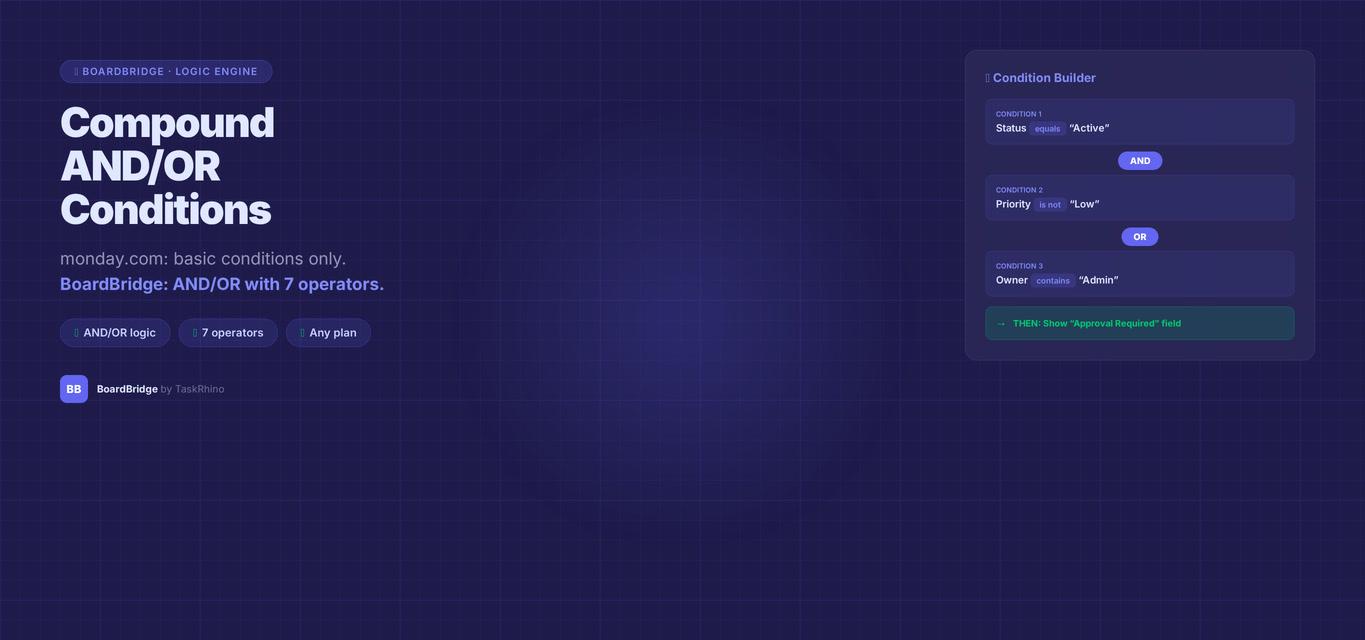
monday.com Form Compound AND/OR Conditions — Multi-Rule Logic
title: “monday.com Form Compound AND/OR Conditions — Multi-Rule Logic” meta_description: “Need compound AND/OR conditional logic in monday.com forms? WorkForms limits it to Enterprise only. BoardBridge delivers field-level AND/OR conditions on any monday.com plan.” keyword: “monday.com form compound conditions”
Show a field only when three conditions are all true. Or when any one of five conditions is met.
Can you use compound AND/OR conditions in monday.com forms? monday.com WorkForms added conditional logic in late 2025, with availability varying by plan. Compound AND/OR logic (show this section if Answer A = “Yes” AND Answer B = “External Client”) has limitations in native WorkForms. Conditional logic depth and field-level control availability depend on your plan.
BoardBridge — Form & Workflow Automation for monday.com — gives you full AND/OR conditional logic on any monday.com plan, with five comparison operators and field-level control.
Why monday.com Forms Have Limited Conditional Logic
Pain Point #24: Need compound conditions (IF answer A = “Yes” AND answer B = “External” THEN show Section 3)
WorkForms’ conditional logic has the following characteristics (Source):
- Section-level visibility: You can show/hide form sections based on conditions
- Plan-based limitations: Compound AND/OR logic and field-level control availability vary by plan
- Single conditions per rule: Basic branching on single conditions is supported
- Plan verification needed: Check your specific plan’s conditional logic capabilities with monday.com
This breaks down fast in real forms:
- Event intake: Show the “Teebox Details” section only if Event Type = “Teebox” AND Confirmed = “Yes”
- Project requests: Show the “External Vendor” fields if Client Type = “External” OR Budget > $10,000
- Support forms: Display escalation options if Priority = “High” OR Issue Type = “Bug” OR Customer Tier = “Enterprise”
What the Community Says
Conditional logic feature requests have been ongoing for years (Source). The depth of conditional logic available depends on your monday.com plan.
From the forums:
September 2023:
“Advanced options for forms with conditionals/branch questions so that perspective clients can be asked only questions relevant to their custom order.” — Community thread: Adding conditionals and branch questions to forms
January 2023:
“Workforms offers conditional formatting (ie. if a certain answer is chosen, show/hide related questions), but is missing other key features I need. I’ve been using Superforms which does not have conditional formatting but has more flexibility overall.” — Conditional Formatting on Forms
June 2024 (Most Recent):
“On my Form, I have a field that has conditions under it. In this case I want the 2 conditional questions to be required if the answer to the first question is ‘Yes’. Is that possible?” — Forms – Making fields required based on conditional question answers
Community consensus: Even 5+ years after the feature request was opened, monday.com has not implemented compound AND/OR logic in WorkForms. Users are forced to either simplify their forms or move to third-party alternatives.
Even Enterprise customers only get section-level conditional display — not field-level — and no compound AND/OR operators.
New in 2024: Data Validations with AND/OR (Column-Level, Not Form-Level)
Monday.com added Data Validations in late 2024, which support AND/OR logic for column-level validation rules:
“For conditional validations using ‘and/or’ logic (for example, ‘If Status is Live, then Checkbox must be selected, and Number>100’), deleting one of the ‘then’ columns keeps only the remaining condition active.” — monday.com Data Validations Documentation
Important: Data Validations are column-level rules, not form-level conditional display. They validate data after it’s entered but don’t show/hide form fields based on previous answers. This doesn’t solve the compound form conditional logic gap.
What competitors offer:
- Fillout: “powerful hiding and validation logic” with multi-condition branching on all plans (free up to 1,000 submissions). Full AND/OR support at form field level.
- SuperForm: “unlimited branches” with compound conditions — from $35/month, any monday.com plan. Handles complex multi-field conditional logic.
- Typeform, JotForm: Full conditional logic with AND/OR branching on all plans.
- Formstack, HubSpot Forms: Enterprise-grade conditional logic with nested AND/OR rules.
How BoardBridge Handles monday.com Form Compound Conditions
Every field in a BoardBridge form can have multiple conditions combined with either AND or OR logic. Each condition uses one of five comparison operators.
The Five Comparison Types
- equals: Field value exactly matches the comparison value
Example: Event Type equals "Show + Teebox" → true only if user selected “Show + Teebox”
- not_equals: Field value does NOT match the comparison value
Example: Client Type not_equals "Internal" → true for External, Partner, or any other value except Internal
- contains: Field value includes the comparison text (case-insensitive partial match)
Example: Venue contains "Stadium" → matches “MetLife Stadium”, “stadium parking”, “Yankee Stadium”
- is_empty: Field has no value (blank, null, or unselected)
Example: Budget is_empty → true if the user hasn’t filled in the Budget field yet
- is_not_empty: Field has any value (not blank)
Example: Email is_not_empty → true if user entered anything in the Email field
These operators work across all 10 field types BoardBridge supports: text, long text, email, phone, number, date, dropdown, status, checkbox, and location.
AND Logic: All Conditions Must Be True
When you set a field’s condition logic to AND, the field only shows when every condition is met.
Example: Production Section Fields
Show the “Load-In Time” field only when:
- Event Type equals “Show + Teebox” (production is needed)
- AND Venue Type equals “Outdoor” (load-in timing is critical for outdoor)
- AND Confirmed equals “Yes” (don’t ask until event is confirmed)
If any one of these is false, the field stays hidden.
OR Logic: Any Condition Can Be True
When you set a field’s condition logic to OR, the field shows if at least one condition is met.
Example: Escalation Contact Field
Show the “Escalation Contact” field if:
- Priority equals “High”
- OR Issue Type equals “Bug”
- OR Customer Tier equals “Enterprise”
If the user selects High priority, the field appears — even if it’s not a bug and the customer is on a Standard plan. Any one condition passing is enough.
Combining Multiple Conditions on One Field
Each field supports an array of conditions — you can add as many as needed. All conditions in the array are evaluated using the same logic operator (AND or OR).
Example: Golf-Specific Questions
A 48-question event intake form includes golf-related fields (Teebox Time, Golf Format, Number of Holes). These fields should only appear for golf events.
Configuration:
- Field: “Teebox Time”
- Conditions:
- Event Type contains “Teebox”
- OR Event Type equals “Show + Teebox”
- Logic: OR
- Result: Field appears if Event Type is “Teebox” or “Show + Teebox”, hidden otherwise
The form evaluates this in real time as the user makes selections. Select “Show + Teebox” from the Event Type dropdown → Teebox Time field appears instantly.
How It Works
BoardBridge evaluates conditions client-side (in the browser) as the user fills out the form. When a field changes:
- The form checks which fields have conditions that reference the changed field
- For each dependent field, it evaluates all conditions:
- AND logic: Use JavaScript
Array.every()— all conditions must return true - OR logic: Use JavaScript
Array.some()— at least one condition must return true
- If the result is true, the field is visible. If false, the field is hidden and excluded from validation.
- Server-side validation runs the same logic again on submission to prevent tampering. Hidden fields are completely skipped — they don’t block submission even if marked required.
Pre-Fill + Conditional Logic
When you send a form link with an item ID (to update an existing monday.com item), BoardBridge pre-fills the form with existing column values. Conditional logic evaluates against these pre-filled values.
Example: An event already has Event Type = “Show + Teebox” saved on the board. When the client opens the form to update their details, the Teebox fields are already visible because the pre-filled Event Type value triggers the conditions.
This creates a smooth update experience — the form adapts to what’s already in monday.com, showing only relevant fields.
Stop Creating Duplicates
BoardBridge forms update existing items — no Enterprise plan, no workarounds, no duplicates.
Real-World Scenario: Multi-Format Event Form
A client manages four event formats: Show-only, Teebox-only, Show + Teebox, and Corporate. Each format has different required info.
Without compound logic (monday.com WorkForms):
Option 1: Create four separate forms — one per format. Users have to pick the right form upfront, and if the format changes later, they fill out a new form.
Option 2: Show all fields to everyone. The form is 80+ questions long, and most questions don’t apply to the user’s event type. Terrible UX.
With BoardBridge AND/OR logic:
One 48-question form with conditional sections:
- Show-only fields (stage dimensions, sound check time): Show if Event Type equals “Show” OR “Show + Teebox”
- Teebox-only fields (golf format, number of holes): Show if Event Type equals “Teebox” OR “Show + Teebox”
- Corporate fields (meeting room setup, A/V equipment): Show if Event Type equals “Corporate”
- Advanced logistics fields (overnight lodging, travel details): Show if Event Type equals “Show + Teebox” AND Overnight equals “Yes”
Result: Users only see 15-25 questions depending on their selections. The form feels fast and relevant. All data still writes to the same monday.com board.
See How BoardBridge Handles Form Updates
Book a free demo to see BoardBridge solve this exact problem — live, with your data.
Why This Beats Native WorkForms for Compound Conditional Logic
| Feature | monday.com WorkForms | BoardBridge |
|---|---|---|
| Conditional logic available | Enterprise-only | ✓ All plans (Standard, Pro, Enterprise) |
| Granularity | Section-level only | ✓ Field-level control |
| Compound conditions (AND/OR) | Not supported | ✓ Full AND/OR operators |
| Number of conditions per field | 1 (single condition only) | ✓ Unlimited (array of conditions) |
| Comparison operators | Basic equals | ✓ 5 operators: equals, not_equals, contains, is_empty, is_not_empty |
| Real-time evaluation | Yes (Enterprise) | ✓ Yes (client-side + server-side validation) |
| Works with form pre-fill | Yes (Enterprise) | ✓ Yes (evaluates against pre-filled values) |
How to Set It Up
- Create a form in BoardBridge.
- Add your fields — include fields that should be conditionally displayed.
- Configure conditions on any field:
- Click the field settings
- Add a condition: select the field to check, operator (equals, contains, etc.), and value
- Add more conditions if needed
- Choose logic type: AND (all must be true) or OR (any can be true)
- Test in preview mode — BoardBridge’s form preview shows how conditions behave as you fill it out.
- Publish and send the form link.
When users fill out the form, fields appear and disappear based on their answers. Hidden fields are excluded from validation and submission — they won’t block the form even if marked required.
Need help setting up monday.com workflow customization with advanced form logic? TaskRhino offers implementation support.
Common Questions
Q: Can I use conditional logic on monday.com forms without Enterprise? A: Native WorkForms conditional logic is Enterprise-only. BoardBridge provides field-level AND/OR conditional logic on all monday.com plans — Standard, Pro, and Enterprise.
Q: Can I use conditional logic with form updates (editing existing items)? A: Yes. When a form loads with an item ID, it pre-fills fields with existing monday.com data. Conditional logic evaluates immediately against those pre-filled values, so the form shows only relevant fields based on what’s already saved.
Q: What happens if a required field is hidden by conditions? A: It’s skipped during validation. BoardBridge checks whether a field is visible before checking if it’s required. Hidden fields can’t block submission.
Q: Can I reference fields from earlier sections in wizard/stepper mode? A: Yes. Conditions can reference any field on the form, regardless of section or step order. This lets you build branching paths through multi-step forms.
Q: Can I use conditional logic to route submissions to different boards? A: Not directly. The target board is set at the form level. But you can combine conditional logic with BoardBridge’s multi-board form mapping — certain fields write to a secondary board only when conditions are met.
Q: Does conditional logic work with all field types? A: Yes. All 10 field types support conditions: text, long text, email, phone, number, date, dropdown, status, checkbox, and location. Comparison operators like “contains” work best with text fields; “equals” works with dropdowns, status, and checkbox.
Q: Can I nest conditions (if this AND (that OR the other))? A: Not yet. All conditions on a field use the same logic operator — all AND, or all OR. You can’t mix AND and OR within the same field’s condition set.
Q: How many conditions can I add to one field? A: No hard limit. You can add as many conditions as needed. Practically, 3-5 conditions per field keeps the logic manageable.
Q: Can I use conditional logic to change a field from optional to required? A: No. Required/optional is set at the field level and doesn’t change based on conditions. But since hidden fields are excluded from required validation, you can achieve similar behavior: make the field required, then hide it with conditions when it’s not needed.
Q: Can WorkForms make conditional fields required based on answers? A: Not dynamically. WorkForms (Enterprise) can show/hide sections based on answers, but it can’t make a field required only when certain conditions are met. BoardBridge solves this by hiding fields when conditions aren’t met — hidden fields skip required validation entirely.
Who This Is For
This feature is built for teams who:
- Need intelligent, branching forms that adapt to user answers
- Want to reduce form length and improve UX by showing only relevant questions
- Manage multiple workflows or event types with one unified form
- Are on monday.com Standard or Pro plans and can’t access Enterprise conditional logic
- Need more control than section-level hiding — field-level precision matters
If your forms serve multiple audiences or workflows, compound AND/OR logic keeps them fast, relevant, and easy to fill out.
Need advanced conditional logic in monday.com forms without an Enterprise plan? BoardBridge by TaskRhino includes AND/OR operators, five comparison types, and field-level control on any plan. Book a free 30-minute consultation at https://calendly.com/rp-spaceo/call-with-rakesh-est-timezone
Need Help With Your monday.com Setup?
TaskRhino has implemented monday.com for 110+ teams. Get a free consultation.

Editor's Choice
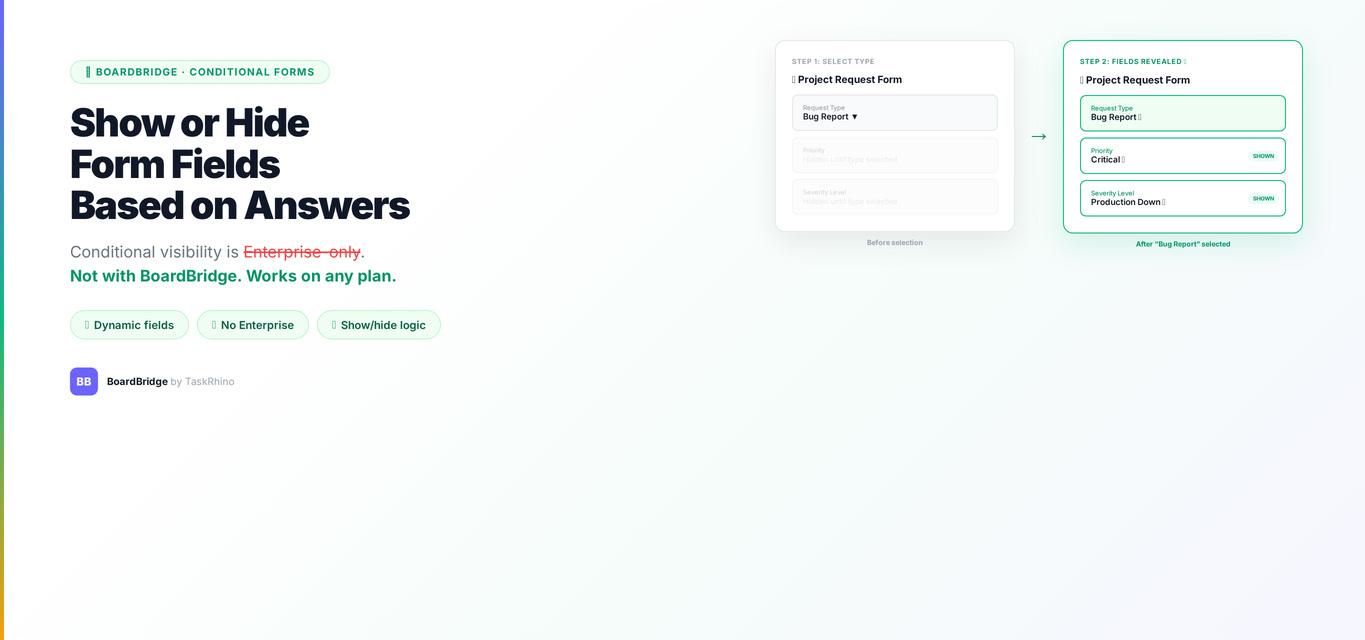
How to Show or Hide monday.com Form Fields Based on Previous Answers


monday.com Form Write to Different Boards — How to Do It
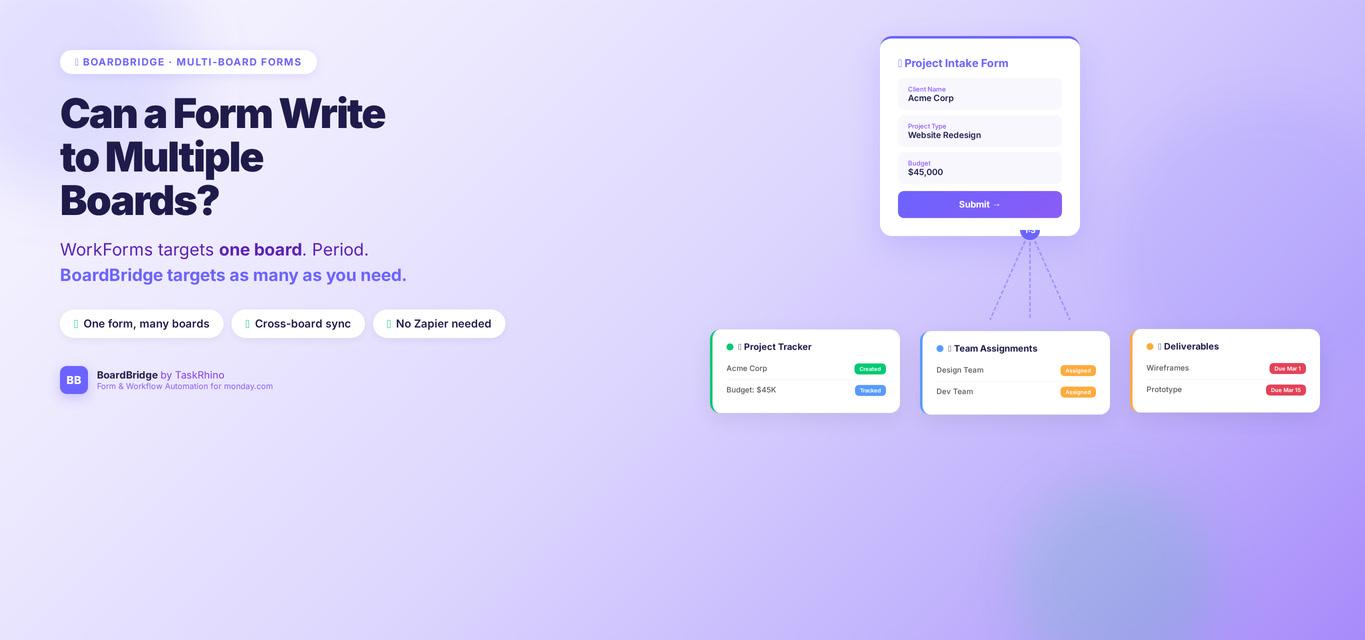
Can a monday.com Form Write to Multiple Boards? WorkForms Cannot — But This Can