

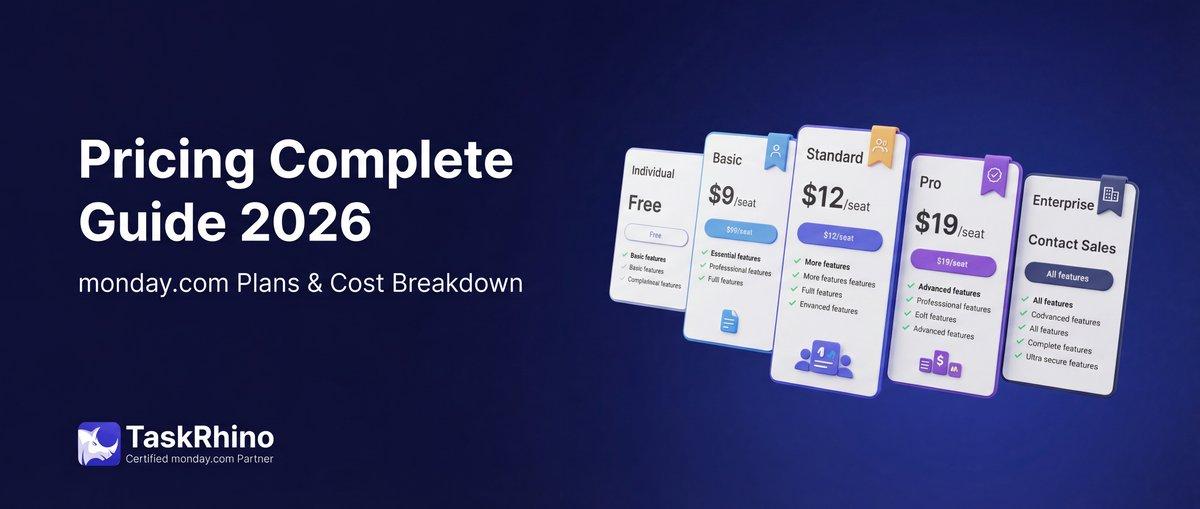
monday.com Pricing 2026: Complete Guide
monday.com pricing starts at $27/month for small teams with a 3-seat minimum on paid plans. The platform offers 5 pricing tiers—from a genuinely free option for individuals to enterprise-level plans with unlimited automation and dedicated support.
Understanding what you actually get at each monday.com pricing tier is critical. The pricing structure changed in 2026, with adjustments across all tiers and new AI features included in every plan.
This guide breaks down the real cost of monday.com in 2026, what each plan includes, and how to get it cheaper through annual billing, nonprofit discounts, and smart plan selection. Let’s decode the pricing so you can choose a plan that maximizes results without stretching your budget.
monday.com Pricing Overview (2026)
Here’s the current monday.com pricing structure as of February 2026:
| Plan | Price/Seat/Month (Annual) | Minimum Seats | Key Features |
|---|---|---|---|
| Free | $0 | 2 seats max | 3 boards, 3 docs, 200+ templates, 8 column types (but not all column types transfer between boards), AI credits |
| Basic | $9 | 3 seats | Unlimited items, 5GB storage, 1-board dashboards, AI credits |
| Standard | $12 | 3 seats | Timeline/Gantt, Calendar, 250 automations/integrations, 5-board dashboards, AI Sidekick (lite) |
| Pro | $19 | 3 seats | Private boards, Time tracking, Formula column, 25K automations/integrations, 20-board dashboards, AI Sidekick (lite) |
| Enterprise | Contact Sales | Custom | 250K automations/integrations, enterprise security, 50-board dashboards, AI Sidekick (plus) |
Sources: monday.com Pricing Page, monday.com Support – Plans and Pricing
Important: All paid plans require a minimum of 3 seats. You’ll pay for 3 users even if you only need 1 or 2.
Annual billing discount: 18% savings compared to monthly billing across all plans. Source: monday.com Pricing
monday.com Free Plan: What You Actually Get
The monday.com Free plan is a real, permanent free tier—not a trial. It’s designed for individuals or very small teams managing simple workflows.
What’s Included (Free Plan):
- Up to 2 seats (you + 1 collaborator)
- 3 boards (enough for personal task tracking)
- 3 docs (collaborative documents)
- 200+ templates (pre-built workflows)
- 8 column types (but not all column types transfer between boards) (status, date, text, person, numbers, timeline, dropdown, files)
- Unlimited free viewers (read-only access, no board permissions automation) (read-only access)
- iOS and Android apps (mobile task management)
- AI credits (limited AI assistance)
Free Plan Limitations:
The Free plan is genuinely useful for individuals and micro-teams, but it hits hard limits quickly.
Board limits: Only 3 boards means you can’t scale beyond a few active projects. If you’re tracking client work, internal tasks, and a side project, you’re maxed out.
No automations: Zero automation actions. Every repetitive task is manual.
No integrations: Can’t connect to Slack, Gmail, or any third-party tools.
No timeline or calendar views: You’re stuck with the basic board view—no Gantt charts, no calendar planning.
Bottom line: The Free plan works for personal to-do lists or simple client tracking for solopreneurs. The moment you need automation, calendar views, or more than 3 boards, you’ll need to upgrade.
monday.com Basic Plan: $9/Seat/Month
The Basic plan is the entry point for small teams ready to move beyond free-tier limits.
Actual cost: $27/month (3 seats minimum × $9), billed annually. Monthly billing is $33/month.
What You Get (Basic Plan):
- Unlimited items (no limits on tasks, rows, or records) Source: monday.com Pricing
- Unlimited viewers (free read-only access)
- 5GB storage (file attachments per account)
- 1-board dashboards (basic reporting)
- iOS and Android apps (mobile access)
- Prioritized customer support
- AI credits (limited AI assistance)
What’s Still Missing:
- No automations or integrations
- No timeline, Gantt, or calendar views
- No guest access
- No advanced columns (formula, time tracking, dependencies)
Best for: Small teams managing straightforward task lists or client deliverables without needing workflow automation or advanced views.
See How BoardBridge Handles This Workflow
Book a free demo to see BoardBridge solve this exact problem — live, with your data.
monday.com Standard Plan: $12/Seat/Month (Most Popular)
The Standard plan is where monday.com becomes a true project management platform. This is the most popular tier for growing teams.
Actual cost: $36/month (3 seats minimum × $12), billed annually. Monthly billing is $44/month.
What You Get (Standard Plan):
Everything in Basic, plus:
- Timeline and Gantt views (visual project planning) Source: monday.com Pricing
- Calendar view (see tasks by due date)
- Guest access (invite clients or vendors to specific boards)
- 250 automation actions/month (automatic status updates, notifications, recurring tasks)
- 250 integration actions/month (connect to Gmail, Slack, Google Drive, etc.)
- 5-board dashboards (combine data from up to 5 boards into visual reports)
- AI Sidekick (lite) (AI-powered workflow assistance)
Why This Plan Matters:
This is the first tier where monday.com delivers real automation. 250 actions/month is enough for a small team to automate notifications, status changes, and simple recurring tasks.
Guest access is critical if you work with clients or external partners—they can view and edit specific boards without taking up a paid seat.
Best for: Teams of 3-10 people managing projects with timelines, client collaboration, and basic automation needs.
monday.com Pro Plan: $19/Seat/Month
The Pro plan is built for teams running complex workflows with heavy automation and advanced reporting.
Actual cost: $57/month (3 seats minimum × $19), billed annually. Monthly billing is $69/month.
What You Get (Pro Plan):
Everything in Standard, plus:
- Private boards and docs (restrict access to sensitive data) Source: monday.com Pricing
- Chart view (visualize data trends)
- Time tracking (log hours directly on tasks)
- Formula column (perform calculations across columns)
- Dependency column (link tasks with dependencies)
- 25,000 automation actions/month (100x more than Standard)
- 25,000 integration actions/month (heavy integration use)
- 20-board dashboards (comprehensive reporting across projects)
- AI Sidekick (lite) (same as Standard tier)
Why This Plan Matters:
The jump from 250 to 25,000 automation actions is massive. This tier supports teams that want to automate almost everything—from client intake forms that create boards, to status-based notifications across multiple teams.
Private boards are essential for agencies managing confidential client data or HR teams handling employee records.
Best for: Teams of 10-50 people managing multiple projects with heavy automation, time tracking, and advanced reporting needs.
monday.com Enterprise Plan: Custom Pricing
The Enterprise plan is designed for large organizations with complex security, compliance, and integration requirements.
Pricing: Contact monday.com sales for a quote. Typically starts around $30,000/year for 100+ seats.
What You Get (Enterprise Plan):
Everything in Pro, plus:
- 250,000 automation actions/month (10x Pro tier)
- 250,000 integration actions/month
- Multi-level permissions (granular access control)
- Enterprise-grade security (SSO, SAML, advanced audit logs)
- Premium support (dedicated account manager, priority response)
- Tailored onboarding (custom training and implementation support)
- 50-board dashboards (organization-wide reporting)
- Advanced analytics (custom reporting and BI integrations)
- AI Sidekick (plus) (full AI capabilities)
- 99.9% uptime SLA
Best for: Enterprises with 100+ users, complex compliance requirements (HIPAA, SOC 2), or needing dedicated support and custom SLAs.
Need Help With Your monday.com Setup?
TaskRhino has implemented monday.com for 110+ teams. Get a free consultation.
How to Get monday.com Cheaper in 2026
monday.com pricing list rates are just the starting point. Here’s how to reduce your actual cost:
1. Choose Annual Billing (18% Savings)
Annual billing saves 18% compared to monthly billing across all plans.
Example savings:
- Standard plan (5 seats): Monthly = $720/year vs. Annual = $590/year
- Pro plan (10 seats): Monthly = $2,280/year vs. Annual = $1,870/year
When to do it: If you’re confident you’ll use monday.com for at least a year, always choose annual billing.
2. Apply for Nonprofit Discount
Registered nonprofits get significant discounts (typically 30-50% off).
How to apply:
- Contact monday.com sales or support
- Provide proof of 501(c)(3) status or equivalent nonprofit registration
- Get custom pricing quote
3. Negotiate Volume Discounts (10+ Seats)
If you’re adding 10+ seats, contact monday.com sales directly. They often discount 10-20% for larger teams.
When to negotiate: Any time you’re adding more than 10 seats or committing to a multi-year contract.
4. Start with Standard, Not Pro
Many teams jump to Pro for unlimited automation—but Standard’s 250 actions/month often covers small teams.
Test first: Start with Standard. Monitor your automation usage in Settings → Usage. Only upgrade to Pro when you consistently hit the 250-action limit.
Savings: $7/seat/month = $252/year for a 3-person team.
5. Use Free Viewers for Stakeholders
Don’t pay for seats that only need read-only access. Clients, executives, or external partners can be added as free viewers on all plans.
Savings: Potentially thousands per year, depending on viewer count.
6. Audit Your Seat Count Quarterly
Teams often pay for inactive users. Remove users who’ve left the company or no longer use the platform.
How to audit: Admin → Users → Check last login date. Deactivate users who haven’t logged in for 30+ days.
monday.com Add-On Pricing (2026)
Beyond the core Work Management plans, monday.com offers specialized add-ons:
monday CRM
- Basic CRM: Included in Standard plan
- Pro CRM: $30/seat/month (requires Work Management plan)
- Enterprise CRM: Custom pricing
monday Dev (For Software Teams)
- Basic Dev: $12/seat/month
- Standard Dev: $18/seat/month
- Pro Dev: $28/seat/month
- Enterprise Dev: Custom pricing
monday Service (Customer Support)
- Pricing varies based on agent count and features
- Typically $30-50/agent/month
Additional Storage
- Base plans include 5GB-100GB depending on tier
- Additional storage available at ~$5/month per 50GB
AI Credits
- All plans include baseline AI credits
- Additional AI credit packs available for purchase (pricing varies)
Stop Creating Duplicates
BoardBridge forms update existing items — no Enterprise plan, no workarounds, no duplicates.
How to Choose the Right monday.com Plan in 2026
Choosing the right monday.com pricing plan depends on your team size, automation needs, and reporting requirements. Here’s how to decide:
Choose Free if:
- You’re an individual or duo (max 2 people)
- You need simple task tracking (3 boards or fewer)
- You don’t need automations, integrations, or advanced views
- You’re testing monday.com before committing
Choose Basic if:
- You have 3-5 team members
- You need unlimited boards and items
- You don’t need automations or timeline views
- You want the cheapest paid option to unlock unlimited boards
Choose Standard if:
- You have 3-10 team members
- You need timeline/Gantt views for project planning
- You want basic automation (250 actions/month)
- You collaborate with clients or external partners (guest access)
Choose Pro if:
- You have 10-50 team members
- You need heavy automation (25K actions/month)
- You track time or use advanced formulas
- You manage sensitive data requiring private boards
- You need comprehensive dashboards (20-board reporting)
Choose Enterprise if:
- You have 50+ team members
- You require enterprise security (SSO, SAML, advanced permissions)
- You need dedicated support and custom SLAs
- You manage compliance-heavy workflows (HIPAA, SOC 2)
- You want unlimited automation (250K actions/month)
Still Not Sure Which Plan Fits Your Team?
Choosing the wrong monday.com pricing plan costs time and money. If you’re unsure whether Standard or Pro makes sense—or if you need help migrating from another tool—TaskRhino can help.
Our monday.com certified consultants have set up workflows for teams across healthcare, finance, legal, and retail. We’ll assess your actual automation needs, recommend the right tier, and build custom workflows so you’re not paying for features you don’t use.
How TaskRhino Helps You Get More from monday.com:
- Plan assessment: We analyze your workflows and recommend the most cost-effective plan
- Custom workflow setup: Automations, integrations, and dashboards built for your team
- Migration support: Move from Asana, Trello, or Basecamp without losing data
- Ongoing optimization: Quarterly reviews to ensure you’re not overpaying
Get a free monday.com workflow assessment → Contact TaskRhino
Final Thoughts: Is monday.com Worth the Cost in 2026?
monday.com pricing sits in the mid-to-high range compared to competitors—but you’re paying for flexibility, customization, and powerful automation.
Bottom line:
- Free plan is legitimately useful for individuals (better than Asana or ClickUp’s free tiers)
- Standard plan ($36/month for 3 seats) is the sweet spot for small teams needing automation
- Pro plan ($57/month for 3 seats) is worth it if you hit automation limits or need private boards
- Enterprise is overkill unless you have 50+ seats or compliance requirements
The 3-seat minimum is the biggest drawback for solopreneurs or duos—you’ll pay for seats you don’t use.
If you’re ready to scale beyond Free and need automation, calendar views, and integrations, monday.com delivers. Start with Standard, monitor your automation usage, and upgrade to Pro only when you hit limits.
And if you want to skip the trial-and-error phase, TaskRhino builds it right the first time.
Frequently Asked Questions
What is monday.com pricing per month?
monday.com pricing starts at $0 for the Free plan (2 seats), $9/seat/month for Basic (3-seat minimum = $27/month), $12/seat/month for Standard ($36/month minimum), and $19/seat/month for Pro ($57/month minimum). All paid plans require annual billing for the listed prices. Monthly billing costs 18% more.
Why is there a 3-seat minimum on paid plans?
monday.com requires a minimum of 3 seats on all paid plans (Basic, Standard, Pro). This means you’ll pay for 3 users even if you only have 1 or 2 team members. This policy applies across all plans and cannot be waived for smaller teams. Workaround: If you’re a solopreneur or duo, stick with the Free plan or consider tools without seat minimums (ClickUp, Notion, Trello).
How much do I save with annual vs. monthly billing?
Annual billing saves 18% compared to monthly billing. For a 5-person team on the Standard plan, that’s $129.60/year in savings. Example: – Monthly billing: $720/year – Annual billing: $590/year (billed upfront) Annual billing requires full upfront payment but unlocks the discount immediately.
Does monday.com offer nonprofit discounts?
Yes. Registered nonprofits (501(c)(3) in the US or equivalent globally) can receive 30-50% discounts on all paid plans. How to apply: 1. Contact monday.com sales or support 2. Submit proof of nonprofit status 3. Receive custom pricing quote Nonprofit discounts apply to annual subscriptions and stack with the 18% annual billing discount.
What happens if I go over my automation limit?
If you exceed your plan’s automation actions (250/month on Standard, 25K/month on Pro), automations will stop running until the next billing cycle. Options: 1. Upgrade to the next tier (Standard → Pro = 100x more actions) 2. Optimize automations (reduce redundant or unnecessary automation rules) 3. Purchase add-on automation packs (contact sales—not self-service) Pro tip: Monitor usage in Settings → Usage to avoid hitting limits mid-month.
Can I add extra storage to my plan?
Yes. All plans include base storage (5GB on Basic, increasing by tier). You can purchase additional storage in 50GB increments for approximately $5/month per 50GB block. Contact monday.com support to add storage to your account.
Are there any hidden fees in monday.com pricing?
monday.com pricing is transparent for core Work Management plans, but watch for these potential add-ons: – Extra storage (~$5/month per 50GB) – Additional AI credits (variable pricing) – monday CRM, Dev, or Service (separate products with separate pricing) – Premium integrations (some third-party integrations may require separate subscriptions) There are no setup fees, cancellation fees, or per-board fees.

Editor's Choice
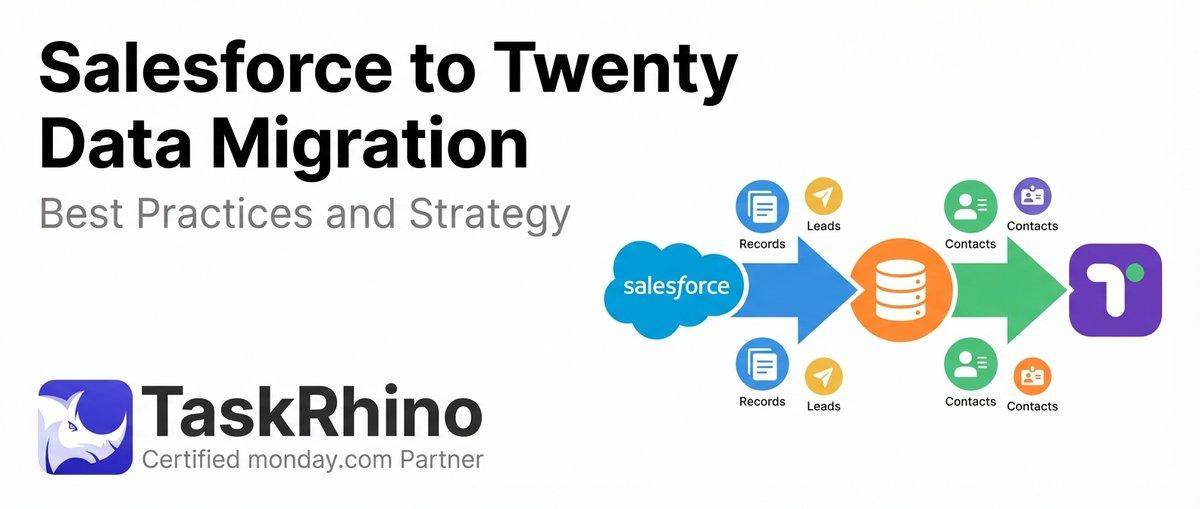
Salesforce to Twenty Data Migration: Best Practices and Strategy

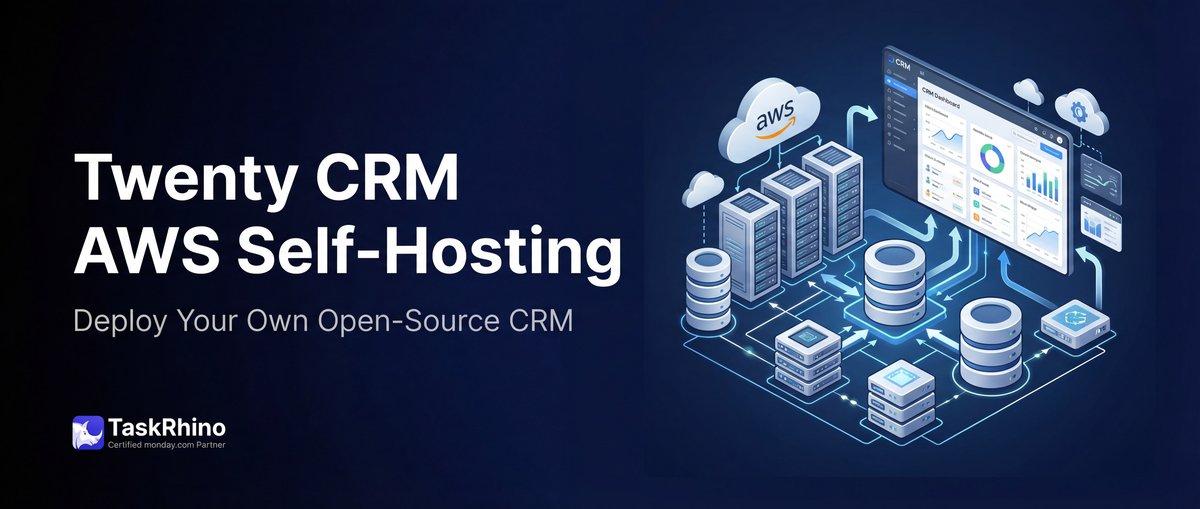
How to Self-Host Twenty CRM on AWS: Step-by-Step Guide

Is Twenty CRM Right for Your Business? A Guide for Growing Teams