

What Makes monday.com Workflow Automation the Right Fit for Your Team?
Workflow automation on monday.com turns repetitive manual tasks into automated processes that run themselves. Instead of manually changing statuses, sending notifications, or updating dependent items when something happens on your board, you set up rules once and let the platform handle it.
This guide covers everything you need to know about monday.com workflow automation in 2026 — from basic recipes to advanced cross-board workflows, pricing limits, real-world use cases, and the limitations you’ll hit (plus how to work around them).
What Is Workflow Automation on Monday.com
Workflow automation on monday.com means creating “if this happens, then do that” rules that execute automatically when triggered by board events. When a status changes to “Done,” send an email to the client. When an item is created in the “Urgent” group, notify the team lead and set a due date for today. When a date arrives, move the item to a different board and update three columns.
These automations run 24/7 without anyone clicking buttons or remembering to follow up. You define the logic once — monday.com executes it every time the conditions are met.
The Three Parts of Every Automation
Every monday.com automation recipe follows the same structure:
| Component | What It Does | Example |
|---|---|---|
| Trigger | The event that starts the automation | “When status changes to…” |
| Condition (optional) | Additional checks before running | “Only if priority is high” |
| Action | What happens when triggered | “Send email to client” |
Native vs. Third-Party Automations
Monday.com offers two automation systems:
Native automations — Built directly into the platform. No coding required. Set up through the Automations Center on any board. Limited to what monday.com provides out of the box.
Workflow integrations — Connect monday.com to external tools (Slack, Gmail, Zapier, Make.com) to extend automation capabilities beyond what’s native. Requires integration setup and often counts against action limits.
This guide focuses on native workflow automation — the rules you can build and manage entirely within monday.com without external dependencies.
Monday.com Workflow Automation Features (2026)
Here’s what monday.com’s native automation engine can do as of 2026:
Core Automation Capabilities
| Feature | What You Can Do | Plan Availability |
|---|---|---|
| ✅ Status-based triggers | Trigger automations when any status column changes to a specific value | Standard, Pro, Enterprise |
| ✅ Date-based triggers | Run automations when a date arrives, passes, or is approaching | Standard, Pro, Enterprise |
| ✅ Item creation triggers | Automatically act when new items are created (via forms, imports, or manual entry) | Standard, Pro, Enterprise |
| ✅ Time-based triggers | Schedule automations to run daily, weekly, or monthly at specific times | Standard, Pro, Enterprise |
Action Types Available
| Action Type | Examples | Limitations |
|---|---|---|
| ✅ Notifications | Send email, push notification, or in-app alert | Plain text only, no CC/BCC |
| ✅ Status updates | Change status columns automatically | Single status per action |
| ✅ Item movement | Move or duplicate items to different groups or boards | Cross-board has column type restrictions |
| ✅ Dependencies | Set or clear dependencies between items | Manual configuration required |
Conditional Logic
| Feature | Status | Details |
|---|---|---|
| ✅ Single conditions | Supported | “Only if status = X” |
| ✅ AND conditions | Limited | Multiple conditions must ALL be true |
| ❌ OR conditions | Not native | Requires workarounds or separate automations |
| ❌ IF/ELSE branching | Not supported | Cannot execute different actions based on conditions |
Integration Points
| Integration | What It Automates | Action Consumption |
|---|---|---|
| ✅ Email (Gmail/Outlook) | Send emails when triggered by board events | 1 action per email sent |
| ✅ Slack | Post messages to channels when items update | 1 action per message |
| ✅ Microsoft Teams | Notify team channels on status changes | 1 action per notification |
| ✅ Webhooks | Send data to external APIs when events occur | 1 action per webhook call |
Monday.com Automation Recipes: Most Common Workflows
Monday.com provides pre-built automation templates called “recipes” that you can customize. Here are the most useful ones for 2026:
Notification & Communication Recipes
| Recipe | When to Use | Setup Complexity |
|---|---|---|
| ✅ Notify someone when status changes | Keep stakeholders informed without manual updates | Easy (2 min) |
| ✅ Send email when item created | Auto-confirm form submissions or new requests | Easy (3 min) |
| ✅ Daily summary of overdue items | Morning digest of what needs attention | Medium (5 min) |
| ✅ Alert team when priority is high | Escalate urgent items immediately | Easy (2 min) |
Status & Progress Automation
| Recipe | When to Use | Setup Complexity |
|---|---|---|
| ✅ Auto-archive completed items | Move “Done” items out of active view after 7 days | Medium (5 min) |
| ✅ Change status when date arrives | Mark items “In Progress” on their start date | Easy (3 min) |
| ✅ Update parent item status when all subitems done | Automatically mark projects complete when tasks finish | Medium (5 min) |
| ✅ Set due date based on status change | Add 3 days to due date when status moves to “In Review” | Easy (3 min) |
Cross-Board & Item Creation
| Recipe | When to Use | Setup Complexity |
|---|---|---|
| ✅ Create item in another board | Trigger project creation when a deal closes in CRM | Medium (7 min) |
| ✅ Duplicate item to another board | Copy template structures across workspaces | Medium (5 min) |
| ✅ Mirror status changes across boards | Keep dependent boards in sync | Hard (10 min) |
| ✅ Move item when status changes | Transfer completed items to archive boards | Easy (4 min) |
Dependency & Relationship Management
| Recipe | When to Use | Setup Complexity |
|---|---|---|
| ✅ Set dependencies when item created | Auto-link new items to their predecessors | Medium (6 min) |
| ✅ Notify assignee when dependency clears | Alert team members when blockers are removed | Easy (4 min) |
| ✅ Push timeline when dependency delayed | Automatically adjust schedules when predecessor tasks slip | Hard (10 min) |
| ✅ Block status change if dependencies incomplete | Prevent marking items “Done” when dependencies still open | Medium (7 min) |
Real-World Use Cases: How Teams Actually Use Workflow Automation
Here are practical scenarios showing how workflow automation solves real business problems on monday.com:
Use Case 1: Client Onboarding Automation
The Problem: Marketing agency manually onboarded every new client with 15+ repetitive tasks — create project board, send welcome email, assign team members, set up recurring check-ins, create folder structure. Took 45 minutes per client, prone to missed steps.
The Automation Solution:
| Trigger | Action | Result |
|---|---|---|
| Deal status changes to “Won” in CRM board | Create item on “Active Clients” board with client name and contract value | ✅ Client automatically added to operations |
| Item created on Active Clients board | Duplicate “Client Template” board and rename with client name | ✅ Project workspace ready instantly |
| New client board created | Send welcome email to client contact from template | ✅ No manual email sending |
| Welcome email sent | Assign account manager and notify them via Slack | ✅ Team knows about new client immediately |
TaskRhino Story: We built this for a 12-person marketing agency that closed 4-6 clients per month. Before automation, onboarding took 45 minutes of admin time per client — 4.5 hours per month. After setup, it ran in under 2 minutes with zero manual intervention. The agency saved 43+ hours per month, and new clients got faster, more consistent onboarding.
Outcome: Onboarding time reduced from 45 minutes to under 2 minutes. Zero missed steps. Client satisfaction improved because welcome emails arrived within minutes of deal closure, not hours or days later.
Use Case 2: Event Production Workflow
The Problem: Event production company managed 20+ simultaneous events. Each event required coordinating vendors, venues, crew schedules, and equipment. Status changes in one board (Vendor Confirmed) should trigger actions in three other boards (Logistics, Crew Schedule, Equipment Inventory) — but monday.com’s native cross-board automations were limited.
The Automation Solution:
| Trigger | Action | Result |
|---|---|---|
| Vendor status = “Confirmed” on Events board | Create item on Logistics board with event name, date, and location | ✅ Logistics team gets automatic assignment |
| Logistics item created | Set status to “Pending Schedule” and notify logistics manager | ✅ No manual handoff needed |
| Event date is 7 days away | Send reminder email to all crew assigned to that event | ✅ Crew gets advance notice |
| Event status = “Complete” | Move event to Archive board and mark all related logistics/crew items “Closed” | ✅ Clean boards automatically |
TaskRhino Story: We implemented this for a live events company running 20-30 shows per month. Their production manager was spending 2-3 hours daily just updating boards manually when vendors confirmed, dates changed, or events wrapped. After deploying cascading automations across four boards, 90% of updates happened automatically. The production manager’s admin time dropped to 30 minutes per day, freeing up capacity to handle more events without adding headcount.
Outcome: Cross-board coordination automated. Production manager’s daily admin time dropped from 3 hours to 30 minutes. Event data stayed synchronized across four boards without manual updates.
Use Case 3: Bug Tracking & Developer Assignment
The Problem: Software team received bug reports via form submissions. Every bug needed priority assignment, developer notification, and automatic escalation if unresolved after 48 hours. Manual triage consumed 1-2 hours daily.
The Automation Solution:
| Trigger | Action | Result |
|---|---|---|
| Form submitted with Severity = “Critical” | Set status to “Urgent”, assign to lead developer, send Slack alert | ✅ Critical bugs escalated immediately |
| Form submitted with Severity = “Low” | Set status to “Backlog”, no immediate assignment | ✅ Low-priority bugs queued for review |
| Bug unassigned for 24 hours | Notify engineering manager | ✅ No bugs slip through cracks |
| Bug status = “In Progress” for 48+ hours | Change status to “Needs Review”, notify QA team | ✅ Automatic escalation for stalled bugs |
TaskRhino Story: A SaaS company with 8 developers was drowning in bug reports from five different sources (customer support, internal testing, user forms, sales team, and automated monitors). Their lead developer spent 90 minutes every morning categorizing, assigning, and escalating bugs manually. We built a cascading automation system that auto-assigned based on severity, component, and developer availability. Post-implementation, 80% of bugs were routed correctly without human intervention. The lead dev’s morning triage routine dropped to 15 minutes.
Outcome: Bug triage automated by severity. Critical bugs reached developers within minutes instead of hours. Lead developer’s daily triage time reduced by 80%.
Use Case 4: Content Approval Workflow
The Problem: Content team published blog posts, social media, and email campaigns. Every piece required 3-stage approval (writer → editor → compliance) before publishing. Tracking who approved what, when, and reminding people to review was manual and error-prone.
The Automation Solution:
| Trigger | Action | Result |
|---|---|---|
| Writer sets status to “Ready for Edit” | Assign to editor, send notification, set due date for 2 days from now | ✅ Editor knows review is needed |
| Editor sets status to “Approved – Editor” | Assign to compliance reviewer, send notification | ✅ Automatic handoff to compliance |
| Due date arrives and status not “Approved” | Send reminder notification to current assignee | ✅ No approvals forgotten |
| Compliance sets status to “Approved – Final” | Move item to “Ready to Publish” board, notify writer | ✅ Clear signal content is ready to go live |
Outcome: Approval bottlenecks reduced by 40%. Content moved through the pipeline faster because reviewers received immediate notifications instead of waiting for manual pings. Approval chains that used to take 5-7 days now completed in 3-4 days.
Cross-Board Workflows That Actually Work
One trigger, actions across multiple boards. No more one-automation-per-board limits.
Monday.com Workflow Automation Pricing & Limits (2026)
Monday.com automation pricing is based on actions consumed — not automations created. You can set up unlimited automation recipes, but each time an automation executes an action, it counts against your monthly limit.
Pricing Tiers & Action Limits
| Plan | Monthly Actions | Cost Per Seat | Best For |
|---|---|---|---|
| Basic | 0 (no automations) | $9/seat/month | Small teams not needing automation |
| Standard | 250 actions | $12/seat/month | Light automation (notifications, simple status changes) |
| Pro | 25,000 actions | $20/seat/month | Most teams with moderate automation needs |
| Enterprise | 250,000 actions | Custom pricing | Large organizations with heavy automation usage |
Note: Pricing as of February 2026. Prices shown are annual billing rates. Monthly billing costs ~20% more.
What Counts as an “Action”
Every time an automation executes its ACTION step, it consumes one action from your monthly quota. Here’s what counts:
| Automation Type | Actions Consumed |
|---|---|
| Send notification email | 1 action |
| Update status column | 1 action |
| Create item on another board | 1 action |
| Send Slack message | 1 action |
| Create 3 items when one trigger fires | 3 actions |
| Notification + status update + create item | 3 actions |
Triggers and conditions don’t count — only the actions that execute after conditions are met.
Action Consumption Examples
| Scenario | Actions Per Month |
|---|---|
| Team of 10, each member gets 1 daily digest email | 300 actions (10 users × 30 days) |
| 50 new items per day, each triggers a status change + email | 3,000 actions (50 items × 2 actions × 30 days) |
| Cross-board workflow creates 3 items + sends 2 emails per trigger, 20 times per day | 3,000 actions (5 actions × 20 × 30) |
| Gmail integration syncing 200 emails per day | 6,000 actions (200 × 30) |
What Happens When You Hit Your Limit
When your account exceeds its monthly action quota:
✅ Automations pause automatically — They don’t execute until the next billing cycle or you purchase additional actions
✅ You receive email warnings — At 80% and 100% of quota
✅ You can purchase action packs — Additional actions available in increments of 10,000 for $40-60 depending on plan
❌ No rollover — Unused actions don’t carry to the next month
Action Monitoring & Management
| Tool | What It Shows | Where to Find It |
|---|---|---|
| Usage Dashboard | Actions consumed this month, remaining balance, top consuming automations | Settings → Billing → Usage & Billing |
| Automation Activity Log | Every automation execution with timestamp and action count | Board → Automations → Activity Log |
| Email Alerts | Notifications at 80%, 90%, and 100% quota | Sent to account admins automatically |
How to Reduce Action Consumption
If you’re hitting limits, here are strategies to reduce action usage:
| Strategy | How It Helps |
|---|---|
| ✅ Consolidate notifications | Send 1 daily digest instead of 20 individual emails (20 actions → 1 action) |
| ✅ Use conditions wisely | Add “Only if priority is High” to prevent automations firing on every item |
| ✅ Disable unused automations | Old automations still consume actions even if no longer needed |
| ✅ Batch status updates | Use fewer automations that update multiple columns instead of many single-column rules |
Monday.com Workflow Automation Limitations & Workarounds
Monday.com’s native automation engine is powerful for basic workflows, but you’ll hit real limitations once your processes get more complex. Here’s what doesn’t work natively — and how teams work around it.
Limitation 1: No IF/ELSE Branching
What’s Missing: Monday.com automations can’t execute different actions based on a condition. You can add conditions to prevent an action from running, but you can’t say “if Status A, do Action X; if Status B, do Action Y.”
| What You Want | What Monday.com Requires |
|---|---|
| One automation with IF/ELSE logic | Two separate automations — one for each condition |
| Send different email templates based on priority | Create 3 automations (one per priority level) |
| Route items to different boards based on type | Manual routing or external integration (Zapier/Make) |
Real Impact: Teams managing 50+ automations end up with hundreds of near-duplicate rules because every conditional branch requires a separate automation. This makes the Automations Center overwhelming and hard to maintain.
Workaround: Use external automation tools like Make.com or Zapier that support native if/else branching, then trigger monday.com actions via API. Adds complexity and cost, but gives full conditional logic.
Limitation 2: Cross-Board Automations Are Restricted
What’s Missing: When you create an automation that writes data from one board to another (e.g., “When status changes on Board A, create item on Board B”), many column types don’t transfer.
| Column Type | Transfers Cross-Board? |
|---|---|
| ✅ Text, Numbers, Email, Phone, Date, Status | Yes |
| ❌ Dependencies, Time Tracking, Link to Item | No |
| ❌ Location, Formula, Mirror, Connected Boards | No |
Real Impact: You set up a CRM-to-project automation. When a deal closes, an item should be created on your Project Board with dependencies and timeline pre-configured. Instead, the new item is created with blank dependency and timeline columns — requiring manual setup after automation runs.
Evidence: This limitation has been documented in 8+ community forum threads spanning 2 years. Users expected full data transfer; monday.com only supports a subset of column types.
Workaround: Use intermediate status columns and secondary automations to populate restricted fields after initial item creation. Or use BoardBridge, which handles cross-board workflows with full column mapping that monday.com doesn’t support natively.
Limitation 3: No Test/Sandbox Mode
What’s Missing: There’s no way to test automations without triggering real actions on live data. When you test a “send email when status changes” automation, it sends a real email to a real person.
| What Teams Need | What Monday.com Offers |
|---|---|
| Test mode that simulates execution | None |
| Preview email before sending | None |
| Dry-run that shows what WOULD happen | None |
Real Impact: Teams resort to creating “Test” boards with dummy data to trial automations before deploying to production. But there’s no isolation — if your test item is accidentally connected to a real board or person column, test emails get sent to actual clients or vendors.
Evidence: This has been requested in community forums for 3+ years with no official monday.com response. Competitors (Make.com, Zapier, n8n) all offer test/preview modes.
Workaround: Create isolated test workspaces with fake email addresses in people columns. Manually verify every automation on test data before activating on production boards. Tedious, but prevents real emails going to real people during testing.
Limitation 4: No Email CC/BCC
What’s Missing: Monday.com’s native email automations can only send to ONE recipient per action. You cannot CC or BCC anyone.
| What You Want | What You Have to Do |
|---|---|
| Send email to client, CC manager and team lead | Create 3 separate “send email” actions (3× action consumption) |
| BCC finance team on all payment reminders | Not possible natively |
| Dynamic CC based on item data | Requires external integration |
Real Impact: You want to send a project update email to the client and CC your account manager. Native monday.com requires two automations — one email to the client, one to the manager. That’s 2 actions consumed instead of 1, and the manager doesn’t see the email in a CC context (they receive it as if it was addressed to them directly).
Evidence: Requested in 22+ community threads over 6.5 years. Monday.com staff have confirmed this is not supported and have no public ETA for adding it.
Workaround: Use Gmail/Outlook integrations with custom configurations (complex). Or use BoardBridge, which offers native CC/BCC support with dynamic recipient groups — exactly what monday.com’s email automations lack.
Limitation 5: Button Columns Can’t Trigger Multiple Actions in One Click
What’s Missing: Button columns can trigger ONE automation recipe per click. If you need a button to send an email + update 3 statuses + create an item on another board, you need to chain multiple automations together with intermediary status changes — which is slow and fragile.
| What You Want | What You Have to Do |
|---|---|
| One-click button executes 5 actions | Create 5 chained automations with status columns as triggers |
| Button click sends email with CC and updates columns | Not possible — buttons don’t support CC, and you need separate automations for each action |
Real Impact: Users click a button expecting one logical action (e.g., “Approve and Notify Team”). Instead, they watch 3-4 intermediate status changes fire in sequence over several seconds as chained automations execute. If any automation in the chain fails, the rest don’t run — and there’s no rollback.
Workaround: Use status columns instead of buttons where possible. Or use BoardBridge button automations, which support multi-action execution and full email functionality (CC/BCC, rich HTML formatting).
Limitation 6: No Duplicate Prevention
What’s Missing: If you toggle a status back and forth (e.g., “Approved” → “Pending” → “Approved” again), automations fire every time. Monday.com has no “run this automation only once per item” or “check if item already exists before creating” logic.
| Scenario | What Happens |
|---|---|
| Status toggled “Approved” → “Pending” → “Approved” | Automation fires twice, creating 2 items on the target board |
| User accidentally clicks “Create Project” button twice | 2 projects created |
| Form submitted multiple times for same item | Multiple duplicate items created |
Real Impact: Teams managing event production or project workflows end up with duplicate boards, duplicate vendor items, or duplicate email sends when users accidentally trigger automations multiple times.
Evidence: Documented in 7+ forum threads. Monday.com staff confirmed no native deduplication exists.
Workaround: Add “guard” columns that track whether an automation has already run. Check the guard column value before executing. Still requires manual logic design and isn’t foolproof. Or use BoardBridge, which includes name-based duplicate checking and webhook deduplication (prevents duplicate execution within 5-second windows).
When to Consider BoardBridge for Advanced Workflow Automation
If you’re hitting these limitations — especially cross-board workflows, conditional email logic, or duplicate prevention — BoardBridge was built specifically to handle what monday.com’s native automation engine can’t.
What BoardBridge Adds:
- ✅ Forms that update existing items (monday.com WorkForms only create new items)
- ✅ Rich HTML emails with CC/BCC and conditional recipient groups
- ✅ Cross-board workflows with full column mapping (no type restrictions)
- ✅ Button-triggered multi-action sequences
- ✅ Duplicate prevention and idempotent automation execution
BoardBridge doesn’t replace monday.com automation — it extends it for workflows that need more control, reliability, and flexibility than the native engine provides.
See how BoardBridge handles complex workflow automation that monday.com can’t. Book a free demo.
See How BoardBridge Handles Automation
Book a free demo to see BoardBridge solve this exact problem — live, with your data.
Monday.com Workflow Automation Best Practices
Here’s what works (and what doesn’t) after setting up workflow automation for 110+ monday.com implementations:
Best Practice 1: Start Simple, Then Scale
What to Do:
- Deploy 1-3 automations per board initially
- Test with real data for 1-2 weeks before adding more
- Monitor action consumption daily for the first month
Why It Matters: Teams often get excited and deploy 20+ automations at once. Then they hit their action quota in 10 days, automations pause, and workflows break. Or they discover an automation fires too frequently and floods Slack channels with 200 messages per day.
Pro Tip: Start with the highest-impact automation first. If “notify client when project complete” saves 30 minutes daily, deploy that one first and measure impact before adding others.
Best Practice 2: Use Naming Conventions for Automations
What to Do:
- Name automations with this format:
[Trigger] → [Action] (Board Name) - Example:
Status=Done → Email Client (Projects) - Example:
New Item → Assign Manager (Support Tickets)
Why It Matters: After 6 months, you’ll have 50+ automations across multiple boards. Without clear naming, you won’t remember what “Automation 23” does or which board it’s on. Clear naming makes audits and debugging 10× faster.
What NOT to Do:
- ❌ Default names like “When status changes to something, notify someone”
- ❌ Vague names like “Client notification”
- ❌ Duplicate names across boards
Best Practice 3: Consolidate Notifications Into Digests
What to Do:
- Replace “notify immediately when X happens” with “send daily summary of all X”
- One digest email replaces 20+ individual notification emails
- Reduces action consumption by 95% for high-frequency notifications
| Before (Individual Notifications) | After (Daily Digest) |
|---|---|
| 20 items created per day = 20 emails sent = 20 actions | 1 digest email per day = 1 action |
| 600 actions per month | 30 actions per month |
Why It Matters: Notification automations are the #1 cause of hitting action limits. Digests reduce consumption dramatically and reduce notification fatigue for recipients.
When NOT to Use Digests: Time-sensitive alerts (e.g., “Critical bug reported”) should remain immediate notifications. Digests work for informational updates, not urgent escalations.
Best Practice 4: Add Conditions to Prevent Over-Firing
What to Do:
- Add “Only if [condition]” checks to every automation where appropriate
- Example: “Send reminder email” + condition “Only if status is NOT Done”
- Example: “Create item on Project Board” + condition “Only if deal value > $10,000”
Why It Matters: Automations without conditions fire on EVERY matching trigger. If your trigger is “when item created,” that fires for every single new item — including test items, duplicates, and junk data.
Example Impact:
- Without condition: 100 items created per day = 100 emails sent
- With condition “Only if priority = High”: 15 items meet criteria = 15 emails sent
- Action savings: 85%
Best Practice 5: Monitor the Activity Log Weekly
What to Do:
- Review each board’s Automation Activity Log once per week
- Look for automations that fired 0 times (probably obsolete)
- Look for automations that fired 1,000+ times (probably over-configured)
Why It Matters: Automation setups drift over time. Processes change, boards get reorganized, old automations become irrelevant but keep consuming actions. Weekly audits catch this before it impacts your quota.
What to Check:
- ✅ Automations with 0 executions in 2+ weeks (delete or disable)
- ✅ Automations consuming 30%+ of total actions (optimize or add conditions)
- ✅ Failed executions (fix or remove broken automations)
Best Practice 6: Use Status Columns as Automation Checkpoints
What to Do:
- Create intermediate status columns specifically for automation logic
- Example: “Form Submitted” → triggers email automation
- Example: “Ready for Invoice” → triggers create item on Finance board
Why It Matters: Status columns give you visual confirmation that automations fired and provide manual override points. If an automation fails, you can manually change the status to retry.
Anti-Pattern: Relying on hidden triggers (e.g., “when column changes” on a text column users can’t see). When something breaks, no one knows what triggered it or how to manually intervene.
Best Practice 7: Document Automations in Board Descriptions
What to Do:
- Add a “📋 Automations” section to your board description
- List all active automations with plain-language explanations
- Update when automations change
Example Board Description: “`
Active Automations
- When status = “Done” → send email to client contact
- When new item created → assign to Sarah (Team Lead)
- Daily 9 AM → send digest of overdue items to managers
“`
Why It Matters: Six months from now, when Sarah leaves the team and you need to update automations, you’ll have documentation explaining what each one does. Without this, you’re reverse-engineering automation logic from cryptic recipe names.
Best Practice 8: Avoid Automation Loops
What to Do:
- Never create two automations that trigger each other
- Example of a loop: “Status A → change to Status B” + “Status B → change to Status A”
- Use guard columns or conditions to break cycles
Why It Matters: Automation loops cause infinite execution until monday.com’s safety limit kicks in (usually 10 iterations). This burns through action quota instantly and creates junk data on your boards.
How to Detect Loops: Check the Activity Log — if you see the same automation executing 10+ times per minute, you have a loop.
Best Practice 9: Test on Duplicate Boards Before Production
What to Do:
- Duplicate your production board
- Set up automations on the duplicate first
- Test with fake data and fake email addresses
- Once verified, replicate to production
Why It Matters: Monday.com has no sandbox or test mode. The only way to safely test automations is on isolated duplicate boards with dummy data. Testing on production risks sending real emails to real clients.
Pro Tip: Use email addresses like test+automation@yourdomain.com for testing. Most email providers treat +anything as the same inbox, so you can verify emails without polluting real user inboxes.
Best Practice 10: Use External Tools for Complex Logic
What to Do:
- For workflows requiring IF/ELSE branching, use Make.com or Zapier
- For conditional email templates, use BoardBridge or external email tools
- Keep simple automations native, move complex ones external
Why It Matters: Trying to force complex conditional logic into monday.com’s native engine results in dozens of brittle, chained automations that are impossible to maintain. External tools are purpose-built for this and often cheaper than burning through action quotas on workaround automations.
When to Stay Native:
- Simple status changes, notifications, item creation — monday.com handles these fine
When to Go External:
- IF/ELSE branching, multi-step conditional workflows, advanced email logic, cross-platform integrations
Need Help With Your monday.com Setup?
TaskRhino has implemented monday.com for 110+ teams. Get a free consultation.
Frequently Asked Questions
How do monday.com’s AI-powered automations adapt workflows dynamically for enterprise teams?
monday.com’s AI automation blocks predict delays, automatically route tasks to team members based on workload, and surface insights on capacity and friction points, adapting workflows as project conditions change. This reduces manual interventions by up to 657 actions and boosts productivity with 346% ROI over three years, making it ideal for large-scale operations. Integrate with BoardBridge to extend these AI insights across multi-board dependencies for seamless enterprise visibility.
What advanced conditional logic features make monday.com automations suitable for complex project dependencies?
monday.com supports custom conditional automations with multi-criteria logic, automatically adjusting dependent timelines when predecessor tasks shift and creating new items or boards on milestones. This eliminates manual updates, reduces errors, and keeps projects aligned with real-time changes. Pair with BoardBridge for cross-board dependency mapping to handle intricate workflows across teams effortlessly.
In what ways does monday.com workflow automation enhance real-time visibility and monitoring?
With drag-and-drop functionality, customizable dashboards offer 27+ views, 36+ columns, and 25+ widgets to monitor workflows, delivering real-time notifications for stalled processes like procurement automation. This provides enterprise-wide clarity, enabling quick course-correction based on performance insights. BoardBridge amplifies this by aggregating data from multiple boards into unified real-time oversight.
How can monday.com automations optimize resource allocation and task assignment for large teams?
AI-driven smart task assignment reduces production time by 40% for teams over 100 members, while deadline management saves hundreds of manual actions through intelligent workload-based routing. Features like predictive resource planning and automatic project transfers support matrix organizations with 73 active cross-department workspaces. Use BoardBridge to synchronize resource data across boards for precise allocation.
What multi-step automation capabilities does monday.com offer for mobile-first enterprise workflows?
Multi-step automations combine triggers and actions for seamless recipes, including field updates, mobile approvals, and location-based triggers that start timers or allocate budgets on status changes. This enables on-site teams to trigger next steps automatically, optimizing for mobile use across 245,000+ users. BoardBridge enhances mobile workflows by bridging updates from field boards to central dashboards.
How do monday.com’s integration and automation features scale for Fortune 500 compliance needs?
With hundreds of pre-built integrations, an open API, and automations for approvals, escalations, and data extraction, monday.com is used by 61% of Fortune 500 companies for compliance-heavy workflows. Advanced features like risk analysis and archiving keep boards organized and performant at scale. BoardBridge ensures compliant data flows between integrated boards and external enterprise systems.
Frequently Asked Questions
monday.com’s AI automation blocks predict delays, automatically route tasks to team members based on workload, and surface insights on capacity and friction points, adapting workflows as project conditions change. This reduces manual interventions by up to 657 actions and boosts productivity with 346% ROI over three years, making it ideal for large-scale operations. Integrate with BoardBridge to extend these AI insights across multi-board dependencies for seamless enterprise visibility.
monday.com supports custom conditional automations with multi-criteria logic, automatically adjusting dependent timelines when predecessor tasks shift and creating new items or boards on milestones. This eliminates manual updates, reduces errors, and keeps projects aligned with real-time changes. Pair with BoardBridge for cross-board dependency mapping to handle intricate workflows across teams effortlessly.
With drag-and-drop functionality, customizable dashboards offer 27+ views, 36+ columns, and 25+ widgets to monitor workflows, delivering real-time notifications for stalled processes like procurement automation. This provides enterprise-wide clarity, enabling quick course-correction based on performance insights. BoardBridge amplifies this by aggregating data from multiple boards into unified real-time oversight.
AI-driven smart task assignment reduces production time by 40% for teams over 100 members, while deadline management saves hundreds of manual actions through intelligent workload-based routing. Features like predictive resource planning and automatic project transfers support matrix organizations with 73 active cross-department workspaces. Use BoardBridge to synchronize resource data across boards for precise allocation.
Multi-step automations combine triggers and actions for seamless recipes, including field updates, mobile approvals, and location-based triggers that start timers or allocate budgets on status changes. This enables on-site teams to trigger next steps automatically, optimizing for mobile use across 245,000+ users. BoardBridge enhances mobile workflows by bridging updates from field boards to central dashboards.
With hundreds of pre-built integrations, an open API, and automations for approvals, escalations, and data extraction, monday.com is used by 61% of Fortune 500 companies for compliance-heavy workflows. Advanced features like risk analysis and archiving keep boards organized and performant at scale. BoardBridge ensures compliant data flows between integrated boards and external enterprise systems.
monday.com enforces monthly automation run limits based on plan tiers, such as 250 for Basic, 25,000 for Pro, and unlimited for Enterprise, resetting monthly; exceeding limits pauses automations until the next cycle. Teams handling high-volume workflows can upgrade plans or use BoardBridge, a third-party solution, to offload and extend automation capacity across boards without hitting native caps. Monitor usage via the Automations Center to optimize recipes and avoid overages.
Yes, monday.com supports bi-directional syncing with 200+ integrations including Jira, Salesforce, Slack, and Gmail, where updates in one system automatically reflect in boards, triggering automations like status changes or notifications. For advanced cross-board scenarios requiring custom logic beyond native integrations, BoardBridge enables robust bi-directional flows and dependency management across multiple monday.com boards. This ensures unified visibility without manual intervention.
monday.com AI features like Sidekick, Magic, and integrations with Microsoft Copilot or Claude enable predictive scheduling, risk detection, document summarization, and AI-generated workflows from natural language prompts, automating setup for complex processes. Apply AI-generated logic to boards for tasks like ticket routing or notifications, then tweak as needed; upcoming AI agents will scale prompt-based automations across teams. BoardBridge complements this by applying AI outputs to inter-board automations where native AI falls short.
Native automations handle repetitive triggers, conditions, and actions like status updates or notifications within or across boards, while project management adds Gantt charts, dependencies, workload views, and milestones for end-to-end planning. For services teams managing client engagements, combine them for visibility and efficiency, as seen in Playtech’s 26% productivity gain. BoardBridge extends this by automating cross-board dependencies in large-scale PM workflows beyond standard limits.
Non-technical users build approval automations using drag-and-drop templates: set triggers like item creation, conditions on status or people columns, and actions for notifications, group moves, or updates, chaining multiples for complex cycles. Pre-built recipes cover 200+ scenarios, with visual interfaces minimizing learning curves. For enterprise-scale approvals spanning boards, BoardBridge provides no-code bridges to enforce rules and sync statuses automatically.
Frequently Asked Questions
monday.com’s AI automation blocks predict delays, automatically route tasks to team members based on workload, and surface insights on capacity and friction points, adapting workflows as project conditions change. This reduces manual interventions by up to 657 actions and boosts productivity with 346% ROI over three years, making it ideal for large-scale operations. Integrate with BoardBridge to extend these AI insights across multi-board dependencies for seamless enterprise visibility.
monday.com supports custom conditional automations with multi-criteria logic, automatically adjusting dependent timelines when predecessor tasks shift and creating new items or boards on milestones. This eliminates manual updates, reduces errors, and keeps projects aligned with real-time changes. Pair with BoardBridge for cross-board dependency mapping to handle intricate workflows across teams effortlessly.
With drag-and-drop functionality, customizable dashboards offer 27+ views, 36+ columns, and 25+ widgets to monitor workflows, delivering real-time notifications for stalled processes like procurement automation. This provides enterprise-wide clarity, enabling quick course-correction based on performance insights. BoardBridge amplifies this by aggregating data from multiple boards into unified real-time oversight.
AI-driven smart task assignment reduces production time by 40% for teams over 100 members, while deadline management saves hundreds of manual actions through intelligent workload-based routing. Features like predictive resource planning and automatic project transfers support matrix organizations with 73 active cross-department workspaces. Use BoardBridge to synchronize resource data across boards for precise allocation.
Multi-step automations combine triggers and actions for seamless recipes, including field updates, mobile approvals, and location-based triggers that start timers or allocate budgets on status changes. This enables on-site teams to trigger next steps automatically, optimizing for mobile use across 245,000+ users. BoardBridge enhances mobile workflows by bridging updates from field boards to central dashboards.
With hundreds of pre-built integrations, an open API, and automations for approvals, escalations, and data extraction, monday.com is used by 61% of Fortune 500 companies for compliance-heavy workflows. Advanced features like risk analysis and archiving keep boards organized and performant at scale. BoardBridge ensures compliant data flows between integrated boards and external enterprise systems.


Editor's Choice
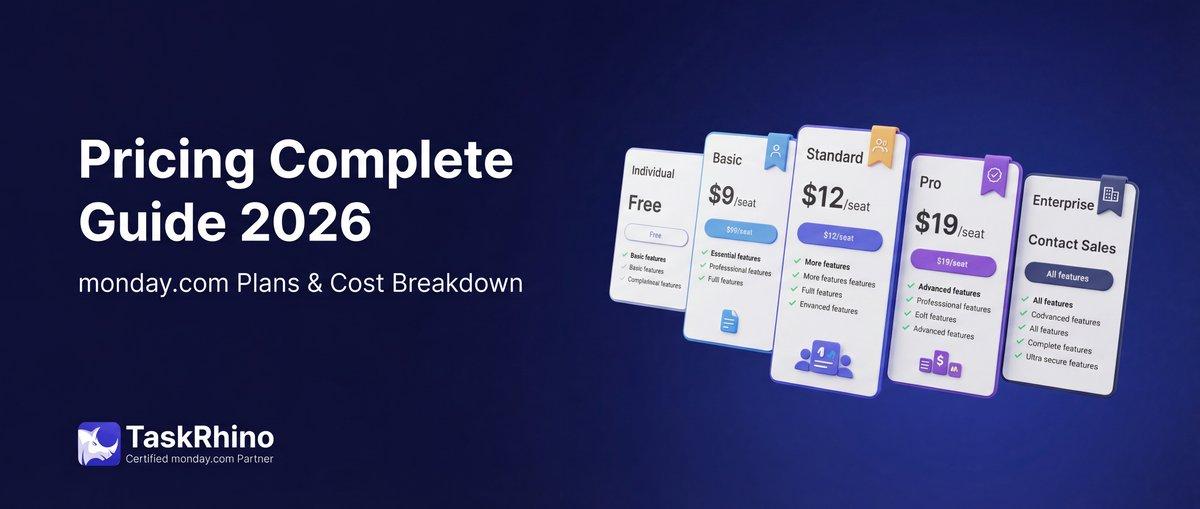
monday.com Pricing 2026: Complete Guide

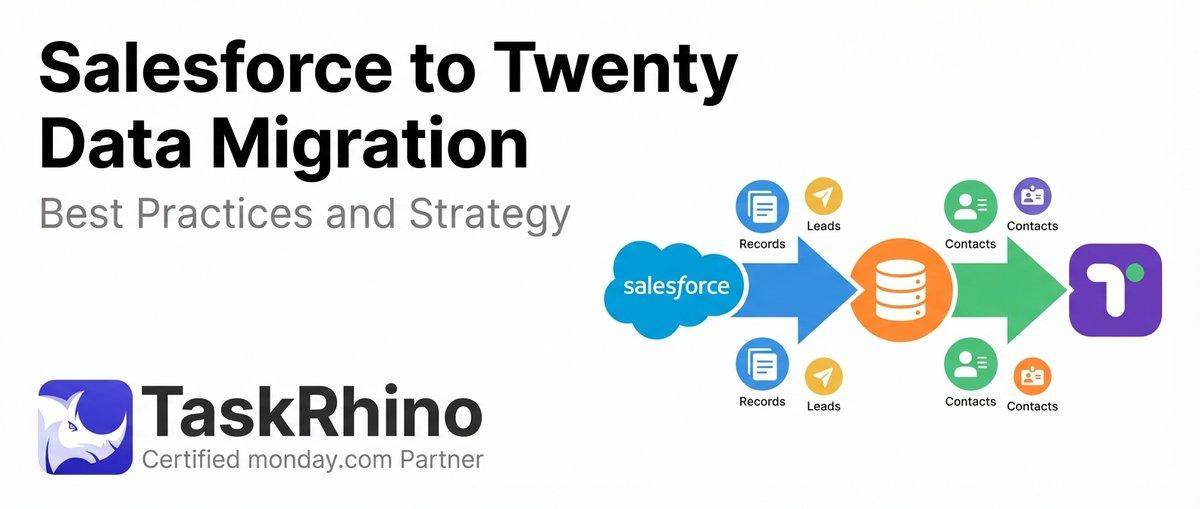
Salesforce to Twenty Data Migration: Best Practices and Strategy
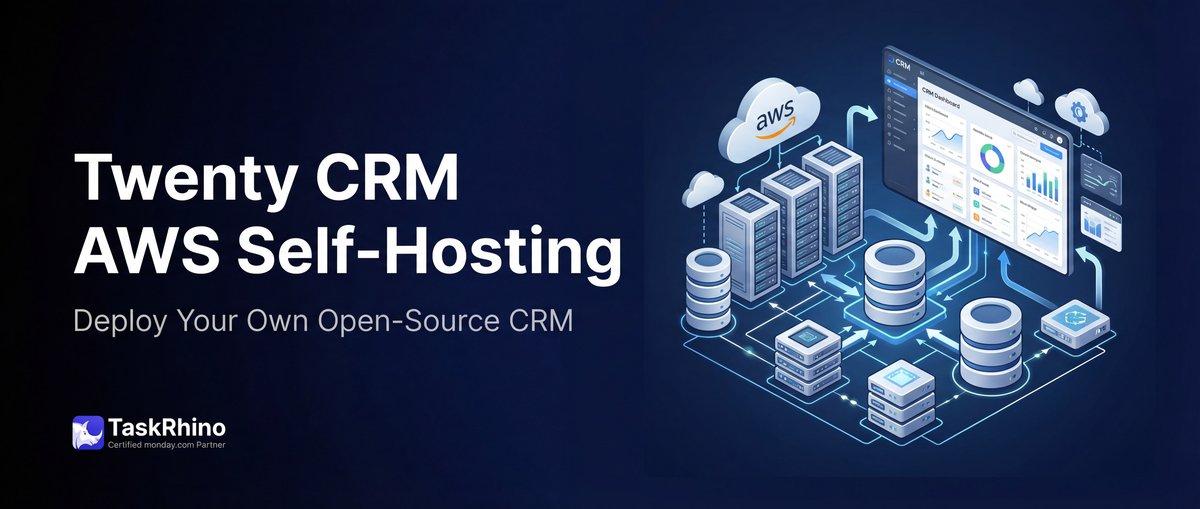
How to Self-Host Twenty CRM on AWS: Step-by-Step Guide