


Monthly API Limits in Salesforce: Maximize Your Usage
Salesforce is powerful — but it’s not for everyone. Between license fees that start at $25/user/month and climb to $500+, hidden implementation costs that can double your budget, and complexity that demands dedicated admins, many teams find themselves trapped in an expensive system that’s harder to use than it needs to be.
The good news? The CRM landscape has evolved. Modern alternatives offer the core capabilities you actually need — pipeline management, contact tracking, email integration, automation — without the enterprise bloat and enterprise price tag.
This guide breaks down 7 proven Salesforce alternatives that real teams are using in 2026. We cover what each platform does well, where it falls short, who it’s built for, and what you’ll actually pay once you factor in the add-ons and implementation.
What you’ll find here:
- Quick comparison table of all 7 alternatives
- Detailed feature breakdowns with pricing transparency
- Pros/cons based on real user feedback
- Use case recommendations by team size and industry
- 3 real migration stories from teams who made the switch
- 10 frequently asked questions
Let’s find the CRM that fits your team, your budget, and your actual workflow.
Why Teams Are Leaving Salesforce in 2026
Salesforce is the 800-pound gorilla of CRM — but size doesn’t always mean the right fit. Here’s what’s driving the exodus:
Price Creep That Never Stops
Salesforce’s sticker price is just the beginning. Most teams discover hidden costs after signing:
| Cost Category | What It Really Means |
|---|---|
| Base licenses | $25–$500/user/month (before add-ons) |
| Implementation | $50K projects often hit $150K+ |
| Support plans | +30% of license fees for Premier Success |
| Storage overages | $1,000/10GB after you hit limits |
TaskRhino Client Story #1: The $180K Surprise
A 45-person marketing agency signed up for Salesforce Professional at $80/user/month, expecting $43K/year. By month six, they’d added:
- Marketing Cloud integration: +$18K/year
- Extra storage (hit the 10GB limit in 90 days): +$8K/year
- Implementation consultant to fix broken automations: $32K one-time
- Premier Success Plan (support kept taking 3+ days): +$13K/year
- AppExchange apps to fill feature gaps: +$6K/year
Total first-year cost: $182,000 — more than 4× the quoted price.
They migrated to HubSpot and cut CRM costs by 63% while gaining features Salesforce locked behind paywalls.
Complexity That Demands Full-Time Admins
Salesforce was built for Fortune 500 enterprises with dedicated admin teams. Small and mid-sized companies struggle with:
- 120+ settings across 15+ configuration screens just to set up a basic sales pipeline
- Custom objects and relationships that require developer knowledge
- Point-and-click automation that’s somehow more confusing than writing code
- Training time that averages 40+ hours per user for basic competency
Vendor Lock-In by Design
Once you’re in Salesforce’s ecosystem, leaving is painful:
- Proprietary data formats require expensive migration tools
- AppExchange dependencies lock you into integrations
- Custom code and workflows don’t transfer to other platforms
- Contractual minimums trap you in annual commitments
Feature Gaps That Cost Extra
Core CRM features come standard in modern alternatives but cost extra in Salesforce:
| Feature | Salesforce | Modern Alternatives |
|---|---|---|
| Email tracking | Add-on or AppExchange | ✅ Included |
| Workflow automation | Limited on Pro | ✅ Full automation |
| Custom reporting | Enterprise+ only | ✅ Standard feature |
| Email sequences | Requires Pardot | ✅ Built-in |
Bottom line: Salesforce optimizes for vendor revenue, not customer outcomes. Modern CRM alternatives optimize for usability, transparent pricing, and getting teams productive in days, not months.
Quick Comparison: 7 Salesforce Alternatives at a Glance
| CRM | Best For | Starting Price | Free Plan? |
|---|---|---|---|
| Twenty CRM | Teams wanting control & transparency | Free (self-hosted) | ✅ Yes |
| HubSpot CRM | Marketing + sales alignment | Free (2 users) | ✅ Yes |
| Zoho CRM | Budget-conscious SMBs | $14/user/month | ✅ Yes (3 users) |
| Pipedrive | Sales-first teams | $14/user/month | ❌ No |
| monday CRM | Visual pipeline lovers | $12/user/month | ❌ No |
| Freshsales | Inbound-focused teams | $9/user/month | ✅ Yes |
| SugarCRM | Customization-heavy orgs | Custom pricing | ✅ Yes (open-source) |
Key Insight: Every alternative on this list starts cheaper than Salesforce — but pricing models vary wildly. Some scale affordably (Zoho, Pipedrive), while others balloon with add-ons (HubSpot, Freshsales).
1. Twenty CRM — The Open-Source Salesforce Killer
Best for: Teams that want full control, no vendor lock-in, and transparent pricing Starting price: Free (self-hosted) or $30/user/month (cloud-hosted) Standout feature: Modern, Notion-like interface with all code on GitHub
Twenty CRM is the newest player on this list — and potentially the most disruptive. Built by developers who were tired of Salesforce’s complexity and pricing games, Twenty offers a completely open-source CRM that you can self-host (100% free) or use their managed cloud service.
Why Twenty CRM Ranks #1 in 2026
1. Zero Vendor Lock-In Your data lives in a standard PostgreSQL database. Export it anytime, in any format. No proprietary schemas, no migration tools needed, no permission required.
2. Modern UX That Feels Like Notion Salesforce’s interface was designed in 1999. Twenty’s interface was designed in 2024. The difference is night and day — drag-and-drop views, keyboard shortcuts, instant search, and a clean design that doesn’t require a 40-hour training program.
3. Transparent Pricing (Or Just Free) Self-host for $0. Use their cloud service starting at $30/user/month with all features included. No “contact us for pricing,” no hidden fees, no surprise bills when you hit storage limits.
4. Customizable Without Code Need a custom field? Add it in 10 seconds. Need a custom object? Build it with a visual editor. Need to change the pipeline stages? Drag and drop. Salesforce charges Enterprise fees for this level of flexibility — Twenty includes it by default.
Twenty CRM Features
| Feature Category | What’s Included | Salesforce Equivalent |
|---|---|---|
| Pipeline Management | ✅ Unlimited custom pipelines | Professional+ |
| Contact Management | ✅ Custom fields, tagging | All plans |
| Email Integration | ✅ Gmail/Outlook sync | Paid add-on |
| Automation | ✅ Workflow builder | Enterprise+ |
| Reporting | ✅ Custom dashboards | Enterprise+ |
| API Access | ✅ Full REST API | Professional+ |
| Mobile App | ✅ iOS + Android | All plans |
| Custom Fields | ✅ Unlimited | Enterprise+ |
| Data Export | ✅ One-click export | All plans |
| Storage | ✅ Unlimited (self-hosted) | 10GB (then $1K/10GB) |
Twenty CRM Pricing Breakdown
| Plan | Price | What’s Included |
|---|---|---|
| Self-Hosted | Free | Everything, unlimited users |
| Cloud Starter | $30/user/month | Managed hosting, backups |
| Cloud Pro | $60/user/month | Priority support, SLA |
No hidden costs. All features included in every plan. The only difference between tiers is hosting and support.
Twenty CRM: Pros & Cons
| ✅ Pros | ❌ Cons |
|---|---|
| Completely open-source and transparent | Newer platform (less mature than competitors) |
| Modern, intuitive interface | Smaller ecosystem of integrations |
| No vendor lock-in | Self-hosting requires technical knowledge |
| Unlimited customization without code | Fewer third-party apps available |
| Clear, predictable pricing | Community support for self-hosted |
| Active development community | Limited training resources |
Who Should Choose Twenty CRM?
Perfect for:
- Tech-savvy teams comfortable with open-source tools
- Companies that want complete data ownership
- Teams burned by vendor lock-in and surprise pricing
- Organizations with strict data residency requirements
- Startups wanting to avoid CRM costs entirely
Not ideal for:
- Non-technical teams needing white-glove support
- Companies requiring deep AppExchange-style integrations
- Teams needing extensive training resources
- Organizations locked into Salesforce-dependent workflows
Twenty CRM Real-World Use Case
Company: 28-person SaaS startup Challenge: Salesforce quoted $65K/year after add-ons and implementation Solution: Self-hosted Twenty CRM on AWS ($240/month server costs) Outcome: $62,000/year saved, full CRM in production in 2 weeks
2. HubSpot CRM — The Marketing-Sales Powerhouse
Best for: Teams that need marketing automation + CRM in one platform Starting price: Free for 2 users, paid plans from $20/user/month Standout feature: Best-in-class marketing automation included
HubSpot revolutionized CRM in 2014 by offering a genuinely free tier. In 2026, it remains the gold standard for teams that want marketing and sales working from the same data — no integrations required.
HubSpot CRM Features
| Feature | Free Plan | Starter ($20) | Professional ($100) |
|---|---|---|---|
| Contacts | Unlimited | Unlimited | Unlimited |
| Email Tracking | ✅ Basic | ✅ Advanced | ✅ Full analytics |
| Meeting Scheduler | ✅ Yes | ✅ Yes | ✅ Yes |
| Email Sequences | ❌ No | ✅ Limited | ✅ Unlimited |
| Workflow Automation | ❌ No | ✅ Limited | ✅ Advanced |
| Custom Reporting | ❌ No | ❌ No | ✅ Yes |
| Predictive Lead Scoring | ❌ No | ❌ No | ✅ Yes |
HubSpot Pricing Reality
HubSpot’s free plan is legitimately useful — but most teams outgrow it quickly. Here’s what you’ll actually pay:
| Team Size | Realistic Monthly Cost | What You Need |
|---|---|---|
| 2-5 users | $100-200 | Starter Sales Hub |
| 10-20 users | $1,000-2,000 | Professional Hub |
| 50+ users | $3,600+ | Enterprise Hub |
Hidden cost alert: HubSpot charges separately for Marketing Hub, Sales Hub, and Service Hub. Want the full platform? Multiply those prices by 3.
HubSpot: Pros & Cons
| ✅ Pros | ❌ Cons |
|---|---|
| Actually useful free tier | Costs balloon fast with add-ons |
| Best marketing automation in CRM space | Each “Hub” priced separately |
| Huge library of integrations | Professional tier locks essential features |
| Excellent reporting and analytics | Contact limits on lower tiers |
| Clean, modern interface | Reporting can be slow with large datasets |
Who Should Choose HubSpot?
Perfect for:
- Marketing teams that need CRM data
- Inbound-focused sales strategies
- Content-driven businesses
- Teams wanting all-in-one marketing + CRM
Not ideal for:
- Companies on tight budgets (costs add up)
- Sales-only teams (paying for unused marketing features)
- Organizations needing deep customization
TaskRhino Client Story #2: The HubSpot Migration Win
A 35-person B2B SaaS company was spending $87K/year on Salesforce Professional + Pardot + AppExchange apps. They wanted tighter marketing-sales alignment but Salesforce’s Marketing Cloud would add another $40K.
We migrated them to HubSpot Professional (Marketing + Sales Hub) for $42K/year — a 52% cost reduction while gaining:
- Native email sequences (previously required Outreach.io)
- Landing page builder (previously Unbounce)
- Form builder that actually updates CRM records (Salesforce WorkForms couldn’t)
- Attribution reporting that finally worked
Migration took 6 weeks. ROI payback: 4 months.
See How BoardBridge Handles This Workflow
Book a free demo to see BoardBridge solve this exact problem — live, with your data.
3. Zoho CRM — The Budget-Friendly Workhorse
Best for: Small businesses wanting enterprise features at SMB prices Starting price: $14/user/month (billed annually) Standout feature: Insane feature-to-price ratio
Zoho CRM is the scrappy underdog that refuses to play the “contact us for pricing” game. For $14/user/month, you get features Salesforce charges $165/user/month for. The interface isn’t as polished as HubSpot, but the value is unbeatable.
Zoho CRM Features by Plan
| Feature | Standard ($14) | Professional ($23) | Enterprise ($40) |
|---|---|---|---|
| Custom Fields | ✅ Unlimited | ✅ Unlimited | ✅ Unlimited |
| Email Integration | ✅ Yes | ✅ Yes | ✅ Yes |
| Workflow Automation | ✅ 5 rules | ✅ Unlimited | ✅ Advanced |
| Custom Dashboards | ✅ Yes | ✅ Yes | ✅ Yes |
| Sales Forecasting | ❌ No | ✅ Yes | ✅ Yes |
| Territory Management | ❌ No | ❌ No | ✅ Yes |
| Multi-User Portals | ❌ No | ❌ No | ✅ Yes |
Zoho CRM Pricing Transparency
| Team Size | Monthly Cost | Annual Commitment |
|---|---|---|
| 5 users | $70/month | $840/year |
| 15 users | $210/month | $2,520/year |
| 50 users | $700/month | $8,400/year |
Compare to Salesforce: A 15-user Salesforce Professional account costs $19,800/year — 7.8× more expensive than Zoho for similar core features.
Zoho CRM: Pros & Cons
| ✅ Pros | ❌ Cons |
|---|---|
| Incredible value for money | Interface feels dated compared to modern CRMs |
| Enterprise features at SMB pricing | Learning curve for advanced features |
| Deep customization options | Mobile app isn’t as polished |
| Strong automation capabilities | Reporting can be clunky |
| Free for 3 users forever | Integrations require Zoho ecosystem |
Who Should Choose Zoho CRM?
Perfect for:
- Small businesses with limited budgets
- Teams that need advanced features cheaply
- Companies already using other Zoho products
- Growing companies that need room to scale
Not ideal for:
- Teams prioritizing modern UX over features
- Companies needing extensive third-party integrations
- Organizations wanting white-glove support
4. Pipedrive — The Sales Team’s CRM
Best for: Sales-first teams that live in their pipeline Starting price: $14/user/month Standout feature: Visual pipeline that sales reps actually love
Pipedrive was built by salespeople who hated Salesforce. The entire interface revolves around one thing: moving deals through your pipeline. No distractions, no complexity — just a clean sales tool.
Pipedrive Features
| Feature | Essential ($14) | Advanced ($34) | Professional ($49) |
|---|---|---|---|
| Custom Pipelines | ✅ Unlimited | ✅ Unlimited | ✅ Unlimited |
| Email Integration | ✅ 2-way sync | ✅ 2-way sync | ✅ 2-way sync |
| Email Sequences | ❌ No | ✅ Yes | ✅ Advanced |
| Workflow Automation | ❌ No | ✅ Yes | ✅ Advanced |
| Revenue Forecasting | ❌ No | ✅ Yes | ✅ Yes |
| Team Management | ❌ No | ❌ No | ✅ Yes |
Pipedrive Pricing Reality Check
Pipedrive’s $14 entry price looks great — until you realize essential features require upgrades:
| What You Actually Need | Plan Required | Real Monthly Cost (10 users) |
|---|---|---|
| Just pipeline tracking | Essential | $140/month |
| + Email sequences | Advanced | $340/month |
| + Full automation | Professional | $490/month |
| + Campaigns (email marketing) | +$16/user add-on | $650/month |
Pipedrive: Pros & Cons
| ✅ Pros | ❌ Cons |
|---|---|
| Cleanest sales pipeline interface | Essential plan too limited |
| Fast setup (productive in hours) | Marketing features weak |
| Sales reps love using it | Add-ons increase costs quickly |
| Strong mobile app | No free plan |
| Excellent activity tracking | Reporting less robust than HubSpot |
Who Should Choose Pipedrive?
Perfect for:
- Sales teams that live in their CRM daily
- Companies prioritizing adoption over features
- Teams needing fast deployment
- Organizations with straightforward sales processes
Not ideal for:
- Marketing-led companies
- Teams needing deep customization
- Budget shoppers (costs add up with add-ons)
5. monday CRM — The Visual Workflow Platform
Best for: Teams that want flexibility and visual clarity Starting price: $12/user/month Standout feature: Kanban-style boards for everything
monday CRM isn’t a traditional CRM — it’s monday.com’s work platform adapted for sales. If your team loves Trello or Asana, this visual approach will feel instantly familiar.
monday CRM Features
| Feature | Basic ($12) | Standard ($17) | Pro ($28) |
|---|---|---|---|
| Contact Management | ✅ Yes | ✅ Yes | ✅ Yes |
| Custom Pipelines | ✅ Unlimited | ✅ Unlimited | ✅ Unlimited |
| Email Integration | ✅ Basic | ✅ 2-way sync | ✅ 2-way sync |
| Automation | ✅ 250/month | ✅ 25K/month | ✅ 25K/month |
| Integrations | ✅ Limited | ✅ Full access | ✅ Full access |
| Dashboards | ❌ 1 board | ✅ 5 boards | ✅ 10 boards |
monday CRM Pricing
| Team Size | Realistic Plan | Monthly Cost |
|---|---|---|
| 5 users | Standard | $85/month |
| 15 users | Pro | $420/month |
| 50 users | Pro | $1,400/month |
monday CRM: Pros & Cons
| ✅ Pros | ❌ Cons |
|---|---|
| Highly visual and intuitive | Not a “pure” CRM (more like a platform) |
| Flexible for non-standard processes | Automation quota limits can be tight |
| Great for cross-team collaboration | Reporting isn’t as robust |
| Strong project + CRM combo | Can feel overwhelming with too many boards |
Who Should Choose monday CRM?
Perfect for:
- Teams already using monday.com
- Visual thinkers who hate traditional CRM layouts
- Companies needing flexibility over structure
- Cross-functional teams (sales + ops + marketing)
Not ideal for:
- Traditional sales teams wanting a dedicated CRM
- Organizations needing advanced reporting
- Budget-conscious buyers (scales up fast)
6. Freshsales — The Inbound Lead Machine
Best for: Inbound sales teams with high lead volume Starting price: $9/user/month Standout feature: Built-in phone, email, and chat in one interface
Freshsales (by Freshworks) targets teams drowning in inbound leads. The integrated phone system, email, and live chat make it a solid choice for high-velocity inside sales teams.
Freshsales Features
| Feature | Growth ($9) | Pro ($39) | Enterprise ($69) |
|---|---|---|---|
| Built-in Phone | ✅ Yes | ✅ Yes | ✅ Yes |
| Email Tracking | ✅ Basic | ✅ Advanced | ✅ Advanced |
| Workflow Automation | ❌ No | ✅ Yes | ✅ Advanced |
| AI Lead Scoring | ❌ No | ✅ Yes | ✅ Yes |
| Custom Reports | ❌ Limited | ✅ Yes | ✅ Unlimited |
| Forecasting | ❌ No | ❌ No | ✅ Yes |
Freshsales Pricing Reality
The $9 plan is too limited for most teams. Here’s what you’ll actually pay:
| What You Need | Plan Required | Cost (10 users) |
|---|---|---|
| Basic CRM + phone | Growth | $90/month |
| + Automation + scoring | Pro | $390/month |
| + Forecasting + advanced features | Enterprise | $690/month |
Freshsales: Pros & Cons
| ✅ Pros | ❌ Cons |
|---|---|
| Built-in phone system included | Growth plan too basic |
| Excellent for high-volume inbound | 300%+ jump from Growth to Pro |
| Clean interface | Limited customization options |
| AI lead scoring (Pro+) | Reporting less robust than HubSpot |
Who Should Choose Freshsales?
Perfect for:
- Inside sales teams making 50+ calls/day
- Inbound-heavy businesses
- Teams needing phone + CRM in one tool
- Companies wanting simple, clean UX
Not ideal for:
- Field sales teams
- Budget shoppers (Pro tier required for automation)
- Organizations needing deep customization
Need Help With Your monday.com Setup?
TaskRhino has implemented monday.com for 110+ teams. Get a free consultation.
7. SugarCRM — The Customization Champion
Best for: Enterprise teams needing deep customization Starting price: Custom (typically $52+/user/month) Standout feature: Unmatched flexibility and customization
SugarCRM is the open-source alternative for teams that need Salesforce-level customization without Salesforce’s pricing. It’s not the easiest to use, but it’s incredibly flexible.
SugarCRM Features
| Feature | Sell Premier | Sell Ultimate | Enterprise |
|---|---|---|---|
| Custom Modules | ✅ Unlimited | ✅ Unlimited | ✅ Unlimited |
| Workflow Automation | ✅ Advanced | ✅ Advanced | ✅ Advanced |
| Sales Forecasting | ✅ Yes | ✅ Yes | ✅ Yes |
| AI Predictions | ❌ No | ✅ Yes | ✅ Yes |
| Advanced Reporting | ✅ Yes | ✅ Yes | ✅ Yes |
| Developer API | ✅ Yes | ✅ Yes | ✅ Yes |
SugarCRM Pricing
SugarCRM doesn’t publish pricing — you must contact sales. Based on user reports:
| Plan | Estimated Cost | What’s Included |
|---|---|---|
| Sell Premier | ~$52/user/month | Core CRM + forecasting |
| Sell Ultimate | ~$85/user/month | + AI predictions |
| Enterprise | Custom | Full platform access |
Open-source option: SugarCRM Community Edition is free but requires self-hosting and technical expertise.
SugarCRM: Pros & Cons
| ✅ Pros | ❌ Cons |
|---|---|
| Unmatched customization depth | Interface feels dated |
| Open-source edition available | Requires technical expertise |
| Strong for complex sales processes | “Contact us” pricing frustrating |
| Excellent API for integrations | Learning curve steep |
Who Should Choose SugarCRM?
Perfect for:
- Enterprise teams with developers
- Companies needing deep customization
- Organizations with complex sales processes
- Teams migrating from Salesforce wanting similar flexibility
Not ideal for:
- Small teams without technical resources
- Companies wanting plug-and-play simplicity
- Budget-conscious buyers (pricing opaque)
Feature Comparison: How They Stack Up
Core CRM Features
| Feature | Twenty | HubSpot | Pipedrive |
|---|---|---|---|
| Contact Management | ✅ | ✅ | ✅ |
| Pipeline Tracking | ✅ | ✅ | ✅ |
| Email Integration | ✅ | ✅ | ✅ |
| Mobile App | ✅ | ✅ | ✅ |
| Feature | monday | Freshsales | Salesforce |
|---|---|---|---|
| Contact Management | ✅ | ✅ | ✅ |
| Pipeline Tracking | ✅ | ✅ | ✅ |
| Email Integration | ✅ | ✅ | ✅ |
| Mobile App | ✅ | ✅ | ✅ |
Advanced Features
| Feature | Twenty | HubSpot | Pipedrive |
|---|---|---|---|
| Workflow Automation | ✅ | ✅ Pro+ | ❌ Adv+ |
| Custom Reporting | ✅ | ❌ Pro+ | ✅ Adv+ |
| Email Sequences | ✅ | ❌ Starter+ | ❌ Adv+ |
| AI Lead Scoring | ❌ | ✅ Pro+ | ❌ |
| Feature | monday | Freshsales | Salesforce |
|---|---|---|---|
| Workflow Automation | ✅ | ❌ Pro+ | ✅ Prof+ |
| Custom Reporting | ✅ Std+ | ❌ Pro+ | ❌ Ent+ |
| Email Sequences | ❌ | ✅ Pro+ | Add-on |
| AI Lead Scoring | ❌ | ✅ Pro+ | Add-on |
Pricing Comparison (10 Users)
| CRM | Entry Plan | Mid-Tier | Total Annual Cost |
|---|---|---|---|
| Twenty CRM | $0 (self-hosted) | $300/mo | $3,600/year |
| HubSpot | $0 (limited) | $1,000/mo | $12,000/year |
| Zoho CRM | $140/mo | $230/mo | $2,760/year |
| Pipedrive | $140/mo | $340/mo | $4,080/year |
| monday CRM | $120/mo | $280/mo | $3,360/year |
| Freshsales | $90/mo | $390/mo | $4,680/year |
| SugarCRM | ~$520/mo | ~$850/mo | $10,200/year |
| Salesforce | $250/mo | $1,650/mo | $19,800/year |
Key takeaway: Even the most expensive Salesforce alternative (SugarCRM at $10,200/year for 10 users) costs 48% less than Salesforce Professional.
Choosing by Use Case
Best for Startups (Under 10 People)
| Rank | CRM | Why |
|---|---|---|
| 1st | Twenty CRM | Free self-hosted option |
| 2nd | HubSpot Free | $0 for core features |
| 3rd | Zoho CRM | $420/year for 3 users |
Avoid: Salesforce (overkill + expensive), SugarCRM (too complex)
Best for SMBs (10-50 People)
| Rank | CRM | Why |
|---|---|---|
| 1st | Zoho CRM | Best features-per-dollar |
| 2nd | Pipedrive | Sales team adoption |
| 3rd | HubSpot | If marketing matters |
Avoid: Salesforce (still too expensive), Twenty (needs technical resources at scale)
Best for Enterprise (50+ People)
| Rank | CRM | Why |
|---|---|---|
| 1st | HubSpot Enterprise | Marketing + sales maturity |
| 2nd | SugarCRM | Deep customization |
| 3rd | Zoho CRM | Cost-effective scaling |
Consider: Salesforce only if you need its specific industry cloud or have complex CPQ requirements
Best for Specific Teams
| Team Type | Recommended CRM | Why |
|---|---|---|
| Inside sales (high-call-volume) | Freshsales | Built-in phone |
| Field sales | Pipedrive | Mobile-first design |
| Marketing-led growth | HubSpot | Marketing automation |
| Developer-heavy teams | Twenty CRM | Open-source control |
Migration Path: Leaving Salesforce Successfully
TaskRhino Client Story #3: The 90-Day Salesforce Exit
A 65-person professional services firm had been on Salesforce for 8 years. Annual costs had climbed to $142K (licenses + support + apps + storage overages). The platform had become so complex that only 2 people knew how to manage it.
We executed a full migration to Zoho CRM in 90 days:
Week 1-2: Discovery & Mapping
- Audited 12 custom objects, 240 custom fields, 87 workflows
- Identified which customizations actually got used (only 40%)
- Mapped Salesforce fields to Zoho equivalents
Week 3-6: Data Migration
- Cleaned 8 years of duplicate and stale data
- Migrated 42,000 contacts, 18,000 accounts, 9,500 opportunities
- Rebuilt 12 critical reports (eliminated 40 unused reports)
Week 7-10: Testing & Training
- UAT with 10 power users
- Rebuilt 8 essential workflows (eliminated 79 unused workflows)
- Trained all 65 users in 4 sessions
Week 11-12: Cutover
- Parallel running for 2 weeks
- Final data sync
- Salesforce contract cancellation
Results:
- Cost reduction: $142K → $31K/year (78% savings)
- User adoption: 89% daily active users vs. 52% on Salesforce
- Admin burden: 2 full-time admins → 1 part-time
- ROI payback period: 3.2 months
Migration Checklist
| Phase | Tasks | Typical Duration |
|---|---|---|
| Discovery | Data audit, field mapping | 2-3 weeks |
| Preparation | Data cleaning, workflow rebuild | 3-4 weeks |
| Migration | Data transfer, testing | 3-4 weeks |
| Training | User onboarding, documentation | 2-3 weeks |
Total timeline: 10-14 weeks for full migration with minimal business disruption
What About monday.com’s Limitations?
While evaluating CRM alternatives, it’s worth noting that all platforms have limitations — including newer players like monday.com.
For teams using monday.com for CRM, three common pain points emerge:
1. Forms Can’t Update Existing Items
monday.com’s WorkForms can only create new items. If you need a client, vendor, or partner to fill out a form that updates an existing item on your board, native WorkForms can’t do it. You’d need a third-party tool or custom development.
Why it matters: Many workflows require external contacts to update existing records — project status updates, event RSVPs, vendor confirmations. Creating duplicate items defeats the purpose.
2. No CC/BCC on Email Automations
monday.com’s native email automations send to one recipient at a time. There’s no way to automatically CC your team or BCC leadership without using external tools like Zapier.
Why it matters: Sales and operations teams need email trails that loop in stakeholders. Manual CC on every email isn’t scalable.
3. Limited Cross-Board Automation
monday.com automations work within a single board. Moving data between boards, updating multiple boards from one trigger, or orchestrating multi-board workflows requires workarounds or integrations.
Why it matters: Complex workflows often span multiple boards — CRM to project delivery, sales to operations, intake to fulfillment.
The Solution: BoardBridge by TaskRhino
If you’re committed to monday.com but hitting these walls, BoardBridge solves all three:
- Forms that update existing items — each item gets a unique form URL with conditional logic, overwrite protection, and multi-board mapping
- Email automations with CC/BCC — named CC groups, conditional recipients, rich HTML emails with merge variables
- Cross-board workflows — one trigger orchestrates actions across multiple boards (status changes, item creation, data sync)
BoardBridge extends monday.com without replacing it — adding the enterprise features that should have been native all along.
Learn how BoardBridge solves monday.com’s CRM gaps →
Stop Creating Duplicates
BoardBridge forms update existing items — no Enterprise plan, no workarounds, no duplicates.
Frequently Asked Questions
How do I calculate the exact daily API limit for my Enterprise Edition org with multiple license types?
Your daily API limit is calculated as: 100,000 base requests + (number of Salesforce licenses × 1,000 calls per license) + any purchased API add-ons. For example, an Enterprise org with 15 Salesforce licenses gets 115,000 total requests per 24-hour period. The limit resets on a rolling 24-hour basis, not at midnight, so tracking consumption patterns is critical for managing peak usage windows.
What’s the difference between a soft limit and hard cap, and how should I design integrations to handle both?
Salesforce enforces a soft limit that allows brief overages during unexpected workload spikes, but a hard cap ultimately prevents requests from exceeding your daily allocation. When designing integrations, you should implement exponential backoff retry logic and queue management to gracefully handle the `REQUEST_LIMIT_EXCEEDED` exception, rather than assuming all requests will succeed. Additionally, there’s no limit on concurrent requests shorter than 20 seconds, so optimizing request duration can help you stay within thresholds.
How do I monitor which integrations and managed packages are consuming the most API calls?
Use the REST API Limits resource endpoint (`/services/data/vXX.0/limits`) to view remaining allocations, but note that API calls from installed managed packages count against your org limit and aren’t separately metered. To identify consumption by specific integrations, you’ll need to correlate API logs with your known integration schedules and review Setup > System Overview for any third-party apps consuming quota. For workspace-level monitoring with tools like Mixmax, ensure your Sync User has ‘View Setup and Configuration’ permission and ‘API Enabled’ enabled in their profile.
Should we purchase additional API call add-ons, and what’s the ROI calculation for Enterprise orgs?
Salesforce allows purchasing API add-ons in increments ranging from 200 to 10,000 calls per 24-hour period. Before purchasing, audit your actual consumption over 30 days—if you’re consistently hitting 85%+ of your limit, add-ons are more cost-effective than redesigning integrations or reducing automation. However, for teams evaluating alternatives, platforms like Twenty CRM or TaskRhino consulting can help assess whether your API consumption indicates over-reliance on Salesforce for integration-heavy workflows that might be handled more efficiently by modern alternatives.
How do I prevent a single integration spike from blocking all other API calls in my org?
Implement workspace-level API limits using integration platforms: for example, Mixmax allows admins to allocate only 70-90% of your org’s total API quota to specific integrations, preventing one sync from consuming your entire daily limit. Additionally, design integrations with request throttling and scheduled batching during off-peak hours rather than real-time continuous syncing. You should also monitor long-running requests (those exceeding 20 seconds), as these count differently toward concurrent request limits in production orgs.
What happens to my API limit if I add or remove user licenses mid-month?
Your daily API limit recalculates immediately based on your current license count—if you add 5 licenses, your limit increases by 5,000 calls that same day. However, Salesforce calculates usage on a rolling 24-hour basis, not a calendar month, so removing licenses mid-month won’t retroactively reduce your consumed quota. Document your license changes and monitor the `/limits` endpoint closely for 24-48 hours after any license provisioning changes to ensure integrations don’t suddenly exceed the new threshold.

Want to Host, Customize, or Migrate to Twenty CRM
Editor's Choice
monday.com Pricing 2026: Complete Guide

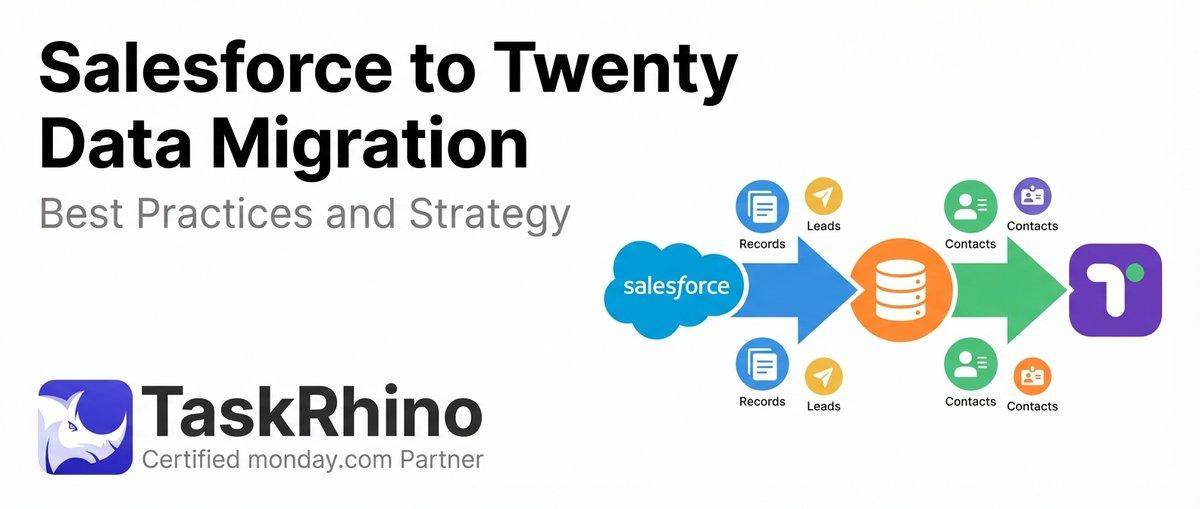
Salesforce to Twenty Data Migration: Best Practices and Strategy
How to Self-Host Twenty CRM on AWS: Step-by-Step Guide