

Salesforce Complexity Guide: 5 Signs Your CRM Need an IT Team
Migrating from Salesforce to Twenty CRM is a high-stakes project. Done right, you’ll save thousands in licensing costs, simplify workflows, and give your team a CRM they’ll actually use. Done wrong, you’ll face data loss, broken integrations, and weeks of cleanup.
After 85+ CRM migrations, TaskRhino has seen what works and what doesn’t. The difference comes down to preparation and execution discipline.
This 2026 migration checklist walks through every step from initial assessment to post-migration validation. Whether you’re a 10-person startup or a 200-person company, this framework helps you plan and execute a Salesforce to Twenty migration without losing data or disrupting operations.
Why Teams are Switching from Salesforce to Twenty CRM in 2026
Before diving into migration mechanics, understand what’s driving this shift. Three clear patterns emerged in 2025-2026:
Cost structure changes. Salesforce pricing increased 15-20% on average during 2025 renewals. Per-seat licensing hits growing teams hard. Twenty’s open-source model (AGPL-3.0) eliminates per-seat costs entirely. A 50-person team paying $250,000/year for Salesforce can self-host Twenty for infrastructure costs under $5,000 annually.
Complexity fatigue. Teams with 25-50 users don’t need Einstein Analytics, Flow Builder, Apex triggers, and Lightning Web Components. They need contact management, opportunity tracking, and email logging that works. Twenty delivers core CRM functionality without the enterprise overhead. Onboarding time drops from weeks to days.
Data sovereignty requirements. GDPR, PIPEDA, and industry-specific compliance requirements make self-hosted CRMs attractive. Twenty gives you complete control over where customer data lives. Host on your own infrastructure in any region. No vendor lock-in. Full code audit capability with 39,000+ GitHub stars.
A manufacturing client we worked with was paying $180,000 annually for 60 Salesforce licenses. They used less than 20% of available features. After migrating to self-hosted Twenty, their CRM costs dropped to infrastructure expenses of $4,200/year. Same team. Same workflows. 96% cost reduction.
Ready to make the switch? This checklist takes you through every step.
Phase 1: Pre-Migration Assessment (Weeks 1-2)
The success of your migration is determined before you export a single record. This phase identifies what you’re actually moving and what problems need fixing first.
Step 1: Audit Your Current Salesforce Instance
A thorough audit clarifies what actually needs to move. Most organizations discover their Salesforce data is messier than expected.
| Audit Area | What to Check | Tool/Method |
|---|---|---|
| Data Objects | Standard + custom objects with active records | Data Export Wizard |
| Record Counts | Contacts, Accounts, Opportunities, Custom | Object Manager → View |
| Storage Usage | Data storage consumed vs. limits | Setup → System Overview |
Export record counts for every object. Compare against what users actually reference in reports and dashboards. A software company we migrated had 87,000 Lead records. Only 12,000 had activity in the past 18 months. We archived 75,000 stale leads and migrated 12,000 active ones.
Data quality assessment checklist:
Run these reports before planning your migration:
- Records with missing required fields (Company Name, Email, Phone)
- Duplicate Contacts and Accounts (use fuzzy matching on name + email)
- Opportunities without Activities in past 90 days
- Contacts at Companies that no longer exist
- Orphaned Activities (linked to deleted parent records)
Document the cleanup scope. Plan for data cleaning to consume 20-30% of total project effort.
Step 2: Document Active Workflows and Automations
Salesforce installations accumulate automation over time. You need a complete inventory before migration planning.
| Automation Type | What to Document | Where to Find It |
|---|---|---|
| Process Builder | Trigger, actions, active/inactive status | Setup → Process Builder |
| Workflow Rules | Criteria, field updates, email alerts | Setup → Workflow Rules |
| Flow | Entry criteria, elements, active status | Setup → Flows |
A healthcare client had 54 workflow rules when we started their migration. During documentation, we discovered only 19 were actively used. The rest were created for past projects and forgotten. We migrated 19. Retired 35. Simpler system. Same functionality.
Create a workflow inventory table:
| Workflow Name | Trigger | Actions | Migrate? |
|---|---|---|---|
| Lead Assignment | New Lead Created | Set Owner based on Territory | Yes |
| Opportunity Notification | Stage = Closed Won | Email Alert to CEO | Yes |
| Task Reminder | Task Due = Today | Email to Assigned User | No – Twenty handles natively |
Document what each automation accomplishes in plain language, not technical implementation details. This helps you decide what to replicate versus redesign.
Step 3: Map Your Integration Landscape
List every system connected to Salesforce. This map is essential for rebuilding connections in Twenty.
| Integration | Data Flow Direction | Frequency | Business Process |
|---|---|---|---|
| Marketing Automation | Bidirectional | Real-time | Lead scoring, attribution |
| Support Desk | SF → Support | Hourly | Account context for tickets |
| Billing System | Bidirectional | Daily batch | Invoice generation, payment status |
For each integration, note:
- Connection method: Native connector, middleware (Zapier/Make), custom API
- Authentication: OAuth, API key, username/password
- Data volume: Records per day, peak usage times
- Business criticality: Revenue-blocking, customer-facing, internal reporting
Native connectors are easiest to replace. Custom API code requires development resources. Middleware platforms need reconfiguration but preserve logic.
Step 4: Identify Stakeholders and Gather Requirements
CRM migrations affect multiple teams. Collect input upfront to prevent scope creep and resistance.
| Team | Core Requirements | Pain Points to Address |
|---|---|---|
| Sales | Pipeline visibility, deal tracking, forecasting | “Salesforce is too slow to log calls” |
| Marketing | Lead management, campaign ROI, segmentation | “Can’t track which content drives deals” |
| Customer Success | Account health, renewal workflows, expansion signals | “No single view of customer activity” |
A professional services firm we worked with skipped stakeholder interviews. Sales managers discovered two weeks after cutover that their custom pipeline reports didn’t exist in Twenty. We rebuilt them, but the damage to adoption was done. Involve stakeholders early. Show them their workflows in Twenty before go-live.
Create a requirements matrix:
Document every requirement with priority and migration approach.
| Requirement | Priority | Current State | Migration Approach |
|---|---|---|---|
| Pipeline Reporting | Critical | Working well | Replicate exactly |
| Lead Assignment | High | Problematic | Redesign in Twenty |
| Email Logging | Medium | Manual process | Automate with Twenty’s native capability |
Step 5: Establish Your Data Migration Scope
Not all data deserves migration. Moving everything clutters your new system with historical baggage that provides little value.
Data retention decision framework:
| Data Category | Migration Recommendation | Rationale |
|---|---|---|
| Active Customers | Migrate all data | Core business records |
| Open Opportunities | Migrate all data | Active pipeline |
| Recent Leads (past 12 months) | Migrate all data | Current prospects |
| Closed Deals (past 24 months) | Migrate summary only | Historical context without full detail |
| Old Leads (24+ months, no activity) | Archive separately | Historical value only |
| Converted Leads | Migrate as Contacts | No need for duplicate Lead records |
Attachment strategy:
Files often represent the largest data volume. Evaluate whether attachments need to live in the CRM or can remain in external storage.
| Attachment Type | Volume | Migration Approach |
|---|---|---|
| Active Contracts | High business value | Migrate to Twenty |
| Proposals (won deals, past 12 months) | Medium value | Migrate to Twenty |
| Old Presentations (archived deals) | Low value | Keep in external storage, link from Twenty |
Moving 500 GB of files takes significantly longer than moving 5 GB of structured data. A SaaS company we migrated had 680 GB of Salesforce attachments. We analyzed usage patterns. Only 45 GB had been accessed in the past year. We migrated 45 GB. Archived 635 GB to S3 with reference links in Twenty. Migration time dropped from 6 weeks to 2 weeks.
Step 6: Clean Your Data Before Export
Migrating dirty data transfers problems to your new system. Use the migration as an opportunity to fix issues that accumulated over time.
| Issue Type | Impact if Not Addressed | Resolution Approach |
|---|---|---|
| Duplicate Records | Confusion, inflated metrics | Merge before migration using Salesforce’s duplicate management |
| Incomplete Records | Missing context, broken workflows | Complete critical fields or archive |
| Outdated Information | Wasted outreach, poor decisions | Update or delete based on last activity date |
| Orphaned Records | Broken relationships | Reassign to active parents or delete |
Pre-migration data cleanup checklist:
Run these cleanup tasks in Salesforce before export:
- Merge duplicate Accounts (fuzzy match on company name + website)
- Merge duplicate Contacts (fuzzy match on email + phone)
- Standardize phone number formats (use Data Loader with regex)
- Standardize address formats (use geocoding service if available)
- Delete test data and sandbox artifacts
- Archive Leads with no activity in 24+ months
- Complete missing Company fields for all active Contacts
- Remove invalid email addresses (bounce status = hard bounce)
Need help planning your Salesforce to Twenty CRM migration? TaskRhino’s migration specialists provide detailed assessment reports, data quality audits, and realistic timeline estimates before you commit to moving. Contact us for a free migration assessment.
Phase 2: Migration Planning and Preparation (Weeks 2-4)
With a clear picture of your current state, build a detailed migration plan. This phase transforms audit findings into executable steps.
Step 7: Create Your Field Mapping Document
Build explicit mappings between Salesforce fields and Twenty CRM equivalents. This exercise reveals gaps, transformation requirements, and decisions about data preservation.
Standard object field mapping:
| Salesforce Field | Twenty CRM Field | Transformation Required | Notes |
|---|---|---|---|
| Account.Name | Company.Name | None | Direct mapping |
| Account.Website | Company.DomainName | Extract domain from URL | Remove http:// and www. |
| Contact.Email | Person.Email | None | Direct mapping |
| Opportunity.StageName | Opportunity.Stage | Picklist value mapping | See stage mapping table |
Picklist value mapping:
Salesforce and Twenty may use different values for the same concept. Define explicit translations.
| Salesforce Opportunity Stage | Twenty CRM Stage | Notes |
|---|---|---|
| Prospecting | Qualification | Equivalent meaning |
| Qualification | Qualification | Direct match |
| Needs Analysis | Demo Scheduled | More specific in Twenty |
| Value Proposition | Proposal Sent | More specific in Twenty |
| Decision Makers | Negotiation | Equivalent meaning |
| Negotiation/Review | Negotiation | Direct match |
| Closed Won | Won | Direct match |
| Closed Lost | Lost | Direct match |
Custom field decisions:
| Salesforce Custom Field | Migrate? | Twenty Implementation |
|---|---|---|
| Account.Industry_Vertical__c | Yes | Create custom field: Company.IndustryVertical |
| Opportunity.Competitor__c | Yes | Create custom field: Opportunity.Competitor |
| Contact.Last_Campaign__c | No | Use Activity history instead |
| Lead.Unqualified_Reason__c | No | Not migrating Leads |
A financial services client had 78 custom fields in Salesforce. We analyzed field usage in reports and dashboards. Only 34 fields appeared in any report. We migrated 34. Retired 44. Users didn’t notice the missing fields because they’d never used them.
Step 8: Define Your Migration Sequence
CRM data has parent-child dependencies. Import in the wrong order, and you’ll create orphaned records that require manual cleanup.
Required migration sequence:
| Order | Object Type | Reason | Dependencies |
|---|---|---|---|
| 1 | Users | Must exist before assigning records | None |
| 2 | Companies | Parent records for Contacts and Opportunities | Users (for ownership) |
| 3 | People (Contacts) | Link to Companies | Companies, Users |
| 4 | Opportunities | Reference Companies and People | Companies, People, Users |
| 5 | Activities | Link to Companies, People, Opportunities | All parent objects |
| 6 | Notes | Link to parent records | All parent objects |
| 7 | Attachments | Associated with parent records | All parent objects |
Why sequence matters:
A retail company tried to import all objects simultaneously to save time. The import created 3,400 Contacts without Company links because the Company records hadn’t imported yet. We spent 12 hours manually re-linking Contacts to Companies. Following proper sequence would have taken 30 minutes.
Step 9: Choose Your Migration Tools and Method
Twenty CRM supports CSV import (up to 10,000 records per file) and API import (unlimited). Choose based on your data volume and complexity.
| Data Volume | Recommended Method | Tools Needed |
|---|---|---|
| Under 10,000 records total | CSV Import via Twenty UI | Salesforce Data Export, Excel |
| 10,000 – 50,000 records | Multiple CSV files or API | Salesforce Data Loader, Python scripts |
| Over 50,000 records | API Import | Custom scripts, ETL tools |
CSV import process:
- Export data from Salesforce using Data Export Wizard or Data Loader
- Transform data to match Twenty field mapping (use Excel or Python)
- Split large files into batches of 10,000 records
- Import via Twenty UI: Object → ⋮ → Import records
- Map columns to Twenty fields
- Review errors (highlighted in yellow)
- Fix errors inline or re-upload corrected file
- Confirm import
API import benefits:
- No 10,000 record limit per file
- Automate transformation and validation
- Handle complex relationships programmatically
- Schedule imports during off-hours
- Detailed error logging
Step 10: Plan Your Cutover Strategy
Decide how to transition from Salesforce to Twenty. Each approach has tradeoffs.
| Cutover Strategy | Best For | Pros | Cons |
|---|---|---|---|
| Hard Cutover | Small teams (under 25 users) | Clean break, no dual entry | High pressure if issues surface |
| Phased Migration | Large orgs with regional teams | Spreads risk, allows learning | Complex coordination across teams |
| Parallel Running | Risk-averse organizations | Fallback option if issues arise | Duplicate data entry burden |
Hard cutover timeline:
| Day | Activity | Team Responsible |
|---|---|---|
| Friday 5pm | Freeze Salesforce (read-only mode) | Admin |
| Friday 6pm – Sunday 6pm | Run full migration, validate data | Migration team |
| Sunday 7pm – 10pm | Rebuild integrations, test workflows | Integration team |
| Monday 8am | Go-live in Twenty CRM | All teams |
| Monday 8am – 5pm | War room support for urgent issues | Admin + migration team |
A legal services firm used hard cutover. We ran the migration over a long weekend. By Monday morning, all users logged into Twenty. We had war room support for the first week. 23 minor issues (mostly “how do I find X report”). Zero critical issues. Zero data loss.
Parallel running considerations:
If you choose parallel operation, define:
- How long will parallel running last? (Recommended: 2 weeks maximum)
- Which system is the source of truth? (Typically: new system)
- What data syncs between systems? (Recommended: none – choose one system per workflow)
- Who validates data consistency? (Assign specific owner)
See How BoardBridge Handles This Workflow
Book a free demo to see BoardBridge solve this exact problem — live, with your data.
Phase 3: Test Migration and Validation (Weeks 4-6)
Never run your first migration on production data. Test migrations identify issues when they’re still easy to fix.
Step 11: Set Up Your Test Environment
Create a Twenty CRM test instance that mirrors your production setup but with sample data.
Test environment setup checklist:
- [ ] Deploy Twenty CRM test instance (self-hosted or cloud)
- [ ] Create user accounts matching production roles
- [ ] Configure permissions and sharing rules
- [ ] Create custom fields matching your field mapping document
- [ ] Set up picklist values matching your mapping table
- [ ] Create views and filters users depend on daily
Step 12: Run Pilot Migrations
Export representative sample data and run iterative test migrations. Expect to run 3-5 pilot cycles before achieving clean imports.
Pilot migration approach:
| Pilot Cycle | Data Sample | Focus Area | Expected Outcome |
|---|---|---|---|
| 1 | 50 Companies, 100 People | Basic field mapping, data types | Identify format issues |
| 2 | 200 Companies, 500 People, 100 Opportunities | Relationships, dependencies | Verify parent-child links |
| 3 | 1,000 records per object | Picklist values, custom fields | Catch edge cases |
| 4 | 5,000 records per object | Performance, import speed | Validate at scale |
| 5 | 10,000 records per object | Full workflow testing | Final validation |
What to validate after each pilot:
| Validation Check | Method | Pass Criteria |
|---|---|---|
| Record Counts | Compare source vs. destination | 100% of records imported |
| Field Accuracy | Spot-check 5% of records | 99%+ match Salesforce data |
| Relationships | Verify parent-child links | 99%+ correctly linked |
| Picklist Values | Check dropdown options | All values mapped correctly |
A manufacturing company skipped pilot migrations. They ran their first test on 100% of production data. Discovered their Opportunity Stage mapping was wrong. Had to delete 8,400 Opportunities and re-import. A 30-minute pilot would have caught the issue with 50 records instead of 8,400.
Step 13: Validate Data Integrity
Run systematic checks comparing Salesforce data to imported Twenty data. Create validation reports stakeholders can review and sign off on.
Data integrity validation checklist:
| Check Type | Validation Method | Acceptable Threshold |
|---|---|---|
| Record Counts | Compare totals by object | 100% match |
| Email Addresses | Check valid format and no duplicates | 100% valid |
| Phone Numbers | Verify format consistency | 99%+ formatted correctly |
| Company Relationships | Verify Person → Company links | 99%+ linked |
| Opportunity Ownership | Confirm Owner assignment | 100% assigned |
| Activity Associations | Verify Activity → Person/Company links | 95%+ linked correctly |
Create SQL validation queries:
“`sql — Compare record counts SELECT ‘Salesforce’ as Source, COUNT() as ContactCount FROM salesforce_export_contacts UNION ALL SELECT ‘Twenty’, COUNT() FROM twenty_imported_people;
— Find orphaned records SELECT * FROM twenty_imported_people WHERE company_id IS NULL AND company_name_in_salesforce IS NOT NULL; “`
Document known discrepancies:
Not all discrepancies are problems. Some are deliberate decisions.
| Discrepancy | Count | Explanation | Action Needed |
|---|---|---|---|
| Contacts without Companies | 47 | Personal contacts without company affiliation | Acceptable – no action |
| Old closed Opportunities missing | 1,200 | Intentionally excluded (older than 24 months) | Document in migration report |
| Activities with generic text | 34 | Imported from Salesforce mobile with limited data | Acceptable – low business impact |
Step 14: Test Critical Workflows
Have actual users test their daily workflows in the test environment. Technical validation confirms data moved correctly. User acceptance testing confirms the system supports real work.
User acceptance test scenarios:
| Workflow | User Role | Success Criteria |
|---|---|---|
| Create new Opportunity | Sales Rep | Can create, link to Company and Person, set Stage |
| Log customer call | Sales Rep | Can create Activity, link to Opportunity, set follow-up task |
| Run pipeline report | Sales Manager | Can view active Opportunities by Stage, filter by Owner |
| Update Opportunity Stage | Sales Rep | Can move through stages, see history of stage changes |
| Search for Company | All Users | Can find Company by name, view related People and Opportunities |
| Assign Opportunity to team member | Sales Manager | Can reassign Owner, new Owner receives notification |
A SaaS company’s UAT uncovered that their sales reps couldn’t generate quote PDFs (a critical workflow). Salesforce had a custom button that triggered a PDF generator. We built a Twenty workflow to replicate the functionality before go-live. Discovering that after cutover would have blocked deals.
UAT feedback tracking:
| Issue Reported | Severity | Assigned To | Status |
|---|---|---|---|
| Can’t see closed Opportunities in default view | Medium | Admin | Fixed |
| Email logging requires too many clicks | High | Product team | In progress |
| Mobile app doesn’t show Activities | Low | Product team | Documented |
Phase 4: Full Migration Execution (Week 6-7)
With testing complete and issues resolved, execute your full production migration. Follow your documented sequence. Monitor closely. Validate continuously.
Step 15: Freeze Salesforce Data
Before starting your migration, prevent new data from being created or modified in Salesforce. This ensures you have a consistent snapshot.
Salesforce freeze options:
| Method | Impact | Best For |
|---|---|---|
| Read-Only Mode | Users can view but not edit | Hard cutover |
| Restricted Profiles | Limit editing to admins only | Phased migration |
| Communication + Trust | Ask users not to enter data | Small teams with high trust |
Freeze communication template:
Subject: Salesforce Data Freeze – CRM Migration Weekend
>
Team,
>
As part of our CRM migration to Twenty, Salesforce will be in read-only mode from Friday, March 7 at 5:00 PM through Sunday, March 9 at 11:59 PM.
>
What this means: – You can view Salesforce data but cannot create or edit records – Any urgent customer updates should be noted in [shared spreadsheet] and will be entered in Twenty on Monday – The migration team will be available via [Slack channel] for questions
>
Monday, March 10: We go live in Twenty CRM. Training sessions scheduled for 9 AM and 2 PM.
>
Thank you for your patience during this transition.
Step 16: Execute the Full Data Migration
Follow your documented sequence from Step 8. Import objects in order. Validate each object before proceeding to the next.
Full migration execution checklist:
- [ ] Export all data from Salesforce (Data Export Wizard or Data Loader)
- [ ] Transform data according to field mapping document
- [ ] Import Users and Teams (assign roles and permissions)
- [ ] Validate: User count matches, all users can log in
- [ ] Import Companies (map to Twenty Company object)
- [ ] Validate: Record count matches, required fields populated
- [ ] Import People/Contacts (link to Companies)
- [ ] Validate: Record count matches, Company relationships correct
- [ ] Import Opportunities (link to Companies, People, Owners)
- [ ] Validate: Record count matches, all relationships intact
- [ ] Import Activities (link to parent records)
- [ ] Validate: Record count matches, associations correct
- [ ] Import Notes (link to parent records)
- [ ] Validate: Record count matches, text content intact
- [ ] Import Attachments (associate with parent records)
- [ ] Validate: File count matches, files open correctly
Migration progress tracking:
| Object | Records in Salesforce | Records Imported | Validation Status |
|---|---|---|---|
| Users | 52 | 52 | ✅ Validated |
| Companies | 12,483 | 12,483 | ✅ Validated |
| People | 34,221 | 34,218 | ⚠️ 3 duplicates resolved |
| Opportunities | 8,947 | 8,947 | ✅ Validated |
| Activities | 156,334 | 156,112 | ⚠️ 222 orphaned (deleted parents) |
| Attachments | 4,521 | 4,521 | ✅ Validated |
Step 17: Rebuild and Test Integrations
Reconnect external systems and verify data flows correctly. Integration failures often surface only under production load.
Integration rebuild checklist:
| Integration | Connection Method | Configuration Steps | Testing Approach |
|---|---|---|---|
| Marketing Automation | API webhook | Configure endpoint, test auth | Create test lead, verify sync |
| Support Desk | Middleware (Zapier) | Reconnect to Twenty CRM, update field mappings | Create test ticket, verify Company lookup |
| Billing System | Custom API | Update endpoint URLs, test authentication | Create test Opportunity, verify invoice trigger |
Integration validation tests:
Test each integration with multiple scenarios, not just connectivity.
- Create test record → Verify sync to connected system
- Update test record → Confirm changes propagate correctly
- Delete test record → Verify cascading behavior matches expectations
- Trigger automation → Confirm actions execute as designed
- Simulate error conditions → Verify error handling and logging work
A healthcare client’s integration with their patient management system worked for new records but failed for updates. We discovered the integration used Salesforce IDs as unique keys. Twenty uses different ID formats. We modified the integration to use email address as the unique key instead. Caught during testing. Would have caused chaos in production.
Step 18: Configure Reports and Dashboards
Recreate the reports and dashboards your teams rely on daily. This is often overlooked until users ask “where’s my pipeline report?”
Priority report list:
| Report Name | Used By | Frequency | Migration Priority |
|---|---|---|---|
| Open Opportunities by Stage | Sales Team | Daily | Critical |
| Pipeline Forecast by Owner | Sales Management | Weekly | Critical |
| Lead Conversion Rate | Marketing | Monthly | High |
| Activity Summary by Rep | Sales Management | Weekly | High |
| Won/Lost Analysis | Sales Ops | Monthly | Medium |
Twenty CRM’s reporting is more straightforward than Salesforce. Many complex Salesforce reports can be simplified.
Report configuration checklist:
- [ ] Identify top 10 reports by user access frequency
- [ ] Recreate reports in Twenty using native Views and Filters
- [ ] Test with production data (post-migration)
- [ ] Share reports with appropriate users/teams
- [ ] Create dashboard pins for most-accessed reports
- [ ] Document any reports that can’t be replicated (identify workarounds)
Struggling with your Salesforce to Twenty migration? TaskRhino’s migration experts handle data transformation, integration reconfiguration, and user training so your team experiences zero disruption. Schedule a free consultation to discuss your timeline.
Phase 5: Go-Live and User Enablement (Week 7-8)
The technical migration is complete. Now focus on user adoption and workflow transition.
Step 19: Conduct Focused User Training
Even intuitive systems require onboarding. Familiarity with Salesforce creates expectations. Twenty’s different approach requires adjustment.
Training session structure:
| Training Type | Audience | Duration | Key Topics |
|---|---|---|---|
| Admin Deep-Dive | System admins | 3 hours | Configuration, permissions, customization, troubleshooting |
| Sales Rep Essentials | Sales team | 90 minutes | Creating Opportunities, logging Activities, pipeline management |
| Manager Reporting | Sales/Marketing managers | 90 minutes | Running reports, analyzing pipeline, forecasting |
| General Overview | All users | 45 minutes | Navigation, search, profiles, basic workflows |
Training investment guidelines:
Allocate 15-20% of your migration budget to training. A $50,000 migration should include $7,500-10,000 for training and enablement.
A professional services firm spent $65,000 on their migration. They allocated $1,500 for training (one 2-hour session). User adoption stalled at 40%. We came back three months later for proper training. Adoption jumped to 85% within two weeks. Invest upfront.
Training materials to create:
- [ ] Quick-start guide (1-page PDF for each role)
- [ ] Video walkthroughs (5-minute max per topic)
- [ ] Cheat sheet (keyboard shortcuts, search tips, common tasks)
- [ ] FAQ document (address expected questions before they’re asked)
- [ ] Workflow comparison guide (Salesforce vs. Twenty for key tasks)
Step 20: Establish Support Channels
Users will have questions after go-live. Make it easy to get help quickly.
Post-migration support structure:
| Support Level | Channel | Response Time | Handles |
|---|---|---|---|
| Tier 1: Quick Questions | Slack #twenty-help | 15 minutes | How-to questions, navigation help |
| Tier 2: Workflow Issues | Email support | 2 hours | Process problems, data questions |
| Tier 3: Technical Problems | Admin escalation | 4 hours | System errors, integration failures |
| Tier 4: Critical Issues | Phone hotline | Immediate | Revenue-blocking problems |
First-week war room:
For the first 5 business days after go-live, maintain heightened support availability:
- Dedicated Slack channel with admin monitoring continuously
- Daily stand-up meeting (15 minutes) to review issues and share solutions
- Office hours (9 AM and 2 PM daily) for drop-in questions
- Issue tracking spreadsheet visible to all users
A retail client had 12 critical issues in the first two days post-migration. All were resolved within 4 hours because we had war room support. By day 3, issues dropped to 2 per day. By day 5, steady state. Expect issues. Plan for rapid resolution.
Step 21: Monitor Adoption Metrics
Track whether users are actually using Twenty CRM. Low adoption is an early warning signal.
Key adoption metrics:
| Metric | Target | Measurement Method |
|---|---|---|
| Daily Active Users | 80%+ by Day 30 | Twenty analytics: active sessions |
| Records Created | Match pre-migration baseline | Count new records per week |
| Activities Logged | Match pre-migration baseline | Count activities per user per week |
| Search Usage | Increasing trend | Search queries per day |
| Reports Run | Top 10 reports accessed weekly | Report view counts |
Adoption red flags:
- Daily active users below 60% after 2 weeks
- Users asking for Salesforce access “just to check something”
- Activity logging drops compared to pre-migration
- Users building shadow spreadsheets outside the CRM
- Support questions decrease (sounds good, actually means users gave up)
If you see red flags, act immediately. Run additional training. Do one-on-one sessions with resisters. Identify workflow blockers. Don’t wait for adoption to “improve on its own.”
Need Help With Your monday.com Setup?
TaskRhino has implemented monday.com for 110+ teams. Get a free consultation.
Phase 6: Post-Migration Validation and Optimization (Weeks 8-16)
The migration isn’t complete when data lands in Twenty CRM. Structured validation and continuous improvement determine long-term success.
Step 22: Conduct 30-Day Review
Schedule a formal review 30 days post-migration. Gather feedback. Identify issues. Measure against success criteria.
30-day review agenda:
| Topic | Questions to Answer | Data Sources |
|---|---|---|
| Data Quality | Are records complete and accurate? | Spot-checks, user reports |
| Workflow Completion | Can users complete their daily tasks? | User surveys, support tickets |
| Integration Stability | Are connected systems working reliably? | Error logs, sync reports |
| User Adoption | Are users actively using Twenty? | Login analytics, activity counts |
| Outstanding Issues | What problems remain unresolved? | Support ticket backlog |
Success criteria validation:
| Criterion | Target | Actual | Status |
|---|---|---|---|
| Data accuracy rate | <1% errors | 0.3% errors | ✅ Met |
| Daily active users | 80%+ | 87% | ✅ Met |
| Core workflows functional | 100% | 100% | ✅ Met |
| Integration uptime | 99%+ | 98.2% | ⚠️ Needs attention |
| Critical issues resolved | 100% | 100% | ✅ Met |
Step 23: Run 60-Day and 90-Day Reviews
Issues often surface only after users encounter edge cases in regular work. A salesperson who closes deals monthly won’t discover forecasting problems until month-end.
60-day review focus:
- Reporting accuracy (do report numbers match expected values?)
- Integration stability (any sync failures or data inconsistencies?)
- User feedback themes (what are common complaints or requests?)
- Process optimization opportunities (what workflows can be improved?)
90-day review focus:
- Adoption metrics (final validation against success criteria)
- Process improvements implemented (document changes made)
- Lessons learned (what would you do differently next time?)
- Long-term roadmap (what enhancements are planned?)
A financial services client discovered at their 60-day review that their monthly forecasting report was missing 15% of Opportunities. Investigation revealed that Opportunities without a Close Date weren’t included in the forecast. We updated the report filter. If they’d only done a 30-day review, the issue would have persisted for months.
Step 24: Document Lessons Learned
Capture what worked and what didn’t while the experience is fresh. This documentation helps future projects and provides accountability.
Lessons learned framework:
| Category | What Went Well | What Could Improve | Action for Next Time |
|---|---|---|---|
| Planning | Stakeholder interviews identified key requirements | Should have started 2 weeks earlier | Add buffer to project schedule |
| Execution | Pilot migrations caught mapping errors early | First pilot sample was too small | Start with 100 records minimum |
| Training | Video walkthroughs were heavily used | Live sessions had low attendance | Make training mandatory |
| Support | War room reduced resolution time | Should have extended to 2 weeks | Plan for 10 business days |
Real-World Migration Stories: What Actually Happens
Theory is useful. Real stories show what actually happens during Salesforce to Twenty migrations. Here are three clients we’ve worked with.
Story 1: Healthcare Services Company (45 Users, 8-Week Migration)
Background: A healthcare consulting firm with 45 employees paying $156,000/year for Salesforce Professional Edition. They used less than 25% of available features. Leadership wanted cost reduction without losing functionality.
The Challenge: Salesforce contained 12 years of data. 67,000 Contact records. Only 8,000 had activity in the past 24 months. Historical data was important for compliance, but migrating everything would have taken 10 weeks.
The Solution: We conducted a stakeholder workshop. Determined that contacts without activity in 24+ months could be archived separately. We migrated 8,000 active Contacts to Twenty. Exported 59,000 historical Contacts to a searchable archive (CSV files in their document management system with reference links in Twenty).
Migration timeline:
- Week 1-2: Assessment and data cleaning
- Week 3-4: Pilot migrations (5 cycles)
- Week 5: Full migration execution over a weekend
- Week 6-8: Training, adoption support, issue resolution
The Results:
- Annual CRM costs dropped from $156,000 to $6,200 (self-hosted Twenty + infrastructure)
- Migration completed on schedule with zero data loss
- User adoption reached 91% by day 30 (industry benchmark is 65%)
- Users reported logging client calls was “three taps instead of fifteen”
The Lesson: Don’t migrate data you don’t use. Archive historical records separately. Focus migration effort on active data.
Story 2: Software Company (120 Users, 12-Week Phased Migration)
Background: A B2B SaaS company with 120 employees. Salesforce costs had grown to $340,000/year as they added Sales Cloud, Marketing Cloud, and Pardot. Their engineering team wanted open-source alternatives and full data control.
The Challenge: They had 340 active integrations (marketing automation, support desk, billing system, analytics platforms, custom internal tools). Their CRM was deeply embedded in their tech stack. A hard cutover was too risky.
The Solution: We designed a phased migration across three regional sales teams:
- Phase 1: US West Coast team (25 users) migrates first (pilot cohort)
- Phase 2: US East Coast team (45 users) migrates 3 weeks later
- Phase 3: European team (30 users) migrates 3 weeks after that
- Phase 4: Marketing and Customer Success (20 users) migrate last
Each phase included:
- Pre-migration: Team-specific training, workflow documentation
- Migration: Weekend cutover for that team
- Post-migration: 1-week war room support
- Evaluation: 2-week monitoring period before next phase
Migration timeline:
- Week 1-4: Assessment, planning, test environment setup
- Week 5-7: Phase 1 migration (West Coast team)
- Week 8-10: Phase 2 migration (East Coast team)
- Week 11-13: Phase 3 migration (European team)
- Week 14-15: Phase 4 migration (Marketing, CS)
- Week 16: Full production cutover, Salesforce decommissioned
The Results:
- Phased approach allowed learning from each cohort before next phase
- Discovered 12 workflow issues during Phase 1, fixed before Phase 2
- Integration challenges were spread across 12 weeks instead of concentrated
- Annual CRM costs dropped from $340,000 to $18,000 (infrastructure + premium support)
The Lesson: For large teams with complex integrations, phased migration spreads risk and allows course correction. Each phase teaches lessons that improve subsequent phases.
Story 3: Manufacturing Company (60 Users, Data Nightmare Turnaround)
Background: A manufacturing company with 60 employees. They tried to self-migrate from Salesforce to Twenty without external help. It went wrong. We were brought in to fix it.
What Went Wrong:
- They migrated all data simultaneously without sequencing
- Didn’t clean data before migration (47% duplicate rate in Contacts)
- Skipped pilot migrations (“we’ll figure it out as we go”)
- No field mapping document (assumed fields would “just match”)
- Went live on a Monday morning with no training
The Disaster:
- 18,000 orphaned Contacts (imported before Companies)
- Opportunity Stage values didn’t map (everything imported as “New”)
- 5,400 duplicate Contact records (merged inconsistently)
- Sales team couldn’t find their Opportunities (“everything is gone”)
- Users demanded Salesforce be restored (impossible – they’d already canceled)
The Recovery: We were called on Day 3 post-migration. Complete chaos.
Week 1: Triage
- Restored order by creating temporary views so users could find their data
- Ran duplicate detection across all objects
- Created temporary workarounds for broken workflows
Week 2: Data remediation
- Rebuilt Company → Contact relationships using email domain matching
- Re-imported Opportunities with correct Stage mappings
- Merged 5,400 duplicate Contacts down to 2,100 unique records
- Fixed ownership assignments (80% of records were assigned to generic “Admin” user)
Week 3: Training and support
- Conducted mandatory training for all users (90-minute sessions by role)
- Created quick-reference guides for common tasks
- Established support Slack channel with 2-hour response SLA
Week 4: Stabilization
- Monitored adoption metrics daily
- Resolved 47 workflow issues (data structure problems that surfaced during use)
- One-on-one sessions with the most resistant users
The Results:
- By Week 6, the system was stable and usable
- User adoption eventually reached 78% (below our usual 85%+ but acceptable given the rocky start)
- They stayed with Twenty (no alternative at that point)
- Total recovery cost: $38,000 (more than the original migration would have cost if done properly)
The Lesson: Shortcuts in CRM migration are expensive. Pilot migrations exist for a reason. Clean data first. Follow the sequence. Train your users. Invest in proper migration planning, or pay 3x to fix problems later.
Common Salesforce to Twenty Migration Mistakes (And How to Avoid Them)
After 85+ migrations, we’ve seen the same mistakes repeatedly. Here’s how to avoid them.
Mistake 1: Underestimating Data Cleanup Time
What happens: Organizations assume their Salesforce data is cleaner than it is. Plan 4 weeks for migration. Discover 40% duplicate rate. Spend 6 weeks on data cleanup before migration even starts.
How to avoid it:
- Run data quality assessment in Week 1 of the project
- Export record counts and check for duplicates early
- Add 20-30% time buffer to project schedule for data cleanup
- Clean data in Salesforce before exporting (easier than cleaning in CSV files)
Mistake 2: Skipping Pilot Migrations
What happens: Export all data. Run one big import. Discover field mapping errors. Have to delete and re-import 100,000 records. Lose 2 weeks.
How to avoid it:
- Run 3-5 pilot migrations with representative samples
- Start small (50 records), scale up gradually (100 → 500 → 1,000)
- Validate each pilot before scaling to next level
- Test edge cases (records with unusual data, special characters, empty fields)
Mistake 3: Migrating Automation Without Understanding It
What happens: Export workflow rules from Salesforce. Try to replicate them in Twenty. Discover workflows conflict with each other. Spend weeks untangling automated chaos.
How to avoid it:
- Document what each automation actually does (in plain language, not technical terms)
- Test each automation in isolation before chaining them together
- Simplify wherever possible (complexity compounds migration risk)
- Many Salesforce workflows can be replaced with simpler Twenty native capabilities
Mistake 4: Ignoring Change Management
What happens: Run a technically perfect migration. Users resist the new system. Adoption stalls at 40%. Leadership questions the project.
How to avoid it:
- Involve users in requirements gathering (gives them ownership)
- Conduct training before go-live (not after users are already frustrated)
- Allocate 15-20% of budget to training and enablement
- Maintain war room support for first 2 weeks post-migration
- Measure and respond to adoption metrics
Mistake 5: No Rollback Plan
What happens: Migration goes wrong. Critical data is missing. No backup to restore. Scramble to manually rebuild records.
How to avoid it:
- Keep Salesforce read-only for 30 days post-migration (don’t cancel immediately)
- Export full Salesforce backup before starting migration
- Store backup in multiple locations (local, cloud, offline)
- Test restore process before you need it
Mistake 6: Treating Attachments as an Afterthought
What happens: Migrate structured data successfully. Realize you have 400 GB of Salesforce attachments. Spend 3 weeks manually migrating files.
How to avoid it:
- Audit attachment volume during assessment phase
- Decide early: migrate to Twenty or external storage?
- For large attachment volumes, plan separate file migration workstream
- Test file import process during pilot migrations
Need expert guidance for your Salesforce to Twenty CRM migration? TaskRhino’s certified migration specialists have completed 85+ CRM transitions across healthcare, manufacturing, SaaS, and professional services. We handle the technical complexity so your team stays focused on customers. Schedule a free migration planning consultation.
Stop Creating Duplicates
BoardBridge forms update existing items — no Enterprise plan, no workarounds, no duplicates.
Frequently Asked Questions
How do I accurately map Salesforce custom objects and their relationships to Twenty CRM during migration?
Create a detailed field-mapping document specifying source Salesforce fields, target Twenty fields (e.g., Accounts to Companies, Contacts to People), data types, and format transformations like dates or phone numbers. For custom objects, conduct an individual assessment to determine if they map directly, require restructuring, or redesign to fit Twenty’s architecture, preserving relationships via columns like companyDomain. TaskRhino’s data audit service inventories all custom objects and builds this framework to prevent post-migration errors.
What are the best practices for recreating Salesforce Flows and Process Builder automations in Twenty CRM?
Salesforce automations like Process Builder, Workflow Rules, and Flows do not migrate automatically and must be recreated using Twenty’s native automation tools or external integrations like n8n or Zapier. Document all active automations during the data assessment phase, then rebuild critical ones first, testing triggers on sample data in rounds to ensure they fire correctly. TaskRhino consulting handles recreation and adaptation to Twenty CRM capabilities, simplifying workflows without exact replication.
How can I validate relationship integrity after migrating data from Salesforce to Twenty CRM?
Perform test migrations in rounds: first with 100-200 sample records to check field mapping and formats (95%+ success), then 10-20% subset to verify relationships, automations, and user access. Import CSVs sequentially (Companies, then People, Opportunities) mapping relation columns like companyDomain, then cross-check records and run reports for duplicates or breaks. Use TaskRhino’s validation protocols post-migration to confirm all relationships are intact before go-live.
What is the realistic timeline and key phases for a Salesforce to Twenty CRM migration project?
The full process spans 18-30 weeks across phases: Planning (4-6 weeks, define objectives and team), Data Assessment/Cleansing (7-12 weeks, audit and clean), System Configuration (4-6 weeks, build fields/automations), Execution (1-2 weeks, test and production migrate), and Training/Support (2-4 weeks, UAT). Assign roles early, migrate in controlled phases preserving ownership and history, and include go/no-go criteria like intact relationships. TaskRhino’s 85+ migrations provide end-to-end execution discipline to meet these timelines without disruption.
How do I handle user permissions and roles when migrating from Salesforce to Twenty CRM?
After data import, manually configure roles in Twenty Settings → Roles, assign users, and set permissions to match Salesforce access levels, ensuring users can log in and view appropriate data. Test user access during subset migrations, validating that all users see correct data post-configuration. TaskRhino includes user setup in their migration checklist, recreating roles and conducting UAT for seamless transition.
What common pitfalls cause data corruption in Salesforce to Twenty migrations and how to avoid them?
Casual field mapping leads to post-migration errors; always document mappings deeply and test in sandboxes or sample rounds to catch mismatches early. Complex relationships or Salesforce-specific features like formula fields require manual recreation, so audit custom objects and automations upfront to plan restructuring. Engage TaskRhino for data cleansing, test migrations, and validation to prevent corruption, data loss, or broken integrations.

Want to Host, Customize, or Migrate to Twenty CRM
Editor's Choice
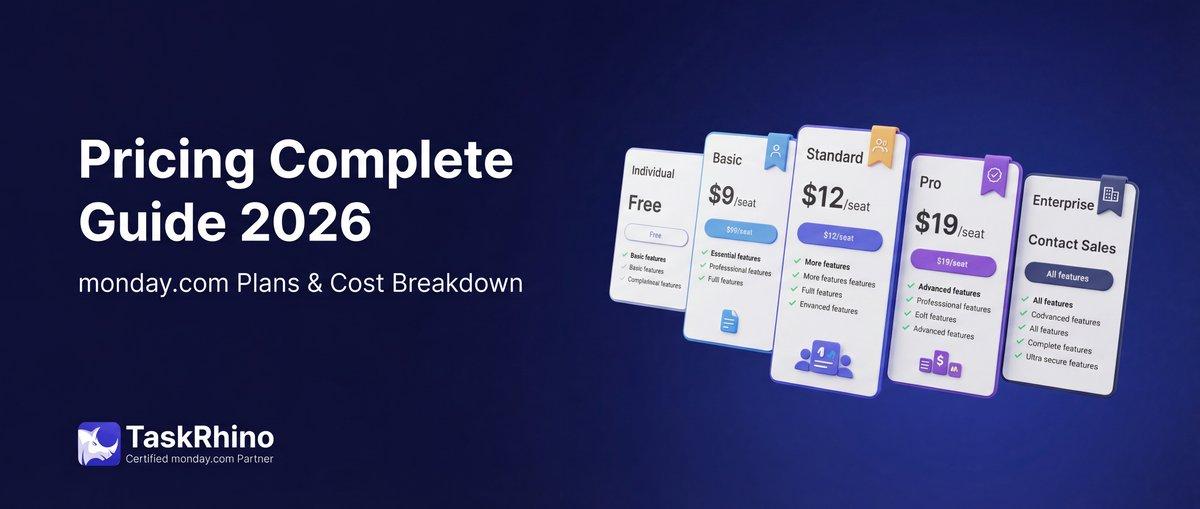
monday.com Pricing 2026: Complete Guide

Salesforce to Twenty Data Migration: Best Practices and Strategy
How to Self-Host Twenty CRM on AWS: Step-by-Step Guide