

Salesforce Negotiation Consultants: Save Up to 50% Today
Salesforce has dominated enterprise CRM for two decades. Twenty CRM, an open-source alternative backed by Y Combinator, challenges that dominance with a radically different approach: transparent pricing, complete data ownership, and a developer-first architecture.
This comparison examines both platforms as they stand in 2026. You’ll see feature-by-feature breakdowns, real pricing with no hidden costs, and honest assessments of where each platform excels and where it falls short.
If you’re choosing between vendor lock-in and open-source flexibility, this guide provides the data you need to decide.
Quick Decision Matrix
| Your Priority | Winner | Reason |
|---|---|---|
| Total cost of ownership (10+ users) | Twenty CRM ✅ | $9–$19/user vs $100–$330/user |
| Out-of-box enterprise features | Salesforce ✅ | Advanced automation, forecasting, territory management included |
| Data ownership & self-hosting | Twenty CRM ✅ | Full infrastructure control, AGPLv3 license |
| Integration ecosystem | Salesforce ✅ | 8,000+ AppExchange apps vs nascent Twenty marketplace |
| Modern UX and speed | Twenty CRM ✅ | Built with Notion-like interface, minimal bloat |
| Marketing automation | Salesforce ✅ | Native campaigns, journeys, attribution (Twenty lacks this) |
| Developer customization | Twenty CRM ✅ | GraphQL/REST APIs, custom objects, no platform lock-in |
| Enterprise support & SLAs | Salesforce ✅ | 24/7 support, dedicated CSMs, certified consultants worldwide |
Twenty CRM vs Salesforce: Core Feature Comparison
Contact & Company Management
| Feature | Twenty CRM | Salesforce | Winner |
|---|---|---|---|
| Contact profiles | Customizable fields, linked activities, notes | Advanced field types, relationships, hierarchies | Salesforce ✅ |
| Company records | Basic company profiles with custom fields | Account hierarchy, parent-child relationships | Salesforce ✅ |
| Duplicate management | Built-in merge tools, manual deduplication | AI-powered duplicate detection, auto-merge rules | Salesforce ✅ |
| Record history | Activity timeline per contact/company | Field-level audit trails, full history tracking | Salesforce ✅ |
Verdict: Salesforce offers deeper relationship mapping and automated deduplication. Twenty provides the basics but lacks enterprise-grade data quality tools.
Sales Pipeline & Deal Management
| Feature | Twenty CRM | Salesforce | Winner |
|---|---|---|---|
| Pipeline visualization | Kanban drag-and-drop, table views | Kanban, list, split views with Einstein insights | Salesforce ✅ |
| Custom sales stages | Fully customizable per workspace | Customizable with probability weighting | Tie ✅ |
| Deal tracking | Manual updates, custom fields | Auto-capture from emails, calendar, calls | Salesforce ✅ |
| Forecasting | No native forecasting | AI-powered forecasting, quota management | Salesforce ✅ |
Verdict: Twenty handles basic pipeline management well. Salesforce adds predictive forecasting and automatic activity capture that sales teams at scale depend on.
Workflow Automation
| Feature | Twenty CRM | Salesforce | Winner |
|---|---|---|---|
| Automation builder | Basic workflow triggers, API-driven | Flow Builder with 300+ actions, loops, branching | Salesforce ✅ |
| Email automation | Limited (requires external tools) | Native email sequences, templates, tracking | Salesforce ✅ |
| Webhooks | Real-time outbound webhooks | Outbound webhooks, Apex triggers, platform events | Salesforce ✅ |
| AI-powered automation | Experimental AI assistant (MCP server) | Einstein AI, auto-actions, predictive scoring | Salesforce ✅ |
Verdict: Salesforce’s Flow Builder and Einstein automation are light-years ahead. Twenty requires custom development or third-party tools for advanced workflows.
Reporting & Analytics
| Feature | Twenty CRM | Salesforce | Winner |
|---|---|---|---|
| Dashboard builder | Basic customizable dashboards | Advanced dashboards, Einstein Analytics add-on | Salesforce ✅ |
| Standard reports | Pipeline health, activity tracking | 100+ pre-built reports across all modules | Salesforce ✅ |
| Custom reports | Limited (export data for external BI tools) | Drag-and-drop report builder, calculated fields | Salesforce ✅ |
| Data visualization | Basic charts | Interactive charts, heatmaps, AI insights | Salesforce ✅ |
Verdict: This isn’t close. Twenty’s reporting is underdeveloped. Teams needing in-depth analytics will extract Twenty data to tools like Metabase or rely on Salesforce’s native capabilities.
Email & Calendar Integration
| Feature | Twenty CRM | Salesforce | Winner |
|---|---|---|---|
| Email sync | Gmail, Outlook, IMAP | Gmail, Outlook, Exchange with bi-directional sync | Tie ✅ |
| Email tracking | Basic logging | Open/click tracking, templates, sequences | Salesforce ✅ |
| Calendar sync | CalDAV support | Native sync with Einstein Activity Capture | Salesforce ✅ |
| Mass emailing | Requires external tools | Built-in with merge fields, scheduling | Salesforce ✅ |
Verdict: Both sync email and calendar, but Salesforce’s tracking, templates, and bulk email capabilities make it stronger for high-volume sales teams.
Customization & Developer Tools
| Feature | Twenty CRM | Salesforce | Winner |
|---|---|---|---|
| Custom objects | Unlimited custom objects, no code required | Custom objects with relationships, validation rules | Tie ✅ |
| API access | Auto-generated GraphQL & REST APIs for all objects | Comprehensive REST, SOAP, Bulk APIs | Twenty CRM ✅ |
| Custom code | Open-source codebase, fork-able | Apex code, Lightning components (platform-locked) | Twenty CRM ✅ |
| Webhooks | Outbound webhooks for real-time events | Platform events, outbound messaging, Apex triggers | Salesforce ✅ |
Verdict: Twenty’s open-source architecture and auto-generated APIs give developers more flexibility. Salesforce offers more built-in customization options but locks you into their platform.
Mobile Experience
| Feature | Twenty CRM | Salesforce | Winner |
|---|---|---|---|
| Mobile app | Limited mobile optimization (web-based) | Native iOS/Android apps with offline access | Salesforce ✅ |
| Offline access | No | Full offline mode with sync | Salesforce ✅ |
| Mobile performance | Fast web interface | Optimized native apps | Salesforce ✅ |
| Mobile-specific features | None | Voice commands, Einstein AI on mobile | Salesforce ✅ |
Verdict: Salesforce’s native mobile apps with offline capabilities are essential for field sales teams. Twenty’s mobile experience is functional but not optimized.
Security & Compliance
| Feature | Twenty CRM | Salesforce | Winner |
|---|---|---|---|
| Data hosting | Self-hosted or Twenty-managed cloud | Salesforce-managed global data centers | Twenty CRM ✅ (self-hosted) |
| Compliance certifications | Limited (depends on self-hosting setup) | SOC 2, ISO 27001, GDPR, HIPAA, FedRAMP | Salesforce ✅ |
| Role-based permissions | Granular role and field-level permissions | Extensive permission sets, sharing rules | Salesforce ✅ |
| Two-factor authentication | 2FA support (Authy, 1Password) | 2FA, SSO, SAML, multi-factor authentication | Salesforce ✅ |
Verdict: Salesforce’s enterprise compliance certifications and advanced security features win for regulated industries. Twenty’s self-hosting option provides data control but requires internal compliance management.
Integration Ecosystem
| Feature | Twenty CRM | Salesforce | Winner |
|---|---|---|---|
| Pre-built integrations | Nascent marketplace, API-driven | 8,000+ AppExchange apps | Salesforce ✅ |
| Zapier/Make.com support | Yes (via APIs) | Native Zapier, MuleSoft integration | Salesforce ✅ |
| Custom integrations | GraphQL/REST APIs, webhooks | REST/SOAP APIs, middleware options | Tie ✅ |
| Marketplace maturity | Early stage, growing | Mature ecosystem with vetted partners | Salesforce ✅ |
Verdict: Salesforce’s AppExchange dwarfs Twenty’s ecosystem. If you rely on pre-built integrations, Salesforce is the safer bet. Twenty requires custom API work.
User Experience & Interface
| Feature | Twenty CRM | Salesforce | Winner |
|---|---|---|---|
| Interface design | Clean, modern, Notion-inspired | Feature-rich but cluttered | Twenty CRM ✅ |
| Learning curve | Low (2–3 hours for basic proficiency) | High (days to weeks for full adoption) | Twenty CRM ✅ |
| Page load speed | Fast (lightweight architecture) | Slower (heavy UI, many features) | Twenty CRM ✅ |
| Onboarding experience | Minimal setup, guided tour | Trailhead training, structured onboarding | Salesforce ✅ |
Verdict: Twenty’s interface feels modern and fast. Salesforce’s depth comes at the cost of complexity and slower performance.
Customer Support & Resources
| Feature | Twenty CRM | Salesforce | Winner |
|---|---|---|---|
| Support tiers | Community, email support, priority (Org plan) | 24/7 phone/chat, Premier Success Plan | Salesforce ✅ |
| Documentation | Growing, open-source community-driven | Extensive Trailhead, documentation, videos | Salesforce ✅ |
| Response times | Days (email), faster for Org plan | Hours (Standard), minutes (Premier SLA) | Salesforce ✅ |
| Consulting ecosystem | Limited certified partners | 10,000+ certified consultants worldwide | Salesforce ✅ |
Verdict: Salesforce’s support infrastructure and global consulting network are unmatched. Twenty’s support is adequate for technical teams but falls short for enterprises.
See How BoardBridge Handles This Workflow
Book a free demo to see BoardBridge solve this exact problem — live, with your data.
Pricing Comparison: What You’ll Actually Pay
Twenty CRM Pricing (2026)
| Plan | Deployment | Price/User/Month | Key Features |
|---|---|---|---|
| Self-Hosted | On-premise | $0 | Unlimited users, full features, AGPLv3 license |
| Pro | Cloud | $9 | Core CRM, backups, API access |
| Organization | Cloud | $19 | Everything + SAML/OIDC SSO, priority support |
| Enterprise | Custom | Custom | Dedicated infrastructure, SLAs |
Self-Hosting Costs (Monthly):
- Server hosting: $50–$300
- DevOps maintenance: 2–8 hours/month
- RAM requirements: 2GB+ for basic deployment
Salesforce Pricing (2026)
| Plan | Price/User/Month | Annual Contract | Key Features |
|---|---|---|---|
| Starter Suite | $25 | Optional | Sales, service, marketing basics (max 10 users) |
| Pro Suite | $100 | Required | Sales forecasting, enhanced chat, AppExchange |
| Enterprise | $165 | Required | Advanced customization, unlimited workflows |
| Unlimited | $330 | Required | 24/7 support, unlimited everything, Einstein included |
Hidden Costs:
- Einstein AI add-ons: $50+/user/month
- Marketing Cloud: $1,250+/month (separate platform)
- Premier Success Plan: 30% of net license fees
- AppExchange apps: $10–$100+/user/month each
Real-World Cost Comparison (10 Users, 12 Months)
| Scenario | Twenty CRM | Salesforce Pro Suite | Difference |
|---|---|---|---|
| Basic CRM | $1,080 ($9/user × 10 × 12) | $12,000 ($100/user × 10 × 12) | Twenty saves $10,920 ✅ |
| With SSO | $2,280 ($19/user × 10 × 12) | $12,000 + Premier 30% = $15,600 | Twenty saves $13,320 ✅ |
| Self-Hosted | $600–$3,600 (infrastructure only) | $12,000 | Twenty saves $8,400+ ✅ |
Twenty CRM: Pros & Cons
Pros
| Advantage | Why It Matters |
|---|---|
| Transparent pricing | No surprise costs, add-ons, or forced upgrades |
| Full data ownership | Self-hosting keeps customer data under your control |
| Modern, fast interface | Notion-inspired UX reduces training time and boosts productivity |
| Open-source flexibility | Fork the codebase, customize without limits, no vendor lock-in |
| Developer-friendly APIs | Auto-generated GraphQL/REST for all objects, including custom ones |
| Low total cost of ownership | $0 (self-hosted) to $19/user vs Salesforce’s $100–$330/user |
| No ecosystem tax | No forced add-ons or marketplace fees |
Cons
| Limitation | Impact |
|---|---|
| Weak reporting & analytics | Requires external BI tools for advanced insights |
| No marketing automation | Must integrate with separate platforms (HubSpot, Mailchimp) |
| Nascent integration ecosystem | Few pre-built integrations; requires custom API work |
| Limited enterprise support | Email support, no 24/7 SLAs unless on Enterprise plan |
| Self-hosting requires technical resources | DevOps team needed for infrastructure management |
| Still maturing | Newer platform with fewer features than established competitors |
Salesforce: Pros & Cons
Pros
| Advantage | Why It Matters |
|---|---|
| Industry-leading features | Advanced automation, forecasting, Einstein AI, territory management |
| Massive integration ecosystem | 8,000+ AppExchange apps cover nearly every business need |
| Enterprise-grade security | SOC 2, ISO 27001, GDPR, HIPAA, FedRAMP certified |
| 24/7 global support | Premier Success Plans with dedicated CSMs and fastest SLA response |
| Proven at scale | Trusted by Fortune 500 companies for mission-critical operations |
| Comprehensive training | Trailhead learning platform, certification programs, partner network |
| Marketing automation built-in | Native campaigns, journeys, multi-channel attribution |
Cons
| Limitation | Impact |
|---|---|
| Expensive and getting worse | $100–$330/user/month + add-ons, Premier Support, AI fees |
| Vendor lock-in | Proprietary platform, difficult migration, data export limitations |
| Complexity overwhelms small teams | Weeks of training, requires dedicated admin or consultant |
| Slow, bloated interface | Heavy page loads, cluttered UI, performance issues at scale |
| Hidden costs everywhere | AI features, advanced reporting, integrations all cost extra |
| Forced annual contracts | No monthly billing for most plans, multi-year commitments common |
TaskRhino Real-World Stories: Twenty vs Salesforce in Practice
Story 1: The $84,000 Decision — SaaS Startup Chooses Twenty Over Salesforce
A 12-person SaaS company came to TaskRhino evaluating CRMs. They’d been running on spreadsheets and needed structure but didn’t have enterprise budget.
Initial Salesforce quote: $100/user/month × 12 users × 12 months = $14,400/year. Add Premier Support (30% = $4,320) and Einstein AI ($50/user = $7,200), and the first year hit $25,920.
Over three years: $77,760.
Twenty alternative: Self-hosted on AWS ($150/month infrastructure) = $1,800/year. Over three years: $5,400.
Savings: $72,360.
We implemented Twenty in two weeks. The team’s technical co-founder handles infrastructure updates quarterly (about 4 hours). They’ve built custom integrations with their billing system and support desk using Twenty’s GraphQL API — work that would’ve required expensive Salesforce middleware.
Trade-off: They export data monthly to Google Data Studio for advanced reporting. That’s 30 minutes of work, but it’s worth the cost savings.
Story 2: The Compliance Mandate — Healthcare Provider Stuck with Salesforce
A 45-person medical billing company needed a CRM that met HIPAA compliance. They were paying $165/user/month for Salesforce Enterprise ($89,100/year) but wanted to cut costs.
We evaluated Twenty’s self-hosted option. The platform itself can be HIPAA-compliant when deployed correctly, but the responsibility shifts entirely to the organization. That means:
- Dedicated security infrastructure (encrypted storage, access logs, audit trails)
- Regular penetration testing and compliance audits
- Business Associate Agreements with hosting providers
- Continuous monitoring and incident response protocols
The reality: Their 2-person IT team didn’t have the resources to maintain HIPAA compliance internally. Salesforce’s built-in compliance, certifications, and support were worth the premium.
Decision: They stayed on Salesforce but downgraded to Pro Suite ($100/user) and eliminated unused Einstein features. Annual cost dropped from $89,100 to $54,000 — $35,100 saved without changing platforms.
Lesson: Open-source saves money only if you have the internal expertise to manage it. For regulated industries without technical depth, Salesforce’s compliance infrastructure justifies the cost.
Story 3: The Hybrid Approach — Agency Uses Both
A digital marketing agency with 20 employees serves two distinct customer segments: enterprise clients (requiring detailed reporting and integrations) and small businesses (simple contact management).
Their solution: They use Salesforce for enterprise clients (8 users, $100/user = $9,600/year) and Twenty for internal operations and small client management (12 users, $9/user = $1,296/year).
Why it works:
- Enterprise clients expect Salesforce integrations and detailed reports (Salesforce handles this)
- Internal team collaboration benefits from Twenty’s clean interface and fast performance
- Total annual CRM cost: $10,896 vs $24,000 if they’d used Salesforce for everyone
Integration: They built a custom sync tool using Twenty’s API and Salesforce’s REST API to share contact data between systems. Development took 16 hours; annual maintenance is about 2 hours.
Lesson: You don’t have to choose one platform. Combining Twenty for internal use and Salesforce for client-facing work can optimize cost and functionality.
Need Help With Your monday.com Setup?
TaskRhino has implemented monday.com for 110+ teams. Get a free consultation.
When to Choose Twenty CRM
Twenty is the right choice if your organization meets 3 or more of these criteria:
- [ ] You have in-house technical resources (developers or DevOps)
- [ ] You need data sovereignty or self-hosting for compliance
- [ ] Your team is under 50 users
- [ ] You prioritize cost control and predictable pricing
- [ ] You value modern UX and fast performance over feature breadth
- [ ] You don’t need built-in marketing automation
- [ ] You’re comfortable building custom integrations via APIs
- [ ] You’re frustrated with vendor lock-in and proprietary platforms
- [ ] You need a CRM for product-led growth or developer workflows
- [ ] You can supplement reporting with external BI tools
Best for: Startups, SaaS companies, agencies, technical teams, privacy-focused organizations, anyone escaping Salesforce’s cost spiral.
When to Choose Salesforce
Salesforce is the right choice if your organization meets 3 or more of these criteria:
- [ ] You’re in a regulated industry requiring SOC 2, HIPAA, or FedRAMP compliance
- [ ] You need advanced reporting, forecasting, and AI-powered insights out of the box
- [ ] Your team lacks technical resources for CRM infrastructure management
- [ ] You rely on pre-built integrations from a mature marketplace
- [ ] You need 24/7 support with guaranteed SLA response times
- [ ] Marketing automation (campaigns, journeys, attribution) is essential
- [ ] You’re managing complex sales processes with territory management or quoting
- [ ] Your organization has 100+ users
- [ ] You want proven enterprise-grade scalability
- [ ] You’re replacing an existing Salesforce instance and don’t want migration risk
Best for: Enterprises, regulated industries, large sales teams, organizations needing comprehensive features and support without custom development.
Migration Paths: Switching Between Platforms
Salesforce to Twenty CRM
Why teams migrate:
- Cost reduction (often 70–90% savings)
- Data ownership and self-hosting control
- Frustration with Salesforce complexity and bloat
Migration process:
- Export Salesforce data (Contacts, Accounts, Opportunities, custom objects) via Data Loader
- Map Salesforce fields to Twenty’s data model (custom objects in Twenty match Salesforce custom objects)
- Import CSVs into Twenty with relationship mapping
- Rebuild essential automations using Twenty’s workflow engine or external tools (Zapier, n8n)
- Migrate integrations (most require custom API connections)
- Test data integrity and workflows in Twenty staging environment
- Train team on Twenty interface (typically 2–4 hours)
- Cutover and deactivate Salesforce
Timeline: 2–6 weeks depending on data complexity and custom integrations
Biggest challenges:
- Recreating complex Salesforce Flows in Twenty (often requires external automation platforms)
- Migrating AppExchange app functionality (must find alternatives or build custom)
- Reporting parity (expect to export data to external BI tools)
Twenty CRM to Salesforce
Why teams migrate:
- Outgrowing Twenty’s feature set (reporting, forecasting, marketing automation)
- Need for enterprise support and compliance certifications
- Hiring non-technical teams who struggle with self-hosting
Migration process:
- Export all data from Twenty via CSV or GraphQL API
- Map Twenty custom objects to Salesforce objects
- Use Salesforce Data Import Wizard or Data Loader for bulk upload
- Configure Salesforce workflows to match Twenty automations
- Connect integrations via AppExchange or custom APIs
- Train team on Salesforce (expect 1–2 weeks for basic proficiency)
- Decommission Twenty instance
Timeline: 4–8 weeks (longer due to Salesforce configuration complexity)
Biggest challenges:
- Salesforce’s steep learning curve after Twenty’s simplicity
- Cost shock (teams often underestimate true Salesforce TCO)
- Recreating custom Twenty integrations in Salesforce ecosystem
Stop Creating Duplicates
BoardBridge forms update existing items — no Enterprise plan, no workarounds, no duplicates.
Frequently Asked Questions
What are the typical hourly rates for mid-level Salesforce consultants in 2026, and how do they compare to TaskRhino consulting options?
Mid-level Salesforce consultants charge $80-$100 per hour, while senior consultants range from $100-$200+ per hour depending on experience, location, and certifications. TaskRhino consulting offers competitive rates averaging $125-$175 per hour for standard engagements, but provides lower-cost freelancers at $30-$100 per hour for simpler tasks, making it a viable alternative for budget-conscious projects. These rates reflect 2026 market trends influenced by project complexity and geographic factors like high-cost areas such as San Francisco.
How much does a full Salesforce implementation cost in 2026 for a mid-sized team, including consultant fees?
Salesforce implementation costs range from $5,000 to $100,000+ in 2026, driven by CRM complexity, user count, and consultant hours at $100-$200 per hour. For a mid-sized team, expect $8,000-$175,000 total, factoring in editions like Enterprise at $175/user/month plus customization at $75-$200/hour. TaskRhino consulting can reduce this via fixed packages or freelancers starting at $8,000 for QuickStart projects.
What factors drive premium pricing for certified senior Salesforce consultants versus offshore alternatives?
Senior Salesforce consultants with certifications command $100-$200+/hour due to experience, project complexity, and locations like the San Francisco Bay Area at $149,607 average salary. Offshore options, such as in India, offer senior rates around ₹2,000,000 annually or lower hourly equivalents, significantly undercutting US rates. TaskRhino bridges this by sourcing freelancers from $30-$100/hour for non-complex work, ideal for cost optimization without sacrificing quality.
For a Sales Cloud Enterprise rollout, what is the total first-year cost breakdown including consultants?
Sales Cloud Enterprise Edition costs $165/user/month billed annually, plus implementation at $100-$200/hour for consultants, totaling $5,000-$100,000+ depending on customization depth. Add licensing for a 50-user team at roughly $99,000/year, with consultant fees for automation and UI tweaks adding $20,000-$50,000. Twenty CRM avoids such layered costs with transparent flat pricing, potentially saving 40-60% on consultant needs due to its developer-first architecture.
How do Salesforce consultant contract rates compare across US, Europe, and freelancers in 2026?
US contract rates average $125/hour for seniors, Europe varies from €325-€700 daily (e.g., Germany €700), while freelancers offer $75-$175/hour. Junior US roles start at $130,700 annually, but freelancers via platforms like TaskRhino provide $30-$100/hour for simpler scopes, reducing costs for SMBs. These differences stem from regional demand, with North America commanding premiums over Asia-Pacific equivalents.
Is hiring a freelance Salesforce consultant cheaper than a firm for CPQ customization, and what are the 2026 rates?
Freelance Salesforce consultants for CPQ customization cost $75-$175/hour or $8,000+ per project, cheaper than firms’ $125-$175/hour averages with added overhead. Risks include limited support, but TaskRhino mitigates this by vetting freelancers for complex modules like CPQ at lower rates than traditional SI partners. In 2026, expect $2,000-$20,000 per module, influenced by business logic depth and certifications.

Want to Host, Customize, or Migrate to Twenty CRM
Editor's Choice
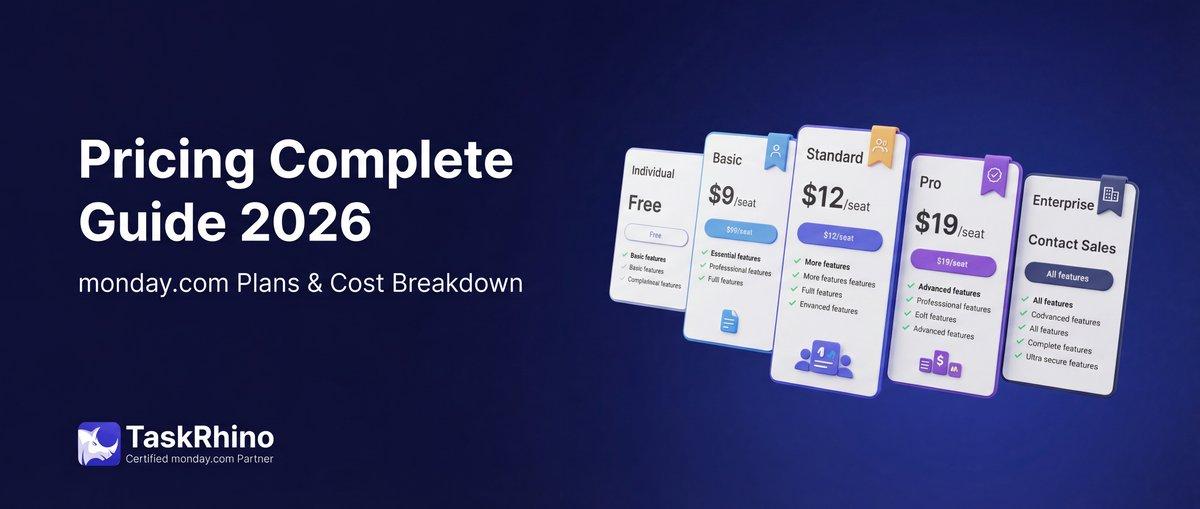
monday.com Pricing 2026: Complete Guide

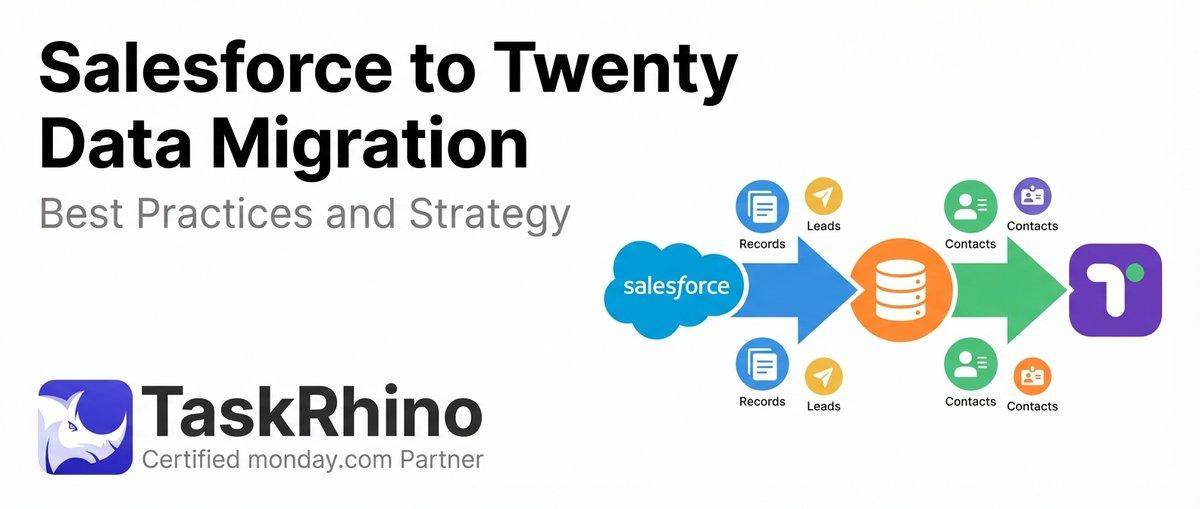
Salesforce to Twenty Data Migration: Best Practices and Strategy
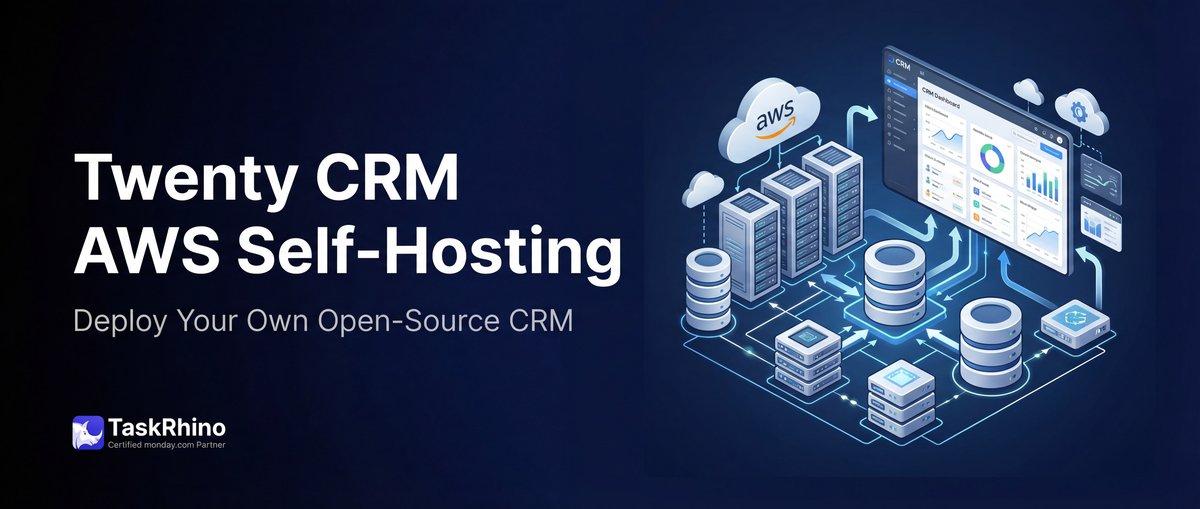
How to Self-Host Twenty CRM on AWS: Step-by-Step Guide