

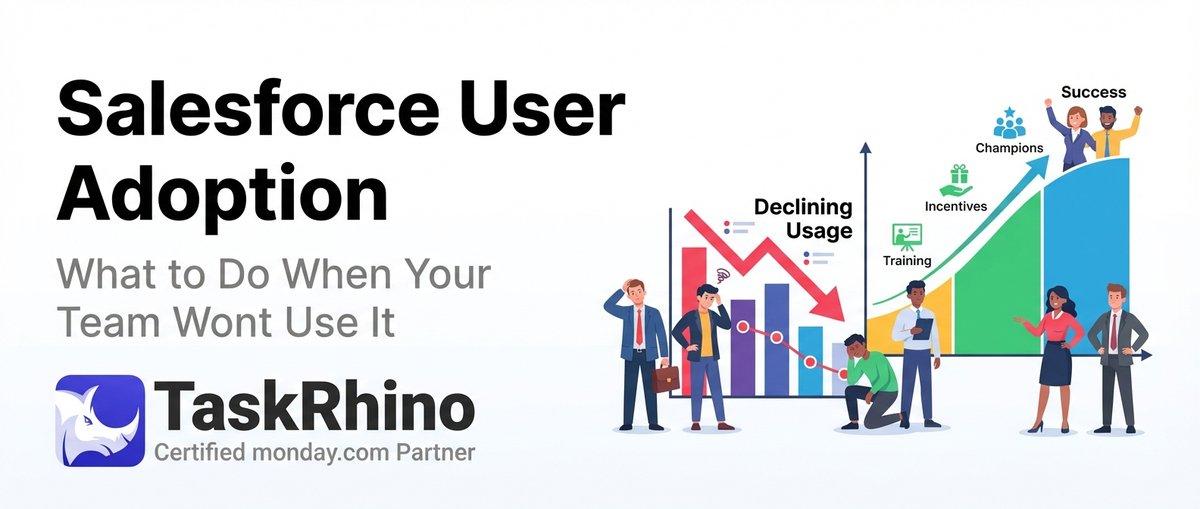
Salesforce User Adoption: What to Do When Your Team Won’t Use It
Twenty CRM is an open-source platform designed to give you full control over your customer relationship management. Unlike traditional CRMs that force you into rigid workflows, Twenty lets you build custom objects, define your own fields, automate processes through workflows, and integrate everything via robust APIs. This guide walks through every customization capability Twenty offers in 2026.
Understanding Twenty’s Customization Philosophy
Twenty treats customization as a first-class feature, not an afterthought. The platform generates APIs specifically for your data model, handles custom objects the same way it handles built-in ones, and gives you complete control over data structure and workflows without requiring vendor approval or third-party consultants.
Organizations choose Twenty for customization when they need flexibility without complexity. A fintech startup can add compliance checkboxes to their deal tracking. A creative agency can track deliverables alongside client contacts. A healthcare provider can add HIPAA-compliant note fields to patient records.
The difference between configuring a CRM and customizing it matters here. Configuration means picking from predefined options. Customization means creating new data structures and workflows that match your exact business model. Twenty handles both.
Custom Objects: Building Your Data Model
What Custom Objects Are
Custom objects are database tables you create to track entities specific to your business. While Twenty includes standard objects like People, Companies, and Opportunities, custom objects let you track anything else — invoices, properties, subscriptions, support tickets, equipment, contracts, or internal entities that traditional CRMs never anticipated.
Each custom object gets its own API endpoints, appears in search results, supports all field types, and integrates with workflows just like built-in objects.
How to Create Custom Objects
| Step | Action | Location | Result |
|---|---|---|---|
| 1 | Navigate to Settings | Top-right gear icon | Opens settings panel |
| 2 | Select Data Model | Left sidebar menu | Shows current objects |
| 3 | Click + Create Object | Top of object list | Opens creation form |
| 4 | Define object properties | Creation dialog | Sets name, icon, description |
When creating an object, you define:
- Object name — Appears in navigation and searches (singular form: “Invoice”, plural: “Invoices”)
- API name — Used in API calls and integrations (auto-generated from object name, editable)
- Icon — Visual identifier in the UI (choose from Twenty’s icon library)
- Description — Explains what this object tracks (helps teams understand purpose)
Custom Object Types by Use Case
| Use Case | Object Examples | Key Fields | Relationships |
|---|---|---|---|
| Service businesses | Projects, Deliverables | Due date, status, hours | Link to Companies, People |
| Real estate | Properties, Showings | Address, price, square footage | Link to Contacts, Deals |
| SaaS companies | Subscriptions, Features | MRR, plan tier, renewal date | Link to Companies |
| Healthcare | Appointments, Treatments | Date, provider, notes | Link to Patients (custom People) |
Custom Object Best Practices
Start with clear naming conventions. If your business tracks client projects and internal projects differently, create two objects: “Client Project” and “Internal Initiative”. Descriptive names prevent confusion six months later when your team has grown.
Plan relationships before creating objects. A Project object probably needs to link to Companies (who owns it), People (who’s working on it), and Deals (how it was sold). Define these connections during setup rather than retrofitting them later.
Use custom objects for entities with unique lifecycles. If something moves through distinct stages that don’t match your existing pipelines, it deserves its own object. Support tickets need different stages than sales opportunities.
Keep field counts reasonable. Twenty supports unlimited custom fields per object, but 15-25 fields per object is the sweet spot for usability. Beyond that, consider whether you’re tracking different entity types that should be separate objects.
TaskRhino Story: Manufacturing Workflow System
A manufacturing client came to us tracking production orders in spreadsheets while using Twenty for customer management. They needed a way to connect customer orders to production schedules, quality checks, and shipping logistics.
We built four custom objects: Production Orders (linked to Opportunities), Quality Inspections (linked to Production Orders), Equipment Maintenance (standalone tracking), and Shipping Manifests (linked to Production Orders and Companies). Each object had 12-18 fields covering dates, statuses, notes, and measurements specific to their process.
The result: production managers could see customer context for every order, sales reps could check production status without leaving the CRM, and quality issues automatically created tasks for the right team members. The entire system replaced three separate tools and cut their weekly reporting time from 4 hours to 30 minutes.
Need help designing custom objects for your business? Contact us for a free consultation.
Custom Fields: Capturing Your Data
Available Field Types in Twenty 2026
Twenty supports 15 field types that cover every common data structure. Each field type validates input, displays appropriately in the UI, and exposes correctly through APIs.
| Field Type | Purpose | Example Uses | API Format |
|---|---|---|---|
| Text | Short strings | Names, titles | String |
| Long Text | Paragraphs | Notes, descriptions | String |
| Number | Integers, decimals | Quantities, prices | Number |
| Email validation | Contact emails | String | |
| Phone | Phone formatting | Contact numbers | String |
| URL | Link validation | Websites | String |
| Date | Calendar dates | Due dates, birthdays | ISO 8601 date |
| DateTime | Timestamps | Meeting times | ISO 8601 datetime |
| Checkbox | Boolean values | Active/inactive | Boolean |
| Select | Single choice | Status, priority | String |
| Multi-Select | Multiple choices | Tags, categories | Array of strings |
| Currency | Money amounts | Deal values, prices | Number + currency code |
| Relation | Links to records | Company → Contacts | Object ID |
| JSON | Structured data | API responses | JSON object |
Creating Custom Fields
Adding fields to any object (standard or custom) follows the same process. Navigate to Settings → Data Model, select the object, and click + Add Field. You’ll define:
- Field label — What users see (“Customer Type”)
- Field name — What the API uses (auto-generated: “customerType”)
- Field type — Data format from the list above
- Required vs optional — Whether the field must have a value
- Default value — Pre-populated value for new records (optional)
- Help text — Explanation shown to users entering data (optional)
Advanced Field Configuration
Select and Multi-Select options require you to define the available choices. For a Priority field, you might add options: Critical, High, Medium, Low. Each option can have a color code for visual distinction.
Currency fields let you specify the currency code (USD, EUR, GBP, etc.) and decimal precision. You can set different currency codes per record or use a single currency for all records in that field.
Relation fields connect records between objects. When you add a relation field, you specify which object it links to. A Project object might have a relation field linking to Companies, creating a one-to-many relationship (one company has many projects).
JSON fields store structured data without requiring separate fields. They’re useful for API integrations that return complex objects, or for flexible data where the structure varies by record. However, JSON fields don’t appear in standard views and aren’t searchable — use them sparingly.
Custom Fields by Business Need
| Business Need | Field Examples | Field Types | Notes |
|---|---|---|---|
| Compliance tracking | Approval status, Reviewed by | Select, Relation | Required for audit trails |
| Financial data | Budget, Actual cost | Currency, Number | Use currency for client-facing |
| Project management | Due date, Progress | Date, Number | Link to milestone tracking |
| Customer segmentation | Industry, Region | Select, Multi-Select | Powers reporting and filtering |
Field-Level Permissions
Twenty’s role-based permission system extends to individual fields. You can hide sensitive fields from certain roles or make them read-only. A sales rep might see customer revenue but can’t edit it. Support agents might see payment status as read-only while finance teams can update it.
To configure field permissions, navigate to Settings → Roles, select the role, and click Field Permissions. You’ll see all objects and can set each field to Hidden, Read-Only, or Full Access.
TaskRhino Story: Legal Practice Client Management
A law firm needed to track cases, clients, opposing parties, court dates, document deadlines, and billing hours across 40+ active cases. Their previous CRM had rigid fields that didn’t match legal workflows.
We extended Twenty’s standard Company and Person objects with custom fields specific to legal practice: Case Number (text), Court Jurisdiction (select with 15 options), Filing Deadline (date), Retainer Amount (currency), Billable Hours This Month (number), Case Status (select with 12 stages), and Opposing Counsel (relation to Person object).
For the Cases custom object, we added 22 fields including Case Type (multi-select for cases with multiple legal issues), Lead Attorney (relation to Person), Associated Documents (JSON field storing document metadata), and Client Communication Log (long text with automatic timestamping via workflow).
Field-level permissions ensured paralegals could view client financial data but not edit it, while partners could see everything. The firm’s managing partner told us this system finally gave them “one source of truth that actually speaks our language.”
Workflows: Automating Your Processes
How Twenty Workflows Work
Workflows in Twenty automate actions based on triggers. A workflow watches for specific events (a record is created, a field is updated, a status changes) and executes predefined actions (send email, create task, update field, call webhook).
Unlike point-and-click automation builders that limit you to basic if-then rules, Twenty workflows support complex conditions, multi-step sequences, and custom JavaScript when you need full control.
Workflow Triggers
| Trigger Type | Fires When | Common Uses | Frequency |
|---|---|---|---|
| Record Created | New record added | Welcome emails, task assignment | Per record |
| Record Updated | Any field changes | Status notifications, logging | Per update |
| Field Changed | Specific field updates | Pipeline movement alerts | Per change |
| Manual | User clicks button | Form submissions, approvals | On demand |
| Scheduled | Time-based | Daily reports, reminders | Recurring |
| Webhook | External system calls | Integration syncing | Real-time |
Record Created triggers fire once per new record. Use these for onboarding sequences, initial task creation, or notifications to team members when new opportunities, contacts, or custom objects appear.
Record Updated triggers fire whenever any field in the record changes. These are powerful but can generate many executions — use conditions to filter for specific field changes.
Field Changed triggers are more precise. They fire only when the specified field updates. A “Status changed to Closed Won” trigger fires once when a deal closes, not every time the deal record is touched.
Manual triggers require a user to click a workflow button. These are perfect for processes that need human judgment — sending a proposal, requesting manager approval, or generating a custom report.
Workflow Actions
| Action Type | What It Does | Configuration Needs | Output |
|---|---|---|---|
| Send Email | Delivers email | Recipients, template, merge fields | Email ID |
| Create Task | Adds to-do item | Assignee, due date, description | Task ID |
| Update Record | Changes field values | Object, field, new value | Updated record |
| Create Record | Generates new entry | Object, field values | New record ID |
| HTTP Request | Calls external API | URL, method, headers, body | Response data |
| Run Code | Executes JavaScript | Custom code | Code output |
| Wait | Delays next action | Duration | Timer completion |
Send Email actions support HTML templates with merge fields. Reference any field from the triggering record using double curly braces: {{firstName}}, {{company.name}}, {{dealValue}}. You can CC/BCC additional recipients, attach files, and track whether emails were opened.
Create Task actions automatically assign work. When a deal moves to “Contract Sent,” create a task for the account manager to follow up in 3 days. When a support ticket is unassigned for 30 minutes, create an escalation task for the team lead.
Update Record actions change field values without manual intervention. When a deal closes, update the associated company’s “Last Purchase Date” field. When a project status changes to “Complete,” update the customer’s “Active Projects” count.
HTTP Request actions integrate Twenty with external systems. Post to Slack when deals close. Send order data to your fulfillment system. Pull pricing data from your ERP. These actions support GET, POST, PUT, and DELETE methods with full header and body control.
Run Code actions execute custom JavaScript inside the workflow. Access the triggering record, manipulate data, perform calculations, and return results that subsequent actions can use. Code runs in a sandboxed environment with access to Twenty’s API.
Building Multi-Step Workflows
Workflows can chain multiple actions together. A typical sales workflow might:
- Trigger: Deal status changes to “Closed Won”
- Action 1: Update company record with purchase date
- Action 2: Create onboarding task for customer success team
- Action 3: Send welcome email to customer
- Action 4: Post notification to Slack sales channel
- Action 5: Create first check-in task scheduled for 30 days out
Each action can reference data from previous steps. The welcome email can include the task ID from Action 2, letting the customer know who to contact for onboarding.
Workflow Conditions and Branching
Conditions filter when actions execute. A “Deal Closed” workflow might send different emails based on deal size: enterprise customers (>$50K) get assigned to senior account managers, mid-market ($10K-$50K) go to standard team members, and small deals (<$10K) trigger automated onboarding with no human touchpoint.
Configure conditions using Twenty’s visual builder:
| Condition Type | Operator Options | Example |
|---|---|---|
| Text | equals, contains, starts with | Stage equals “Closed Won” |
| Number | equals, greater than, less than | Deal value > 50000 |
| Date | before, after, between | Close date within next 7 days |
| Boolean | is true, is false | Auto-renewal is true |
Workflow Variables and Data Passing
Workflows store data in variables that later actions can reference. After an HTTP Request fetches customer data from your billing system, store the response in a variable called billingData. Subsequent actions can access {{billingData.accountBalance}} or {{billingData.nextRenewalDate}}.
This eliminates redundant API calls and lets you transform data mid-workflow. Fetch once, use everywhere.
Workflow Testing and Debugging
Twenty provides execution logs for every workflow run. When a workflow doesn’t behave as expected, check the logs to see which trigger fired, what conditions evaluated to, which actions executed, and what errors occurred.
Test workflows on non-critical records first. Create a test opportunity, move it through stages, and verify each action fires correctly before deploying to production data.
TaskRhino Story: Event Management Automation
An event planning company managed conferences with 200-500 attendees per event. They used Twenty to track venues, vendors, attendees, and schedules but were manually coordinating 30+ tasks per event.
We built a workflow system triggered by event status changes:
Status → “Venue Confirmed” → Create tasks for catering (due 60 days before event), AV setup (30 days), and signage (14 days). Update attendee records with venue address. Send confirmation email to venue contact with contract PDF.
Status → “Registrations Open” → Send announcement email to past attendees list. Post to social media via HTTP request to Buffer API. Create daily task for sales team to review registration numbers.
Status → “7 Days Until Event” → Send reminder email to registered attendees with agenda. Create tasks for event-day staff assignments. Generate equipment checklist from custom Equipment object.
Status → “Event Complete” → Send thank-you emails to attendees. Create follow-up tasks for sales team (contact interested leads within 3 days). Update Company records with attendance status. Archive event in completed status.
The workflow system reduced coordination overhead from 15 hours per event to about 2 hours, and eliminated the “forgotten task” issues that had plagued previous events.
Want to automate your workflows like this? Let’s build it together.
See How BoardBridge Handles This Workflow
Book a free demo to see BoardBridge solve this exact problem — live, with your data.
Twenty API: Programmatic Access and Integration
API Architecture Overview
Twenty provides four API types: Core REST, Core GraphQL, Metadata REST, and Metadata GraphQL. Core APIs work with your actual data (create contacts, update deals, query opportunities). Metadata APIs manage your workspace configuration (create objects, add fields, define relationships).
REST vs GraphQL: Which to Use
| Feature | REST API | GraphQL API |
|---|---|---|
| Data operations | CRUD, batch, upsert | Same + batch upserts |
| Query flexibility | Fixed endpoints | Custom query structure |
| Relationship queries | Multiple calls | Single call with nested data |
| Learning curve | Easier for beginners | Requires GraphQL knowledge |
Choose REST when you’re fetching or updating simple data and want straightforward endpoints. Choose GraphQL when you need related data in one query (fetch a company with all its contacts and deals in a single request) or when you want to minimize API calls.
Authentication and API Keys
Every API request requires authentication via API key. To create a key:
- Navigate to Settings → APIs & Webhooks
- Click + Create Key
- Name the key (e.g., “Integration with Billing System”)
- Set expiration date (optional but recommended)
- Copy the key immediately (shown only once)
Include the API key in request headers: “ Authorization: Bearer YOUR_API_KEY “
Assigning Roles to API Keys
API keys inherit permissions from assigned roles. A reporting integration might get read-only access while a billing sync gets full write access to specific objects.
To assign a role:
- Settings → Roles → Select role
- Click Assignment tab
- Under API Keys, click + Assign to API key
- Select your key
This prevents over-privileged integrations and maintains security when multiple systems access Twenty.
REST API Endpoints
Core REST endpoints follow RESTful conventions. For a custom object called “Invoices”:
| Method | Endpoint | Purpose | Request Body |
|---|---|---|---|
| GET | /rest/invoices | List all invoices | None |
| GET | /rest/invoices/{id} | Get specific invoice | None |
| POST | /rest/invoices | Create new invoice | Invoice data (JSON) |
| PATCH | /rest/invoices/{id} | Update invoice | Changed fields (JSON) |
| DELETE | /rest/invoices/{id} | Delete invoice | None |
Standard objects (people, companies, opportunities) work the same way: /rest/people, /rest/companies, /rest/opportunities.
GraphQL API Structure
GraphQL endpoints use a single URL (/graphql/) with POST requests containing queries or mutations.
Query example (fetch companies with contacts): “graphql query { companies(limit: 10) { id name website contacts { id firstName lastName email } } } “
Mutation example (create a person): “graphql mutation { createPerson( firstName: "Sarah" lastName: "Chen" email: "sarah@example.com" companyId: "abc123" ) { id firstName email } } “
Filtering and Querying
REST API supports query parameters for filtering:
/rest/people?firstName=John— Find people named John/rest/companies?createdAt[gte]=2026-01-01— Companies created after Jan 1, 2026/rest/opportunities?value[gt]=10000— Opportunities worth more than $10K
GraphQL supports inline filters: “graphql query { opportunities(where: {value: {gt: 10000}}) { id name value } } “
Batch Operations
Both REST and GraphQL support batch operations up to 60 records per request.
REST batch create: “ POST /rest/people/batch [ {"firstName": "Alice", "email": "alice@example.com"}, {"firstName": "Bob", "email": "bob@example.com"} ] “
GraphQL batch create: “graphql mutation { createPeople( data: [ {firstName: "Alice", email: "alice@example.com"}, {firstName: "Bob", email: "bob@example.com"} ] ) { id firstName } } “
Batch operations are significantly faster than individual calls. Creating 50 records with batch endpoints takes 1 API call instead of 50.
Metadata API for Dynamic Schema Management
Metadata APIs let you programmatically manage Twenty’s data model. This is powerful for organizations that need to:
- Create workspace instances for new customers (SaaS product scenarios)
- Dynamically add fields based on customer configuration
- Clone workspace structures across environments (dev, staging, production)
- Build admin interfaces for non-technical users to customize their schema
Creating a custom object via Metadata API: “ POST /rest/metadata/objects { "nameSingular": "invoice", "namePlural": "invoices", "labelSingular": "Invoice", "labelPlural": "Invoices", "description": "Customer invoices and billing records" } “
Adding a custom field to an existing object: “ POST /rest/metadata/fields { "objectName": "invoice", "name": "dueDate", "label": "Due Date", "type": "date", "isRequired": true } “
Webhooks for Real-Time Integration
Webhooks notify external systems when Twenty data changes. Instead of polling Twenty’s API every few minutes to check for updates, webhooks push notifications instantly when events occur.
Configure webhooks at Settings → APIs & Webhooks → Webhooks. Define:
- Target URL — Where Twenty sends the webhook (your server endpoint)
- Events — Which triggers fire the webhook (record created, updated, deleted)
- Objects — Which objects to watch (all objects or specific ones)
- Retry policy — What happens if your endpoint is unreachable
When a webhook fires, Twenty sends a POST request with the event data: “json { "event": "record.created", "objectName": "opportunity", "recordId": "abc123", "data": { "name": "Acme Corp - Q1 2026", "value": 45000, "stage": "Qualification" }, "timestamp": "2026-02-26T10:30:00Z" } “
API Rate Limits and Best Practices
Twenty enforces rate limits to maintain platform stability:
- 100 API calls per minute per API key
- 60 records per batch operation
To stay within limits:
- Use batch operations instead of loops when creating/updating multiple records
- Cache data that doesn’t change frequently rather than fetching repeatedly
- Implement exponential backoff when you receive 429 (rate limit exceeded) responses
- Use webhooks for real-time updates instead of polling
API Playground and Testing
Twenty includes an interactive API playground at Settings → APIs & Webhooks. After creating an API key, click “REST API” or “GraphQL API” to open the playground.
The playground provides:
- Auto-generated documentation for your specific data model (includes your custom objects and fields)
- Schema explorer showing available objects, fields, and relationships
- Request builder with autocomplete
- Live testing against your actual workspace data
Use the playground to prototype queries before writing integration code. Copy working queries directly from the playground into your application.
Integration Scenarios
| Scenario | API Approach | Key Endpoints |
|---|---|---|
| Sync billing data | Webhook + REST | POST /webhooks, PATCH /rest/companies |
| Daily report generation | Scheduled REST queries | GET /rest/opportunities, GET /rest/tasks |
| Custom dashboard | GraphQL nested queries | /graphql/ with relationship traversal |
| Mobile app | REST for CRUD operations | Standard REST endpoints |
Need Help With Your monday.com Setup?
TaskRhino has implemented monday.com for 110+ teams. Get a free consultation.
Customization Use Cases by Industry
SaaS and Software Companies
SaaS businesses customize Twenty to track trials, subscriptions, feature usage, and expansion opportunities. Custom objects include “Trials” (linked to Companies), “Feature Requests” (linked to People and Companies), and “Usage Metrics” (time-series data pulled via API).
Workflows automate trial expiration warnings (email 3 days before trial ends), upgrade prompts (when usage hits plan limits), and churn risk alerts (when engagement drops below threshold). API integrations sync subscription data from Stripe or Chargebee, feeding contract value and renewal dates into Twenty.
Healthcare and Medical Practices
Healthcare organizations add custom objects for Appointments, Treatments, Insurance Claims, and Prescriptions. HIPAA compliance requires field-level permissions ensuring only authorized staff see protected health information.
Workflows handle appointment reminders (email 24 hours before), no-show follow-ups (create task when patient misses appointment), and billing triggers (generate invoice record when treatment status changes to “Complete”). Self-hosted Twenty deployments keep all patient data on-premise, satisfying data residency requirements.
Real Estate and Property Management
Real estate firms track Properties (custom object with address, square footage, price, listing status), Showings (custom object linking Properties to People), and Offers (custom object with offer amount, contingencies, acceptance status).
Workflows automate showing confirmations (email both agent and client with property details), price change notifications (alert interested parties when property price drops), and closing coordination (create 15-task checklist when offer is accepted, assigning tasks to agents, attorneys, and inspectors).
Professional Services and Consulting
Consulting firms customize Twenty for project-based work. Custom objects include Projects (linked to Companies and Deals), Deliverables (linked to Projects), and Timesheets (linked to People and Projects).
Workflows trigger project kickoff tasks when deals close, send deliverable reminders one week before due dates, and compile timesheet data for billing. API integrations pull time entries from Harvest or Toggl, connecting billable hours to specific projects and clients for accurate invoicing.
Advanced Customization Techniques
Multi-Workspace Architecture
Twenty supports multiple workspaces per account, each with its own data model, users, and permissions. Organizations use this for:
- Regional separation — North America workspace, Europe workspace, Asia workspace
- Department isolation — Sales workspace, Support workspace, Operations workspace
- Client segmentation — Enterprise clients workspace, SMB clients workspace
Workspaces share no data by default. Use APIs to sync specific data between workspaces when needed (e.g., company information used by both sales and support).
Custom Object Relationships
Relationships connect records across objects. Twenty supports:
- One-to-Many — One Company has many People (Contacts)
- Many-to-One — Many Deals belong to one Company
- Many-to-Many — Many People can be assigned to many Projects
Configure relationships via Settings → Data Model → Select object → + Add Relation Field. Define which object the relation connects to and whether it’s required.
Calculated Fields via API
While Twenty doesn’t have built-in formula fields (like Salesforce or Airtable), you can calculate values via workflows and API integrations.
Example: Calculate deal velocity (days from creation to close). Create a workflow triggered by “Deal Status changed to Closed Won.” Run custom JavaScript that computes closedDate - createdDate, then updates a custom “Days to Close” number field with the result.
Conditional Field Visibility
Use custom JavaScript and Twenty’s API to show/hide fields based on other field values. A “Contract Type” field might reveal “Annual Value” when set to “Subscription” but show “Project Budget” when set to “One-Time Project.”
Implement this through Twenty’s extensibility framework, which lets you inject custom UI components and business logic into the platform.
Backup and Data Migration Strategies
Self-hosted Twenty instances should implement regular backup schedules. Since Twenty runs on PostgreSQL, standard PostgreSQL backup tools work:
Daily automated backups: “bash pg_dump twenty_db > backup_$(date +%Y%m%d).sql “
Point-in-time recovery via PostgreSQL continuous archiving ensures you can restore to any moment, critical for compliance-heavy industries.
For migration scenarios, Twenty’s CSV export/import handles standard data. Complex migrations with relationship preservation require API-based approaches. Twenty’s REST API supports batch operations for efficient large-dataset transfers.
Performance Optimization for Large Deployments
Database Indexing for Custom Objects
Twenty automatically indexes standard fields, but custom objects with high query volumes benefit from additional indexes. For a custom “Orders” object queried frequently by customer ID and order date, add composite indexes via direct database access.
Work with your database administrator to identify slow queries and add indexes strategically. Over-indexing slows writes, so balance read performance against write overhead.
API Call Optimization
Applications making heavy API use should:
- Implement caching — Store frequently accessed data client-side with TTL expiration
- Use GraphQL field selection — Request only needed fields to reduce payload size
- Batch API calls — Group operations when possible (create 50 records in one batch call)
- Leverage webhooks — Replace polling with event-driven updates
Workflow Efficiency
Complex workflows with many actions increase execution time. Optimize by:
- Using specific field triggers instead of “any field updated” to reduce unnecessary executions
- Consolidating actions — One HTTP request with multiple data points beats three separate requests
- Implementing conditional logic early — Filter out non-qualifying records before expensive actions execute
Security Considerations for Custom Implementations
API Key Management
Treat API keys like passwords. Best practices:
- Rotate keys quarterly — Generate new keys, update integrations, revoke old keys
- Use environment variables — Never hardcode keys in application code
- Separate keys per integration — Different systems get different keys for granular access control
- Set expiration dates — Keys should auto-expire unless explicitly renewed
Field-Level Security
Sensitive data requires careful permission configuration. Credit card information, Social Security numbers, salary data, and medical records should:
- Be stored in dedicated fields with restricted access
- Have field-level permissions set to Hidden for unauthorized roles
- Be excluded from API responses unless the requesting key has appropriate role assignment
- Be logged when accessed (enable audit logging for compliance)
Self-Hosted Security Hardening
Self-hosted Twenty deployments need infrastructure-level security:
- TLS/SSL encryption — All traffic between users and Twenty should use HTTPS
- Database encryption at rest — Enable PostgreSQL transparent data encryption
- Network isolation — Place Twenty behind a VPN or firewall, exposing only necessary ports
- Regular security updates — Subscribe to Twenty’s security advisory mailing list and patch promptly
Need help securing your Twenty deployment? We specialize in compliant CRM setups.
Common Customization Challenges and Solutions
Challenge 1: Migrating from Legacy CRMs
Organizations moving from Salesforce or HubSpot face data structure differences. Salesforce’s “Accounts and Contacts” maps to Twenty’s “Companies and People,” but custom objects require manual mapping.
Solution approach:
- Export all data from legacy CRM via API or CSV
- Map legacy objects to Twenty objects (document field-by-field correspondence)
- Use Twenty’s Metadata API to create matching custom objects
- Transform data to match Twenty’s schema (write Python/Node.js scripts)
- Import via Twenty’s REST API batch operations
- Verify relationships preserved correctly
- Run parallel systems for 2-4 weeks before cutting over
Challenge 2: Complex Multi-Step Approvals
Businesses need approval chains (sales rep → manager → VP) before deals progress. Twenty’s workflows handle sequential approvals with status tracking.
Implementation:
- Create custom “Approval Request” object with fields: Requester, Current Approver, Status, Comments
- Build workflow triggered by “Deal enters Pending Approval stage”
- Create Approval Request record, assign to first approver
- Send email notification with approval link
- Workflow watches for Approval Request status changes
- When approved, move to next approver or mark deal approved
- When rejected, notify requester and revert deal stage
Challenge 3: Real-Time Two-Way Sync
Keeping Twenty synchronized with external systems (ERP, billing, support desk) requires bidirectional data flow.
Solution approach:
- Use webhooks for Twenty → External system (Twenty pushes changes immediately)
- Use external system’s webhooks for External → Twenty (external system notifies Twenty of changes)
- Implement idempotency (handle duplicate updates gracefully using unique identifiers)
- Add conflict resolution logic (last-write-wins or manual review for simultaneous updates)
- Log all sync operations for troubleshooting
Challenge 4: Reporting on Custom Objects
Twenty’s native reporting focuses on standard objects. Custom objects require external reporting tools.
Solution approach:
- Export custom object data via API to your reporting system (Metabase, Looker, Tableau)
- Schedule daily/hourly exports via cron jobs or workflow schedulers
- Build dashboards in external tool using exported data
- Alternatively, use Twenty’s GraphQL API to power custom dashboards directly (embed Power BI or similar)
Customization Governance and Best Practices
Change Management Process
In production environments, implement structured change control:
| Step | Action | Responsible Party | Documentation Required |
|---|---|---|---|
| 1 | Request submitted | Business stakeholder | Business case, expected impact |
| 2 | Technical review | CRM administrator | Implementation approach, risks |
| 3 | Testing in sandbox | Developer | Test plan, results |
| 4 | Approval | Change control board | Sign-off from stakeholders |
| 5 | Production deployment | CRM administrator | Deployment checklist, rollback plan |
| 6 | Post-deployment validation | Business stakeholder | Acceptance criteria verified |
Documentation Standards
Maintain documentation for every customization:
- Custom objects — Purpose, key fields, relationships, example records
- Custom fields — Field name, object, data type, calculation logic (if applicable), business owner
- Workflows — Trigger, conditions, actions, expected behavior, business process supported
- API integrations — External system, sync frequency, data mapping, error handling, owner
Store documentation in a wiki or knowledge base accessible to all team members. Update when customizations change.
Testing Protocols
Test every customization before deploying to production:
Unit testing — Verify individual workflow actions behave correctly Integration testing — Confirm workflows interact properly with API integrations User acceptance testing — Have business users validate customizations meet requirements Performance testing — Ensure custom objects and workflows don’t degrade system performance
Maintain a sandbox Twenty instance mirroring production for safe testing.
Version Control for Custom Code
Custom JavaScript in workflows and API integration scripts should use version control:
- Store scripts in Git repository
- Tag releases corresponding to production deployments
- Document changes in commit messages
- Maintain separate branches for development, staging, production
This enables rollback if deployments go wrong and provides audit trail of customization changes.
Stop Creating Duplicates
BoardBridge forms update existing items — no Enterprise plan, no workarounds, no duplicates.
Frequently Asked Questions
How do I identify which specific user segments are resisting Salesforce adoption, and should I tailor different strategies for sales vs. operations teams?
Create detailed **user personas** for each department to understand their distinct pain points, goals, and working styles. Sales teams may resist due to data entry burden, while operations teams might struggle with process changes—use **User Acceptance Testing (UAT)** with representatives from each group to surface these differences early. Once you’ve identified resistance patterns, implement role-specific Digital Adoption Platforms or customized dashboards that address each segment’s unique workflow, rather than applying a one-size-fits-all approach.
What metrics should I track to differentiate between ‘users who don’t understand Salesforce’ versus ‘users who understand it but actively reject it’?
Monitor **login frequency, record update patterns, and feature usage rates** alongside qualitative data from surveys and sentiment assessments to distinguish passive disengagement from active resistance. Users who log in regularly but avoid certain features likely need better training or process alignment, while those with low login rates may be experiencing change resistance—conduct periodic check-ins and use Chatter or internal helpdesks to gather candid feedback about frustrations. Combine these metrics with adoption champions’ observations to determine whether the issue is capability gaps or cultural pushback against the platform itself.
If leadership isn’t using Salesforce, how much will that undermine my adoption efforts, and what’s the fastest way to get executive buy-in?
**Leadership commitment is non-negotiable**—when executives actively use Salesforce and visibly promote it, they set a powerful example that cascades through the organization. To accelerate executive adoption, demonstrate time-saving features specific to their role (automation, AI-driven insights, real-time dashboards), and frame adoption as a short-term investment with quantifiable ROI rather than an added burden. Have leadership publicly acknowledge the program and offer kudos to learners, which signals organizational commitment and removes the perception that adoption is optional.
How do I prevent my change management plan from becoming a checkbox exercise that users ignore after initial training?
Move beyond one-time training sessions by implementing **in-context, on-the-job support** through Digital Adoption Platforms that provide role-specific guidance directly within Salesforce, reducing the learning curve and allowing users to find help without leaving their workflow. Establish **dedicated support channels** (internal helpdesk, Slack channels) for quick issue resolution, create internal advocates and power users who mentor peers, and use continuous feedback loops via surveys to identify evolving pain points. A structured adoption roadmap with phased milestones and regular check-ins ensures sustained engagement rather than a spike-and-decline adoption curve.
Should I use gamification to drive adoption, and what’s the line between motivating engagement and creating distraction?
Gamification—leaderboards, badges, and friendly competitions—can incentivize engagement, but over-gamification can divert employee attention from actual business outcomes. Use gamification strategically for specific, measurable behaviors (e.g., data completeness, timely record updates) rather than as the primary adoption driver, and pair it with **clear value demonstrations** showing how Salesforce reduces daily friction. Monitor whether gamified elements are increasing genuine feature adoption or just creating surface-level activity; if users are gaming the system without improving data quality or process efficiency, scale back and refocus on addressing underlying resistance or training gaps.
How do I handle a situation where users have workarounds that work better than Salesforce’s native workflows, and they refuse to abandon them?
Rather than dismissing workarounds, use them as diagnostic signals—they reveal gaps between Salesforce’s out-of-the-box design and your actual operational needs. Involve these power users in **customization and configuration decisions**, allowing them to help design role-based dashboards and automated workflows that replicate the efficiency of their workarounds while centralizing data in Salesforce. If a workaround genuinely outperforms the native solution, this is a legitimate case for customization (where platforms like Twenty CRM excel with flexible object creation and workflow automation) or for advocating configuration changes—acknowledging that users are right can paradoxically increase adoption by demonstrating that their feedback drives real improvements.

Want to Host, Customize, or Migrate to Twenty CRM
Editor's Choice
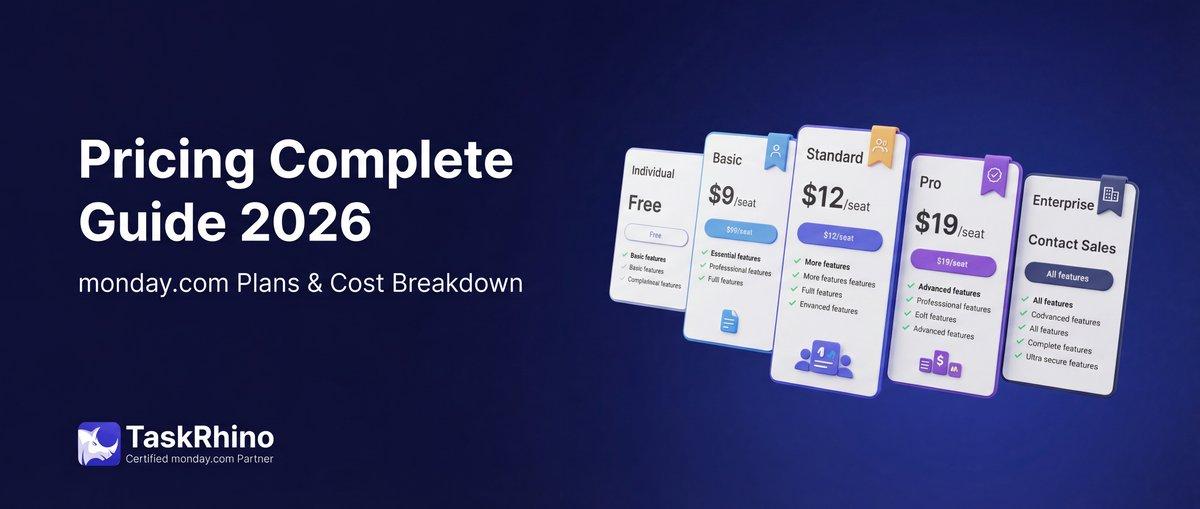
monday.com Pricing 2026: Complete Guide

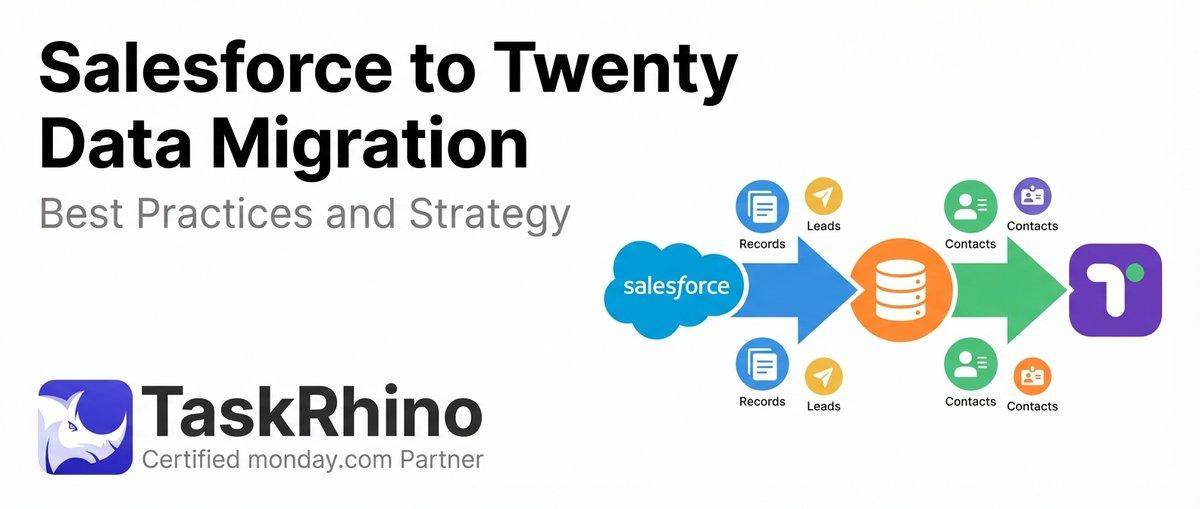
Salesforce to Twenty Data Migration: Best Practices and Strategy
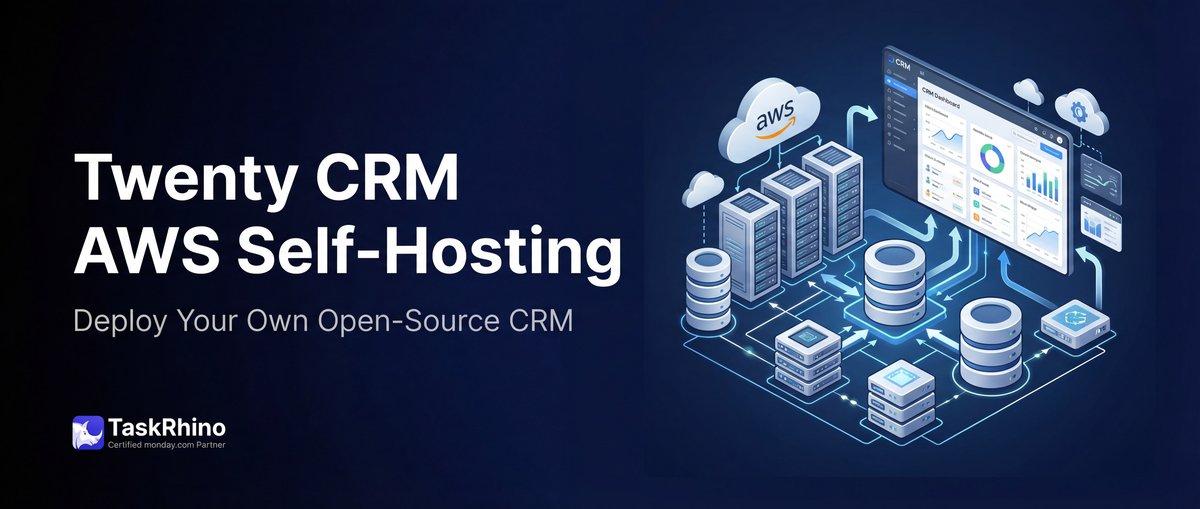
How to Self-Host Twenty CRM on AWS: Step-by-Step Guide