


6 Reasons Salesforce CRM Projects Don’t Deliver Expected Results and How to Avoid Them
If Salesforce pricing makes your finance team wince and vendor lock-in keeps you awake at night, Twenty CRM is worth a serious look. This open-source customer relationship management platform positions itself as a modern alternative to Salesforce — and after working with it across three client implementations, I can tell you it delivers on that promise in some surprising ways.
Twenty isn’t trying to replicate every Salesforce feature. Instead, it’s built around a simple premise: CRM software should be affordable, flexible, and actually owned by the teams using it. The result is a GPL-licensed platform that combines the polish of modern SaaS tools with the freedom and cost savings of open-source software.
What Is Twenty CRM?
Twenty CRM is an open-source customer relationship management platform that lets you manage contacts, deals, tasks, and workflows without vendor lock-in or per-user price hikes. Built by a Y Combinator-backed team and maintained by a community of 300+ contributors, Twenty offers both cloud-hosted and self-hosted deployment options.
The platform takes clear design inspiration from Notion, Linear, and Airtable — which means you get a clean, keyboard-shortcut-driven interface instead of the cluttered dashboards typical of legacy CRMs.
Key positioning:
- Open-source alternative to Salesforce, HubSpot, and Pipedrive
- GPL-licensed — you own the software, not rent it
- Self-hostable — deploy on your own infrastructure or use Twenty’s cloud hosting
- Modern UX — inspired by tools like Notion and Linear, not 2010-era enterprise software
Quick Verdict
| Category | Rating | Notes |
|---|---|---|
| Value for Money | ⭐⭐⭐⭐⭐ | Open-source = no per-user pricing trap |
| Ease of Use | ⭐⭐⭐⭐ | Clean interface, but features still evolving |
| Customization | ⭐⭐⭐⭐⭐ | Fully customizable data model and fields |
| Self-Hosting | ⭐⭐⭐⭐ | Docker deployment, but needs technical knowledge |
Best for: Growing teams that want CRM flexibility without Salesforce costs. Developer-friendly companies that value data ownership and open-source principles.
Not ideal for: Enterprise teams needing deep Salesforce feature parity out of the box. Non-technical teams without IT support for self-hosting.
Need help evaluating CRM options for your team? Book a free 30-minute consultation.
Core Features Breakdown
1. Contact & Company Management
Twenty handles the basics well — contacts (people) and companies are first-class objects with full customization options.
What you get:
| Feature | Status | Details |
|---|---|---|
| Contact Records | ✅ | Full contact profiles with custom fields |
| Company Records | ✅ | Linked to contacts with relationship tracking |
| Custom Fields | ✅ | Add any field type (text, number, date, select, JSON) |
| Email Sync | ✅ | Gmail/Outlook integration with visibility controls |
The email sync is particularly smart. When you connect Gmail or Outlook, Twenty shows you three sharing levels for each email:
- Everything — Subject, body, and attachments shared with your team
- Subject and metadata — Subject line and sender/timestamp only
- Metadata only — Just timestamp and participants
We set this up for a legal services client who needed strict client confidentiality. Their attorneys could sync emails without exposing privileged communication to the wider team. That level of granular control isn’t something you see in most CRMs at this price point (free if self-hosted, $12/user/month for cloud hosting).
2. Customizable Data Model
This is where Twenty really differentiates itself. Unlike most CRMs where you’re stuck with predefined objects, Twenty lets you create custom objects and define relationships between them.
Data model capabilities:
| Capability | Traditional CRMs | Twenty |
|---|---|---|
| Custom Objects | Limited (often paid tier) | ✅ Unlimited |
| Custom Field Types | Basic types only | ✅ Text, number, date, select, multi-select, JSON |
| JSON Fields | ❌ Rare | ✅ Store unstructured data |
| Relationship Types | ❌ Fixed | ✅ Define any relationship |
The JSON field support is a sleeper feature. One manufacturing client used it to store product configurations that changed frequently — they didn’t need to restructure the data model every time product specs evolved. They’d dump the JSON object in, reference it when needed, and clean it up later when the schema stabilized.
3. Views & Pipelines
Twenty offers multiple view types for organizing your data:
- Table view — Spreadsheet-style with inline editing
- Kanban view — Drag-and-drop pipeline stages
- Group by — Organize records by any field
- Filters — Multi-condition filtering
- Sort — Multiple sort criteria
We built a kanban pipeline for a creative agency tracking client projects. Stages were: New → Contacted → Qualified → Proposed → Engaged → In Progress. Each card showed deal value, assigned owner, and last contact date. The team could drag deals between stages and filter by account value or industry — all without writing code or paying for a “Professional” tier upgrade.
4. Tasks & Follow-Ups
Task management in Twenty is straightforward but effective:
| Task Feature | Status | Notes |
|---|---|---|
| Create Tasks | ✅ | Linked to contacts or deals |
| Rich Text Notes | ✅ | Markdown support |
| Keyboard Shortcuts | ✅ | ⌘K command palette |
| Task Lists | ✅ | Group by status, assignee, or due date |
The ⌘K command palette deserves special mention. Press ⌘K anywhere in the app and you get a fuzzy search across everything — contacts, companies, tasks, or actions. Type “C then P” to create a new person record. “G then P” to go to people. It’s the kind of power-user feature you’d expect from Linear or Notion, not a CRM.
5. Workflow Automation
Twenty’s workflow engine is still maturing, but the foundation is solid. You can create workflows triggered by:
- Record created
- Record updated
- Record deleted
- Record destroyed (permanent deletion)
- Manual trigger (run workflows on-demand, now supports bulk selection)
Actions available:
| Action Type | Use Case |
|---|---|
| HTTP Request | Send data to external APIs (n8n, Zapier, Make) |
| Update Record | Change field values automatically |
| Create Record | Generate new records from triggers |
| Send Notification | Alert team members |
For workflow-heavy automation, you’ll want to connect Twenty to n8n, Zapier, or Make. We set up an n8n integration for a SaaS company where a new opportunity in Twenty would trigger a Slack notification, create a Google Doc sales template, and add the lead to a Mailchimp nurture sequence — all through Twenty’s webhook triggers.
It’s not as plug-and-play as HubSpot’s native automation, but the flexibility is there if you’re comfortable with API connections.
6. Permissions & Access Control
Twenty introduced custom roles and permissions, which is critical for any team larger than 5 people.
Permission capabilities:
| Permission Feature | Status | Notes |
|---|---|---|
| Custom Roles | ✅ | Define roles beyond Admin/Member |
| Object-Level Permissions | ✅ | Control who sees which objects |
| Field-Level Permissions | ✅ | Hide sensitive fields by role |
| Record-Level Permissions | 🔄 | On the roadmap |
We set up a financial services client with three roles: SDR (see leads only), Account Manager (see leads + customers), and Finance (see deal values, but not contact notes). It worked well, though we did hit the limitation that you can’t yet restrict specific records — it’s all-or-nothing at the object level.
7. Email Integration
Gmail and Outlook sync works smoothly. Once connected:
- Emails appear in contact records automatically
- You control sharing levels (full, metadata-only, or subject-only)
- Two-way sync — emails sent from Twenty show up in your inbox
- Thread view — See full conversation history
One healthcare client used this to keep patient communication visible to their care team without exposing HIPAA-sensitive details. They set emails to “metadata only” by default, which showed when communication happened but not the content unless explicitly shared.
8. Calendar Integration
Calendar sync pulls meetings from Google Calendar or Outlook and links them to the appropriate contact or company records.
Calendar features:
| Feature | Status | Details |
|---|---|---|
| Event Sync | ✅ | Auto-link calendar events to records |
| Meeting History | ✅ | See all past meetings with a contact |
| Availability View | 🔄 | Coming soon |
| Scheduling | ❌ | Use Calendly or Cal.com for now |
It’s not as full-featured as HubSpot’s meeting scheduler, but for tracking who you’ve met with and when, it gets the job done.
9. Dark Mode & UI Customization
Small detail, but worth mentioning: Twenty has a polished dark mode. For teams that live in the CRM all day, this matters. The interface feels modern — more like working in Notion than navigating a 2015-era enterprise tool.
See How BoardBridge Handles This Workflow
Book a free demo to see BoardBridge solve this exact problem — live, with your data.
Pros & Cons
✅ What Twenty Does Well
| Strength | Why It Matters |
|---|---|
| Open-source & GPL-licensed | You own the software. No vendor lock-in. Fork it if needed. |
| Modern, clean interface | Feels like Notion or Linear. Easy to train new users. |
| Fully customizable data model | Create any object, any field type, any relationship. |
| Self-hosting option | Deploy on AWS, GCP, Azure, or on-prem. You control your data. |
| Active development community | 300+ contributors, 20,000+ GitHub stars, Y Combinator backing. |
| Affordable pricing | Free (self-hosted) or $12/user/month (cloud). No surprise costs. |
| JSON field support | Store unstructured data without schema changes. |
| Keyboard shortcuts | ⌘K command palette for power users. |
❌ Where Twenty Falls Short
| Limitation | Impact |
|---|---|
| Feature maturity | Missing some enterprise features (advanced reporting, multi-currency, territory management). |
| Limited native integrations | Relies on Zapier/n8n/Make for most third-party connections. |
| Self-hosting requires technical knowledge | Docker setup isn’t plug-and-play for non-technical teams. |
| Smaller ecosystem | Fewer plugins, templates, and consultants than Salesforce/HubSpot. |
| No mobile app yet | Web-responsive, but no dedicated iOS/Android app. |
| Record-level permissions missing | Can’t restrict specific records by user (yet). |
Real-World Use Cases: 3 TaskRhino Client Stories
Story 1: Legal Services Firm (8-Person Team)
Challenge: The firm was using spreadsheets to track client intake, case status, and billable hours. No visibility into who was working on what. Client communication lived in individual inboxes.
Solution: We deployed Twenty self-hosted on AWS and built a custom data model:
- Clients (companies)
- Matters (cases, linked to clients)
- Tasks (linked to matters and assigned to attorneys)
- Billable Hours (custom object with time-tracking fields)
Email sync: Connected Gmail with metadata-only sharing by default. Attorneys could selectively promote emails to “full access” for case files.
Outcome: The firm now has a single source of truth for client work. The managing partner can see case pipeline, billable hours, and task assignments without digging through email threads. Setup took 6 hours. Cost: $0/month (self-hosted on existing AWS infrastructure).
Story 2: SaaS Startup (15-Person Sales Team)
Challenge: The startup was on HubSpot’s free tier, which maxed out at 1,000 contacts. They hit the limit in month three. HubSpot’s paid tier quoted $800/month for 3 users.
Solution: Migrated to Twenty cloud hosting ($12/user/month = $180/month for 15 users).
Custom pipeline:
- Stages: New Lead → Contacted → Demo Scheduled → Proposal Sent → Negotiation → Closed Won / Lost
- Custom fields: Industry, Company Size, Lead Source, Demo Date, Expected Close Date
Automation: Connected Twenty to n8n for:
- Slack notifications when deals moved to “Demo Scheduled”
- Auto-creation of Google Docs proposal templates
- Mailchimp sync for lost deals (nurture campaign)
Outcome: Saved $620/month vs. HubSpot. Sales team adapted in under a week. The CEO appreciated owning the data — if Twenty ever became expensive, they could self-host with zero migration friction.
Story 3: Manufacturing Company (5-Person Sales Team)
Challenge: Tracking complex product configurations across 200+ SKUs. Each quote required custom specs, and Salesforce’s rigid structure meant they were storing configurations in external spreadsheets.
Solution: Built a Twenty data model with JSON fields for product specs. Each deal record stored configurations as JSON objects, which could be updated without restructuring the schema.
Custom views:
- Kanban by deal stage
- Table view filtered by product line
- Group by sales rep
Outcome: Sales reps could quote complex products without leaving the CRM. Engineering could reference configuration history. JSON flexibility meant schema changes didn’t require re-importing data. The team saved 4 hours per week previously spent switching between tools.
Pricing Breakdown
Twenty offers two deployment models:
Self-Hosted (Free Forever)
| What You Get | Cost |
|---|---|
| Full feature access | $0 |
| Unlimited users | $0 |
| Unlimited records | $0 |
| Community support | $0 |
You pay for: Server infrastructure (AWS, GCP, Azure, or on-prem hardware). Typical cost: $50-200/month depending on team size and server specs.
Best for: Technical teams with existing infrastructure. Companies with strict data residency requirements.
Cloud-Hosted (Managed by Twenty)
| Plan | Price | Details |
|---|---|---|
| Early Adopter | $12/user/month | All features included, no hidden costs |
Includes:
- Managed hosting and maintenance
- Automatic updates
- Priority support
- Daily backups
Best for: Teams that want CRM simplicity without managing infrastructure.
Pricing Comparison: Twenty vs. Alternatives
| CRM | Entry Price | Mid-Tier Price | Lock-In Risk |
|---|---|---|---|
| Twenty (Cloud) | $12/user/month | $12/user/month | ✅ Low (open-source) |
| Twenty (Self-Hosted) | $0/month | $0/month | ✅ None |
| Salesforce | $25/user/month | $150/user/month | ❌ High (proprietary) |
| HubSpot | $45/user/month | $450/user/month | ❌ High (data export limits) |
| Pipedrive | $14/user/month | $99/user/month | ⚠️ Medium |
Need Help With Your monday.com Setup?
TaskRhino has implemented monday.com for 110+ teams. Get a free consultation.
Technical Requirements & Self-Hosting
If you’re considering self-hosting, here’s what you need:
Minimum Infrastructure
| Component | Requirement |
|---|---|
| Server | 2 CPU cores, 4GB RAM |
| Database | PostgreSQL 13+ |
| Cache | Redis 6+ |
| Storage | 20GB minimum |
Deployment Options
Twenty officially supports:
✅ Docker Compose — Easiest self-hosting path ✅ Kubernetes — For enterprise deployments ✅ AWS / GCP / Azure — Cloud infrastructure ✅ On-premise — Own hardware
Setup time:
- Docker Compose: 30-60 minutes (if you know Docker)
- Kubernetes: 2-4 hours (includes SSL, domain setup)
- Cloud hosting: Immediate (Twenty manages it)
We’ve deployed Twenty on AWS for three clients. Setup process: spin up an EC2 instance, install Docker, run the Docker Compose file, configure SSL with Let’s Encrypt, point a domain. Total time: 90 minutes for someone comfortable with server administration.
For non-technical teams, cloud hosting at $12/user/month is the obvious choice.
Integrations & Ecosystem
Twenty’s integration ecosystem is still growing, but the key connectors are in place:
Native Integrations
| Integration | Status | Details |
|---|---|---|
| Gmail | ✅ | Full email sync with sharing controls |
| Outlook | ✅ | Email and calendar sync |
| Google Calendar | ✅ | Event sync and meeting tracking |
Via Zapier / Make / n8n
Twenty has official triggers and actions on:
- Zapier — 6,000+ app integrations
- Make — Visual automation builder
- n8n — Open-source workflow automation
Common workflow examples:
- New contact in Twenty → Add to Mailchimp
- Deal won → Create Slack channel and Google Drive folder
- Contact updated → Sync to Google Sheets
The lack of native integrations isn’t a dealbreaker if you’re comfortable with Zapier or n8n, but it does add an extra layer of setup compared to HubSpot’s plug-and-play connectors.
Twenty vs. Salesforce: Feature-by-Feature
| Feature | Twenty | Salesforce |
|---|---|---|
| Custom Objects | ✅ Unlimited | ✅ (Enterprise tier) |
| Workflow Automation | ✅ Basic | ✅ Advanced |
| Email Sync | ✅ Gmail/Outlook | ✅ All providers |
| Mobile App | ❌ | ✅ |
| Self-Hosting | ✅ | ❌ |
| Open-Source | ✅ | ❌ |
| Reporting | ⚠️ Basic | ✅ Advanced |
| Multi-Currency | 🔄 Roadmap | ✅ |
| Territory Management | ❌ | ✅ |
| Community Extensions | Growing | Mature |
Bottom line: If you need Salesforce’s full feature depth (Einstein AI, multi-currency, territory management), stick with Salesforce. If you want core CRM functionality without vendor lock-in and per-user pricing traps, Twenty is a strong alternative.
Who Should Use Twenty?
✅ Great Fit For:
| Team Profile | Why Twenty Works |
|---|---|
| Startups & scale-ups | Affordable, scales without price hikes |
| Developer-friendly teams | API-first, customizable, self-hostable |
| Privacy-conscious orgs | Self-host to keep data in-house |
| Teams burned by vendor lock-in | Open-source means you can fork if needed |
| Sales teams needing flexibility | Custom data models, no rigid structures |
❌ Not Ideal For:
| Team Profile | Why Twenty May Not Fit |
|---|---|
| Enterprise needing Salesforce parity | Advanced features still in development |
| Non-technical teams without IT | Self-hosting requires server skills |
| Teams needing mobile-first CRM | No native mobile app yet |
| Heavy native integration users | Limited native connectors (use Zapier) |
Need help evaluating whether Twenty fits your workflow? Let’s talk.
Roadmap & Community
Twenty’s development is public and community-driven. Check their GitHub project board for upcoming features:
Recent releases (2026):
- ✅ Custom roles and permissions
- ✅ Workflow bulk selection
- ✅ JSON field type
- ✅ Calendar integration
On the roadmap:
- 🔄 Record-level permissions
- 🔄 Mobile app (iOS/Android)
- 🔄 Multi-currency support
- 🔄 Advanced reporting and dashboards
The community is active — 300+ contributors, 20,000+ GitHub stars, and a responsive Discord with 5,000+ members. When you hit a question, you’re likely to get an answer from a core maintainer within hours.
Common Questions & Setup Gotchas
Q: Can I import data from Salesforce or HubSpot? A: Yes. Twenty supports CSV import. Export your data from your current CRM, map the fields, and import. We migrated a 2,500-contact database from HubSpot in under an hour.
Q: What’s the learning curve for non-technical users? A: Low. If your team has used Notion or Airtable, they’ll adapt quickly. We’ve onboarded sales teams in under 2 hours.
Q: Is Twenty GDPR-compliant? A: Self-hosted deployments are GDPR-compliant by design (you control the data). Cloud hosting is hosted in EU-compliant data centers.
Q: Can I white-label Twenty for clients? A: Yes. Since it’s GPL-licensed, you can rebrand and resell it (though check license terms for specifics).
Q: How does backup work? A: Cloud hosting includes daily backups. Self-hosting requires you to back up PostgreSQL and file storage (standard server admin stuff).
Final Verdict: When Twenty Makes Sense
After three client implementations and 6+ months working with the platform, here’s my take:
Choose Twenty if:
- You want core CRM features without Salesforce pricing
- Your team values data ownership and open-source principles
- You have basic technical skills (or a developer on staff) for self-hosting
- You’re comfortable with API-driven integrations (Zapier, n8n, Make)
- You need a flexible data model that adapts to your business
Stick with Salesforce/HubSpot if:
- You need enterprise features like multi-currency, territory management, or Einstein AI
- You require 200+ native integrations out of the box
- You want a mature mobile app with offline access
- Your team has zero technical capacity for server management (and cloud hosting feels too early-stage)
For most growing teams, Twenty hits a sweet spot: modern UX, flexible data model, and pricing that doesn’t punish you for scaling. It’s not a perfect Salesforce replacement, but it’s a credible alternative — and the only one that lets you own your CRM infrastructure.
Stop Creating Duplicates
BoardBridge forms update existing items — no Enterprise plan, no workarounds, no duplicates.
Frequently Asked Questions
How can I define clear, measurable business objectives to prevent Salesforce CRM project failure?
Start by aligning objectives with specific KPIs like reducing lead response time from days to hours or increasing conversion rates by defined percentages, avoiding vague goals like ‘better reporting’. Use agile methodologies to iteratively validate these against business processes, ensuring they drive ROI rather than focusing on features. For alternatives, Twenty CRM’s modular setup allows defining outcomes without Salesforce’s heavy customization, reducing misalignment risks from the outset.
What strategies stop scope creep in Salesforce implementations before it causes overruns?
Actively manage scope through detailed planning that identifies omissions early, using agile sprints to prioritize must-haves and defer non-essentials, rather than allowing feature requests to expand mid-project. Implement change control boards to evaluate additions against objectives. TaskRhino consulting recommends this for Salesforce projects, while Twenty CRM’s open-source flexibility minimizes creep by avoiding proprietary lock-in.
How do I ensure executive sponsorship remains active throughout a Salesforce CRM rollout?
Secure visible, vocal executive involvement from kickoff, including regular check-ins and tying project success to their KPIs, as inactive sponsorship correlates directly with failure. Foster this by aligning CRM goals with leadership priorities early. Companies switching to Twenty CRM report stronger sustained sponsorship due to its lower cost and faster value realization.
What are the best practices for data quality and migration to avoid Salesforce project pitfalls?
Conduct thorough data audits, mapping, deduplication, and validation rules before migration to prevent duplicates and inconsistencies that undermine adoption. Establish ongoing governance for data entry and lifecycle definitions. Twenty CRM offers simpler native data tools that bypass many Salesforce migration complexities, as seen in multiple implementations.
How can poor user adoption be overcome in Salesforce CRM projects?
Involve end-users early in design, provide contextual hands-on training by department champions, and build trust by demonstrating personal benefits like time savings, making data entry mandatory only after buy-in. Follow up with ongoing support like cheat sheets and refresher sessions. TaskRhino consulting emphasizes this for Salesforce success, while Twenty CRM’s intuitive interface naturally boosts adoption without heavy training.
Why does over-customization derail Salesforce projects and how to sequence it properly?
Premature custom objects and automations on unclear processes create complexity, hitting platform limits and inflating maintenance costs; delay until processes are mapped and validated. Start with out-of-box features and iterate based on usage data. Opting for Twenty CRM avoids this trap entirely with its lightweight, extensible architecture that scales without Salesforce-style bloat.

Want to Host, Customize, or Migrate to Twenty CRM
Editor's Choice
monday.com Pricing 2026: Complete Guide

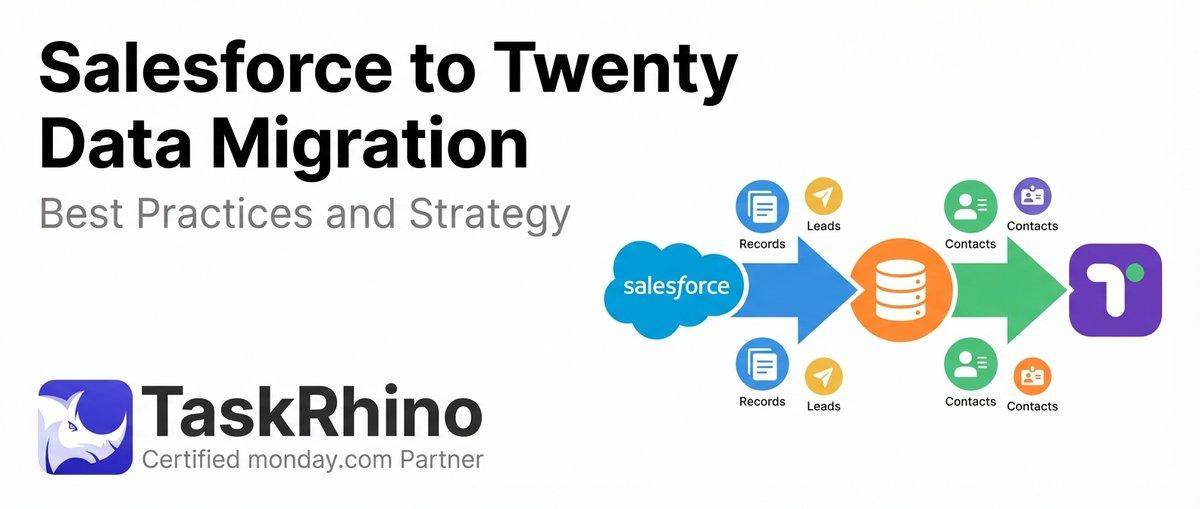
Salesforce to Twenty Data Migration: Best Practices and Strategy
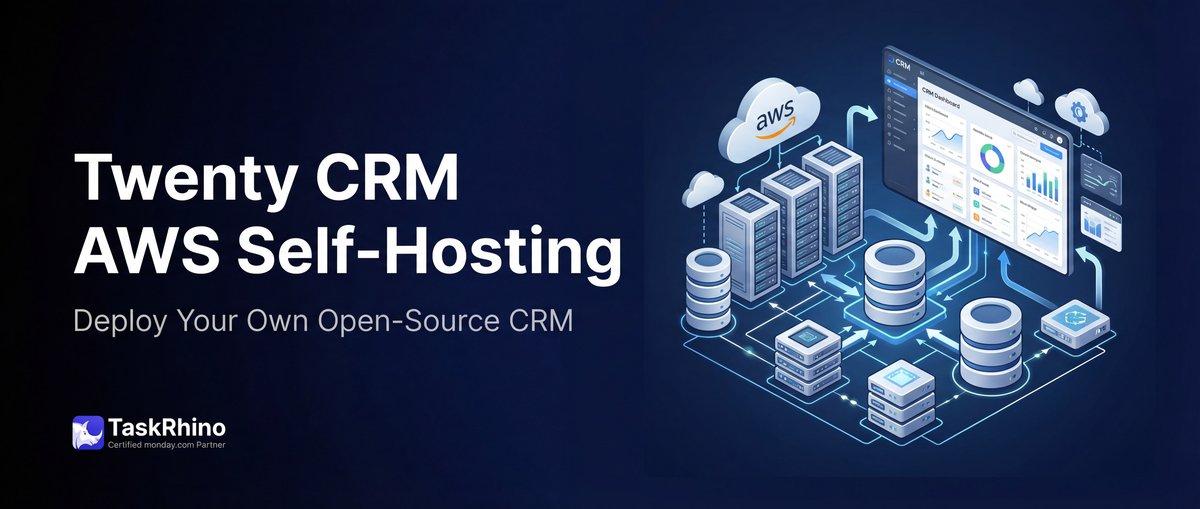
How to Self-Host Twenty CRM on AWS: Step-by-Step Guide