

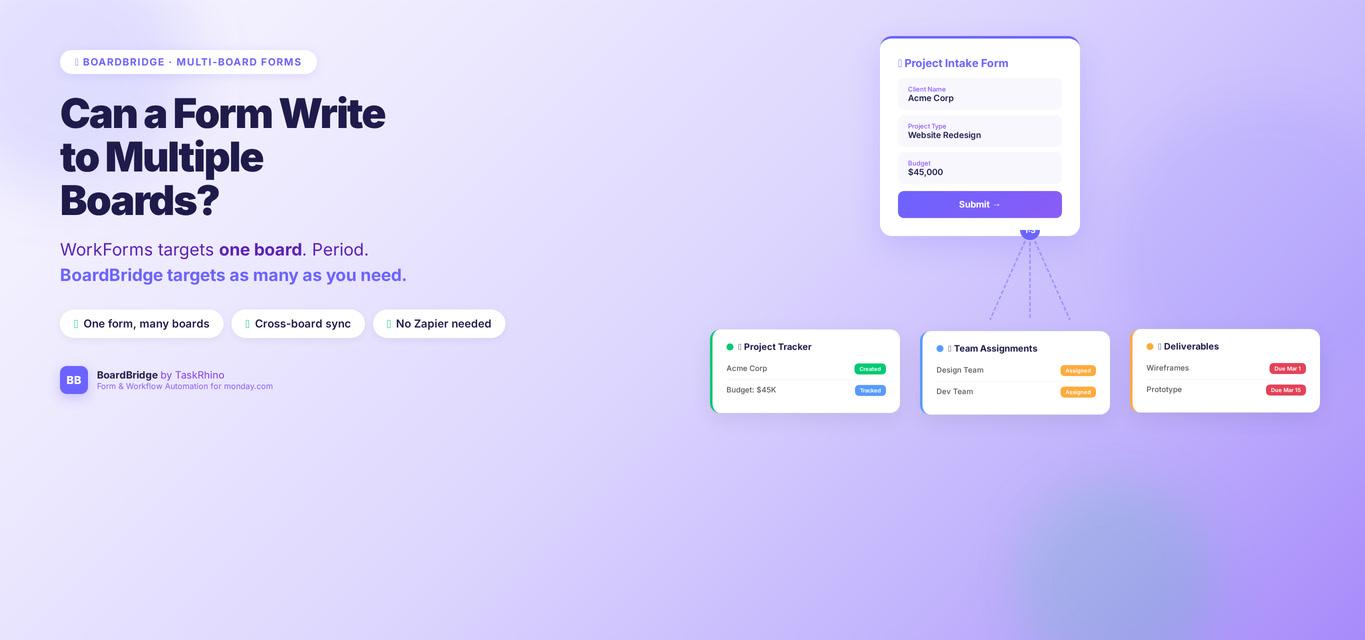
Can a monday.com Form Write to Multiple Boards? WorkForms Cannot — But This Can
Forms Pain Point #15 (One form → writes to 2 boards): No — a monday.com WorkForms submission cannot write to multiple boards. Each form is tied to exactly one board. No secondary destination, no split routing, no way to land the same form data on both your operational board and your reporting board at once. If you’ve been searching for a way to make this work natively, you’ve probably already found the community discussions and the frustrating non-answer that’s been sitting there for years.
But there is a way to do it. Just not with WorkForms.
This post explains why the limitation exists, what your real options are — including the one that actually works the way you need it to — and what to watch out for when evaluating alternatives.
Quick note: If monday.com’s native tools aren’t solving this for you, BoardBridge — Form & Workflow Automation for monday.com was built specifically for this gap. Book a free 30-minute demo to see it in action.
Table of Contents
- Why WorkForms is locked to one board
- What actually happens when you try
- The workarounds most teams try (and where they break)
- What most guides don’t tell you about this limitation
- BoardBridge: multi-board form writing that actually works
- A real example: one intake form, two boards
- FAQ
Why WorkForms is locked to one board
WorkForms is architecturally simple: you pick a board, the form generates, submissions create new items in that board. That’s it. There’s no secondary destination field, no routing logic, no “also send this data to Board B” option anywhere in the settings.
This isn’t an oversight that will be patched. It reflects a deeper design choice: WorkForms is a lightweight item-creation tool. It was never built to be a data router.
The official monday.com documentation confirms this Source. WorkForms settings and permissions describes the form-board relationship as one-to-one. One form. One board. Full stop.
The two column types that would make multi-board routing most useful — Connect Boards and Mirror — aren’t even supported in the form builder Source. You can’t add a Connect Boards column to a form, which means you can’t use a form to create or update linked items on another board. Mirror columns are read-only derived values, so those are off the table too.
What actually happens when you try
Teams who run into this limitation typically discover it when they have a legitimate workflow need:
- An intake form that should populate both a project overview board and a production details board with the same submission
- A vendor onboarding form that writes to a main vendor registry and to a team-specific assignment board
- A client questionnaire that should land on an operations board and simultaneously feed a reporting/dashboard board
When they go looking for a native solution, they find community discussions where users have requested this feature. The answer from the community: not possible natively. The Connect Boards column — which is the logical mechanism for cross-board data — isn’t supported in form building at all Source.
So teams either accept the constraint, build a workaround, or go looking for a third-party tool.
Stop Creating Duplicates
BoardBridge forms update existing items — no Enterprise plan, no workarounds, no duplicates.
The workarounds most teams try (and where they break)
Option 1: Automations after submission
The most common workaround: let the form write to Board A, then use a monday.com automation to copy or mirror the item to Board B.
This works for simple cases. When it breaks:
- Automation action limits. Standard plan gets 250 automation actions per month Source. Pro gets 25,000 Source. If your form gets real volume — or if each submission triggers a chain of actions — you’ll burn through your quota fast. Each action step (copy item, update status, send notification) counts separately.
- Data transformation is manual. If Board A has a “Project Type” dropdown and Board B has a “Category” dropdown with different labels, monday.com can’t map between them automatically. You end up with either a column mismatch or extra columns everywhere.
- No fault isolation. If the automation fails (rate limit, temporary API error), you have no way to know which submissions made it to Board B and which didn’t. There’s no retry, no alert, no audit log.
Option 2: Two separate forms
Create one form per board. Train submitters to fill out both.
Usability nightmare. Any time you ask a human to “fill this out, then also fill out that,” some percentage won’t. You end up with partial data and gaps you’ll spend time chasing.
Option 3: Make everything one big board
Consolidate both boards into one. Use groups or views to separate the operational and reporting views.
This works — right up until the board grows past what’s manageable. monday.com boards have a 10,000-item hard limit for Standard/Pro plans, 100,000 for Enterprise Source. If your intake form runs high volume, you’ll hit it. And structurally, a single 80-column board tracking both operational and reporting data tends to become a nightmare to maintain.
Option 4: Middleware (Zapier or Make)
Use Zapier or Make to watch Board A for new items, then create items on Board B. More flexible than native automations.
The downsides: this adds a third system to your stack, introduces latency, adds cost, and creates another point of failure. And if your form is collecting sensitive data, running it through a third-party automation tool adds compliance considerations you may not want.
What most guides don’t tell you
Most guides on monday.com forms either pretend this limitation doesn’t exist or suggest the automation workaround without disclosing its constraints. Here’s what they skip:
1. The Connect Boards gap is deeper than it looks.
Even if you solve the multi-board write problem with automations, you still can’t use a form to set Connect Boards relationships Source. This means you can’t create linked item pairs via form submission — the form can create items, but it can’t wire them to existing items on another board through a Connect Boards column. If your workflow depends on those connections (for cross-board automations, mirror columns, or dashboard rollups), you need to create those links manually after the form runs.
2. Automation-based workarounds consume your action quota silently.
Your Standard plan’s 250 monthly automation actions Source aren’t a lot when multi-board sync is involved. A submission that triggers five automation steps (create item, set two columns, send notification, update status) burns five actions. At 50 form submissions a month — not that many for a busy operation — you’re using 250 actions just on form-related automations. Add any other automations your team uses, and you’re rationing.
3. The “rename a column, break your integration” problem.
If you’re using a third-party form tool to write to multiple boards and you rename a column on either board, the integration typically breaks silently. Most form tools reference columns by name, not by internal ID. A column rename on your board means the tool can no longer find its target and will either skip that field or error out.
The right approach: forms should reference columns by immutable internal ID, not by display name. That way, renaming a column never breaks anything.
See How BoardBridge Handles Form Updates
Book a free demo to see BoardBridge solve this exact problem — live, with your data.
BoardBridge: multi-board form writing that actually works
BoardBridge — Form & Workflow Automation for monday.com was built specifically for the gaps that WorkForms leaves open. Multi-board form mapping is one of its core capabilities.
Here’s how it works:
Every form field in BoardBridge has two destinations available: a primary board mapping and an optional secondary board mapping. When someone submits a form, the system writes to the primary board first. If a secondary board is configured, it writes there simultaneously — in a separate, fault-isolated operation.
What “fault-isolated” means in practice: if something goes wrong with the secondary write (a transient API error, a column mismatch, a rate limit), the primary submission still succeeds. The secondary failure is logged and flagged in the admin panel, but it doesn’t roll back the primary data or block the submitter. You don’t lose the primary submission because the secondary hiccupped.
A few things that make this different from the automation-based workaround:
- Zero monday.com automation quota consumed. BoardBridge processes everything on its own servers. When a form is submitted, the backend handles both board writes directly via the monday.com API — no automation actions consumed on your plan. Your 250 Standard actions Source (or 25,000 Pro actions) stay untouched.
- Column mapping by ID, not by name. BoardBridge maps form fields to monday.com columns using the column’s internal ID — a string like
color_mkzswd2rthat never changes. Rename your column from “Project Type” to “Event Category”? The mapping keeps working. No broken integrations. - Conditional logic on any plan. WorkForms only offers conditional logic (show/hide fields based on answers) on Enterprise Source. BoardBridge offers it on any monday.com plan — Standard, Pro, or Enterprise — with AND/OR operators and five comparison types. This matters for multi-board workflows where different answers should route data differently.
- Per-field overwrite protection. You can configure individual fields to “protect” the first-written value. If a vendor fills out a form with their event date and then re-submits later, the original date can be locked while other fields update freely. This is especially useful when the same form needs to write sequentially to both boards across multiple submissions.
Forms Pain Point #1 (Form needs to populate columns on existing item): BoardBridge forms also update existing monday.com items rather than creating new ones — each item gets a unique form URL, and submissions write back to that specific item. This is a separate but related capability: it means your intake form can write to two boards without creating duplicate items on either.
A real example: one intake form, two boards
Here’s a workflow we’ve set up for event management teams:
The situation: An event company needs each artist booking to populate two boards — an Event Overview board (high-level: client name, event date, venue, show type) and a Production board (technical: stage specs, A/V requirements, set length, special requests).
With WorkForms: Two separate forms, two separate submission workflows, two opportunities for the artist’s contact to miss one or fill it out inconsistently. Operations teams spend time cross-referencing both boards manually.
With BoardBridge: One form. The artist’s contact gets a single link. When they submit, the event logistics fields write to the Event Overview board (primary). The production-specific fields write to the Production board (secondary) simultaneously. Both boards are updated from a single form submission.
The form shows only the relevant fields for each section — the artist never sees internal codes, column IDs, or board structure. They see a clean, branded form that looks like it belongs to the company, not to monday.com.
When the Production team director renames a column on the Production board to clarify its purpose, nothing breaks. The mapping by column ID means the form keeps writing to the right place regardless of the display name.
Need Help With Your monday.com Setup?
TaskRhino has implemented monday.com for 110+ teams. Get a free consultation.
Frequently Asked Questions
Can a monday.com WorkForms write to two boards?
No. WorkForms is limited to one board per form Source. There’s no secondary board destination option in the native form builder. The only native workaround is setting up automations after submission to copy data to a second board — which consumes automation action quota and has no retry/audit mechanism.
Can Connect Boards columns be included in monday.com forms?
No. Connect Boards is one of the column types explicitly excluded from WorkForms Source. You can’t add it as a form question or write to it via form submission. Mirror columns (which derive data from Connect Boards links) are also completely unsupported.
What monday.com plan do I need for conditional logic in forms?
Enterprise Source. Conditional logic in WorkForms — showing or hiding sections based on answers — is an Enterprise-only feature as of 2026. Pro and Standard users get no branching or conditional display. Third-party tools like BoardBridge offer this on any plan.
Will renaming a column break my form integration?
It depends on the tool. Most third-party form tools reference monday.com columns by display name. Renaming a column on your board breaks those mappings silently. Tools that reference by internal column ID (like BoardBridge) are not affected by column renames.
Does a multi-board form submission count against my monday.com automation quota?
If you’re using monday.com’s native automations to route data to a second board after a form submission, yes — each automation action counts Source. If you’re using a third-party tool that writes directly to monday.com via the API, your automation quota is unaffected. WorkForms is a straightforward tool with a one-to-one form-board relationship. If your workflow needs a single form to write data to two boards simultaneously, you’re outside what WorkForms can do — and the automation-based workarounds have real limitations in quota, reliability, and column-rename brittleness. If that routing capability is load-bearing for your workflow, it’s worth looking at tools built for it. BoardBridge handles primary and secondary board mapping natively, with fault isolation between the two writes, column mapping by immutable ID, and no automation quota impact on your monday.com plan.
Need to see how multi-board form mapping works for your specific setup? [Book a free 30-minute consultation with BoardBridge by TaskRhino.](https://calendly.com/rp-spaceo/call-with-rakesh-est-timezone)
– monday.com WorkForms limitations — what you can’t do natively – How to update existing monday.com items with a form – Best monday.com form alternatives (2026) *Rakesh Patel is a certified monday.com consultant and founder of TaskRhino. With 110+ client implementations, he helps teams get the most out of monday.com — from board architecture to custom integrations. He also built BoardBridge — Form & Workflow Automation for monday.com. Book a free consultation*

Editor's Choice
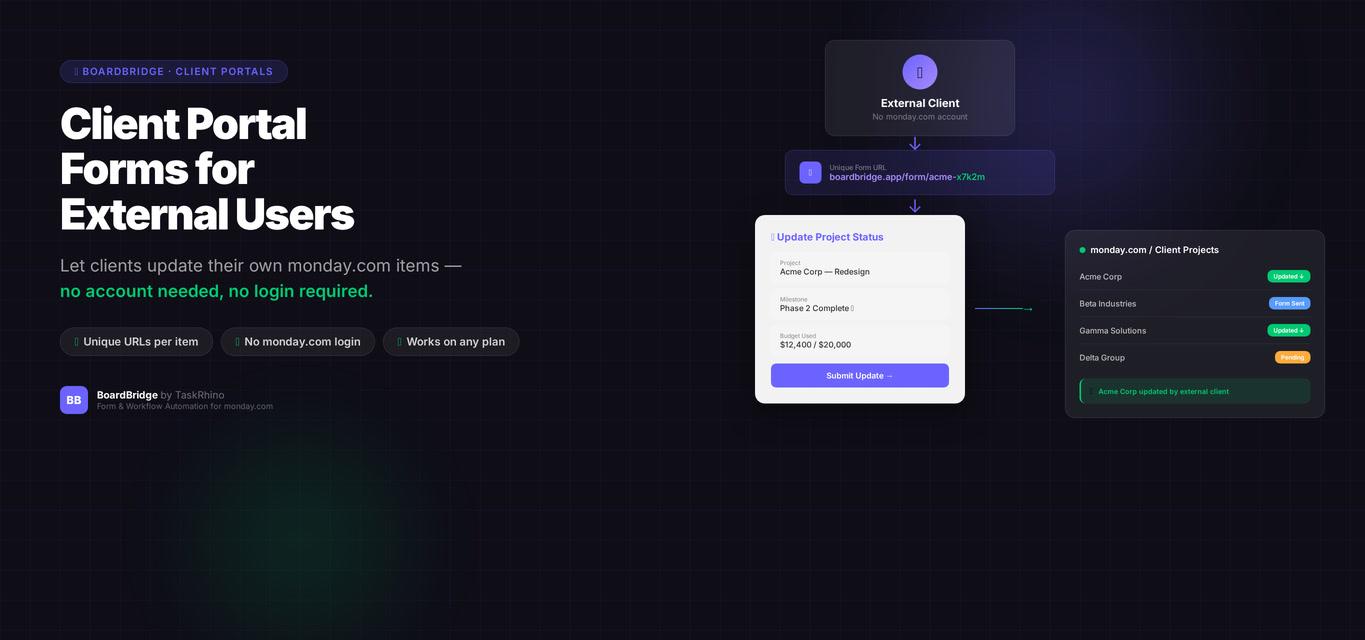
monday.com Client Portal Forms: The Feature That Doesn’t Exist (and Why That Matters)

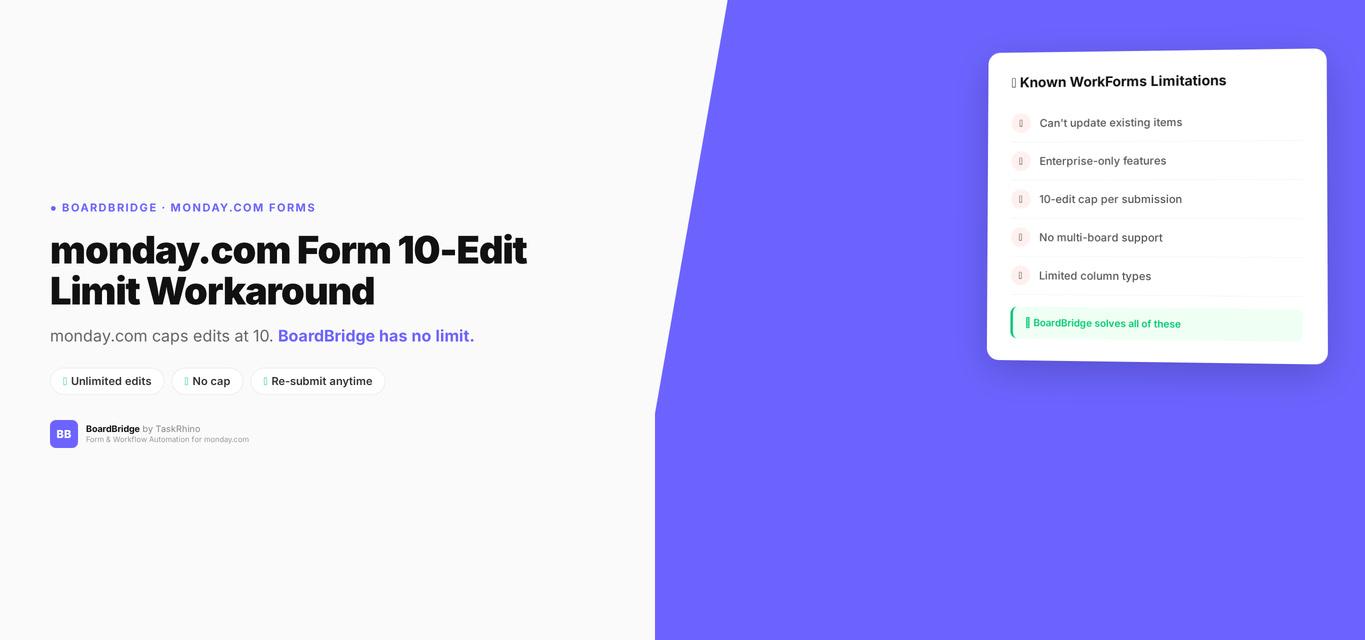
monday.com Form 10 Edit Limit Workaround: How to Get Unlimited Edits
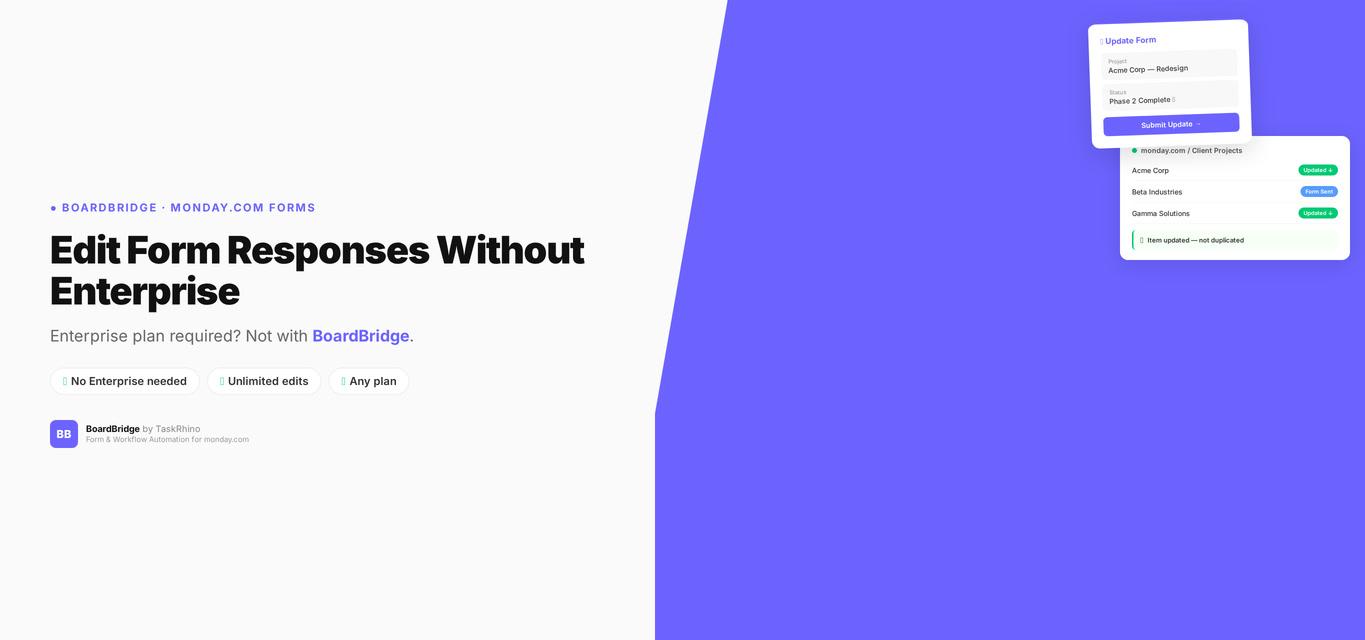
monday.com Edit Form Responses — Enterprise Only (And Why That Matters)