

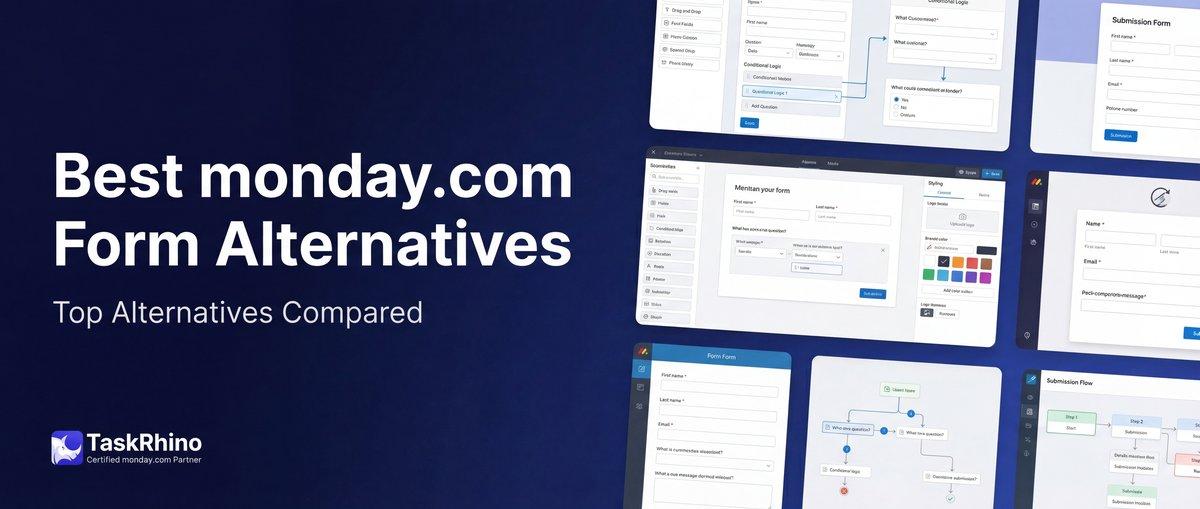
Best monday.com Form Alternatives: SuperForm vs Fillout vs BoardBridge
Monday.com WorkForms can only create new items. It can’t update existing items, has no conditional logic on Standard/Pro, caps response editing at 10 edits (Enterprise only), and gates critical features behind plan upgrades. For a complete breakdown of WorkForms limitations and why your forms can’t edit existing items, see our detailed guide. If you’re hitting these limitations, you need an alternative — but which one?
This is a bottom-of-funnel comparison. We’ll break down the four most popular monday.com form alternatives — SuperForm, Fillout, JotForm, and BoardBridge — with honest trade-offs, pricing, and specific use cases where each one wins.
Spoiler: BoardBridge is the only tool that solves all four core monday.com form problems natively (update existing items, conditional logic on any plan, unlimited response editing, zero automation quota consumption). But it’s not always the right choice. Read to the end for the decision matrix.
The Four Core monday.com Form Problems
Before comparing tools, here are the four limitations every monday.com user hits:
Problem 1: Forms Can’t Update Existing Items
Monday.com WorkForms only creates new items — it can’t update columns on items that already exist Source. If you send a vendor a form to update their contact info, WorkForms creates a duplicate item. You’re stuck manually merging data or building complex automation workarounds.
Community evidence: 162+ forum posts over 6+ years, still unresolved as of 2026.
Problem 2: Key Features Gated Behind Enterprise
Conditional logic, response editing, account-level pre-fill, and password protection all require Enterprise ($20+/seat/month Source). If you’re on Standard or Pro, you’re locked out.
Problem 3: Enterprise Features Are Crippled
Even on Enterprise:
- Response editing caps at 10 edits per submission Source
- Conditional logic is section-level only (can’t show/hide individual fields)
- Pre-fill only supports 7 field types (no dates, checkboxes, location, file uploads)
Problem 4: Form Submissions Eat Automation Quota
Every WorkForms submission can consume 5-10+ automation actions (send email, update status, create subitem, add tag, etc.). On Standard (250 actions/month), that’s 25-50 submissions before you’re out of quota. High-volume forms break your automation budget.
The 4 Alternatives (and What They Actually Solve)
| Tool | Update Existing Items | Conditional Logic | Response Editing | Automation Quota | Pricing | Integration Type |
|---|---|---|---|---|---|---|
| SuperForm | ❌ No | Requires Enterprise | ❌ Depends on Enterprise | Uses monday.com quota | $35–$520/mo | Monday.com marketplace app |
| Fillout | ✅ Yes (external) | ✅ Yes (all plans) | ✅ Yes (unlimited) | ✅ Zero quota | Free up to 1,000/mo, then $15+/mo | External form builder, API sync |
| JotForm | ✅ Yes (external) | ✅ Yes (all plans) | ✅ Yes (unlimited) | ✅ Zero quota | Free (limited), $34+/mo | External form builder, API sync |
| BoardBridge | ✅ Yes (native) | ✅ Yes (all plans) | ✅ Yes (unlimited) | ✅ Zero quota | TBD (flat subscription) | Server-side automation, API integration |
Broader monday.com Alternatives (For Teams Considering a Full Switch)
If you’re considering switching away from monday.com entirely because of form limitations, here are the market leaders in the broader work management space:
ClickUp
- Forms: ClickUp Forms feature (part of platform) with conditional logic, multi-page forms, pre-fill on all plans
- Key advantage: Built-in forms don’t require third-party tools — full feature parity across Standard and higher plans
- Pricing: $7/user/month (Unlimited plan) to $12/user/month (Business plan)
- Community sentiment: Praised for form functionality but criticized for feature bloat (“ClickUp keeps adding overlapping features: Docs, Chat, Whiteboards”)
- Comparison: Unlike monday.com, ClickUp includes advanced form features (conditional logic, multi-page) on lower-tier plans, no Enterprise upgrade required
Asana
- Forms: Asana Forms included on Standard plan and up with conditional logic support
- Key advantage: Enterprise-grade collaboration without feature gatekeeping on forms
- Pricing: $11–$25/user/month
- Comparison: No plan-based form feature restrictions like monday.com
Airtable
- Forms: Native form builder with conditional logic, calculations, and advanced field types on all plans
- Key advantage: Blank-canvas flexibility; build the exact workflow needed without platform constraints
- Pricing: Free tier available, $20+/month for full features
- Comparison: Ideal for teams seeking data-level freedom and custom workflows
Taskade & Trello (Lower Cost Alternatives)
- Taskade: $6/month unlimited for teams prioritizing simplicity
- Trello: $6–$12.50/user/month for visual, Kanban-based task management
- Key advantage: Both are user-friendly with minimal configuration required
- Community sentiment: Trello praised for ease of use but limited for complex workflows
When to Consider a Full Platform Switch (Not Just Replace Forms)
You might switch from monday.com entirely if:
- You’re on Standard/Pro and constantly hitting form feature limitations (conditional logic, response editing, pre-fill)
- You’re paying Enterprise but still missing features these platforms include on lower tiers (frustration with monday.com’s gatekeeping strategy)
- You need forms AND advanced collaboration features that monday.com gates separately (CRM features, advanced automations, etc.)
- Your team complains about monday.com getting “bloated and messy as it grows” (actual Reddit feedback from january 2026)
Stop Creating Duplicates
BoardBridge forms update existing items — no Enterprise plan, no workarounds, no duplicates.
SuperForm: The Most Popular (But Still Dependent on Enterprise)
SuperForm by Spot-nik is the #1 monday.com marketplace app for forms, with 10,222+ installs and a 4.9/5 rating.
What SuperForm Adds
- ✅ More field types (Connect Boards, Mirror, Formula, Subitems, Dependencies, Tags, Hour, WorldClock, Week, Item ID)
- ✅ Advanced conditional logic (beta)
- ✅ Wizard mode (multi-step forms) — beta as of early 2026
- ✅ Pre-fill support for all field types
- ✅ Response editing (unlimited edits)
- ✅ Custom branding
- ✅ File upload enhancements
What SuperForm DOESN’T Solve
- ❌ Can’t update existing items — SuperForm is built on top of WorkForms, which only creates new items. The core limitation remains.
- ❌ Requires monday.com Enterprise for key features — Conditional logic and response editing require Enterprise WorkForms. You end up paying Enterprise ($20+/seat/month) + SuperForm ($35–$520/mo).
- ❌ Form submissions still consume monday.com automation quota — SuperForm uses monday.com’s automation engine, so form-triggered workflows consume your monthly automation actions.
Pricing
- Basic: $35/mo
- Standard: $100/mo
- Professional: $260/mo
- Enterprise: $520/mo
Pricing is per monday.com account, not per seat (flat rate regardless of team size).
When SuperForm Wins
- You’re already on monday.com Enterprise (so you have conditional logic and response editing)
- You need field types WorkForms doesn’t support (Connect Boards, Mirror, Formula)
- You want forms that create new items with advanced field types and validation
When SuperForm Loses
- You need forms that update existing items (SuperForm can’t do this)
- You’re on Standard or Pro and don’t want to upgrade to Enterprise
- You’re running high-volume forms and automation quota is a concern
Bottom line: SuperForm enhances WorkForms but doesn’t solve the core “update existing items” limitation. If you’re already on Enterprise and need advanced field types, it’s a solid choice. Otherwise, you’re paying Enterprise + SuperForm and still missing critical functionality.
Fillout: The Best External Form Builder for monday.com
Fillout is an external form builder with native monday.com integration. It’s the go-to alternative for teams that need full form functionality without monday.com plan restrictions.
What Fillout Solves
- ✅ Updates existing items — Forms can write to pre-existing monday.com items via API. You map form fields to item IDs and column IDs.
- ✅ Conditional logic on all plans — Field-level show/hide, compound AND/OR conditions, advanced branching.
- ✅ Unlimited response editing — Users can edit their submissions as many times as needed.
- ✅ Multi-page forms — Wizard, tabs, progress bars.
- ✅ Zero automation quota consumption — Forms run on Fillout’s servers, not monday.com’s automation engine.
- ✅ Custom branding — Logo, colors, custom CSS (on paid plans), custom domain (on paid plans).
What Fillout DOESN’T Solve
- ❌ Forms live on an external platform — Forms are hosted on fillout.com (or your custom domain if you pay). They’re not integrated into monday.com’s UI.
- ❌ Data syncs via API after submission — There’s a delay between form submission and data appearing in monday.com (usually seconds, but not real-time).
- ❌ Column renames break integrations — Fillout maps by column name, not column ID. Renaming a column on your board silently breaks the form mapping.
Pricing
- Free: Up to 1,000 submissions/month Source
- Starter: $15/mo — 2,000 submissions/month
- Pro: $40/mo — 5,000 submissions/month
- Business: $75/mo — Unlimited submissions
- Enterprise: Custom pricing
Pricing is per account, not per seat (monthly pricing; save 20% with annual billing).
When Fillout Wins
- You need forms that update existing items and you’re on Standard/Pro (not Enterprise)
- You need advanced conditional logic with AND/OR operators
- You need draft/resume functionality (Fillout saves drafts with file uploads)
- You’re okay with forms living on an external platform (fillout.com)
- You have budget for a dedicated form tool ($15–$75/mo)
When Fillout Loses
- You want forms fully integrated into monday.com (not an external platform)
- You rename columns frequently (Fillout mappings break on rename)
- You need real-time data writes (Fillout syncs via API with slight delay)
- You don’t want to manage a separate tool (login, settings, form builder on fillout.com)
Bottom line: Fillout is the best external form builder for monday.com. It solves all four core problems (update items, conditional logic, response editing, zero quota). The trade-off is managing a separate platform and accepting API sync delays.
JotForm: The Enterprise Form Builder (Overkill for Most)
JotForm is a full-featured form builder with 41 payment integrations, 7 e-signature integrations, and 10,000+ templates. It’s overkill for basic monday.com forms but powerful for complex use cases.
What JotForm Solves
- ✅ Updates existing items — Forms sync to monday.com via API, can update pre-existing items.
- ✅ Conditional logic on all plans — Advanced branching, calculations, multi-page logic.
- ✅ Unlimited response editing — Full draft/resume functionality with file uploads.
- ✅ Payment processing — 41 payment gateways (Stripe, PayPal, Square, etc.).
- ✅ E-signatures — 7 e-signature integrations (DocuSign, Adobe Sign, etc.).
- ✅ HIPAA compliance — Available on Enterprise plan for healthcare forms.
What JotForm DOESN’T Solve
- ❌ Forms live on an external platform — Forms are hosted on jotform.com (or your custom domain on paid plans).
- ❌ More complex than needed — If you only need basic forms for monday.com, JotForm’s 10,000+ templates and enterprise features are overkill.
- ❌ Data syncs via API — Same as Fillout; there’s a delay between submission and monday.com.
Pricing
- Free: 5 forms, 100 submissions/month, 500MB storage
- Bronze: $34/mo — 25 forms, 1,000 submissions/month, 10GB storage Source
- Silver: $39/mo — 100 forms, 10,000 submissions/month, 100GB storage
- Gold: $99/mo — Unlimited forms, 100,000 submissions/month, 1TB storage
Pricing is per account.
When JotForm Wins
- You need payment processing (order forms, registration fees, event tickets)
- You need e-signatures (contracts, compliance forms, approvals)
- You need HIPAA compliance (healthcare intake forms)
- You need advanced features (calculations, widgets, app integrations)
When JotForm Loses
- You only need basic forms for data collection (JotForm is overkill)
- You don’t want to pay $34+/mo for a form builder
- You want forms integrated into monday.com (not an external platform)
Bottom line: JotForm is the enterprise form builder. If you need payments, e-signatures, or HIPAA compliance, it’s the best choice. For basic monday.com forms, it’s overkill — Fillout is simpler and cheaper.
See How BoardBridge Handles Form Updates
Book a free demo to see BoardBridge solve this exact problem — live, with your data.
BoardBridge: The Only Native Solution (But Not Always the Right One)
BoardBridge — Form & Workflow Automation for monday.com is purpose-built to solve monday.com’s form limitations with native integration. It’s not an external form builder — it’s a server-side automation platform that updates monday.com items directly.
What BoardBridge Solves (All Four Problems)
- ✅ Updates existing items natively — Every form targets a specific monday.com item via URL. Submissions update that item directly via API — no new items created, no duplicates.
- ✅ Conditional logic on any plan — Field-level show/hide, AND/OR operators, 5 comparison types. Available on Standard, Pro, and Enterprise.
- ✅ Unlimited response editing — No 10-edit cap. Users can re-submit forms as many times as needed.
- ✅ Zero automation quota consumption — BoardBridge automations run server-side, not inside monday.com’s automation engine. Your 250 actions/month (Standard) or 25,000 actions/month (Pro) stay available for native monday.com workflows.
Additional Features monday.com Doesn’t Offer
- ✅ Multi-page forms — 4 layouts that WorkForms doesn’t offer (wizard, tabs, accordion, single page)
- ✅ Advanced email automations — Rich HTML emails with CC/BCC groups, conditional recipients, merge variables, form URL embedding
- ✅ Cross-board form mappings — One form writes to 2 boards simultaneously (primary + secondary)
- ✅ Per-field overwrite protection — Lock critical fields after first submission, allow others to be updated
- ✅ Column ID mapping — Forms map by column ID, not name. Renaming columns doesn’t break forms.
- ✅ Custom branding — Logo, banner image, primary color (on any plan)
What BoardBridge DOESN’T Solve (Yet)
- ❌ No draft/resume functionality — Forms must be completed in one session. If someone closes the browser mid-form, progress is lost. (Roadmap item.)
- ❌ No payment processing — No Stripe, PayPal, or payment gateway integration. (Not planned.)
- ❌ No custom CSS or custom domain — Branding is limited to logo + banner + color. No pixel-perfect control. (Roadmap.)
- ❌ No People, Dependencies, Connect Boards field types — Supports 10 field types (text, long text, email, phone, number, date, dropdown, checkbox, file, location). Specialized monday.com column types not supported. (Medium priority.)
Pricing
TBD (flat subscription, no per-seat charges, fraction of Enterprise upgrade cost).
When BoardBridge Wins
- You need forms that update existing items (not create new ones) — BoardBridge is the only native solution
- You’re on Standard or Pro and need conditional logic, response editing, or pre-fill without upgrading to Enterprise
- You’re running high-volume forms and automation quota is a problem
- You need cross-board form mappings (one form writes to multiple boards)
- You want advanced email automations (CC/BCC, conditional recipients, rich HTML)
- You rename columns frequently (BoardBridge maps by ID, immune to renames)
When BoardBridge Loses
- You need draft/resume functionality (monday.com has limited support, Fillout/JotForm have full support)
- You need payment processing (JotForm is the only option)
- You need HIPAA compliance (JotForm Enterprise only)
- You need full custom CSS and custom domain (Fillout/JotForm offer this on paid plans)
- You only need forms that create new items (WorkForms is free, included in your plan)
Bottom line: BoardBridge is the only tool that solves all four core monday.com form problems natively. If you need forms that update existing items, conditional logic on Standard/Pro, or cross-board workflows, BoardBridge is purpose-built for this. If you need draft/resume, payments, or HIPAA compliance, look at Fillout or JotForm.
Decision Matrix: Which Tool Should You Use?
| Your Situation | Recommended Tool |
|---|---|
| Need forms that update existing items + you’re on Standard/Pro | BoardBridge or Fillout |
| Need conditional logic on Standard/Pro | BoardBridge, Fillout, or JotForm |
| Need draft/resume with file uploads | Fillout or JotForm (BoardBridge doesn’t have this yet) |
| Need payment processing | JotForm only |
| Need HIPAA compliance | JotForm Enterprise only |
| Already on Enterprise + need advanced field types (Connect Boards, Mirror) | SuperForm |
| Need cross-board form mappings | BoardBridge only |
| High-volume forms eating automation quota | BoardBridge, Fillout, or JotForm (all run server-side) |
| Rename columns frequently | BoardBridge only (maps by ID, immune to renames) |
| Budget-conscious (under $50/mo) | Fillout (free up to 1,000/mo, $15-$40/mo for paid tiers) |
| Only need forms that create new items | monday.com WorkForms (free, included) |
Real-World Example: Event Management (200+ Events/Year)
A client manages 200+ events per year with forms for vendors, clients, and team members. They started on monday.com Pro with WorkForms, hit limitations, and evaluated all four alternatives.
Their Requirements:
- Forms must update existing event items (not create duplicates)
- Pre-fill existing data when vendors return to update info
- Conditional logic to show/hide fields based on event type
- Advanced email automations (send form links with CC to team members)
- Zero automation quota consumption (Pro plan has 25,000 actions/month, but complex workflows multiply fast)
Their Decision: BoardBridge
Why:
- Forms natively update existing monday.com items (no duplicates, no manual merging)
- Pre-fill all 10 field types (including dates and file uploads)
- Conditional logic on Pro plan (no Enterprise upgrade needed)
- Advanced email automations with CC/BCC groups and conditional recipients
- Zero monday.com automation quota consumed (all workflows run server-side)
What they gave up:
- Draft/resume functionality (they work around this with multi-form workflows — split 48 questions into 3 forms of 15-16 questions each)
- Custom domain (forms live on boardbridge.app, not their own domain)
Result: Stayed on monday.com Pro ($1,344/year for 8 users), added BoardBridge (pricing TBD), avoided Enterprise upgrade (~$1,920/year). Saved ~$600/year while gaining features Enterprise doesn’t offer.
Need Help With Your monday.com Setup?
TaskRhino has implemented monday.com for 110+ teams. Get a free consultation.
Frequently Asked Questions
Can I use multiple tools together (e.g., BoardBridge + Fillout)?
Yes, but it’s complex. You could use BoardBridge for forms that update existing items and Fillout for forms that need draft/resume functionality. However: – You’re managing two form systems (two logins, two admin panels) – Users must learn which forms are on which platform – Data flows are split across tools For most teams, pick one tool that solves 80% of your needs and work around the gaps.
Which tool has the best mobile experience?
All four tools have mobile-responsive forms. BoardBridge’s accordion layout and wizard mode work particularly well on mobile. Fillout and JotForm have polished mobile UX with native app-like experiences.
Which tool is easiest to migrate away from (if I need to leave)?
– SuperForm: Hardest. Forms are in monday.com marketplace app ecosystem. – Fillout/JotForm: Medium. Forms live on their platforms; you’d export form structures and rebuild elsewhere. – BoardBridge: Medium. Forms are in BoardBridge’s database; you’d rebuild in another tool but your monday.com data is unaffected. None of them offer one-click export to another platform.
Can I try all four tools before committing?
– SuperForm: 14-day free trial – Fillout: Free tier (1,000 submissions/month Source) – JotForm: Free tier (100 submissions/month) – BoardBridge: Book a free demo — no trial yet, but we’ll walk through your use case with your data
Which tool has the best support?
All four have responsive support: – SuperForm: Email + slack community – Fillout: Email + live chat (paid plans) – JotForm: Email + 24/7 live chat (paid plans) – BoardBridge: Email + scheduled calls for setup and troubleshooting If you’re hitting monday.com WorkForms limitations and need an alternative: 1. Identify your top 3 must-have features (update existing items, conditional logic, draft/resume, payment processing, etc.) 2. Use the decision matrix above to narrow down to 1-2 tools 3. Test with a pilot form — pick your most complex form and build it in the candidate tool(s) 4. Evaluate based on: ease of setup, user completion rates, maintenance effort, cost BoardBridge is the only native solution for updating existing monday.com items with zero automation quota consumption. If that’s your core problem, book a free 30-minute consultation to see how it works with your specific boards and workflows. If you need draft/resume or payment processing, start with Fillout (free up to 1,000 submissions Source) or JotForm (free up to 100 submissions). We won’t oversell. Your workflow matters more than our feature checklist. BoardBridge by TaskRhino — Form & Workflow Automation for monday.com | https://www.taskrhino.ca
Next Steps
If you’re hitting monday.com WorkForms limitations and need an alternative:
- Identify your top 3 must-have features (update existing items, conditional logic, draft/resume, payment processing, etc.)
- Use the decision matrix above to narrow down to 1-2 tools
- Test with a pilot form — pick your most complex form and build it in the candidate tool(s)
- Evaluate based on: ease of setup, user completion rates, maintenance effort, cost
BoardBridge is the only native solution for updating existing monday.com items with zero automation quota consumption. If that’s your core problem, book a free 30-minute consultation to see how it works with your specific boards and workflows.
If you need draft/resume or payment processing, start with Fillout (free up to 1,000 submissions Source) or JotForm (free up to 100 submissions).
We won’t oversell. Your workflow matters more than our feature checklist.
BoardBridge by TaskRhino — Form & Workflow Automation for monday.com | https://www.taskrhino.ca

Editor's Choice
monday.com Automation Safety: Preventing Duplicate Items


monday.com No Dry-Run Mode for Automations

monday.com Automation Test Sandbox Mode