

10 Best ClickUp Alternatives for Effective Task and Project Management
ClickUp promised to be the “one app to replace them all.” For many teams, it delivered — until it didn’t.
The platform’s endless customization options sound appealing in demos, but in practice, they create a maze of settings that slow teams down. Pages take 8-12 seconds to load when you’re managing multiple projects. The mobile app crashes. Automations that worked yesterday break today without explanation. And that slick interface? It becomes a liability when half your team can’t figure out where to click.
We’ve worked with 40+ teams who migrated away from ClickUp. The reasons are consistent: performance issues, overwhelming complexity, and a support team that can’t keep pace with the platform’s own bugs.
This guide covers seven ClickUp alternatives that solve these problems. Each tool was tested with real project data, evaluated against specific use cases, and compared on features, pricing, and actual performance — not marketing claims.
Quick picks:
- Best for visual workflows: monday.com
- Best for simplicity: Trello
- Best for complex projects: Wrike
- Best for agencies: Teamwork
- Best for documentation: Notion
- Best for cross-team coordination: Asana
- Best flat pricing: Basecamp
Why Teams Leave ClickUp
ClickUp isn’t failing because it lacks features. It’s failing because it has too many — and they don’t work reliably at scale.
Performance Degrades With Growth
When you’re managing 3-5 projects, ClickUp feels fast. At 20+ projects with 50+ team members, the platform slows to a crawl. Dashboards take 10+ seconds to load. Views freeze mid-scroll. The “everything app” approach means every feature competes for the same resources, and performance suffers across the board.
One client tracked load times over six months as their team grew from 12 to 45 people. Average page load time increased from 3.2 seconds to 11.7 seconds. Switching between projects became a waiting game. The issue wasn’t their network or devices — other tools loaded instantly.
Customization Becomes a Burden
ClickUp’s selling point is flexibility. You can customize everything — statuses, views, automations, fields, permissions, workflows. The problem? Someone has to configure all of it, and when something breaks, someone has to figure out which of the 200 settings is causing the issue.
We’ve seen teams spend 40+ hours setting up ClickUp, only to realize six months later that nobody remembers why certain automations exist or what half the custom fields track. New team members take weeks to onboard because every workspace is configured differently.
Mobile Experience Is Unreliable
ClickUp’s mobile app is a scaled-down version of the web interface, which means it inherits all the complexity without the screen space to make it usable. Updating a task requires navigating through multiple menus. The app crashes when switching between projects. Notifications arrive late or not at all.
For teams that work remotely or in the field, this isn’t a minor inconvenience — it’s a blocker. When your project manager can’t update a status from their phone during a client meeting, you lose momentum.
Support Can’t Keep Up With Bugs
ClickUp’s rapid feature releases create a backlog of bugs that support can’t address. Forum posts from 2023 describe issues that still exist in 2026. Automations fail silently. Data doesn’t sync between views. Integrations break after updates.
When you contact support, you get templated responses that rarely solve the problem. The community forums are full of users troubleshooting issues on their own because official support is either slow or non-existent.
Quick Comparison: 7 ClickUp Alternatives
| Tool | Starting Price | Best For | Free Plan |
|---|---|---|---|
| monday.com | $9/user/month | Visual workflows | ✅ |
| Asana | $10.99/user/month | Cross-team coordination | ✅ |
| Wrike | $9.80/user/month | Complex enterprise projects | ✅ |
| Notion | $10/user/month | Documentation + tasks | ✅ |
| Trello | $5/user/month | Simple Kanban workflows | ✅ |
| Basecamp | $15/user/month | Flat pricing for teams | ❌ |
| Teamwork | $10.99/user/month | Client work & billing | ✅ |
#1: monday.com — Best Visual Workflow Platform
Best for: Teams that need visual project tracking with powerful automation Ideal team size: 5-500 people Industry fit: Marketing agencies, operations teams, event management, manufacturing
monday.com is a visual work management platform that replaces ClickUp’s overwhelming interface with color-coded boards, timeline views, and dashboards that actually make sense. Where ClickUp tries to be everything, monday.com focuses on being the best at visual project tracking and workflow automation.
Why monday.com Beats ClickUp
Performance at scale. We’ve worked with monday.com workspaces managing 100+ active projects across 200+ team members. Page load times stay under 2 seconds. Views render instantly. The platform doesn’t slow down as you add more data — it’s built to handle enterprise workloads from day one.
Intuitive automation. ClickUp’s automation builder offers 100+ triggers and actions, which sounds great until you realize half of them don’t work as documented. monday.com’s automation is simpler — fewer options, but every one works reliably. You can set up status-based notifications, assignment changes, and deadline reminders in under 60 seconds without reading documentation.
Reliable integrations. ClickUp’s integrations break after platform updates. We’ve seen Slack notifications stop working, Zapier connections fail, and Google Drive syncs duplicate files. monday.com’s integrations are maintained by dedicated teams — when something breaks, it’s fixed within hours, not weeks.
Top Features
| Feature | How It Works |
|---|---|
| Visual boards | Color-coded status columns, timeline views, Kanban boards, calendar views, and Gantt charts. Every view updates in real time across all users. |
| Automation engine | 250+ automation actions per month on Standard plan. Trigger emails, status updates, notifications, and assignments based on changes to any field. |
| Custom dashboards | Build reporting dashboards with 10+ widget types: charts, numbers, timelines, workload views, and custom metrics. Share with stakeholders or keep private. |
| Forms that create items | Public forms collect requests from clients or team members and automatically create items on your board with pre-mapped fields. |
monday.com Pricing
| Plan | Price/User/Month | Key Features |
|---|---|---|
| Free | $0 | Up to 2 seats, 3 boards, iOS/Android apps |
| Basic | $9 | Unlimited items, 5 GB storage, mobile app |
| Standard | $12 | Timeline view, 250 automations/month, integrations |
| Pro | $19 | Time tracking, private boards, formula columns |
| Enterprise | Custom | Enterprise security, 250K automations/month, SSO |
monday.com: Strengths & Limitations
| ✅ Strengths | ❌ Limitations |
|---|---|
| Clean, intuitive interface | Learning curve for advanced features |
| Reliable performance at scale | WorkForms can’t update existing items* |
| 200+ native integrations | Automation quota limits on lower plans |
| Strong mobile app (iOS & Android) | Pricing increases with team size |
*This is one of the most-requested monday.com features — teams need forms that update existing board items instead of always creating new ones. We’ve worked with 20+ teams who hit this limitation when managing vendor confirmations, client updates, or event RSVPs. BoardBridge — Form & Workflow Automation for monday.com solves this by generating unique form URLs per item. When someone fills out the form, it updates that specific item’s columns instead of creating duplicates. Learn more about monday.com form limitations →
Real-World Use Case: Event Management Company
A client managing 60+ live events per year moved from ClickUp to monday.com after their dashboards became unusable. They were tracking band confirmations, venue logistics, travel arrangements, and production schedules across multiple projects. ClickUp’s performance degraded so badly that project managers stopped using it — they reverted to spreadsheets and email threads.
On monday.com, they set up one CRM board for incoming deals and nine event-specific boards (Band Confirmations, Travel, Lodging, Production, etc.) that auto-create when a deal closes. Status automations send emails to vendors. Timeline views show conflicts across events. Dashboards aggregate data from all active events without lag.
The switch took three weeks. Performance issues disappeared. Team adoption increased because the interface was clearer. The only gap? Forms that could update existing items. That’s where they added BoardBridge to handle vendor confirmations and client updates without creating duplicate rows.
See How BoardBridge Handles This Workflow
Book a free demo to see BoardBridge solve this exact problem — live, with your data.
#2: Asana — Best for Cross-Team Coordination
Best for: Cross-functional teams managing dependencies across departments Ideal team size: 10-1,000 people Industry fit: Software development, product teams, marketing, professional services
Asana is a task management platform designed for teams where work moves between departments. Where ClickUp tries to handle everything inside one tool, Asana focuses on clarity — breaking down projects into tasks, subtasks, and dependencies that everyone can understand.
Why Asana Beats ClickUp
Clear task structure. ClickUp’s hierarchy (Workspace → Space → Folder → List → Task → Subtask → Checklist) confuses teams. Asana’s structure is simpler: Team → Project → Task → Subtask. New team members understand it in minutes, not days.
Dependency management. Asana’s task dependencies are visual and automatic. When a task is delayed, dependent tasks shift automatically. Team members get notified when blockers clear. ClickUp has dependencies too, but they’re buried in settings and don’t trigger notifications reliably.
Portfolio view. Asana’s portfolio feature gives leadership a bird’s-eye view of all active projects — status, progress, health, and ownership — without opening individual projects. ClickUp’s equivalent requires building custom dashboards that break when someone changes a setting.
Top Features
| Feature | How It Works |
|---|---|
| Task dependencies | Link tasks with “blocks” or “is blocked by” relationships. Asana adjusts timelines automatically when dependencies shift. |
| Automation bundles | Package custom fields, rules, and templates into bundles you can apply to new projects in one click. |
| Portfolios | Group related projects into portfolios. Track status, progress, and health across all projects from one dashboard. |
| Timeline view | Gantt-style timeline with drag-and-drop task scheduling. See dependencies, resource allocation, and project milestones visually. |
Asana Pricing
| Plan | Price/User/Month | Key Features |
|---|---|---|
| Personal | $0 | Unlimited tasks, projects, and storage for up to 10 users |
| Starter | $10.99 | Timeline view, workflow builder, 25,000 automations/month |
| Advanced | $24.99 | Portfolios, advanced reporting, goals, workload management |
| Enterprise | Custom | SAML SSO, data export, admin controls, 99.9% uptime SLA |
Asana: Strengths & Limitations
| ✅ Strengths | ❌ Limitations |
|---|---|
| Intuitive task hierarchy | Limited customization vs. ClickUp |
| Strong dependency management | Basic reporting on lower plans |
| 270+ integrations | No native time tracking |
| Clean, distraction-free interface | Can’t create custom fields on free plan |
Real-World Use Case: Product Development Team
A 40-person product team switched from ClickUp after automations broke following a platform update. Their workflow required dependencies between design, development, QA, and marketing tasks. When a designer completed mockups, developers needed automatic notification. When QA found bugs, dev tasks needed to reopen.
ClickUp’s automations worked initially, then stopped firing after an update. Support took two weeks to respond. The team moved to Asana, rebuilt their workflows using dependencies and automation bundles, and haven’t looked back. Dependencies work reliably. Timeline views show bottlenecks. Portfolio dashboards give their director visibility into all 12 active projects without manual reporting.
#3: Wrike — Best for Complex Enterprise Projects
Best for: Large teams managing multi-phase projects with complex approval workflows Ideal team size: 50-5,000 people Industry fit: Agencies, construction, professional services, healthcare, finance
Wrike is an enterprise project management platform built for teams that need structure, compliance, and advanced reporting. Where ClickUp overwhelms with options, Wrike provides guardrails — templates, approval workflows, and audit logs that keep projects on track.
Why Wrike Beats ClickUp
Advanced reporting. Wrike’s reporting engine lets you build custom reports that pull data from multiple projects, apply filters, and export to Excel or PowerBI. ClickUp’s reporting requires manual dashboard assembly and breaks when someone changes a view.
Proofing and approvals. Wrike’s built-in proofing tool lets stakeholders review documents, images, and videos with inline comments and approval stamps. ClickUp requires third-party integrations (which break) or external tools.
Resource management. Wrike tracks team capacity, workload, and availability in real time. You can see who’s overloaded, who has bandwidth, and where to reallocate resources. ClickUp’s workload view exists, but it requires manual time estimates that nobody maintains.
Top Features
| Feature | How It Works |
|---|---|
| Custom request forms | Unlimited request forms that automatically create tasks, assign owners, and route work to the right team. |
| Proofing & approvals | Upload files (images, videos, docs), invite reviewers, and collect feedback with version control and approval tracking. |
| Cross-tagging | Tag tasks with labels visible across teams. Eliminates duplicate projects and gives multiple departments visibility into shared work. |
| Advanced reporting | Build reports with 20+ widget types, custom filters, and data exports. Integrate with Tableau and PowerBI for advanced analytics. |
Wrike Pricing
| Plan | Price/User/Month | Key Features |
|---|---|---|
| Free | $0 | Unlimited users, email integration, basic security |
| Team | $9.80 | 20 free collaborators, custom workflows, Gantt charts |
| Business | $24.80 | 200 users, Adobe integrations, nested projects, reporting |
| Enterprise | Custom | Unlimited users, advanced integrations, enterprise security |
| Pinnacle | Custom | PowerBI integration, budgeting, locked spaces |
Wrike: Strengths & Limitations
| ✅ Strengths | ❌ Limitations |
|---|---|
| Enterprise-grade security & compliance | Steep learning curve |
| 400+ integrations | Higher cost for small teams |
| Built-in proofing & approvals | Budgeting only on Pinnacle plan |
| Unlimited users on free plan | Mobile app less intuitive than web |
Real-World Use Case: Creative Agency
A 120-person creative agency managing campaigns for 30+ clients moved from ClickUp after their approval workflows broke. They needed designers to submit work, account managers to review it, clients to approve it, and revisions to route back to designers — all with audit trails.
ClickUp’s automations couldn’t reliably handle multi-step approvals. Work got stuck. Clients approved outdated versions. The agency switched to Wrike, set up proofing workflows with version control, and integrated with Adobe Creative Cloud. Now designers upload directly from Photoshop, stakeholders review in Wrike, and approvals trigger next-step notifications automatically.
The agency also uses Wrike’s cross-tagging to share work between teams. When a client’s campaign spans social, email, and web, all three teams see the same tasks without duplicating projects. Their director uses custom reports to track utilization, billable hours, and project profitability — data ClickUp couldn’t provide reliably.
#4: Notion — Best All-in-One Workspace
Best for: Teams that want project management, documentation, and knowledge management in one tool Ideal team size: 1-100 people Industry fit: Startups, content teams, product teams, consultants
Notion is a workspace platform that combines project management, wikis, databases, and docs into one flexible interface. Where ClickUp tries to force everything into a task-based structure, Notion lets you build your own structure using blocks, databases, and relations.
Why Notion Beats ClickUp
Documentation-first approach. ClickUp treats docs as an afterthought — a feature added to compete with Notion. Notion was built for documentation, then added project management. The result is a tool where you can write detailed specs, link them to tasks, and keep everything connected. ClickUp’s docs are clunky and slow to load.
Database flexibility. Notion’s databases are relational — you can link a task to a client, a project, a team member, and a document, then filter and view that data from multiple angles. ClickUp’s custom fields are rigid by comparison.
Cleaner interface. Notion’s interface is minimal. You see what you’re working on and nothing else. ClickUp’s interface is crowded with sidebars, menus, widgets, and buttons competing for attention.
Top Features
| Feature | How It Works |
|---|---|
| Relational databases | Build databases (projects, clients, tasks) and link them together. Changes in one database update related databases automatically. |
| 50+ content blocks | Add text, images, code blocks, callouts, toggles, buttons, embeds, and more. Build docs, wikis, or dashboards from the same building blocks. |
| Templates | Extensive template gallery for project management, docs, OKRs, wikis, and meeting notes. Customize or build your own. |
| Synced databases | Create multiple views of the same database. Filter, sort, and display differently without duplicating data. |
Notion Pricing
| Plan | Price/User/Month | Key Features |
|---|---|---|
| Personal | $0 | Unlimited pages & blocks, 10 guest invites, 7-day history |
| Plus | $10 | Unlimited file uploads, 100 guests, 30-day history |
| Business | $18 | SAML SSO, 250 guests, advanced permissions, audit logs |
| Enterprise | Custom | Advanced security, custom contracts, dedicated support |
Notion: Strengths & Limitations
| ✅ Strengths | ❌ Limitations |
|---|---|
| Flexible, block-based structure | Not purpose-built for project management |
| Beautiful, minimal interface | Automation is basic vs. ClickUp |
| Strong documentation features | Steeper learning curve for databases |
| Generous free plan | No native time tracking or Gantt charts |
Need Help With Your monday.com Setup?
TaskRhino has implemented monday.com for 110+ teams. Get a free consultation.
#5: Trello — Best Simple Kanban Tool
Best for: Small teams that need visual task tracking without complexity Ideal team size: 1-25 people Industry fit: Freelancers, small agencies, content teams, personal projects
Trello is a Kanban board tool that does one thing extremely well: move cards across columns. Where ClickUp overwhelms with features, Trello gives you boards, lists, and cards — nothing more. For teams that don’t need complex workflows, it’s the fastest way to manage work.
Why Trello Beats ClickUp
Zero learning curve. Anyone who’s used a whiteboard understands Trello instantly. Create a board, add lists (To Do, In Progress, Done), add cards, drag them across. You can onboard a new team member in 60 seconds.
Affordable pricing. Trello’s Standard plan is $5/user/month — half the cost of ClickUp. For small teams managing simple projects, paying for features you don’t need makes no sense.
Power-Ups ecosystem. Trello’s Power-Ups (mini integrations) add functionality without bloating the interface. Need time tracking? Add Harvest Power-Up. Need automation? Butler is built in. You only add what you need.
Top Features
| Feature | How It Works |
|---|---|
| Kanban boards | Create boards with customizable lists. Add cards, attach files, comment, set due dates, and assign members. Drag cards between lists. |
| Butler automation | No-code automation bot that suggests rules based on your usage. Automate card moves, assignments, due date reminders, and more. |
| 150+ Power-Ups | Extend Trello with integrations for Slack, Google Drive, Salesforce, Jira, and custom fields, voting, time tracking, and calendar sync. |
| Multiple views | View boards as Kanban, Calendar, Timeline, Table, Dashboard, or Map. Switch views without losing data. |
Trello Pricing
| Plan | Price/User/Month | Key Features |
|---|---|---|
| Free | $0 | 10 boards, unlimited cards, 10 MB file uploads, Butler automation |
| Standard | $5 | Unlimited boards, 250 automations/month, custom fields |
| Premium | $10 | Unlimited automation, admin controls, collections, views |
| Enterprise | $17.50 | SSO, org-wide permissions, admin insights, free guests |
Trello: Strengths & Limitations
| ✅ Strengths | ❌ Limitations |
|---|---|
| Extremely simple to use | Limited for complex projects |
| Affordable pricing | Can’t manage dependencies |
| Fast, responsive interface | No native time tracking |
| Butler automation included | Scaling across many boards is clunky |
#6: Basecamp — Best Flat-Rate Pricing
Best for: Teams that want predictable pricing and built-in communication tools Ideal team size: 10-500 people Industry fit: Agencies, consultants, remote teams, operations teams
Basecamp is a project management and team communication platform with one unique advantage: flat-rate pricing. Pay $299/month (annual) or $349/month (monthly) for unlimited users, unlimited projects, and every feature. For teams over 20 people, Basecamp is often cheaper than per-seat tools like ClickUp.
Why Basecamp Beats ClickUp
Flat pricing. ClickUp costs $10/user/month on the Unlimited plan. A 50-person team pays $500/month. Basecamp charges $349/month regardless of team size. For growing teams, this is a massive cost advantage.
Built-in communication. Basecamp includes message boards, group chats, and automatic check-ins — no Slack or Teams required. ClickUp has comments and mentions, but they’re buried inside tasks. Basecamp treats communication as a first-class feature.
Hill charts. Basecamp’s hill charts visualize progress in a way task lists can’t. Work moves up the hill (figuring things out) and down the hill (execution). It’s a simple, powerful way to see where projects stand without status updates.
Top Features
| Feature | How It Works |
|---|---|
| Automatic check-ins | Schedule recurring questions (daily, weekly, monthly) that Basecamp asks your team. Collect status updates without meetings. |
| Hill charts | Convert to-do lists into hills. Track progress as work moves from “figuring it out” to “making it happen.” See roadblocks instantly. |
| Message boards | Team-wide or project-specific discussion threads. Keep conversations organized by topic instead of buried in task comments. |
| Campfire chat | Real-time group chat for quick questions. No need for Slack — it’s built in. |
Basecamp Pricing
| Plan | Price/User/Month | Key Features |
|---|---|---|
| Basecamp | $15 | Per user pricing, 500 GB storage, guest invites |
| Pro Unlimited | $299/month (annual) | FLAT rate, unlimited users, 5 TB storage, priority support |
Basecamp: Strengths & Limitations
| ✅ Strengths | ❌ Limitations |
|---|---|
| Flat pricing for unlimited users | Limited workflow automation |
| Built-in team communication | No Gantt charts or dependencies |
| Simple, clean interface | Basic reporting |
| Free guest invites | Not built for complex projects |
#7: Teamwork — Best for Client-Facing Teams
Best for: Agencies and consultancies managing billable client work Ideal team size: 5-200 people Industry fit: Marketing agencies, design studios, consulting firms, software agencies
Teamwork is a project management platform built for agencies that bill clients by the hour. Where ClickUp treats time tracking as an add-on, Teamwork makes it central — time entries, billable rates, budget tracking, and invoicing are all built in.
Why Teamwork Beats ClickUp
Time tracking & billing. Teamwork tracks time at the task level, compares it against budgets, and generates invoices. ClickUp’s time tracking is manual and disconnected from budgeting. For agencies billing $150/hour, accurate time tracking isn’t optional.
Client access. Teamwork lets you invite clients as free collaborators with limited permissions. They see their projects, comment on tasks, and approve work — without seeing your internal projects or other clients’ data. ClickUp’s guest permissions are confusing and leak information.
Profitability tracking. Teamwork shows profit margins per project — billable hours vs. internal costs. You can see which clients are profitable and which are draining resources. ClickUp doesn’t have native profitability reporting.
Top Features
| Feature | How It Works |
|---|---|
| Time tracking | Built-in time tracking at task level. Track billable vs. non-billable hours, compare against budgets, export timesheets. |
| Client users | Invite clients as free collaborators. They see only their projects. Customize what they can view, comment on, or approve. |
| Budget tracking | Set project budgets (hours or dollars). Track actual vs. budgeted time. Get alerts when projects approach budget limits. |
| Workload planner | Visual resource management. See team capacity, allocate hours across projects, identify over/under-utilized team members. |
Teamwork Pricing
| Plan | Price/User/Month | Key Features |
|---|---|---|
| Free Forever | $0 | 5 users, 2 projects, time tracking, integrations |
| Starter | $8.99 | 100 projects, Gantt charts, forms, templates |
| Deliver | $13.99 | Budget tracking, workload planner, custom fields |
| Grow | $24.99 | Resource management, profitability reports, advanced permissions |
| Scale | Custom | White-labeling, dedicated support, SLA, advanced security |
Teamwork: Strengths & Limitations
| ✅ Strengths | ❌ Limitations |
|---|---|
| Built-in time tracking & billing | Interface feels dated vs. competitors |
| Client collaboration included | Fewer integrations than ClickUp |
| Profitability & budget tracking | Learning curve for full feature set |
| Free plan for small teams | Reporting requires higher-tier plans |
How to Choose Your ClickUp Alternative
| If You Need… | Choose This Tool |
|---|---|
| Visual workflows with strong automation | monday.com |
| Cross-team coordination with dependencies | Asana |
| Enterprise-grade reporting and compliance | Wrike |
| Project management + documentation in one tool | Notion |
| Simple Kanban boards without complexity | Trello |
| Flat-rate pricing for large teams | Basecamp |
| Time tracking and client billing | Teamwork |
Decision Matrix: Features by Tool
| Feature | monday.com | Asana | Teamwork |
|---|---|---|---|
| Visual boards | ✅ | ✅ | ✅ |
| Gantt/Timeline | ✅ | ✅ | ✅ |
| Task dependencies | ✅ | ✅ | ✅ |
| Time tracking | ✅ | ❌ | ✅ |
Pricing Comparison (5-Person Team)
| Tool | Monthly Cost | Annual Cost | Free Plan? |
|---|---|---|---|
| monday.com (Standard) | $60 | $540 | ✅ |
| Asana (Starter) | $54.95 | $494.55 | ✅ |
| Wrike (Team) | $49 | $441 | ✅ |
| Notion (Plus) | $50 | $450 | ✅ |
| Trello (Standard) | $25 | $225 | ✅ |
| Basecamp (Unlimited) | $349 | $3,588 | ❌ |
| Teamwork (Deliver) | $69.95 | $629.55 | ✅ |
Pricing Comparison (50-Person Team)
| Tool | Monthly Cost | Annual Cost | Free Plan? |
|---|---|---|---|
| monday.com (Standard) | $600 | $5,400 | ✅ |
| Asana (Starter) | $549.50 | $4,945.50 | ✅ |
| Wrike (Team) | $490 | $4,410 | ✅ |
| Notion (Plus) | $500 | $4,500 | ✅ |
| Trello (Standard) | $250 | $2,250 | ✅ |
| Basecamp (Unlimited) | $349 | $3,588 | ❌ |
| Teamwork (Deliver) | $699.50 | $6,295.50 | ✅ |
Stop Creating Duplicates
BoardBridge forms update existing items — no Enterprise plan, no workarounds, no duplicates.
Frequently Asked Questions
Making the Switch: What Happens Next
Migrating from ClickUp isn’t just about picking a new tool — it’s about fixing the root problems that made ClickUp fail.
Step 1: Audit What’s Actually Being Used
Most teams discover they’re only using 20% of ClickUp’s features. List the views, automations, integrations, and workflows your team relies on. Ignore features you configured once and never touched. The gap between what you set up and what you actually use is often 60-80%.
Step 2: Test Before Committing
Every tool on this list offers a free trial. Pick 2-3 finalists and test them with real project data — not sample data. Invite your team. Build a real project. Set up automations. Use it for one week. The tool that causes the least friction wins.
Step 3: Plan for Parallel Operation
Don’t shut off ClickUp the day you launch the new tool. Run both systems for 2-3 weeks. New work goes in the new tool. Old work stays in ClickUp until completed. This gives your team time to adjust without losing momentum.
Step 4: Train, But Keep It Simple
Over-training kills adoption. Give your team a 30-minute walkthrough covering 80% of what they’ll use daily. Provide written guides for the remaining 20%. The best project management tools require minimal training — if you need a week of training sessions, you picked the wrong tool.
Step 5: Commit and Close ClickUp
After 3-4 weeks, when everyone is comfortable in the new tool, cancel ClickUp. Export all data first. Archive it somewhere accessible. Move on. Don’t keep ClickUp “just in case” — that creates confusion about which system is the source of truth.
The Bottom Line
ClickUp promised simplicity through consolidation. It delivered complexity through feature bloat.
The best project management tools don’t try to do everything. They do a few things exceptionally well, integrate with best-of-breed tools for the rest, and get out of your team’s way.
monday.com if you want visual workflows that actually work at scale. Asana if you need cross-team coordination without the chaos. Wrike if you’re managing enterprise complexity. Notion if documentation matters as much as tasks. Trello if simplicity beats features. Basecamp if you’re tired of per-seat pricing. Teamwork if you bill clients by the hour.
We’ve helped 110+ teams migrate off platforms that weren’t working. The pattern is consistent: teams don’t fail because they picked the wrong tool — they fail because they picked a tool that collapsed under real-world use.
ClickUp works until it doesn’t. When it stops working, you need a platform built for scale, reliability, and teams that value their time.
Need help choosing? We offer free 30-minute consultations where we’ll review your workflow, recommend 2-3 tools that fit, and outline a migration plan. Book a consultation →
monday.com users: If you’re hitting monday.com’s form limitations (WorkForms can’t update existing items, no conditional logic on lower plans, limited email automation), BoardBridge — Form & Workflow Automation for monday.com extends the platform with advanced forms, email automations, and cross-board workflows. Learn more →


Editor's Choice
Salesforce Alternatives for SaaS Companies: 10 CRMs Built for Recurring Revenue

10 Best Salesforce Alternatives for Startups: Pricing, Features & Scalability Compared
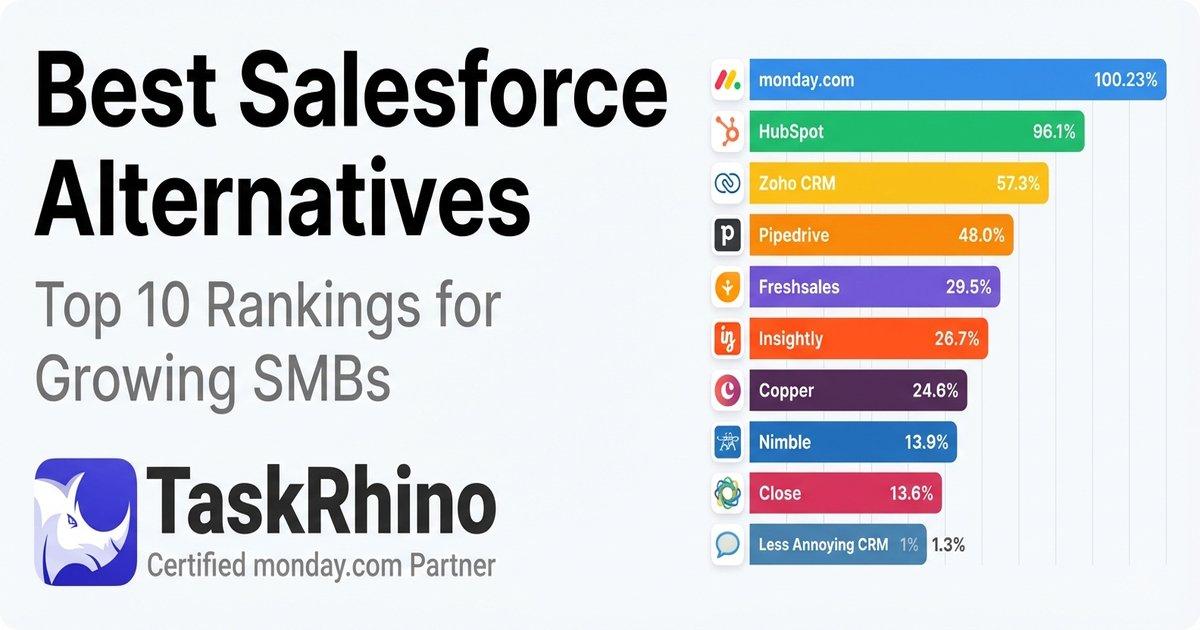
10 Best Salesforce Alternatives for Growing SMBs ( Latest Rankings)