

Step-by-Step Guide: Migrate from Bonterra to monday.com
If you’re evaluating nonprofit CRM software in 2026, Bonterra has probably crossed your radar. With over 22 years in the industry and a portfolio that includes Network for Good, EveryAction, and Apricot, Bonterra positions itself as the all-in-one fundraising and donor management platform for nonprofits of all sizes.
But is Bonterra worth the investment? Can it replace the five different tools your nonprofit is currently juggling? And more importantly — will it actually help you raise more money and strengthen donor relationships?
In this review, we’ll break down everything you need to know about Bonterra in 2026: features, pricing, user experiences, limitations, and whether there are better alternatives for your organization’s specific needs.
What Is Bonterra?
Bonterra is a comprehensive nonprofit technology platform that offers end-to-end tools for fundraising, donor management, volunteer coordination, case management, and corporate social responsibility (CSR) programs.
The company formed through strategic acquisitions and mergers of established nonprofit software providers. Today, Bonterra’s portfolio includes:
- Network for Good — All-in-one fundraising platform for small and midsize nonprofits
- EveryAction — Comprehensive CRM with fundraising, advocacy, and organizing tools
- Apricot — Case management software for social service organizations
- DonorDrive — Peer-to-peer and event fundraising platform
- Mobilize — Volunteer management and organizing software
- CyberGrants — Grants management and CSR platform
Each product operates somewhat independently, but Bonterra markets them as an integrated ecosystem for nonprofits at different stages of growth.
Who Is Bonterra For?
| Organization Type | Best Bonterra Product | Why |
|---|---|---|
| Small nonprofits ($100K-$1M budget) | Network for Good | All-in-one platform, built-in coaching, simple interface |
| Midsize-large nonprofits ($1M+ budget) | EveryAction | Advanced segmentation, multichannel campaigns, advocacy tools |
| Social service organizations | Apricot | Case management, client tracking, outcomes reporting |
| Event-focused nonprofits | DonorDrive | Peer-to-peer fundraising, event registration, activity tracking |
Bonterra Network for Good: Overview & Features
Network for Good is Bonterra’s flagship product for small and midsize nonprofits. It combines donor management, fundraising tools, and AI-powered coaching in one platform.
✅ Core Features
Donor Management
| Feature | Description |
|---|---|
| Contact management | Track donors, volunteers, and supporters in one central database |
| Donation tracking | Monitor online and offline gifts, pledges, and recurring donations |
| Household grouping | Organize contacts by household or organization for smarter outreach |
What works: Network for Good’s donor database is straightforward and easy to navigate. You can track donation history, communication preferences, volunteer hours, and engagement activities all in one contact record.
What’s missing: Advanced users report limited customization options for contact fields and frustration with reporting limitations (more on this below).
Fundraising Tools
| Feature | Description |
|---|---|
| Donation pages | Mobile-optimized forms with recurring giving options |
| Optimized Ask | AI-powered donation amount recommendations based on donor history |
| Digital wallets | Accept PayPal, Venmo, Apple Pay, Google Pay, credit/debit cards |
| Recurring giving | Set up monthly sustainer programs with automated processing |
What works: Creating donation pages is quick and requires no technical skills. The Optimized Ask feature uses AI to suggest donation amounts tailored to each donor’s giving history, which can increase average gift size.
What’s missing: Form customization is limited compared to standalone form builders. No password protection for forms, no save-and-continue draft functionality, and no iframe embedding.
Email Marketing & Communication
| Feature | Description |
|---|---|
| Email campaigns | Unlimited branded emails with 90,000+ templates |
| Mobile messaging (SMS/MMS) | Unlimited text messaging integrated with donor records |
| Video messaging | Send personalized video thank-yous or appeals |
| Segmentation | Build targeted lists based on giving history and engagement |
What works: Users consistently praise Network for Good’s email marketing capabilities. The platform scores 8.5/10 for email marketing on G2 (higher than Salesforce’s 6.7). The template library is extensive and tested across thousands of nonprofit campaigns.
What’s missing: Email editor customization is limited. Users report frustration with organizing images in targeted emails and difficulty with advanced layout control.
Events & Auctions
| Feature | Description |
|---|---|
| Ticketed events | Event registration, ticket sales, and attendance tracking |
| Auctions | Mobile bidding, automated notifications, self-checkout |
| Peer-to-peer fundraising | Supporter-driven campaigns with social sharing |
| Event sponsorships | Sponsor solicitation and recognition management |
What works: Event management is integrated directly into the CRM, so registration data automatically syncs to donor records. No need to export/import data from separate event platforms.
What’s missing: Event customization options are limited. Advanced event needs (complex ticket tiers, multi-session conferences) may require workarounds.
AI-Powered Coaching (Bonterra Que)
Bonterra Que is the platform’s built-in AI fundraising assistant, trained on decades of nonprofit fundraising data and 90,000+ campaigns.
Available in all plans: ✅ Best practice coaching ✅ Access to proven fundraising strategies and templates ✅ In-product tips and recommendations
Available with add-on pricing:
- Personalized coaching based on your donor data
- AI-generated donor segments using natural language
- Email creation with on-brand messaging
- Donation page creation with optimization suggestions
- Donor stewardship prompts
Real-world value: Early users report that Que is helpful for small teams without dedicated fundraising staff. It provides actionable next-best actions and reduces the guesswork around campaign strategy.
Limitations: Advanced AI features (personalized coaching, segment generation, content creation) require additional cost beyond the base plan. This adds up quickly.
Bonterra EveryAction: Advanced Nonprofit CRM
EveryAction is Bonterra’s enterprise-grade solution for larger nonprofits that need advanced segmentation, advocacy tools, and multichannel campaign management.
✅ Key Features Beyond Network for Good
| Feature | Description |
|---|---|
| Advanced segmentation | Target donors with precision using AI-driven filters and predictive models |
| Engagement scoring | Identify supporters most likely to upgrade, lapse, or engage |
| Automated workflows | Build complex supporter journeys with conditional logic |
| Advocacy tools | Petitions, click-to-call, virtual phone banking, canvassing app |
Multichannel Campaign Management
EveryAction excels at coordinating campaigns across email, SMS, direct mail, and social media from one platform.
Integrated channels:
- Email marketing with dynamic content
- SMS/MMS with multimedia support
- Direct mail tracking and fulfillment
- Social media integration
- Advocacy actions (petitions, calls to action)
Why this matters: Most nonprofits use separate tools for email (Mailchimp), SMS (Twilio), and direct mail (third-party vendors). EveryAction consolidates these into one system, eliminating data sync headaches.
Fundraising & Engagement Features (EveryAction)
| Feature | Included in Plan |
|---|---|
| Donation forms | ✅ Included |
| Cart abandonment recovery | ✅ Included |
| FastAction (one-click donations) | ✅ Included |
| Employer matching integrations | ✅ Included |
| Moves management (major gifts) | ✅ Included |
| Planned giving tracking | ✅ Included |
| Grant management | ✅ Included |
What works: EveryAction’s moves management and major gift tracking are well-suited for development teams managing donor cultivation pipelines. Task management and team collaboration features are built directly into the CRM.
What’s missing: Users report that contribution reports don’t include total dollar amounts (requiring manual calculation). Reporting customization is limited, and many users resort to exporting data to Excel for complex analysis.
See How BoardBridge Handles This Workflow
Book a free demo to see BoardBridge solve this exact problem — live, with your data.
Bonterra Apricot: Case Management Software
Apricot (formerly Social Solutions Apricot) is Bonterra’s case management platform for social service organizations.
✅ Core Case Management Features
| Feature | Description |
|---|---|
| Client database | Secure, HIPAA-compliant client information storage |
| Customizable workflows | Build intake, assessment, and service delivery workflows |
| Outcomes tracking | Measure program impact and client progress over time |
| Collaboration tools | Team communication, task assignments, and file sharing |
Best for: Homeless services, behavioral health programs, workforce development, youth services, and family support organizations.
What works: Apricot’s drag-and-drop form designer makes it easy to create custom intake forms, assessments, and surveys without coding. The best practice library provides templates for common social service workflows.
What’s missing: Users report that Apricot is expensive for small organizations. One reviewer noted: “The cost is high, especially for nonprofits, and initial training for administrators is expensive.”
Bonterra Pricing: What Does It Actually Cost?
Bonterra offers customized pricing based on organization size, feature needs, and which product(s) you choose. Here’s what we know:
Pricing Tiers
Bonterra offers three pricing tiers across its products:
| Tier | Target Audience | Features |
|---|---|---|
| Essentials | Small nonprofits (<$500K budget) | Core donor management, basic fundraising tools, standard support |
| Pro | Midsize nonprofits ($500K-$5M budget) | Advanced segmentation, automation, multichannel campaigns |
| Enterprise | Large nonprofits ($5M+ budget) | Custom integrations, dedicated support, advanced API access |
What Users Say About Pricing
The most common complaint about Bonterra is cost:
“The downside I would say, is the cost. It is very expensive for nonprofits, especially when there are lower cost software out there.” — TrustRadius Review
“We were gifted reduced pricing for the software the first 1-2 years, so the retail price is a bit harder for our non-profit.” — Capterra Review
For reference: Competitors like DonorPerfect start at $99/month. Givebutter offers a free tier with pay-what-you-can pricing. Bloomerang and Neon CRM are consistently mentioned as more affordable alternatives.
Hidden Costs & Add-Ons
Beyond base subscription fees, Bonterra users report additional costs for:
- Personalized AI coaching (add-on to base plan)
- Advanced Que features (segment generation, content creation)
- Salesforce integration (add-on)
- Additional user seats (varies by plan)
- Training and onboarding (especially for Apricot)
- Payment processing fees (standard 2-3% + transaction fees)
Bottom line: Bonterra is positioned as a premium solution. If budget is tight, you’ll want to explore alternatives.
Pros & Cons: Real User Experiences
✅ Pros: What Users Love About Bonterra
| Benefit | Why It Matters |
|---|---|
| All-in-one platform | Replace 3-5 separate tools with one integrated system |
| Strong email marketing | 90,000+ tested templates, high deliverability, unlimited sends |
| Built-in coaching | AI guidance helps small teams without dedicated fundraising staff |
| Comprehensive feature set | Donor management, fundraising, events, advocacy — all included |
Real user quotes:
“It has made my job so much easier. The amount of time I save each week is invaluable.” — Brett Fox, Director of Operations, Hopecam
“Reviewers appreciate that Bonterra offers a comprehensive set of features included in the base price, which helps small nonprofits avoid the need for multiple software solutions.” — GetApp Reviews
❌ Cons: Common Complaints & Limitations
| Issue | Impact |
|---|---|
| High cost | Expensive for small/midsize nonprofits with limited budgets |
| Steep learning curve | Complex interface overwhelms new users |
| Limited customization | Frustration with forms, reports, and email layouts |
| Vendor lock-in | No donor payment tokens for migration to other platforms |
Real user quotes:
“Steep learning curve: The interface can be overwhelming for new users due to extensive features and complex navigation.” — SelectHub Review
“NFG and Bonterra will keep your donors hostages on their platform. Get off and stay away!” — Reddit r/nonprofit
“Lack of accountability and communication: One of the most frustrating aspects was the lack of accountability when critical issues arose.” — Capterra Review
“The platform lacks comprehensive learning resources and training materials that would help new users get up to speed more effectively.” — Software Advice Review
Need Help With Your monday.com Setup?
TaskRhino has implemented monday.com for 110+ teams. Get a free consultation.
Top 3 TaskRhino Stories: When Nonprofits Hit Bonterra’s Limits
At TaskRhino, we’ve worked with over 110 organizations implementing and optimizing CRM systems. Here are three real stories of nonprofits that outgrew Bonterra’s capabilities — and what they did about it.
Story #1: The Event Producer Who Needed Real-Time Updates
Organization: Regional arts nonprofit running 40+ events per year Problem: Bonterra’s event forms could only create new registrations. They needed vendors, sponsors, and volunteers to update existing event details (contact changes, dietary restrictions, schedule conflicts) without creating duplicate records.
Bonterra limitation: Forms can only create new items in the database. No way to generate unique update links for existing registrants.
Solution: TaskRhino implemented BoardBridge forms, which generate unique URLs for each registrant. Vendors and performers received personalized links to update their information. All updates wrote directly back to the CRM without creating duplicate records.
Result: Event coordinator saved 8+ hours per event eliminating manual data entry and duplicate cleanup.
Story #2: The Fundraising Team Stuck in Email Notification Hell
Organization: National education nonprofit with 15-person fundraising team Problem: Bonterra’s notification system sent plain-text emails with no CC/BCC support. The team needed rich HTML emails with merge variables, conditional recipients, and the ability to CC entire teams based on donor segments.
Bonterra limitation: Native email automations are plain text, single recipient, no CC/BCC groups, and limited trigger logic.
Solution: TaskRhino built custom email workflows using BoardBridge’s automation engine. Emails included rich HTML formatting, merge variables pulling donor data, CC groups (“Major Gifts Team,” “Development Director”), and conditional logic (e.g., CC the regional manager if donation > $5,000).
Result: Team collaboration improved dramatically. No more forwarding emails or missing notifications. Response time to major gift inquiries dropped from 3 days to same-day.
Story #3: The Case Management Team Drowning in Manual Data Entry
Organization: Youth services nonprofit serving 200+ clients per year Problem: Bonterra Apricot handled client intake well, but follow-up workflows required manual data entry. Case managers needed families to submit progress updates, attendance confirmations, and satisfaction surveys — all writing back to the client’s existing case record.
Bonterra limitation: Forms in Apricot create new submissions, not updates to existing case records. No way to send families a form link that updates their specific case file.
Solution: TaskRhino integrated BoardBridge forms with the case management workflow. Each family received a unique form URL that updated their case record directly. Conditional logic showed/hid fields based on program enrollment.
Result: Case managers saved 12+ hours per week on data entry. Client data accuracy improved (families entered their own information instead of case managers transcribing phone calls). Program compliance reporting became easier with complete, timestamped data.
Bonterra vs. Competitors: How It Stacks Up
Here’s how Bonterra compares to leading nonprofit CRM alternatives in 2026:
Bonterra vs. Salesforce Nonprofit Cloud
| Feature | Bonterra | Salesforce Nonprofit Cloud |
|---|---|---|
| Best for | Small-midsize nonprofits | Large, enterprise nonprofits |
| Email marketing | 8.5/10 (G2) | 6.7/10 (G2) |
| Ease of use | Moderate (steep learning curve) | Complex (requires admin/developer) |
| Integrations | 7.6/10 (interoperability) | 8.5/10 (best-in-class integrations) |
Choose Bonterra if: You need an all-in-one platform with strong email marketing and don’t have a Salesforce admin on staff.
Choose Salesforce if: You need deep customization, complex integrations, and have technical resources to manage the platform.
Bonterra vs. Bloomerang
| Feature | Bonterra | Bloomerang |
|---|---|---|
| Ease of use | Lower on G2’s easiest-to-use list | Consistently top-ranked for ease of use |
| Pricing | Premium (custom quotes) | More affordable (transparent pricing) |
| Best for | Comprehensive features, larger teams | Donor retention, small teams |
| Donor retention focus | General CRM | Built specifically for retention |
Choose Bonterra if: You need multichannel campaigns, advocacy tools, and comprehensive features beyond donor management.
Choose Bloomerang if: Your primary goal is improving donor retention and you want an intuitive, user-friendly platform.
Bonterra vs. DonorPerfect
| Feature | Bonterra | DonorPerfect |
|---|---|---|
| Starting price | Custom (higher) | $99/month |
| Target audience | Small-large nonprofits | Small-midsize nonprofits |
| G2 rating | 4.0/5 (EveryAction) | 4.1/5 |
| Best feature | All-in-one platform | Value for small orgs |
Choose Bonterra if: You need event management, advocacy tools, and peer-to-peer fundraising in one platform.
Choose DonorPerfect if: Budget is tight and you need proven donor management at an affordable price.
Bonterra vs. Givebutter
| Feature | Bonterra | Givebutter |
|---|---|---|
| Pricing model | Subscription + processing fees | Free (pay-what-you-can) + processing fees |
| Best for | Comprehensive CRM | Event fundraising, campaigns |
| Donor management | Full CRM | Basic donor tracking |
Choose Bonterra if: You need a full-featured CRM with donor management, communications, and reporting.
Choose Givebutter if: You’re a small nonprofit focused on events and campaigns and want to minimize subscription costs.
The Biggest Bonterra Limitation (That No One Talks About)
The most serious concern we’ve heard from Bonterra users isn’t about features or pricing — it’s about vendor lock-in.
The Payment Token Problem
When nonprofits want to migrate from Bonterra to another CRM, they expect to transfer:
- Donor contact information ✅
- Donation history ✅
- Recurring donation payment tokens ❌
What are payment tokens? Encrypted references to donors’ saved payment methods (credit cards, bank accounts) that allow recurring donations to process automatically.
The problem: Bonterra does not provide payment tokens when organizations migrate to other platforms. This means:
- Your recurring donors must re-enter payment information
- You’ll lose a significant percentage of monthly sustainers during migration
- Donor trust is damaged (they already gave you payment info — why ask again?)
What users say:
“Every other CRM in the business gives out payment tokens. NFG and Bonterra will keep your donors hostages on their platform.” — Reddit r/nonprofit
This is a serious consideration if there’s any chance you’ll outgrow Bonterra or need to switch platforms in the future. Once you’re in, leaving is painful.
Stop Creating Duplicates
BoardBridge forms update existing items — no Enterprise plan, no workarounds, no duplicates.
Frequently Asked Questions
What monday.com templates and automations best replace Bonterra’s donor management after migration?
Utilize monday.com’s nonprofit CRM templates for donor boards with tags, timelines, and collaboration surpassing Bonterra’s traditional interface. Implement automations for thank-you emails, renewal reminders, and reporting to handle unlimited communications efficiently. BoardBridge pre-configures these with Bonterra data imports, accelerating setup for enhanced flexibility and user experience.
How do I export donor and contact data from Bonterra while preserving custom fields and relationships for monday.com import?
In Bonterra, navigate to the Data Export tool under Admin settings to generate CSV files for donors, contacts, and related entities like pledges or grants, ensuring custom fields are mapped via the export configuration to retain field labels and values. Once exported, use monday.com’s CSV importer in the Data section, mapping Bonterra’s custom fields to monday.com’s customizable columns or boards to maintain data integrity during migration. For complex relationships, leverage BoardBridge’s migration service to automate mapping and avoid manual errors in relational data structures.
What are the key steps to map Bonterra’s fundraising campaign data to monday.com boards without losing historical tracking?
Begin by creating a dedicated ‘Fundraising Campaigns’ board in monday.com with columns for campaign name, goals, pledges, and timelines mirroring Bonterra’s structure, then export Bonterra campaigns via its reporting export feature as CSV. Import the CSV into monday.com, using column formulas and automations to link subitems for pledges and connect to a master Donor board for relational tracking. BoardBridge provides pre-built templates that streamline this mapping, ensuring historical performance metrics like donor retention rates transfer accurately.
How can I recreate Bonterra’s case management workflows from Penelope in monday.com automations during migration?
Export Penelope case records from Bonterra as structured CSVs, focusing on client IDs, service logs, and status fields, then import into a monday.com ‘Case Management’ board with status columns and dependency maps. Set up monday.com automations to trigger notifications and updates based on status changes, replicating Bonterra’s workflows using if-then rules and integrations. BoardBridge specializes in nonprofit migrations, offering automation blueprints that convert Penelope logic directly to monday.com for seamless continuity in victim services or similar operations.
What integrations are needed to migrate Bonterra’s payment processor data to monday.com securely?
Use Bonterra’s integrated export for transaction history from its secure payment processor, exporting as CSV with encrypted fields, then import into monday.com’s Finance board via the secure CSV uploader while enabling two-factor authentication. Connect monday.com to tools like Stripe or PayPal through native integrations to sync future payments, mapping historical data to timeline columns for audit trails. BoardBridge ensures compliance during this step with GDPR and nonprofit data standards, handling sensitive financial migrations without disruptions.
How do I handle Bonterra’s reporting dashboards in monday.com to maintain nonprofit KPIs like donor retention post-migration?
Replicate Bonterra dashboards by building monday.com charts and widgets on migrated data boards, using formulas for KPIs such as donor retention (calculated as returning donors / total donors) and real-time dashboards for fundraising metrics. Export Bonterra reports first, validate data accuracy upon import, and apply monday.com’s AI-powered insights for enhanced analytics beyond Bonterra’s capabilities. BoardBridge’s migration toolkit includes pre-configured KPI dashboards tailored for nonprofits, accelerating setup and improving reporting flexibility.
What is the safest way to run a parallel migration from Bonterra to monday.com to test operations without downtime?
Set up a staging environment in monday.com by duplicating boards and importing a subset of Bonterra data via CSV exports, running parallel operations for 2-4 weeks to validate workflows and automations against live Bonterra data. Monitor discrepancies using monday.com’s update logs and compare outputs like email campaigns or donor reports before full cutover. BoardBridge facilitates this parallel testing with expert oversight, minimizing risks for mission-critical nonprofit functions like client services.
How do I translate Bonterra’s campaign rules and donor segmentation logic into monday.com automations without losing conditional triggers?
Bonterra’s campaign rules rely on custom fields and automation triggers that don’t directly map to monday.com’s workflow engine. You’ll need to audit your existing Bonterra automations, document the conditional logic (e.g., ‘if donation > $1,000, tag as major donor’), and rebuild these as monday.com automations using its native workflow builder or third-party integrations like Zapier. BoardBridge provides pre-configured automation templates for common nonprofit workflows including pledge tracking, gift acknowledgment sequences, and renewal campaigns that accelerate this conversion process.
What’s the best approach to handle grant and membership management when migrating to monday.com, since it doesn’t have built-in modules for these?
Bonterra’s grant and membership management modules are specialized features that monday.com doesn’t replicate out-of-the-box. You have three options: adopt a hybrid approach by keeping Bonterra for grants/memberships while using monday.com for donor relations, rebuild these workflows in monday.com using custom fields and automations, or integrate a specialized tool via monday.com’s API. BoardBridge can architect a custom integration that bridges monday.com with dedicated grant management platforms like Fluxx or GrantHub while maintaining your donor data as the single source of truth.
How do I ensure my KPIs and reporting metrics remain consistent during a parallel migration period when Bonterra and monday.com calculate metrics differently?
Bonterra emphasizes donor lifetime value and campaign ROI, while monday.com focuses on project status and task completion—these are fundamentally different measurement frameworks. Export all historical Bonterra reports as baseline data before migration, then run both systems simultaneously to validate data accuracy. Establish custom dashboards in monday.com that replicate your key Bonterra KPIs (donor retention rate, average gift size, campaign response rate) so leadership sees consistent reporting during transition.
Can I automate donation data population from external forms directly into monday.com, and will it match Bonterra’s native form-to-database functionality?
Yes, you can integrate payment gateways via Zapier to auto-populate donation boards from forms, which actually surpasses Bonterra’s limited customization capabilities. This approach allows you to build monday.com dashboards with formula columns to track campaign progress mirroring Bonterra’s metrics while using automations for status updates when donations hit milestones. For nonprofits, BoardBridge offers plug-and-play campaign templates that replicate EveryAction workflows seamlessly.
What data fields are most likely to have mapping conflicts between Bonterra’s donor database structure and monday.com’s custom field architecture?
While the search results don’t explicitly detail field-level mapping conflicts, the broader issue is that Bonterra was built specifically for nonprofits from day one with fundraising-native data structures, whereas monday.com is a generic Work OS that requires custom configuration. You’ll need to audit how Bonterra stores donor segments, pledge data, matching gift tracking, and fundraising thermometer data—each of which may require workarounds or third-party apps in monday.com. BoardBridge can help identify these gaps during the planning phase.
Is the 5-year total cost of ownership actually lower with monday.com compared to Bonterra, or does the migration effort and custom integrations offset the savings?
Bonterra’s 5-year total cost is typically $150,000–$200,000 for small-to-midsize nonprofits, while monday.com ranges from $200,000–$350,000 over five years when accounting for Marketing Cloud, apps, and support. However, this comparison doesn’t factor in migration labor, custom development for grant management integrations, or BoardBridge implementation costs. You’ll need to calculate the total cost of ownership including professional services, not just platform licensing, to make an accurate comparison.


Editor's Choice
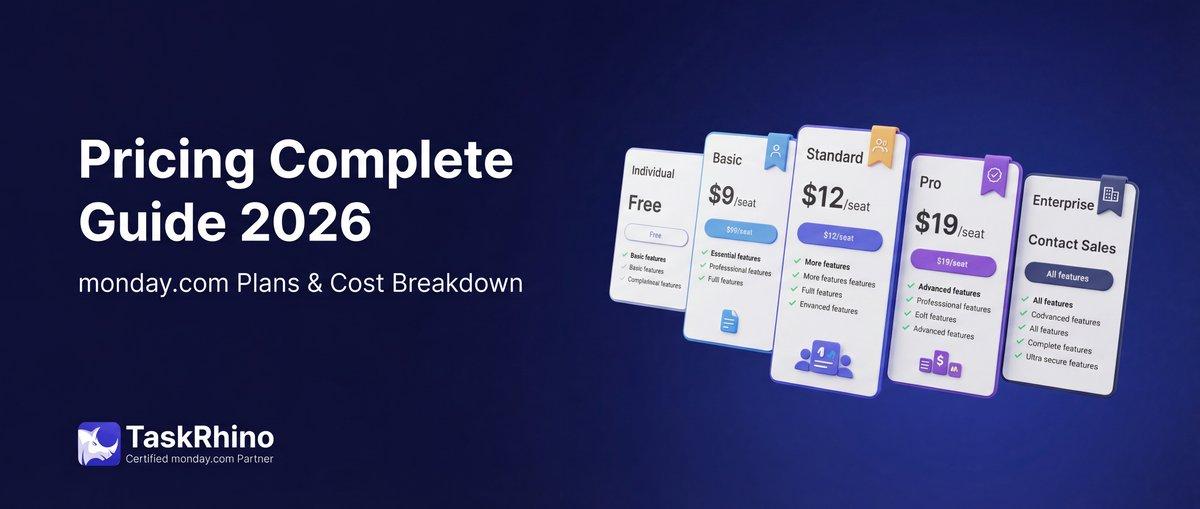
monday.com Pricing 2026: Complete Guide

Salesforce to Twenty Data Migration: Best Practices and Strategy
How to Self-Host Twenty CRM on AWS: Step-by-Step Guide