

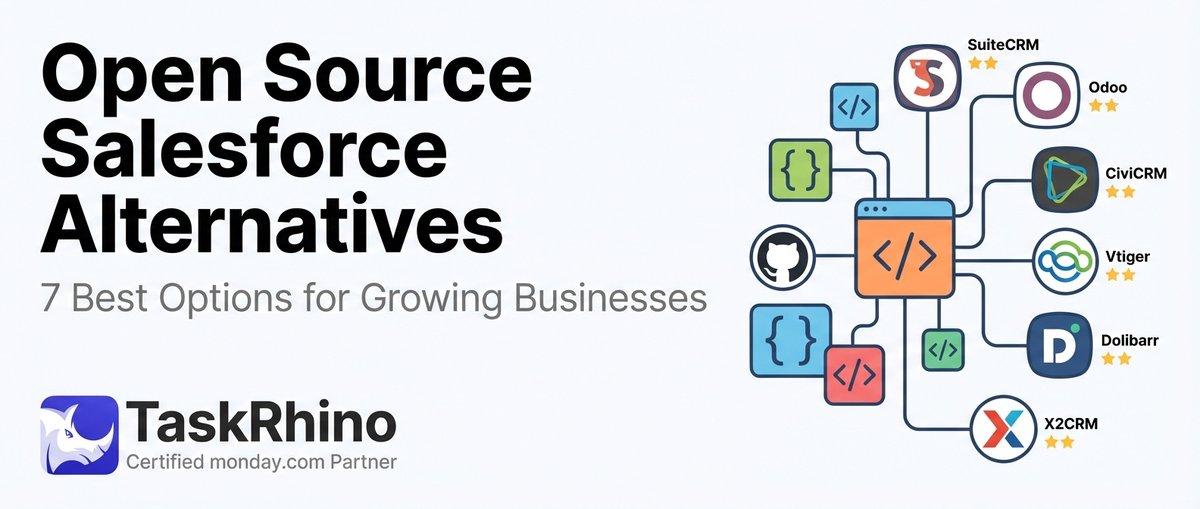
7 Best Open Source Salesforce Alternatives for Growing Businesses
Most CRM implementations fail. The data doesn’t lie: 70% of CRM projects never deliver on their promised ROI, with half of those abandoned entirely within the first 18 months.
The problem isn’t the technology. The CRM platforms available today — Salesforce, HubSpot, monday.com, Zoho — are more capable than ever. The issue is implementation. Teams rush deployment, skip critical planning steps, ignore user adoption, or configure systems that don’t match how work actually gets done.
This guide walks through the proven framework for CRM implementation in 2026 — from pre-planning through deployment and adoption. You’ll learn the strategic decisions that separate successful implementations from the 70% that fail, the common mistakes that derail projects months before go-live, and the step-by-step process we’ve used across 85+ implementations at TaskRhino.
Whether you’re deploying your first CRM or replacing a system that never gained traction, these practices will save you months of rework and thousands in wasted spend.
What Is CRM Implementation?
CRM implementation is the process of planning, configuring, deploying, and adopting a customer relationship management platform across your organization. It’s not just a software install. It’s the transformation of how your sales, marketing, and support teams capture customer data, track interactions, automate workflows, and make decisions.
A successful implementation touches every department that interacts with customers. Sales needs accurate pipeline visibility. Marketing needs lead scoring and campaign tracking. Customer support needs ticket history and response times. Operations needs reporting dashboards. Finance needs revenue forecasting. The CRM becomes the single source of truth for customer data across the business.
Implementation involves three core components:
| Component | What It Includes |
|---|---|
| Technical setup | Platform selection, configuration, data migration, integrations, API connections, user permissions, security settings |
| Process transformation | Workflow mapping, automation design, sales pipeline structure, lead routing, reporting dashboards |
| People & adoption | Executive buy-in, change management, role-based training, ongoing support, usage monitoring |
The technical piece is table stakes. The difference between projects that succeed and projects that fail lives in process transformation and adoption — getting teams to actually use the system the way it was designed.
Why CRM Implementations Fail: The Data
Before diving into best practices, understand the failure modes. Knowing where implementations go wrong helps you design around the pitfalls.
| Failure Mode | % of Failed Projects | Root Cause |
|---|---|---|
| Low user adoption | 63% | System doesn’t match daily workflows, training was inadequate, or teams don’t see value |
| Poor data quality | 47% | Bad data migrated from legacy systems, no governance rules, inconsistent entry |
| Scope creep | 41% | Requirements expanded mid-project without adjusting timeline or budget |
| Lack of executive support | 38% | Leadership didn’t champion the project, allocated insufficient resources |
Key insight: 60% of failures stem from people-related challenges. Only 10% are due to technology issues. The CRM works fine. The problem is teams either won’t use it or use it incorrectly.
Pre-Implementation: The Foundation Phase
Most teams rush this phase. They select a CRM, sign a contract, and jump straight to configuration. That approach fails because you’re building on top of unclear requirements, undefined processes, and unvalidated assumptions.
The pre-implementation phase is where you earn project success. Get this right and deployment is straightforward. Skip it and you’ll spend months reconfiguring systems that never matched actual needs.
Step 1: Define Measurable Business Goals
Start with outcomes, not features. What business problems are you solving with this CRM?
Wrong approach: “We need better customer tracking.” Right approach: “We need to reduce lead response time from 4 hours to 30 minutes to increase conversion by 15%.”
The first statement is vague. The second statement is measurable, ties to a business outcome, and gives you clear criteria for success.
| Business Goal Category | Example Measurable Goals |
|---|---|
| Sales efficiency | Shorten sales cycle from 45 days to 30 days; increase pipeline visibility to 95% |
| Revenue growth | Improve lead-to-customer conversion by 20%; grow average deal size by 12% |
| Customer retention | Reduce churn from 8% to 5%; increase repeat purchase rate by 18% |
| Team productivity | Cut manual data entry by 60%; reduce reporting time from 8 hours/week to 1 hour |
Every goal should map to a specific KPI you can track pre- and post-implementation. If you can’t measure it, you can’t prove ROI.
Need help defining CRM goals that actually drive business outcomes? Book a free 30-minute consultation to map your requirements with a certified monday.com consultant.
Step 2: Map Current Processes Before You Touch the CRM
You can’t build better workflows until you understand the workflows you already have. This step uncovers hidden inefficiencies, redundant handoffs, and process gaps that your CRM needs to fix.
What to document:
- How leads enter the system (forms, referrals, cold outreach, paid ads)
- Who touches each lead and when (SDR → AE → CS)
- Where data lives today (spreadsheets, email, old CRM, Post-it notes)
- What triggers movement through your pipeline (demo completed, contract sent, onboarding started)
- Where processes break down (leads get lost, follow-ups are missed, deals stall)
Tools like Scribe can auto-capture these workflows as teams perform them, creating step-by-step documentation without manual note-taking.
TaskRhino Story #1: Healthcare Clinic Migration
A multi-location healthcare clinic came to us running patient intake, appointment scheduling, and billing across three separate systems plus Google Sheets. They wanted to move everything to monday.com but had no written processes.
We spent two weeks shadowing their front desk staff and clinical coordinators, capturing exactly how patient data flowed from first contact through post-appointment follow-up. What we found: seven manual handoffs, duplicate data entry in four places, and a 20-minute lag between appointment booking and calendar sync.
We mapped every step, identified the bottlenecks, and designed monday.com boards that eliminated five of the seven handoffs. Post-implementation, they cut patient intake time from 12 minutes to 4 minutes and eliminated all duplicate entry. Adoption hit 92% within 30 days because the new system made their jobs easier — not harder.
Step 3: Secure Executive Buy-In Early
Your CRM project will fail without executive sponsorship. Not “approval” — active sponsorship. The kind where leadership champions the project, allocates budget without hesitation, and holds teams accountable for adoption.
What executive buy-in looks like:
| Without Executive Support | With Executive Support |
|---|---|
| Project gets approved but underfunded | Budget covers full implementation, training, and ongoing support |
| Team adoption is “encouraged” | Adoption is tied to performance reviews and tracked weekly |
| CRM training is optional | Leadership attends training and uses the system publicly |
How to earn buy-in: Present the business case in executive language. Don’t talk about “features.” Talk about pipeline visibility, revenue forecasting accuracy, customer lifetime value, and team efficiency. Show how the CRM will impact the metrics they already care about.
Step 4: Assemble a Cross-Functional Implementation Team
CRM projects that succeed involve representatives from every department that will use the system. Don’t let IT or Sales run this alone.
| Role | Department | Responsibility |
|---|---|---|
| Executive Sponsor | C-Suite | Approves budget, removes roadblocks, holds teams accountable |
| Project Manager | Operations | Owns timeline, tracks milestones, coordinates across teams |
| Sales Lead | Sales | Defines pipeline stages, lead routing, forecasting requirements |
| Marketing Lead | Marketing | Defines lead scoring, campaign tracking, attribution needs |
| CS Lead | Support | Defines ticket workflows, escalation rules, SLA tracking |
| IT Lead | IT | Handles integrations, data security, technical configuration |
Common mistake: Assigning one person to “own” the CRM while everyone else waits for instructions. CRM is a team sport. Every department needs skin in the game from day one.
Platform Selection: Choosing the Right CRM
You can’t fix a bad platform choice with good implementation. If the CRM doesn’t match your business model, industry requirements, or team size, you’ll spend years fighting the tool instead of using it.
Key Selection Criteria for 2026
| Criteria | Why It Matters | Red Flags |
|---|---|---|
| Ease of use | If the interface is clunky, adoption will suffer | Requires 40+ hours of training to do basic tasks |
| Customization flexibility | Every business has unique workflows | “You’ll need custom code for that” |
| Integration ecosystem | Your CRM must connect to existing tools | No API; relies only on Zapier for integrations |
| Scalability | System should grow with your business | Pricing jumps 300% at next tier; feature limits hit quickly |
CRM Platform Comparison for 2026
| Platform | Best For | Strengths | Limitations |
|---|---|---|---|
| monday.com | Teams needing flexibility + visual pipelines | Highly customizable, easy to learn, strong automation | Less robust for enterprise-scale sales orgs |
| Salesforce | Large enterprises with complex sales processes | Deepest feature set, mature ecosystem, extensive integrations | Steep learning curve, expensive, requires admin expertise |
| HubSpot | Marketing-first companies focused on inbound | Built-in marketing automation, free starter tier, content tools | Sales features lag behind Salesforce; expensive at scale |
| Zoho CRM | Small businesses with tight budgets | Affordable, full feature set, good mobile app | Interface feels dated; support can be slow |
TaskRhino specializes in monday.com implementations for teams that need visual workflow management, cross-department collaboration, and a CRM that doesn’t require a dedicated Salesforce admin to maintain.
See How BoardBridge Handles This Workflow
Book a free demo to see BoardBridge solve this exact problem — live, with your data.
Data Migration: Moving from Legacy Systems
Data migration is where most implementations hit their first crisis. You’re moving years of customer records, deal history, email threads, and notes from spreadsheets, old CRMs, or filing cabinets into your new system.
Do this wrong and you’ll launch with incomplete customer records, duplicate entries, and data gaps that destroy trust in the new system.
The Data Migration Framework
| Phase | Actions | Common Mistakes to Avoid |
|---|---|---|
| 1. Audit existing data | Identify all sources (CRM, spreadsheets, email, paper files); assess quality and completeness | Assuming all data is accurate; skipping the audit |
| 2. Clean data before migration | Deduplicate records, standardize formats, fill critical gaps, archive obsolete data | Migrating everything “just in case” |
| 3. Map fields to new CRM | Match old field names to new structure; decide what to keep, archive, or discard | Trying to recreate the old system in the new platform |
| 4. Test with a small batch | Migrate 100-200 records; validate accuracy; check for formatting issues | Migrating all data at once without testing |
Data Cleaning Checklist
Before migrating anything, clean your data. Dirty data in = dirty data out.
| Data Issue | How to Fix It |
|---|---|
| Duplicate contacts | Merge records using email address as unique identifier |
| Incomplete fields | Fill critical gaps (phone, industry, deal stage) or archive the record |
| Inconsistent formatting | Standardize phone numbers, dates, state abbreviations, industry terms |
| Outdated records | Archive contacts with no activity in 24+ months |
Rule of thumb: If you wouldn’t trust a record to make a business decision today, don’t migrate it. Only move clean, accurate data that your team will actually use.
Integration Planning
Your CRM doesn’t operate in isolation. It needs to connect with email (Gmail/Outlook), calendar tools, marketing automation (Mailchimp, ActiveCampaign), support platforms (Zendesk, Intercom), and accounting systems (QuickBooks, Xero).
| Integration Type | Why It Matters | Common Tools |
|---|---|---|
| Email sync | Automatically log emails, schedule follow-ups | Gmail, Outlook, Office 365 |
| Calendar sync | Sync meetings, block time, send reminders | Google Calendar, Outlook Calendar |
| Marketing automation | Track campaigns, score leads, attribute revenue | Mailchimp, ActiveCampaign, HubSpot |
| Support tickets | Link customer issues to CRM records | Zendesk, Intercom, Freshdesk |
Map these integrations during the planning phase — not after go-live. Failing to connect email alone will torpedo adoption because your sales team will refuse to manually log every interaction.
Configuration: Building Workflows That Match Reality
This is where implementations go off the rails. Teams either overcomplicate the CRM with features no one needs, or they under-configure it and end up with a glorified spreadsheet.
The goal: Configure workflows that match how your team actually works — not how you wish they worked.
Sales Pipeline Configuration
Your pipeline stages should reflect real milestones that move deals forward. If a stage doesn’t represent a meaningful change in buyer intent or seller action, cut it.
| Pipeline Stage | Definition | Exit Criteria |
|---|---|---|
| Lead | Contact expressed interest but not qualified | Completed qualification call |
| Qualified | Budget, authority, need, timeline confirmed | Agreed to demo or discovery |
| Proposal | Solution scoped, pricing shared | Proposal sent or presented |
| Negotiation | Contract terms being finalized | Contract signed or deal lost |
Common mistake: Creating 10+ pipeline stages because “more detail is better.” More stages = more manual updates = lower adoption. Keep it simple.
Automation Rules to Configure on Day One
CRM automation reduces manual work and ensures consistency. But don’t automate everything. Start with the high-impact, low-complexity rules.
| Automation Rule | Business Impact | Complexity |
|---|---|---|
| Auto-assign leads by territory | Eliminates manual routing; cuts response time | Low |
| Send follow-up reminder 3 days after demo | Reduces deals that go cold | Low |
| Update deal stage when proposal is sent | Ensures accurate pipeline reporting | Low |
| Notify manager when deal exceeds 60 days | Prevents stalled deals from hiding in pipeline | Medium |
Don’t build 50 automations before launch. Start with 5-7 that solve your biggest pain points, then add more as the team gets comfortable.
TaskRhino Story #2: Manufacturing Company Sales Pipeline
A mid-size manufacturing company was losing deals because their sales process had zero visibility. Reps tracked opportunities in personal spreadsheets. Leadership had no idea what was in the pipeline until month-end reporting — which was always wrong.
We implemented monday.com CRM with a clean 5-stage pipeline: Lead → Qualified → Quote Sent → Negotiation → Closed. We automated lead assignment by product line, set up reminders for follow-ups, and built a real-time dashboard showing pipeline value by rep and region.
Within 60 days, forecast accuracy improved from 58% to 87%. Leadership could finally see what was coming. Reps spent 4 fewer hours per week on admin work. Most importantly: they closed 14% more deals because follow-ups stopped falling through the cracks.
Need help configuring automation workflows that actually match your sales process? Book a free consultation with our team.
Training & Adoption: Getting Teams to Actually Use the CRM
You can build the perfect CRM configuration. If your team won’t use it, the project failed.
User adoption is the single biggest predictor of CRM success. Systems with 80%+ adoption deliver ROI within 12 months. Systems with <50% adoption never pay back their implementation cost.
Role-Based Training Approach
Don’t train everyone the same way. A sales rep needs different skills than a CS agent or marketing manager.
| Role | Training Focus | Duration |
|---|---|---|
| Sales Reps | Lead entry, pipeline management, activity logging, forecasting | 2-3 hours |
| Sales Managers | Pipeline dashboards, team reporting, deal reviews, quota tracking | 2 hours |
| Marketing | Campaign tracking, lead scoring, form integrations, attribution | 2 hours |
| Customer Support | Ticket creation, customer history, escalation workflows | 1.5 hours |
The First 30 Days: Critical Adoption Window
Most teams treat go-live as the finish line. It’s actually the starting line. The first 30 days determine whether your CRM becomes a daily habit or gets abandoned.
| Week | Focus | Key Actions |
|---|---|---|
| Week 1 | Hands-on usage with support | Daily check-ins, answer questions immediately, troubleshoot issues |
| Week 2 | Reinforce workflows | Spot-check data entry quality, remind teams of automation rules |
| Week 3 | Show early wins | Share success stories, highlight time saved, show reporting value |
| Week 4 | Gather feedback | Survey users, identify friction points, adjust workflows if needed |
Common mistake: Training once at launch, then disappearing. Plan for ongoing support — daily the first week, then weekly for the first month.
How to Drive Adoption When Teams Resist
Resistance to new CRM systems is normal. Teams are comfortable with old processes. Change feels risky. Your job is to make the new system easier than the old way.
| Resistance Type | What They Say | How to Overcome It |
|---|---|---|
| “Too complicated” | “The old way was simpler” | Simplify workflows; show time saved with automation |
| “I don’t have time to learn this” | “I’m too busy selling” | Show how CRM eliminates admin work they already hate |
| “This won’t work for my role” | “My clients are different” | Customize views and workflows by role |
| “I don’t see the value” | “We were fine before” | Demonstrate reporting, forecasting, and collaboration benefits |
Proven tactic: Identify 2-3 “power users” in each department who become internal champions. They help their peers, answer questions, and evangelize the system. Adoption spreads peer-to-peer faster than top-down.
Post-Implementation: Continuous Improvement
CRM implementation doesn’t end at go-live. The best systems evolve continuously based on user feedback, changing business needs, and new automation opportunities.
The Quarterly CRM Review Process
Schedule a review every 90 days to assess usage, identify gaps, and optimize workflows.
| Review Area | Key Questions |
|---|---|
| Adoption metrics | What’s the login rate? Which features are underused? Where do users drop off? |
| Data quality | Are records complete? Is data entry consistent? Are duplicates being created? |
| Automation effectiveness | Which automations are working? Which are creating errors or confusion? |
| New requirements | What workflows need to be added? What integrations are missing? |
Output: A prioritized backlog of improvements to implement over the next quarter.
Key Metrics to Track Post-Launch
| Metric | Why It Matters | Target |
|---|---|---|
| User login rate | Measures actual daily usage | 80%+ daily logins |
| Data completeness | Tracks whether critical fields are being filled | 95%+ complete records |
| Time to close deals | Shows if CRM is accelerating sales | 15-20% reduction in cycle time |
| Forecast accuracy | Indicates pipeline data quality | 85%+ accuracy |
If any metric trends downward, investigate immediately. Declining usage signals a problem that will compound over time.
Need Help With Your monday.com Setup?
TaskRhino has implemented monday.com for 110+ teams. Get a free consultation.
Common CRM Implementation Mistakes (And How to Avoid Them)
Even with a solid plan, implementations can go sideways. Here are the most common failure modes we see — and how to prevent them.
Mistake #1: Trying to Replicate the Old System
What it looks like: Building the exact same fields, stages, and workflows from your legacy CRM into the new platform.
Why it fails: If the old system worked perfectly, you wouldn’t be replacing it. You’re migrating to fix problems — not to recreate them.
How to avoid it: Treat migration as an opportunity to redesign workflows. Question every field, every stage, every automation. Keep what works. Discard what doesn’t.
Mistake #2: Overcomplicating the System at Launch
What it looks like: Configuring 40 custom fields, 15 pipeline stages, and 50 automation rules before anyone has touched the system.
Why it fails: Complexity kills adoption. If the system feels overwhelming, teams will avoid it.
How to avoid it: Launch with the minimum viable configuration. 5-7 pipeline stages. 10-15 critical fields. 5 automations. Add complexity gradually as teams get comfortable.
Mistake #3: Skipping Data Cleanup
What it looks like: Migrating every record from the old system — including duplicates, incomplete records, and outdated contacts.
Why it fails: Bad data in = bad data out. Teams lose trust in a CRM filled with junk data.
How to avoid it: Clean ruthlessly before migration. Archive old records. Deduplicate contacts. Fill critical gaps. Only migrate data you’d confidently use to make business decisions.
Mistake #4: Treating Go-Live as the Finish Line
What it looks like: Big launch event, minimal follow-up, team left to figure it out on their own.
Why it fails: Adoption drops 30-40% in the first 60 days without ongoing support.
How to avoid it: Plan for daily support the first week, weekly check-ins for the first month, and monthly reviews for the first quarter. Treat go-live as the beginning, not the end.
TaskRhino Story #3: Real Estate Team Turnaround
A 25-person real estate team implemented Salesforce two years before coming to us. Adoption was 22%. Most agents still tracked deals in Excel. The platform admin left the company, and no one knew how to fix broken automations.
We migrated them to monday.com and focused on simplicity. 4 pipeline stages instead of 12. 8 custom fields instead of 40. We eliminated 80% of the automations and rebuilt only the ones that saved meaningful time. We trained agents in small groups, focusing on their specific workflows.
90 days post-launch: 89% adoption. Agents were logging deals in real-time. Leadership finally had accurate pipeline visibility. The team closed 11% more deals that quarter because nothing fell through the cracks. The key: simplicity, relevance, and ongoing support.
CRM Implementation Timeline: What to Expect
Implementation timelines vary by company size, CRM complexity, and data volume. Here’s what to expect for a mid-market company with 50-100 employees.
| Phase | Duration | Key Deliverables |
|---|---|---|
| Pre-planning | 2-3 weeks | Business goals, process maps, platform selection |
| Data preparation | 3-4 weeks | Data audit, cleaning, field mapping, test migration |
| Configuration | 3-4 weeks | Workflow setup, automation rules, integrations, user permissions |
| Training & go-live | 1-2 weeks | Role-based training, pilot launch, full rollout |
| Post-launch support | 8-12 weeks | Daily/weekly support, feedback loops, workflow adjustments |
Total timeline: 4-6 months from kickoff to stable adoption.
Small businesses (10-25 employees): 2-3 months Enterprise companies (500+ employees): 9-18 months
Need help setting realistic timelines for your CRM implementation? Book a consultation with our implementation team.
CRM Implementation Costs: What to Budget
CRM projects cost more than the software license. Budget for implementation services, data migration, training, and ongoing support.
| Cost Category | Typical Range | What It Includes |
|---|---|---|
| Software licenses | $50-150/user/month | CRM platform subscription (Salesforce, HubSpot, monday.com, etc.) |
| Implementation services | $10,000-100,000+ | Consulting, configuration, data migration, integrations |
| Training | $2,000-15,000 | Role-based training, documentation, ongoing support |
| Integrations | $1,000-10,000 | Connecting CRM to email, calendar, marketing tools, support systems |
Total first-year cost for 50 users: $75,000-$200,000 Ongoing annual cost: $30,000-$90,000 (licenses + support)
Cost-saving tip: Many mid-market teams overspend on enterprise CRMs they don’t need. monday.com CRM offers 80% of Salesforce’s functionality at 40% of the cost — with a fraction of the implementation complexity.
CRM Selection Criteria: Platform Comparison for 2026
Not all CRMs are built the same. Here’s how the major platforms stack up for common business needs.
For Small Businesses (10-50 Employees)
| CRM | Strengths | Best For |
|---|---|---|
| monday.com | Visual interface, easy to customize, affordable | Teams needing flexibility without complexity |
| HubSpot | Free tier, built-in marketing tools | Marketing-first companies |
| Zoho CRM | Low cost, full feature set | Budget-conscious teams |
For Mid-Market Companies (50-500 Employees)
| CRM | Strengths | Best For |
|---|---|---|
| monday.com | Scales easily, strong automation, cross-team collaboration | Operations-heavy businesses with complex workflows |
| Salesforce | Deep features, mature ecosystem | Sales-driven orgs with dedicated CRM admins |
| HubSpot | Marketing + sales alignment | Inbound-focused companies |
For Enterprise Companies (500+ Employees)
| CRM | Strengths | Best For |
|---|---|---|
| Salesforce | Enterprise features, security, compliance | Large sales orgs with complex hierarchies |
| Microsoft Dynamics | Deep Microsoft integration | Companies already on Microsoft 365 |
| SAP CRM | ERP integration | Manufacturing and supply chain businesses |
TaskRhino specializes in monday.com CRM implementations for companies that need a powerful, flexible CRM without the overhead and complexity of Salesforce.
Industry-Specific CRM Considerations
Different industries have unique CRM requirements. What works for a SaaS company won’t work for a law firm or construction company.
Healthcare CRM Requirements
| Requirement | Why It Matters |
|---|---|
| HIPAA compliance | Patient data must be encrypted and access-controlled |
| Appointment scheduling | Integration with EHR and calendar systems |
| Patient communication logs | Track all interactions for compliance and care continuity |
| Insurance verification | Automate insurance checks and billing workflows |
Legal Services CRM Requirements
| Requirement | Why It Matters |
|---|---|
| Matter management | Track cases, clients, deadlines, and billing hours |
| Conflict checking | Ensure no conflicts of interest before taking new clients |
| Document management | Link case files, contracts, and correspondence to client records |
| Time tracking integration | Sync billable hours with invoicing systems |
Real Estate CRM Requirements
| Requirement | Why It Matters |
|---|---|
| Property listing management | Track listings, open houses, showings, and offers |
| Commission tracking | Calculate agent commissions and splits automatically |
| Transaction timelines | Manage milestones from listing to closing |
| Referral tracking | Track referral sources and calculate referral fees |
If your industry has specific CRM requirements, work with a consultant who understands your vertical. Generic implementations miss critical workflows that matter in regulated or specialized industries.
CRM Maintenance: Keeping the System Healthy
CRM systems require ongoing maintenance to stay accurate, secure, and useful. Neglect maintenance and your data quality degrades, automations break, and adoption declines.
Monthly Maintenance Checklist
| Task | Frequency | Owner |
|---|---|---|
| Deduplicate records | Monthly | CRM Admin |
| Archive inactive contacts | Monthly | CRM Admin |
| Review automation logs | Weekly | CRM Admin |
| Check integration health | Weekly | IT Lead |
| Update user permissions | As needed | CRM Admin + IT Lead |
| Review dashboard accuracy | Monthly | Sales/Marketing Leaders |
Quarterly System Audit
Every 90 days, conduct a full system audit:
- Data quality: Run reports on incomplete records, duplicates, and outdated information
- Adoption metrics: Review login rates, feature usage, and data entry consistency
- Automation effectiveness: Identify automations that are failing or causing errors
- User feedback: Survey teams on pain points and feature requests
- Security review: Check user permissions, API access, and integration health
Output: A prioritized improvement backlog for the next quarter.
Stop Creating Duplicates
BoardBridge forms update existing items — no Enterprise plan, no workarounds, no duplicates.
Frequently Asked Questions
How do Atomic CRM and SuiteCRM compare in customization flexibility and deployment speed for replacing Salesforce in a growing mid-market business?
Atomic CRM excels with its lightweight 15k-line React and Supabase codebase, enabling rapid automated deployment and high developer flexibility via a modular data model, ideal for quick Salesforce replacements without multi-tenancy needs. SuiteCRM, a more feature-complete open-source option, requires greater technical expertise for customization but offers robust out-of-the-box CRM modules similar to Odoo and Dolibarr. TaskRhino consulting recommends starting with Atomic CRM for faster ROI in growing businesses facing Salesforce implementation failures, providing tailored migration support to match workflows.
What technical expertise is required to implement Krayin as an open-source Salesforce alternative, and how does its performance impact user adoption?
Krayin demands strong PHP/Laravel proficiency for customization, leveraging MySQL and Vue.js for marketing automation, but suffers from clunky UX and low performance that can hinder adoption in growing teams. Unlike Salesforce’s complexity, its MIT license allows full openness, though advanced multi-tenancy is paywalled. Twenty CRM advises pairing Krayin with performance optimizations during setup to avoid the 70% CRM failure rate tied to poor user experience.
For businesses prioritizing no-code customization over open-source codebases, how does Creatio outperform Odoo as a Salesforce alternative in implementation timelines?
Creatio’s no-code composable platform enables 70% faster implementation than Salesforce by empowering non-developers to adapt workflows, contrasting Odoo’s need for technical expertise despite its open-source CRM modules. It includes AI agents for sales and service, reducing reliance on IT for growing businesses. TaskRhino consulting has guided transitions to Creatio, achieving up to 37% cost reductions while aligning with actual work processes to boost ROI.
Which open-source CRM like Axelor or Dolibarr best handles ERP integration for Salesforce users in industries needing low-code extensibility?
Axelor provides a low-code ERP/BPM platform with a CRM module suited for feature-heavy needs, though its massive codebase limits deep developer modifications compared to Dolibarr’s simpler open-source setup. Both require technical skills but avoid Salesforce’s high customization costs, with Axelor better for enterprise-scale integrations. Twenty CRM recommends Axelor for regulated sectors, offering consulting to streamline deployment and prevent abandonment within 18 months.
How can Twenty CRM mitigate common Salesforce migration pitfalls when switching to Zoho CRM or Vtiger for scalable growth?
Zoho CRM offers competitive pricing, a free plan, and AI assistant Zia rivaling Salesforce Einstein, while Vtiger suits SMBs with easy B2B/B2C support across industries like finance and real estate. Migration pitfalls like skipped planning are addressed by Twenty CRM’s consulting, ensuring user adoption and workflow matching to deliver promised ROI. This approach counters the 70% failure rate by focusing on configuration that reflects real work processes.
In a 2026 benchmark, what makes Atomic CRM the most developer-friendly open-source Salesforce alternative for custom SSO and hosting?
Atomic CRM stands out with MIT-licensed React/Supabase stack, built-in SSO, and automated deployment on PostgreSQL, making it a lightweight template for custom CRMs far easier to host than Krayin or Axelor. Its 15k-line codebase minimizes learning curves for developers reshaping Salesforce-like systems. TaskRhino consulting leverages this for growing businesses, providing expertise to extend features and ensure seamless transitions without multi-tenancy limitations.

Want to Host, Customize, or Migrate to Twenty CRM
Editor's Choice
2026 Accounting Seed Review: Top Alternatives & Comparisons

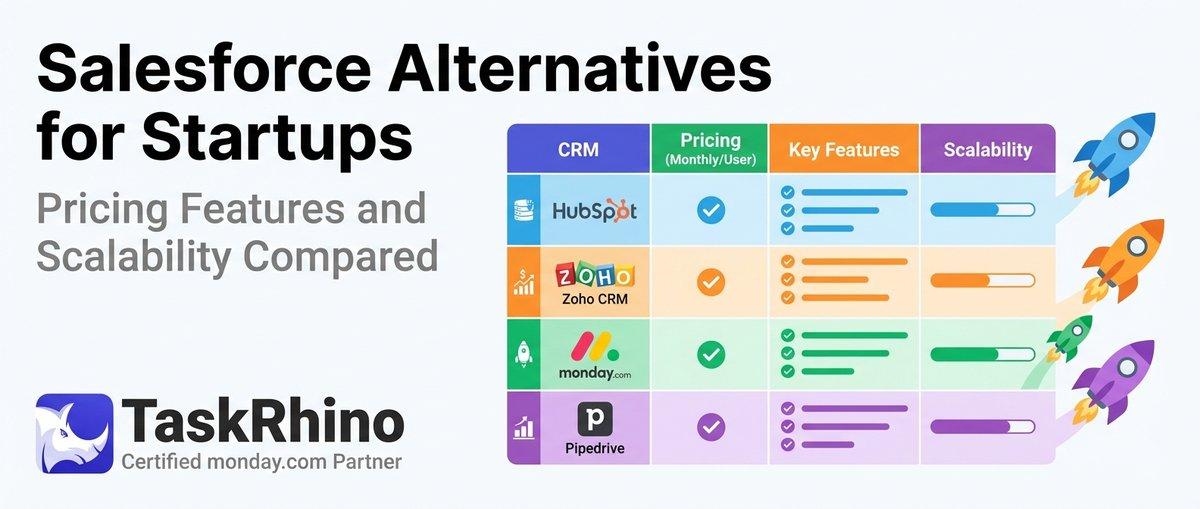
10 Best Salesforce Alternatives for Startups: Pricing, Features & Scalability Compared

10 Best Salesforce Alternatives for Growing SMBs ( Latest Rankings)