

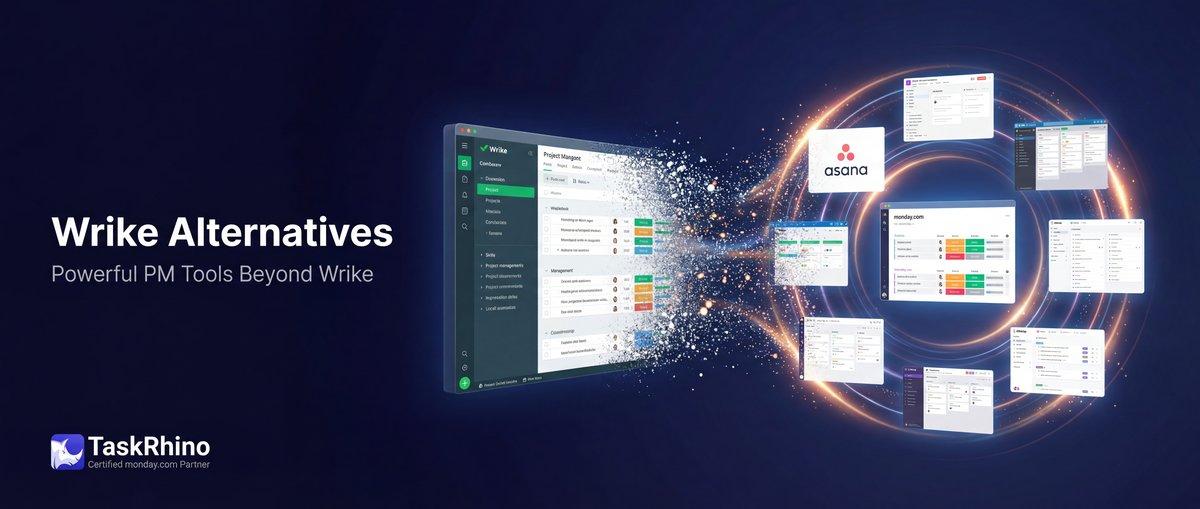
Best Wrike Alternatives for Project Management in 2025
Wrike delivers powerful project management features — Gantt charts, time tracking, custom workflows — but it comes with a steep learning curve, high costs for small teams, and a free plan that barely scratches the surface. If you’re spending more time fighting the interface than managing projects, or if your team is drowning in Wrike’s complexity, you’re not alone.
We’ve worked with 110+ teams migrating from various project management tools to platforms that better match their needs. This guide breaks down seven Wrike alternatives — what they do well, where they fall short, and who should actually use them.
Why Teams Leave Wrike
Based on user reviews and our consulting experience, here are the top reasons teams look for Wrike alternatives:
| Pain Point | What Users Report |
|---|---|
| Steep learning curve | New team members take weeks to get productive |
| High cost for small teams | Pricing jumps quickly beyond basic plans |
| Limited free plan | Only 2GB storage, no Gantt charts, capped at 5 users |
| Performance issues | Slow loading times with large projects |
Quick Comparison: Top 7 Wrike Alternatives
| Tool | Best For | Starting Price | Free Plan |
|---|---|---|---|
| monday.com | Visual workflows + automation | $9/user/month | ✅ 2 seats |
| Asana | Task management simplicity | $10.99/user/month | ✅ 15+ users |
| ClickUp | All-in-one flexibility | $7/user/month | ✅ Unlimited users |
| Smartsheet | Spreadsheet-style planning | $9/user/month | ❌ 30-day trial |
| Teamwork | Client project delivery | $10.99/user/month | ✅ 5 users |
| Basecamp | Simple team coordination | $15/user/month | ✅ 1 project |
| Notion | Docs + lightweight PM | $8/user/month | ✅ Unlimited users |
1. monday.com — Best Overall Wrike Alternative
monday.com combines visual project boards with powerful automation and integrations — without Wrike’s complexity. Teams get up and running in hours, not weeks.
Why monday.com Beats Wrike
| Feature | monday.com | Wrike |
|---|---|---|
| Learning curve | Hours to productivity | Days to weeks |
| Visual boards | 10+ customizable views | 5 views, less flexible |
| Automation | 250+ actions/month (Standard) | Enterprise-only advanced automations |
| Free plan storage | 500MB | 2GB |
monday.com Pricing (2026)
| Plan | Price/User/Month | Key Features |
|---|---|---|
| Free | $0 | 2 seats, 3 boards, mobile apps |
| Basic | $9 | Unlimited items, 5GB storage |
| Standard | $12 | 250 automations/month, timeline view |
| Pro | $19 | Time tracking, formula columns |
Pros & Cons
| ✅ Pros | ❌ Cons |
|---|---|
| Intuitive drag-and-drop interface | Can get expensive with add-ons |
| Powerful automation on Standard+ plans | Limited free plan (only 2 seats) |
| 200+ integrations built-in | Some advanced features require Pro |
| Excellent mobile apps | Reporting limited on lower tiers |
Real Story: From Wrike to monday.com
A 35-person event management company was spending 4+ hours weekly just updating Wrike boards. Team members constantly asked “where do I find this?” The operations manager switched to monday.com, rebuilt their workflows in 2 days using visual boards, and automated status updates. Result: Board maintenance dropped from 4 hours to 20 minutes per week.
Who Should Choose monday.com
- Teams frustrated by Wrike’s complexity
- Operations managers who need automation without code
- Companies using Wrike’s mid-tier plans but wanting better value
- Anyone who learns visually rather than through menus
Need help setting up monday.com workflows? Schedule a free consultation to see how BoardBridge extends monday.com with advanced forms and cross-board automation.
2. Asana — Best for Task-Focused Teams
Asana strips away Wrike’s enterprise complexity and focuses on one thing: task management done right. If your team needs clear task assignments, deadlines, and dependencies without the overhead, Asana delivers.
Why Asana Beats Wrike
| Feature | Asana | Wrike |
|---|---|---|
| Task dependencies | Clear visual indicators | Buried in menus |
| Free plan | 15+ users | 5 users max |
| Mobile experience | Consistently rated 4.7/5 | Performance complaints |
| Onboarding time | 1-2 hours | 1-2 weeks |
Asana Pricing (2026)
| Plan | Price/User/Month | Key Features |
|---|---|---|
| Personal | $0 | Unlimited tasks, unlimited projects |
| Starter | $10.99 | Timeline view, custom fields |
| Advanced | $24.99 | Portfolios, goals, advanced reporting |
Pros & Cons
| ✅ Pros | ❌ Cons |
|---|---|
| Clean, uncluttered interface | Time tracking requires integration |
| Excellent task dependencies | Limited form capabilities |
| Strong free plan (unlimited users) | Automation only on Starter+ |
| Fast search and filtering | No native Gantt on free plan |
Real Story: Healthcare Compliance Team
A 12-person healthcare compliance team left Wrike because it was “too much tool for what we needed.” They only used task lists and deadlines — nothing else. Asana’s free plan gave them everything: task assignments, due dates, project timelines, and a mobile app their field staff actually used. Savings: $1,440/year compared to Wrike’s Team plan.
Who Should Choose Asana
- Teams overwhelmed by Wrike’s feature bloat
- Task-focused workflows (not resource planning)
- Small teams (Asana’s free plan is generous)
- Anyone who values simplicity over flexibility
3. ClickUp — Best for Customization Flexibility
ClickUp gives you nearly unlimited customization — custom fields, views, automations, and workflows. If Wrike feels rigid, ClickUp is the opposite. Configure anything, anywhere.
Why ClickUp Beats Wrike
| Feature | ClickUp | Wrike |
|---|---|---|
| Custom fields | Unlimited on Free | Limited to paid plans |
| Task views | 15+ views | 5 views |
| Free plan users | Unlimited | 5 max |
| Automations | 100/month (Unlimited plan) | Enterprise-gated |
ClickUp Pricing (2026)
| Plan | Price/User/Month | Key Features |
|---|---|---|
| Free | $0 | Unlimited users, 100MB storage |
| Unlimited | $7 | Unlimited storage, integrations |
| Business | $12 | Advanced automations, timelines |
Pros & Cons
| ✅ Pros | ❌ Cons |
|---|---|
| Unmatched flexibility and customization | Can be overwhelming (too many options) |
| Best free plan of any PM tool | Performance lags with large workspaces |
| Built-in time tracking and docs | Notifications can get noisy |
| Strong automation on Business plan | Mobile app less polished than desktop |
Real Story: Marketing Agency Project Chaos
A 20-person marketing agency was using Wrike but couldn’t adapt workflows per client — every project forced into Wrike’s structure. They moved to ClickUp and built custom views: one for design projects (Kanban), one for content calendars (Calendar view), and one for campaign tracking (Gantt). Each client got a tailored workspace. Result: Client onboarding time cut from 3 days to 4 hours.
Who Should Choose ClickUp
- Teams that hit the ceiling of Wrike’s rigidity
- Power users comfortable with configuration
- Companies managing diverse project types
- Anyone tired of “Wrike’s way or the highway”
See How BoardBridge Handles This Workflow
Book a free demo to see BoardBridge solve this exact problem — live, with your data.
4. Smartsheet — Best for Spreadsheet Lovers
Smartsheet looks and feels like a spreadsheet but functions like a project management tool. If your team lives in Excel and finds Wrike too different, Smartsheet is the bridge.
Why Smartsheet Beats Wrike
| Feature | Smartsheet | Wrike |
|---|---|---|
| Familiar interface | Excel-like grid | Custom UI (new learning) |
| Formulas | Full Excel formula support | Limited formula engine |
| Import from Excel | Native, preserves formatting | Clunky import process |
| Gantt charts | Automatic from dates | Manual configuration |
Smartsheet Pricing (2026)
| Plan | Price/User/Month | Key Features |
|---|---|---|
| Pro | $9 | 4 views, unlimited sheets |
| Business | $19 | Advanced automations, reporting |
| Enterprise | Custom | Unlimited storage, premium support |
Pros & Cons
| ✅ Pros | ❌ Cons |
|---|---|
| Zero learning curve for Excel users | No true free plan (trial only) |
| Powerful formulas and cell-linking | Interface feels dated vs competitors |
| Auto-generated Gantt from dates | Collaboration features lag others |
| Great for complex dependencies | Limited integrations compared to rivals |
Who Should Choose Smartsheet
- Teams deeply comfortable with Excel/Sheets
- Project managers who think in grids, not boards
- Finance or construction teams with complex schedules
- Anyone migrating from spreadsheet chaos
5. Teamwork — Best for Client Projects
Teamwork was built for agencies and consultancies delivering client work. It includes client billing, profitability tracking, and client portals — features Wrike charges extra for or doesn’t offer.
Why Teamwork Beats Wrike
| Feature | Teamwork | Wrike |
|---|---|---|
| Client billing | Built-in time + invoicing | Requires integrations |
| Profitability tracking | Native on all paid plans | Enterprise add-on |
| Client portal | Included | Not available |
| Retainer tracking | Monthly budget burn-down | Manual tracking |
Teamwork Pricing (2026)
| Plan | Price/User/Month | Key Features |
|---|---|---|
| Free Forever | $0 | 5 users, 2 projects |
| Deliver | $10.99 | Unlimited projects, time tracking |
| Grow | $19.99 | Profitability, budgets, workload |
Pros & Cons
| ✅ Pros | ❌ Cons |
|---|---|
| Built for client work (not internal PM) | Overkill if you don’t bill clients |
| Native time tracking and invoicing | Steeper than Asana (simpler tools) |
| Strong budget and profitability reports | Free plan very limited (2 projects) |
| Solid client communication features | Interface less modern than rivals |
Who Should Choose Teamwork
- Agencies and consultancies billing hourly
- Teams tracking project profitability
- Anyone using Wrike + FreshBooks/Harvest
- Client-facing project delivery teams
6. Basecamp — Best for Simplicity
Basecamp is the anti-Wrike. No Gantt charts. No custom fields. No complex workflows. Just message boards, to-do lists, schedules, and file storage. If Wrike feels like flying a 747 when you need a bicycle, Basecamp is that bicycle.
Why Basecamp Beats Wrike
| Feature | Basecamp | Wrike |
|---|---|---|
| Flat pricing | $299/month unlimited users | Per-seat pricing scales fast |
| Onboarding | 15 minutes | Hours to days |
| Feature count | ~10 core features | 100+ features |
| Learning curve | None | Steep |
Basecamp Pricing (2026)
| Plan | Price | Key Features |
|---|---|---|
| Free | $0 | 1 project, 20 users |
| Plus | $15/user/month | Unlimited projects, priority support |
| Pro Unlimited | $299/month | Unlimited users + projects |
Pros & Cons
| ✅ Pros | ❌ Cons |
|---|---|
| Dead simple — anyone can use it | No Gantt charts or dependencies |
| Flat pricing for large teams | Limited reporting and analytics |
| Excellent for async communication | Not suitable for complex projects |
| Zero feature creep or bloat | Can feel too basic for power users |
Who Should Choose Basecamp
- Small teams drowning in Wrike’s complexity
- Companies with 50+ users (flat pricing wins)
- Marketing or creative teams (not engineering)
- Anyone who wants “good enough” fast
Need Help With Your monday.com Setup?
TaskRhino has implemented monday.com for 110+ teams. Get a free consultation.
7. Notion — Best for Docs + Lightweight PM
Notion started as a documentation tool and added project management features. It’s not a Wrike replacement for complex projects, but if your team needs knowledge management + task tracking, Notion combines both.
Why Notion Beats Wrike
| Feature | Notion | Wrike |
|---|---|---|
| Documentation | Wikis, knowledge base built-in | Requires separate tool |
| Templates | 5,000+ community templates | Limited template library |
| Free plan | Unlimited users, unlimited blocks | 5 users, 2GB storage |
| Databases | Linked databases, relations | Rigid folder structure |
Notion Pricing (2026)
| Plan | Price/User/Month | Key Features |
|---|---|---|
| Free | $0 | Unlimited blocks, 10 guests |
| Plus | $8 | Unlimited file uploads, history |
| Business | $15 | Advanced permissions, analytics |
Pros & Cons
| ✅ Pros | ❌ Cons |
|---|---|
| Combines docs + tasks + wiki | Not built for heavy project management |
| Most generous free plan | No native time tracking |
| Incredible flexibility and customization | Can get messy without structure |
| Strong collaboration features | Limited Gantt / timeline features |
Who Should Choose Notion
- Teams needing documentation + light PM
- Startups and small teams (free plan wins)
- Knowledge workers (not construction/manufacturing)
- Anyone leaving Wrike for being “too PM-focused”
Pain Points Solved by Each Alternative
Different tools solve different Wrike problems. Here’s the breakdown:
| Wrike Pain Point | Best Alternative | Why |
|---|---|---|
| Too complex | Basecamp | Strips to essentials |
| Expensive for small teams | ClickUp Free | Unlimited users |
| Steep learning curve | Asana or monday.com | Hours to productivity |
| Poor mobile experience | Asana | 4.7/5 mobile rating |
Feature Comparison Matrix
| Feature | monday.com | Asana | Smartsheet |
|---|---|---|---|
| Task dependencies | ✅ Pro+ | ✅ Starter+ | ✅ Pro+ |
| Time tracking | ✅ Pro+ | ❌ Integration only | ✅ Business+ |
| Gantt charts | ✅ Standard+ | ✅ Starter+ | ✅ Pro+ |
| Automation | ✅ Standard+ | ✅ Starter+ | ✅ Business+ |
| Feature | Teamwork | Basecamp | Notion |
|---|---|---|---|
| Task dependencies | ✅ Deliver+ | ❌ | ❌ |
| Time tracking | ✅ Deliver+ | ❌ | ❌ |
| Gantt charts | ✅ Deliver+ | ❌ | ❌ |
| Automation | ✅ Grow+ | ❌ | ❌ |
Migration Considerations
Data Export from Wrike
Wrike allows CSV/Excel export for tasks, but custom fields, attachments, and time logs require manual work. Plan 2-3 weeks for a clean migration.
| Export Item | Difficulty | Notes |
|---|---|---|
| Tasks | Easy | CSV export available |
| Custom fields | Medium | Manual remapping required |
| Attachments | Hard | Download and re-upload |
| Time logs | Medium | CSV export, needs formatting |
What to Migrate vs. Archive
| Data Type | Recommendation |
|---|---|
| Active projects | Migrate fully |
| Completed projects (last 6 months) | Migrate key data only |
| Old projects (6+ months) | Archive in Wrike, don’t migrate |
| Templates | Rebuild from scratch (faster than export) |
Typical Migration Timeline
| Phase | Duration | Key Activities |
|---|---|---|
| Planning | 1 week | Choose tool, map workflows |
| Setup | 1 week | Configure new tool, build boards |
| Migration | 1-2 weeks | Import data, rebuild automations |
| Training | 1 week | Team onboarding, documentation |
Need migration help? Book a free consultation to plan your Wrike exit strategy and data migration.
Pricing Comparison: 10-User Team
Here’s what a 10-user team pays annually for each alternative:
| Tool | Annual Cost (10 users) | Plan Tier |
|---|---|---|
| Wrike Team | $2,400 | Team plan |
| monday.com | $1,440 | Standard |
| Asana | $1,319 | Starter |
| ClickUp | $840 | Unlimited |
| Smartsheet | $1,080 | Pro |
| Teamwork | $1,319 | Deliver |
| Basecamp | $3,588 | Pro Unlimited |
| Notion | $960 | Plus |
Savings tip: ClickUp and Notion offer the best value for small teams. Basecamp’s flat pricing wins at 30+ users.
Integration Ecosystem Comparison
| Tool | Integration Count | Notable Integrations |
|---|---|---|
| Wrike | 400+ | Salesforce, Adobe, Microsoft |
| monday.com | 200+ | Slack, Zoom, Google Workspace |
| Asana | 200+ | Slack, Microsoft, Google |
| ClickUp | 1,000+ | Everything via Zapier/native |
Decision Framework: Which Alternative to Choose
Choose monday.com if you need:
- Visual workflows without complexity
- Strong automation on affordable plans
- Balance of power and usability
- Excellent mobile experience
Choose Asana if you need:
- Pure task management simplicity
- Generous free plan (15+ users)
- Fast onboarding (hours, not days)
- Clean, uncluttered interface
Choose ClickUp if you need:
- Maximum customization and flexibility
- Best free plan (unlimited users)
- All-in-one (docs, wikis, PM, goals)
- Willingness to configure everything
Choose Smartsheet if you need:
- Spreadsheet-style interface
- Complex formulas and cell-linking
- Familiarity for Excel power users
- Traditional Gantt chart workflows
Choose Teamwork if you need:
- Client billing and profitability tracking
- Agency/consultancy workflows
- Native time tracking + invoicing
- Client portals and communication
Choose Basecamp if you need:
- Maximum simplicity (anti-Wrike)
- Flat pricing (large teams)
- Async communication focus
- “Good enough” over “perfect”
Choose Notion if you need:
- Documentation + lightweight PM
- Incredible flexibility and templates
- Best free plan for small teams
- Knowledge management + task tracking
Stop Creating Duplicates
BoardBridge forms update existing items — no Enterprise plan, no workarounds, no duplicates.
Frequently Asked Questions
How does ClickUp’s custom workflow builder compare to Wrike’s for teams migrating from complex blueprints?
ClickUp offers a highly flexible workspace allowing teams to build custom workflows from scratch, combining project management, documents, and communication into one platform, unlike Wrike’s more rigid structured approach. This makes it ideal for unique processes, with faster setup times of 3-6 weeks versus Wrike’s steeper learning curve. Teams report reduced tool fragmentation as ClickUp aims to replace multiple apps.
What Wrike alternative provides enterprise-grade Gantt charts and portfolio management without heavy admin overhead?
Workzone delivers enterprise-level power with pre-built approval workflows, portfolio reporting, and Gantt features, emphasizing ease of use and predictable pricing over Wrike’s administrative demands. It supports fast rollouts for non-technical users, addressing common Wrike migration pain points like complexity and cost scaling. monday.com also offers strong portfolio views with Gantt, dependencies, and dashboards but focuses more on visual customization.
For spreadsheet-savvy teams, how does Smartsheet replicate Wrike’s automation and reporting while easing the transition?
Smartsheet uses a familiar grid interface like Excel, adding collaboration, automation, workflows, and Gantt charts that scale to enterprise portfolio management, making it less intimidating than Wrike’s custom UI. It retains spreadsheet flexibility for data-heavy teams while providing live dashboards and 85% Fortune 500 adoption for proven scalability. Unlike Wrike, it reduces the learning curve for Excel users without sacrificing reporting depth.
Which tool best replaces Wrike’s Agile features for development teams needing native Jira-like environments?
Jira serves as a native Agile environment more technical than Wrike, ideal for dev teams requiring deep configuration without Wrike’s generalist overhead. It excels in scalability and security for large organizations but demands a dedicated admin, similar to Wrike yet more specialized. Kanbanchi offers complementary Kanban, Gantt, and list views for smoother cross-department collaboration as a lighter alternative.
How do Asana’s cross-functional collaboration tools address Wrike’s interface complexity for deadline-driven teams?
Asana balances powerful task coordination with an intuitive design, enabling quick mastery for cross-functional teams overwhelmed by Wrike’s feature depth. It supports clean interfaces, strong mobile experiences, and setup in 1-2 weeks, prioritizing deadline visibility over rigid structures. This makes it effective for marketing and creative workflows without extensive training.
What Microsoft-integrated Wrike alternative offers both simple Kanban and enterprise Gantt for hybrid teams?
Microsoft Planner provides simple Kanban for everyday tasks, while Microsoft Project delivers enterprise-grade Gantt charts and timelines, seamlessly integrating with Microsoft 365 ecosystems. This duo avoids Wrike’s high costs and complexity for small-to-large teams committed to the Microsoft stack. It ensures logical transitions without third-party integrations, supporting both macro planning and micro task views.


Editor's Choice
2026 Accounting Seed Review: Top Alternatives & Comparisons

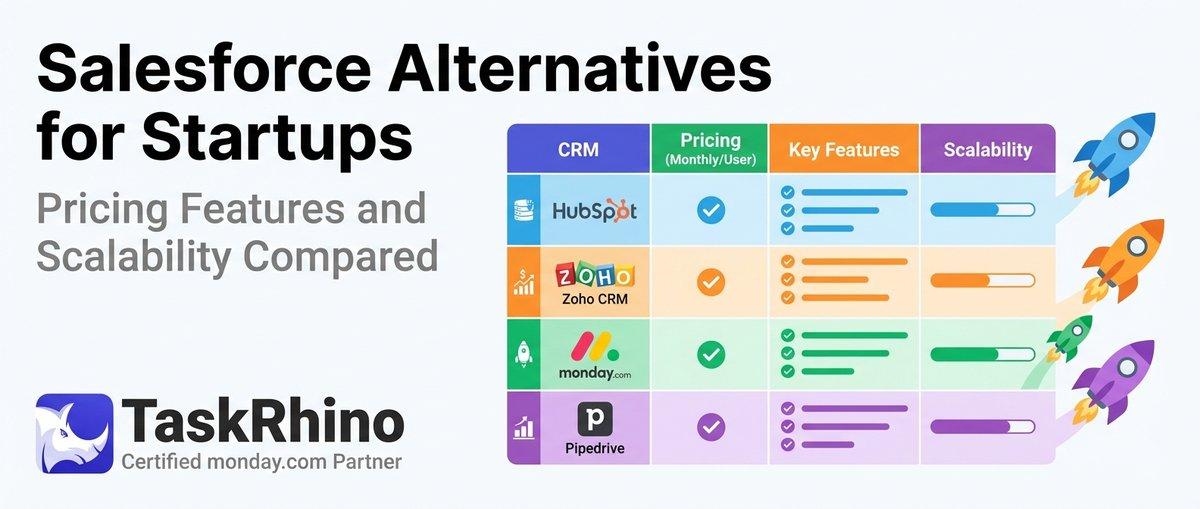
10 Best Salesforce Alternatives for Startups: Pricing, Features & Scalability Compared

10 Best Salesforce Alternatives for Growing SMBs ( Latest Rankings)