

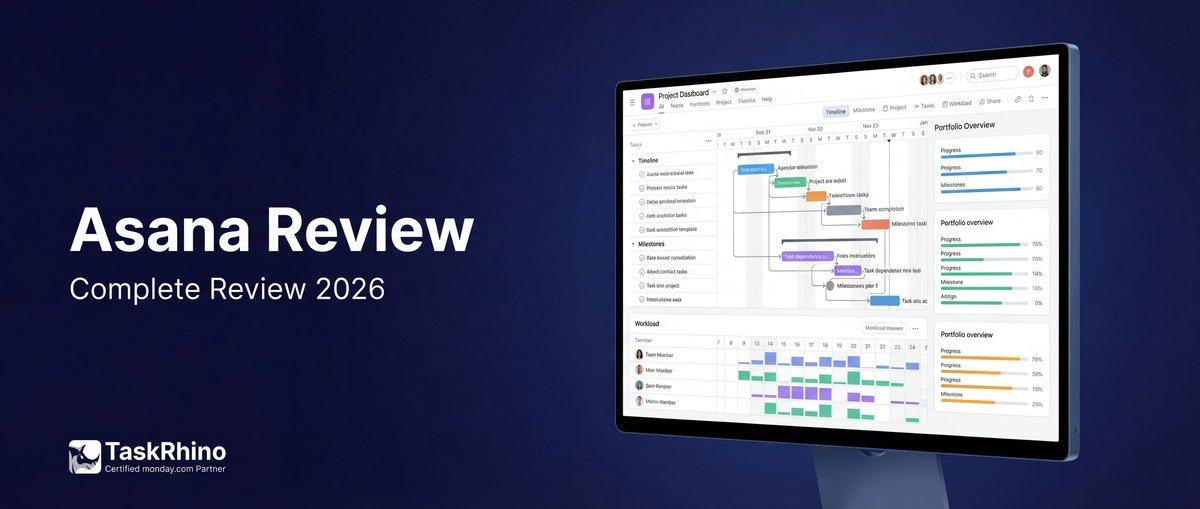
Asana Review 2026: Is It the Right Project Management Tool for Your Team?
If you’re drowning in emails, Slack messages, and endless status meetings, you’re probably looking for a project management tool that can actually bring some order to the chaos. Asana is one of the most popular names in the space — but is it the right fit for your team?
As a certified monday.com partner who’s helped 110+ clients choose and implement project management solutions, we’ve evaluated Asana more times than we can count. Many of our clients came to us after trying Asana, while others were deciding between Asana and monday.com.
This isn’t a sales pitch. It’s an honest review based on real-world experience helping teams find the right tools. We’ll cover what Asana does brilliantly, where it falls short, and who should (and shouldn’t) use it.
Quick Verdict
Overall Rating: 4.2/5
Asana is best for: Marketing teams, mid-size companies (50-200 people), and organizations where goals and OKRs are central to operations. If you need a clean, intuitive interface for task management and your team isn’t too customization-hungry, Asana might be exactly what you need.
Look elsewhere if: You’re a software development team (use Jira), need heavy workflow customization (use monday.com), require built-in time tracking on lower plans, or operate at very large scale where per-user pricing becomes prohibitive.
The honest truth? Asana is a genuinely excellent tool that excels in specific use cases. It’s not for everyone, and that’s okay. Your job is to figure out if you’re in the sweet spot where Asana shines.
What Is Asana?
Asana is a cloud-based project management platform designed to help teams organize, track, and manage their work. Founded in 2008 by Facebook co-founder Dustin Moskovitz and engineer Justin Rosenstein, Asana has grown into one of the most recognizable names in work management software.
At its core, Asana is about getting work out of email and into a structured system where everyone can see who’s doing what by when. You create projects, add tasks, assign them to team members, set due dates, and track progress through various views (lists, boards, timelines, calendars).
What makes Asana stand out is its clean, uncluttered interface and its strong focus on goals and objectives. Unlike some project management tools that feel overwhelming from day one, Asana presents a surprisingly gentle learning curve for basic task management.
Key Capabilities:
- Task and project management across multiple views
- Goals and OKR tracking
- Portfolio management for high-level oversight
- Forms for intake and requests
- Workflow automation (rules and workflow builder)
- AI-powered features (Asana AI)
- Integration with 100+ apps
Asana works for teams of all sizes, though it’s particularly popular with marketing teams, creative agencies, and mid-market companies that need structured project management without excessive complexity.
Asana Pricing: What You’ll Actually Pay
Asana offers four main pricing tiers plus a fifth (Enterprise+) for compliance-heavy organizations. Here’s the breakdown:
| Plan | Price | Best For |
|---|---|---|
| Personal | Free forever | Individuals or teams of 2 |
| Starter | $10.99/user/month (annual) or $13.49/month (monthly) | Small teams needing basic automation and custom fields |
| Advanced | $24.99/user/month (annual) or $30.49/month (monthly) | Mid-size teams needing goals, portfolios, and time tracking |
| Enterprise | Custom pricing (contact sales) | Large organizations needing advanced security and admin controls |
| Enterprise+ | Custom pricing (contact sales) | Enterprises with strict compliance requirements (HIPAA, audit logs, etc.) |
What’s Included in Each Plan?
Personal (Free):
- Up to 2 users (great for solo workers or tiny teams)
- Unlimited tasks, projects, and messages
- List, Board, and Calendar views
- 100+ free integrations
- Basic search
- Mobile apps
The free plan is genuinely generous — more so than most competitors. If you’re a solopreneur or working with one other person, you can run your entire business on Asana’s free tier.
Starter ($10.99/user/month):
- Everything in Personal, plus:
- Unlimited users (this is where most teams start)
- Timeline and Gantt views
- Custom fields
- Forms for intake
- Workflow builder and unlimited rules
- Advanced search
- Asana AI (included!)
- AI Studio access (additional credits for purchase)
- Admin console
This is the sweet spot for growing teams. You get the core project management features plus AI assistance and automation.
Advanced ($24.99/user/month):
- Everything in Starter, plus:
- Goals (company, team, and individual OKRs)
- Unlimited portfolios
- Forms with conditional branching logic
- Approvals
- Proofing (annotate designs and PDFs)
- Native time tracking
- Integrations with Salesforce, Tableau, and Power BI
The Advanced plan is where Asana really flexes. If goal tracking matters to your organization, this tier is worth the premium.
Enterprise & Enterprise+ (Custom Pricing):
- Everything in Advanced, plus:
- SAML SSO
- Capacity planning
- 24/7 support
- Advanced security controls
- Custom branding
- (Enterprise+ adds HIPAA compliance, audit log API, encryption key management)
The Hidden Costs
AI Studio credits: While Asana AI features are included in paid plans, AI Studio (for building custom AI workflows) requires purchasing additional credits. Pricing varies based on usage.
Add-ons:
- Timesheets & Budgets: Available on Starter+ plans at additional cost
- Compliance Management: Available on Enterprise plans (includes audit logs, SIEM integration)
- Permissions Management: Available on Enterprise plans (advanced access controls)
The pricing reality: For a team of 25, you’re looking at:
- Starter: $274.75/month (annual billing)
- Advanced: $624.75/month (annual billing)
That’s reasonable for what you get — but it scales linearly. At 100 users on Advanced, you’re at $2,499/month or nearly $30K/year. This is where some teams start looking for alternatives.
Key Features: What Asana Actually Does
Let’s dig into what you can actually do with Asana, beyond the marketing fluff.
Task Management
At its heart, Asana is a task management system. You create tasks, assign them to team members, add due dates and descriptions, attach files, and track completion.
What works:
- Tasks can live in multiple projects (multi-homing)
- Subtasks help break down complex work
- Dependencies ensure work happens in the right order
- Start dates and times (not just due dates)
- Comments keep discussion threaded with the task
- Activity logs show exactly what changed and when
What’s missing:
- No native task templates (you have to duplicate tasks manually)
- Subtask management can get messy in complex projects
- No built-in time tracking on Starter plan (only Advanced+)
Project Views
Asana offers six main ways to view your work:
| View | Available On | Best For |
|---|---|---|
| List | All plans | Sequential task lists, straightforward to-dos |
| Board | All plans | Kanban-style workflows, visual project stages |
| Calendar | All plans | Date-dependent work, content calendars |
| Timeline | Starter+ | Gantt-style project scheduling, dependencies |
| Gantt | Starter+ | Detailed project management with hierarchy |
| Workload | Advanced+ | Resource management, capacity planning |
The honest take: The views are clean and well-designed. Timeline is Asana’s take on Gantt charts, offering a simplified scheduling view. The full Gantt view (also on Starter+) provides more traditional project management features like task hierarchy and progress tracking.
However, unlike monday.com which lets you switch between 10+ views on the same board, Asana’s views are more limited and some key ones (like workload) require the Advanced plan.
Goals and OKRs
This is where Asana genuinely shines. The Goals feature (Advanced plan and up) is one of the best goal-tracking systems in the project management space.
What you get:
- Company, team, and individual goal levels
- Visual goal strategy maps showing how goals connect
- Automatic progress tracking based on completed tasks and projects
- Goal templates and frameworks (OKRs, etc.)
- Weighted goals to reflect importance
- Goal-specific reporting
If your organization runs on OKRs or needs tight alignment between daily tasks and company objectives, Asana’s Goals feature might be worth the Advanced plan price alone. monday.com has goals, but Asana’s implementation is cleaner and more intuitive.
Portfolios
Portfolios (Advanced plan+) are high-level collections of projects. Think of them as folders that let you see the big picture across multiple related initiatives.
Useful for:
- Managing all marketing campaigns in one view
- Tracking departmental work
- Monitoring program-level progress
Portfolios include dashboards with charts showing progress, status, and workload. You can even export portfolio summaries to PDF or PowerPoint (Enterprise plans).
Forms
Asana’s Forms feature (Starter+) lets you create intake forms that feed directly into projects. Someone fills out the form, and boom — a task appears in your project with all the details captured as custom fields.
Features:
| Feature | Availability |
|---|---|
| Basic forms | Starter+ |
| Custom fields | Starter+ |
| Form templates | Starter+ |
| Conditional branching logic | Advanced+ |
Forms with branching (Advanced+) are powerful — the form changes based on answers, so you only ask relevant questions. This is great for complex intake processes.
Limitation: Forms are relatively basic compared to dedicated form tools. No payment integration, limited field types, and no standalone form embedding (they always create Asana tasks).
Workflow Automation
Asana offers two automation approaches:
1. Rules (Starter+): Simple trigger-action automations. When [trigger] happens, do [action].
Examples:
- When task is marked complete → move to “Done” section
- When task is assigned to John → add “In Progress” tag
- When due date is tomorrow → send reminder
You get unlimited rules on Starter+ plans. They’re straightforward but limited to single-step actions.
2. Workflow Builder (Starter+): More complex multi-step workflows with conditional logic.
The honest take: Asana’s automation is decent but not exceptional. monday.com’s automation recipes are more visual and offer more complex multi-step automations. Asana’s strength is simplicity — the rule builder is easy to understand and quick to set up.
Reporting and Dashboards
Project dashboards (Starter+) give you visual progress tracking with customizable charts showing task completion, status distribution, workload, and more.
What’s available:
- Pre-built chart templates
- Custom chart creation
- Universal reporting (pull data across projects)
- CSV and PDF export
- Integration with Tableau, Power BI, Salesforce (Advanced+)
The limitation: Reporting is project-centric. If you need to analyze data across your entire organization or run complex queries, you’ll need to export to a BI tool. monday.com offers more flexible cross-board reporting.
Integrations
Asana integrates with 100+ apps across all plans, including:
- Communication: Slack, Microsoft Teams, Zoom
- Storage: Google Drive, Dropbox, OneDrive, Box
- Development: GitHub, GitLab, Jira
- Time tracking: Harvest, Toggl, Clockify
- CRM: Salesforce (Advanced+)
The integrations generally work well, though they’re mostly one-way (data flows from other tools into Asana). Two-way sync is available for select tools like Jira (Advanced+).
See How BoardBridge Handles This Workflow
Book a free demo to see BoardBridge solve this exact problem — live, with your data.
Asana AI: Intelligence or Gimmick?
Asana AI (included in Starter+ plans) is a suite of AI-powered features designed to reduce manual work. As of early 2026, here’s what’s actually useful:
Smart Features That Work
Smart Status: AI drafts project status updates by analyzing your project data. It highlights what’s on track, what’s behind, and what needs attention.
Honest take: This actually saves time if you’re writing regular status updates. The AI-generated summaries are surprisingly good — not perfect, but a solid starting point.
Smart Fields: When you create custom fields, Asana AI suggests values and can auto-populate fields based on task context.
Smart Summaries: Get AI-generated summaries of recent task or project activity. Useful for catching up after being away.
Smart Chat: An AI assistant you can chat with to get answers, create tasks, or search for information. Also available in Slack and Microsoft Teams.
Words to Workflows: Describe a workflow in natural language (“When a task is assigned to me, move it to my In Progress section and notify my manager”), and Asana AI creates the automation.
Honest take: This is genuinely helpful for non-technical users who find the workflow builder intimidating.
AI Studio (Additional Credits Required)
AI Studio is Asana’s more advanced AI offering — a no-code builder for creating custom AI workflows and deploying autonomous agents.
The catch: While Asana AI features are included, AI Studio requires purchasing additional credits. Pricing varies based on usage, and Asana hasn’t been transparent about costs.
Who needs it: Large organizations with complex, repetitive workflows that can benefit from custom AI automation. Most teams won’t need AI Studio.
The AI Reality Check
Asana’s AI features are useful but not revolutionary. They’re time-savers for routine tasks like status updates and workflow setup. They won’t manage your projects for you.
Compared to competitors: monday.com recently launched similar AI features. ClickUp has been aggressive with AI integration. Asana’s AI is solid, not groundbreaking.
Asana Pros: What It Does Exceptionally Well
| Strength | Why It Matters |
|---|---|
| Clean, intuitive interface | Low learning curve; team adoption is easier than most PM tools |
| Excellent goals/OKR tracking | Best-in-class goal management; connects daily work to company objectives |
| Generous free plan | 2 users, unlimited tasks, full basic features — great for solopreneurs |
| Multiple project views | List, Board, Calendar, Timeline, Gantt — visualize work your way |
| Strong for marketing teams | Campaign management, content calendars, creative workflows fit naturally |
| Portfolio management | High-level visibility across multiple projects (Advanced+) |
| Solid mobile apps | iOS and Android apps are well-designed and fully functional |
| Forms for intake | Capture requests and turn them into tasks automatically |
| Timeline/Gantt views on Starter plan | Most competitors charge more for Gantt charts |
| Active development | Regular feature updates, responsive to user feedback |
The Standout Strength: Goals
If we had to pick one thing Asana does better than anyone, it’s goal tracking. The Goals feature is thoughtfully designed, visually clear, and actually helps teams maintain alignment between daily work and strategic objectives.
Most project management tools bolt on goal tracking as an afterthought. Asana built it as a core feature, and it shows.
Asana Cons: Where It Falls Short
| Weakness | Impact |
|---|---|
| No native time tracking on Starter | Time tracking requires Advanced plan ($24.99/user/mo); most competitors include it earlier |
| Limited customization | Can’t customize workflows as deeply as monday.com or ClickUp |
| Complex permission model | Understanding who can see/edit what requires significant setup |
| Gets expensive at scale | Linear per-user pricing; 100 users on Advanced = $30K/year |
| Weak native reporting | Dashboards are decent, but cross-project analysis requires exports or BI tools |
| No built-in time tracking on lower tiers | Must integrate third-party tools or upgrade to Advanced |
| Limited CRM capabilities | Not designed for sales teams; CRM integration (Salesforce) only on Advanced+ |
| Subtask limitations | Subtasks don’t show in most views; can’t assign subtasks to multiple people |
| Forms are basic | No payment processing, limited field types, always create tasks |
| AI Studio costs extra | Advanced AI automation requires additional credits beyond plan price |
| Learning curve for advanced features | While basic use is easy, mastering portfolios, goals, and automation takes time |
| Mobile app limitations | Some features (like complex reporting) don’t work well on mobile |
The Big Limitation: Customization
This is the most common complaint we hear from clients who tried Asana and switched to monday.com. Asana has a specific way of doing things, and if your workflow doesn’t fit that model, you’re fighting the tool.
Custom fields help, but you can’t customize the interface, create custom automations beyond what’s offered, or build truly unique workflows. For many teams, this is fine. For others, it’s a dealbreaker.
Who Should Use Asana?
After helping 110+ clients evaluate and implement project management tools, here’s who Asana is genuinely perfect for:
Ideal Users
1. Marketing teams
- Campaign management fits Asana’s project structure naturally
- Content calendars work beautifully in Calendar view
- Creative workflows (ideation → creation → review → publish) map well to Asana’s stages
- Forms work great for creative requests
2. Mid-size companies (50-200 employees)
- Big enough to need structured PM, small enough that per-user cost is manageable
- Need portfolio-level visibility but not massive enterprise features
- Want a tool that’s professional but not overwhelming
3. Goal-driven organizations
- OKRs are central to operations
- Need tight alignment between tasks and company objectives
- Want visual progress tracking on goals
4. Teams prioritizing ease of use
- Non-technical users who need a gentle learning curve
- High turnover or frequent onboarding (clean UI helps)
- Prefer intuitive over powerful
5. Remote/distributed teams
- Strong collaboration features
- Mobile apps work well
- Async communication built-in
Use Cases Where Asana Excels
- Marketing campaign management
- Content production workflows
- Product launches
- Event planning
- Agency client work (with unlimited guests)
- Nonprofit program management
- Simple software development (for small teams)
Need Help With Your monday.com Setup?
TaskRhino has implemented monday.com for 110+ teams. Get a free consultation.
Who Should NOT Use Asana?
Being honest about where Asana doesn’t fit is just as important.
Look Elsewhere If You’re…
1. A software development team
- Use Jira or Linear instead
- Asana has basic issue tracking, but it’s not designed for dev workflows
- Limited sprint planning, no native story points, weak developer integrations
2. Needing heavy customization
- Use monday.com, ClickUp, or Airtable
- If your workflows are unique or complex, Asana’s structure will frustrate you
- monday.com offers significantly more customization flexibility
3. A very small team (1-3 people)
- Asana might be overkill
- Consider Trello, Notion, or Todoist for simpler needs
- Unless you plan to grow, Asana’s power features will go unused
4. Requiring built-in CRM
- Use Pipedrive, HubSpot, or monday.com with CRM boards
- Asana isn’t designed for sales pipeline management
- Salesforce integration exists (Advanced+) but it’s not a native CRM
5. Operating on a tight budget at scale
- At 100+ users, Asana gets expensive quickly
- Linear per-user pricing means no volume discounts
- Consider ClickUp or self-hosted options for better cost scaling
6. Needing complex resource management
- Workload features exist (Advanced+) but are relatively basic
- True resource management needs dedicated tools (Resource Guru, Float)
- monday.com offers more sophisticated capacity planning
Asana vs. The Competition
Let’s compare Asana to the major alternatives — honestly, not as a sales pitch.
Asana vs. monday.com
Asana wins on:
- Cleaner, less colorful interface (if that’s your preference)
- Better goal/OKR tracking
- More generous free plan (2 users vs. monday’s 2-user limit)
- Slightly easier learning curve for basic use
monday.com wins on:
- Significantly more customization (custom columns, views, workflows)
- Better automation (more complex, multi-step recipes)
- Built-in time tracking on lower tiers
- More flexible pricing (per-seat and unlimited users options)
- Better for complex workflows
- More view types (10+ vs. Asana’s 6)
- Superior cross-board reporting
The honest take: If you need a clean, structured tool and goals matter, choose Asana. If you need flexibility and customization, choose monday.com.
Read our full Asana vs monday.com comparison →
Asana vs. ClickUp
Asana wins on:
- Much cleaner interface (ClickUp can feel cluttered)
- Better mobile apps
- Faster performance
- More intuitive for non-technical users
ClickUp wins on:
- More features (almost overwhelming amount)
- Better pricing (cheaper at scale)
- More customization options
- Built-in time tracking on all paid plans
- Native docs and wikis
The honest take: ClickUp tries to be everything to everyone. Asana is more focused. Choose ClickUp if you want maximum features for minimum cost and don’t mind complexity.
Compare monday.com vs ClickUp →
Asana vs. Trello
Asana wins on:
- Multiple views (Trello is board-only)
- Timeline/Gantt charts
- Goals and portfolios
- More sophisticated automation
- Better for mid-size+ teams
Trello wins on:
- Simplicity (Trello is dead simple)
- Lower price point
- Power-Ups ecosystem
- Better for personal use
The honest take: Trello is for small teams or personal use. Asana is for professional teams. Different leagues.
Compare monday.com vs Trello →
Asana vs. Jira
Asana wins on:
- Ease of use (Jira is notoriously complex)
- Better for non-developers
- Cleaner interface
- Better for general project management
Jira wins on:
- Software development workflows
- Issue tracking and bug management
- Sprint planning
- Developer-specific features
- Integration with development tools
The honest take: These tools serve different purposes. Use Jira for software development, Asana for everything else.
Asana vs. Notion
Asana wins on:
- Project management features (tasks, dependencies, timelines)
- Collaboration at scale
- Workflow automation
- Forms and intake
- Mobile apps
Notion wins on:
- Documentation and knowledge management
- Databases and relational data
- Flexibility (can build anything)
- Wikis and docs
- All-in-one workspace concept
The honest take: Notion is a knowledge/doc tool that does project management. Asana is a project management tool that does docs poorly. Use both if you need both.
Compare monday.com vs Notion →
What Users Actually Say: Reviews from the Trenches
Let’s look at real user feedback from G2 and Capterra, not cherry-picked testimonials.
G2 Reviews (4.4/5 stars, 10,000+ reviews)
Common Praise:
- “Clean interface makes it easy to onboard new team members”
- “Goals feature is the best I’ve used for OKR tracking”
- “Timeline view helps us visualize project schedules clearly”
- “Good balance of features without being overwhelming like ClickUp”
Common Complaints:
- “Gets expensive fast as team grows”
- “Limited customization compared to monday.com”
- “Time tracking should be included on Starter plan”
- “Complex permission system is confusing”
- “Reporting could be much better”
Capterra Reviews (4.5/5 stars, 12,000+ reviews)
Top Likes:
- “Multiple views let us see work different ways”
- “Forms make intake and requests so much easier”
- “Mobile app works really well”
- “Free plan is generous for small teams”
Top Dislikes:
- “Learning curve for advanced features is steeper than expected”
- “Subtasks don’t show in main views, which is frustrating”
- “No built-in time tracking on lower plans”
- “Can feel like overkill for simple projects”
The Pattern We See
Users love Asana’s interface and core task management. Complaints center around pricing at scale, limited customization, and features locked behind higher tiers (especially time tracking).
Teams rarely leave Asana because it’s bad — they leave because they’ve outgrown what it offers or need customization it can’t provide.
Stop Creating Duplicates
BoardBridge forms update existing items — no Enterprise plan, no workarounds, no duplicates.
Frequently Asked Questions
Is Asana good for project management?
Yes, Asana is excellent for project management, especially for marketing teams, creative workflows, and mid-size companies. It offers task management, multiple project views (List, Board, Timeline, Gantt), dependencies, forms, and automation. However, it’s less suitable for software development teams (who should use Jira) or teams needing heavy customization (who should consider monday.com).
How much does Asana cost?
Asana offers a free Personal plan for up to 2 users. Paid plans start at $10.99/user/month (Starter, billed annually) and $24.99/user/month (Advanced, billed annually). Enterprise and Enterprise+ plans require custom pricing quotes. For a 25-person team, expect to pay $275-625/month depending on the plan.
Does Asana have time tracking?
Yes, but only on the Advanced plan ($24.99/user/month) and higher. Native time tracking lets you compare estimated vs. actual time spent on tasks. Starter plan users must integrate third-party time tracking tools like Harvest, Toggl, or Clockify. This is a common complaint — most competitors include time tracking on lower-tier plans.
What’s the difference between Asana and monday.com?
Asana excels at clean interface, goals/OKR tracking, and ease of use. monday.com offers more customization, better automation, more view types, and built-in time tracking on lower plans. Asana is better for teams that want structure; monday.com is better for teams that need flexibility. Read our detailed comparison →
Is Asana free?
Yes, Asana’s Personal plan is free forever for up to 2 users with unlimited tasks, projects, and messages. You get List, Board, and Calendar views plus 100+ integrations. It’s one of the most generous free plans in project management software. Most teams upgrade to Starter ($10.99/user/month) when they add their third team member or need features like Timeline view, custom fields, or automation.
Can Asana integrate with other tools?
Yes, Asana integrates with 100+ apps including Slack, Microsoft Teams, Google Drive, Zoom, GitHub, and more. All plans include the core integrations. Advanced plan and higher includes integrations with Salesforce, Tableau, and Power BI. Most integrations are one-way (data flows into Asana), though two-way sync exists for select tools like Jira.
Is Asana good for agile/scrum teams?
Asana can work for simple agile workflows, but it’s not designed for software development. It lacks native sprint planning, story points, velocity tracking, and developer-specific features. For serious agile/scrum work, use Jira or Linear. Asana is better suited for marketing sprints, content production cycles, and general project sprints rather than software development sprints.
Does Asana have AI features?
Yes, Asana AI is included in Starter, Advanced, Enterprise, and Enterprise+ plans. Features include Smart Status (AI-drafted status updates), Smart Fields (auto-populate custom fields), Smart Chat (AI assistant), Smart Summaries, and Words to Workflows (natural language automation creation). AI Studio (for custom AI workflows) requires purchasing additional credits beyond your plan.
What’s better: Asana or ClickUp?
It depends on your priorities. Asana offers a cleaner interface, better mobile apps, and faster performance. ClickUp offers more features, better pricing at scale, and more customization. Asana is easier for non-technical users; ClickUp gives you more power but with added complexity. Choose Asana if you value simplicity, ClickUp if you want maximum features for minimum cost.
Can I try Asana before committing?
Yes, absolutely. Start with the free Personal plan (no credit card required) to test basic features. When you’re ready to explore paid features, Asana offers a 30-day free trial of Starter or Advanced plans. During the trial, you get full access to all paid features. If you don’t upgrade, your account reverts to the free plan — nothing is deleted.
How secure is Asana?
Asana takes security seriously with SOC 2 Type II compliance, 256-bit encryption at rest and in transit, multi-factor authentication, and cross-regional backups. Advanced plans add Google SSO. Enterprise plans include SAML SSO, audit logs, and advanced security controls. Enterprise+ offers HIPAA compliance (with specific requirements), encryption key management, and compliance integrations for highly regulated industries.
Is Asana worth it in 2026?
For the right teams, yes. If you’re a marketing team, mid-size company, or organization where goals/OKRs matter, Asana’s strengths align with your needs. The clean interface and strong core features justify the cost. However, if you need heavy customization, are in software development, or operate at large scale where per-user pricing becomes prohibitive, other tools might offer better value. Learn about monday.com as an alternative →
Final Verdict: Should You Choose Asana?
After evaluating Asana across dozens of client projects, here’s our final take.
Overall Rating: 4.2/5
Asana Excels At:
- Clean, intuitive task and project management
- Goals and OKR tracking (best in class)
- Marketing team workflows
- Mid-size company project management
- Ease of use and onboarding
- Multiple project views (List, Board, Timeline, Gantt)
- Generous free plan for small teams
Asana Falls Short On:
- Customization (less flexible than monday.com or ClickUp)
- Time tracking on lower plans (only Advanced+)
- Pricing at scale (gets expensive for large teams)
- Complex permission model
- Limited native reporting
- Not ideal for software development
Who Should Choose Asana:
- Marketing teams managing campaigns, content, and creative work
- Mid-size companies (50-200 employees) needing structured PM without enterprise complexity
- Goal-driven organizations where OKRs are central to operations
- Teams prioritizing ease of use over maximum customization
- Remote teams needing strong collaboration and mobile apps
Who Should Look Elsewhere:
- Software developers → Use Jira or Linear
- Teams needing heavy customization → Use monday.com or ClickUp
- Very small teams (1-3 people) → Use Trello or Notion
- Sales teams needing CRM → Use Pipedrive or monday.com with CRM
- Large enterprises (500+ users) → Per-user pricing becomes prohibitive
The Bottom Line
Asana is a genuinely excellent project management tool that excels in specific use cases. It’s not trying to be everything to everyone — and that’s actually its strength.
If your workflows fit Asana’s model, you’ll love it. The interface is clean, the core features work beautifully, and the goals tracking is second to none. But if you need customization or have unique workflows, you’ll hit Asana’s limitations quickly.
Our recommendation: Start with Asana’s free plan. Use it for a real project. If it feels right, upgrade to Starter. If you’re constantly wishing you could customize things differently, explore monday.com or ClickUp instead.
The right project management tool is the one your team actually uses. Asana makes that easy — which is why it’s one of the most popular options out there.
Need Help Choosing?
We’ve helped 110+ teams evaluate and implement project management solutions. Whether you choose Asana, monday.com, or something else, we can help you make the right decision and implement it successfully.
Schedule a free consultation →
We’re certified monday.com partners, but we’ll give you honest advice about what’s best for your team — even if that’s Asana.


Editor's Choice

ClickUp Review 2026: Honest Analysis

monday.com Review 2026: Honest Analysis
The Detailed Twenty CRM Review: Features and limitations