

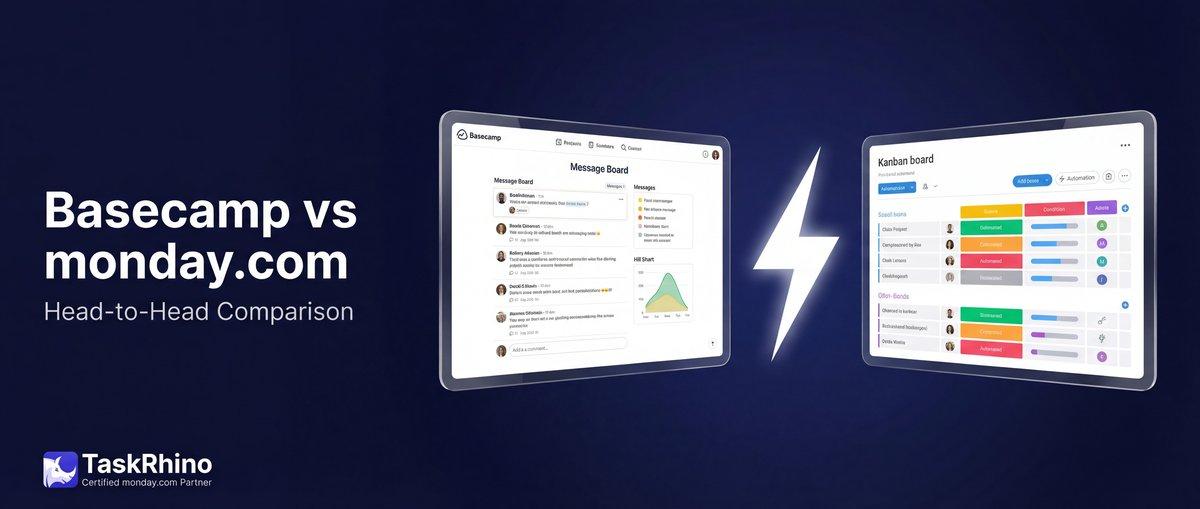
Asana vs Basecamp vs Monday: 2026 Ultimate Comparison
You’re choosing between Basecamp and monday.com, and the decision feels more complex than it should. One promises simplicity with flat pricing. The other offers extreme flexibility with per-seat costs. Both work. But they’re built for fundamentally different teams.
Basecamp is for teams who want simplicity over customization. It’s an opinionated tool that says “here’s how project management should work” and refuses to add features that would complicate that vision. monday.com is for teams who want power and flexibility. It’s a “Work OS” that lets you build your own workflows, automations, and custom views.
The right choice depends on whether you’d rather have a tool that works out of the box with minimal setup, or one you can mold to match your exact processes. This guide breaks down pricing, features, and use cases so you can decide which fits your team.
Quick Comparison: Basecamp vs monday.com
| Factor | Basecamp | monday.com |
|---|---|---|
| Best For | Teams wanting simplicity, flat pricing for large groups | Teams needing customization, automation, multiple views |
| Philosophy | Intentionally simple, anti-feature-bloat | Flexible Work OS, build-your-own-workflow |
| Pricing Model | $15/user or $299/month flat (unlimited users) | $9-$27/seat/month (per-user pricing) |
| Learning Curve | Minimal — works out of the box | Steeper — requires setup and customization |
| Views | List, Card Table (Kanban), Hill Charts, Schedule | Kanban, Gantt, Timeline, Calendar, Chart, Workload, Map, Form (8+ views) |
| Automations | None (manual processes) | Powerful automation engine (250-25K+ actions/month) |
| Integrations | Limited native integrations, Zapier available | 200+ native integrations |
| Customization | Minimal — opinionated structure | Extreme — build custom workflows |
| Communication | Built-in: Message Boards, Campfire chat, Pings | Comment threads, integrates with Slack/Teams |
| Free Plan | Yes (1 project, 20 users) | Yes (up to 2 seats, 3 boards) |
Bottom line: Basecamp is for teams who resist complexity and want everyone on the same simple system. monday.com is for teams who need power, flexibility, and are willing to invest time in setup.
What is Basecamp?
Basecamp is a straightforward collaboration tool built by 37signals (formerly Basecamp the company). It’s designed around a simple philosophy: most teams don’t need complex project management software — they need a central place to organize work, communicate, and track to-dos without drowning in features.
Basecamp’s Core Philosophy: Intentional Simplicity
Basecamp is opinionated by design. The team at 37signals deliberately avoids adding features that would increase complexity. No custom fields. No workflow automations. No Gantt chart dependencies. This isn’t an oversight — it’s the product vision.
The result: Basecamp works the same way for every team. A designer in Portland and a construction crew in Denver use the exact same features. There’s no “setup phase” or “configuration.” You create a project, add people, and start working.
Who Uses Basecamp?
- Remote teams who need centralized communication without Slack chaos
- Small businesses and startups who want simple project tracking without a learning curve
- Agencies managing client projects and communication in one hub
- Teams resistant to “project management theater” — the endless status updates, custom workflows, and process overhead
Basecamp’s Unique Features
Hill Charts
Basecamp’s most distinctive feature is Hill Charts — a visual way to track progress that shows confidence, not just completion percentage.
Work moves through two phases:
- Uphill — Figuring out the unknowns, exploring approaches, making decisions
- Downhill — Executing with confidence once the path is clear
A task at 50% complete could be stuck uphill (still figuring things out) or cruising downhill (smooth execution). Hill Charts show which. No other tool does this.
Message Boards
Basecamp replaces email with threaded message boards. Every project has a message board for announcements, discussions, and decisions. Messages are permanent, searchable, and visible to everyone on the project — no more digging through email chains.
Automatic Check-ins
Basecamp can automatically ask your team recurring questions: “What did you work on today?” or “What’s blocking you this week?” Responses collect in one place, replacing status meetings. Set the schedule once, and Basecamp handles the rest.
Card Tables
Basecamp’s take on Kanban boards. Simple columns for organizing tasks visually. Drag cards between columns. No dependencies, no swimlanes, no complexity. Just visual task organization.
What Basecamp Doesn’t Do
- No workflow automation — Every action is manual
- No custom fields — You get what Basecamp gives you
- No advanced reporting — Basic progress tracking only
- No task dependencies — Tasks don’t automatically trigger other tasks
- No time tracking — Available as $50/month add-on (Timesheet upgrade)
- No resource management — No workload views or capacity planning
If you need these features, you’re fighting Basecamp’s design philosophy.
What is monday.com?
monday.com is a Work OS — a flexible platform where teams build custom workflows using boards, automations, and integrations. Unlike Basecamp’s “one size fits all” approach, monday.com says “build it however you want.”
monday.com’s Core Philosophy: Flexible Customization
monday.com gives you building blocks: boards, columns, views, automations, integrations. You assemble them into workflows that match your processes. Marketing teams build campaign trackers. Sales teams build CRM pipelines. Development teams build sprint boards.
The same platform looks completely different for each team because you decide how it works.
Who Uses monday.com?
- Marketing teams tracking campaigns, content calendars, and creative workflows
- Sales teams managing leads, deals, and customer relationships
- Development teams running sprints, tracking bugs, managing releases
- Operations teams needing process automation and cross-department workflows
- Growing companies where different departments need different workflows
monday.com’s Key Strengths
Multiple Views for the Same Data
Your board can display as:
- Kanban — Card-based workflow stages
- Gantt — Timeline with dependencies
- Calendar — Date-based scheduling
- Timeline — Visual project roadmap
- Workload — Team capacity and resource allocation
- Chart — Data visualizations and reports
- Map — Geographic location tracking
- Form — Data collection that creates items
Switch views instantly. Same data, different perspectives.
Powerful Automations
monday.com automations trigger actions based on conditions:
- When status changes to “Done” → notify team, move item to archive board, send email to client
- When due date is 3 days away → send reminder to assignee
- When priority is “High” → notify manager and add to urgent items board
- Every Monday at 9am → create weekly standup item
You get 250-25,000+ automation actions per month depending on your plan. Basecamp: zero.
200+ Integrations
monday.com connects natively with Slack, Gmail, Zoom, Salesforce, Jira, Google Drive, Microsoft Teams, HubSpot, and 200+ other tools. Centralize work from multiple apps without manual data entry.
Advanced Reporting
Build custom dashboards combining data from multiple boards. Track KPIs, visualize progress, monitor team performance. Filter, slice, and export data however you need it.
What monday.com Requires
- Setup time — Building your workflows takes thought and configuration
- Learning curve — New users need training to use the platform effectively
- Ongoing maintenance — Automations and integrations require periodic updates
- Cost scales with users — Every seat increases your monthly bill
If you want “turn it on and go,” monday.com isn’t that. It’s a platform you build on, not a product you just use.
See How BoardBridge Handles This Workflow
Book a free demo to see BoardBridge solve this exact problem — live, with your data.
Pricing Comparison: Basecamp vs monday.com
Basecamp Pricing (2026)
| Plan | Price | Users | Best For |
|---|---|---|---|
| Free | $0 | Up to 20 | Individuals, very small teams, single project |
| Plus | $15/user/month | Unlimited | Freelancers, startups, smaller teams (under 20 people) |
| Pro Unlimited | $299/month flat (billed annually) or $349/month (billed monthly) | Unlimited users | Growing businesses, large teams (20+ people), agencies |
Key pricing details:
- Clients and contractors are free — You only pay for employees on the Plus plan
- No per-user fees on Pro Unlimited — 50 users? $299. 500 users? Still $299.
- Add-ons available: Timesheet ($50/month flat), Admin Pro Pack ($50/month flat)
- Extended trial: 60 days free on Pro Unlimited, 30 days on Plus
- Nonprofit discount: 10% off for 501(c)(3) organizations
- Education: 100% free for K-12, homeschool, and university classroom use
monday.com Pricing (2026)
| Plan | Price (Annual Billing) | Automation/Integration Actions | Best For |
|---|---|---|---|
| Free | $0 (up to 2 seats) | None | Individuals, testing |
| Basic | $9/seat/month | None | Small teams needing basic boards |
| Standard | $12/seat/month | 250/month | Teams needing timelines, automations, integrations |
| Pro | $19/seat/month | 25,000/month | Teams needing advanced features, private boards, formulas |
| Enterprise | Custom pricing | 250,000/month | Large organizations, advanced security, priority support |
Key pricing details:
- Monthly billing costs 18% more — $12/seat/month (annual) becomes $14/seat/month (monthly)
- Minimum 3 seats on paid plans
- Automations and integrations are usage-limited — Standard plan gets only 250 actions/month
- Free viewers available on Basic and higher (read-only access)
- Nonprofit discount available for qualified organizations
Pricing Comparison by Team Size
| Team Size | Basecamp Cost (Annual) | monday.com Cost (Standard, Annual) | Winner |
|---|---|---|---|
| 5 users | $900/year ($15 × 5 × 12) | $720/year ($12 × 5 × 12) | monday.com |
| 10 users | $1,800/year | $1,440/year | monday.com |
| 20 users | $3,588/year (Pro Unlimited) | $2,880/year | monday.com |
| 30 users | $3,588/year | $4,320/year | Basecamp |
| 50 users | $3,588/year | $7,200/year | Basecamp |
| 100 users | $3,588/year | $14,400/year | Basecamp |
Break-even point: Around 25-30 users, Basecamp’s flat pricing becomes more cost-effective than monday.com’s per-seat model.
The Hidden Cost Difference
Basecamp’s true cost: What you see on the pricing page. $299/month is $299/month. No surprise fees. No usage limits. No “you hit your automation quota” messages.
monday.com’s true cost: Base price + potential overages:
- Hit your 250 automation actions on Standard? Upgrade or stop automating.
- Need more than 5 boards on Free? Upgrade.
- Want integrations? Not available on Basic plan.
- Need private boards? Pro plan only.
monday.com’s pricing is transparent, but you need to understand what each plan includes before committing.
Feature Comparison: Basecamp vs monday.com
Task & Project Management
| Feature | Basecamp | monday.com |
|---|---|---|
| To-Do Lists | ✅ Yes (simple lists with assignments) | ✅ Yes (items with customizable columns) |
| Task Dependencies | ❌ No | ✅ Yes (with Gantt view) |
| Subtasks | ✅ Yes (nested to-dos) | ✅ Yes (subitems) |
| Task Templates | ✅ Yes (project templates) | ✅ Yes (board and item templates) |
| Recurring Tasks | ❌ Limited (via Automatic Check-ins) | ✅ Yes (with automations) |
| Task Assignments | ✅ Yes (one assignee per task) | ✅ Yes (multiple assignees per item) |
| Due Dates | ✅ Yes | ✅ Yes |
| Priority Levels | ❌ No (manual labeling in task name) | ✅ Yes (priority column type) |
| Custom Fields | ❌ No | ✅ Yes (30+ column types) |
Winner: monday.com for teams needing structured task management with dependencies and custom fields. Basecamp for teams who want simple to-do lists without complexity.
Views & Visualization
| View Type | Basecamp | monday.com |
|---|---|---|
| List View | ✅ Yes (default to-do view) | ✅ Yes |
| Kanban/Card View | ✅ Yes (Card Tables) | ✅ Yes |
| Gantt Chart | ❌ No | ✅ Yes (Standard plan+) |
| Timeline | ✅ Yes (Schedule with milestones) | ✅ Yes (Standard plan+) |
| Calendar View | ✅ Yes (Schedule) | ✅ Yes (Standard plan+) |
| Hill Charts | ✅ Yes (unique to Basecamp) | ❌ No |
| Workload/Resource View | ❌ No | ✅ Yes (Pro plan+) |
| Chart/Dashboard View | ❌ No (basic progress only) | ✅ Yes (Pro plan+) |
| Map View | ❌ No | ✅ Yes |
| Form View | ❌ No | ✅ Yes |
Winner: monday.com offers significantly more visualization options. Basecamp has Hill Charts (unique and valuable), but lacks advanced reporting views.
Communication & Collaboration
| Feature | Basecamp | monday.com |
|---|---|---|
| Message Boards | ✅ Yes (threaded discussions per project) | ❌ No (comment threads only) |
| Group Chat | ✅ Yes (Campfire per project) | ❌ No (integrates with Slack/Teams) |
| Direct Messages | ✅ Yes (Pings) | ❌ No (integrates with external tools) |
| Comment Threads | ✅ Yes (on to-dos, messages, files) | ✅ Yes (on items and updates) |
| @Mentions | ✅ Yes | ✅ Yes |
| File Sharing | ✅ Yes (Docs & Files tool) | ✅ Yes (file columns and attachments) |
| Automatic Check-ins | ✅ Yes (recurring questions) | ❌ No (can build with automations) |
| Email Integration | ✅ Yes (forward emails to projects) | ✅ Yes (email notifications and integrations) |
Winner: Basecamp for teams who want communication built into the project management tool. monday.com for teams who already use Slack or Teams and want integration instead.
Automation & Workflows
| Feature | Basecamp | monday.com |
|---|---|---|
| Workflow Automation | ❌ None | ✅ Powerful (250-250K actions/month) |
| Conditional Logic | ❌ No | ✅ Yes (complex conditions) |
| Recurring Automations | ❌ No | ✅ Yes (time-based triggers) |
| Status-Based Triggers | ❌ No | ✅ Yes |
| Cross-Board Automations | ❌ No | ✅ Yes (connect multiple boards) |
| Integration Automations | ❌ Via Zapier only | ✅ Yes (native integrations) |
| Notification Automations | Manual setup | ✅ Yes (customizable) |
Winner: monday.com completely dominates automation. Basecamp requires manual work for everything monday.com can automate.
Integrations & Compatibility
| Category | Basecamp | monday.com |
|---|---|---|
| Native Integrations | Limited (Google Drive, Zapier, calendar sync) | 200+ native integrations |
| Slack/Teams | Via Zapier | ✅ Native integration |
| Google Workspace | Calendar sync, email forwarding | Native integration (Drive, Calendar, Gmail) |
| Salesforce/CRM | ❌ No | ✅ Yes |
| Jira/Development Tools | ❌ No | ✅ Yes |
| Email Marketing | ❌ No | ✅ Yes (Mailchimp, HubSpot, etc.) |
| Zapier | ✅ Yes | ✅ Yes |
| API Access | ✅ Yes | ✅ Yes |
Winner: monday.com by a landslide. Basecamp keeps integrations minimal by design. monday.com builds integrations aggressively.
Reporting & Analytics
| Feature | Basecamp | monday.com |
|---|---|---|
| Progress Tracking | ✅ Basic (Hill Charts, to-do completion %) | ✅ Advanced (custom dashboards) |
| Custom Reports | ❌ No | ✅ Yes (Pro plan+) |
| Dashboard Widgets | ❌ No | ✅ Yes (multiple widget types) |
| Time Tracking | ✅ Add-on ($50/month Timesheet) | ✅ Built-in (Pro plan+) |
| Export Data | ✅ Yes (CSV, XML) | ✅ Yes (Excel, CSV, PDF) |
| Real-Time Analytics | ❌ No | ✅ Yes |
| Team Performance Metrics | ❌ No | ✅ Yes |
Winner: monday.com for teams needing data-driven insights and reporting. Basecamp for teams who don’t want to track everything.
Mobile Experience
| Feature | Basecamp | monday.com |
|---|---|---|
| iOS App | ✅ Yes | ✅ Yes |
| Android App | ✅ Yes | ✅ Yes |
| Mobile Notifications | ✅ Yes | ✅ Yes |
| Offline Access | ✅ Limited | ✅ Limited |
| Mobile-Optimized UI | ✅ Yes (simplified) | ✅ Yes (feature-complete) |
Winner: Tie. Both offer solid mobile apps. Basecamp’s is simpler (matches the web version’s simplicity). monday.com’s is more feature-rich.
Security & Permissions
| Feature | Basecamp | monday.com |
|---|---|---|
| Two-Factor Authentication | ✅ Yes (Admin Pro Pack or Pro Unlimited) | ✅ Yes (all plans) |
| Role-Based Permissions | ✅ Basic (admin, member, guest) | ✅ Advanced (custom roles on Enterprise) |
| Private Projects | ✅ Yes | ✅ Yes (Pro plan+) |
| Guest Access | ✅ Yes (free on all plans) | ✅ Yes (Standard plan+) |
| SSO/SAML | ❌ No | ✅ Yes (Enterprise plan) |
| Data Encryption | ✅ Yes (in transit and at rest) | ✅ Yes (in transit and at rest) |
| GDPR Compliance | ✅ Yes | ✅ Yes |
| SOC 2 Certified | ✅ Yes | ✅ Yes |
| ISO 27001 | ✅ Yes | ✅ Yes |
Winner: Tie on security fundamentals. monday.com offers more granular permissions on Enterprise plans. Basecamp’s security is solid but simpler.
Need Help With Your monday.com Setup?
TaskRhino has implemented monday.com for 110+ teams. Get a free consultation.
Use Cases: When to Choose Each Tool
Choose Basecamp If You…
✅ Want flat pricing for large teams
If you’re scaling past 25-30 users, Basecamp’s $299/month flat rate saves thousands compared to monday.com’s per-seat pricing. A 100-person team pays $3,588/year on Basecamp vs $14,400/year on monday.com Standard.
✅ Resist complexity and want simplicity
Your team doesn’t want to spend time configuring workflows, building automations, or learning a new system. Basecamp works the same way for everyone. Create a project, add people, start working. Zero learning curve.
✅ Prioritize built-in communication
You want message boards, group chat, and direct messaging built into your project management tool. You don’t want to manage Slack + monday.com + email. Basecamp replaces all three.
✅ Value Hill Charts for tracking confidence
You care about where teams are stuck (uphill — figuring things out) vs cruising to completion (downhill — executing). Hill Charts show this better than any other tool’s progress tracking.
✅ Prefer opinionated tools over customization
You want someone to tell you “here’s the right way to manage projects” instead of building it yourself. Basecamp makes decisions for you. You follow their system.
✅ Manage client projects as an agency
Basecamp’s client features (guest access, message boards, file sharing) make it ideal for agencies collaborating with clients on projects. Clients get free guest accounts.
✅ Run a remote team with async communication
Automatic Check-ins replace status meetings. Message boards replace email chains. Everything is documented and searchable. Great for distributed teams across time zones.
Choose monday.com If You…
✅ Need workflow automation
You want tasks to trigger other tasks. Status changes to send notifications. Recurring items to generate automatically. Integration actions to sync data between tools. monday.com automates what Basecamp makes you do manually.
✅ Require custom workflows per department
Marketing runs campaigns differently than Sales tracks leads differently than Development manages sprints. monday.com lets each department build their own workflow. Basecamp forces everyone into the same structure.
✅ Want multiple views of the same data
Your PM needs Gantt charts. Your team prefers Kanban. Your exec wants dashboards. monday.com shows the same data in 8+ different views. Basecamp gives you lists and Card Tables.
✅ Need advanced reporting and analytics
You track KPIs, measure team performance, and make data-driven decisions. monday.com builds custom dashboards from board data. Basecamp shows basic progress percentages.
✅ Depend on integrations with other tools
Your team lives in Slack, stores files in Google Drive, tracks deals in Salesforce, and manages code in Jira. monday.com connects them all. Basecamp integrates minimally.
✅ Want resource management and workload views
You need to see team capacity, balance workloads, and prevent burnout. monday.com’s Workload view shows who’s overloaded and who has availability. Basecamp doesn’t track this.
✅ Have a smaller team (under 25 users)
Per-seat pricing works fine when you’re not buying 50+ seats. A 10-person team pays $1,440/year on monday.com Standard vs $1,800/year on Basecamp Plus. monday.com is cheaper until you hit scale.
✅ Value flexibility over simplicity
You’d rather have more features and deal with complexity than be limited by a simple tool. monday.com gives you building blocks to assemble your ideal workflow.
Real-World Scenarios: Basecamp vs monday.com
Scenario 1: 50-Person Marketing Agency Managing Client Projects
Requirements:
- Managing 20+ active client projects simultaneously
- Client collaboration and feedback
- File sharing, approvals, and deliverables
- Team communication without email overload
Basecamp wins here:
- Pricing: $3,588/year vs $7,200/year (monday.com Standard)
- Client guest access: Free on all plans
- Built-in communication: Message boards per project, Campfire chat
- Simplicity: Clients can use Basecamp without training
monday.com drawbacks:
- Per-seat costs add up with 50 users
- Clients might need training to navigate custom workflows
- Communication requires Slack integration (another tool)
Scenario 2: 15-Person SaaS Startup with Development Sprints
Requirements:
- Sprint planning with task dependencies
- Gantt charts for release timelines
- Integration with Jira, GitHub, Slack
- Automation for sprint rituals
- Separate workflows for dev, marketing, and sales
monday.com wins here:
- Custom workflows: Dev team runs sprints, marketing tracks campaigns, sales manages pipeline — all different
- Gantt charts and dependencies: Plan releases with task relationships
- Native integrations: Connect Jira, GitHub, Slack natively
- Automations: “When sprint ends, archive completed items and notify team”
Basecamp drawbacks:
- No Gantt charts or task dependencies
- No automation for sprint rituals
- Same structure for dev, marketing, and sales (not ideal)
- Limited integrations with dev tools
Scenario 3: 8-Person Remote Consulting Firm
Requirements:
- Simple project tracking for client engagements
- Asynchronous communication across time zones
- File storage and document collaboration
- Weekly check-ins without meetings
Basecamp wins here:
- Automatic Check-ins: Replace weekly status meetings with recurring questions
- Built-in async communication: Message boards and Campfire work across time zones
- Simplicity: No complex setup, just create projects and go
- Pricing: $1,440/year (Plus) vs $1,152/year (monday.com Standard) — close, but Basecamp’s communication features tip the scale
monday.com drawbacks:
- Requires Slack or Teams integration for real-time chat
- More complexity than needed for simple consulting projects
- Setup time doesn’t pay off for straightforward use cases
Scenario 4: 100-Person Operations Team with Complex Cross-Department Workflows
Requirements:
- HR onboarding process triggering IT, Finance, and Facilities tasks
- Sales deals triggering project creation in delivery team boards
- Resource allocation and capacity planning
- Custom dashboards for executives
- SSO and advanced security
monday.com wins here:
- Cross-board automations: Sales deal closed → create project board with assigned PM
- Workload views: See team capacity and balance assignments
- Custom dashboards: Executive view of all projects, deals, and resources
- Enterprise security: SSO, advanced permissions, audit logs
Basecamp drawbacks:
- No automation — all cross-department handoffs are manual
- No resource management or capacity views
- No custom dashboards or reporting
- Basic permissions only
Stop Creating Duplicates
BoardBridge forms update existing items — no Enterprise plan, no workarounds, no duplicates.
Final Verdict: Which Should You Choose?
Choose Basecamp if:
- You have 30+ users and want predictable flat pricing
- You value simplicity over customization
- You want built-in communication (message boards, chat, check-ins)
- Your team resists “project management theater” and complex tools
- You’re an agency managing client projects
- You run a remote team prioritizing async communication
Choose monday.com if:
- You have under 25 users and per-seat pricing works
- You need workflow automation
- You require custom workflows per department
- You want multiple views (Gantt, Kanban, Timeline, Workload)
- You depend on integrations with Slack, Salesforce, Jira, etc.
- You need advanced reporting and analytics
- You’re willing to invest time in setup for long-term flexibility
The honest truth: Both tools are excellent. Your choice depends on your team’s philosophy.
Do you want a tool that works immediately with zero setup, even if it means less flexibility? Basecamp.
Do you want a platform you can mold to your exact processes, even if it requires setup time and ongoing maintenance? monday.com.
Neither is objectively better. They’re built for different teams with different values. The right choice is the one that matches how your team actually works — not which tool has the longest feature list.
Need help choosing the right project management system for your team? TaskRhino offers free 30-minute consultations to help you evaluate your options, map your workflows, and choose the tool that fits your team’s needs — not just what’s popular.
Book your free consultation today to discuss whether Basecamp, monday.com, or another tool is the right fit for your team.
Related reading:
- monday.com vs Asana: Complete Comparison [2026]
- Trello vs monday.com: Which Tool Fits Your Team?
- monday.com Review [2026]: Honest Assessment After 100+ Implementations
- What is monday.com? Complete Guide for Beginners
- ClickUp vs monday.com: Features, Pricing & Use Cases
Frequently Asked Questions
Is Basecamp or monday.com easier to learn?
Basecamp is significantly easier to learn. You can onboard a team in 15 minutes. The interface is minimal, and there’s nothing to configure. Create a project, invite people, add to-dos, post messages. Done.
monday.com has a steeper learning curve. You need to understand boards, items, columns, views, automations, and integrations before you’re productive. Plan for 1-2 weeks of onboarding for new users. The payoff is flexibility — once you learn it, you can build exactly what you need.
Bottom line: Basecamp wins for ease of use. monday.com requires more upfront learning but offers more long-term power.
Can Basecamp do what monday.com does?
No. Basecamp is intentionally limited. It can’t: • Automate workflows • Create Gantt charts with dependencies • Build custom dashboards • Integrate natively with 200+ tools • Provide workload or resource management views
Basecamp can manage projects, track to-dos, facilitate communication, and share files. If your needs extend beyond that, you’ll fight Basecamp’s limitations.
Bottom line: Basecamp is designed to not do what monday.com does. That’s the point.
Which has better customer support?
Both offer 24/7/365 support with strong reputations.
Basecamp: • Email support on all plans • Priority support on Pro Unlimited • Personal onboarding with Pro Unlimited • Extensive help documentation and learning library • Direct access to CEO Jason Fried via email (jason@basecamp.com) • G2 rating: 4.1/5 based on 5,000+ reviews
monday.com: • 24/7 live chat on all paid plans • Community forum for peer help • Video tutorials and webinars • Priority support on Enterprise plan • G2 rating: 4.7/5 based on 12,000+ reviews
Bottom line: monday.com’s live chat is faster for immediate issues. Basecamp’s personal touch (CEO email access, onboarding) is unique. Both are responsive and helpful.
Does Basecamp have automations?
No. Basecamp has zero workflow automation. Everything is manual. This is by design — the Basecamp team believes automation adds complexity and reduces clarity about what’s happening in projects.
If you want “when task is completed, move it to the Done board and notify the client,” you do that manually in Basecamp. monday.com does it automatically.
Bottom line: If automation matters to you, monday.com is the only option.
Is Basecamp cheaper than monday.com?
Under 20 users: monday.com is usually cheaper • 20-30 users: About the same cost • 30+ users: Basecamp’s flat pricing is significantly cheaper
For a 50-person team: • Basecamp: $3,588/year • monday.com Standard: $7,200/year • Savings with Basecamp: $3,612/year
Bottom line: Basecamp wins for large teams. monday.com wins for small teams.
Can I switch from Basecamp to monday.com (or vice versa)?
Switching from Basecamp to monday.com: • Export projects as XML from Basecamp • Manually recreate boards and structure in monday.com • Copy over to-dos, messages, and files • Plan for a few days of migration work for established teams
Switching from monday.com to Basecamp: • Export board data as CSV/Excel • Recreate projects in Basecamp • Manually copy tasks, messages, and documents • Lose automations, custom views, and workflows (Basecamp doesn’t support them)
Bottom line: Switching is possible but requires manual work. Try each tool with a small pilot project before committing your whole team.
Which tool is better for remote teams?
Basecamp is better for async-first remote teams: • Built-in message boards replace email • Campfire chat for real-time when needed • Automatic Check-ins replace status meetings • Everything documented and searchable • No need to juggle Slack + project tool + email
monday.com is better for remote teams needing structure: • Workload views prevent team overload across time zones • Automations ensure nothing falls through the cracks • Custom workflows for different global teams • Advanced reporting for distributed team performance
Bottom line: Basecamp wins for remote teams prioritizing communication. monday.com wins for remote teams needing workflow structure and visibility.
Does Basecamp have a mobile app?
Yes. Basecamp has iOS and Android apps. The mobile experience matches the desktop experience — simple, focused, and streamlined. You can: • View and complete to-dos • Read and post messages • Participate in Campfire chats • Upload files and images • Receive push notifications
monday.com also has mobile apps, with more features matching the desktop experience (including views, automations, and dashboards).
Bottom line: Both have solid mobile apps. Basecamp’s is simpler. monday.com’s is more feature-complete.
Can I use Basecamp or monday.com for free?
Basecamp Free: • 1 project at a time • Up to 20 users • 1 GB storage • Free forever • All core features included
monday.com Free: • Up to 2 seats • 3 boards • 200+ templates • 8 column types • iOS and Android apps • Free forever, but very limited
Bottom line: Basecamp’s free plan is more useful for small teams (20 users vs 2). monday.com’s free plan is better for solo users testing the platform.
Which tool scales better for growing companies?
It depends on what kind of scaling you mean:
Basecamp scales better financially: • Fixed $299/month regardless of team size • No surprise costs as you add users • Predictable annual budgeting
monday.com scales better operationally: • Custom workflows per department • Automations reduce manual work as complexity grows • Workload management prevents team burnout • Advanced reporting for leadership visibility
Bottom line: Basecamp scales your budget. monday.com scales your operations.
Can Basecamp replace Slack?
For some teams, yes. Basecamp has: • Campfire: Group chat per project • Pings: Direct messages between team members • Message Boards: Threaded discussions that replace email
If your team uses Slack primarily for project communication and quick questions, Basecamp can replace it. If your team uses Slack for integrations (bots, webhooks, custom workflows), Basecamp can’t replace that.
monday.com doesn’t try to replace Slack — it integrates with it.
Bottom line: Basecamp can replace Slack for communication-focused teams. It can’t replace Slack’s integration ecosystem.
Which is better for agencies managing client work?
Basecamp is better for most agencies: • Flat pricing means unlimited clients as guests (free) • Message boards work well for client communication • Simple enough that clients can use it without training • File sharing and approvals built-in • Projects naturally match client engagements
monday.com works better for agencies needing: • Custom workflows per client • Automated status reports to clients • Integration with invoicing or time tracking tools • Advanced resource allocation across client projects
Bottom line: Basecamp wins for traditional agency work (marketing, creative, consulting). monday.com wins for agencies with complex operations or technical workflows.


Editor's Choice
How to Calculate Hidden Costs of Salesforce Admin & Consulting

Twenty CRM vs Salesforce: Full Detailed Comparison
Asana vs monday.com vs Trello 2026: The Bicycle, The Sedan, and The SUV