

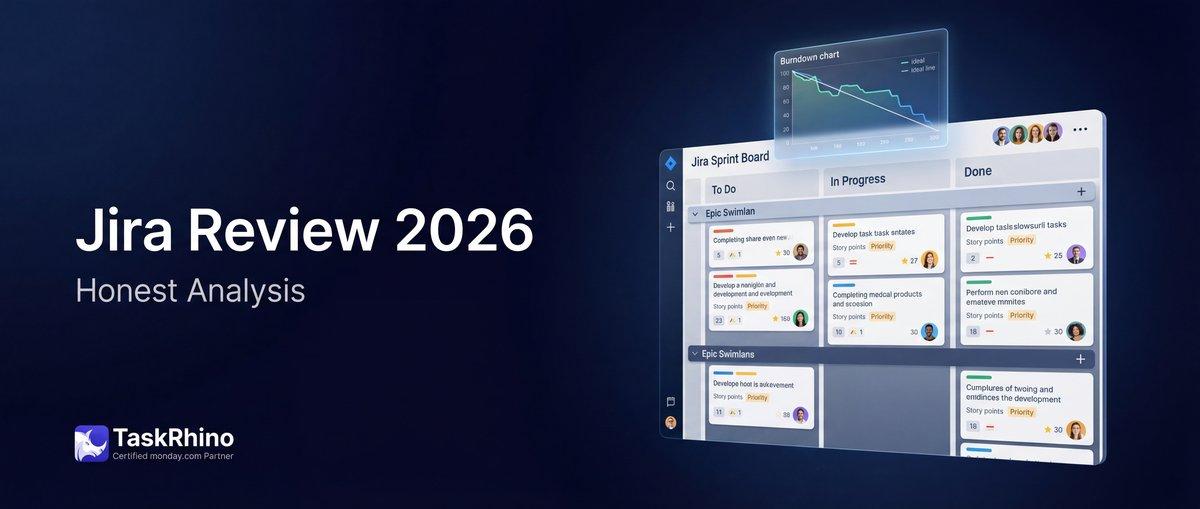
Jira Review 2026: The Gold Standard for Software Teams (Just Not for Everyone Else)
Quick Verdict
Rating: 4.3/5 — Jira is genuinely the best tool for software development teams running agile methodologies. If you’re managing sprints, backlogs, and release cycles with a technical team, nothing beats it. The problem? It’s terrible for everyone else.
Best for: Software dev teams, DevOps, QA, agile/scrum environments, technical project managers
Skip if: You’re running marketing campaigns, managing non-technical teams, or running a small business that doesn’t live and breathe agile
The real story: Over 110+ monday.com implementations at TaskRhino, we’ve seen dozens of companies evaluate Jira vs monday.com. The pattern is clear — dev teams choose Jira, everyone else chooses monday.com. Many mid-size companies end up running both platforms simultaneously, and that’s actually fine.
What Is Jira?
Jira is Atlassian’s issue tracking and agile project management software. Built in 2002 specifically for software development teams, it’s the industry standard for managing sprints, backlogs, user stories, and bugs.
Jira isn’t generic project management software that happens to support dev teams — it’s dev-first software that later added features for other use cases. That DNA shows through in every interface, every workflow, and every configuration screen.
It’s part of the larger Atlassian ecosystem alongside Confluence (documentation), Bitbucket (code repositories), Trello (simple boards), and Jira Service Management (IT service desk). For technical teams already using GitHub or GitLab, Jira integrates deeper than any competitor.
Key context: When someone says “Jira,” they usually mean Jira Software (agile project management). Atlassian also sells Jira Work Management (for business teams) and Jira Service Management (for IT support). This review focuses on Jira Software — the core product.
Jira Pricing Breakdown (2026)
| Plan | Price | User Limit | Key Features |
|---|---|---|---|
| Free | $0 | Up to 10 users | Scrum & Kanban boards, backlog, basic roadmaps, 2GB storage, 100 automation runs/month |
| Standard | ~$8.15/user/month (billed annually) | Up to 100,000 users | 250GB storage, 1,700 automation runs/month, user roles & permissions, audit logs |
| Premium | ~$16/user/month (billed annually) | Up to 100,000 users | Unlimited storage, 1,000 automation runs per user/month, advanced roadmaps, cross-project planning, 24/7 support, 99.9% uptime SLA |
| Enterprise | Custom pricing | Up to 100,000 users (150 sites) | Unlimited automation, Atlassian Guard (SSO, data residency), enterprise admin controls, 99.95% uptime SLA, dedicated support |
Pricing reality check from our implementations:
The advertised per-user pricing looks reasonable. The real cost comes from add-ons. Jira’s marketplace has 3,000+ apps, and dev teams routinely need 3-5 of them to fill gaps in native functionality. Budget an extra $3-8 per user per month for essential marketplace apps.
A 20-person dev team on Standard ($163/month) often ends up at $250-300/month once you add time tracking, advanced reporting, test case management, and workflow enhancements.
That’s still competitive for what you get — just don’t quote the base price to your finance team without factoring in add-ons.
Source: Official Jira pricing page
Key Features (What Makes Jira Jira)
1. Sprints & Backlogs
Jira’s sprint planning is as good as it gets. Drag issues from the backlog into a sprint, set sprint goals, track capacity, and let the burndown chart tell you if you’re on track.
The backlog view shows everything not yet scheduled, sorted by priority. Product owners can groom the backlog while developers work the current sprint — no interference, no confusion.
Real-world use: A SaaS client we worked with runs two-week sprints across four scrum teams. Each team manages its own backlog in Jira, but leadership sees a unified view across all teams via advanced roadmaps (Premium feature). That visibility is hard to replicate elsewhere.
2. Scrum & Kanban Boards
Choose between Scrum (time-boxed sprints) or Kanban (continuous flow). Both board types are highly customizable — add columns for your exact workflow, set WIP limits, filter by assignee or label.
The board updates in real-time. When a developer drags a ticket from “In Progress” to “Code Review,” the entire team sees it instantly.
Customization depth: You can create custom issue types (Bug, Story, Task, Spike, Technical Debt), define swimlanes (group by assignee, priority, or epic), and set up quick filters for “My Issues,” “Blocked Items,” or “High Priority.”
One DevOps team we worked with configured their Kanban board with WIP limits: max 3 tickets in “Code Review,” max 2 in “QA Testing.” When a column hits its limit, developers can’t move new tickets into it — they have to help clear the bottleneck first. This prevents pileups and keeps work flowing smoothly.
The flexibility is powerful, but it’s also where new Jira admins get overwhelmed. You can configure too much and create workflows that are impossible to follow. Start simple, then add complexity only when the team asks for it.
3. Epics, Stories, Tasks & Subtasks
Jira uses a hierarchy: Epics (big features) contain Stories (user-facing work) which contain Subtasks (individual pieces of work).
Example hierarchy:
- Epic: Mobile App Redesign
- Story: Redesign login screen
- Subtask: Design mockups
- Subtask: Implement UI components
- Subtask: Write unit tests
This structure keeps large projects organized without burying individual tasks.
4. Story Points & Estimation
Teams estimate work using story points (relative effort) or time-based estimates. Jira tracks velocity — the average story points completed per sprint — so you can forecast how long the backlog will take.
It’s not guesswork. After 5-6 sprints, Jira’s velocity reports tell you exactly how much the team can realistically deliver.
How this works in practice: A team estimates their backlog using the Fibonacci sequence (1, 2, 3, 5, 8, 13 story points). Over 6 sprints, they complete an average of 42 story points per sprint. That’s their velocity.
The product backlog has 250 story points of work. Simple math: 250 ÷ 42 = ~6 sprints, or about 12 weeks of work. Leadership can now make informed decisions about release timing, hiring, or scope cuts.
This level of forecasting is why dev teams love Jira. You’re not guessing — you’re using historical data to predict the future with reasonable accuracy.
5. Burndown Charts & Velocity Reports
Sprint burndown charts show daily progress against the sprint goal. If the line isn’t trending toward zero by sprint end, you know you’re in trouble.
Velocity charts show story points completed per sprint over time. Flat velocity means the team is stable. Declining velocity means something’s wrong (scope creep, technical debt, onboarding new members).
These aren’t vanity metrics. They’re planning tools.
6. Roadmaps
Premium and Enterprise plans include Advanced Roadmaps — a cross-project planning tool that shows multiple teams, dependencies, and release timelines in one view.
It’s overkill for a 5-person startup. It’s essential for a 50-person engineering org shipping quarterly releases across 6 product teams.
7. Release Management
Track which issues are included in each release, monitor release progress, and generate release notes automatically from closed tickets.
We had a healthcare software client shipping monthly releases to production. Jira’s release management tracked what went into each build, what got deferred, and what needed hotfixes. Their compliance team loved the audit trail.
Release workflow example: The team creates a release in Jira called “v2.4 – March 2026.” They tag issues with “Fix Version: v2.4” as they complete them. When sprint planning happens, they pull from issues tagged for v2.4. When the release ships, Jira generates release notes automatically from all closed tickets.
If a critical bug is found post-release, they create “v2.4.1” and track the hotfix separately. This creates a clean paper trail for regulatory audits — exactly what issues shipped when, who approved them, and what testing was completed.
For regulated industries (healthcare, finance, government), this level of traceability is non-negotiable. Jira handles it natively. Competitors often require third-party add-ons or manual documentation to achieve the same audit trail.
8. Automation
Jira’s built-in automation engine triggers actions based on events:
- When an issue moves to “Done” → then add a comment, send a Slack message, update a linked issue
- When a pull request is merged → then transition the Jira ticket to “Ready for QA”
- When an issue sits in “In Progress” for 3+ days → then notify the assignee
Free plan: 100 automation runs/month (tight for active teams) Standard: 1,700 runs/month Premium: 1,000 runs per user per month Enterprise: Unlimited
Automation rules are built visually (no code), but the rule builder assumes you understand Jira’s data model. Non-technical users find it confusing.
9. JQL (Jira Query Language)
JQL is a SQL-like query language for filtering issues. Instead of clicking through menus, you write queries:
“ project = "Mobile App" AND status = "In Progress" AND assignee = currentUser() ORDER BY priority DESC “
This finds all in-progress tickets assigned to you in the Mobile App project, sorted by priority.
The catch: JQL is powerful and intimidating. Developers love it. Everyone else avoids it and clicks through filters instead.
10. Deep GitHub & GitLab Integration
Link Jira tickets to pull requests, branches, and commits. When a developer includes a Jira ticket ID in a commit message, Jira automatically links the code to the ticket.
When the PR is merged, Jira can auto-transition the ticket to “Ready for QA.” The integration is bidirectional — view code changes from within Jira, or see Jira context from within GitHub.
This level of dev-tool integration is Jira’s strongest moat. monday.com can’t match it. ClickUp can’t either. Linear comes close, but Jira’s been doing this for 20+ years.
See How BoardBridge Handles This Workflow
Book a free demo to see BoardBridge solve this exact problem — live, with your data.
The Atlassian Ecosystem
Jira doesn’t exist in isolation. It’s part of a suite of tools designed to work together:
| Tool | What It Does | Why It Matters |
|---|---|---|
| Confluence | Team documentation, knowledge base, meeting notes | Where product requirements, technical specs, and runbooks live. Deep two-way linking with Jira. |
| Bitbucket | Git repository hosting, CI/CD pipelines | Alternative to GitHub/GitLab. Built by Atlassian, so Jira integration is seamless. |
| Trello | Simple kanban boards for non-technical teams | Lightweight alternative when Jira is overkill. Also owned by Atlassian. |
| Jira Service Management | IT service desk, incident management | Formerly Jira Service Desk. Shares the same backend as Jira Software. |
| Statuspage | Status page for outages & incidents | Communicate downtime to customers. Integrates with Jira Service Management. |
The Atlassian bundle reality: Most dev shops that choose Jira also adopt Confluence for documentation. The integration is too good to pass up — link Jira tickets to Confluence pages, embed Jira roadmaps in Confluence docs, and search across both tools from one interface.
A common workflow: Product managers write feature specs in Confluence. They link the spec to the corresponding Jira epic. Developers read the spec, create stories in Jira, and link back to the Confluence doc. When the feature ships, they update the Confluence page with “Shipped in v2.4” and link to the release notes.
This bidirectional linking creates a complete knowledge graph — every feature has documentation, every piece of documentation links to the Jira work that implemented it. New team members can trace the entire history of a feature from initial spec to shipped code.
Buying the whole Atlassian stack is expensive (Jira + Confluence + Bitbucket can easily hit $30-40 per user per month), but it creates a unified system that monday.com + Notion + GitHub can’t quite replicate. The integration isn’t bolted on — it’s foundational.
Jira Pros (What It Does Best)
| Strength | Why It Matters |
|---|---|
| Best agile/scrum tooling | Sprint planning, backlog grooming, velocity tracking, burndown charts — nothing matches Jira’s depth here |
| 3,000+ marketplace apps | Gaps in native features? There’s an app for that. Time tracking (Tempo), test management (Zephyr), advanced reporting (eazyBI) |
| Deep GitHub/GitLab integration | Bidirectional linking between code and tickets. Auto-transition tickets when PRs merge. See commits from Jira. |
| Powerful JQL | Filter anything, save custom queries, share them with the team. Developers love the precision. |
| Generous free plan | 10 users with full scrum/kanban boards, backlog, and roadmaps. Perfect for small dev teams. |
| Industry standard | Developers know Jira. New hires don’t need training. The talent pool expects it. |
| Enterprise-grade | SSO, SAML, data residency, audit logs, 99.95% uptime SLA. Healthcare and finance teams can meet compliance requirements. |
| Advanced roadmaps (Premium) | Cross-project planning, dependency mapping, capacity planning across multiple teams. |
| Automation engine | Powerful rule builder that handles complex workflows without code. |
| Mature platform | 20+ years of development. The bugs have been found and fixed. |
The honest take: If you’re running agile with a software development team, Jira is the right answer. The learning curve is steep, but the payoff is massive once your team knows how to use it.
Jira Cons (Where It Falls Short)
| Weakness | Why It Hurts |
|---|---|
| Steep learning curve | New users are overwhelmed. Too many buttons, menus, and configuration options. Expect 2-4 weeks before non-technical users feel comfortable. |
| Overwhelming for non-devs | Marketing, HR, and ops teams struggle with Jira’s complexity. The interface assumes technical fluency. |
| Complex administration | Setting up workflows, permissions, and project schemes requires a Jira admin who knows what they’re doing. Misconfigure permissions and you’ll break workflows. |
| Slow UI at times | Large Jira instances (1,000+ users, 100,000+ issues) can feel sluggish. Page loads take 2-3 seconds. Search is slower than competitors like Linear. |
| Expensive at scale with add-ons | Base pricing is reasonable, but add-ons stack up. A 50-person team can easily hit $500-800/month with marketplace apps included. |
| JQL is powerful but intimidating | Non-technical users avoid JQL entirely, which limits their ability to create custom filters. |
| Not great for non-agile work | If you’re not running sprints, Jira feels like overkill. Managing a marketing campaign or event planning in Jira is painful. |
| Collaboration features are weak | No built-in chat. Comments on tickets work, but there’s no real-time collaboration. Teams bolt on Slack to compensate. |
| Mobile app is functional, not great | You can view tickets and update status, but serious work requires the desktop app. |
| Notifications can be noisy | Default notification settings flood inboxes. Teams spend time tuning notification rules to avoid alert fatigue. |
The pattern we see: Companies adopt Jira for engineering, then try to force it on marketing, sales, and ops teams. Those teams hate it. They want simpler tools. That’s when we get the “can we use monday.com for non-dev teams?” conversation.
The answer is yes. Jira for dev, monday.com for everyone else. Dual-platform setups are common and work well.
Real example of dual-platform success: A 120-person company we worked with runs Jira for their 40-person engineering team and monday.com for their 80-person business team (marketing, sales, ops, customer success). Engineering manages sprints and releases in Jira. Marketing manages campaigns and content calendars in monday.com.
The integration happens at the handoff points: When marketing requests a new feature, they create a request in monday.com. Product reviews it, then creates the corresponding Jira epic. When the feature ships, engineering updates the monday.com item with a “Shipped” status. Both teams use the tool that matches their workflow.
The CEO initially wanted “one tool for everything” to reduce costs. After seeing both teams’ productivity with their preferred tools, they abandoned that idea. The $500/month cost of running both platforms was worth it to keep both teams happy and productive.
Who Should Use Jira
Jira is purpose-built for specific teams. If you fit the profile, it’s the right tool. If you don’t, you’ll fight it constantly.
✅ Perfect for:
- Software development teams — Frontend, backend, full-stack, mobile. Jira was built for you.
- DevOps & infrastructure teams — Managing deployments, incident response, infrastructure tasks.
- QA & testing teams — Bug tracking, test case management (with Zephyr or Xray add-ons), regression testing cycles.
- Agile/scrum environments — If you run sprints, estimate with story points, and review velocity, Jira is home.
- Technical project managers — Managing engineering projects with dependencies, releases, and cross-team coordination.
- Product teams at tech companies — Product managers working closely with engineering to define, prioritize, and ship features.
Real example from our work:
A fintech client had 30 developers across 5 scrum teams. They were using Asana and hated it — no sprint planning, no velocity tracking, no proper backlog grooming. Individual developers were productive, but leadership had no visibility into what was being worked on or when features would ship.
We helped them migrate to Jira. The process took 3 weeks: 1 week for setup and configuration, 1 week for data migration, 1 week for training. The dev teams were immediately more productive. Product managers could finally see what was in the current sprint vs. what was queued for later. Engineering leadership got roadmaps that actually reflected reality.
Three months post-migration, their sprint velocity stabilized at 38-42 story points per sprint (previously unmeasurable). Release planning became predictable — instead of “it’ll be done when it’s done,” they could say “this will ship in Q2 based on current velocity.”
That migration made sense. Jira was the right fit. The learning curve was steep, but the payoff was worth it.
Need Help With Your monday.com Setup?
TaskRhino has implemented monday.com for 110+ teams. Get a free consultation.
Who Should NOT Use Jira
❌ Skip Jira if:
- You’re running marketing campaigns — Managing content calendars, social media, email campaigns, and creative approvals doesn’t map to Jira’s issue-tracking model. Use monday.com, Asana, or ClickUp instead.
- You manage non-technical teams — Sales, HR, finance, operations. These teams don’t think in sprints and story points. Jira’s complexity adds friction, not value.
- You’re a small business — If you’re a 10-person agency managing client projects, Jira is overkill. The learning curve eats up time you don’t have.
- You don’t use agile methodologies — If you’re not running sprints or using scrum/kanban, Jira’s core features don’t matter. You’re paying for functionality you won’t use.
- You need simple, flexible workflows — Jira workflows are powerful but rigid. monday.com’s visual workflow builder is easier for teams that need to iterate on processes quickly.
- You prioritize speed over depth — Tools like Linear are faster and lighter. If you want minimal friction, Jira isn’t it.
Real example from our work:
A creative agency asked us to help them adopt Jira because their dev clients used it. They wanted consistency across the business. The founder had used Jira at a previous company (a SaaS startup) and assumed it was the right choice here too.
We pushed back. Their account managers, designers, and copywriters weren’t shipping code. They were managing client deliverables, creative briefs, and approval cycles. Forcing them into Jira would slow them down, not speed them up.
We spent 30 minutes with their creative director showing her Jira’s interface. Her reaction: “This is way too complicated for what we do. We just need to track who’s working on what and when client reviews are due.”
We recommended monday.com for client work and project management. The creative team (12 people) stayed on monday.com with visual boards for each client project. The dev team (3 people) moved to Jira for their internal product work. Both teams were happier.
The founder initially resisted paying for two tools, but the alternative was forcing 12 people into software they’d hate. That’s a losing trade-off. Sometimes the right answer is two specialized tools instead of one “universal” tool that doesn’t fit either team well.
That’s the right decision. Tool selection should match workflow, not the other way around.
Jira vs Alternatives (The Real Comparison)
Jira vs monday.com
We’ve run this comparison 40+ times with clients. Here’s the honest breakdown.
| Factor | Jira | monday.com |
|---|---|---|
| Best for | Software dev teams running agile | Cross-functional teams, marketing, ops, sales, project management |
| Learning curve | Steep (2-4 weeks) | Gentle (1-2 days) |
| Sprint planning | Industry-leading | Basic (workable but limited) |
| Visual workflows | Boards are functional but not beautiful | Best-in-class visual boards with color-coding and timeline views |
| Collaboration | Weak (relies on external tools) | Strong (built-in updates, @mentions, file sharing) |
| Customization | Deep (requires admin knowledge) | Visual (drag-and-drop, no admin needed) |
| GitHub/GitLab integration | Deep, bidirectional | Surface-level |
| Pricing (20 users) | ~$163/month (Standard) + add-ons | ~$240/month (Standard) |
| Non-technical teams | Struggle | Thrive |
| Enterprise features | Mature (SSO, audit logs, compliance) | Growing (newer to enterprise space) |
Verdict: Use Jira for engineering. Use monday.com for everyone else. Many companies run both — it’s not a zero-sum choice.
Read the full breakdown: monday.com vs Jira comparison
Jira vs ClickUp
ClickUp positions itself as the “one app to replace them all.” It tries to be Jira + monday.com + Notion + Slack in one platform.
| Factor | Jira | ClickUp |
|---|---|---|
| Best for | Pure software dev teams | Teams wanting a single tool for everything |
| Feature depth (agile) | Deep and mature | Good but not as refined |
| Feature breadth | Narrow (project management only) | Wide (docs, chat, time tracking, goals all built-in) |
| Complexity | High | Medium-high (feature overload is real) |
| Sprint planning | Best in class | Solid, improving |
| Velocity tracking | Excellent | Basic |
| Dev integrations | GitHub/GitLab are seamless | Good but less mature |
| Price (20 users) | ~$163/month + add-ons | ~$120/month (Business plan) |
Verdict: If you want one tool for dev + marketing + docs, try ClickUp. If you want the absolute best agile tooling and don’t mind specialized tools, choose Jira.
Read more: ClickUp vs monday.com comparison
Jira vs Asana
Asana is great for general project management. It’s terrible for software development.
| Factor | Jira | Asana |
|---|---|---|
| Best for | Software dev teams | Marketing, ops, general project management |
| Sprint planning | Core feature | Doesn’t exist |
| Backlog management | Designed for it | Workaround with sections/tags |
| Developer tools | GitHub integration, JQL, automation | Minimal dev-specific features |
| Non-technical users | Struggle | Love it |
| Velocity & burndown | Built-in | Not available |
| Price (20 users) | ~$163/month | ~$220/month (Business plan) |
Verdict: Don’t use Asana for software development. Don’t use Jira for marketing teams. They’re built for different worlds.
Read more: monday.com vs Asana comparison
Jira vs Linear
Linear is the modern challenger to Jira — built by ex-Jira users who wanted something faster and less bloated.
| Factor | Jira | Linear |
|---|---|---|
| Best for | Large dev orgs, enterprise | Startups, small-to-medium dev teams |
| Speed | Slow on large instances | Blazing fast (loads in ~1 second) |
| Design | Functional but dated | Beautiful, minimal, modern |
| Feature depth | 20 years of features | Opinionated (only what you need) |
| Customization | Infinite (sometimes too much) | Limited by design (good defaults) |
| Marketplace | 3,000+ apps | Small (by design — built-in features are enough) |
| Learning curve | Steep | Gentle |
| Enterprise features | Mature (SSO, audit, compliance) | Growing |
| Price (20 users) | ~$163/month | ~$160/month (Standard plan) |
Verdict: If you’re a startup or small dev team that values speed and simplicity, Linear is fantastic. If you’re a 200-person engineering org with complex workflows and compliance requirements, Jira’s depth wins.
Linear is Jira for teams that don’t need (or want) all of Jira.
Jira vs Shortcut
Shortcut (formerly Clubhouse) sits between Jira and Linear — more features than Linear, less complexity than Jira.
| Factor | Jira | Shortcut |
|---|---|---|
| Best for | Enterprise dev teams | Mid-size dev teams (10-50 developers) |
| Complexity | High | Medium |
| Iteration planning | Excellent | Good |
| Roadmaps | Advanced (Premium feature) | Built-in, simpler |
| Developer focus | 100% | 100% |
| Customization | Endless | Enough (not overwhelming) |
| Price (20 users) | ~$163/month | ~$168/month (Business plan) |
Verdict: Shortcut is a solid middle-ground. Less overwhelming than Jira, more feature-complete than Linear. Worth testing if Jira feels like overkill but Linear feels too minimal.
Jira vs Trello
Trello is owned by Atlassian (same company as Jira). It’s the simple version for non-technical teams.
| Factor | Jira | Trello |
|---|---|---|
| Best for | Software development | Simple task tracking, personal projects |
| Complexity | High | Very low |
| Sprint planning | Yes ✅ | No |
| Backlog | Yes | No (just lists) |
| Automation | Advanced | Basic (Butler automation) |
| Price (20 users) | ~$163/month | Free or ~$100/month (Premium) |
Verdict: Trello is not a Jira alternative — it’s a different product category. Don’t try to run software development in Trello. Don’t force non-technical teams to use Jira when Trello would work fine.
Read more: Trello vs monday.com comparison
User Ratings & Reviews
G2 Rating: 4.3/5
Based on 6,000+ reviews. Here’s what users actually say:
Top praise:
- “Best tool for agile software development”
- “Integrations with GitHub and Bitbucket are seamless”
- “Reporting and velocity tracking help us forecast accurately”
- “Customizable workflows match our exact process”
Top complaints:
- “Steep learning curve for new users”
- “UI feels slow and dated compared to modern tools”
- “Too complex for non-technical teams”
- “Add-ons get expensive quickly”
Source: Jira reviews on G2
Capterra Rating: 4.4/5
Based on 13,000+ reviews.
What users love:
- “Perfect for managing sprints and tracking velocity”
- “The marketplace has an app for everything”
- “JQL gives me the exact filters I need”
What users don’t love:
- “Overwhelming for teams that don’t use agile”
- “Admin setup is complex”
- “Notifications are too noisy out of the box”
The ratings are consistent: Jira excels at what it’s built for (software development), and struggles outside that niche.
Stop Creating Duplicates
BoardBridge forms update existing items — no Enterprise plan, no workarounds, no duplicates.
Frequently Asked Questions
Is Jira good for project management?
Depends. Jira is excellent for software development project management — managing sprints, backlogs, releases, and technical work. It’s poor for general project management like event planning, marketing campaigns, or client services. For non-technical project management, tools like monday.com or Asana are better fits.
Is Jira free?
Yes, Jira offers a free plan for up to 10 users with full access to scrum and kanban boards, backlog management, and basic roadmaps. It’s a generous free tier — perfect for small dev teams or startups. You’ll hit limits on automation runs (100/month) and storage (2GB), but core features are unrestricted.
Is Jira hard to learn?
Yes. Jira has a steep learning curve, especially for non-technical users. Expect 2-4 weeks before new users feel comfortable navigating projects, creating issues, and using filters. Developers adapt faster because Jira’s logic matches how they already think. Non-technical team members struggle with the complexity.
Can non-developers use Jira?
Technically yes, but it’s not ideal. Jira’s interface assumes familiarity with agile terminology (sprints, story points, epics) and technical workflows. Marketing, HR, and operations teams find Jira overwhelming. If non-technical teams need to collaborate with developers, they can view and comment on Jira tickets, but managing their own work in Jira is painful.
What’s the difference between Jira and Confluence?
Jira is for task and issue tracking — managing what needs to get done. Confluence is for documentation — writing down how things work, product requirements, meeting notes, and knowledge base articles. Most teams using Jira also use Confluence because the tools integrate seamlessly. Link Jira tickets to Confluence pages, embed roadmaps in docs, and search across both tools.
Does Jira integrate with GitHub?
Yes, and it’s one of Jira’s biggest strengths. Link Jira tickets to pull requests, commits, and branches. When a developer includes a Jira ticket ID in a commit message (e.g., “PROJ-123: Fix login bug”), Jira automatically links the code. When the PR merges, Jira can auto-transition the ticket. The integration is bidirectional — see code changes in Jira, see Jira context in GitHub.
Is Jira better than monday.com?
For software development teams, yes. Jira’s sprint planning, velocity tracking, and GitHub integration are unmatched. For cross-functional teams, marketing, or general project management, no — monday.com is easier to use and more flexible. Many companies run both: Jira for dev, monday.com for business teams. That’s a smart setup. Read the full comparison: monday.com vs Jira.
Why is Jira so slow?
Large Jira instances (100,000+ issues, 1,000+ users) can feel sluggish. Page loads take 2-3 seconds, search is slower than modern tools like Linear. Atlassian has improved performance in recent years, but Jira’s 20-year-old codebase shows. Teams running lean instances (under 10,000 issues) don’t notice slowness. Enterprise teams with massive backlogs do.
Can you run Kanban in Jira?
Yes. Jira supports both Scrum (sprint-based) and Kanban (continuous flow) boards. Choose Kanban if your team doesn’t work in sprints. Set WIP limits per column, track cycle time, and visualize flow. Jira’s Kanban implementation is solid — not as opinionated as pure Kanban tools, but flexible enough for most teams.
What is JQL in Jira?
JQL (Jira Query Language) is a search language for filtering issues. Instead of clicking through UI filters, you write queries like: `project = “Mobile App” AND status != Done ORDER BY priority`. Developers love JQL because it’s fast and precise. Non-technical users find it intimidating and stick with UI-based filters. Learning basic JQL unlocks powerful custom views, but it’s optional.
Is Jira worth the cost?
For software development teams, yes. The base pricing (~$8/user/month on Standard) is competitive, and the free plan (10 users) is generous. The hidden cost is marketplace add-ons — budget $3-8/user/month for time tracking, advanced reporting, and test management apps. A 20-person team might spend $250-300/month total. That’s reasonable for what you get, especially compared to enterprise tools like Azure DevOps.
Can Jira handle multiple teams?
Yes. Premium and Enterprise plans include Advanced Roadmaps, which manage multiple teams, cross-project dependencies, and capacity planning. You can visualize work across 5-10 scrum teams in one view, track dependencies between teams, and forecast delivery timelines. This is overkill for small orgs but essential for large engineering organizations. After helping 110+ teams choose between Jira, monday.com, and other project management platforms, the pattern is clear: Jira is the best software development project management tool available. The sprint planning, velocity tracking, backlog management, and GitHub integration are unmatched. If you’re shipping code, managing releases, and running agile, Jira is the right choice. But Jira is terrible for everyone else. Marketing teams, operations, HR, sales — these teams don’t think in sprints and story points. Forcing Jira on non-technical teams creates friction, not productivity. The dual-platform reality: Many mid-size companies run Jira for engineering and monday.com for business teams. That’s not a compromise — it’s smart. Each tool does what it’s designed for. The integration between them (via Zapier or native connectors) is good enough for most workflows. Who should buy Jira: – Software development teams (frontend, backend, mobile, DevOps) – Teams running agile/scrum methodologies – Organizations with 20+ developers across multiple teams – Companies that need enterprise compliance (SSO, audit logs, data residency) – Teams already using GitHub, GitLab, Bitbucket, or Confluence Who should skip Jira: – Non-technical teams (marketing, HR, operations, sales) – Small businesses that don’t use agile – Teams that prioritize ease-of-use over feature depth – Organizations wanting one tool for dev + business teams (consider ClickUp or monday.com instead) Bottom line: Jira isn’t for everyone, and that’s fine. It’s purpose-built for software teams, and it’s the best at what it does. If you fit the profile, the learning curve is worth it. If you don’t, use a tool designed for your workflow instead. Need help deciding between Jira, monday.com, or another platform for your team? We’ve run this evaluation 100+ times and can map out the right setup for your specific workflows. Book a free 30-minute consultation: contact us Or if you’re already on monday.com and need advanced forms, email automation, or cross-board workflows that the platform doesn’t handle natively — contact us to see how we can help.
Final Verdict: The Right Tool for the Right Team
After helping 110+ teams choose between Jira, monday.com, and other project management platforms, the pattern is clear:
Jira is the best software development project management tool available. The sprint planning, velocity tracking, backlog management, and GitHub integration are unmatched. If you’re shipping code, managing releases, and running agile, Jira is the right choice.
But Jira is terrible for everyone else. Marketing teams, operations, HR, sales — these teams don’t think in sprints and story points. Forcing Jira on non-technical teams creates friction, not productivity.
The dual-platform reality: Many mid-size companies run Jira for engineering and monday.com for business teams. That’s not a compromise — it’s smart. Each tool does what it’s designed for. The integration between them (via Zapier or native connectors) is good enough for most workflows.
Who should buy Jira:
- Software development teams (frontend, backend, mobile, DevOps)
- Teams running agile/scrum methodologies
- Organizations with 20+ developers across multiple teams
- Companies that need enterprise compliance (SSO, audit logs, data residency)
- Teams already using GitHub, GitLab, Bitbucket, or Confluence
Who should skip Jira:
- Non-technical teams (marketing, HR, operations, sales)
- Small businesses that don’t use agile
- Teams that prioritize ease-of-use over feature depth
- Organizations wanting one tool for dev + business teams (consider ClickUp or monday.com instead)
Bottom line: Jira isn’t for everyone, and that’s fine. It’s purpose-built for software teams, and it’s the best at what it does. If you fit the profile, the learning curve is worth it. If you don’t, use a tool designed for your workflow instead.
Need help deciding between Jira, monday.com, or another platform for your team? We’ve run this evaluation 100+ times and can map out the right setup for your specific workflows. Book a free 30-minute consultation: /contact-us/
Or if you’re already on monday.com and need advanced forms, email automation, or cross-board workflows that the platform doesn’t handle natively — contact us to see how we can help.


Editor's Choice

ClickUp Review 2026: Honest Analysis

monday.com Review 2026: Honest Analysis
The Detailed Twenty CRM Review: Features and limitations