

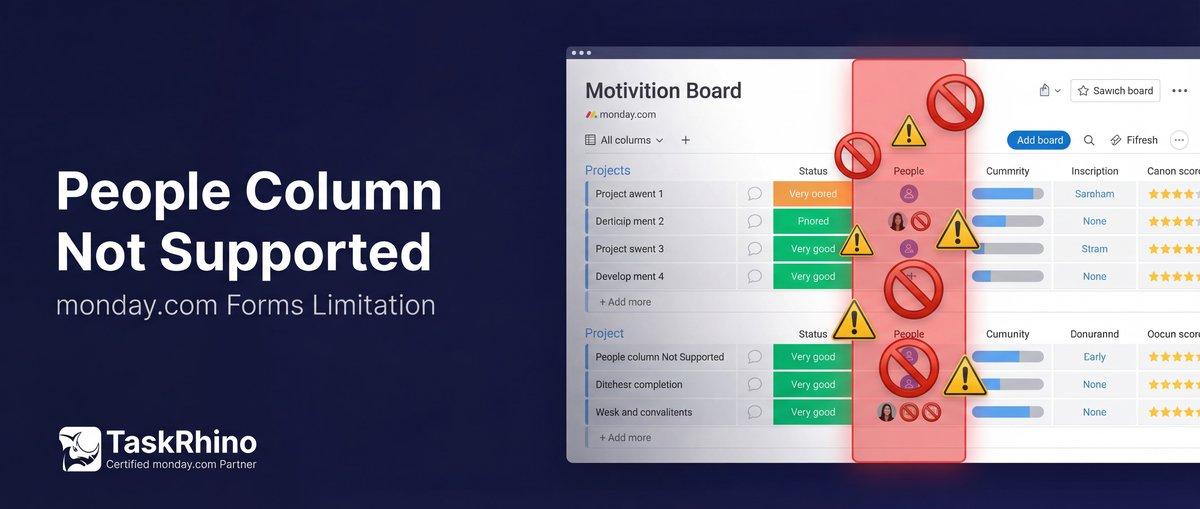
monday.com People Column in Forms — Not Supported (And Why)
Some column types just don’t work in forms. People Column is one of them.
Can you use People Column in monday.com forms? If you’ve tried adding a People Column to a monday.com WorkForm — or looked for a way to let form submitters assign tasks to specific team members — you’ve discovered that People Columns aren’t supported in public forms. Not in WorkForms, not in most third-party form tools, and not in BoardBridge either.
This isn’t a feature gap we’re avoiding. It’s a structural limitation of how monday.com’s People Column works. Here’s what’s actually happening, why it’s hard to solve, and what workarounds exist.
Why monday.com People Column Isn’t Supported in Forms
Pain Point #27: People Column in forms forces board to restricted access mode when included
monday.com’s official documentation explains the People Column restrictions:
“The People Column question is only for individual person selection and is only available if the form is restricted to account members only.” — WorkForms question types Source
“You will need to change the permission settings within the Administration section of your account to make the People Column question in your form public.” — WorkForms settings and permissions Source
Even if you enable it (via Administration > Customization > Features), monday.com flags a security warning:
“User information, such as names, titles, and photos, may be accessible to external individuals.”
The Technical Reason
People Columns reference internal monday.com user IDs and team IDs. When you assign someone via the People Column, monday.com stores a payload like:
“json { "personsAndTeams": [ {"id": 12345678, "kind": "person"}, {"id": 87654321, "kind": "team"} ] } “
For a public-facing form to populate this column, it would need to:
- Expose your workspace’s user list to external form submitters (a privacy and security issue)
- Let external users browse and select from your team members (which reveals org structure, names, roles)
- Handle team IDs in addition to person IDs (teams are groups of users with their own IDs)
This is why even monday.com doesn’t allow People Columns in public forms by default — it would leak internal user data.
Other Unsupported Column Types in monday.com Forms
People Column isn’t alone. Several monday.com column types don’t work in public forms:
| Column Type | Why It’s Not Supported |
|---|---|
| People | Requires user ID references; leaks internal user data |
| Dependencies | Requires item-to-item relationship mapping; complex API format |
| Time Tracking | Tracks logged hours over time; doesn’t fit form submission model |
| Connect Boards | Requires special {item_ids: [123]} format; cross-board item linking |
| Mirror | Read-only computed column; pulls data from connected items |
| Formula | Auto-calculated; can’t be written to |
| Auto-Number | Generated by monday.com; can’t be manually set |
BoardBridge supports 10 field types: text, long text, email, phone, number, date, dropdown, status, checkbox, and location. These are the field types that map cleanly to public-facing form inputs without requiring access to internal workspace data.
What the Community Says
From monday.com community threads:
2020 (5+ years of unresolved requests):
“Connected board columns (and people columns, mirror columns, drop-down columns, country columns etc) are not supported in forms. It is important to be able to support these column types, as currently the forms are pretty useless without being able to support them.” — Community thread: Support for connected board columns in WorkForms
August 2022:
“My organization has a handful of boards that are used by the entire company (>50 people) to submit transportation or supplies requests. We are struggling to make these effective as the majority of our team does not have…” — Forms Supporting People Column
January 2022:
“If you are specifically trying to [add a People column to a form], it only works if all of these three conditions are met: The user needs to have access to that specific board…” — Can a “People” column be inserted in FORMS?
July 2025 (Most Recent):
“I am looking for a solution to be able to assign people to subitem in form is there any way / workaround?” — Workaround to assign people column via subitem in monday form
“The People Column question is not supported for required columns and WorkForms.” — monday.com Support: Required columns
Pattern: This feature request has been open for 5+ years with zero progress. Users trying to build intake forms with People assignments hit this wall constantly. The most common request: “I want clients to select a project manager from a dropdown, and that should populate the People Column.”
It sounds simple. It’s not.
Stop Creating Duplicates
BoardBridge forms update existing items — no Enterprise plan, no workarounds, no duplicates.
Workarounds That Actually Work for People Column in Forms
Since People Column can’t be populated directly via public forms, here’s how teams handle assignment:
Workaround 1: Dropdown + Automation
Setup:
- Add a Dropdown column (or Status column) to your board with team member names as options: “Alice”, “Bob”, “Carol”
- Create a form field that maps to this dropdown
- Set up a monday.com automation: “When Dropdown changes to Alice, assign Alice to People Column”
Pros:
- Works with any form tool (WorkForms, BoardBridge, JotForm, etc.)
- External users never see internal user IDs
- Clean UX — form shows names as text options
Cons:
- Requires one automation rule per team member (10 team members = 10 automation rules)
- Dropdown list needs manual maintenance when team members change
- Consumes monday.com automation actions (though minimally — 1 action per form submission)
Best for: Small teams (under 10 people) where assignments are common
Workaround 2: Text Field + Manual Assignment
Setup:
- Add a Text field to the form: “Who should be assigned to this project?”
- Form submitter types a name or selects from a dropdown
- Someone on your team manually assigns the person via the People Column after reviewing submissions
Pros:
- Zero automation needed
- Works for any team size
- Allows submitters to write notes (“Assign to Alice if available, otherwise Bob”)
Cons:
- Not automated — requires manual follow-up
- Slower — assignments don’t happen instantly
Best for: Low-volume intake (under 10 submissions/week) or cases where assignment needs judgment
Workaround 3: Email Field + People Column Automation (monday.com Only)
Setup:
- Add an Email field to the form
- Form submitter enters the assignee’s email address
- Use a monday.com automation: “When Email column changes, assign the person with that email to People Column”
Limitation: This only works if monday.com can match the email to a workspace user. External emails (clients, vendors) won’t map.
Best for: Internal forms where all assignees are monday.com users
Workaround 4: Pre-Assign on Board, Update Via Form
Setup:
- Manually assign team members to items before sending the form link
- Send a form that updates other columns (status, notes, dates) but leaves the People Column untouched
- BoardBridge’s “protect existing data” toggle ensures the People Column isn’t overwritten by later form submissions
Use case: Client intake where your team pre-assigns a project manager internally, then sends the client a form to fill in project details. The assignment stays intact.
Best for: Update-existing-item workflows where assignment happens before the form is sent
Need help setting up monday.com workflow customization with automated People Column assignment? TaskRhino offers implementation support.
See How BoardBridge Handles Form Updates
Book a free demo to see BoardBridge solve this exact problem — live, with your data.
Why Third-Party Apps Don’t Solve This Either
SuperForm — monday.com’s most popular form app with 10,222 installs — also does not support People Column in public forms. It supports Connect Boards, Mirror, Formula, Dependencies, and other advanced column types, but People Column is excluded for the same security reasons.
From SuperForm’s feature list:
“Supports Connect Boards, Mirror, Formula, Subitems, Dependencies, Tags, Hour, WorldClock, Week, and Item ID column types”
Notice what’s missing: People Column.
Fillout and JotForm also don’t offer native People Column mapping in their monday.com integrations. The security and API complexity make it a no-go for public-facing forms.
When monday.com People Column Actually Works in Forms
There’s one exception: internal forms restricted to workspace members.
If you configure a form to require monday.com login (restricting access to your workspace), you could theoretically let users select themselves or their teammates from the People Column. monday.com WorkForms allows this when you enable the People Column feature and restrict form access to account members only.
But this defeats the purpose of public-facing forms — clients, vendors, and external contractors can’t access workspace-restricted forms.
What BoardBridge Doesn’t Do (And Won’t Pretend To)
BoardBridge does not support People Column, Dependencies, or Time Tracking columns in forms. We’re transparent about this because:
- Security matters. Exposing user IDs to external form submitters isn’t something we’re willing to do.
- Workarounds exist that are often better UX anyway (dropdowns with readable names vs. user ID lookups).
- API complexity. Supporting these column types would require handling team structures, user permissions, and constantly shifting user IDs — fragile and unreliable.
We’d rather be honest about what we don’t support than ship a half-broken feature.
What BoardBridge Does Support
While we can’t handle People Column, BoardBridge does offer several capabilities WorkForms doesn’t:
- Update existing items (not just create new ones) — the #1 requested WorkForms feature for 6+ years
- Conditional logic (AND/OR operators, 5 comparison types) on any monday.com plan — Enterprise-only in WorkForms
- Dual-board mapping — one form writes to two boards simultaneously
- Rich text HTML emails with CC/BCC groups — not possible in monday.com email automations
- Custom SMTP sender — emails come from your domain, not noreply@monday.com
- 10 field types including file upload, location, and long text
For the column types we support, we support them fully — with pre-fill, conditional logic, overwrite protection, and cross-board mapping.
Common Questions
Q: Can People Column be added to monday.com forms? A: Only for forms restricted to account members (workspace users only). For public forms, People Column is not supported — it would expose internal user IDs and team structure to external submitters. Use Dropdown + automation as a workaround.
Q: Will People Column support ever be added to BoardBridge? A: Unlikely. The security trade-offs (exposing user data to external submitters) aren’t worth it. Dropdown + automation is a safer, more maintainable approach.
Q: Can I use People Column if I restrict the form to workspace members? A: In theory, yes — but BoardBridge is designed for public-facing forms that update items. Restricting forms to workspace members defeats the purpose. If your use case is internal-only forms, monday.com WorkForms may be a better fit.
Q: What about Connect Boards column in forms? A: Also not supported, for similar reasons. Connect Boards requires item ID references from other boards, which creates complex cross-board dependencies. It’s possible to build, but the UX is poor (users would need to know item IDs or search across boards). Better to use Dropdown or Status columns with readable labels. See monday.com Connect Boards and Mirror Columns for details.
Q: Can BoardBridge pre-fill a People Column’s existing value into a form field? A: No. Since we don’t support People Column as a writable field type, we also don’t read it for pre-fill. If you need to show “currently assigned to Alice”, use a Text or Status column that mirrors the assignment.
Q: Why does SuperForm support so many advanced column types but not People? A: SuperForm has the advantage of running inside the monday.com workspace with app-level permissions. Even then, they avoid People Column for public forms. The column types SuperForm supports (Connect Boards, Mirror, Formula) are read-only or reference-based — they don’t expose user identity data.
Q: Is there a way to bulk-assign people after form submissions? A: Yes. Collect submissions as items on your board, then use monday.com’s built-in bulk actions to assign people to multiple items at once. Or set up an automation: “When Status changes to ‘Ready for Assignment’, assign to [Person]”.
Q: Can I use email addresses to auto-assign people? A: Only if the email matches a workspace user’s monday.com account email. External emails (clients, vendors) won’t map to People Column. This is a monday.com platform limitation, not specific to forms.
Q: Can you assign people in WorkForms? A: Only if the form is restricted to account members only (workspace users). Public WorkForms cannot include People Column without compromising security. You can only assign people if they are members or guests in your monday.com account.
Who This Matters To
This limitation affects teams who:
- Need client-facing forms with project manager assignment
- Want vendors or contractors to select an internal point-of-contact via form
- Expect external users to assign tasks to internal team members
- Assumed People Column “just works” like Dropdown or Status columns
If you’re building internal forms (workspace members only), monday.com WorkForms might handle People Column. But for public-facing forms, Dropdown + automation is the standard workaround.
Need advanced monday.com forms with conditional logic, dual-board mapping, and update-existing-item workflows? BoardBridge by TaskRhino handles what WorkForms can’t — with honest limits on what we don’t support. Book a free 30-minute consultation at https://calendly.com/rp-spaceo/call-with-rakesh-est-timezone
Need Help With Your monday.com Setup?
TaskRhino has implemented monday.com for 110+ teams. Get a free consultation.
Frequently Asked Questions
Why can’t I add a People column directly to a monday.com WorkForm?
monday.com WorkForms do not support People columns due to security restrictions that prevent public forms from directly assigning account users or guests, avoiding unauthorized access or spam assignments. This platform limitation ensures only authenticated users can be added via the People column. As a workaround, use a Status or Dropdown column in the form and trigger an automation to populate the People column upon item creation.
What are the security reasons monday.com blocks People columns in public WorkForms?
People columns are restricted in public forms to prevent external submitters from assigning arbitrary account members, which could lead to notification spam or unauthorized subscriptions to items. External emails like client or vendor addresses also cannot map to People columns as a general platform limitation. BoardBridge offers a secure workaround by handling external user integrations without exposing internal permissions.
Can I limit People column options in a form to specific team members like directors?
Direct People column support is unavailable in WorkForms, but use a filtered Dropdown or Status column with director names, followed by an automation to assign the matching user to the People column. This avoids listing all account users publicly. BoardBridge enhances this by providing pre-filtered people selectors compliant with form security.
Why won’t external submitter emails populate a People column from a monday.com form?
External emails from clients or vendors cannot map to monday.com’s People column, as it only accepts verified account members or guests—this is a core platform restriction beyond forms. Use a Text column for email capture in the form, then automate notifications or create guest users separately. BoardBridge bridges this gap by converting external emails into trackable assignees via custom workflows.
What’s the best automation recipe to populate People column after a WorkForm submission?
Configure ‘When an item is created via form, if Dropdown is [Specific Name], assign [User] to People column’—repeat for each option or use Mirror/Formula columns for dynamic matching. This reliably populates People columns post-submission without form support. For scalable setups with many users, integrate BoardBridge to handle conditional assignments automatically.
Why can’t I add a People Column to my public monday.com WorkForm?
monday.com restricts People Columns in public WorkForms to prevent exposing your workspace’s internal user list, team structures, and user IDs to external submitters, which poses significant privacy and security risks. This limitation ensures that sensitive personnel data isn’t leaked to clients or vendors filling out the form. Internal forms restricted to workspace members can use People Columns after enabling the feature in form permissions.
How can I map external email submissions from a WorkForm to a People Column?
Direct mapping of external emails to People Columns isn’t supported due to monday.com’s platform limitation on non-workspace users. Use a workaround like a Status or Dropdown column in the form for users to select assignees, then trigger an automation to populate the People Column based on the selection. For advanced needs, BoardBridge offers seamless integration to handle external assignments without exposing internal user data.
What’s the automation recipe to assign People Column values from a form Dropdown?
Create a Status column in your WorkForm with assignee names as labels, then set up an automation: ‘When an item is created, if {Status} is [Name1], assign {Person} to [Name1]. This avoids needing 50+ automations by using conditional logic or a dedicated assignee board. BoardBridge can automate this further with dynamic mapping for scalable teams.
Can I restrict a WorkForm’s People Column to show only directors or specific teams?
Native WorkForms don’t support People Columns in public forms, so restrictions like limiting to directors aren’t possible directly. Implement a filtered Dropdown or Status column mimicking the list, then automate assignment to the People Column upon submission. BoardBridge provides customizable people filtering and assignment rules without security compromises.
Why does including a People Column force my board into restricted access mode?
Adding a People Column to a form automatically restricts it to workspace members only to avoid public exposure of user data. To enable it, adjust Administration permissions, but this blocks external access like clients or vendors. For public forms needing assignments, use automations with proxy columns or integrate BoardBridge for secure external handling.
Are there third-party apps that bypass monday.com People Column form limitations?
Apps like SuperForm support advanced columns but still avoid People Columns in public forms due to the same security constraints. BoardBridge circumvents this by enabling external email-to-People mapping and dynamic assignments without exposing internal users. Combine with automations for full workflow automation on public forms.

Editor's Choice
monday.com Automation Safety: Preventing Duplicate Items


monday.com No Dry-Run Mode for Automations

monday.com Automation Test Sandbox Mode