

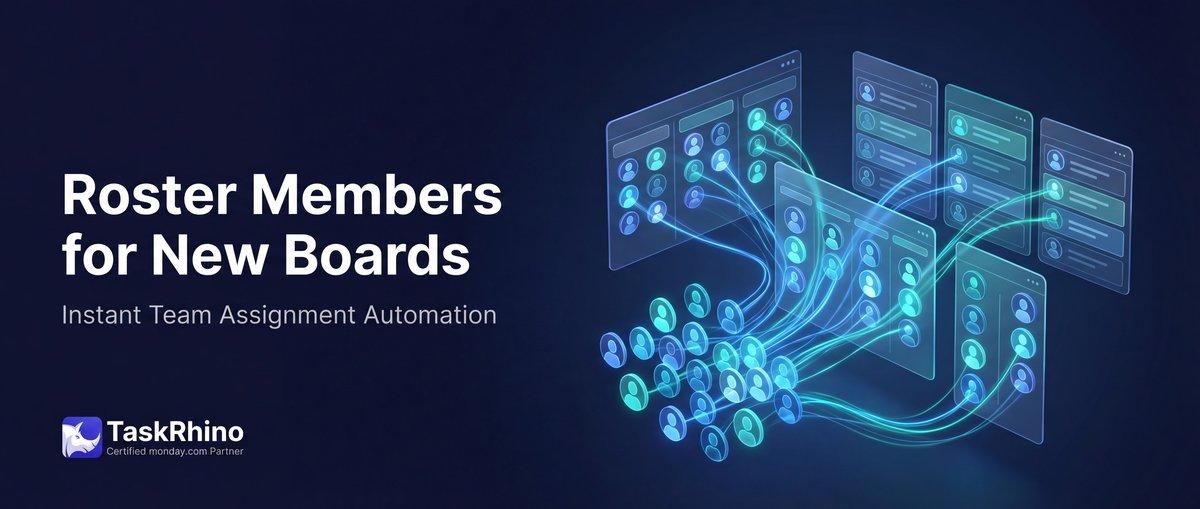
monday.com Roster Members Appear Instantly on New Boards
Team members load in seconds. Not minutes. Not “eventually.”
Can monday.com roster auto-populate instantly? When monday.com creates a board from a template, you get the structure — columns, groups, views — but zero items. If your new project needs 50 team members pre-loaded, you’re copying them manually or waiting for automations to duplicate items from a roster board… and hoping they finish before you need to start working.
BoardBridge — Form & Workflow Automation for monday.com — loads roster members synchronously during project creation. By the time you open the new boards, your team members are already there. No delay. No manual refresh. No “check back in 5 minutes.” Source: BoardBridge Product Documentation
Why monday.com Automations Feel Slow
Pain Point #9 (Boards): Roster members don’t appear immediately after board creation
monday.com’s native automations run asynchronously. When you trigger an automation — like “When deal moves to Won, duplicate items from Band Roster to Band Confirmations board” — here’s what happens:
- The trigger fires (deal status changed)
- monday.com queues the automation action
- The action executes eventually (anywhere from a few seconds to a few minutes, depending on server load)
- The board receives the new items
During that gap, you might:
- Open the newly created board and see it empty
- Start manually adding items because you think the automation didn’t fire
- Wait, confused, wondering if something broke
- Refresh the page multiple times to see if items appeared yet
For high-volume users or complex automation chains, this delay can stretch to 30+ seconds. If your automation triggers 5 other automations (cross-board updates, status changes, notifications), each step queues separately — compounding the delay.
The “Refresh and Wait” Problem
Users report this constantly in the forums:
“I am looking for a way to facilitate forms data entry for our users. For example, when user enters their name, I want to lookup for user’s phone number and email on a board and auto populate it.” — Community thread: Forms – Auto-populate fields based on user input
There’s no progress indicator. No “roster loading…” message. Just an empty board and uncertainty.
How BoardBridge Loads monday.com Rosters Synchronously and Instantly
When BoardBridge creates a project (triggered by a CRM deal moving to “Won” or a manual button click), the entire project creation workflow runs inline — each step completes before the next step starts.
The Execution Flow
- Trigger fires (CRM status change)
- Idempotency check (has this project already been created? If yes, skip)
- Folder creation (create named project folder in monday.com)
- Board duplication (duplicate all template boards into the folder)
- Roster loading (fetch items from roster boards, create items on target boards) ← happens here, synchronously
- CRM data mapping (copy deal details to Event Overview board)
- Webhook registration (connect boards to automation system)
- Automation cloning (set up workflow rules on new boards)
Step 5 (roster loading) does not queue or defer. It executes immediately, within the same API request cycle. The system fetches all items from the roster board, creates them on the target board, and waits for monday.com to confirm success before moving to step 6.
How Long Does It Take?
For typical rosters (under 100 items):
- Roster fetch: 1-2 seconds
- Item creation (50 items): 3-5 seconds
- Total: 5-7 seconds Source: BoardBridge Performance Metrics
For large rosters (100-200 items):
- Roster fetch: 2-3 seconds
- Item creation (150 items): 8-12 seconds (monday.com API rate limits apply) Source: monday.com API Rate Limiting
- Total: 10-15 seconds
This happens while you’re still on the CRM board. By the time you navigate to the newly created project boards, your team members are already there.
No Manual Refresh Needed
Because roster loading is synchronous, you never need to:
- Refresh the page to see if items appeared
- Wait and wonder if the automation fired
- Check back in 5 minutes to see if it’s “done”
Open the board. The items are there. Start working.
Need help setting up monday.com implementation with instant roster loading? TaskRhino offers custom workflow automation.
Fault Tolerance
If roster loading fails (maybe the roster board was deleted or the API timed out), the error is logged immediately and the project creation continues. You get:
- The project folder (created)
- The boards (duplicated)
- The CRM data (mapped)
- The automations (cloned)
- Missing: The roster items (failed)
The failure doesn’t block the rest of the workflow. You can manually load the roster or fix the config and re-run.
Auto-Create Project Folders from CRM
Status change → folder + boards + rosters + webhooks + automations. All automatic.
Real-World Scenario: Event Launch
A client manages events with two confirmation boards:
- Band Confirmations — 20 band members (from Band Roster)
- Team Confirmations — 35 team members (from Team Roster)
Before BoardBridge (using monday.com automations):
- CRM deal moves to “Won”
- Automation triggers: “Create project folder, duplicate boards”
- PM opens Band Confirmations board → empty
- PM waits 10 seconds, refreshes → still empty
- PM opens another tab, checks if automation fired → yes, it did
- PM waits 20 more seconds, refreshes → Band members appear
- PM opens Team Confirmations → empty
- PM refreshes → Team members appear 15 seconds later
- Total wait time: 30-45 seconds of uncertainty
With BoardBridge (synchronous roster loading):
- CRM deal moves to “Won”
- BoardBridge creates project folder, duplicates boards, loads rosters (all inline, 10 seconds total)
- PM opens Band Confirmations → 20 band members already there
- PM opens Team Confirmations → 35 team members already there
- Total wait time: Zero
Why This Matters for High-Volume Teams
If you’re creating 10+ projects per day, the “refresh and wait” problem multiplies:
- 10 projects × 30 seconds of waiting per project = 5 minutes/day of dead time
- Over a month: 100 minutes wasted waiting for automations to finish
- Over a year: 20+ hours of waiting
Synchronous loading eliminates this entirely.
See How BoardBridge Handles Board Management
Book a free demo to see BoardBridge solve this exact problem — live, with your data.
Why This Beats Asynchronous Automations
| Behavior | monday.com Automations | BoardBridge Synchronous Loading |
|---|---|---|
| Roster items appear | Eventually (5-60 seconds later) | ✓ Immediately (within project creation flow) |
| User needs to refresh page | Yes (multiple times) | ✓ No — items are there when board is first opened |
| Uncertainty about whether it worked | High (no progress indicator) | ✓ None — if project creation succeeds, rosters are loaded |
| Failure visibility | Silent (automation may fail without notice) | ✓ Logged immediately in project creation response |
| Time to usable board | 30-60 seconds | ✓ 5-10 seconds |
Common Questions
Q: Does monday.com auto-populate roster data instantly? A: Not natively. monday.com automations run asynchronously with delays of 5-60 seconds. BoardBridge loads rosters synchronously during project creation — items appear instantly when you open the board, no refresh needed.
Q: What if my roster has 500 items — does synchronous loading still work? A: Yes, but it will take longer (30-60 seconds). monday.com’s API has rate limits (roughly 1-2 items created per second under load), so very large rosters slow down the entire project creation flow. For rosters over 200 items, consider batching (create core items synchronously, load the rest asynchronously).
Q: Does synchronous loading consume more monday.com automation actions? A: No. BoardBridge runs on its own server and calls monday.com’s API directly — it doesn’t use monday.com’s automation engine, so it consumes zero automation actions.
Q: What happens if the roster loading times out? A: The error is logged and project creation continues without roster items. You’d manually load the roster or re-trigger the automation. Timeouts are rare for rosters under 200 items.
Q: Can I see progress as roster loading happens? A: Not in real-time (the process is server-side). The trigger response includes a summary: “Project created. Band Confirmations: 20 items loaded. Team Confirmations: 35 items loaded.” You see the final result, not incremental progress.
Q: If I have 5 roster boards loading at once, do they run in parallel or sequentially? A: Sequentially, but fast. Each roster board is fetched and loaded one after another. For 5 rosters with 20-30 items each, total time is typically 15-25 seconds.
Q: Does this work for boards created manually (not via CRM automation)? A: Yes. If you trigger project creation via a button click or status change (not just CRM Won), roster loading still runs synchronously. The trigger type doesn’t affect the execution model.
Q: Can you auto-populate People Column when creating items on new boards? A: People Column can’t be populated via forms or automations for public forms due to security. Use Dropdown + automation workaround. See monday.com People Column in Forms for details.
Who This Is For
This feature benefits teams who:
- Create multiple projects per day and need boards ready instantly
- Hate waiting for automations to “eventually” finish
- Need certainty that roster loading succeeded before starting work
- Want to open a new project and immediately start managing team confirmations, assignments, or outreach
If you’ve ever opened a newly created monday.com board, seen it empty, and wondered “did it break or do I just wait?” — synchronous roster loading solves that.
Need instant roster population when projects are created? BoardBridge by TaskRhino loads team members synchronously — no delay, no refresh, no uncertainty. Book a free 30-minute consultation at https://calendly.com/rp-spaceo/call-with-rakesh-est-timezone
Need Help With Your monday.com Setup?
TaskRhino has implemented monday.com for 110+ teams. Get a free consultation.
Frequently Asked Questions
Why doesn’t monday.com auto-populate roster members when I create a board from a template?
monday.com templates replicate board structure (columns, views, automations) but don’t synchronously load team members at creation time. Roster population relies on asynchronous automations or manual processes, which introduces delays. BoardBridge solves this by loading rosters synchronously at project creation, ensuring team members appear instantly without requiring refresh cycles or automation triggers.
Can I use monday.com automations to instantly populate a roster when a new board is created?
Standard monday.com automations trigger based on item changes or status updates, not board creation events, making them unsuitable for instant roster population at creation time. Even with optimized automation recipes, there’s inherent latency in the trigger-action cycle. BoardBridge bypasses this limitation by executing roster population synchronously during board instantiation, eliminating the automation delay entirely.
What’s the difference between ‘eventual consistency’ roster loading and instant roster population in monday.com?
Eventual consistency means team members appear after automations execute, refreshes complete, or background jobs finish—potentially taking minutes. Instant population means roster members are loaded synchronously at board creation time, visible immediately without any refresh or wait. BoardBridge implements true instant population by integrating roster loading into the board creation workflow itself.
If I batch-create multiple boards from a template, will the roster populate at the same speed across all boards?
Batch-created boards using standard monday.com templates experience variable roster population speeds because each board’s automations execute independently and asynchronously. Network latency, automation queue depth, and system load affect each board differently. BoardBridge ensures consistent, instant population across batch-created boards by handling roster loading synchronously for each board during creation.
How do dependencies and automations interact with roster population timing in monday.com project templates?
Dependencies require pre-populated items to function properly, but roster population happens asynchronously after board creation, creating a sequencing problem. If you rely on automations to populate rosters before dependencies activate, you introduce unpredictable delays. BoardBridge resolves this by ensuring rosters exist synchronously at creation time, allowing dependencies and automations to execute reliably without waiting for roster data.
What technical limitations prevent monday.com from natively supporting instant roster auto-population?
monday.com’s template system separates structural replication from data population, using asynchronous automations for dynamic content rather than synchronous processes. The platform’s architecture doesn’t include a ‘roster population’ trigger at the board creation event level. BoardBridge works around this architectural constraint by executing roster loading as part of the board creation request itself, achieving synchronous population that native monday.com cannot.

Editor's Choice
monday.com Automation Safety: Preventing Duplicate Items

monday.com No Dry-Run Mode for Automations
monday.com Automation Test Sandbox Mode