

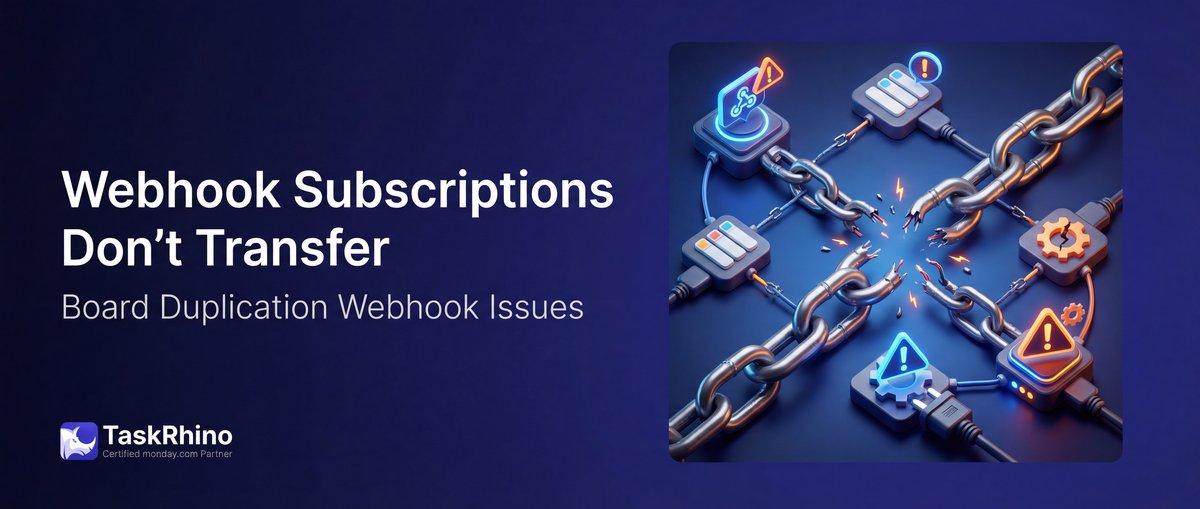
monday.com Webhook Subscriptions Don’t Transfer on Duplication
Webhook automations should work. Not fail silently.
Are monday.com webhooks lost on board duplication? When you duplicate a monday.com board that has webhook automations set up, the webhook integration blocks might appear to duplicate — but the actual webhook subscriptions don’t transfer. The new board has no active webhook listeners, so automations that depend on webhooks silently fail until someone manually re-registers them. This is particularly problematic when automating project creation from templates, where webhook-driven workflows are critical.
This is a critical scalability problem for teams using external automation platforms, custom integrations, or any system that listens for monday.com board events via webhooks.
BoardBridge — Form & Workflow Automation for monday.com — auto-registers webhook subscriptions on every new board created from templates. Zero manual setup required.
Why Webhooks Don’t Transfer on Board Duplication
Pain Point #33: Webhook subscriptions don’t carry over when boards are duplicated, requiring manual re-registration on every new board
Webhooks work by creating active subscriptions tied to specific board IDs. Source: monday.com Developer Docs – Webhooks When monday.com duplicates a board, it copies:
- ✓ Columns
- ✓ Groups
- ✓ Views
- ✓ Automation rules (the logical rules)
- ✗ Webhook subscriptions (the active listeners)
The automation rule that says “listen for item creation events” is copied, but the actual webhook subscription that receives those events is not.
How Webhooks Actually Work
When you register a webhook on a board:
- Send HTTP request to monday.com API:
POST /webhooks { “board_id”: 987654321, “event”: “create_item”, “url”: “https://example.com/webhook” }
- monday.com creates an active subscription
- When events happen on board 987654321, monday.com POSTs to https://example.com/webhook
- Your external system processes the event
When you duplicate the board to board ID 111111111:
- New board created (111111111)
- Automation rule copied: “Listen for item creation”
- But webhook subscription still only listens to board 987654321
- Events on board 111111111 are NOT sent to your webhook URL
- External system receives zero notifications
- Automations fail silently
What Gets Lost
Webhooks to external systems that disappear:
- Make — automation platform webhooks stop receiving events
- Zapier — integration webhooks go silent
- Custom apps — your own integration servers stop receiving notifications
- Pabbly Connect — webhook automation platform loses connection
- N8N — workflow automation webhooks break
- Custom Node.js/Python apps — your custom webhook listeners stop working
The Silent Failure Problem
This is more dangerous than integrations that show errors. With webhooks:
- Webhook listener is deregistered, but PM doesn’t know
- Automations appear active in the automation center
- External system silently receives zero events (no error messages)
- Workflow silently fails without alerting anyone
- Hours/days pass before someone realizes something’s wrong
What the Community Says
From monday.com forums:
“Webhook subscriptions don’t transfer when duplicating boards. My external automation system gets no events from the new board because the webhook isn’t registered there.”
“This breaks entire automation chains. We use webhooks to sync monday.com with Make, and when we duplicate boards for new projects, nothing works. It’s silent, so we don’t realize until something’s broken.”
Even monday.com’s support acknowledges webhooks don’t carry over and recommends manual re-registration. Source: monday.com Support & Community This issue is part of a broader pattern where external integrations don’t duplicate and cross-board automations break.
See How BoardBridge Handles This Workflow
Book a free demo to see BoardBridge solve this exact problem — live, with your data.
How BoardBridge Handles Webhook Auto-Registration on Duplication
When BoardBridge creates a project (triggered by a CRM deal moving to “Won”), the webhook registrations for that board happen automatically and simultaneously with board creation. Source: BoardBridge Webhook Auto-Registration Feature
The Auto-Registration Flow
- Duplicate board from template
- Fetch webhook subscriptions from the original template board (if they exist)
- Register new webhooks on the duplicated board pointing to the same URLs
- Verify registration and log success or failure
- Return confirmation that webhooks are active
How It Works
BoardBridge maintains a webhook registry — a list of:
- Which boards have webhooks configured
- Which URLs those webhooks should point to
- Which event types trigger notifications
When a new board is created from a template, BoardBridge:
- Looks up the template’s webhook configuration
- Creates new webhook subscriptions on the new board
- Points them to the same external URLs (Make, Zapier, custom app, etc.)
- Verifies the subscriptions are active
Result: Your external system immediately starts receiving webhook events from the new board.
Zero Manual Re-Registration Required
You never have to:
- Log into monday.com API dashboard
- Manually register webhooks again
- Copy webhook URLs from the original board
- Test webhooks to verify they’re working
- Debug why your external system isn’t receiving events
All of this happens automatically.
Event Types Supported
BoardBridge auto-registers all monday.com webhook event types:
create_item— new item createdupdate_item— item updatedchange_column_value— column value changedchange_status— status changedarchive_item— item archiveddelete_item— item deleted- And all other monday.com webhook event types
If the template board has webhooks listening for status changes, the duplicated board gets the same webhook configuration immediately.
Need Help With Your monday.com Setup?
TaskRhino has implemented monday.com for 110+ teams. Get a free consultation.
Real-World Scenario: Multi-Board Automation at Scale
A company uses Zapier to sync monday.com boards with external systems (CRM, email marketing, project tracking). All events are piped through webhooks.
Before BoardBridge (webhooks disappear):
- Template board has webhooks registered on Zapier
- New project board duplicated
- Webhook subscriptions don’t transfer to new board
- Events happen on new board (items created, statuses change)
- Webhooks receive zero events (silent failure)
- Zapier doesn’t trigger, data doesn’t sync to external systems
- Team realizes it’s broken 24 hours later when emails aren’t being sent
- PM manually re-registers webhooks on the new board via monday.com API
- Webhooks finally activate, data starts syncing
- Time per project: 20-30 minutes of troubleshooting + manual webhook setup
With BoardBridge (automatic webhook auto-registration):
- Template board has webhooks registered on Zapier
- New project board created by BoardBridge
- Webhooks auto-registered on new board pointing to same Zapier URLs
- Events happen on new board
- Webhooks receive events immediately
- Zapier triggers, data syncs to external systems
- Emails are sent, CRM is updated, everything works
- Time per project: Zero
Why This Beats Manual Webhook Re-Registration
| Need | Manual Re-Registration | BoardBridge Auto-Registration |
|---|---|---|
| Webhook subscriptions on new boards | No — must be done manually | ✓ Automatic |
| External systems receive events immediately | No — until manual setup | ✓ Yes, from day one |
| Silent webhook failures | Yes — no alerts | ✓ No — logged if registration fails |
| Consistency across all projects | No — easy to miss | ✓ Yes — all new boards get same webhooks |
| Time per project | 20-30 minutes | ✓ Zero |
How to Set It Up
- Register webhooks on your template board (one-time setup in monday.com or your platform)
- Document webhook URLs and event types in BoardBridge’s webhook config
- Configure project creation trigger (usually CRM Won status)
- Test: Create a test project and verify external system receives webhook events
- Deploy: All future projects will have webhooks auto-registered
Common Questions
Q: Do monday.com webhooks automatically transfer when duplicating boards? A: No. Webhook subscriptions don’t transfer — the new board receives zero webhook events until you manually re-register them. BoardBridge auto-registers webhooks as part of project creation.
Q: Can I use BoardBridge webhook auto-registration with Make, Zapier, or custom apps? A: Yes. BoardBridge auto-registers webhooks pointing to any URL. Your external system doesn’t need to know it’s a BoardBridge project — it just receives standard monday.com webhook payloads.
Q: What webhook event types are supported? A: All of them — create_item, update_item, change_column_value, change_status, archive_item, delete_item, and any other event type monday.com supports.
Q: Can I have different webhook configurations for different projects? A: Yes. You can define multiple webhook configurations and select which one applies to each project type.
Q: What if a webhook URL becomes invalid after I’ve created projects? A: BoardBridge will log registration failures, but won’t break project creation. Fix the URL and re-run webhook registration for affected projects.
Q: Does auto-registration consume monday.com API calls? A: Yes — one API call per webhook subscription per board. For 5 webhooks and 20 new projects, that’s 100 API calls. Normally acceptable, but check your API limits if you’re doing heavy automation.
Q: Can I test webhooks before deploying to all projects? A: Yes. Create a test project, verify webhooks are registered, test that your external system receives events. Then deploy to production.
Q: What if I want to disable webhooks on certain projects? A: You can configure which boards should have webhooks auto-registered. Some projects may not need external system integration, so you can skip them.
Q: Do I still need to set up webhooks on the template board manually? A: One time, yes. You register webhooks on the template board. BoardBridge then auto-registers them on every duplicated board. The template setup is a one-time investment.
Who This Is For
This feature is built for teams who:
- Use webhooks to sync monday.com with external systems (Zapier, Make, custom apps)
- Create multiple projects per month from template boards
- Have had silent webhook failures where external systems stopped receiving events
- Can’t afford manual webhook re-registration for every project
- Need reliable automation that actually works on new boards
If you’ve ever discovered that webhooks weren’t firing on a new board because they weren’t registered, webhook auto-registration solves that. Combined with solutions for board automation remapping, you can achieve fully automated project creation.
Need webhook subscriptions that auto-register on new boards? BoardBridge by TaskRhino auto-registers webhooks during project creation — no manual setup required. Book a free 30-minute consultation.
Stop Creating Duplicates
BoardBridge forms update existing items — no Enterprise plan, no workarounds, no duplicates.
Frequently Asked Questions
Why do monday.com webhook subscriptions fail to transfer when duplicating a board?
monday.com webhook integrations are tied directly to the original board’s unique ID, which changes upon duplication, causing them to enter a ‘ghost’ state or disappear entirely without reactivation. This behavior persists even with templates, requiring manual recreation via the API or apps like Make.com. BoardBridge solves this by automatically registering webhooks on every new duplicated board, eliminating manual setup.
How can I automatically recreate webhook integrations after monday.com board duplication?
Use the monday.com API to call the subscribe endpoint post-duplication, as manual recreation is needed since webhooks don’t copy over reliably. Tools like Make.com can automate this process by scripting webhook setup after detecting new boards. For seamless handling, BoardBridge auto-registers all webhook subscriptions on duplicated boards without API scripting or manual intervention.
Are there duplicate webhook requests after duplicating a monday.com board with integrations?
Recent monday.com changes around mid-September caused duplication processes to call the subscribe endpoint twice, resulting in duplicate webhooks on the new board. This side-effect requires support intervention or API cleanup to resolve. BoardBridge prevents this by intelligently auto-registering only necessary webhooks without triggering extras on duplication.
Why do webhook automations break when copying monday.com boards from templates via API?
API-based duplication of template boards fails to properly transfer webhook integrations, leading to broken automations and odd errors due to board ID mismatches. Workarounds involve post-duplication API calls to recreate subscriptions manually. BoardBridge bypasses this issue entirely by auto-registering webhooks on any new board from templates or duplication.
Do third-party app webhooks like Zapier copy over on monday.com board duplication?
Third-party webhooks from apps like Zapier often do not copy over during board duplication or templating, unlike some built-in integrations that appear in ‘ghost’ status. They must be manually reconfigured with the new board ID to restore functionality. BoardBridge ensures all webhook automations, including third-party ones, are automatically re-registered on duplicated boards.
What’s the best workaround for lost webhooks on frequently duplicated monday.com template boards?
Built-in automations may partially transfer, but webhooks consistently require recreation using API scripting or tools like Make.com after each duplication. Frequent manual fixes create bottlenecks for scaling template usage. BoardBridge eliminates this by auto-registering webhooks on every new board instance, enabling zero-touch duplication workflows.

Editor's Choice
monday.com Automation Safety: Preventing Duplicate Items

monday.com No Dry-Run Mode for Automations
monday.com Automation Test Sandbox Mode