

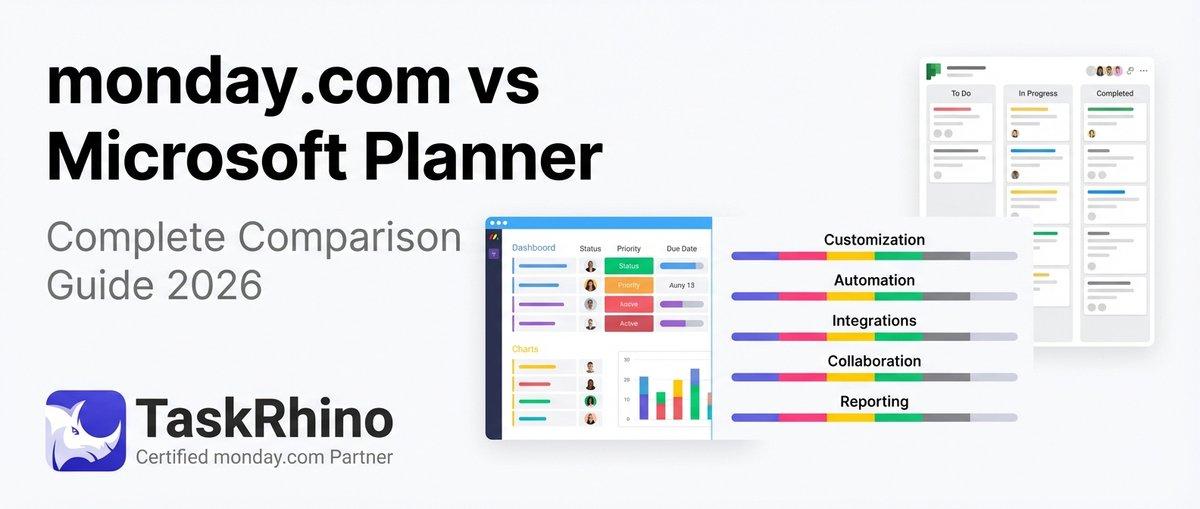
monday vs Microsoft Planner: Complete Comparison Guide 2026
Microsoft Planner rolled out major updates in early 2026 — task chat, custom templates, and Copilot integration — while monday.com increased pricing by 18% and doubled down on advanced automation. If you’re choosing between them this year, the decision isn’t as simple as “Microsoft is free” anymore.
Microsoft Planner now has two tiers (Basic and Premium), and Premium requires a separate subscription beyond your standard Microsoft 365 plan. Meanwhile, monday.com requires a minimum of three paid seats, and essential features like Gantt charts and time tracking are locked behind the Pro and Enterprise tiers.
This guide compares both platforms head-to-head across pricing, features, integrations, and real-world use cases. We’ve tested both tools with teams ranging from 5 to 50+ users, and the winner depends entirely on what you actually need.
Quick Comparison: Microsoft Planner vs monday.com
| Feature | Microsoft Planner | monday.com | Winner ✅ |
|---|---|---|---|
| Starting Price | Included with M365 ($10/user) | $9/user/month (3-seat min) | MS Planner |
| Ease of Use | Simple, minimal learning curve | Steeper curve, more features | MS Planner |
| Customization | Limited | Highly customizable | monday.com |
| Automation | Basic (no custom logic) | Advanced (250+ templates) | monday.com |
| Integrations | M365 ecosystem only | 200+ native + Zapier | monday.com |
| Visual Boards | Kanban only | Kanban, Gantt, Timeline, Calendar | monday.com |
| Reporting | Basic charts | Custom dashboards + widgets | monday.com |
| Mobile App | Good (Teams integration) | Excellent (full feature parity) | monday.com |
| Enterprise Security | Excellent (Microsoft infrastructure) | Good (SOC 2, GDPR) | MS Planner |
| Best For | Microsoft 365 teams, simple task tracking | Cross-functional teams, complex workflows | Tie |
Bottom line: Microsoft Planner wins on cost and simplicity. monday.com wins on power and flexibility. Your choice depends on whether you prioritize ease and cost (Planner) or customization and advanced features (monday.com).
What Is Microsoft Planner?
Microsoft Planner is a task management tool included with most Microsoft 365 subscriptions. It provides Kanban-style boards, task assignments, due dates, and integrations with Teams, Outlook, and SharePoint. In January 2026, Microsoft rolled out a major update introducing task chat, custom templates, and Copilot-powered project management agents — while retiring features like iCalendar feeds and the Whiteboard tab.
Planner now has two plan types: Basic (included with most M365 subscriptions) and Premium (requires Project Plan 1 or higher, starting at $10/user/month on top of your M365 license).
Best for: Teams already using Microsoft 365 who need straightforward task tracking without a steep learning curve.
What Is monday.com?
monday.com is a work operating system (Work OS) designed for project management, CRM, marketing workflows, and team collaboration. It’s known for its visual interface, deep customization, and powerful automation engine. Unlike Planner, monday.com is a standalone platform — you’re not locked into a single ecosystem, and you can integrate with hundreds of third-party tools.
In 2026, monday.com increased pricing by 18% for its monday service product but added features like expanded automation quotas, AI-powered column suggestions, and improved dependency tracking.
Best for: Teams that need custom workflows, advanced automations, and multi-view project tracking (Gantt, timeline, calendar, Kanban).
Pricing Comparison: Microsoft Planner vs monday.com
| Plan | Microsoft Planner | monday.com | Winner ✅ |
|---|---|---|---|
| Free Plan | No (requires M365 subscription) | Yes (up to 2 users, limited features) | monday.com |
| Entry-Level Paid | $10/user/month (M365 Business Basic) | $9/user/month (3-seat minimum = $27/month) | MS Planner |
| Mid-Tier | $22/user/month (M365 Business Standard) | $12/user/month (Standard plan) | monday.com |
| Advanced | Project Plan 3: $30/user/month | $18/user/month (Pro plan) | monday.com |
| Enterprise | Project Plan 5: $55/user/month | Custom pricing (starts ~$30/user/month) | monday.com |
Microsoft Planner Pricing Breakdown
Microsoft Planner isn’t sold separately — it’s bundled with Microsoft 365 subscriptions:
- Microsoft 365 Business Basic ($10/user/month): Includes Planner Basic, Teams, Outlook, OneDrive.
- Microsoft 365 Business Standard ($22/user/month): Adds desktop Office apps (Word, Excel, PowerPoint).
- Microsoft 365 Business Premium ($39/user/month): Adds advanced security and device management.
- Project Plan 1 ($10/user/month): Unlocks Planner Premium (custom templates, task chat, Copilot agents).
- Project Plan 3 ($30/user/month): Adds project scheduling, roadmap views, resource management.
- Project Plan 5 ($55/user/month): Adds portfolio management and advanced analytics.
Key limitation: You can’t buy Planner by itself. You’re paying for the entire Microsoft 365 suite, even if you only need the task management features.
monday.com Pricing Breakdown
monday.com pricing is based on seats and feature tiers:
- Free Plan: Up to 2 users, 3 boards, 1,000 items, 500MB storage. Good for personal projects, not teams.
- Basic Plan ($9/user/month, 3-seat minimum): Unlimited boards, 5GB storage, basic integrations. No timeline view, no Gantt charts, no automations.
- Standard Plan ($12/user/month): Adds timeline/Gantt view, 250 automation actions/month, 250 integration actions/month, calendar view, guest access.
- Pro Plan ($18/user/month): Adds time tracking, formula columns, 25,000 automation actions/month, dependency tracking, private boards.
- Enterprise Plan (custom pricing): Adds enterprise-grade security, advanced analytics, 250,000 automation actions/month, multi-level permissions, dedicated account manager.
Key limitation: The Basic plan lacks essential project management features (Gantt charts, automations, time tracking). Most teams need Standard or Pro to unlock monday.com’s real power.
TaskRhino Story #1: When “Free” Planner Became Expensive
We worked with a 12-person marketing agency that started on Microsoft Planner because it was “already included” in their Microsoft 365 subscription. Six months in, they hit two walls: (1) Planner couldn’t handle their client project workflows (no dependencies, no Gantt charts, no time tracking), and (2) they needed Project Plan 3 to unlock Premium features — adding $30/user/month on top of their existing M365 cost.
After doing the math, switching to monday.com’s Pro plan ($18/user/month) saved them $144/month while giving them more powerful automation, time tracking, and client-facing dashboards. The lesson: “included with M365” doesn’t mean it’s the cheapest option once you account for what you actually need.
Winner: Microsoft Planner for teams already deep in the Microsoft ecosystem with simple task tracking needs. monday.com for teams that need advanced features without paying for premium Microsoft licenses.
Features Comparison: What Can Each Platform Actually Do?
Task Management Features
| Feature | Microsoft Planner | monday.com | Winner ✅ |
|---|---|---|---|
| Task Creation | Yes | Yes | Tie |
| Subtasks | Yes (checklist items) | Yes (subitems, unlimited depth) | monday.com |
| Task Dependencies | No (Premium only) | Yes (Pro plan+) | monday.com |
| Recurring Tasks | Limited | Yes (daily, weekly, monthly, custom) | monday.com |
| Task Templates | Yes (2026 update) | Yes (advanced templates) | Tie |
| Priority Levels | Labels only | Custom status columns | monday.com |
| Time Tracking | No | Yes (Pro plan+) | monday.com |
| Task Comments/Chat | Yes (task chat in 2026) | Yes (threaded updates) | Tie |
Key differences:
- Subtasks: Planner uses simple checklist items. monday.com supports full subitems with their own columns, statuses, and owners — essentially boards within boards.
- Dependencies: Planner added dependencies in Premium plans in 2026, but they’re limited to basic predecessor/successor relationships. monday.com’s dependencies show critical path, auto-adjust timelines, and send alerts when blockers are removed.
- Time tracking: Planner doesn’t have native time tracking at all. monday.com’s Pro plan includes a time tracking column that logs hours directly on tasks.
Collaboration Features
| Feature | Microsoft Planner | monday.com | Winner ✅ |
|---|---|---|---|
| @Mentions | Yes | Yes | Tie |
| File Attachments | Yes (OneDrive/SharePoint) | Yes (native storage + integrations) | Tie |
| Real-Time Updates | Yes | Yes | Tie |
| Guest Access | Yes (Azure AD guests) | Yes (Standard plan+) | Tie |
| In-App Chat | Via Teams | No (uses updates feed) | MS Planner |
| Email Notifications | Basic | Highly customizable | monday.com |
| Mobile Collaboration | Good | Excellent | monday.com |
Key differences:
- In-app chat: Planner’s 2026 update added task chat, but it lives in Teams/Outlook — not directly in Planner. monday.com keeps everything in the updates feed within the platform.
- Email notifications: Planner sends basic “you were assigned a task” emails. monday.com lets you customize notification triggers, frequency, and content — including rich HTML emails via integrations like BoardBridge.
Automation Features
| Feature | Microsoft Planner | monday.com | Winner ✅ |
|---|---|---|---|
| Native Automations | Limited (Power Automate required) | Yes (250+ templates) | monday.com |
| Custom Workflows | Via Power Automate | Yes (visual automation builder) | monday.com |
| Conditional Logic | Power Automate only | Yes (AND/OR conditions) | monday.com |
| Recurring Automations | Power Automate only | Yes (time-based triggers) | monday.com |
| Multi-Step Automations | Power Automate only | Yes (action chaining) | monday.com |
| Automation Limits | Depends on Power Automate plan | 250 actions/month (Standard) to 250,000 (Enterprise) | Tie |
Key differences:
Planner doesn’t have a native automation engine. You need Power Automate (Microsoft’s Zapier alternative) to create workflows, which requires a separate learning curve and potentially a premium Power Automate plan for advanced features.
monday.com’s automation builder is built directly into the platform. You can create rules like:
- “When status changes to ‘Done,’ move item to ‘Completed’ group and notify project manager”
- “Every Monday at 9 AM, create a new item in ‘Weekly Tasks’ with this week’s date”
- “When deadline is 2 days away and status is not ‘Done,’ send email alert to assignee and their manager”
TaskRhino Story #2: Automating a 9-Board Event Workflow
We built a monday.com setup for an event management company that runs 40+ events per year. When a deal closes in their CRM board (status changes to “Won”), our automation creates 9 new boards for that event: Venue Setup, Talent Management, Ticketing, Catering, AV/Lighting, Marketing, Volunteers, Load-In, and Load-Out.
Each board gets pre-loaded with task templates, roster assignments, and due dates calculated from the event date. Planner couldn’t handle this level of cross-board orchestration without building a complex Power Automate flow that would hit API rate limits and require constant maintenance.
With monday.com (and our BoardBridge add-on for advanced cross-board workflows), this entire handoff happens in one click. The event coordinator doesn’t touch a single board manually.
View Options: How You See Your Work
| View Type | Microsoft Planner | monday.com | Winner ✅ |
|---|---|---|---|
| Kanban Board | Yes | Yes | Tie |
| List View | Limited | Yes (sortable, filterable) | monday.com |
| Timeline/Gantt | Premium plans only | Standard plan+ | monday.com |
| Calendar View | Yes | Yes (Standard plan+) | Tie |
| Chart/Dashboard | Basic charts | Advanced widgets + dashboards | monday.com |
| Map View | No | Yes (with location columns) | monday.com |
| Workload View | No | Yes (Pro plan+) | monday.com |
Key differences:
- Planner’s views: Kanban board (grouped by bucket, assignee, progress, due date, or labels), charts (status, progress, bucket distribution), and schedule (calendar view). That’s it. No Gantt chart unless you upgrade to Project Plan 3.
- monday.com’s views: Kanban, table, timeline (Gantt), calendar, map, workload, form, chart, files. You can have multiple views of the same board, and each team member can save their preferred view.
Winner: monday.com for teams that need multiple ways to visualize their work. MS Planner for teams that only need Kanban boards and don’t want view overload.
See How BoardBridge Handles This Workflow
Book a free demo to see BoardBridge solve this exact problem — live, with your data.
Integrations: How Well Do They Connect with Other Tools?
| Integration Category | Microsoft Planner | monday.com | Winner ✅ |
|---|---|---|---|
| Native Integrations | 10+ (Microsoft ecosystem) | 200+ (third-party apps) | monday.com |
| Email Integration | Outlook (deep integration) | Gmail, Outlook, custom SMTP | Tie |
| Calendar Sync | Outlook Calendar | Google Calendar, Outlook, Apple | monday.com |
| File Storage | OneDrive, SharePoint | Google Drive, Dropbox, Box, OneDrive | monday.com |
| Communication Tools | Teams (native), Slack (limited) | Slack, Teams, Zoom, Discord | monday.com |
| CRM Integration | Dynamics 365 | Salesforce, HubSpot, Pipedrive, Dynamics | monday.com |
| Zapier/Make Support | Yes | Yes (1,000+ Zapier integrations) | monday.com |
| API Access | Yes (Microsoft Graph API) | Yes (REST API + webhooks) | Tie |
Microsoft Planner Integrations
Planner is designed to work exclusively within the Microsoft 365 ecosystem:
- Microsoft Teams: Planner tabs in Teams channels, task assignments from chat, notifications in Teams activity feed.
- Outlook: Add tasks to your Outlook calendar, create tasks from emails, receive task notifications in Outlook.
- SharePoint: Embed Planner boards in SharePoint pages, sync task lists.
- Power Automate: Build custom workflows connecting Planner with 400+ apps.
- Microsoft To Do: Personal task sync (your assigned Planner tasks show up in To Do).
What Planner doesn’t integrate with (without Power Automate):
- Google Workspace (Gmail, Google Calendar, Google Drive)
- Slack (limited — you can get notifications but not manage tasks)
- Popular CRMs like Salesforce or HubSpot
- Popular project management tools like Asana, Trello, or ClickUp
If your company uses Microsoft 365 for everything, Planner’s integrations are seamless. If you use a mix of tools (Google Drive, Slack, Salesforce), you’ll hit walls.
monday.com Integrations
monday.com connects with 200+ apps natively, plus thousands more via Zapier, Make, and its open API:
- Communication: Slack, Microsoft Teams, Zoom, Discord, Gmail, Outlook
- CRM: Salesforce, HubSpot, Pipedrive, Zoho, Dynamics 365, monday.com CRM
- File Storage: Google Drive, Dropbox, Box, OneDrive, SharePoint
- Marketing: Mailchimp, ActiveCampaign, HubSpot, Google Ads, Facebook Ads
- Development: GitHub, GitLab, Jira, Bitbucket
- Time Tracking: Harvest, Toggl, Clockify, Everhour
- Forms: Typeform, Google Forms, JotForm, or monday.com’s native WorkForms
- Accounting: QuickBooks, Xero, FreshBooks
Winner: monday.com if you use a variety of tools across different ecosystems. MS Planner if you live entirely in Microsoft 365 and never plan to leave.
Customization: How Flexible Is Each Platform?
| Customization Feature | Microsoft Planner | monday.com | Winner ✅ |
|---|---|---|---|
| Custom Fields | No (predefined only) | Yes (40+ column types) | monday.com |
| Custom Statuses | No (fixed: Not Started, In Progress, Completed) | Yes (unlimited custom statuses) | monday.com |
| Custom Workflows | No | Yes | monday.com |
| Board Templates | Basic (2026 update added custom templates) | Advanced (200+ templates) | monday.com |
| Branding/Colors | Labels only | Full board colors, logos, themes | monday.com |
| Formula Columns | No | Yes (Pro plan+) | monday.com |
| Conditional Formatting | No | Yes | monday.com |
Microsoft Planner Customization (Limited)
Planner is intentionally simple. You get:
- Predefined task fields: Title, due date, assignee, progress (Not Started / In Progress / Completed), priority (0-10 scale), notes, checklist, attachments.
- Labels: 6 color-coded labels per board (you can rename them, e.g., “Urgent,” “Design,” “Bug Fix”).
- Buckets: Groupings for tasks (like columns in Kanban).
- Custom templates (new in 2026): Save boards as templates and reuse them.
What you CAN’T customize:
- Status names (stuck with “Not Started,” “In Progress,” “Completed”)
- Task fields (no custom dropdowns, checkboxes, or text fields)
- Conditional logic (no “if this, then that” rules without Power Automate)
- Formulas or calculated fields
If your workflow fits Planner’s structure, it’s great. If you need custom fields for “Budget,” “Client Name,” “Invoice Status,” or “Priority Tier,” you’re stuck using workarounds (like putting everything in the task description).
monday.com Customization (Highly Flexible)
monday.com lets you build boards that look and behave exactly how your team works:
- 40+ column types: Status, text, numbers, date, timeline, people, dropdown, checkbox, rating, location, file upload, link, email, phone, country flag, world clock, battery indicator, progress bar, auto-number, vote, tags, formula, dependency, mirror (pull data from other boards), connect boards (link related items).
- Custom statuses: Create unlimited status columns with custom labels and colors. Example: “Not Started” → “Proposal Draft” → “Client Review” → “Revisions” → “Approved” → “Invoiced.”
- Formula columns (Pro plan+): Calculate values based on other columns. Example:
{Budget} - {Spent} = {Remaining}orIF({Days Until Deadline} < 3, "URGENT", "On Track"). - Conditional formatting: Change row colors based on column values (e.g., turn rows red when deadline is past and status isn't "Done").
- Automations: Build custom workflows without code (250+ templates to start).
- Dashboards: Combine data from multiple boards into charts, timelines, workload views, and KPIs.
Winner: monday.com by a mile. If your workflows don't fit Planner's rigid structure, you'll spend more time fighting the tool than using it.
Reporting & Analytics: How Do You Track Progress?
| Reporting Feature | Microsoft Planner | monday.com | Winner ✅ |
|---|---|---|---|
| Built-In Reports | Basic charts | Advanced dashboards | monday.com |
| Custom Dashboards | No | Yes | monday.com |
| Real-Time Data | Yes | Yes | Tie |
| Export to Excel | Yes | Yes (CSV, Excel) | Tie |
| Time Tracking Reports | No | Yes (Pro plan+) | monday.com |
| Workload Reports | No | Yes (Pro plan+) | monday.com |
| Burndown Charts | No | Yes (via dashboard widgets) | monday.com |
| Portfolio View | Project Plan 5 only | Enterprise plan | Tie |
Microsoft Planner Reporting (Basic)
Planner's Charts tab shows:
- Status chart: Breakdown by Not Started / In Progress / Completed.
- Bucket chart: Task distribution across buckets.
- Progress chart: Percentage complete.
- Priority chart: Task distribution by priority level.
- Members chart: Task distribution by assignee.
That's it. No custom reports, no cross-board aggregation, no filtering by date range or labels. If you need advanced analytics, you'll need Power BI (Microsoft's business intelligence tool, starting at $10/user/month) to pull Planner data via Microsoft Graph API and build custom reports.
monday.com Reporting (Advanced)
monday.com's dashboards let you:
- Combine data from multiple boards into one view.
- Add 20+ widget types: Chart (bar, line, pie, funnel), timeline, battery, numbers, table, workload, time tracking, map.
- Filter by date, status, owner, or any column to slice your data.
- Share dashboards with stakeholders (view-only access, no editing).
- Schedule automated exports (CSV, PDF) via integrations.
Example dashboard for a marketing team:
- Top widget: Numbers showing total campaigns, campaigns in progress, completed this month.
- Second row: Bar chart showing campaign status breakdown by status column.
- Third row: Timeline showing all campaigns across the next 90 days.
- Bottom row: Workload showing team capacity based on assigned tasks.
Winner: monday.com for teams that need data visibility. MS Planner if basic progress charts are enough.
Need Help With Your monday.com Setup?
TaskRhino has implemented monday.com for 110+ teams. Get a free consultation.
Mobile Experience: Managing Work on the Go
| Mobile Feature | Microsoft Planner | monday.com | Winner ✅ |
|---|---|---|---|
| iOS App | Yes | Yes | Tie |
| Android App | Yes | Yes | Tie |
| Offline Access | Limited | Yes | monday.com |
| Push Notifications | Yes | Yes | Tie |
| Full Feature Parity | No (limited views) | Yes (almost all desktop features) | monday.com |
| Create Tasks | Yes | Yes | Tie |
| Edit Tasks | Yes | Yes | Tie |
| Attach Files | Yes | Yes | Tie |
| Comment on Tasks | Yes | Yes | Tie |
| Change Views | Limited | Yes (Kanban, timeline, calendar, map) | monday.com |
Microsoft Planner Mobile App
Planner's mobile app is functional but not as feature-rich as the desktop version:
- ✅ View tasks by board, assignee, or progress
- ✅ Create, edit, and complete tasks
- ✅ Add comments and attachments
- ✅ Receive push notifications
- ❌ No timeline/Gantt view
- ❌ No chart/analytics view
- ❌ Limited task filtering
The app works well for checking off tasks and staying updated but not for project planning or advanced workflows.
monday.com Mobile App
monday.com's mobile app is essentially the desktop experience in your pocket:
- ✅ Switch between Kanban, timeline, calendar, map, and form views
- ✅ Create and edit items with all custom columns visible
- ✅ Use automations and integrations
- ✅ View dashboards (read-only)
- ✅ Offline mode (cache boards and work without internet)
- ✅ Scan barcodes or QR codes to update items
The app is rated 4.7/5 on iOS and 4.5/5 on Android, consistently praised for feature parity with the desktop version.
Winner: monday.com for mobile-first teams or field workers who need full platform access on the go.
Security & Compliance: Enterprise-Grade Protection
| Security Feature | Microsoft Planner | monday.com | Winner ✅ |
|---|---|---|---|
| Data Encryption | Yes (at rest + in transit) | Yes (AES-256) | Tie |
| Two-Factor Authentication | Yes (via Azure AD) | Yes | Tie |
| SOC 2 Certified | Yes | Yes (Type II) | Tie |
| GDPR Compliant | Yes | Yes | Tie |
| HIPAA Compliant | Yes (with E5 or Microsoft 365 Compliance) | Yes (Enterprise plan) | Tie |
| Role-Based Permissions | Basic (plan members vs. non-members) | Advanced (board, group, item-level) | monday.com |
| Audit Logs | Yes (via Microsoft 365 Admin Center) | Yes (Enterprise plan) | Tie |
| Data Residency | Microsoft global data centers | Configurable (Enterprise plan) | Tie |
Key differences:
- Microsoft Planner inherits all security features from Microsoft 365, including Azure Active Directory, Conditional Access, Data Loss Prevention (DLP), and eDiscovery. If your organization already meets compliance requirements through M365, Planner automatically complies.
- monday.com offers enterprise-grade security but requires the Enterprise plan for advanced features like audit logs, IP restrictions, and HIPAA compliance. The Standard and Pro plans don't include these features.
Winner: MS Planner for enterprises already using Microsoft 365 and needing government/healthcare-level compliance. monday.com for enterprises that need granular permissions and custom data residency.
Pros and Cons: Microsoft Planner
✅ Pros
| Advantage | Why It Matters |
|---|---|
| Included with Microsoft 365 | No additional subscription cost if you already have M365 |
| Seamless Teams integration | Access Planner directly in Teams channels, no context-switching |
| Simple and intuitive | Minimal learning curve — most users are productive in minutes |
| Strong security and compliance | Inherits Microsoft 365's enterprise-grade security infrastructure |
| No seat minimums | Start with as few or as many users as you need |
| Reliable uptime | Microsoft's infrastructure means 99.9% uptime SLA |
| Task chat (2026 update) | Rich text comments with @mentions improve collaboration |
| Custom templates (2026 update) | Save and reuse plan structures across projects |
❌ Cons
| Disadvantage | Impact |
|---|---|
| Limited customization | Can't create custom task fields, statuses, or workflows |
| No Gantt charts (Basic plans) | Timeline view requires upgrading to Project Plan 3 ($30/user/month) |
| No native time tracking | Must use third-party tools or manual tracking |
| Weak automation | Requires Power Automate for any custom workflows — separate learning curve |
| Locked into Microsoft ecosystem | Poor integrations with Google Workspace, Slack, Salesforce, etc. |
| Basic reporting | No custom dashboards or cross-board analytics without Power BI |
| Mobile app limitations | No timeline view, limited filtering on mobile |
| Retired features (2026) | Lost iCalendar feeds, Whiteboard tab, Loop integration, Viva Goals connection |
Pros and Cons: monday.com
✅ Pros
| Advantage | Why It Matters |
|---|---|
| Highly customizable | 40+ column types, unlimited statuses, custom workflows — build exactly what you need |
| Advanced automation | 250+ templates, visual builder, no code required |
| Multiple view options | Kanban, timeline, Gantt, calendar, map, workload — see your work any way you want |
| 200+ native integrations | Connects with Google Workspace, Slack, Salesforce, and hundreds more |
| Powerful reporting | Custom dashboards, real-time widgets, cross-board aggregation |
| Time tracking (Pro plan+) | Track hours directly on tasks, no third-party tools needed |
| Mobile feature parity | Full desktop functionality on iOS and Android |
| No ecosystem lock-in | Works with any tech stack — not tied to Microsoft or Google |
| Excellent support | 24/7 chat support, dedicated account managers (Enterprise plan) |
❌ Cons
| Disadvantage | Impact |
|---|---|
| Expensive at scale | Costs add up quickly with larger teams — $18/user/month (Pro) for 50 users = $900/month |
| Steeper learning curve | Advanced features take time to master — not as plug-and-play as Planner |
| Feature paywalls | Gantt charts, automations, and time tracking require Standard/Pro plans |
| 3-seat minimum | Can't start with just 1-2 users — minimum $27/month commitment |
| Automation quotas | Heavy automation users hit limits (250 actions/month on Standard, 25,000 on Pro) |
| No native document editing | Must integrate with Google Docs or Microsoft Office — no built-in doc collaboration |
| Pricing increased (2026) | monday service product jumped 18% in February 2026 |
| Overwhelming for simple needs | Small teams doing basic task tracking may find monday.com overkill |
Real-World Use Cases: When to Choose Each Tool
When Microsoft Planner Is the Right Choice
| Scenario | Why Planner Wins |
|---|---|
| Your entire company uses Microsoft 365 | Planner integrates seamlessly with Teams, Outlook, SharePoint — no separate login or tool to learn |
| You need simple task tracking, not complex project management | Kanban boards, assignments, due dates — Planner covers the basics without overwhelming users |
| Budget is tight | Planner is included with M365 subscriptions you already pay for |
| Your team is non-technical | Minimal learning curve — most people are productive within 30 minutes |
| Security and compliance are top priorities | Planner inherits Microsoft 365's enterprise-grade infrastructure (SOC 2, HIPAA, GDPR) |
| You're managing small, short-term projects | Marketing campaigns, event planning, onboarding checklists — Planner handles these well |
Example use case: A 15-person HR team managing employee onboarding tasks. They already use Microsoft 365 for email and file storage. Planner gives them a simple Kanban board to track new hire tasks (send welcome email, order laptop, schedule orientation) without learning a new platform or paying extra.
When monday.com Is the Right Choice
| Scenario | Why monday.com Wins |
|---|---|
| You need custom workflows | If your process doesn't fit into Planner's rigid structure, monday.com lets you build exactly what you need |
| Your team uses a mix of tools | Google Workspace, Slack, Salesforce, HubSpot — monday.com connects with all of them |
| You need timeline/Gantt views | Critical for construction, product development, event planning — monday.com includes this on Standard plans |
| Automation is critical | monday.com's visual automation builder handles complex workflows without coding |
| You need advanced reporting | Custom dashboards, cross-board analytics, workload views — monday.com does this out of the box |
| You're managing multiple projects simultaneously | monday.com's portfolio view and multi-board dashboards give you visibility across everything |
| You need time tracking | Track billable hours directly on tasks — no third-party integrations required |
| Your team is remote or mobile-first | monday.com's mobile app has full feature parity — manage projects from anywhere |
Example use case: A 30-person marketing agency managing 20+ client campaigns simultaneously. Each campaign has custom fields (client name, budget, campaign type, assigned designer, copywriter, ad spend). They need Gantt charts to visualize overlapping deadlines, automations to notify clients when deliverables are ready, and dashboards showing all active campaigns across clients. monday.com handles this natively. Planner would require duct-taping together Power Automate, Power BI, and manual workarounds.
TaskRhino Story #3: Why We Migrated a Client from Planner to monday.com
We worked with a 25-person construction management firm that started on Microsoft Planner because they already had Microsoft 365. They managed 5-10 concurrent construction projects, each with 50+ tasks, dependencies (foundation must finish before framing), and subcontractor coordination.
Within three months, they hit Planner's walls:
- No Gantt charts (unless they upgraded to Project Plan 3, adding $750/month to their Microsoft bill)
- No dependencies (couldn't see when delays in one task affected others)
- No time tracking (needed to track subcontractor hours for billing)
- No custom fields (wanted columns for Permit Status, Subcontractor Name, Invoice Number)
We migrated them to monday.com Pro ($18/user/month × 25 = $450/month) and built custom boards with:
- Timeline view showing all projects and critical path dependencies
- Custom columns for permits, subcontractors, invoices, budget vs. actual
- Automations that alert the project manager when permits are approved, subcontractors mark tasks complete, or budgets exceed thresholds
- Dashboards showing active projects, team workload, and upcoming deadlines
The firm saved $300/month compared to upgrading to Project Plan 3, gained features Planner couldn't offer, and reduced project delays by 20% because dependencies were finally visible.
Head-to-Head: Feature Category Winners
| Category | Microsoft Planner | monday.com | Winner ✅ |
|---|---|---|---|
| Ease of Use | ✅ | ❌ | MS Planner |
| Pricing (Entry-Level) | ✅ | ❌ | MS Planner |
| Customization | ❌ | ✅ | monday.com |
| Automation | ❌ | ✅ | monday.com |
| Integrations | ❌ | ✅ | monday.com |
| Views (Gantt, Timeline, etc.) | ❌ | ✅ | monday.com |
| Reporting & Dashboards | ❌ | ✅ | monday.com |
| Time Tracking | ❌ | ✅ | monday.com |
| Mobile Experience | ❌ | ✅ | monday.com |
| Microsoft 365 Integration | ✅ | ❌ | MS Planner |
| Security & Compliance | ✅ | ✅ | Tie |
| Scalability | ❌ | ✅ | monday.com |
Final score: microsoft.com: 12 | MS Planner: 4
But the "winner" depends entirely on your team's needs. If you're a small team with simple workflows already using Microsoft 365, Planner's simplicity and cost are unbeatable. If you need power, flexibility, and integrations, monday.com is worth the investment.
Stop Creating Duplicates
BoardBridge forms update existing items — no Enterprise plan, no workarounds, no duplicates.
Frequently Asked Questions
Does Microsoft Planner's new Premium tier pricing make it more expensive than monday.com for small teams?
Not necessarily for very small teams, but the math changes quickly. Microsoft Planner Premium requires a separate subscription beyond Microsoft 365, while monday.com's minimum three-seat paid plan ($264-$360/year depending on tier) may be cheaper initially for teams under 10 people. However, once you factor in Premium features across multiple users, monday.com's per-seat pricing becomes competitive, especially since monday.com includes advanced automation and integrations in base plans.
Can I replicate monday.com's custom automation in Microsoft Planner's new Copilot integration without additional tools?
No—Microsoft Planner's Copilot integration handles task suggestions and basic workflow assistance, but it doesn't match monday.com's pre-built automation recipes and custom workflow builder. Complex automation in Microsoft Planner still requires Power Automate setup, adding configuration overhead that monday.com handles natively. For teams needing sophisticated automation without third-party tools, monday.com remains the stronger choice.
If I'm already in Microsoft 365 with Teams, Outlook, and SharePoint, should I still consider monday.com over Planner's new task chat feature?
Only if your projects exceed basic task coordination—Planner's task chat and tight Microsoft integration are genuinely convenient for Microsoft-first organizations. However, if you need cross-project dashboards, custom fields, dependency tracking, or integrations beyond Microsoft's ecosystem (CRM, Zapier, etc.), monday.com's flexibility justifies the separate subscription. The decision hinges on project complexity, not just ecosystem loyalty.
How does monday.com's doubled-down automation compare to Power Automate for recurring, multi-step workflows?
monday.com's native automation recipes are significantly faster to implement—users can build complex, multi-step workflows without leaving the platform, while Power Automate requires switching contexts and often demands technical knowledge. For teams managing 50+ recurring workflows across projects, monday.com's visual automation builder saves weeks of setup time compared to configuring individual Power Automate flows.
Which platform handles enterprise-scale reporting and dashboards better for stakeholder visibility?
monday.com decisively wins—it offers customizable dashboards, advanced reporting, and real-time analytics built into every plan, while Microsoft Planner provides only basic visual progress tracking. For organizations requiring executive dashboards, budget tracking, or resource utilization reports, monday.com's reporting suite is non-negotiable; Planner requires exporting to Power BI or Excel for comparable insights.
If I'm migrating from Planner to monday.com mid-year, what's the hidden cost beyond subscription pricing?
Setup and customization time is substantial—monday.com's advanced features require configuration for custom fields, automation rules, and dashboard design that Planner users don't encounter. Budget 20-40 hours for a team of 10-15 people to reach feature parity, or consider BoardBridge as a migration and integration partner to streamline the transition and prevent workflow disruption during the switch.
How do Microsoft Planner's 2026 Premium tier Copilot features compare to monday.com's advanced automations for complex workflows?
Microsoft Planner's new Premium tier integrates Copilot for AI-assisted task chat, custom templates, and suggestions, but relies on Power Automate for anything beyond basic triggers, limiting depth compared to monday.com's native pre-built recipes and custom automations that handle multi-step workflows without external tools. monday.com excels in scalability for growing teams with intricate dependencies, while Planner suits simpler Microsoft 365 environments; BoardBridge bridges this by syncing Planner's Copilot outputs into monday-style boards for hybrid power.
What are the true total costs of Microsoft Planner Premium vs monday.com after the 2026 pricing changes and tier requirements?
Microsoft Planner Basic is included in standard Microsoft 365, but Premium for Copilot and advanced features requires a separate subscription beyond your base plan, potentially adding $10-15/user/month depending on licensing, while monday.com's plans start higher with an 18% increase but offer yearly 18% discounts and no hidden Microsoft add-ons. For teams already in Microsoft ecosystems, Planner appears cheaper initially, but monday.com provides better value for feature density; consider BoardBridge to leverage Planner Basic for free while gaining monday automations via integration.
Can Microsoft Planner's new task chat and custom templates in 2026 replace monday.com's subitems and dependency tracking?
Planner's 2026 task chat enables threaded discussions within tasks and custom templates speed onboarding, but lacks native subtasks, dependency mapping, or Gantt views found in monday.com, often requiring Power Automate or SharePoint workarounds. monday.com's drag-and-drop boards with real-time batch editing and visual timelines outperform Planner's Kanban simplicity for project-heavy teams; BoardBridge enhances Planner by importing monday dependencies for a best-of-both setup.
How does monday.com's 24/7 support stack up against Microsoft Planner's Office 365 support for urgent automation issues post-2026 updates?
monday.com offers 24/7 chat and email support with high usability scores (8.5/10), ideal for troubleshooting advanced automations, while Planner's support is limited to standard Office 365 channels, often slower for Premium feature bugs like Copilot glitches. Users report Planner UI confusion and mobile app issues persisting into 2026, making monday.com more reliable for mission-critical workflows; BoardBridge minimizes downtime by automating data sync between both, reducing vendor lock-in risks.
Is Microsoft Planner Premium's Power Automate integration sufficient for teams migrating from monday.com's native automations?
Planner Premium leverages Power Automate for notifications and status updates, enhanced by 2026 Copilot triggers, but falls short of monday.com's no-code custom recipes for CRM syncs, budget tracking, or multi-board automations without complex flow design. For scaling beyond basic tasks, monday.com's 9.0/10 integration scores win, especially with 40+ apps; BoardBridge serves as a migration accelerator, porting monday automations into Planner while retaining Microsoft Teams visibility.
For Microsoft 365-heavy teams, does Planner's 2026 scalability match monday.com for medium-sized companies with multiple projects?
Planner scales well for small teams via Teams/Outlook integration but struggles with medium-sized complexity lacking dashboards, custom fields, and analytics, scoring lower (9.1/10) than monday.com's 9.5/10 for such use cases. monday.com handles diverse workflows better despite steeper setup, per user reviews favoring its configurability (8.2/10); BoardBridge optimizes this by federating Planner plans into monday-scale boards, unlocking hybrid scalability without full migration.


Editor's Choice
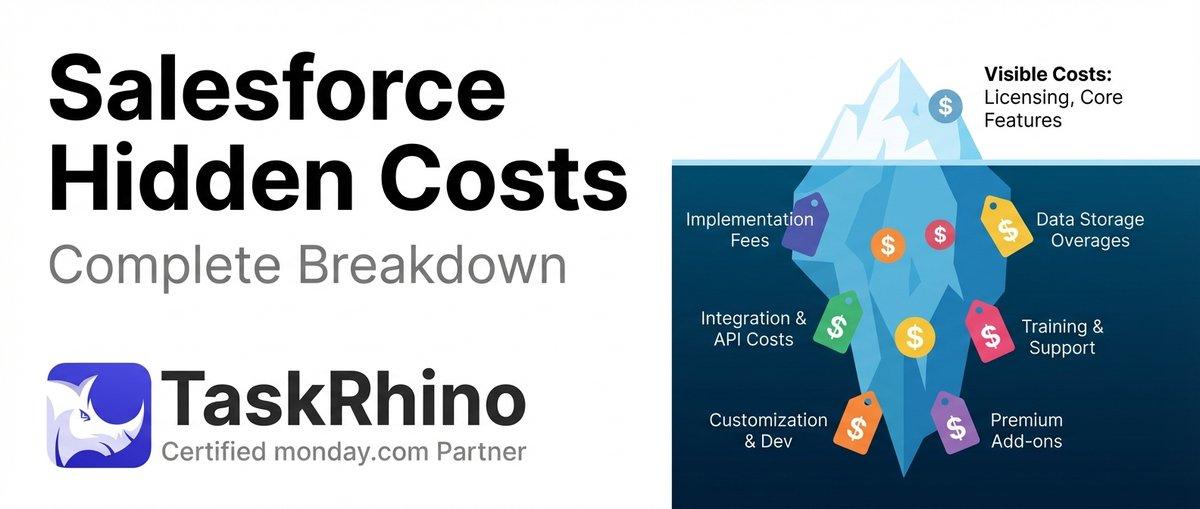
How to Calculate Hidden Costs of Salesforce Admin & Consulting

Twenty CRM vs Salesforce: Full Detailed Comparison
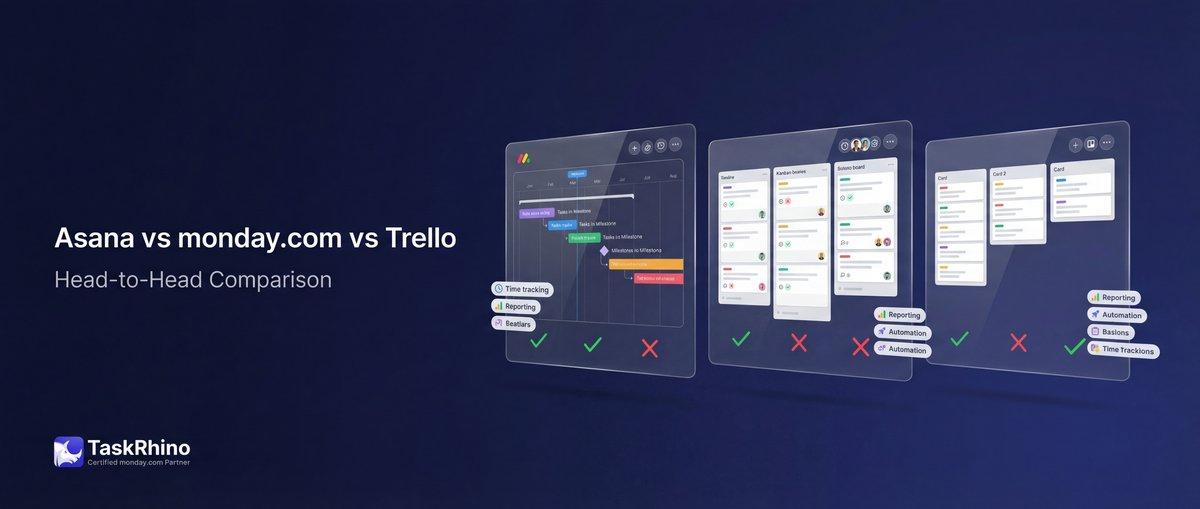
Asana vs monday.com vs Trello 2026: The Bicycle, The Sedan, and The SUV