

Best Notion Alternatives: Complete Comparison Guide 2026
Notion is slow. Your team’s abandoned pages sit in a graveyard of half-finished wikis. Knowledge lives in someone’s head, not your workspace. You’re paying per seat for features you’ll never use, and the learning curve is still kicking your new hires six months in.
If that sounds familiar, you’re not alone. Notion works brilliantly for personal use — journaling, reading lists, habit trackers. But when you scale it to team knowledge management or project execution, the cracks show fast. Pages load slowly with heavy databases. Permissions are confusing. Mobile editing is painful. And every time you need to find something, you’re clicking through nested pages like it’s 2015.
The good news: There are seven alternatives that solve these problems in different ways. Some go all-in on speed. Others ditch databases entirely and focus on documents that just work. A few target specific use cases — engineering teams, creative agencies, distributed organizations — instead of trying to be everything to everyone.
This guide walks through all seven, with honest pros and cons, real pricing, and decision frameworks to help you pick the right one. No fluff. No “it depends.” Just the details you need to make a call.
Quick Verdict: Which Alternative Fits Your Team?
| Alternative | Best For | Starting Price | Key Strength |
|---|---|---|---|
| monday.com | Operations teams running projects | $9/user/month | ✅ Visual project boards with automation |
| ClickUp | Teams wanting all-in-one flexibility | $10/user/month | ✅ Unlimited storage and integrations |
| Coda | Teams building custom workflows | Free (unlimited docs) | ✅ Doc-meets-database flexibility |
| Slite | Knowledge-first organizations | $8/user/month | ✅ AI-powered company search |
1. monday.com — Best for Operations Teams Running Projects
If Notion feels too freeform and your team needs structure to actually get work done, monday.com brings clarity. It’s a visual project management platform built around boards, timelines, and automations. Where Notion gives you a blank canvas, monday.com gives you a template library and pre-built workflows that teams can start using on day one.
Who it’s for: Operations managers, project coordinators, client services teams, event planners, and anyone who needs to see who’s doing what by when — not buried in nested docs, but right there in a color-coded board.
What monday.com Does Better Than Notion
Visual clarity. monday.com’s boards use color-coded status columns, timeline views, and Gantt charts so your team can see project health at a glance. Notion’s database views exist, but they’re buried under pages and take setup. monday.com puts them front and center.
Automations that don’t need Zapier. Native automations trigger when statuses change, deadlines approach, or forms get submitted. You don’t need to pay for a third-party tool to connect your CRM board to your project delivery board.
Better for client-facing work. If you’re managing projects for external clients or vendors, monday.com’s guest access and form submissions handle that workflow natively. Notion’s external sharing is awkward, and WorkForms can’t update existing items — you end up with duplicate data.
Faster onboarding. Your team can start using monday.com in hours, not weeks. Templates cover everything from event planning to bug tracking. Notion requires someone to architect the workspace first.
What Notion Does Better
Notion beats monday.com on long-form documentation. If your team writes policies, onboarding guides, or technical specs, Notion’s editor is cleaner. monday.com has Docs, but they feel bolted on.
Notion is also cheaper for small teams that don’t need project management features. If you’re just building a wiki, paying $9/user/month for boards you won’t use doesn’t make sense.
TaskRhino Story #1: The Event Production Company
A live events company came to us running everything in spreadsheets. When a deal closed in their CRM, someone manually created 9 boards (band schedule, crew roster, venue details, vendor contacts, budget tracker, marketing tasks, technical specs, hospitality logistics, and post-show debrief). Each board had to be set up by hand, which took 45 minutes per event.
We built a monday.com automation using BoardBridge that triggers when a CRM deal status changes to “Won.” The automation:
- Creates all 9 boards from templates
- Pre-loads the band roster and crew list from a master roster board
- Registers webhooks to send automated emails when forms are submitted
- Updates the CRM board with links to all 9 event boards
Result: 45 minutes of manual work became 90 seconds of automated board creation. The client runs 60+ events per year — that’s 44 hours saved annually, just on setup. Plus, no more forgotten steps or inconsistent board structures.
This kind of cross-board workflow doesn’t exist in Notion. You’d need Zapier plus custom scripting, and it still wouldn’t handle roster pre-population or webhook registration.
Need help setting up monday.com workflows? Book a free 30-minute consultation with TaskRhino at /contact-us/”level”:3} –>
Prices shown are annual billing. Monthly billing available at higher rates. Pick monday.com if: Skip monday.com if: ClickUp tries to replace everything — project management, docs, wikis, chat, whiteboards, goals, time tracking, forms, and more. Where Notion gives you a flexible canvas, ClickUp gives you a flexible everything. The trade-off: it’s overwhelming at first, and the UI feels busy compared to Notion’s minimalism. Who it’s for: Teams that want to consolidate tools. If you’re currently juggling Notion + Asana + Slack + Google Docs, ClickUp promises to replace all four. Whether that actually simplifies your workflow depends on whether your team will use all those features or just get lost in menus. More project management views. ClickUp has 15+ ways to view your work: List, Board, Calendar, Gantt, Timeline, Workload, Table, Map, Activity, Mind Map, and more. Notion’s database views exist but feel limited by comparison. Native time tracking. ClickUp tracks time spent on tasks without needing Toggl or Clockify. Notion doesn’t have time tracking at all. Unlimited storage on paid plans. ClickUp’s Unlimited plan ($10/user/month) includes unlimited storage and integrations. Notion caps storage by plan tier and charges extra for integrations. Built-in chat and whiteboards. ClickUp wants to replace Slack and Miro too. Whether you need that is another question, but it’s there if you want true all-in-one. Notion’s editor is cleaner for long-form writing. ClickUp’s docs work fine, but they’re surrounded by sidebars, buttons, and widgets. If your primary use case is documentation, Notion’s minimal interface wins. Notion is also easier to learn. ClickUp has so many features that new users face decision paralysis. Do you use tasks or docs? Spaces or folders? Lists or boards? Notion’s “just start with a page” approach is friendlier. Annual billing required for Unlimited and Business plans. Pick ClickUp if: Skip ClickUp if: Coda is what you get when Google Docs meets Airtable. It looks like a document but behaves like a database. Where Notion separates pages and databases, Coda unifies them — every doc can have tables with formulas, buttons that trigger automations, and cross-doc syncing. Who it’s for: Teams that need custom workflows but don’t want to hire a developer. Product managers tracking roadmaps. Marketing teams managing campaigns. HR teams running onboarding checklists. Anyone who’s outgrown spreadsheets but doesn’t need a full-blown app. Formulas are more powerful. Coda’s formula language rivals Airtable. You can build buttons that add rows, send emails, update statuses across docs, and more. Notion has formulas, but they’re limited to calculations within database properties. Better pricing model for large teams. Coda only charges for “Doc Makers” (people who create/edit docs). Everyone else is free. If you have 50 people but only 5 build documents, you pay for 5. Notion charges per seat. Two-way sync with Google Calendar, Slack, and other tools. Coda Packs connect your docs to external data sources. Notion’s integrations are mostly one-way imports. Docs can be interactive apps. A Coda doc can be a CRM, a project tracker, a product roadmap, or a bug database — with buttons, automations, and conditional views. Notion databases are less interactive. Notion’s hierarchy and nested pages make organizing knowledge easier. Coda is flat — everything is a doc in a folder. If you have 200 docs, finding the right one becomes a search game. Notion’s sidebar structure helps. Notion’s editor is simpler for people who just want to write. Coda’s editor has table cells, columns, and formulas everywhere, which makes it harder for non-technical users. “Doc Maker” = someone who creates/edits docs. Viewers and commenters are free. Pick Coda if: Skip Coda if: See How BoardBridge Handles This Workflow Book a free demo to see BoardBridge solve this exact problem — live, with your data. Slite strips away project management, databases, and automation to focus on one thing: company knowledge that people can actually find. It’s a team wiki with AI-powered search built in. Where Notion becomes a graveyard of abandoned pages, Slite treats knowledge as a first-class citizen with verification workflows, stale content alerts, and cross-workspace search. Who it’s for: Distributed teams, remote-first companies, support teams, and anyone tired of asking “where did we document that?” If your Notion workspace has 500 pages and nobody can find anything, Slite solves that problem. AI-powered company search. Slite’s Knowledge Suite includes enterprise search that indexes all your docs, Slack messages, Google Drive files, and connected tools. Ask a question in plain English, get the answer from wherever it lives. Notion’s search is keyword-based and workspace-only. Content verification workflows. Slite lets you mark docs as “verified” with expiration dates. When a doc goes stale, it alerts the owner to review or archive it. Notion has no content freshness tracking — your onboarding guide from 2022 sits there unchanged. Built for async teams. Slite encourages async-first communication with comment threads, @mentions that don’t require real-time response, and notification digests instead of Slack spam. Cleaner, faster interface. Slite loads faster than Notion and has less visual clutter. The left sidebar shows recent docs, favorites, and channels — not 17 nested pages you forgot existed. Notion’s databases give you more structure. If you want to track bugs, manage a product roadmap, or run a CRM, Notion’s database views (board, table, calendar) make that possible. Slite is docs-only. Notion’s flexibility means you can build anything. Slite is opinionated — it’s a knowledge base, not a blank canvas. That’s a strength for focus but a limitation if you need custom workflows. Knowledge Suite combines knowledge base + enterprise search at discounted pricing. Pick Slite if: Skip Slite if: Nuclino is the “anti-Notion.” It removes everything that makes Notion powerful but also slow — no databases, no nested page hierarchies, no 27 block types. What’s left is a fast, simple team wiki that loads in milliseconds and gets out of your way. Who it’s for: Engineering teams writing technical docs, product teams building internal knowledge bases, and anyone who just wants a team wiki that doesn’t require a PhD to set up. If Notion feels like overkill, Nuclino is the opposite extreme. Speed. Nuclino pages load near-instantly. Notion’s pages with heavy databases take 2-5 seconds. When you’re jumping between 20 docs in a knowledge base, that delay adds up. Graph view. Nuclino visualizes your workspace as an interconnected graph — pages link to each other, and you can see knowledge clusters. Notion has backlinks but no visual graph. Simpler permissions. Nuclino has three roles: Admin, Member, Guest. Notion’s permission system has workspace/page/database levels that confuse new users. Real-time collaboration that works. Nuclino shows cursor positions and updates instantly (like Google Docs). Notion’s collaboration has lag and sync conflicts. Notion’s databases and views let you do way more. Need a project board, product roadmap, or CRM? Notion handles it. Nuclino doesn’t have databases at all. Notion’s nested pages help organize complex workspaces. Nuclino is flat — everything is a page in a workspace. If you have 200 docs, finding things gets harder. A SaaS startup came to us with a problem: their engineering team hated Notion. Every time someone opened a technical doc, it took 3-4 seconds to load. The nested structure meant new engineers couldn’t find anything. Onboarding docs lived 6 levels deep in the sidebar. We migrated them to Nuclino and restructured their docs around workspaces (Engineering, Product, Sales, Support). Each workspace used graph view to connect related docs — API docs linked to integration guides, which linked to customer setup walktones. Result: Load times dropped from 3-4 seconds to under 500ms. The team’s internal wiki usage went up 40% (measured by page views per week) because engineers stopped avoiding it. New hire onboarding went from “figure it out” to “start here” with clear graph pathways. This is a Nuclino-specific strength. Notion, Coda, and ClickUp all suffer from slow load times once your workspace grows.monday.com Features
Feature What You Get Notion Comparison ✅ Boards & Views Kanban, timeline, Gantt, calendar, map views Notion has database views but slower performance ✅ Automations 250 actions/month (Standard), 25K (Pro) Notion has no native automations ✅ Forms WorkForms create new items (can’t update existing) Notion forms also create-only ✅ Integrations 250 actions/month (Standard), 25K (Pro) Notion integrations require paid Zapier monday.com Pricing (2026)
Plan Price Best For Key Features Free $0 (up to 2 users) Freelancers 3 boards, 200+ templates, mobile apps Basic $9/user/month Small teams Unlimited items, 5GB storage, unlimited viewers Standard $12/user/month Growing teams Timeline/Gantt, guest access, 250 automations/month Pro $19/user/month Scale operations Private boards, time tracking, 25K automations/month monday.com Pros & Cons
✅ Pros ❌ Cons Visual boards easier to scan than Notion nested pages Docs feature feels secondary to boards Automations included (no Zapier needed) Can get expensive for large teams Guest access works for client collaboration WorkForms can’t update existing board items Fast onboarding with pre-built templates Learning curve for advanced automations When to Choose monday.com Over Notion
2. ClickUp — Best for Teams Wanting All-in-One Flexibility
What ClickUp Does Better Than Notion
What Notion Does Better
ClickUp Features
Feature What You Get Notion Comparison ✅ Task Management Subtasks, dependencies, recurring tasks Notion requires database relations (manual setup) ✅ Time Tracking Built-in time logs per task Notion has no time tracking ✅ Automations 50 on Free, 200 on Unlimited Notion has no native automations ✅ Goals & OKRs Track progress with numeric targets Notion requires manual database formulas ClickUp Pricing (2026)
Plan Price Best For Key Features Free $0 (unlimited users) Small teams, personal use 100MB storage, 50 automations, limited views Unlimited $10/user/month Growing teams Unlimited storage, 200 automations, all views Business $19/user/month Larger orgs 500 automations, custom fields, advanced reporting Enterprise Custom pricing Enterprise scale Unlimited everything, white-label, SSO ClickUp Pros & Cons
✅ Pros ❌ Cons Unlimited storage on paid plans (vs Notion’s caps) Overwhelming UI with too many features 15+ view types for different work styles Steeper learning curve than Notion Native time tracking and goal tracking Mobile app is slower than Notion Built-in chat eliminates need for Slack Feature bloat makes it harder to find what you need When to Choose ClickUp Over Notion
3. Coda — Best for Teams Building Custom Workflows
What Coda Does Better Than Notion
What Notion Does Better
Coda Features
Feature What You Get Notion Comparison ✅ Interactive Tables Buttons trigger actions (add rows, send emails) Notion tables are static data views ✅ Automations Rules trigger on value changes or time-based Notion has no automations ✅ Cross-doc Sync Pull data from other docs (stays updated) Notion synced databases only within workspace ✅ Packs Pre-built integrations (Slack, Gmail, Jira, etc.) Notion integrations require Zapier Coda Pricing (2026)
Plan Price Best For Key Features Free $0 (unlimited docs) Small teams 50 objects per doc, 10 automations/month Pro $12/Doc Maker/month Growing teams 50K objects per doc, 1K automations/month Team $36/Doc Maker/month Collaboration-heavy teams Unlimited objects, 10K automations/month Enterprise Custom pricing Large orgs SSO, advanced permissions, priority support Coda Pros & Cons
✅ Pros ❌ Cons Only pay for Doc Makers (viewers free) Flat doc structure harder to organize than Notion’s hierarchy Powerful formulas and automations Steeper learning curve for non-technical users Two-way integrations (Slack, Google Calendar, etc.) Mobile app less polished than Notion Interactive tables work like mini-apps Can feel overwhelming if you just want simple docs When to Choose Coda Over Notion
4. Slite — Best for Knowledge-First Organizations
What Slite Does Better Than Notion
What Notion Does Better
Slite Features
Feature What You Get Notion Comparison ✅ AI Search Enterprise search across docs + connected apps Notion search is keyword-only, workspace-only ✅ Content Verification Mark docs as verified with expiration dates Notion has no freshness tracking ✅ Channels Organize docs by topic/team (not nested pages) Notion uses nested hierarchy ✅ Integrations Google Drive, Slack, Notion import Notion has fewer native integrations Slite Pricing (2026)
Plan Price Best For Key Features Free $0 (up to 50 docs) Small teams, trials Basic docs, limited integrations Knowledge Suite $8/user/month Distributed teams Unlimited docs, AI search, Slack integration Enterprise Custom pricing Large orgs SSO, advanced permissions, priority support Slite Pros & Cons
✅ Pros ❌ Cons AI search finds answers across all connected tools No databases or project management features Content verification prevents stale docs Less flexible than Notion’s blank canvas Faster, cleaner UI than Notion Smaller integrations library Great for async, remote-first teams Can’t build custom workflows or automations When to Choose Slite Over Notion
5. Nuclino — Best for Lightweight Team Wikis
What Nuclino Does Better Than Notion
What Notion Does Better
TaskRhino Story #2: The Software Startup’s Documentation Overhaul


Editor's Choice

2026 Accounting Seed Review: Top Alternatives & Comparisons

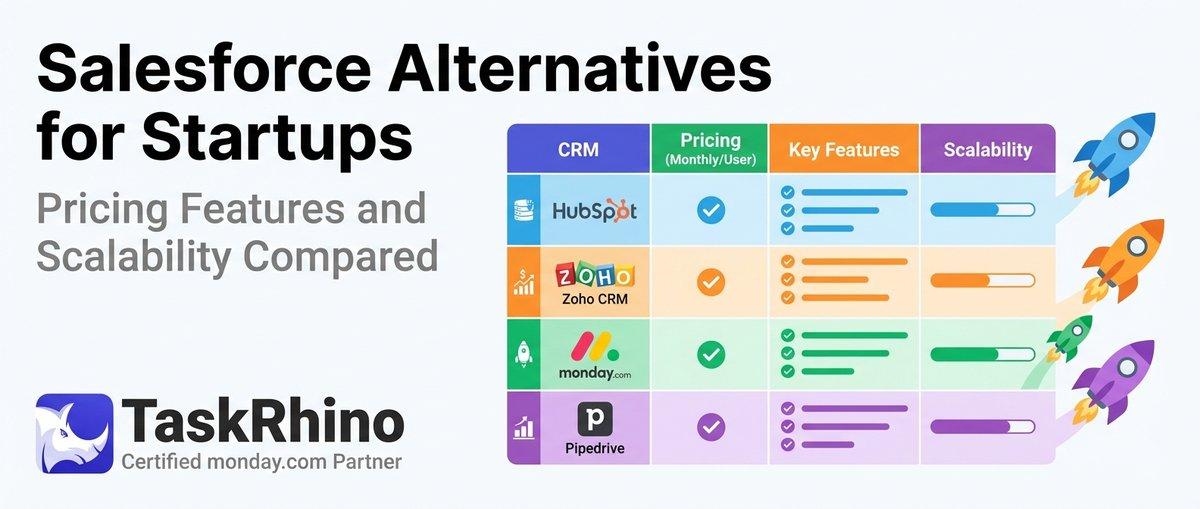
10 Best Salesforce Alternatives for Startups: Pricing, Features & Scalability Compared

10 Best Salesforce Alternatives for Growing SMBs ( Latest Rankings)