

Project Management Software for Small Business: Top Picks
Small businesses waste 15-20 hours per week on project chaos — missed deadlines, duplicate work, and endless email threads about “who’s doing what.” The right project management software cuts that waste by half, often within the first month.
This guide breaks down the top 7 PM tools actually built for small business budgets, team sizes, and real-world workflows. Not enterprise platforms that require a dedicated admin. Not consumer apps that fall apart when you hit 10 projects. Real tools that grow with you.
We’ve implemented project management systems for 110+ businesses across healthcare, finance, retail, and manufacturing. The patterns are clear — the tools that work for small business share specific traits. Here’s what matters, what doesn’t, and which tool fits your situation.
What Small Businesses Actually Need from PM Software
Before comparing features, let’s cut through the marketing noise. Small business PM software needs to do five things well:
1. Fast Setup (Hours, Not Weeks)
You don’t have a dedicated IT team or months to configure. The tool should work out of the box with minimal customization. If setup takes more than a day, you’re looking at enterprise software dressed up as a small business solution.
2. Transparent Pricing (No “Contact Sales”)
Small business budgets are tight. If pricing isn’t public or requires a sales call, the tool wasn’t built for you. The best small business platforms publish pricing upfront — you know exactly what you’re paying before you sign up.
3. Intuitive for Non-Technical Teams
Your team shouldn’t need training to understand how to add a task or check a deadline. The learning curve matters. If your operations manager, accountant, and warehouse lead can’t figure it out in 15 minutes, adoption will fail.
4. Scalable Within Your Budget
Today you’re 8 people. Next year you’re 25. The tool should scale without forcing you into enterprise pricing tiers. Look for platforms with gradual pricing increases, not cliffs where the next tier costs 3x more.
5. Does ONE Thing Exceptionally Well
Jack-of-all-trades platforms sound appealing but often fail at the core job: project visibility. The best tools for small business nail task management, timeline tracking, or team collaboration — and integrate with other tools for everything else.
Top 7 Project Management Tools for Small Business (2026)
Here’s the shortlist. Each tool below has been tested with real small business workflows — client onboarding, product launches, event management, and recurring operations. Rankings are based on ease of adoption, pricing transparency, and how quickly teams see ROI.
1. monday.com — Best All-Around for Growing Teams
What it does well: Visual workflows, customizable boards, automations without code, and integrations that actually work. monday.com is the most flexible platform for small businesses that need more than a basic task list but don’t want enterprise complexity.
Best for: Teams of 5-50 who manage multiple project types (client work, internal ops, marketing campaigns) and need everything in one place.
| Feature | Availability | Notes |
|---|---|---|
| ✅ Kanban & Gantt views | All plans | Switch views per board |
| ✅ Automations | Standard+ | 250/month on Standard |
| ✅ Integrations (Slack, Gmail, etc.) | All plans | 200+ native integrations |
| ✅ Mobile apps (iOS/Android) | All plans | Full feature parity |
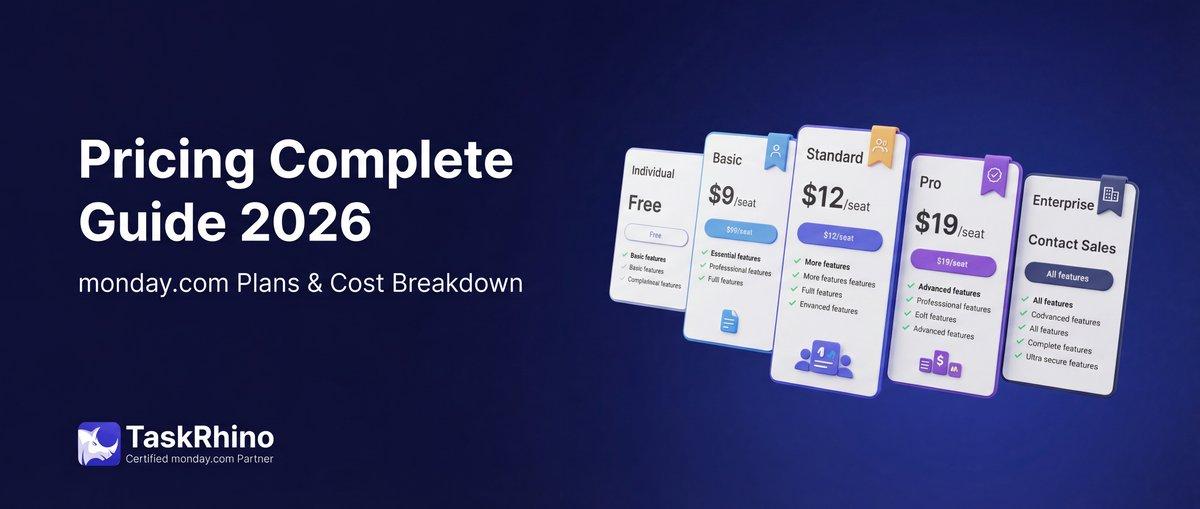
Pricing (2026)
| Plan | Price/User/Month | Best For |
|---|---|---|
| Free | $0 | Up to 2 users, unlimited boards |
| Basic | $9 | Basic boards, iOS/Android apps |
| Standard | $12 | Timeline views, automations, integrations |
| Pro | $19 | Time tracking, formulas, dependencies |
Real-world example: We set up monday.com for a 12-person marketing agency managing 40+ client projects. Before monday.com, project status lived in 6 different places — Trello boards, Google Sheets, email threads, and Slack channels. Three weeks after migration, their weekly “where are we on X?” meetings dropped from 90 minutes to 20. The automation that notifies account managers when a designer marks a project “ready for review” alone saved 8 hours per week of manual check-ins.
Limitations:
- Automation limits on lower-tier plans (250/month on Standard)
- Steeper learning curve than Trello or Asana
- Forms can’t update existing items natively (requires third-party tools or custom development)
When NOT to choose monday.com: If your team is under 5 people and only needs simple task lists, monday.com’s flexibility becomes overkill. Stick with Trello or Asana.
2. Asana — Best for Non-Technical Teams
What it does well: Clean interface, minimal learning curve, and solid task management fundamentals. Asana doesn’t try to be everything — it’s a task and project tracker that anyone can learn in 15 minutes.
Best for: Teams of 3-30 who want straightforward task management without overwhelming features. Marketing teams, operations teams, and service businesses love Asana for its simplicity.
| Feature | Availability | Notes |
|---|---|---|
| ✅ List, board, calendar views | Free plan | Core views included |
| ✅ Task dependencies | Premium+ | Critical path tracking |
| ✅ Forms for intake | All plans | Turn requests into tasks |
| ✅ 200+ integrations | All plans | Slack, Gmail, Zoom, etc. |
Pricing (2026)
| Plan | Price/User/Month | Best For |
|---|---|---|
| Personal | $0 | Up to 10 users, unlimited tasks |
| Starter | $10.99 | Timeline view, workflow builder |
| Advanced | $24.99 | Portfolios, goals, workload mgmt |
Real-world example: A 9-person legal services firm switched from email-based task tracking to Asana. They handle 60+ active client cases at any time. Asana’s intake forms (client fills out case details) → automated task creation → assignment to the right paralegal cut their intake processing time from 45 minutes per case to 8 minutes. The biggest win? Attorneys can now see case status without asking — eliminating 20+ “what’s the status on X?” Slack messages per day.
Limitations:
- Limited customization compared to monday.com or ClickUp
- Timeline view (Gantt charts) only on paid plans
- Weak native reporting — needs third-party integrations for detailed analytics
When NOT to choose Asana: If you need heavy customization (custom fields, complex automations, or multi-board workflows), Asana will feel restrictive fast.
3. ClickUp — Best for Feature-Rich on a Budget
What it does well: ClickUp packs enterprise-level features into small business pricing. Docs, whiteboards, time tracking, goals, dashboards, and 15+ view types. It’s the most feature-dense option on this list — and that’s both a strength and a weakness.
Best for: Tech-savvy teams of 5-50 who want one tool to replace everything — project management, docs, wikis, time tracking, and more.
| Feature | Availability | Notes |
|---|---|---|
| ✅ 15+ views (Kanban, Gantt, etc.) | Free plan | Most views on any platform |
| ✅ Unlimited tasks & users | Free plan | Rare for free tier |
| ✅ Native time tracking | All plans | Built-in, not an add-on |
| ✅ Docs, whiteboards, goals | All plans | Replace 3-4 other tools |
Pricing (2026)
| Plan | Price/User/Month | Best For |
|---|---|---|
| Free | $0 | Unlimited users, 100MB storage |
| Unlimited | $7 | Unlimited storage, Gantt, forms |
| Business | $12 | Automations, goals, workload view |
Real-world example: A 15-person product development team (designers, engineers, and marketers) consolidated from 5 tools — Trello (tasks), Google Docs (specs), Toggl (time tracking), Miro (brainstorming), and Notion (wiki) — into ClickUp alone. Total monthly savings: $340. The biggest adoption challenge? Overwhelming feature set. It took 3 weeks of dedicated onboarding to get everyone comfortable. Once they learned it, productivity jumped 30% (measured by sprint completion rate).
Limitations:
- Overwhelming for small, non-technical teams
- Mobile app lags behind desktop experience
- Frequent UI changes can disrupt established workflows
When NOT to choose ClickUp: If your team isn’t tech-savvy or you need dead-simple adoption, ClickUp’s feature density will slow you down. It’s powerful, but it demands investment in learning.
4. Trello — Best for Visual Simplicity
What it does well: Kanban boards. That’s it. And that’s exactly why Trello works for small teams who want task tracking without the overhead of “project management software.” Drag a card from “To Do” to “Doing” to “Done” — the entire team gets it instantly.
Best for: Teams of 2-15 managing straightforward workflows — content calendars, sales pipelines, event planning, or simple task lists.
| Feature | Availability | Notes |
|---|---|---|
| ✅ Unlimited cards | Free plan | Core Kanban functionality |
| ✅ Power-Ups (integrations) | Free plan | 1 Power-Up per board |
| ✅ Butler automation | Free plan | 50 commands/month (limited) |
| ✅ Mobile apps | All plans | iOS, Android, offline mode |
Pricing (2026)
| Plan | Price/User/Month | Best For |
|---|---|---|
| Free | $0 | 10 boards, 1 Power-Up per board |
| Standard | $5 | Unlimited boards, unlimited Power-Ups |
| Premium | $10 | Calendar view, custom fields, admin controls |
| Enterprise | $17.50 | Org-wide controls, advanced security |
Real-world example: A 6-person retail operations team uses Trello to manage their store opening checklist (45 tasks across merchandising, IT, staffing, and marketing). Each new store gets a duplicated board from the master template. Checklists, due dates, and file attachments handle 90% of coordination. The simplicity means zero training — new hires start contributing on day one.
Limitations:
- No Gantt charts or timeline views (unless you add Power-Ups)
- Weak reporting and analytics
- Doesn’t scale well beyond 20-30 boards or complex dependencies
When NOT to choose Trello: If you need timeline tracking, resource management, or advanced reporting, Trello falls short fast. It’s a task board, not a full PM platform.
5. Wrike — Best for Marketing & Creative Teams
What it does well: Proofing and approval workflows. Wrike is built for teams who create deliverables — marketing assets, videos, designs, reports — and need structured review cycles. Real-time markup on PDFs, images, and videos is exceptional.
Best for: Marketing agencies, creative teams, and consulting firms managing deliverable-heavy projects.
| Feature | Availability | Notes |
|---|---|---|
| ✅ Proofing & approvals | Business+ | Markup on 50+ file types |
| ✅ Gantt charts | All paid plans | Timeline & dependency tracking |
| ✅ Request forms | Professional+ | Client intake automation |
| ✅ 400+ integrations | All plans | Adobe CC, Slack, Salesforce, etc. |
Pricing (2026)
| Plan | Price/User/Month | Best For |
|---|---|---|
| Free | $0 | Up to 5 users, limited features |
| Professional | $9.80 | Gantt, shareable dashboards, 5GB storage |
| Business | $24.80 | Proofing, automations, 100GB storage |
Real-world example: A 14-person creative agency producing 100+ deliverables monthly (social graphics, video ads, email templates) switched from email-based approvals to Wrike. Before Wrike, a single design revision cycle took 3-5 email threads and 48 hours. With Wrike’s proofing tools, clients mark up designs directly on the file — designers get pixel-specific feedback, make changes, and re-upload in the same thread. Average approval cycle dropped to 18 hours.
Limitations:
- Expensive for small teams (Business plan required for key features)
- Steeper learning curve than Asana or Trello
- Overkill if you’re not managing deliverable approvals regularly
When NOT to choose Wrike: If your projects don’t involve file reviews (e.g., operations, logistics, event planning), Wrike’s strengths become irrelevant. Stick with monday.com or Asana.
6. Zoho Projects — Best for Budget-Conscious Teams
What it does well: Solid PM fundamentals at the lowest price point on this list. Gantt charts, task dependencies, time tracking, and issue tracking all included in the free plan (up to 3 users). Zoho Projects is the hidden gem for bootstrapped startups.
Best for: Startups, freelancers, and very small teams (2-10 people) who need real PM features without recurring costs.
| Feature | Availability | Notes |
|---|---|---|
| ✅ Gantt charts | Free plan | Rare for free tier |
| ✅ Time tracking | Free plan | Built-in timesheets |
| ✅ Issue tracking | Free plan | Bug/issue management |
| ✅ Blueprints (workflows) | Premium+ | Process automation |
Pricing (2026)
| Plan | Price/User/Month | Best For |
|---|---|---|
| Free | $0 | 2 projects, 3 users, 10MB storage |
| Premium | $4 | Unlimited projects, Gantt, 100GB storage |
| Enterprise | $9 | Custom fields, workflows, 120GB storage |
Real-world example: A 4-person SaaS startup used Zoho Projects during their first year when cash flow was tight. They managed product roadmap, bug tracking, and customer onboarding workflows all on the free plan. Once they raised a seed round and grew to 12 people, they upgraded to Premium ($48/month for the team) — still 75% cheaper than comparable Asana or Wrike plans.
Limitations:
- Interface feels dated compared to monday.com or ClickUp
- Integration ecosystem weaker than competitors
- Limited mobile app functionality
When NOT to choose Zoho Projects: If you need cutting-edge UI, extensive integrations, or heavy customization, Zoho Projects will feel restrictive. It’s functional, not flashy.
7. Basecamp — Best for Flat Communication Structure
What it does well: Basecamp combines tasks, messaging, docs, and file storage into one platform focused on reducing meetings and email. Message boards replace Slack threads. To-dos replace scattered task lists. Hill Charts (Basecamp’s unique progress tracker) replace status meetings.
Best for: Remote teams of 5-30 who value async communication over real-time coordination. Service businesses, consultancies, and agencies.
| Feature | Availability | Notes |
|---|---|---|
| ✅ Message boards | All plans | Threaded discussions, not chat |
| ✅ To-do lists | All plans | Simple task management |
| ✅ Docs & file storage | All plans | Wiki-style project docs |
| ✅ Hill Charts | All plans | Unique progress visualization |
Pricing (2026)
| Plan | Price | Best For |
|---|---|---|
| Basecamp | $15/user/month | Small teams (1-10 users) |
| Basecamp Pro Unlimited | $299/month flat | Unlimited users, storage, projects |
Real-world example: A 22-person consulting firm went all-in on Basecamp to eliminate internal Slack and email. Every project gets a Basecamp space — clients included. To-dos handle tasks. Message boards handle discussions. Campfires (chat) handle urgent coordination. The flat $299/month pricing meant adding new consultants or clients cost nothing. Internal emails dropped 80% in 3 months.
Limitations:
- No Gantt charts or timeline views
- Weak integration ecosystem (by design — Basecamp wants you all-in)
- Not built for complex, multi-phase projects
When NOT to choose Basecamp: If you need detailed timeline tracking, resource allocation, or external integrations with CRMs/accounting software, Basecamp’s simplicity becomes a limitation.
See How BoardBridge Handles This Workflow
Book a free demo to see BoardBridge solve this exact problem — live, with your data.
Feature Comparison: Top 7 PM Tools
Here’s how the 7 platforms stack up on features that matter most for small business.
Core Project Management Features
| Tool | Kanban | Gantt | Automations |
|---|---|---|---|
| monday.com | ✅ All plans | ✅ Standard+ | ✅ Standard+ |
| Asana | ✅ All plans | ✅ Starter+ | ✅ Starter+ |
| ClickUp | ✅ All plans | ✅ Free+ | ✅ Unlimited+ |
| Trello | ✅ All plans | ❌ (Power-Up only) | ✅ Free+ (50/mo) |
| Wrike | ✅ All plans | ✅ Professional+ | ✅ Business+ |
| Zoho Projects | ✅ All plans | ✅ Free+ | ✅ Premium+ |
| Basecamp | ❌ | ❌ | ❌ |
Collaboration & Communication
| Tool | Comments/Mentions | File Attachments | Proofing/Approvals |
|---|---|---|---|
| monday.com | ✅ | ✅ | ❌ (via apps) |
| Asana | ✅ | ✅ | ❌ (via integrations) |
| ClickUp | ✅ | ✅ | ❌ |
| Trello | ✅ | ✅ | ❌ |
| Wrike | ✅ | ✅ | ✅ Business+ |
| Zoho Projects | ✅ | ✅ | ❌ |
| Basecamp | ✅ | ✅ | ❌ |
Integrations & Extensibility
| Tool | Native Integrations | API Access | Mobile Apps |
|---|---|---|---|
| monday.com | ✅ 200+ | ✅ All plans | ✅ Full parity |
| Asana | ✅ 200+ | ✅ All plans | ✅ Full parity |
| ClickUp | ✅ 1,000+ | ✅ All plans | ✅ (slower) |
| Trello | ✅ 200+ (Power-Ups) | ✅ All plans | ✅ Offline mode |
| Wrike | ✅ 400+ | ✅ Business+ | ✅ Full parity |
| Zoho Projects | ✅ 50+ (Zoho ecosystem) | ✅ Premium+ | ✅ Limited |
| Basecamp | ✅ Limited (~20) | ✅ | ✅ Full parity |
Time Tracking & Reporting
| Tool | Time Tracking | Dashboards | Workload View |
|---|---|---|---|
| monday.com | ✅ Pro+ | ✅ Standard+ | ✅ Pro+ |
| Asana | ❌ (via integrations) | ✅ Starter+ | ✅ Advanced+ |
| ClickUp | ✅ All plans | ✅ Unlimited+ | ✅ Business+ |
| Trello | ❌ (Power-Up) | ❌ (Power-Up) | ❌ |
| Wrike | ✅ Professional+ | ✅ Professional+ | ✅ Business+ |
| Zoho Projects | ✅ All plans | ✅ Premium+ | ✅ Enterprise+ |
| Basecamp | ❌ | ❌ Hill Charts | ❌ |
Pricing Comparison: Total Cost of Ownership
Here’s what each platform actually costs for a 10-person team (annual billing, mid-tier plan).
| Tool | Plan | Per User/Month | Notes |
|---|---|---|---|
| monday.com | Standard | $12 | Best mid-tier value |
| Asana | Starter | $10.99 | Cheapest option |
| ClickUp | Unlimited | $7 | Most features per dollar |
| Trello | Standard | $5 | Basic but affordable |
| Wrike | Professional | $9.80 | Before proofing features |
| Zoho Projects | Premium | $4 | Lowest total cost |
| Basecamp | Pro Unlimited | $299 flat | Flat fee for unlimited users |
Hidden costs to watch:
- Storage overages: monday.com charges $5/5GB beyond plan limits
- Power-Ups/Apps: Trello’s useful features come via paid Power-Ups ($5-15/month each)
- Support tiers: Wrike and ClickUp charge extra for priority support
- User minimums: Some platforms require 3-5 user minimums on paid plans
How to Choose: Decision Framework
Stop comparing feature lists. Here’s how to actually pick the right tool for your team.
Step 1: Define Your Primary Use Case
Most small businesses fall into one of these categories:
| Use Case | Best Tool | Why |
|---|---|---|
| Client project delivery (agencies, consultancies) | monday.com or Wrike | Multi-client workflows, proofing, client-facing boards |
| Internal operations (retail, manufacturing, healthcare) | Asana or ClickUp | Simple task tracking, process checklists, recurring workflows |
| Product development (SaaS, tech startups) | ClickUp or Zoho Projects | Sprints, bug tracking, roadmaps, developer-friendly |
| Marketing campaigns (content, social, events) | Asana or Wrike | Campaign calendars, asset management, approvals |
| Remote team coordination | Basecamp or monday.com | Async-first communication, centralized visibility |
Step 2: Assess Team Technical Comfort
| If your team is… | Choose this |
|---|---|
| Non-technical (operations, admin, sales) | Asana or Trello |
| Moderately technical (marketers, managers) | monday.com |
| Highly technical (engineers, designers, analysts) | ClickUp or Zoho Projects |
Rule of thumb: If half your team struggles with Excel formulas, avoid ClickUp and advanced monday.com features.
Step 3: Calculate Real Budget (Not Just Per-User Cost)
| Budget | Best Options |
|---|---|
| Under $500/year (bootstrapped) | Zoho Projects Free, Trello Free, ClickUp Free |
| $500-2,000/year (small team) | Zoho Projects Premium, Trello Standard, ClickUp Unlimited |
| $2,000-5,000/year (growing team) | Asana Starter, monday.com Standard, ClickUp Business |
| $5,000+/year (established business) | monday.com Pro, Asana Advanced, Wrike Business |
Don’t forget:
- Training time (lost productivity during first 2-4 weeks)
- Integration costs (Zapier, third-party apps)
- Data migration (if moving from an existing system)
Step 4: Run a Pilot (4-Week Minimum)
Don’t decide based on feature lists or reviews. Test the tool with real work:
Week 1: Set up 3-5 active projects and invite 3-5 team members Week 2: Run your actual workflows — client intake, task assignment, status updates Week 3: Push the limits — automations, integrations, reporting Week 4: Gather team feedback — what’s working? What’s frustrating?
Red flags during pilot:
- Team members asking “which tool should I check?” (adoption failure)
- Workarounds required for core workflows
- You’re spending more time managing the tool than the projects
Common Mistakes When Choosing PM Software
We’ve seen these 7 mistakes kill PM software adoption across 110+ implementations.
Mistake 1: Choosing Based on Features, Not Workflows
The trap: “This tool has Gantt charts AND Kanban boards AND time tracking — it’s perfect!”
Why it fails: More features = more complexity. If your team only needs task lists and due dates, 15 view types become decision paralysis.
Fix: Start with your actual workflow. Map out how a project moves from intake → assignment → completion → delivery. Then pick the tool that matches that flow with the fewest clicks.
Mistake 2: Skipping the Team in the Decision
The trap: The manager picks the tool, rolls it out Monday morning, and wonders why no one’s using it by Friday.
Why it fails: Adoption requires buy-in. If the people doing the work hate the tool, they’ll find workarounds (email, spreadsheets, Slack threads) that defeat the entire purpose.
Fix: Include 2-3 team members in the pilot. Let them test tools and vote. When people help choose, they commit to using it.
Mistake 3: Migrating Everything on Day 1
The trap: “We’re moving all 47 active projects into the new tool this weekend!”
Why it fails: Migration takes 3-5x longer than you think. Boards break. Data gets duplicated. The team is paralyzed for a week.
Fix: Start with ONE new project in the new tool. Get it right. Then migrate one active project per week. Keep the old system running in parallel for 4-6 weeks.
Mistake 4: Ignoring Integration Requirements
The trap: “This tool looks great!” (doesn’t check if it connects to your CRM, accounting software, or email)
Why it fails: PM software isn’t an island. If it doesn’t talk to your other systems, you’re creating another data silo.
Fix: Before committing, verify integrations for your top 3-5 business-critical tools (CRM, email, calendar, file storage, accounting). If native integrations don’t exist, check Zapier compatibility.
Mistake 5: Underestimating Customization Needs
The trap: “We’ll use the out-of-the-box setup — no customization needed.”
Why it fails: Every business has unique workflows. Generic templates rarely match how you actually work.
Fix: Budget 10-20 hours for initial customization — custom fields, board structures, automation rules, and integrations. If you’re not willing to invest that time, stick with the simplest tool (Trello or Basecamp).
Mistake 6: Choosing the Cheapest Option
The trap: “This free plan has unlimited users — let’s use it forever.”
Why it fails: Free plans work for 6 months, then you hit limits (storage, automations, integrations) that kill productivity. Upgrading mid-project creates disruption.
Fix: Calculate cost for your FUTURE team size (12 months out), not today’s headcount. If the paid plan becomes unaffordable at 15 users, you’ll outgrow the tool fast.
Mistake 7: No Clear Process Owner
The trap: “Everyone’s responsible for updating the PM tool.”
Why it fails: When everyone owns it, no one owns it. Boards go stale. Statuses aren’t updated. The tool becomes a graveyard of abandoned tasks.
Fix: Assign ONE person as the PM tool owner — responsible for training, maintenance, and enforcing usage. This doesn’t need to be a full-time role, but it needs an owner.
Need Help With Your monday.com Setup?
TaskRhino has implemented monday.com for 110+ teams. Get a free consultation.
3 TaskRhino Success Stories: Before & After PM Software
Story 1: Healthcare Clinic Network (8 Locations, 45 Staff)
Before monday.com: The operations director managed facility maintenance, equipment orders, and staff scheduling across 8 clinics using shared Google Sheets and email threads. Critical tasks (HVAC maintenance, medical supply restocking) fell through the cracks regularly. The team spent 6 hours weekly in “sync meetings” just to figure out project status.
After monday.com (Standard Plan): We built a multi-board system: one master board for all locations (high-level visibility), plus 8 location-specific boards (detailed tasks). Automations notify the operations director when maintenance is overdue or supply inventory drops below thresholds. Timeline view shows equipment replacement schedules 6 months out.
Results (90 days post-implementation):
- ✅ Sync meetings dropped from 6 hours/week to 45 minutes/week
- ✅ Overdue maintenance tasks reduced from 12-15/month to 2-3/month
- ✅ Supply stockouts eliminated (real-time inventory tracking via status columns)
- ✅ Operations director reclaimed 18 hours/week previously spent on manual tracking
Cost: $12/user/month × 8 admin users = $96/month ($1,152/year) ROI: Operations director’s time savings alone = $15,000/year (at $50/hour rate)
Story 2: Manufacturing Company (Product Launch Coordination)
Before ClickUp: A 22-person manufacturing team (engineering, production, marketing, sales) ran product launches through departmental silos. Engineers used JIRA for development. Marketing used Trello for campaigns. Sales used spreadsheets for launch timelines. Nobody had visibility into the other departments. Product launches took 6-8 months on average, with 3-4 week delays common due to coordination failures.
After ClickUp (Business Plan): We consolidated all departments into one ClickUp workspace. Product launches follow a standardized blueprint (120+ tasks across 6 phases). Each department has custom views (engineers see Kanban, marketing sees calendar, sales sees Gantt timeline). Automations trigger cross-department handoffs (when engineering marks “prototype complete,” marketing automatically gets a task to start campaign planning).
Results (6 months, 3 product launches):
- ✅ Average launch time reduced from 7 months to 4.5 months
- ✅ Cross-department coordination meetings cut by 60% (visibility replaced meetings)
- ✅ Launch delays down from 3-4 weeks to <1 week on average
- ✅ Team consolidated from 5 tools to 1 (saved $280/month in subscriptions)
Cost: $12/user/month × 22 users = $264/month ($3,168/year) ROI: 2.5-month faster time-to-market on each product = estimated $200K+ additional revenue per year
Story 3: Marketing Agency (Client Project Chaos → Clarity)
Before Asana: A 12-person creative agency managed 30+ active client projects across email threads, Trello boards (one per client), and weekly status spreadsheets. Account managers spent 10+ hours/week manually updating clients on project status. Designers missed deadlines because tasks lived in 4 different places. Client churn was 18% annually — mostly due to “poor communication.”
After Asana (Starter Plan) + Custom Intake Automation: Every new client project starts with an Asana intake form (client fills out campaign details, goals, and assets). Form submissions auto-create projects with pre-built task templates (discovery, design, revisions, delivery). Clients get view-only access to their project boards — they see real-time status without emailing. Automations notify account managers when tasks are overdue or awaiting client feedback.
Results (12 months):
- ✅ Account manager admin time dropped from 10 hours/week to 2.5 hours/week
- ✅ On-time project delivery improved from 68% to 91%
- ✅ Client churn reduced from 18% to 7% (communication clarity was the cited reason)
- ✅ Agency took on 8 additional clients without hiring (freed capacity from process efficiency)
Cost: $10.99/user/month × 12 users = $132/month ($1,584/year) ROI: 8 additional clients × $3,000 average monthly retainer = $24,000/month = $288,000/year additional revenue
Implementation Checklist: 30-Day Rollout Plan
Here’s the proven 30-day plan we use for every PM software implementation.
Week 1: Setup & Configuration
| Task | Owner | Done |
|---|---|---|
| Create workspace/account | Admin | ☐ |
| Invite core team (3-5 people) | Admin | ☐ |
| Set up 1 pilot project (real work, not test data) | Project lead | ☐ |
| Configure basic automations (status changes, notifications) | Admin | ☐ |
| Connect 2-3 critical integrations (email, calendar, Slack) | Admin | ☐ |
| Define naming conventions for projects/tasks | Team | ☐ |
| Document the workflow (how a task moves from start → finish) | Project lead | ☐ |
Week 2: Pilot Testing
| Task | Owner | Done |
|---|---|---|
| Run 1 full project through the tool (intake → completion) | Core team | ☐ |
| Test mobile apps (iOS/Android) with real scenarios | Team members | ☐ |
| Identify friction points (what’s confusing or slow?) | Everyone | ☐ |
| Customize views/boards based on team feedback | Admin | ☐ |
| Set up notification preferences (reduce noise) | Everyone | ☐ |
| Create 2-3 project templates for recurring work | Project lead | ☐ |
Week 3: Team Rollout
| Task | Owner | Done |
|---|---|---|
| Run 30-minute kickoff training (live, not video) | Admin | ☐ |
| Assign each team member 1-2 tasks in the new tool | Project lead | ☐ |
| Migrate 2-3 active projects from old system | Admin | ☐ |
| Set daily check-in expectation (15 min/day in the tool) | Manager | ☐ |
| Monitor adoption (who’s using it? who’s not?) | Admin | ☐ |
| Address resistance (sit with holdouts, show value) | Manager | ☐ |
Week 4: Optimization & Scaling
| Task | Owner | Done |
|---|---|---|
| Review automation rules (what’s working? what’s not?) | Admin | ☐ |
| Build dashboards/reports for leadership visibility | Admin | ☐ |
| Migrate remaining active projects (if adoption is strong) | Team | ☐ |
| Schedule weekly “office hours” for tool questions | Admin | ☐ |
| Document common workflows in a team wiki/guide | Project lead | ☐ |
| Gather feedback survey (what to improve?) | Manager | ☐ |
| Plan Phase 2 features (advanced automations, integrations) | Admin | ☐ |
Success metrics to track:
- ✅ Daily active users (target: 80%+ of team by Week 4)
- ✅ Tasks created per week (should match or exceed old system)
- ✅ Time saved on status updates (measure before/after)
- ✅ On-time project completion rate (baseline before tool, measure after 60 days)
Advanced Features Worth the Upgrade
Once you’ve mastered the basics, these advanced features unlock serious ROI.
1. Automations (Save 5-10 Hours/Week per Team)
| Automation Type | Example | ROI |
|---|---|---|
| Status-triggered notifications | When task moves to “Ready for Review” → notify manager | Eliminates 20+ “is this ready?” messages/week |
| Recurring task creation | Every Monday, create “Weekly Report” task | Saves 5 min/week × 52 weeks = 4.3 hours/year |
| Cross-board item creation | New client in CRM → create onboarding project | Saves 30 min per client × 10 clients/month = 5 hours/month |
| Overdue task escalation | Task overdue >3 days → notify team lead | Prevents 80% of missed deadlines |
Best platforms for automations: monday.com (250+ automations/month on Standard), ClickUp (unlimited automations on Business), Wrike (Business+ plan).
2. Time Tracking (Measure What Matters)
Why it matters: You can’t optimize what you don’t measure. Time tracking reveals where hours actually go — not where you think they go.
| Insight | Action | Result |
|---|---|---|
| Design tasks taking 2x estimated time | Adjust project timelines or hire designer | Eliminate 30% of deadline misses |
| Admin tasks consuming 12 hours/week | Automate or delegate | Reclaim 50+ hours/month |
| Client A projects 40% more profitable than Client B | Raise prices for Client B-type work | 15-20% margin improvement |
Best platforms: ClickUp (native, all plans), Zoho Projects (native, all plans), monday.com (Pro+, via time tracking column).
3. Custom Dashboards (Executive Visibility)
What leadership actually needs:
- ✅ Active projects at a glance (status, owner, deadline)
- ✅ Overdue tasks by team/person
- ✅ Workload distribution (who’s underwater? who’s underutilized?)
- ✅ Project completion trends (are we getting faster or slower?)
Best platforms: monday.com (Standard+), Asana (Starter+), ClickUp (Unlimited+), Wrike (Professional+).
4. Resource Management (Prevent Burnout)
Small teams can’t afford burnout. Resource management features show who’s overloaded BEFORE they burn out.
| Feature | What It Shows | Why It Matters |
|---|---|---|
| Workload view | Hours assigned vs. hours available | Prevent 60-hour weeks |
| Capacity planning | Can the team handle 3 more projects this month? | Say “no” to bad opportunities |
| Skill-based assignment | Who’s qualified for this task? | Stop assigning work to wrong people |
Best platforms: monday.com (Pro+), Asana (Advanced+), Wrike (Business+), ClickUp (Business+).
Industry-Specific Recommendations
Different industries have different PM needs. Here’s what actually works.
Healthcare (Clinics, Hospitals, Home Health)
Top pick: monday.com Why: HIPAA-compliant (Enterprise plan), patient workflow tracking, equipment maintenance scheduling, staff shift management.
Key workflows:
- Patient intake → care plan → follow-up (multi-board tracking)
- Medical equipment maintenance (recurring task automation)
- Staff certifications (date columns + reminders when certifications expire)
Must-have integrations: Electronic health records (EHR) systems, email, calendar.
Retail & E-Commerce (Stores, Online Shops)
Top pick: Asana or ClickUp Why: Inventory management, seasonal campaign planning, multi-location coordination.
Key workflows:
- Product launches (design → sourcing → listing → marketing)
- Store opening checklists (45+ tasks across merchandising, IT, staffing)
- Seasonal campaigns (Black Friday, holiday planning with 90-day timelines)
Must-have integrations: Shopify, inventory systems, email marketing (Mailchimp/Klaviyo).
Professional Services (Law Firms, Accounting, Consulting)
Top pick: Asana or Basecamp Why: Client matter management, billable hour tracking, document-heavy workflows.
Key workflows:
- Client intake → case/project setup → deliverable tracking → close-out
- Document review cycles (contracts, filings, reports)
- Recurring compliance tasks (monthly close, quarterly filings, annual audits)
Must-have integrations: Document management (Google Drive, Dropbox), billing software (QuickBooks, FreshBooks), email.
Manufacturing & Production
Top pick: ClickUp or monday.com Why: Bill of materials (BOM) tracking, production schedules, multi-department coordination.
Key workflows:
- Product development (design → prototype → testing → production)
- Production runs (materials → assembly → QC → shipping)
- Equipment maintenance (preventive maintenance schedules)
Must-have integrations: Inventory systems, ERP software, supplier portals.
Marketing Agencies & Creative Teams
Top pick: Wrike or Asana Why: Deliverable proofing, client approvals, campaign calendars.
Key workflows:
- Campaign execution (brief → design → revisions → approval → delivery)
- Content calendars (blog, social, email across 10+ clients)
- Client onboarding (discovery → strategy → kickoff)
Must-have integrations: Adobe Creative Cloud, Slack, Google Drive, Dropbox.
When to Hire a Consultant (Instead of DIY Setup)
Most small businesses can set up PM software themselves. But these 4 situations justify hiring expert help:
1. Complex Multi-System Integration
Scenario: You need the PM tool to talk to CRM, ERP, accounting software, and custom databases. DIY risk: Poorly configured integrations create data sync failures, duplicates, and broken workflows. When to hire: If you’re connecting 4+ systems or using custom APIs.
2. Custom Workflow Automation
Scenario: Your processes are unique (healthcare compliance, manufacturing BOMs, legal case management) and don’t fit standard templates. DIY risk: You spend 40+ hours building workflows, then realize the tool can’t do what you need. When to hire: If your workflows have 15+ steps or require cross-board automations.
3. Large-Scale Migration (50+ Projects)
Scenario: Moving from an old system with years of project history. DIY risk: Data loss, broken links, duplicate records, and 2-3 weeks of team downtime. When to hire: If you’re migrating more than 50 active projects or need to preserve 2+ years of history.
4. Team Adoption Resistance
Scenario: Your team has failed to adopt PM tools twice before, or you have 20+ people with vastly different technical skill levels. DIY risk: Tool rollout fails again. Team reverts to email and spreadsheets. When to hire: If adoption is a cultural challenge, not a technical one.
What expert implementation delivers:
- ✅ Custom workflow design based on how you actually work (not generic templates)
- ✅ Integration configuration that doesn’t break under real-world load
- ✅ Team training (role-specific, not generic “here’s how to create a task” videos)
- ✅ Post-launch support (first 30 days when questions are highest)
Typical cost: $2,000-8,000 depending on complexity. ROI payback period: 3-6 months from time savings alone.
Need help with monday.com setup, migration, or custom automations? TaskRhino specializes in small business implementations. Book a free 30-minute consultation to map out your requirements.
Stop Creating Duplicates
BoardBridge forms update existing items — no Enterprise plan, no workarounds, no duplicates.
Frequently Asked Questions
What time tracking and profitability features make Paymo stand out for small service-based businesses under 20 people?
Paymo includes native automatic/manual time tracking, Gantt charts, resource scheduling, invoicing, and expense management to calculate project profitability directly. Unlike Asana or Trello, it offers these in a free tier for unlimited tasks and users, tailored for small teams without needing add-ons. This all-in-one approach minimizes tool sprawl for service firms tracking billable hours.


Editor's Choice
monday.com Pricing 2026: Complete Guide

Salesforce to Twenty Data Migration: Best Practices and Strategy
How to Self-Host Twenty CRM on AWS: Step-by-Step Guide