

2026 Accounting Seed Review: Top Alternatives & Comparisons
For SaaS companies, a CRM is more than a sales database; it’s the system that connects revenue, retention, customer success, and growth. As subscription models, PLG motions, and RevOps teams have become the norm, SaaS businesses now expect their CRM to track the entire customer lifecycle, not just closed deals.
Salesforce has long been the default choice for CRM. It’s powerful, highly customizable, and widely adopted across enterprises. Salesforce commands a 21.7% share of the global CRM market—more than its four closest competitors combined as per the stats from Demand Sage.
But many SaaS teams discover a gap between what Salesforce was originally built for and what modern SaaS businesses actually need: MRR visibility, churn insights, subscription tracking, and fast iteration.
But here’s what those numbers don’t tell you:
- CRM implementations fail at a rate of approximately 55%, with many failing within the first 2–3 years (Source: Salesforce)
- 43% of CRM users employ less than half their system’s features, paying for complexity they never use (Salesforce)
- Enterprise pricing now starts at $175/user/month, with recent 6% increases across tiers (Method)
- Implementation costs range from $25,000 to $150,000+ before you close a single deal (Cargas)
- Total cost of ownership runs 3-5x the software cost when you factor in customization, training, and ongoing admin (Tech.co)
No wonder companies are exploring Salesforce alternatives. This guide is for SaaS founders, RevOps leaders, and VP/CTO-level decision-makers at companies with 5–200 users who need a CRM built for recurring revenue — without the Salesforce price tag or implementation timeline.
For SaaS businesses focused on MRR tracking, churn analysis, and subscription lifecycle management, purpose-built CRMs like Twenty CRM can deliver significant cost savings while simplifying recurring revenue workflows. TaskRhino implements Twenty CRM for SaaS teams ready to make the switch.
n this guide, we compare 10 Salesforce alternatives for SaaS companies, including pricing, features, pros and cons, and recommendations based on your growth stage.
When Should SaaS Companies Switch from Salesforce?
Salesforce dominates enterprise CRM for a reason. It’s powerful, customizable, and battle-tested at scale. But power comes with trade-offs, and for SaaS companies running recurring revenue models, those trade-offs often outweigh the benefits.
Here are four reasons SaaS companies are looking elsewhere:
1. Salesforce wasn’t built for recurring revenue
Salesforce was designed when software meant one-time purchases and perpetual licenses. Its core architecture treats every deal as a discrete win—close it, celebrate, move on.
But SaaS doesn’t work that way. Your revenue isn’t locked in at close; it compounds through renewals, expands through upsells, and evaporates through churn. The metrics that matter, including MRR, ARR, net revenue retention, aren’t native to Salesforce.
Yes, you can track these metrics in Salesforce. But it requires expensive add-ons like Gainsight ($$$), custom development, or duct-taping reports together — deepening the vendor lock-in that many SaaS companies are trying to escape.
Meanwhile, modern, SaaS-native, and developer-focused CRMs like Twenty are designed to integrate core business analytics directly into their platforms, rather than relying on external, “workaround” integrations common with older, monolithic CRM systems.
2. Pricing that doesn’t let business Scale
Salesforce’s per-seat pricing made sense when CRM was for dedicated sales reps. But modern SaaS teams are cross-functional operations including sales, CS, marketing, product — all need customer visibility.
At $175/user/month for Sales Cloud Enterprise, the math gets painful fast:
- 10 users: $19,800/year
- 25 users: $49,500/year
- 50 users: $99,000/year
And that’s before Premier Support (add 30%), additional storage ($125/month per 500MB), sandbox environments, and the inevitable third-party apps from AppExchange. Companies routinely spend 3-5x their license cost on implementation and maintenance.
For a Series A SaaS company watching runway, that capital is better spent on product, hiring, or customer acquisition—not CRM licensing.
3. Implementation overhead
Salesforce implementations are measured in months, not weeks. The typical enterprise deployment takes 3-12 months, requires certified consultants ($150-300/hour), and demands significant internal resources for requirements gathering, data migration, and user training.
Early-stage SaaS companies don’t have that luxury. When you’re iterating on product-market fit, pivoting your ICP, or scaling a sales team from 3 to 15 in a quarter, you need a CRM that moves at your speed.
The alternatives on this list? Most deploy in 1-4 weeks. Some in days.
4. Feature bloat for simple sales cycles
Salesforce offers thousands of features, such as territories, CPQ, Einstein AI, Flow Builder, Experience Cloud, and more. For Fortune 500 companies with complex, multi-division sales operations, that depth is essential.
But most SaaS sales motions are straightforward: generate leads, qualify, demo, trial, close, expand. You don’t need territory management when you have one territory. You don’t need CPQ when you have three pricing tiers on your website.
If these pain points resonate, you’re not alone. The ten alternatives below offer faster implementation, lower costs, and features purpose-built for SaaS companies at every stage.
Quick Comparison: 10 Top Salesforce Alternatives for SaaS Businesses
Here are the leading Salesforce alternatives designed for SaaS teams that need faster setup, lower costs, and better support for recurring revenue workflows. This comparison highlights key differences in pricing, core features, and ideal use cases to help you quickly identify the right fit for your growth stage.
| Platform | Best For | Starting Price | Billing Integration |
|---|---|---|---|
| Open-source, developer-friendly | Free (self-host) / $9/user/mo (Pro Cloud) | Via API |
 HubSpot HubSpot | All-in-one growth platform | $15/user/mo | Limited |
 Pipedrive Pipedrive | Pipeline-focused simplicity | $14/user/mo | Via integrations |
 Freshsales Freshsales | Affordable AI-powered CRM | $9/user/mo | Limited |
 Zoho CRM Zoho CRM | Comprehensive ecosystem | $14/user/mo | Via Zoho Suite |
 Close Close | High-velocity outbound sales | $29/user/mo | Via integrations |
 Attio Attio | Customizable modern CRM | $34/user/mo | Via integrations |
 ChartMogul CRM ChartMogul CRM | B2B SaaS subscription tracking | $32.50/user/mo | Native |
 Capsule CRM Capsule CRM | Simple, fast implementation | $18/user/mo | Via integrations |
 Salesmate Salesmate | AI automation for SaaS | $23/user/mo | Limited |

Not Sure Which CRM Fits Your SaaS Company?
TaskRhino helps growth-stage teams evaluate, implement, and migrate to modern CRMs without the typical consulting overhead.
Which are the 10 Best Salesforce Alternatives for SaaS Companies?
1. Twenty CRM – The open-source modern alternative
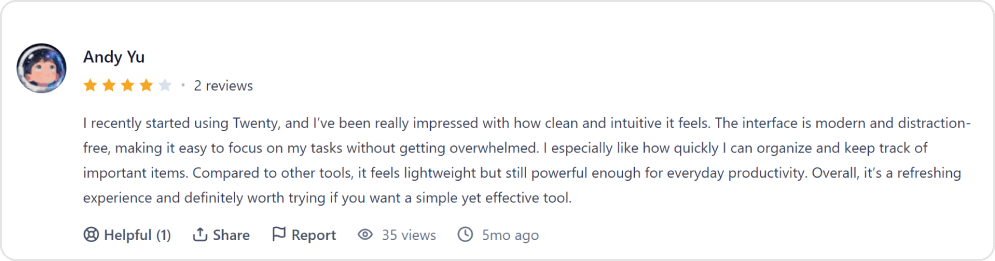
Twenty CRM represents the new generation of open-source CRM — built from scratch with modern technologies and developer-first principles. For a detailed breakdown of features and limitations, see our full Twenty CRM review. If you’ve used Notion, Linear, or Figma, Twenty’s interface will feel immediately familiar: clean, fast, and intuitive.
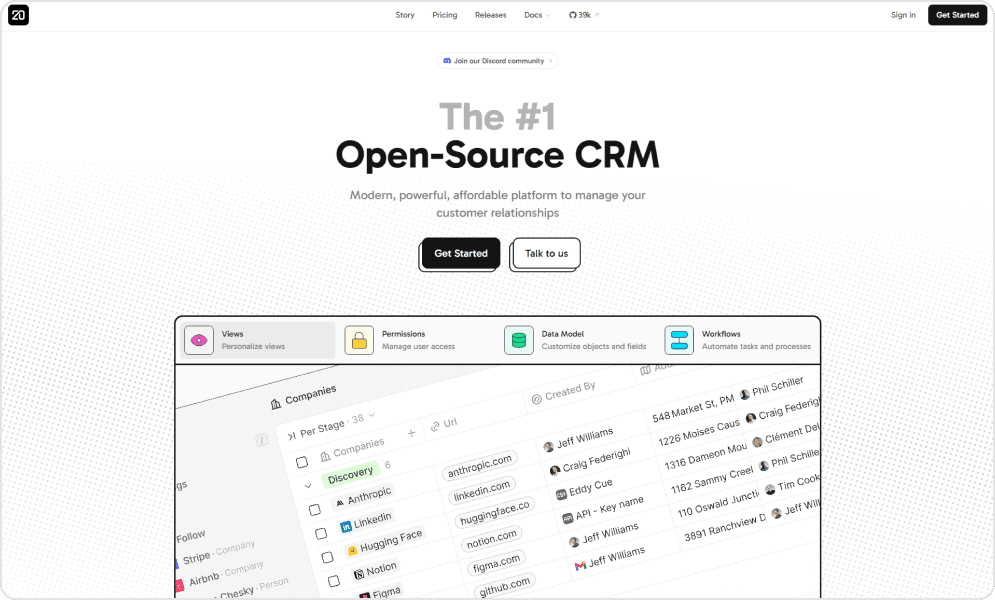
What sets Twenty apart for SaaS companies is the combination of modern design and complete ownership. The platform is GPL-licensed, meaning you own the software rather than rent it. Self-host for complete data control, or use cloud hosting for simplicity—your choice.
Twenty’s GraphQL API makes integrations straightforward, and the codebase is clean and well-documented. For tech-forward SaaS companies building custom workflows or developers wanting to extend their CRM, Twenty offers a foundation that won’t fight you.
Pros and cons of using Twenty

- The platform provides a modern and intuitive user interface, helping SaaS sales and customer success teams improve adoption and streamline daily CRM operations.
- It enables SaaS businesses to retain full ownership and control of their CRM environment, which is particularly valuable for companies prioritizing data privacy, compliance, and infrastructure flexibility beyond proprietary ecosystems like Salesforce.
- Its developer-focused architecture makes it easier for SaaS companies to customize subscription workflows, automate lifecycle stages, and integrate deeply with internal product systems.
- The system is designed to be lightweight and high-performing, allowing growing SaaS teams to maintain operational efficiency without unnecessary system complexity.
- With its GraphQL API, development teams can build flexible, scalable integrations and enable faster, more efficient data queries across their SaaS stack.
- The platform is actively evolving, continuously releasing improvements and new capabilities that align well with modern SaaS growth strategies.

- As a relatively newer platform compared to established CRM solutions like Salesforce, it has a smaller ecosystem and community, which may limit access to ready-made resources and third-party extensions.
- Non-technical SaaS teams may require engineering support during setup and advanced customization, particularly when configuring complex workflows or integrations.
- The platform currently offers fewer pre-built integrations than long-established CRMs, potentially requiring additional development work for certain third-party SaaS tools.
- It provides less out-of-the-box enterprise feature depth compared to mature alternatives such as SuiteCRM, which may impact SaaS organizations seeking comprehensive built-in functionality.
- Some enterprise-grade capabilities are still developing, meaning larger SaaS companies with complex operational needs may need to wait for further enhancements.
- Since the platform supports self-hosting, SaaS companies must have adequate technical expertise to manage deployment, maintenance, security, and ongoing updates effectively.
Platform ratings of Twenty
| Review Source | Score |
|---|---|
| Product Hunt | 4.2/5 |
| GitHub Stars: | GitHub Stars: 40k |
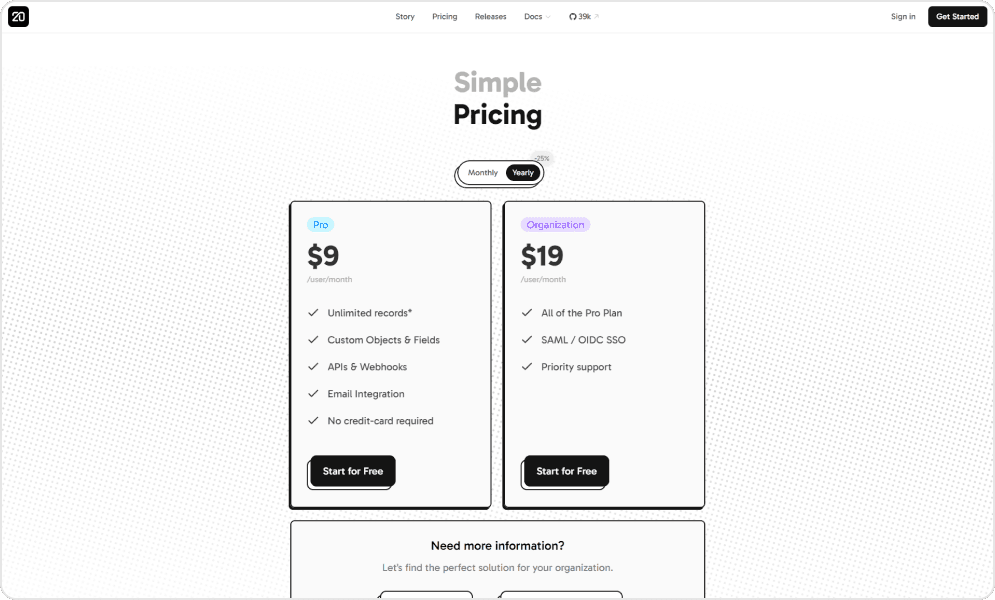
Pricing of Twenty
User perspective
2. HubSpot – The all-in-one growth platform
HubSpot has become the default Salesforce alternative for growth-stage SaaS companies. Its unified platform integrates marketing, sales, service, and CMS—eliminating the tool sprawl that plagues many SaaS tech stacks.
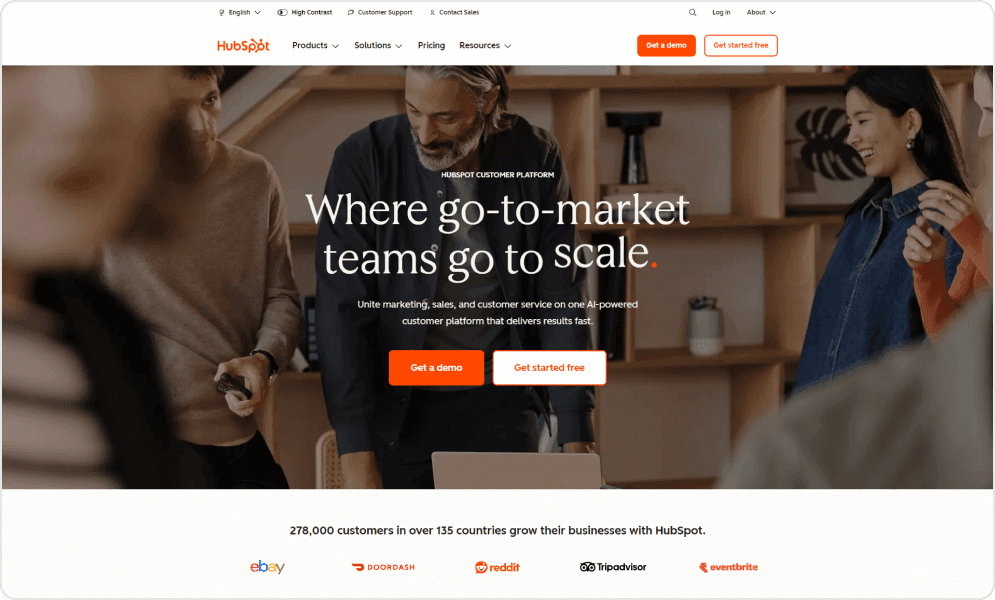
The free tier is genuinely useful: unlimited users (with limitations), contact management, email tracking, meeting scheduling, and basic reporting. This makes HubSpot accessible for early-stage companies who can grow into paid tiers as needs expand.
For SaaS specifically, HubSpot’s strength is lifecycle marketing. You can track visitors from first touch through trial activation to expansion, connecting marketing attribution to revenue in ways Salesforce requires expensive add-ons to accomplish.
Pros and cons of using HubSpot CRM
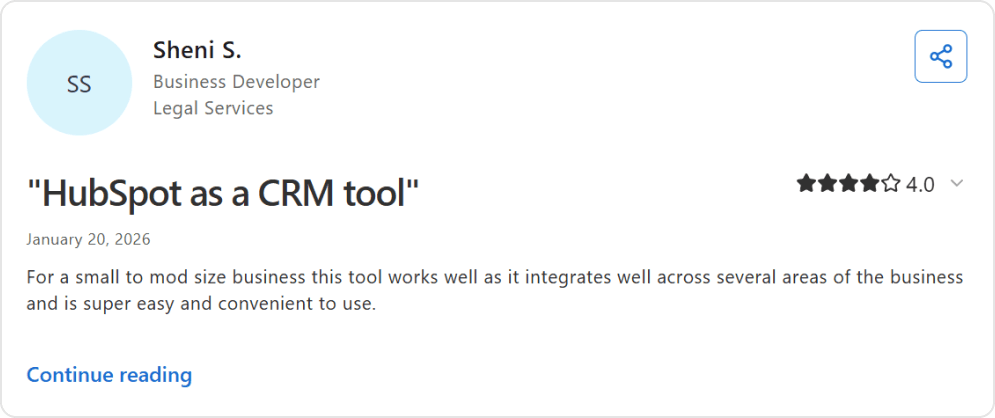
- Generous freemium plan that allows unlimited users and up to 1 million contacts, offering SaaS startups a scalable entry point compared to many other free CRM solutions.
- User-friendly interface with guided onboarding, demos, and intuitive navigation, making it easy for SaaS founders and RevOps teams to get started.
- Lead management capabilities are particularly strong for subscription-based businesses.
- Reliable customer support with in-dashboard chat assistance and responsive service agents, along with extensive educational resources available through its knowledge base, blog, and HubSpot Academy.
- Built-in calling functionality that allows teams to place and record calls directly within the CRM, automatically logging interactions to contact records for better visibility across sales and customer success teams.
- Advanced automation, reporting, and customization features require upgrading to paid tiers, which can become expensive as SaaS companies scale their operations and contact databases grow.
- As businesses adopt multiple hubs (Sales, Marketing, and Service), the platform can become more complex, requiring structured processes and dedicated CRM management.
- Customization options and advanced reporting capabilities are restricted on lower-tier plans, which may limit flexibility for SaaS companies with more sophisticated analytics or workflow requirements.
Platform ratings of HubSpot
| Review Source | Score |
|---|---|
| G2 | 4.4/5 |
| Capterra | 4.5/5 |
Pricing of HubSpot CRM
| Edition | Cost |
|---|---|
| Free Tools | $0 |
| Starter | $20/user/month |
User perspective
3. Pipedrive – The pipeline purist
Pipedrive has long been the favorite CRM for lean SaaS sales teams who want to focus on selling, not configuring. Its visual pipeline interface makes deal tracking intuitive, while automation handles the repetitive work.
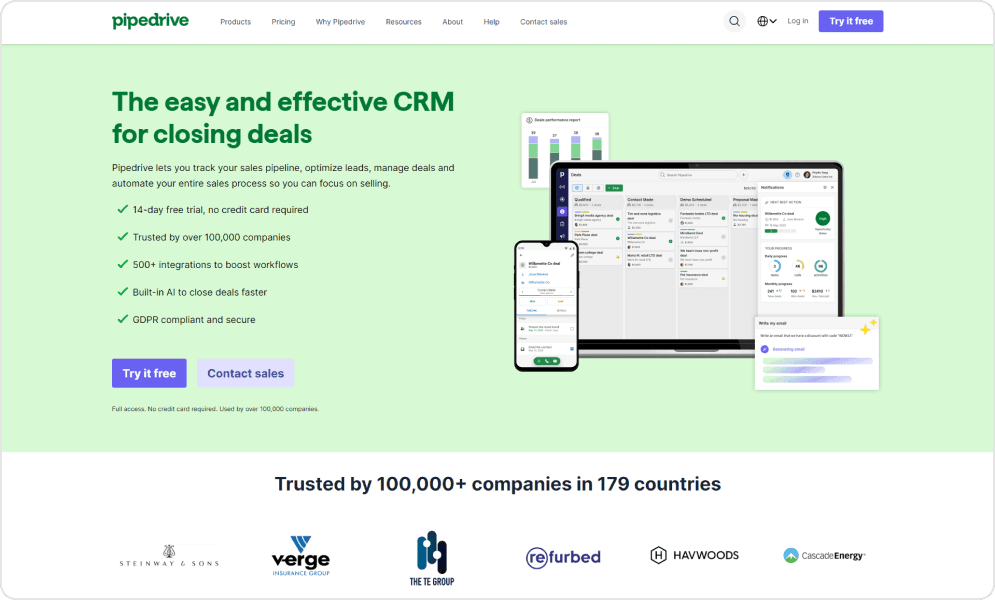
The AI Sales Assistant suggests next steps, drafts emails, and summarizes activity—practical AI that helps rather than overwhelms. For SaaS teams running outbound or inbound motions with straightforward sales cycles, Pipedrive removes friction without sacrificing capability.
Where Pipedrive shines is speed to value. Teams typically deploy in days, not months. The interface requires minimal training, and the automation builder is accessible to non-technical users.
The trade-off is depth. Pipedrive focuses on pipeline management and does it exceptionally well. For SaaS companies needing native subscription tracking or complex multi-product billing, you’ll rely on integrations.
Pros and cons of using Pipedrive
- Simple and intuitive interface with a minimal learning curve, supported by onboarding resources and tutorials that help SaaS sales teams adopt the system quickly and operate efficiently from day one.
- Customizable visual sales pipelines that provide clear deal tracking and straightforward revenue forecasting, making it suitable for both early-stage SaaS startups and scaling sales teams.
- Strong collaboration capabilities, including shared pipeline visibility, centralized activity tracking, and smooth handoffs between sales development, account executives, and customer success teams.
- Reporting functionality is more limited compared to advanced platforms like Salesforce or HubSpot, particularly when it comes to deep customization, automation workflows, and complex analytics.
- Search and filtering features may feel less intuitive at times, occasionally requiring additional configuration to generate highly specific reports or segmented data views.
Platform ratings of Pipedrive
| Review Source | Score |
|---|---|
| G2 | 4.3/5 |
| Capterra | 4.5/5 |
Pricing of Pipedrive CRM
| Tier | Monthly Cost (Annual) |
|---|---|
| Lite | $14/user |
| Growth | $34/user |
| Premium | $64/user |
User perspective
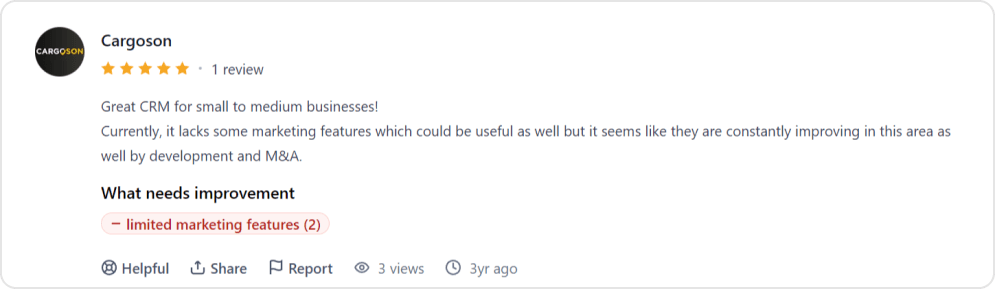
4. Freshsales – The budget-conscious powerhouse
Freshsales delivers surprising depth at price points that undercut most competitors. Its AI assistant Freddy handles lead scoring, deal insights, and predictive forecasting that competitors often reserve for premium tiers.
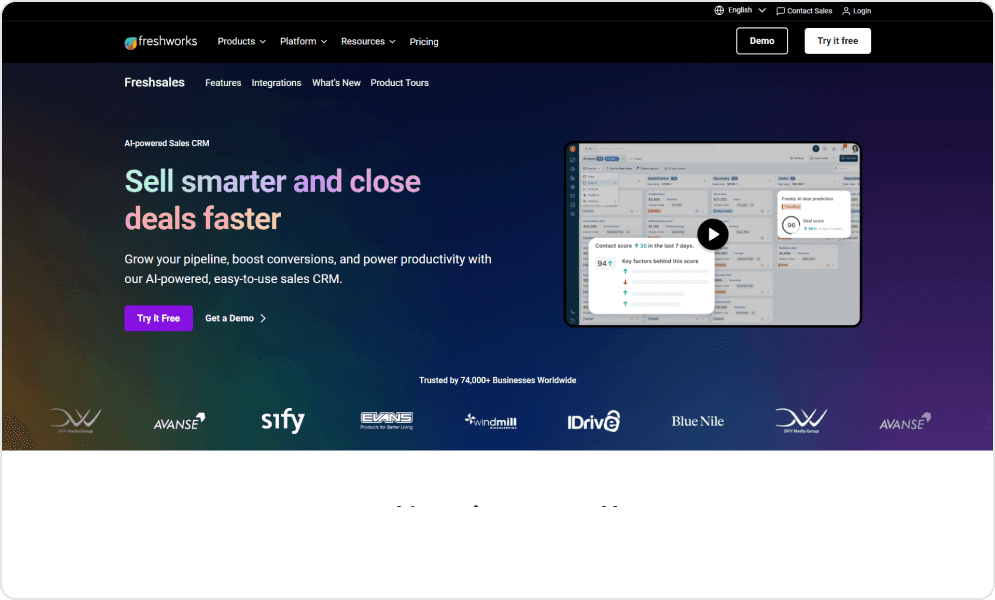
The 360-degree customer view centralizes conversations, deals, and activities in a single interface. Built-in phone, email, and chat mean your team works from one platform rather than juggling multiple tools.
For SaaS companies watching the runway, Freshsales’ value proposition is compelling. The Growth plan at $9/user/month includes workflow automation, visual pipelines, and custom dashboards. You get functionality that would cost 3-5x more on competing platforms.
Pros and cons of using Freshsales
- Clean and intuitive interface with quick setup and a minimal learning curve, enabling SaaS teams to implement the CRM rapidly without heavy onboarding friction.
- Cost-effective pricing structure that includes practical features such as sales sequences, bulk email campaigns, lead scoring, and visual pipeline tracking—ideal for growing SaaS startups managing subscription funnels.
- Built-in email automation with personalization, segmentation, and engagement tracking (including opens, clicks, and follow-ups), supporting lifecycle marketing and sales outreach within a single system.
- Workflow automation for reminders, task assignments, and activity triggers that helps SaaS sales and customer success teams reduce repetitive manual work.
- Customizable fields, filters, and views to align with different SaaS sales models, including subscription tiers, trials, renewals, and upsell processes.
- Responsive customer support and reliable integrations with commonly used email and calendar platforms to streamline communication workflows.
- Reporting and analytics capabilities are relatively basic compared to more advanced CRM competitors, which may limit deep revenue forecasting or complex SaaS KPI tracking.
- Occasional bugs and performance slowdowns, particularly when managing larger datasets or scaling contact databases.
- Billing and subscription management features can feel complex for some users, requiring additional configuration to align with SaaS pricing structures.
- Advanced automation workflows may require extra setup effort and offer limited guided onboarding for complex use cases.
- Lead capture from social media and advertising platforms is not fully seamless, potentially requiring third-party integrations.
- The mobile application experience may feel less optimized for heavy, on-the-go usage by field sales or remote SaaS teams.
Platform ratings of Freshsales
| Review Source | Score |
|---|---|
| G2 | 4.5/5 |
| Capterra | 4.5/5 |
Pricing of Freshsales
| Tier | Monthly Cost |
|---|---|
| Free | $0 (max 3 users) |
| Growth | $11/user |
| Pro | $47/user |
| Enterprise | $71/user |
User perspective
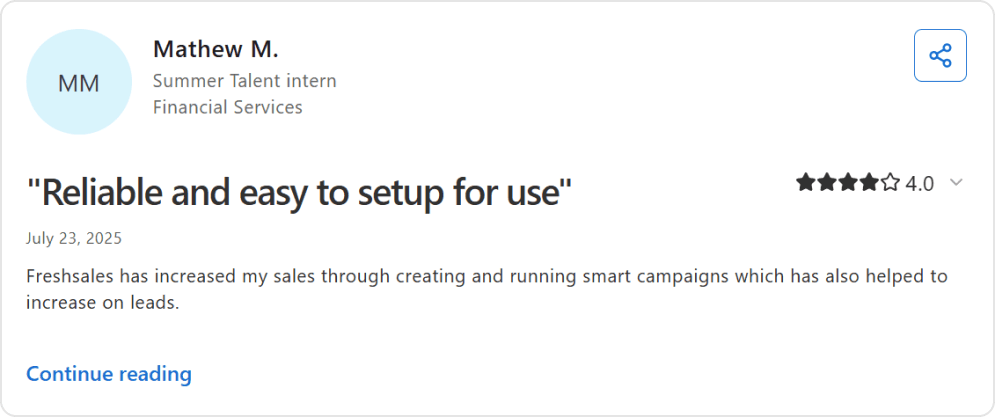
5. Zoho CRM – The ecosystem play
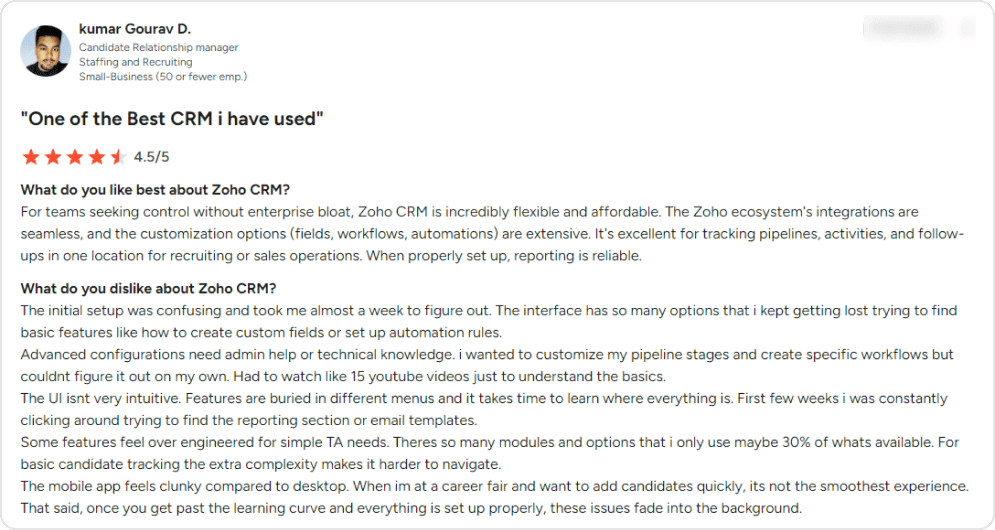
Zoho offers something unique: a complete business operating system from a single vendor. CRM integrates natively with Zoho Books (accounting), Zoho Desk (support), Zoho Campaigns (email), Zoho Analytics (BI), and 40+ other applications.
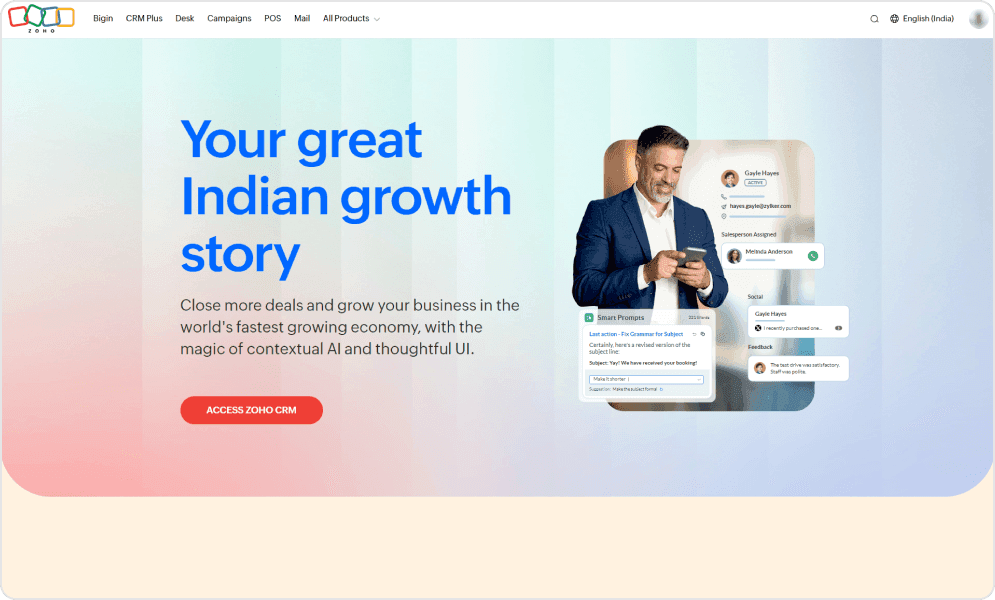
For SaaS companies seeking operational simplicity, this matters. Data flows between applications without complex integrations. Customer support history appears in sales contexts. Finance sees the same customer record as sales. This unified view eliminates the data silos that plague multi-vendor stacks.
The CRM itself is full-featured: lead management, pipeline automation, AI-powered predictions via Zia, and territory management. Canvas design studio lets you customize layouts without code.
Pros and cons of using Zoho
- Extensive customization across modules, workflows, fields, and automation rules — enabling SaaS teams to adapt the CRM to subscription models, renewals, and upsell processes without heavy core development.
- Seamless integration with other Zoho products like Zoho Mail, Zoho Books, and Zoho Sheet, helping SaaS businesses build a connected operational ecosystem within one vendor environment.
- Cost-effective pricing that delivers advanced capabilities suitable for early-stage and mid-sized SaaS companies looking for a scalable alternative to premium CRMs.
- Automation tools that streamline follow-ups, lead nurturing, and task management across the SaaS sales pipeline, reducing repetitive manual effort.
- Strong reporting and analytics features that support revenue tracking, sales performance monitoring, and data-driven decision-making.
- Centralized communication tracking to keep prospect and customer interactions organized across sales and support touchpoints.
- Support for third-party integrations, including platforms like ZoomInfo, ensuring compatibility with broader SaaS tech stacks.
- Initial setup and configuration can be time-intensive, often requiring detailed planning before workflows and automation function smoothly.
- The interface may feel cluttered for some users, with certain features positioned within layered menus.
- Advanced customization and integrations frequently require technical expertise or developer involvement.
- The platform’s extensive feature set can exceed the needs of some SaaS teams, potentially leading to underutilized functionality.
- Customer support experiences may vary, particularly when resolving complex integration or configuration challenges.
- Deeper customization relies on a proprietary scripting language, which may present a learning curve compared to more commonly used programming languages.
- Some modules may not integrate as seamlessly as expected, including overlaps between CRM-native forms and Zoho Forms.
- Onboarding may require structured internal training before full team adoption is achieved.
Platform ratings of Zoho CRM
| Review Source | Score |
|---|---|
| G2 | 4.1/5 |
| Capterra | 4.3/5 |
Pricing of Zoho CRM
| Tier | Monthly Cost |
|---|---|
| Free Edition | $0 (max 3 users) |
| Standard | $14/user |
| Professional | $23/user |
| Enterprise | $40/user |
User perspective
6. Close – The high-velocity sales machine
Close was purpose-built for high-velocity SaaS sales. Where other CRMs treat calling as an integration, Close builds it into the core: power dialer, call recording, voicemail drop, and SMS all native to the platform.
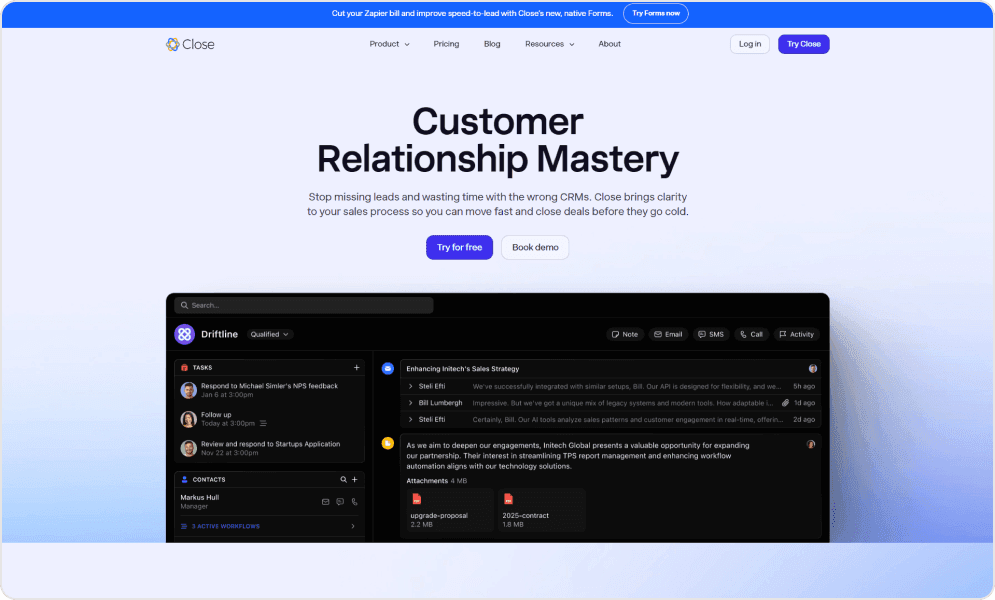
For SaaS companies with outbound-heavy sales motions—SDR teams booking demos, AEs running high-volume cycles—Close eliminates the friction of switching between dialer and CRM. Everything happens in one interface with automatic activity logging.
The predictive dialer is particularly powerful. It automatically calls the next lead when one call ends, maximizing talk time. Call coaching features let managers review conversations and provide feedback without sitting in on every call.
Pros and cons of using Close
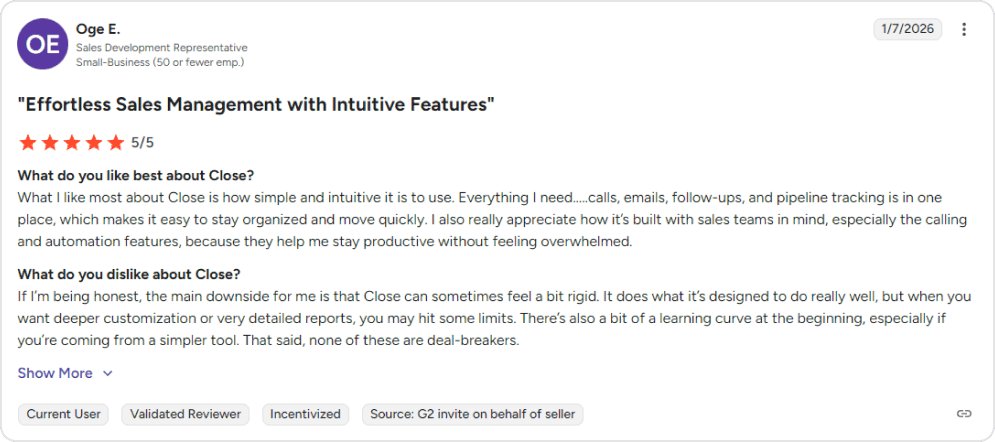
- Clean and intuitive interface with a practical dashboard that provides SaaS sales teams with a clear, real-time view of activities, pipeline stages, and follow-ups.
- Built specifically for sales-focused teams, helping representatives stay organized, prioritize outreach, and accelerate deal closures in competitive SaaS markets.
- Robust built-in communication tools, including calling, call recording, predictive dialer, voicemail drops, and integrated email management — reducing reliance on multiple external tools.
- Automation capabilities such as call cadences, automated follow-ups, and multi-touch sequences that support lead nurturing and re-engagement throughout the SaaS buyer journey.
- Practical forecasting and analytics tools for monitoring sales performance, tracking revenue targets, and managing pipeline progress.
- Smart Views and a centralized inbox that consolidate outreach, conversations, and task management into a single workspace.
- Relatively straightforward setup process, supported by responsive customer service and a transparent product development roadmap.
- The trial period may feel limited for SaaS teams comparing multiple CRM solutions before making a long-term commitment.
- The overall feature set may appear narrower compared to larger, enterprise-oriented platforms like Salesforce.
- Editing scheduled emails can create multiple logged versions, which some users find less convenient for tracking communication history.
- Advanced filters and custom views may require time to fully understand and configure effectively.
- There can be a learning curve when mastering more advanced automation sequences and workflow configurations.
Platform ratings of Close
| Review Source | Score |
|---|---|
| G2 | 4.7/5 |
| Capterra | 4.7/5 |
Pricing of Close
| Edition | Cost |
|---|---|
| Startup | $35/user/month |
| Professional | $99/user/month |
| Enterprise | $139/user/month |
User perspective
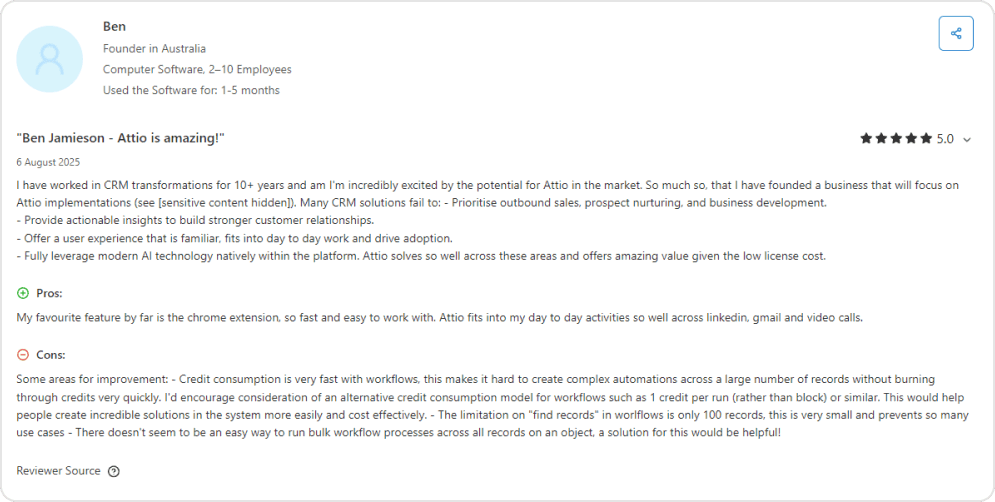
7. Attio – The modern customizable CRM
Attio represents the new generation of CRM design. Its flexible data model lets you structure information the way your business actually works—not the way traditional CRM vendors assume you work.
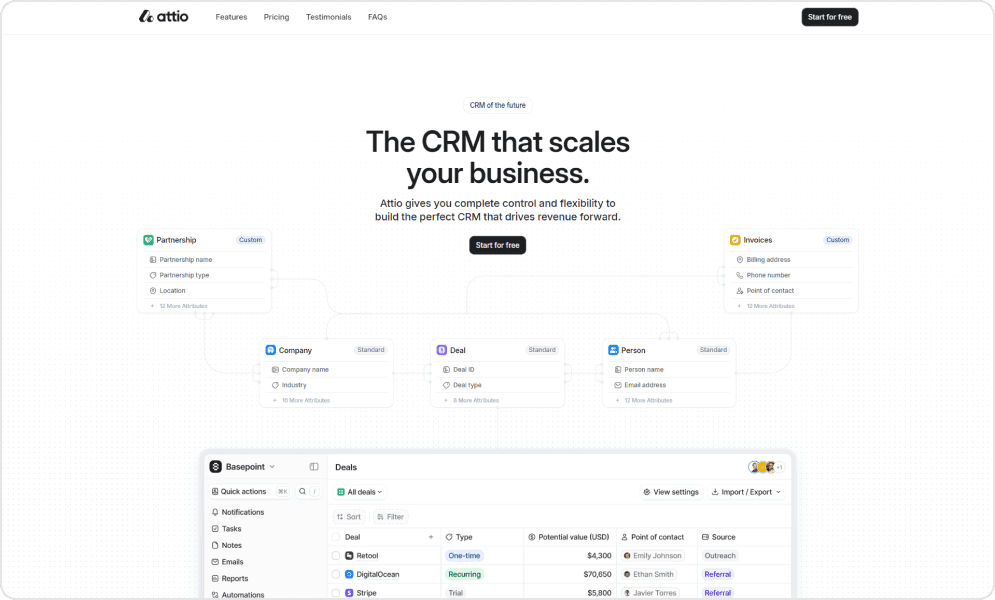
If you’ve used Notion, Airtable, or Linear, Attio’s interface will feel immediately familiar. Custom objects, flexible relationships between records, and powerful filtering make it adaptable to unique workflows without developer resources.
Automatic data enrichment is a standout feature. Attio pulls company and contact information from public sources, keeping records current without manual research. This is particularly valuable for SaaS companies tracking fast-moving startup prospects.
Pros and cons of using Attio
- Highly customizable platform that enables SaaS teams to design workflows around their unique processes, with flexible data structures and AI-powered automation to support nuanced use cases.
- Modern and intuitive interface that makes it easier for users to engage with the system despite its high degree of flexibility and configurability.
- Responsive and helpful customer support team that assists quickly when questions or issues arise, supporting smoother adoption.
- There can be an initial learning curve for teams that are not accustomed to highly flexible or advanced CRM systems, requiring time to fully leverage the platform’s customization potential.
- Some advanced features available in long-established CRM platforms may not yet be as mature or extensive, which could limit certain enterprise-level SaaS workflows.
Platform ratings of Attio
| Platform | Rating |
|---|---|
| Product Hunt | 5.0/5 |
| G2 | 4.3/5 |
Pricing of Attio
| Edition | Cost |
|---|---|
| Free | $0 (up to 3 users) |
| Plus | $29/user/month |
| Pro | $59/user/month |
| Enterprise | $119/user/month |
User perspective
8. ChartMogul CRM – Purpose-built for B2B SaaS
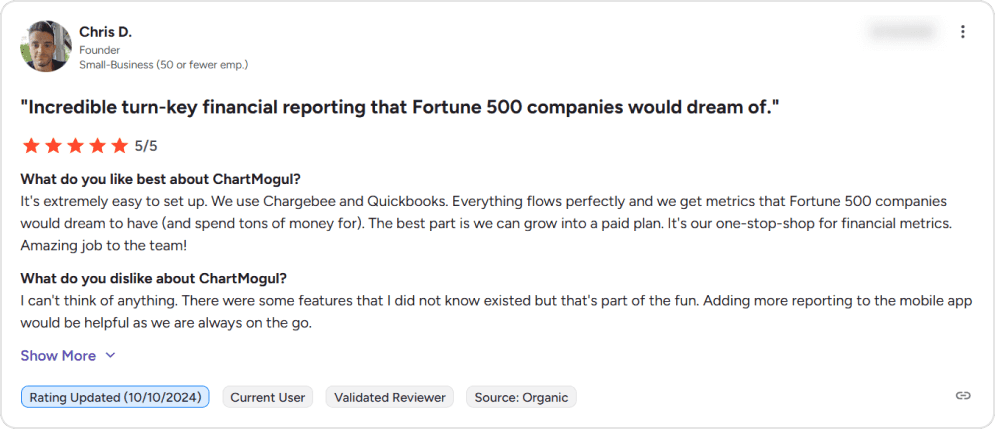
ChartMogul CRM is unique on this list: it’s built specifically for B2B SaaS companies with subscription billing. While other CRMs can track deals, ChartMogul connects directly to Stripe, Chargebee, Recurly, and other billing platforms to provide real-time subscription insights.
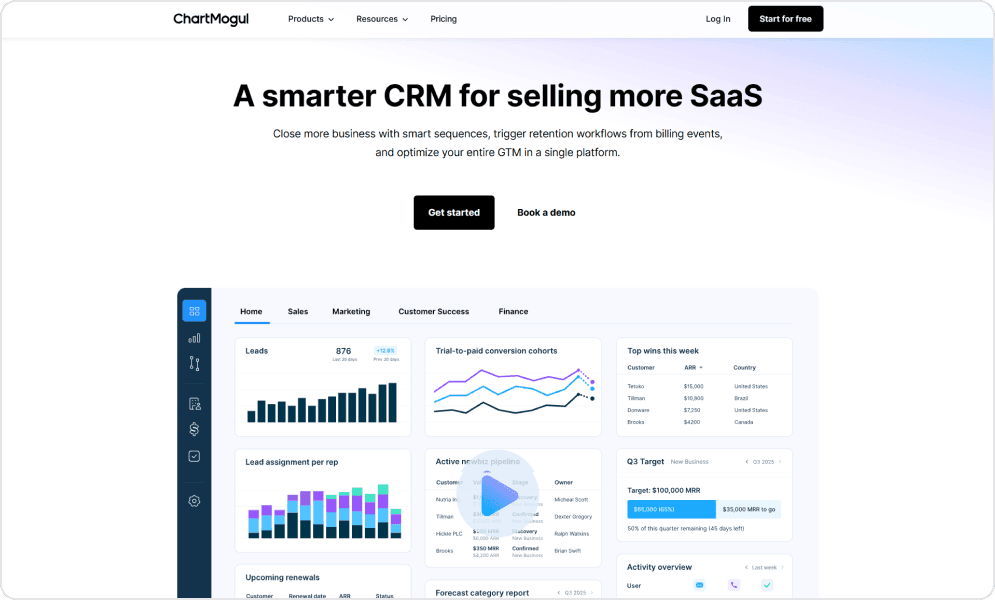
This native integration means you see MRR, ARR, churn, expansion revenue, and customer health scores without building custom reports or purchasing add-ons. Lead-to-customer attribution connects marketing spend to actual revenue outcomes.
For SaaS companies where revenue operations matter, ChartMogul eliminates the gap between CRM and billing data. Sales sees the same revenue picture as finance. Customer success identifies at-risk accounts before they churn.
Pros and cons of using ChartMogul CRM
- Native subscription billing integration that connects revenue operations with CRM data, giving SaaS teams unified insight into customer lifecycles and monetization.
- Real-time tracking of key SaaS metrics such as MRR, ARR, and churn, enabling data-driven decision-making and proactive growth optimization.
- Lead-to-revenue attribution to help SaaS marketing and sales teams understand conversion paths and optimize acquisition spend.
- Automatic data enrichment that populates and updates contact and account records, reducing manual entry and improving lead quality.
- Designed specifically for B2B SaaS, which may limit applicability for businesses outside this model or with broader operational needs.
- Smaller overall feature set compared to full-scope CRM platforms, meaning certain advanced sales or service workflows may require other tools.
- Less customizable than highly flexible CRM solutions, potentially constraining teams with complex or unique process requirements.
- Pricing that scales with ARR, which could increase costs significantly as revenue grows.
Platform ratings of ChartMogul
| Review Source | Score |
|---|---|
| G2 | 4.6/5 |
| Product Hunt | 4.7/5 |
Pricing of ChartMogul
| Edition | Cost |
|---|---|
| Launch | $0 |
| Scale | $100/month |
| Volume | $2000/month |
User perspective
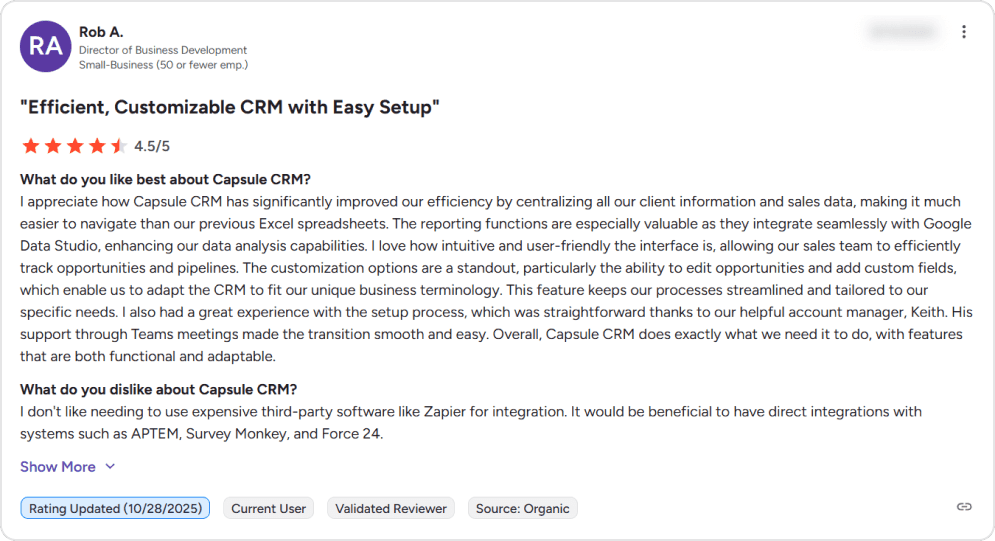
9. Capsule CRM – The simplicity champion
Capsule CRM occupies a specific niche: teams who want CRM functionality without CRM complexity. It’s designed for rapid adoption, with an interface clean enough that most users need minimal training.
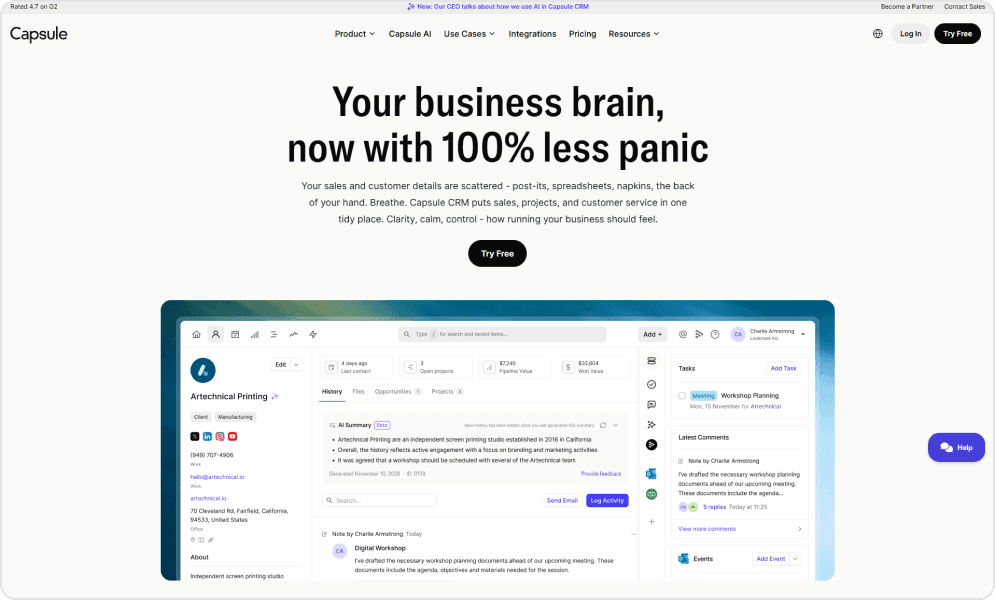
For SaaS companies where sales is one of many hats the team wears, Capsule provides structure without overhead. Contact management, pipeline tracking, and task management just work.
The Transpond email marketing integration (owned by Capsule) adds campaign capabilities without leaving the ecosystem. For companies outgrowing spreadsheets but not ready for enterprise CRM, Capsule bridges that gap.
Pros and cons of using Capsule
- Exceptionally fast implementation, enabling SaaS teams to get up and running quickly without long deployment cycles.
- Clean, intuitive interface that reduces learning time and supports user adoption across sales, customer success, and support teams.
- Zero onboarding fees, making initial adoption more cost-effective for early-stage and bootstrapped SaaS companies.
- Strong email integration via Transpond, ensuring seamless communication tracking and synchronized outreach directly within the CRM.
- Limited automation capabilities compared to more mature CRM platforms, which may constrain workflow efficiency as the organization scales.
- Basic reporting features that may not meet the needs of SaaS teams looking for deep analytics, forecasts, or custom dashboards.
- Fewer native integrations than leading CRM solutions, potentially requiring additional development or third-party tools to support a full tech ecosystem.
- May be outgrown by companies with complex sales processes, multi-vertical pipelines, or advanced revenue operations needs.
Platform ratings of Capsule
| Review Source | Score |
|---|---|
| G2 | 4.7/5 |
| Capterra | 4.5/5 |
Pricing of Capsule:
| Edition | Cost |
|---|---|
| Free | $0 (250 contacts, 2 users) |
| Starter | $18/user/month |
| Growth | $36/user/month |
| Advanced | $54/user/month |
User perspective
10. Salesmate – The AI automation engine
Salesmate positions itself as the AI-powered CRM for growing teams. Its Sandy AI assistant handles lead qualification, email drafting, and meeting scheduling, reducing manual work that bogs down sales reps.
Built-in communication tools include calling, SMS, email, and video conferencing. The Sequences feature automates multi-touch outreach, while the Smart Activity module prioritizes tasks based on deal velocity and engagement signals.
For SaaS companies with complex sales cycles, Salesmate’s journey-based automation stands out. You can design workflows that adapt based on prospect behavior, moving leads through appropriate sequences automatically.
Pros and cons of using Salesmate
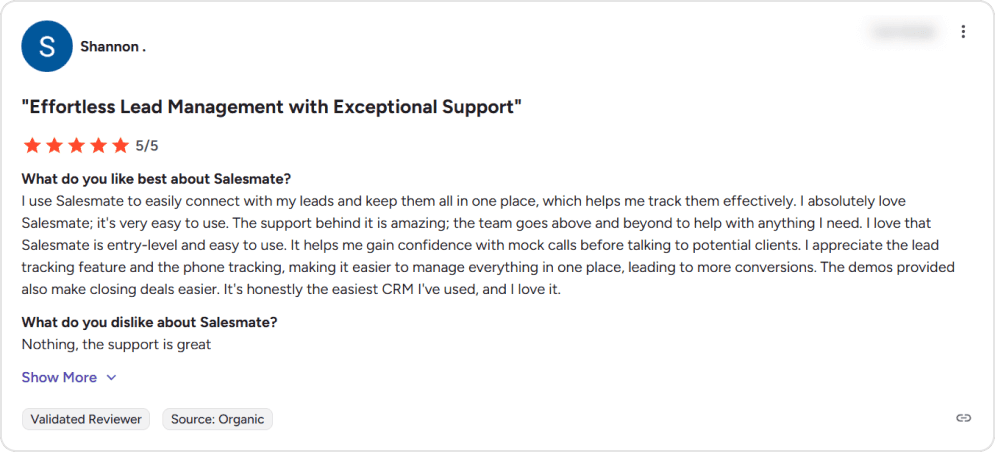
- Clean and intuitive interface that many users find easy to navigate and learn quickly, even without extensive CRM experience.
- Strong lead and sales pipeline management with customizable workflows that help SaaS teams track deals, activities, and priorities in one place.
- Built-in multichannel communication features — including calling, texting, and email — that centralize outreach and reduce dependence on external tools.
- Robust automation capabilities that streamline repetitive tasks, follow-ups, sequences, and sales actions, helping teams stay productive as they scale.
- Responsive customer support that many reviewers highlight as a standout benefit, assisting with setup, troubleshooting, and smooth onboarding.
- Mobile app support allows sales teams to access CRM data and manage interactions on the go, critical for remote or field-based SaaS sales workflows.
- Affordable pricing relative to some enterprise alternatives, making it attractive for small to mid-sized SaaS companies looking for core CRM functionality without enterprise cost.
- Integration options are considered more limited than some competitors, with fewer native connections to popular tools — potentially requiring additional configuration or third-party connectors.
- Reporting and analytics, while useful, are sometimes seen as basic or less powerful than those in more advanced CRMs, limiting deep revenue or performance insights.
- There can be a learning curve, particularly with advanced configuration or automation workflows, which may require time before teams fully leverage the platform’s capabilities.
- Some users note occasional performance or loading delays, especially with larger datasets or complex operations.
- Certain communication features — such as A2P verification for texting or third-party integrations can be cumbersome or restricted based on plan tier.
Platform ratings of Salesmate
| Review Source | Score |
|---|---|
| G2 | 4.6/5 |
| Capterra | 4.7/5 |
Pricing of Salesmate
| Edition | Cost (Annual) |
|---|---|
| Basic | $23/user/month |
| Pro | $39/user/month |
| Business | $63/user/month |
User perspective
After a detailed review of Salesforce alternatives for SaaS companies, one thing is clear: there’s no universal “best” CRM—only the right fit based on your data, scalability, and compliance needs. The real advantage comes from choosing a platform that aligns with how your business actually operates today while giving you room to grow tomorrow.
If you are looking for an top open-source alternatives, check this comprehensive guide.
How to Evaluate and Choose the Right CRM
There’s no single “best” Salesforce alternative — only the right fit for your SaaS company’s growth stage, technical resources, and recurring revenue model. Here’s a 4-step framework to evaluate your options:
Step 1: Define your primary use case
Start by identifying what matters most to your team right now:
| Your Priority | Best Fit | Why |
|---|---|---|
| All-in-one marketing + sales + service | HubSpot | Unified platform eliminates tool sprawl; startup discounts up to 90% |
| Simple, visual pipeline management | Pipedrive | Fastest time-to-value; minimal training required |
| Maximum features on a tight budget | Freshsales | Enterprise-grade AI at $9/user/month |
| Unified business operations (CRM + ERP) | Zoho CRM | 50+ integrated apps under one vendor |
| High-volume outbound calling | Close | Native power dialer; built for SDR teams |
| Flexible, customizable workflows | Attio | Notion-like flexibility; adapts to unique processes |
| Subscription revenue tracking | ChartMogul CRM | Native MRR/ARR/churn; connects directly to billing |
| Quick setup, zero complexity | Capsule CRM | Up and running in hours; perfect for small teams |
| AI-powered sales automation | Salesmate | Sandy AI handles qualification and follow-ups |
| Full data ownership + open source | Twenty CRM | Self-host option; 90% cost savings vs. Salesforce |
Step 2: Match CRM to your growth stage
| Stage | Team Size | Budget | Recommended CRMs |
|---|---|---|---|
| Pre-seed / Bootstrapped | 1-5 | <$500/mo | Capsule, Freshsales (Free), Twenty (Self-hosted) |
| Seed | 5-15 | $500-2K/mo | Pipedrive, Attio, HubSpot Starter |
| Series A | 15-50 | $2K-10K/mo | HubSpot Pro, Close, Salesmate, Zoho |
| Series B+ | 50+ | $10K+/mo | HubSpot Enterprise, Zoho Ultimate, Twenty (Org) |
Step 3: Evaluate technical requirements
Ask these questions before committing:
Data ownership and security
- Do you need to self-host for compliance? → Twenty CRM
- Is your data sensitive (healthcare, finance)? → Twenty CRM (self-host) or Zoho (data residency options)
Integration needs
- Do you need native billing integration (Stripe, Chargebee)? → ChartMogul CRM
- Are you already in the Microsoft ecosystem? → Consider Dynamics 365 (not on this list)
- Do you need 500+ integrations out of the box? → HubSpot or Zoho
Technical resources
- No dedicated ops/admin? → Capsule, Pipedrive, or Freshsales
- Developer team available? → Twenty CRM or Attio (API-first)
Step 4: Run a real evaluation
Don’t decide based on feature lists alone. Here’s a 2-week evaluation framework:
Key questions to answer during evaluation
- Adoption: Can your team use it without extensive training?
- Speed: How long does it take to log a call or update a deal?
- Visibility: Can you see pipeline health at a glance?
- Automation: Does it reduce manual work or add to it?
- Reporting: Can you pull the reports you actually need?
- Cost trajectory: What will this cost in 12 months as you grow?
Among all these leading Salesforce CRM alternatives for SaaS companies we’ve covered, one platform stands out for SaaS companies prioritizing flexibility, ownership, and cost savings. Let’s take a closer look.
Select the Best CRM That Fits Your SaaS Business
Salesforce remains a powerful platform for enterprise SaaS companies with complex needs and budgets to match. But for most SaaS companies, especially those under $10M ARR—alternatives offer better value, faster implementation, and features designed for recurring revenue businesses.
The right CRM depends on your specific SaaS motion, team size, technical comfort, and growth trajectory. But one thing is clear: you have more options than ever—and paying enterprise prices for startup needs is no longer necessary.
Choosing a CRM is one thing—implementing it correctly is another. TaskRhino offers Twenty CRM consulting and implementation services with deep expertise in helping SaaS companies migrate from Salesforce and implement Twenty for their business.
Need Help With Twenty CRM Migration Planning or Implementation?
We’ll assess your current setup, understand your requirements, and recommend the right path forward, whether that’s Twenty CRM or another platform on this list.
Frequently Asked Questions
How do SaaS CRMs differ from traditional CRMs?
SaaS CRMs are designed for recurring revenue models. They track metrics like MRR, ARR, churn, expansion revenue, and renewal rates—not just closed/won deals. Many integrate directly with billing platforms (Stripe, Chargebee) to provide real-time subscription insights that traditional CRMs require custom development to achieve.
Can I migrate my data from Salesforce?
Yes. All major CRM platforms support data import via CSV, and many offer direct Salesforce migration tools. HubSpot, Pipedrive, and Zoho have particularly well-documented migration paths.Twenty CRM migrations typically complete in 2–4 weeks with zero data loss when handled by experienced consultants. Learn more about TaskRhino’s Salesforce to Twenty CRM migration services.
What’s the real cost savings vs. Salesforce?
Salesforce Sales Cloud starts at $175/user/month for meaningful features. Most alternatives on this list range from $15-50/user/month for comparable functionality. Twenty CRM offers up to 90% savings: a 25-person team pays ~$2,700/year versus $30,000+/year on Salesforce—before implementation costs.
Do I need technical staff to implement these CRMs?
For most platforms on this list, no. Capsule, Pipedrive, and Folk can be set up by non-technical users in hours. HubSpot, Freshsales, and Zoho have steeper learning curves but extensive documentation. Twenty CRM’s self-hosted option requires technical comfort, but TaskRhino handles implementation for teams without dedicated technical resources.
Which CRM is best for PLG (product-led growth) companies?
For PLG motions, consider HubSpot (behavior-based automation at Enterprise tier), ChartMogul (subscription analytics), Attio (flexible data modeling for product signals), or Twenty CRM (API-first architecture for connecting product usage data). The key is connecting product usage data to your CRM—native integrations matter more than CRM features alone.
How do these CRMs handle customer success vs. sales?
Most platforms focus on sales pipeline management. For combined sales and CS, HubSpot (Service Hub), Freshsales (Freshdesk integration), and Zoho (Zoho Desk integration) offer unified views. ChartMogul provides customer health scoring based on subscription data—valuable for identifying at-risk accounts.
Why should I consider Twenty CRM over other alternatives??
Twenty CRM offers a unique combination: modern design, open-source flexibility, complete data ownership, and significant cost savings versus Salesforce. See our detailed Twenty CRM vs Salesforce comparison for a full breakdown. For SaaS companies that value developer-friendly architecture and want to avoid vendor lock-in, Twenty CRM is increasingly the first choice. As an official Twenty CRM consulting partner, TaskRhino can help you evaluate whether it’s the right fit for your specific needs.

Want to Host, Customize, or Migrate to Twenty CRM
Editor's Choice
10 Best Salesforce Alternatives for Startups: Pricing, Features & Scalability Compared


10 Best Salesforce Alternatives for Growing SMBs ( Latest Rankings)
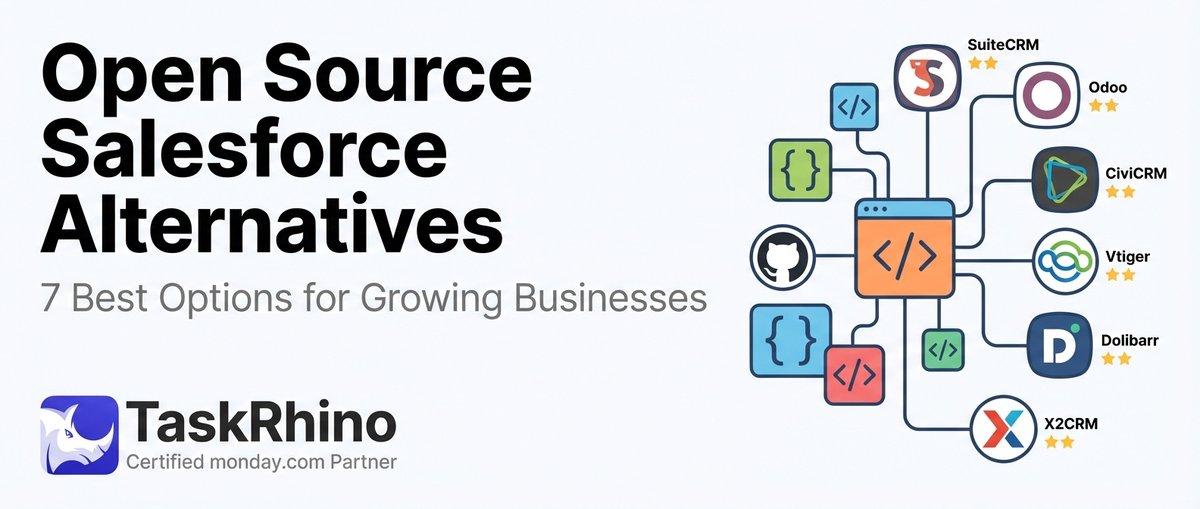
7 Best Open Source Salesforce Alternatives for Growing Businesses