

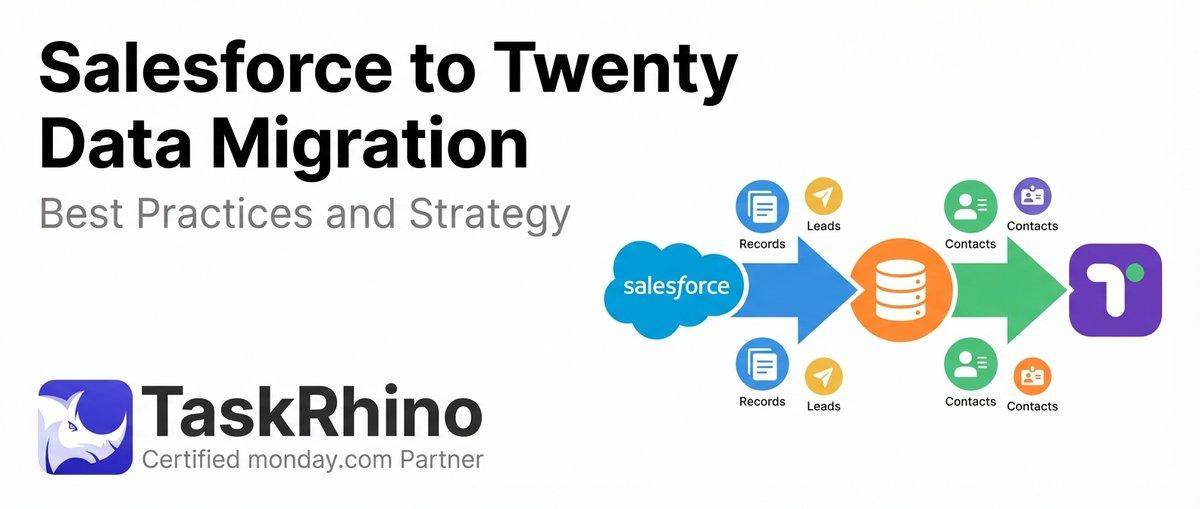
Salesforce to Twenty Data Migration: Best Practices and Strategy
Data migration is the most critical and often the most underestimated phase of any CRM transition.
When organizations move from Salesforce to Twenty, discussions usually focus on licensing costs, feature parity, and implementation timelines. Yet the real challenge lies in the data itself: how it moves, transforms, and integrates into the new system. Overlooking this phase can have repercussions that last far beyond the migration window.
Poorly executed migrations lead to corrupted reports, fractured customer histories, broken automations, and user distrust — issues that can take months to resolve.
The organizations that succeed treat data migration as a strategic initiative. They plan meticulously, align cross-functional teams, and execute methodically — prioritizing accuracy over speed.
This article presents a comprehensive CRM data migration strategy for organizations transitioning from Salesforce to Twenty. It is designed for founders, RevOps leaders, sales executives, and IT decision-makers who recognize data as a critical operational asset and understand that safeguarding it during migration is non-negotiable.
If you are still evaluating whether Twenty is the right move, start with our Twenty CRM vs Salesforce comparison guide.
10 Best Practices for Salesforce to Twenty Data Migration
The following practices represent the data migration framework that mature organizations apply to CRM transitions. Each addresses specific risks inherent to moving complex, relational data between platforms.
1. Start with a complete data audit
Before migrating anything, you must understand exactly what exists in your current Salesforce environment. This means inventorying not just standard objects (Accounts, Contacts, Opportunities, Leads) but also custom objects, custom fields, record types, and the relationships between them.
A thorough data audit answers critical questions:
- How many records exist in each object?
- Which fields contain meaningful data versus fields populated inconsistently or not at all?
- What custom objects have been created, and how do they relate to standard objects?
- Where do data quality issues already exist: duplicates, incomplete records, outdated information?
Organizations frequently discover during audits that their Salesforce instance has accumulated significant technical debt. Fields created for abandoned initiatives. Custom objects used by former teams. Integrations that no longer serve active processes. The audit surfaces this complexity before it becomes a migration complication.
The data audit also establishes the baseline against which post-migration validation will occur. Without a clear understanding of source data, there is no reliable way to confirm that migration was successful.
Get Expert to Conduct Pre-Migration Audit
TaskRhino conducts comprehensive pre-migration audits that surface hidden complexity before it derails your timeline.
2. Clean and normalize data before moving it
Migration is not the time to transfer problems from one system to another. Data quality issues that exist in Salesforce will persist in Twenty unless explicitly addressed before transfer.
Pre-migration data cleaning should address:
- Duplicate records: Identify and merge duplicate Accounts, Contacts, and Leads using matching rules based on email, domain, phone, or company name. Duplicates that migrate become duplicates that pollute reporting and confuse users in the new system.
- Incomplete records: Establish minimum data standards and either enrich incomplete records or flag them for exclusion. Records missing critical identifiers (email addresses, company associations) often provide limited value and may not warrant migration.
- Inconsistent formatting: Standardize phone number formats, address structures, and naming conventions. Inconsistencies that seem minor in Salesforce become significant when they interfere with Twenty’s matching, deduplication, or automation logic.
- Outdated information: Review records that have not been touched in extended periods. Contacts who left their companies years ago, accounts with no activity in 36 months, opportunities closed-lost in previous fiscal years. These records consume migration effort and storage without providing operational value.
Data normalization also extends to picklist values and categorical fields. If Salesforce contains ten variations of “Enterprise” as an account type, consolidate them before migration rather than importing inconsistency into the new system.
3. Build a precise field-mapping framework
Field mapping CRM data is where migration complexity becomes tangible. Every Salesforce field must be explicitly mapped to a corresponding Twenty field, or intentionally excluded from migration.
Effective field mapping requires understanding both systems deeply:
- Which Salesforce fields have direct equivalents in Twenty?
- Which fields require transformation: data type changes, value translations, format adjustments?
- Which Salesforce fields have no Twenty equivalent and require custom field creation?
- Which fields should not migrate at all?
The field-mapping framework should be documented in detail, specifying:
- Source field (Salesforce API name and label)
- Target field (Twenty field name)
- Transformation logic (if applicable)
- Handling of null values
- Validation rules
This framework becomes the migration specification. It guides technical implementation, supports testing, and provides the reference for post-migration validation. Organizations that approach field mapping casually discover mapping errors only after migration, when correction is far more expensive.
Pay particular attention to fields that appear similar but function differently between systems. Date fields, currency fields, multi-select picklists, and formula fields each carry platform-specific behaviors that require explicit handling. For a step-by-step walkthrough of how to structure the full process, see our Salesforce to Twenty CRM migration checklist.
4. Protect relational data and object dependencies
CRM data is inherently relational. Contacts belong to Accounts. Opportunities reference Contacts. Activities attach to multiple parent objects. Custom objects link to standard objects through lookup and master-detail relationships.
A data migration framework must preserve these relationships or risk fragmenting the data model entirely.
Relationship preservation requires careful attention to migration sequencing. Parent objects must migrate before child objects. Companies (Accounts) must exist in Twenty before People (Contacts) can be associated with them. The migration process must maintain referential integrity across every object relationship.
Critical for Twenty: Twenty uses CSV imports and its GraphQL API for data loading. CSV imports create records but do not create fields — all custom fields must be configured in Settings → Data Model before importing. Users must also be invited to Twenty before importing data that references user assignments (Account Owner, Assignee, etc.).
This becomes particularly complex with self-referential relationships (Accounts with parent accounts, contacts reporting to other contacts), many-to-many relationships (junction objects that connect records across multiple objects), custom object hierarchies, and polymorphic lookups (fields that can reference multiple object types, common in Activity records).
Organizations that migrate objects independently without relationship awareness create orphaned records, broken associations, and data structures that no longer reflect business reality.
5. Preserve historical records and activity timelines
Historical data carries institutional memory. The decision to migrate history, and how much history, is a strategic choice that balances operational value against migration complexity.
At minimum, organizations should preserve:
- Activity history: Logged calls, emails, meetings, and tasks provide the engagement record that informs future interactions. Losing activity history forces teams to engage customers without context.
- Opportunity history: Stage progression, close date changes, amount adjustments. This history supports win/loss analysis and forecasting model refinement.
- Audit trail: Record modification history supports compliance requirements and enables investigation when data questions arise.
Preserving historical data requires careful timestamp handling. Created dates, modified dates, and activity dates must transfer accurately. Migrations that reset timestamps to migration date destroy the temporal context that makes history valuable.
Consider also how historical data will function in the new system. Will Twenty’s reporting tools access historical records appropriately? Will dashboards reflect pre-migration activity? Will users be able to filter and search historical data effectively? These questions should inform migration decisions.
6. Run controlled test migrations
Production migration should never be the first migration. Test migrations validate assumptions, surface unexpected issues, and build confidence before the stakes become real.
A mature test migration approach includes:
- Subset testing: Migrate a representative sample of records to validate field mapping, transformation logic, and relationship preservation without processing the full dataset.
- Full-volume testing: Migrate the complete dataset to a sandbox or test environment to validate performance, identify resource constraints, and establish realistic timing expectations.
- Scenario testing: Validate specific data scenarios that carry elevated risk: complex custom objects, records with unusual field values, edge cases identified during audit.
- User acceptance testing: Enable actual users to interact with migrated data, validating that records appear correctly, relationships function as expected, and workflows operate normally.
Each test migration should produce documentation: issues discovered, corrections applied, validation results. This documentation informs iterative refinement of the migration process and provides an audit trail for the final production migration.
Test migrations also establish realistic duration estimates. Organizations consistently underestimate migration time because they have not measured actual processing time against production-scale data volumes.
7. Validate with cross-functional stakeholders
Data integrity during migration is not solely a technical concern. Stakeholders across the organization depend on CRM data and should participate in validation.
- Sales leadership: Validate that pipeline data, account assignments, and opportunity stages transferred correctly. Sales leaders can identify discrepancies that technical validation might miss.
- Marketing operations: Confirm that lead data, campaign associations, and scoring fields migrated accurately. Marketing depends on this data for attribution and nurture program targeting.
- Customer success: Verify that account health indicators, renewal dates, and customer engagement history are transferred completely. CS teams need full customer context to maintain relationship continuity.
- Finance: Validate that revenue data, booking dates, and contract values align with financial systems of record. Discrepancies between CRM and finance data create reconciliation nightmares.
- Compliance and legal: Confirm that data handling met regulatory requirements and that audit-relevant records remain intact and accessible.
Cross-functional validation also builds organizational buy-in for the new system. Stakeholders who participate in validation understand what changed, why decisions were made, and what the new system contains. This participation reduces resistance and accelerates adoption.
8. Maintain security and compliance during transfer
Data in transit is data at risk. The migration process must maintain security standards and regulatory compliance throughout extraction, transformation, and loading.
Key considerations include:
- Encryption: Data should remain encrypted during extraction from Salesforce, during any transformation processing, and during loading into Twenty. Unencrypted data exports, even temporary ones, create vulnerability windows.
- Access controls: Limit migration data access to personnel with legitimate need. Migration datasets often contain sensitive customer information, financial data, and business intelligence that require protection.
- Audit logging: Maintain logs of all migration activities: what data was extracted, when transformations occurred, what was loaded, who performed each action. These logs support compliance demonstration and incident investigation.
- Regulatory alignment: Ensure migration practices align with applicable regulations: GDPR, CCPA, industry-specific requirements. Data residency, consent management, and retention policies must transfer alongside the data itself.
- Vendor security: If using migration tools or services, validate vendor security practices. Understand where data will reside during processing and what protections apply.
Organizations subject to compliance audits should document migration security measures thoroughly. Auditors will ask how sensitive data was protected during system transitions.
9. Reconcile and verify data post-migration
Migration completion is not the end of data validation. It is the beginning of reconciliation. Post-migration verification confirms that data arrived completely, accurately, and with relationships intact.
Effective reconciliation includes:
- Record counts: Compare source and target record counts by object type. Discrepancies indicate records that failed to migrate or duplicate records that migrated incorrectly.
- Field-level validation: Sample records across object types and validate that field values are transferred accurately. Pay particular attention to fields that underwent transformation.
- Relationship verification: Confirm that parent-child relationships survived migration. Validate that Contacts associate with correct Accounts, that Opportunities link to appropriate Contacts, that Activities attach to proper parent records.
- Calculation validation: Verify that formula fields, rollup summaries, and calculated values produce expected results in Twenty based on migrated source data.
- Reporting comparison: Run equivalent reports in both systems and compare results. Dashboard metrics should align between Salesforce historical data and Twenty migrated data.
Reconciliation should occur systematically, with documented results for each validation category. Issues discovered during reconciliation require investigation: Was the problem in source data? In transformation logic? In the loading process? Understanding the root cause prevents recurrence and informs correction.
10. Document everything for governance
Migration documentation serves multiple purposes: it supports troubleshooting during migration, enables future reference when questions arise, and demonstrates due diligence for compliance and governance purposes.
Comprehensive migration documentation includes:
- Data audit findings: The baseline understanding of source data, including quality issues identified and decisions made about what to migrate.
- Field mapping specifications: The complete mapping between Salesforce and Twenty fields, including transformation logic and handling of edge cases.
- Migration procedures: Step-by-step documentation of extraction, transformation, and loading processes, including tool configurations and execution parameters.
- Test results: Outcomes from each test migration, issues discovered, and resolutions applied.
- Validation evidence: Post-migration reconciliation results, stakeholder sign-offs, and confirmation of data integrity.
- Decision log: Record of significant decisions made during migration: what data was excluded and why, how conflicts were resolved, what trade-offs were accepted.
This documentation becomes an organizational asset. When questions arise months later about why certain data appears as it does, documentation provides answers. When future system changes require understanding of the current data state, documentation provides context. When auditors ask how sensitive data was handled during migration, documentation provides evidence.
These Salesforce data migration best practices form the foundation of reliable migration. However, even organizations that follow them carefully can fall into predictable traps that undermine their efforts.
Planning a Salesforce to Twenty Migration?
TaskRhino’s structured methodology covers audit, mapping, testing, and validation so your team can focus on business outcomes instead of migration mechanics.
5 Common Salesforce Data Migration Mistakes and How to Avoid Them
Even organizations that approach migration thoughtfully make preventable errors. Understanding common CRM migration risks enables proactive mitigation.
1. Migrating unnecessary legacy data
Not all data deserves migration. Records from abandoned business lines, contacts from defunct companies, opportunities closed-lost years ago. This data consumes migration effort, increases complexity, and clutters the new system without providing value.
Organizations often default to migrating everything because exclusion requires decisions, and decisions require effort. This approach trades short-term convenience for long-term burden. The new system inherits years of accumulated clutter, making it harder to use and slower to search.
How to avoid it: Define clear criteria for what migrates. Set cutoff dates for historical data. Exclude inactive records that provide no ongoing value. Archive rather than migrate data that might be needed someday but is not operationally relevant.
2. Skipping deduplication
Duplicate records are endemic in mature Salesforce instances. Over years, records accumulate from multiple sources: manual entry, form submissions, integration syncs, list imports. Merge operations require ongoing attention that organizations rarely prioritize.
Migrating without deduplication transfers every duplicate from Salesforce to Twenty. The new system starts with the same pollution that the old system accumulated over years. Users encounter the same frustrations: multiple records for single contacts, conflicting data across duplicates, reporting inflation from duplicate counting.
How to avoid it:: Invest in deduplication before migration. Use matching rules to identify duplicates, then merge or exclude them. The effort required to deduplicate in Salesforce is far less than the effort required to clean duplicates after they have propagated into the new system.
3. Ignoring custom object complexity
Standard object migration is relatively straightforward. Custom objects introduce complexity that organizations frequently underestimate.
Custom objects may have unusual relationship structures, field types not directly supported in Twenty, dependencies on other custom objects, automation that references specific field values, and reporting that assumes specific data structures.
Organizations sometimes discover mid-migration that a custom object central to their operations requires complete redesign to function in Twenty. This kind of accumulated Salesforce complexity is one of the main reasons migrations stall.
How to avoid it:: Inventory custom objects thoroughly during the data audit. Understand their purpose, relationships, and dependencies. Determine how each will translate to Twenty before beginning migration. Engage users who rely on custom objects to validate that the proposed approach meets their needs.
4. Rushing cutover
The pressure to complete migration quickly is understandable. The organization may be paying for two systems simultaneously — and given Salesforce’s hidden costs, that dual licensing burden adds up fast.
But rushing cutover (the transition from Salesforce as the production system to Twenty as the production system) creates significant risk. If issues surface after cutover, rollback becomes complex. Users may have already begun creating records in Twenty, making return to Salesforce problematic. The organization finds itself operating on a system with unresolved data issues because the window for correction closed prematurely.
How to avoid it:Define clear cutover criteria. Specify what validation must complete before cutover proceeds. Build buffer time for issue resolution. Accept that thorough migration takes longer but produces a trustworthy foundation for the new system.
5. Failing to train users
Migration is a technical process, but adoption is a human one. Users who do not understand how to find their data in the new system, how familiar workflows translate, or how the new interface differs will struggle. And they will often blame the data.
“The data is wrong” becomes the default explanation for any user difficulty, even when the actual issue is unfamiliarity with the new system. Poor Salesforce user adoption is often what drove the switch in the first place — don’t repeat the same mistake in the new system.
How to avoid it: Plan user training in parallel with migration, not after. Show users where their data lives in Twenty before cutover. Walk through common workflows in the new interface. Provide reference materials for field mapping (what was called “Industry” in Salesforce is now called “Sector” in Twenty, for example). Enable users to validate their own data in test environments before production cutover.
Avoiding these mistakes requires discipline. It also requires realistic expectations about how long migration will take.
How Long Does Salesforce to Twenty Data Migration Typically Take?
Duration varies significantly based on organizational complexity, data volume, and preparation thoroughness. The following provides general framing, not prediction.
1. Small deployments
Organizations with straightforward Salesforce implementations (standard objects, minimal customization, fewer than 50,000 total records) may complete migration within 2-4 weeks from planning initiation to production cutover.
This timeline assumes:
- Clean source data requiring minimal remediation
- Direct field mapping with limited transformation
- Limited integration dependencies
- Available internal resources for validation
Even small deployments benefit from structured methodology. The relative simplicity reduces duration but does not eliminate the need for proper planning, testing, and validation.
2. Mid-sized organizations
Organizations with moderate complexity (some custom objects, integrations with other business systems, 50,000-500,000 records, multiple user groups with distinct requirements) typically require 4-8 weeks.
This timeline accommodates:
- More extensive data audit and cleaning
- Complex field mapping with transformation requirements
- Integration assessment and reconnection
- Multi-stakeholder validation
- User training across departments
Mid-sized migrations often reveal complexity that was not apparent initially. Organizations at this scale have typically used Salesforce long enough to accumulate customization debt that surfaces during migration planning.
3. Highly customized environments
Organizations with significant customization (extensive custom objects, complex automation, multiple integrations, large data volumes, regulatory compliance requirements) should anticipate 8-16 weeks or longer.
Factors that extend timeline:
- Custom object redesign for platform compatibility
- Automation recreation and testing
- Integration mapping and reconnection
- Phased migration approach for risk management
- Extensive validation and reconciliation cycles
- Compliance documentation and approval
Highly customized environments also carry greater risk, which justifies longer timelines. The operational impact of migration issues scales with organizational complexity.
4. Preparation determines speed
Across all scenarios, a consistent pattern holds: preparation determines migration speed more than any other factor.
Organizations that invest in thorough data audit, pre-migration cleaning, detailed field mapping, and comprehensive testing execute migration more smoothly and quickly than those that rush into extraction and loading.
The temptation to skip preparation in order to start migration sooner consistently backfires. Issues that would have been identified and resolved during preparation instead surface during migration or post-migration, when they are more disruptive and more expensive to fix.
Execute Your Salesforce to Twenty Migration
Many organizations are discovering that Salesforce’s rising costs and growing complexity no longer justify the investment — which is why companies are leaving Salesforce for open-source CRM platforms like Twenty.
But the switch itself is where value is won or lost. Organizations that rush data migration — treating it as a technical hurdle rather than a strategic initiative — consistently encounter problems that persist long after migration completes.
Organizations that approach migration strategically build a foundation that supports growth. Their users trust the data. Their reports deliver insight. Their automations function reliably. Their leadership makes decisions with confidence.
The difference between these outcomes is not luck. It is preparation.
Your CRM data is one of your organization’s most valuable assets. Migrate it accordingly. With TaskRhino’s Twenty CRM services, your Salesforce to Twenty migration becomes a controlled, strategic process that ensures a scalable, reliable CRM foundation for years to come.
Save Your Data From Getting Corrupted With TaskRhino
TaskRhino provides end-to-end migration support: data audit, field mapping, test migrations, validation, and cutover coordination. We help organizations transition to Twenty CRM without data loss or operational disruption.
Frequently Asked Questions
What data can be migrated from Salesforce to Twenty?
Most standard and custom data can migrate successfully, including Accounts (as Companies), Contacts (as People), Leads, Opportunities, Activities, Notes, and custom objects. The key constraint is not what can be migrated but how relationships and field mappings translate between platforms. Some Salesforce-specific features (certain formula fields, complex workflow rules, platform-specific integrations) require recreation rather than direct migration.
Will we lose any data during the migration process?
Data loss is preventable with proper methodology. The risks that lead to data loss include incomplete field mapping, failed relationship preservation, and inadequate validation. Organizations that follow structured migration practices, including comprehensive audits, test migrations, and post-migration reconciliation, complete migrations without data loss. The goal is zero data loss for records within scope.
Can we migrate Salesforce data to Twenty without downtime?
Yes, with proper planning. Most organizations run parallel systems during migration, continuing to use Salesforce for production work while data is extracted, transformed, and loaded into Twenty. The only downtime typically required is a brief cutover window to migrate final delta records created after the initial migration. This window can often be scheduled during off-hours to minimize operational impact.
How do we handle Salesforce custom objects in Twenty?
Custom objects require individual assessment. Some map directly to Twenty’s data model with custom field creation. Others require restructuring to fit Twenty’s architecture. Complex custom objects with extensive relationships or automation dependencies may need redesign. The data audit phase should inventory all custom objects and determine the appropriate migration approach for each.
What happens to our Salesforce automations after migration?
Salesforce automations (Process Builder, Workflow Rules, Flows) do not migrate automatically. They must be recreated in Twenty using its native automation capabilities or external tools like n8n or Zapier. Organizations should document all active automations during the audit phase and plan for recreation as part of the Salesforce to Twenty CRM migration project.
Should we clean our Salesforce data before or after migration?
Before. Always before. Cleaning data after migration means you have already invested effort in migrating records that should not have been migrated. It means duplicates, incomplete records, and outdated information now exist in both systems. Pre-migration cleaning reduces migration scope, simplifies the process, and ensures the new system starts with a clean foundation.
How do we validate that the migration was successful?
Validation should be multi-layered: record count comparison between systems, field-level sampling to verify data accuracy, relationship verification to confirm parent-child associations survived, and reporting comparison to ensure dashboards produce expected results. Cross-functional stakeholders should participate in validation, as they can identify discrepancies that technical checks might miss.
What is the biggest risk in Salesforce to Twenty migration?
The biggest risk is broken relationships. CRM data is relational, and migrations that fail to preserve the connections between records create fragmented, unusable data. Contacts without account associations. Opportunities without contact linkages. Activities attached to nothing. Relationship preservation requires careful migration sequencing and validation, but when done correctly, it eliminates the most damaging migration failures.

Want to Host, Customize, or Migrate to Twenty CRM
Editor's Choice
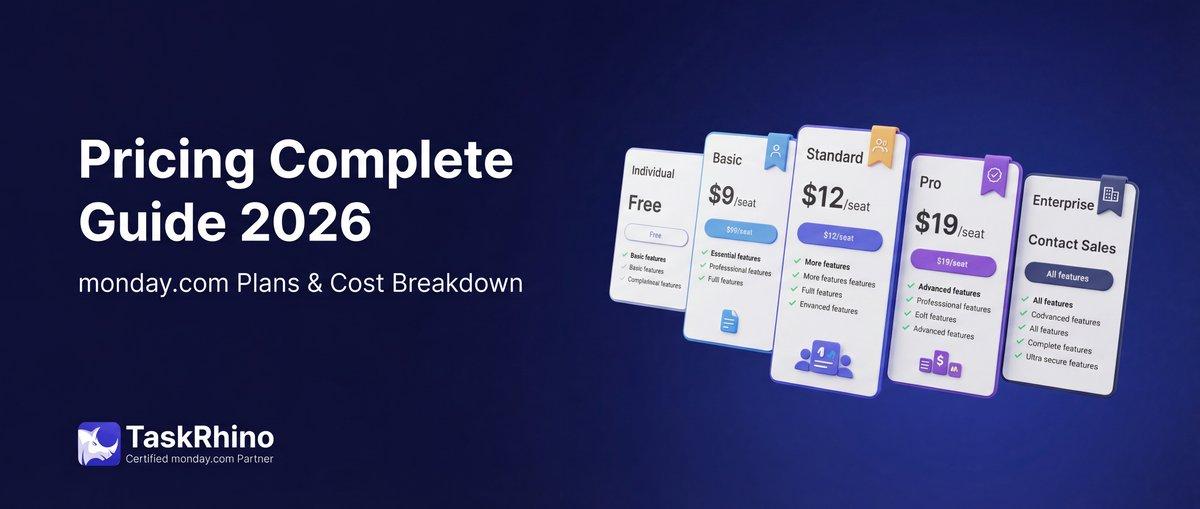
monday.com Pricing 2026: Complete Guide

How to Self-Host Twenty CRM on AWS: Step-by-Step Guide
Is Twenty CRM Right for Your Business? A Guide for Growing Teams