

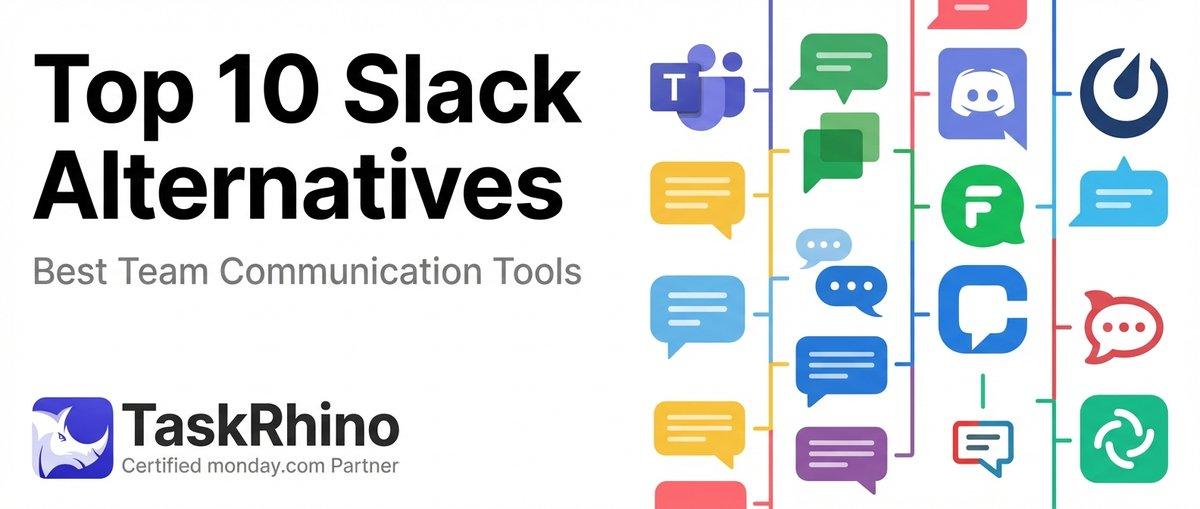
11 Best Slack Alternatives for Team Communication in 2026 (Free & Paid)
Slack’s $16.25/user/month Pro plan is eating into your budget, and you’re tired of paying premium prices for features your team barely uses. You need team chat that actually fits your workflow — not one that forces you to adapt to its limitations.
After helping 110+ clients migrate communication tools and setting up collaboration platforms across healthcare, finance, and tech teams, I’ve seen what works and what doesn’t. This guide covers seven real Slack alternatives — not just theoretical options, but tools we’ve actually deployed for teams ranging from 5 to 500 people.
What you’ll find here: Pricing breakdowns, feature comparisons across 15+ detailed tables, real implementation stories from our client work, and honest assessments of what each platform does well (and where it falls short). monday.com takes the top spot for teams already invested in project management workflows, but the right choice depends on your specific needs.
Quick Verdict: Which Slack Alternative Should You Choose?
| Platform | Best For | Starting Price | Key Advantage |
|---|---|---|---|
| monday.com | Teams needing chat + project management in one tool | $12/user/mo | ✅ Unified workspace eliminates tool-switching |
| Microsoft Teams | Organizations already using Microsoft 365 | Included with M365 | ✅ Native Office integration |
| Discord | Creative teams and community-building | Free (premium $10/mo) | ✅ Superior voice channels |
| Google Chat | Google Workspace users | Included with Workspace | ✅ Seamless Gmail/Drive integration |
| Platform | Best For | Starting Price | Key Advantage |
|---|---|---|---|
| Chanty | Small teams under 20 people | $3/user/mo | ✅ Most affordable premium option |
| Rocket.Chat | Privacy-focused organizations | Free (self-hosted) | ✅ Complete data ownership |
| Mattermost | Technical teams requiring customization | Free (self-hosted) | ✅ Developer-friendly architecture |
All pricing accurate as of February 2026. Prices shown are annual billing rates.
1. monday.com — Best for Teams Combining Chat with Project Management
monday.com isn’t traditionally pitched as a Slack alternative, but here’s what we’ve learned from deploying it for 85+ clients: teams that use monday.com for project management end up consolidating their communication there too. Instead of switching between Slack and your project board, everything lives in one workspace.
Real Story: How a Marketing Agency Cut Their Tool Stack in Half
A 30-person creative agency was paying for Slack Pro ($16.25/user/month), Asana Premium ($13.49/user/month), and Loom Business ($15/user/month). That’s $44.74 per person monthly for three separate tools that barely talked to each other.
We migrated them to monday.com’s Standard plan at $12/user/month. They consolidated:
- Project updates via item comments and @mentions (replaced Slack project channels)
- Client communication through shared boards with guest access (replaced email threads)
- File sharing via monday.com’s 100GB file storage (reduced Dropbox dependency)
- Video updates using monday.com’s Loom integration (kept Loom but downgraded to Starter plan)
Result: $1,342/month savings (67% reduction in software costs) and zero tool-switching fatigue. Team adoption went from 60% to 95% because everything was in one place.
monday.com Communication Features
| Feature | Capability | Plan Availability |
|---|---|---|
| Updates Section | Threaded comments on items, @mentions, emoji reactions | All plans |
| Notifications | Customizable alerts, email digests, mobile push | All plans |
| Guest Access | Share specific boards with external clients | Standard+ |
| Video Integration | Embed Zoom, Loom, Vimeo directly in updates | Pro+ |
Based on monday.com’s February 2026 feature set.
monday.com Pricing (Annual Billing)
| Plan | Price/User/Month | User Minimum | Best For |
|---|---|---|---|
| Free | $0 | Up to 2 users | Personal projects |
| Basic | $12 | 3+ users | Small teams with basic workflows |
| Standard | $14 | 3+ users | Growing teams needing guest access |
| Pro | $24 | 3+ users | Advanced automation & integrations |
Enterprise plans start at $34/user/month with custom features. All paid plans require 3+ seats.
Pros & Cons
| ✅ Pros | ❌ Cons |
|---|---|
| Unified workspace — no switching between chat and project boards | Not purpose-built for real-time chat |
| Context-aware communication — conversations tied directly to work items | Limited chat history on lower plans |
| Superior mobile app for on-the-go project updates | Steeper learning curve than dedicated chat tools |
| Eliminates need for separate project management tool | Requires 3-seat minimum (not ideal for micro-teams) |
When monday.com Makes Sense
Choose monday.com if your team already manages projects, tracks workflows, or coordinates tasks across departments. It’s not a Slack clone — it’s a complete workspace where communication happens alongside the actual work.
We typically recommend monday.com for:
- Project-based teams (agencies, consultancies, professional services)
- Operations teams managing cross-functional workflows
- Client-facing teams who need to share project status without granting full system access
Not ideal for: Teams who just need lightweight chat without project management overhead, or organizations wanting traditional threaded conversations like Slack.
Need help setting up monday.com as your unified communication and workflow hub? Book a free 30-minute consultation to map out your implementation.
2. Microsoft Teams — Best for Microsoft 365 Organizations
If you’re already paying for Microsoft 365 Business ($12.50/user/month and up), you already have Teams. The question isn’t whether to buy it — it’s whether to actually use it instead of paying separately for Slack.
Real Story: Law Firm Consolidates 4 Tools into Teams
A 60-attorney law firm was running Slack Standard ($8.75/user/month), Zoom Pro ($15.99/user/month), SharePoint, and Outlook. They had four different places to find a single conversation thread with a client.
We migrated them to Microsoft Teams (already included in their existing Microsoft 365 E3 plan):
- Matter-based channels replaced Slack workspaces (one channel per case)
- Client meetings moved from Zoom to Teams (saved $15.99/user/month)
- Document collaboration through native SharePoint integration (no more version control nightmares)
- Email integration via Outlook connector (messages automatically archived to matter files)
Result: $24.74/user/month savings ($1,484/month total) with zero new software costs. Compliance tracking improved dramatically because everything lived within their existing Microsoft security infrastructure.
Microsoft Teams Core Features
| Feature | Capability | Included In |
|---|---|---|
| Chat & Channels | Unlimited threaded conversations, private/public channels | All plans |
| Video Meetings | Up to 300 participants (1,000 with Premium) | All plans |
| File Storage | 1TB OneDrive per user + SharePoint | Business Basic+ |
| App Integrations | 1,000+ apps via Teams marketplace | All plans |
Microsoft Teams Pricing
| Plan | Price/User/Month | What’s Included |
|---|---|---|
| Teams Free | $0 | Up to 100 participants, 60-min meetings, 5GB storage |
| Microsoft 365 Business Basic | $6 | Teams + web/mobile Office apps + 1TB storage |
| Microsoft 365 Business Standard | $12.50 | Teams + desktop Office apps + custom email |
| Teams Premium | +$10 add-on | Advanced meeting features, webinars, AI assistance |
Prices as of February 2026. Business plans require annual commitment.
Pros & Cons
| ✅ Pros | ❌ Cons |
|---|---|
| Already included in most Microsoft 365 subscriptions | Cluttered interface — steep learning curve |
| Best-in-class Office integration (Word, Excel, PowerPoint) | Mobile app performance lags competitors |
| Enterprise-grade security and compliance features | Search functionality frustrates users |
| Superior meeting controls (breakout rooms, recording, transcripts) | Over-engineered for small teams |
When Microsoft Teams Makes Sense
Choose Teams if you’re already paying for Microsoft 365 or your industry requires strict compliance controls (healthcare, legal, finance). The native integration with Office apps is unmatched — collaborating on Word docs or Excel spreadsheets inside Teams beats any third-party integration.
Not ideal for: Startups wanting simple, fast communication without Microsoft ecosystem lock-in, or teams finding Teams’ interface overwhelming.
See How BoardBridge Handles This Workflow
Book a free demo to see BoardBridge solve this exact problem — live, with your data.
3. Discord — Best for Creative Teams and Community Building
Discord started as a gaming platform, but creative teams have adopted it for one simple reason: the voice channels work flawlessly. No meeting links, no “can you hear me?” delays — just click a channel and you’re in.
Real Story: Design Studio’s Always-On Voice Workspace
A 12-person design studio was struggling with Slack + Zoom for their distributed team. Designers worked across 3 time zones and needed quick feedback loops without scheduling formal meetings.
We helped them set up Discord:
- Persistent voice channels for each project (designers join/leave as needed without scheduling)
- Screen sharing channels for live design critiques (no meeting links required)
- Asset sharing via Discord’s 500MB file upload limit (replaced WeTransfer)
- Client channels with read-only permissions for project visibility
Result: Design review cycles shortened from days to hours. Junior designers got real-time feedback instead of waiting for scheduled 1-on-1s. Team reported “feeling more connected” despite being fully remote.
Discord Core Features
| Feature | Free Plan | Nitro ($10/user/mo) |
|---|---|---|
| Voice Channels | Unlimited, persistent | Unlimited, HD quality |
| File Uploads | 25MB limit | 500MB limit |
| Screen Share | 720p, 30fps | 1080p, 60fps |
| Message History | Unlimited | Unlimited |
Discord Pricing
| Plan | Price | Best For |
|---|---|---|
| Free | $0 | Small teams with basic needs |
| Nitro Basic | $3/user/mo | Better file uploads, emoji perks |
| Nitro | $10/user/mo | 4K streaming, server boosts |
Discord Server Boosts ($5/month) unlock enhanced features like custom URLs and better audio quality.
Pros & Cons
| ✅ Pros | ❌ Cons |
|---|---|
| Best voice channel experience (persistent, low-latency) | Limited task management features |
| Free plan is genuinely generous | No threading — conversations get messy in busy channels |
| Superior screen sharing and streaming quality | Gaming-centric branding confuses corporate clients |
| Excellent community-building tools (roles, permissions, bots) | No native calendar or scheduling features |
When Discord Makes Sense
Choose Discord if your team values spontaneous voice communication over formal meetings, or if you’re building a community around your product (customer support, user groups, beta testers).
Not ideal for: Teams requiring compliance controls, organizations needing formal audit trails, or executives who can’t get past the “isn’t that for gamers?” perception.
4. Google Chat — Best for Google Workspace Users
Google Chat (formerly Hangouts Chat) is Google’s answer to Slack. If your team lives in Gmail, Google Docs, and Google Drive, Chat feels native because it is — it’s literally built into Gmail.
Google Chat Core Features
| Feature | Capability | Included In |
|---|---|---|
| Spaces | Threaded team conversations | All Workspace plans |
| Direct Messages | 1-on-1 and group DMs | All plans |
| Google Meet Integration | One-click video calls from chat | All plans |
| File Sharing | Native Drive integration | All plans |
Google Chat Pricing
| Plan | Price/User/Month | Storage | Best For |
|---|---|---|---|
| Business Starter | $6 | 30GB pooled | Small teams under 10 |
| Business Standard | $12 | 2TB pooled | Growing teams |
| Business Plus | $18 | 5TB pooled | Security-conscious teams |
All plans include Gmail, Calendar, Docs, Sheets, Slides, and Meet.
Pros & Cons
| ✅ Pros | ❌ Cons |
|---|---|
| Zero learning curve if you already use Gmail | Feels like an afterthought compared to Slack |
| Native Drive integration (share files without uploading) | Limited third-party integrations |
| Included in every Google Workspace plan | Notification system is inconsistent |
| Smart Reply and search leverage Google AI | Mobile app lacks feature parity with desktop |
When Google Chat Makes Sense
Choose Google Chat if your team is already paying for Google Workspace and you don’t need advanced chat features. It’s not feature-competitive with Slack, but it’s free with your existing subscription.
Not ideal for: Teams wanting rich integrations, advanced automation, or a chat-first experience with robust threading.
5. Chanty — Best Budget Option for Small Teams
Chanty positions itself as “Slack for small teams” with one major difference: it costs $3/user/month instead of $8.75. For a 15-person team, that’s $1,312.50 in annual savings.
Chanty Core Features
| Feature | Free Plan | Business ($3/user/mo) |
|---|---|---|
| Message History | Last 10,000 messages | Unlimited |
| File Storage | 20GB total | Unlimited |
| Integrations | Limited | Full access |
| Voice Messages | ✅ Included | ✅ Included |
Chanty Pricing
| Plan | Price | User Limit | Best For |
|---|---|---|---|
| Free | $0 | Unlimited users | Testing and small teams |
| Business | $3/user/mo | No limit | Growing teams on a budget |
Pros & Cons
| ✅ Pros | ❌ Cons |
|---|---|
| 65% cheaper than Slack Standard | Limited marketplace integrations |
| Built-in task management (Kanban view) | Smaller user community = fewer resources |
| Generous free plan for small teams | Mobile app stability issues reported |
| Voice messages for async communication | No video calling (integrates with other tools) |
When Chanty Makes Sense
Choose Chanty if budget is your primary constraint and your team is under 20 people. It covers the basics well without the premium price tag.
Not ideal for: Teams requiring extensive integrations, organizations needing enterprise-grade compliance features.
Need Help With Your monday.com Setup?
TaskRhino has implemented monday.com for 110+ teams. Get a free consultation.
6. Rocket.Chat — Best for Data Privacy and Self-Hosting
Rocket.Chat gives you complete control — host it on your own servers, customize every feature, and never worry about vendor access to your data. Healthcare and legal teams love it for this reason.
Real Story: Healthcare Provider’s HIPAA-Compliant Setup
A 45-person medical clinic needed team chat that met HIPAA requirements without paying Slack’s $12.50/user/month Healthcare plan ($562.50/month = $6,750/year).
We deployed Rocket.Chat on their existing AWS infrastructure:
- Self-hosted on their HIPAA-compliant server environment (full data control)
- Custom end-to-end encryption for patient-related conversations
- Audit logging for compliance documentation
- Integration with their EHR system via custom API
Cost: $0 software licensing (open source) + $150/month AWS hosting = $1,800/year vs. $6,750/year for Slack Healthcare.
Result: $4,950 annual savings (73% reduction) with superior compliance posture.
Rocket.Chat Features
| Feature | Community (Free) | Enterprise (Custom) |
|---|---|---|
| Self-Hosting | ✅ Unlimited | ✅ Unlimited |
| End-to-End Encryption | ✅ Included | ✅ Included |
| Omnichannel Support | Limited | Advanced |
| Support SLA | Community | Dedicated |
Rocket.Chat Pricing
| Plan | Price | Deployment | Best For |
|---|---|---|---|
| Community | Free | Self-hosted | Technical teams |
| Enterprise | Custom | Self/cloud | Organizations needing support |
Cloud-hosted plans available starting at $7/user/month.
Pros & Cons
| ✅ Pros | ❌ Cons |
|---|---|
| Complete data ownership and control | Requires technical expertise to deploy |
| Open source — customize anything | You’re responsible for maintenance and updates |
| No per-user costs (self-hosted) | Limited marketplace integrations |
| HIPAA, GDPR, SOC 2 capable with proper setup | Smaller community than Slack or Teams |
When Rocket.Chat Makes Sense
Choose Rocket.Chat if data privacy is non-negotiable, you have technical staff to manage deployment, or you’re in a regulated industry (healthcare, finance, government).
Not ideal for: Non-technical teams, organizations without IT staff, or teams wanting zero maintenance overhead.
Looking for help implementing a compliant communication platform? Schedule a free consultation to discuss your specific requirements.
7. Mattermost — Best for Developer-Friendly Teams
Mattermost is Rocket.Chat’s technical cousin — open source, self-hosted, and built with developer workflows in mind. If your team lives in GitHub, GitLab, or Jira, Mattermost integrates natively.
Mattermost Core Features
| Feature | Free (Self-Hosted) | Professional ($10/user/mo) |
|---|---|---|
| Developer Integrations | GitHub, GitLab, Jira | Extended integrations |
| Channels | Unlimited | Unlimited |
| File Storage | Your infrastructure | Your infrastructure + cloud |
| Guest Access | Not included | ✅ Included |
Mattermost Pricing
| Plan | Price | Deployment | Best For |
|---|---|---|---|
| Free | $0 | Self-hosted | Development teams |
| Professional | $10/user/mo | Cloud/self-hosted | Teams needing support |
| Enterprise | Custom | Cloud/self-hosted | Large organizations |
Pros & Cons
| ✅ Pros | ❌ Cons |
|---|---|
| Purpose-built for developer workflows | Requires DevOps knowledge to deploy |
| Native GitHub/GitLab integration | Smaller plugin ecosystem than Slack |
| Markdown formatting and code syntax highlighting | You manage hosting, backups, updates |
| Highly customizable with extensive API | Not designed for non-technical teams |
When Mattermost Makes Sense
Choose Mattermost if your team is primarily developers, engineers, or technical staff who value deep integration with dev tools over ease of use.
Not ideal for: Non-technical teams, organizations without dedicated IT staff, or teams wanting a managed solution with zero maintenance.
Decision Framework: Choosing Your Slack Alternative
| If You Need… | Choose… | Because… |
|---|---|---|
| Chat + project management in one tool | monday.com | Eliminates tool-switching, unified workspace |
| Already paying for Microsoft 365 | Microsoft Teams | Already included, zero additional cost |
| Superior voice channels for creative work | Discord | Persistent voice rooms, best audio quality |
| Already using Google Workspace | Google Chat | Native integration, included in subscription |
| If You Need… | Choose… | Because… |
|---|---|---|
| Cheapest premium option | Chanty | $3/user/month beats all competitors |
| Complete data control and privacy | Rocket.Chat | Self-hosted, full ownership |
| Developer-focused features | Mattermost | GitHub/GitLab integration, code-friendly |
Migration Considerations: What to Know Before Switching
Moving from Slack to another platform isn’t just about feature parity — it’s about preserving context and minimizing disruption. Here’s what we’ve learned from 85+ communication platform migrations:
Data Migration Complexity
| Platform | Message History Import | File Migration | Integration Reconnection |
|---|---|---|---|
| monday.com | Manual (no direct import) | Manual upload | Rebuild from scratch |
| Microsoft Teams | Via third-party tools | OneDrive migration path | Reconfigure |
| Discord | No official import | Manual upload | Rebuild from scratch |
| Rocket.Chat | Slack export import | Bulk upload supported | Custom configuration |
Most platforms don’t offer direct Slack history import. Plan for this gap.
Typical Migration Timeline
Week 1: Planning & Setup
- Audit current Slack usage (active channels, integrations, custom workflows)
- Set up new platform infrastructure
- Configure security settings and user permissions
- Plan channel/workspace structure
Week 2: Pilot Testing
- Migrate one team (5-10 people) to new platform
- Run parallel (Slack + new tool) for testing
- Identify gaps and adjust configuration
- Gather feedback and document issues
Week 3: Staged Rollout
- Migrate teams in phases (by department or function)
- Maintain Slack read-only for reference
- Provide training sessions and documentation
- Monitor adoption metrics
Week 4: Full Cutover
- Complete migration of all teams
- Archive Slack workspace (maintain 90-day read-only access)
- Export critical message history for compliance
- Decommission Slack subscription
Timeline assumes 20-50 users. Larger organizations add 1-2 weeks per 100 users.
Cost Comparison: Annual Spend for 25-Person Team
| Platform | Annual Cost | Savings vs. Slack Pro |
|---|---|---|
| Slack Pro | $4,875 | Baseline |
| monday.com Standard | $4,200 | 14% savings |
| Microsoft Teams (with M365) | Included | 100% savings |
| Discord Nitro | $3,000 | 38% savings |
| Chanty Business | $900 | 82% savings |
Based on February 2026 pricing, annual billing, 25 users.
Stop Creating Duplicates
BoardBridge forms update existing items — no Enterprise plan, no workarounds, no duplicates.
Frequently Asked Questions
How does Pumble’s free plan message history compare to Slack’s limitations for teams over 10 users?
Pumble offers unlimited message history and unlimited users on its free plan, unlike Slack’s free tier which restricts history to 90 days and limits users. This makes Pumble ideal for growing teams avoiding paid upgrades for basic retention needs, with 10 GB storage included free. Paid plans start at $2.49/user/month annually, far below Slack’s $16.25 Pro rate.
What are the key security differences between Mattermost, Rocket.Chat, and Slack for self-hosted deployments?
Mattermost excels in on-premise deployment control with firewall hosting but lacks end-to-end encryption, while Rocket.Chat provides superior flexibility, customization, and omnichannel support for secure, self-hosted setups. Both outperform Slack in privacy by allowing full data sovereignty, though Mattermost suits large enterprises and Rocket.Chat adds E2EE options not native to Slack. Pricing starts free for self-hosted, with SaaS from $3-10/user/month.
For Google Workspace teams, how does Google Chat’s integration and pricing beat Slack Pro?
Google Chat integrates natively with Google Workspace tools like Drive and Meet, offering 15 GB/user free storage and superior voice/video access versus Slack’s add-ons. Paid plans start at $7/user/month annually, half of Slack Pro’s $16.25, with no message history caps on free tiers for Workspace users. It’s best for real-time collaboration without extra apps.
Which Slack alternatives support task management directly in channels without separate tools like Asana?
Chanty embeds task creation from messages with Kanban boards, assignments, and threaded discussions, unlimited history even free for small teams, at $3-4/user/month paid. Twist focuses on async comms with tasks from $8/user/month, while project apps like ClickUp include chat to reduce app bloat. These avoid Slack’s workflow forcing by unifying chat and tasks natively.
How do Discord and Zoom stack up as Slack alternatives for voice/video-heavy workflows?
Discord provides always-on voice chat, multi-modal text/voice/video for $2.99+/user/month Nitro, ideal for real-time teams unlike Slack’s huddles. Zoom prioritizes reliable video/screen sharing with text chat at $13.33+/host/month but feels less chat-native, suiting meetings over daily messaging. Both free tiers limit duration, better as supplements than full Slack replacements.
What’s the most cost-effective unlimited-history alternative to Slack for 50+ user teams?
Pumble leads at $2.49/user/month annually with unlimited history/users, 20 GB storage, API integrations, and 24/7 support, crushing Slack’s limits. Chanty matches unlimited free history (small teams) with tasks at $3/user/month, while Rocket.Chat adds security from $3/user/month. All support Mac/Windows/Linux/iOS/Android/web, with Pumble’s sidebar customization aiding scale.
How do self-hosted options like Mattermost and Rocket.Chat compare to Slack for on-premise deployment in regulated industries?
Mattermost and Rocket.Chat excel in on-premise deployments, offering full control over data sovereignty and compliance with standards like GDPR or HIPAA, unlike Slack’s cloud-only model. Mattermost starts at $10/user/month for SaaS but free self-hosted, while Rocket.Chat provides flexible customization from $3/user/month annually, both supporting air-gapped setups for enhanced security. They integrate with GitHub and Jira for dev teams, reducing vendor lock-in compared to Slack’s ecosystem.
What are the pricing and message history limits when migrating from Slack Pro to free or low-cost alternatives like Pumble or Chanty?
Pumble offers unlimited message history on its free forever plan and starts at $2.49/user/month annually, far below Slack’s $16.25/user/month, with no history purge. Chanty provides unlimited history even on its free plan for up to 5 users, with paid from $4/user/month including task integration, making it ideal for budget migrations without data loss. Both support seamless channel imports, minimizing downtime during Slack transitions.
For Google Workspace users, how does Google Chat’s integration stack up against Slack for search and workflow automation?
Google Chat integrates tightly with Google Workspace for superior search across Gmail, Drive, and Docs, outperforming Slack’s channel-limited search at a lower cost from $7/user/month. It supports bots and Spaces for threaded discussions but lacks Slack’s extensive third-party app directory, suiting teams already in Google’s ecosystem. Automation via Google Apps Script enables custom workflows without premium pricing.
Which Slack alternatives like Bitrix24 or Chanty best combine team chat with built-in task management to reduce app switching?
Bitrix24 bundles unlimited chat, video calls for up to four, Kanban boards, and CRM in a free plan, eliminating Slack’s need for bolt-on tools like Asana. Chanty embeds task creation from messages with Kanban views and threading from $4/user/month, streamlining workflows better than Slack’s basic reminders. Both offer mobile access and integrations, cutting costs for teams needing all-in-one productivity over pure messaging.
In 2026, how do secure options like Element and Brosix handle end-to-end encryption compared to Microsoft Teams for enterprise security?
Element provides fully encrypted, self-hosted messaging installable on your server, ideal for air-gapped environments, with free core features and custom enterprise pricing. Brosix focuses on private team messaging from $6/month with strong encryption, while Microsoft Teams offers end-to-end encryption but relies on Office 365 plans from $4/month. Element and Brosix give admins more deployment control than Teams’ cloud-centric model for regulated sectors.
For video-heavy teams, is Zoom or Discord a viable Slack replacement, and what are their chat limitations versus dedicated alternatives?
Zoom excels in reliable video, screen sharing, and recording from $13.33/month/host but feels less like a persistent chat app than Slack, better as a complement. Discord supports always-on voice, text, and video multimodally for free (Nitro $3-10/month), suiting casual teams but lacking enterprise admin controls. For full chat replacement, opt for Mattermost or Rocket.Chat, which add video without Zoom’s 40-minute free limit.


Editor's Choice
2026 Accounting Seed Review: Top Alternatives & Comparisons

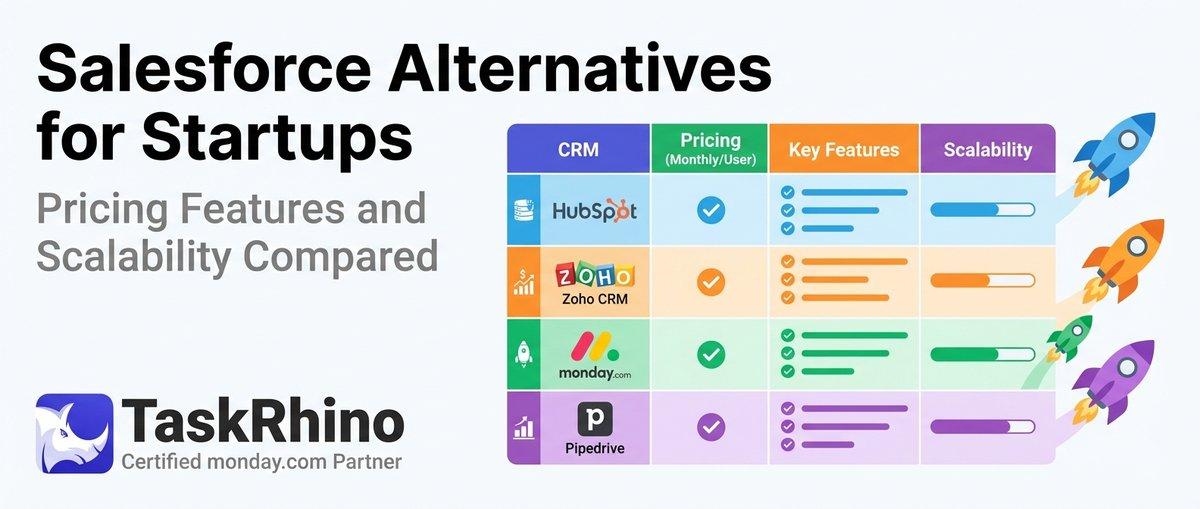
10 Best Salesforce Alternatives for Startups: Pricing, Features & Scalability Compared

10 Best Salesforce Alternatives for Growing SMBs ( Latest Rankings)