

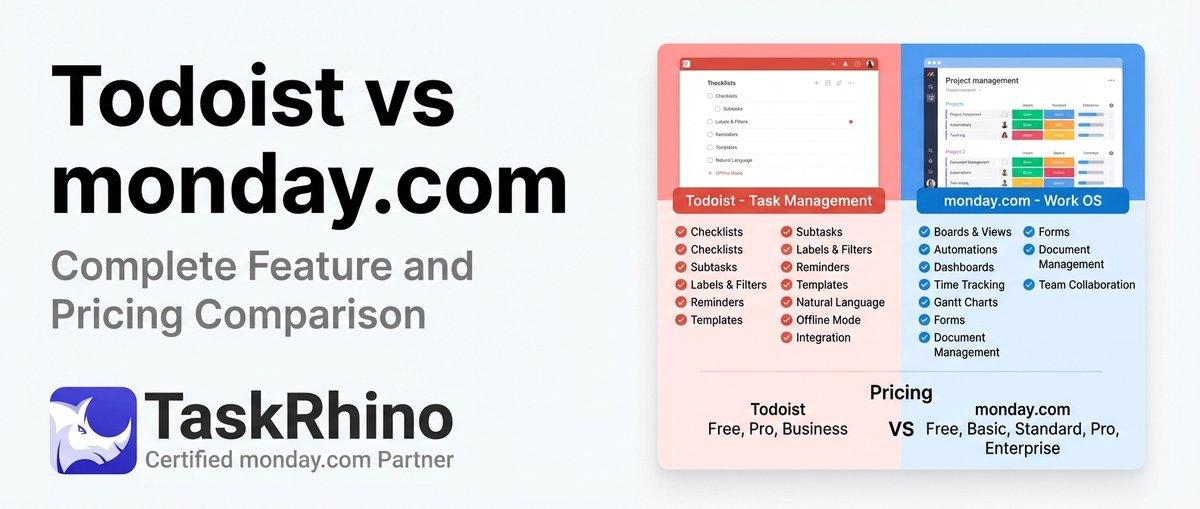
Todoist vs monday.com 2026: Complete Feature & Pricing Comparison
Choosing between Todoist and monday.com isn’t about picking the “best” project management tool — it’s about matching your workflow needs to the right platform architecture. After implementing both systems for over 50 client teams, I’ve learned these tools solve fundamentally different problems.
Quick Verdict: Which Tool Wins?
| Scenario | Winner ✅ | Why |
|---|---|---|
| Personal task management | Todoist | Natural language input, simple interface, works out of the box |
| Team project management | monday.com | Visual boards, collaboration features, workflow customization |
| Small teams (2-10 people) | Todoist | Lower cost, faster adoption, less setup overhead |
| Growing teams (10-50 people) | monday.com | Scales better, supports complex workflows, better reporting |
| Budget under $500/year | Todoist | $60-96/year per user vs monday.com’s minimum $108/year per user |
| Enterprise organizations | monday.com | Advanced security, dedicated support, SSO, audit logs |
The real answer: Todoist excels at task tracking for individuals and small teams who value simplicity. Monday.com dominates when you need visual project management, cross-functional collaboration, and customizable workflows.
If you’re a monday.com user hitting platform limitations with forms, email automations, or cross-board workflows, TaskRhino can help you extend monday.com’s capabilities without switching platforms entirely.
1. Core Philosophy: Task Lists vs Visual Boards
The biggest difference between Todoist and monday.com isn’t features — it’s how each tool thinks about work.
How Each Platform Structures Work
| Aspect | Todoist | monday.com | Winner ✅ |
|---|---|---|---|
| Core unit | Individual tasks in lists | Items on visual boards | Depends on use case |
| Default view | Hierarchical project lists | Customizable board views | monday.com (more flexible) |
| Learning curve | 15 minutes to productivity | 2-4 hours to full productivity | Todoist (faster start) |
| Complexity ceiling | Low (intentionally simple) | High (supports complex workflows) | monday.com (more scalable) |
Todoist follows the GTD (Getting Things Done) methodology — capture tasks quickly, organize by project, prioritize, and execute. You create a task, set a due date, maybe add a label, and you’re done. The interface gets out of your way.
Monday.com follows the Work OS philosophy — build custom workflows that match your processes. Every board is a blank canvas. You add columns for status, priority, dates, people, files, formulas, and automations. The tool adapts to your workflow instead of forcing you into a predefined structure.
A manufacturing client came to us running both tools. Their shop floor managers loved Todoist for daily task tracking — “Check inventory,” “Schedule maintenance,” “Call supplier.” But their project managers needed monday.com for product launches involving engineering, marketing, and operations teams across multiple timelines.
We didn’t make them choose. Personal productivity stayed in Todoist. Cross-functional projects moved to monday.com. The tools served different purposes.
2. Task Management & Organization
Task Creation & Input Methods
| Feature | Todoist | monday.com | Winner ✅ |
|---|---|---|---|
| Natural language input | Yes (industry-leading) | No | Todoist |
| Quick add shortcut | Yes (global hotkey) | Yes (within boards) | Todoist |
| Recurring tasks | Powerful (every 3rd Tuesday) | Basic (daily/weekly/monthly) | Todoist |
| Subtasks | 1 level deep | Unlimited subitems | monday.com |
Todoist’s natural language parsing is unmatched. Type “Submit report every Friday at 2pm p1 @work” and it creates a high-priority recurring task tagged with “work” automatically. Monday.com requires clicking through menus to set the same parameters.
But monday.com wins on task depth. Need a project with phases, each containing deliverables, each containing subtasks? Monday.com’s unlimited subitems handle that. Todoist’s single subtask level breaks down with complex hierarchies.
Organization & Categorization
| Feature | Todoist | monday.com | Winner ✅ |
|---|---|---|---|
| Projects | Yes (nested projects) | Yes (boards with groups) | Tie |
| Labels/Tags | Yes (unlimited, color-coded) | Yes (via tag columns) | Todoist (simpler) |
| Priorities | 4 levels (p1-p4, color-coded) | Custom (via status columns) | Tie |
| Filters & Views | Powerful saved filters | 8+ view types (Kanban, Gantt, Calendar, etc.) | monday.com (more visual options) |
A law firm client used Todoist labels brilliantly — @court, @research, @client, @admin — with filters that surfaced “everything due this week tagged @court.” Clean, fast, effective.
Another client needed monday.com’s board views. Marketing campaigns required Kanban for content workflow, Calendar for publication schedules, and Timeline (Gantt) for stakeholder reviews. One dataset, three essential views.
3. Collaboration & Team Features
Team Communication & Assignment
| Feature | Todoist | monday.com | Winner ✅ |
|---|---|---|---|
| Task assignment | 1 person per task | Multiple people per item | monday.com |
| Comments & threads | Yes (basic) | Yes (with mentions, attachments) | monday.com |
| File attachments | Yes (Pro plan) | Yes (with version history) | monday.com |
| Real-time collaboration | Limited | Full (live updates across team) | monday.com |
Todoist handles collaboration for small teams working independently. Assign a task, leave a comment, check it off. Perfect for a 5-person startup where everyone owns distinct work streams.
Monday.com built for interdependent work. A healthcare client manages patient onboarding across intake specialists, nurses, and billing coordinators. Each item (patient) moves through a board with status updates, document uploads, and timestamped comments from all three roles. Todoist couldn’t support that level of team coordination.
Team Management & Permissions
| Feature | Todoist | monday.com | Winner ✅ |
|---|---|---|---|
| User roles | Owner, Admin, Member, Guest | Owner, Admin, Member, Viewer, Guest | monday.com (more granular) |
| Project permissions | Share with specific people | Board-level and item-level permissions | monday.com |
| Team workspaces | Yes (Business plan) | Yes (with multiple boards) | monday.com (better structure) |
| Activity overview | Basic team activity log | Full audit trail per board | monday.com |
We helped a retail chain implement monday.com for store operations. District managers needed read-only access to store boards without editing rights. Monday.com’s permission layers made this straightforward. Todoist’s simpler permission model would have given them too much or too little access.
4. Views & Visualizations
Available View Types
| View Type | Todoist | monday.com | Winner ✅ |
|---|---|---|---|
| List view | Yes (default) | Yes | Tie |
| Board/Kanban | No | Yes | monday.com |
| Calendar | Basic | Advanced (multiple calendars, color-coding) | monday.com |
| Timeline/Gantt | No | Yes (Standard plan+) | monday.com |
| Dashboard/Overview | Basic productivity stats | Customizable dashboards with widgets | monday.com |
Todoist shows you lists. That’s it. Today view, Upcoming view, project lists. Clean, focused, and deliberately limited. If your brain works in lists, this is perfect.
Monday.com offers 8+ visualization types. A construction client uses Timeline view for project schedules, Kanban for permit tracking, Calendar for inspector appointments, and Map view for job site locations — all viewing the same underlying data.
Dashboard & Reporting
| Feature | Todoist | monday.com | Winner ✅ |
|---|---|---|---|
| Personal productivity stats | Yes (karma points, streaks) | No | Todoist |
| Team dashboards | No | Yes (Pro plan+) | monday.com |
| Custom reports | No | Yes (charts, graphs, widgets) | monday.com |
| Data export | CSV export | CSV, Excel, PDF | monday.com |
Todoist gamifies personal productivity — complete tasks, earn karma points, maintain streaks. This works for self-motivated individuals who enjoy tracking their accomplishment patterns.
Monday.com reports on team performance, project health, and workload distribution. A marketing agency client built a dashboard showing content pipeline status, client approval bottlenecks, and team capacity — all auto-updating from their boards.
5. Automation & Workflow
Automation Capabilities
| Feature | Todoist | monday.com | Winner ✅ |
|---|---|---|---|
| Built-in automations | No | Yes (250+ automations per month on Standard) | monday.com |
| Automation triggers | N/A | Status changes, date changes, item creation, etc. | monday.com |
| Conditional logic | No | Yes | monday.com |
| Recurring automation | Only via recurring tasks | Yes (complex recurring workflows) | monday.com |
Todoist doesn’t do automations. It’s a deliberate design choice. Want a task to repeat? Make it recurring. Want to assign work when something completes? Manually create the next task.
Monday.com automates repetitive workflows. When a sales deal moves to “Closed Won,” it automatically creates an onboarding project, assigns the customer success team, sets due dates, and notifies stakeholders. A finance client saves 6 hours per week on manual project setup using these automations.
Integration & API Access
| Feature | Todoist | monday.com | Winner ✅ |
|---|---|---|---|
| Native integrations | 80+ (calendar, email, storage) | 200+ (full work OS ecosystem) | monday.com |
| Zapier/Make support | Yes | Yes | Tie |
| API access | Yes (robust REST API) | Yes (GraphQL API) | Tie (both excellent) |
| Email-to-task | Yes | Yes | Tie |
Both platforms integrate well. Todoist connects to Google Calendar, Outlook, Slack, and major productivity apps. Monday.com integrates with CRMs, ERPs, marketing platforms, and specialized industry tools.
We built custom integrations for both. Todoist’s REST API is straightforward for syncing tasks to other systems. Monday.com’s GraphQL API powers complex data flows — a logistics client syncs shipment data from their ERP directly into monday.com boards for real-time tracking.
See How BoardBridge Handles This Workflow
Book a free demo to see BoardBridge solve this exact problem — live, with your data.
6. Mobile Experience
Mobile App Features
| Feature | Todoist | monday.com | Winner ✅ |
|---|---|---|---|
| App quality | Excellent (native iOS/Android) | Good (native but complex) | Todoist |
| Offline functionality | Yes (full offline mode) | Limited | Todoist |
| Quick capture | Yes (widget, Siri, Google Assistant) | Yes (but slower) | Todoist |
| Mobile notifications | Excellent (customizable) | Good | Todoist |
Todoist’s mobile app is designed for task capture on the go. Pull out your phone, tap the widget, speak the task, done. The natural language input works via Siri and Google Assistant too.
Monday.com’s mobile app works, but it’s managing complex boards on a small screen. You can update statuses, leave comments, and check dashboards, but building new workflows requires a desktop. Field teams can use it for status updates; managers prefer the desktop for planning.
7. Forms & Data Collection
Form Capabilities
| Feature | Todoist | monday.com | Winner ✅ |
|---|---|---|---|
| Built-in forms | No | Yes (WorkForms) | monday.com |
| Form customization | N/A | Basic (Standard+) to Advanced (Enterprise) | monday.com |
| Conditional logic | N/A | Yes (Enterprise only) | monday.com |
| Form submissions create tasks | Via email forwarding | Direct board item creation | monday.com |
Todoist doesn’t have forms. If you need to collect structured data from clients or team members, you’ll use Google Forms or Typeform and manually create Todoist tasks from responses.
Monday.com’s WorkForms turn submissions into board items automatically. A property management client uses forms for maintenance requests — tenants submit issues, items auto-populate on the maintenance board with priority, location, and description fields pre-filled.
However, WorkForms has a major limitation: forms only create new items, never update existing ones. A catering company needed clients to update menu preferences for booked events — WorkForms couldn’t do it. We solved this with BoardBridge’s form automation, which generates unique update URLs for each booking. Clients edit their details, and the original board item updates in place — no duplicate entries.
8. Email Integration & Notifications
Email Capabilities
| Feature | Todoist | monday.com | Winner ✅ |
|---|---|---|---|
| Email-to-task | Yes (unique project email addresses) | Yes (board-specific email addresses) | Tie |
| Task reminders via email | Yes | Yes | Tie |
| Email notifications | Customizable | Customizable (but limited) | Todoist (cleaner) |
| Email automation | No | Basic (item notifications) | monday.com |
Both tools let you email tasks into projects/boards. Both send reminder emails. Todoist’s notifications are cleaner — just the task details and action needed. Monday.com’s emails can get noisy with board updates, mentions, and status changes all triggering separate notifications.
Monday.com’s email automation is basic — notify someone when an item status changes. Want to CC your manager? Add a client to an update? Include rich HTML formatting? Native monday.com can’t do that.
A law firm needed to auto-email clients when their case status changed, with CC to the paralegal and BCC to the billing department. Monday.com’s native email couldn’t handle multiple recipients or CC/BCC. We implemented this using BoardBridge’s email automation engine, which triggers rich HTML emails with dynamic recipient lists based on board data.
9. Templates & Reusability
Template Features
| Feature | Todoist | monday.com | Winner ✅ |
|---|---|---|---|
| Project templates | Yes (save projects as templates) | Yes (board templates) | Tie |
| Template library | Limited (community templates) | Extensive (200+ professional templates) | monday.com |
| Template customization | Basic | Advanced (column types, automations, views) | monday.com |
| Recurring projects | No | Yes (duplicate boards on schedule) | monday.com |
Todoist lets you save projects as templates for reuse. Useful for repeating workflows like monthly reports or event planning checklists.
Monday.com’s template ecosystem is professional-grade. Pre-built templates for marketing campaigns, product launches, hiring pipelines, sprint planning, and 150+ other use cases. Each includes relevant column types, automations, and dashboard widgets. A startup client launched their project management in 30 minutes using monday.com’s Product Roadmap template — something that would’ve taken hours to build from scratch.
10. Time Tracking & Productivity
Time Management Features
| Feature | Todoist | monday.com | Winner ✅ |
|---|---|---|---|
| Built-in time tracking | No | Yes (via Time Tracking column) | monday.com |
| Pomodoro timer | No | No | Tie (neither has it) |
| Time estimates | Via labels or task names | Yes (dedicated column type) | monday.com |
| Productivity analytics | Yes (karma, streaks, completion rates) | Yes (time spent, workload reports) | Depends on metric type |
Todoist tracks how many tasks you complete and maintains completion streaks — great for personal motivation. Want to know you finished 47 tasks last week? Todoist shows that.
Monday.com tracks time spent on items, workload distribution across team members, and estimated vs. actual hours. A consulting firm uses this for client billing — every project item logs time, and the board automatically calculates billable hours by person and project.
11. Security & Compliance
Security Features
| Feature | Todoist | monday.com | Winner ✅ |
|---|---|---|---|
| Two-factor authentication | Yes | Yes | Tie |
| SSO (Single Sign-On) | No | Yes (Enterprise only) | monday.com |
| Data encryption | Yes (in transit and at rest) | Yes (in transit and at rest) | Tie |
| GDPR compliance | Yes | Yes | Tie |
| SOC 2 Type II certification | No | Yes | monday.com |
| HIPAA compliance | No | Yes (Enterprise with BAA) | monday.com |
| Audit logs | No | Yes (Enterprise) | monday.com |
For personal use or small teams, both platforms are secure enough. For regulated industries (healthcare, finance, legal), monday.com’s enterprise security features are essential.
A healthcare clinic needed HIPAA-compliant patient task management. Todoist couldn’t provide a Business Associate Agreement (BAA) required by HIPAA. Monday.com Enterprise could — with audit logs showing who accessed which patient records and when.
12. Search & Filtering
Search Capabilities
| Feature | Todoist | monday.com | Winner ✅ |
|---|---|---|---|
| Basic search | Yes (fast, keyword-based) | Yes | Tie |
| Advanced filters | Yes (query language with AND/OR logic) | Yes (filter by any column value) | Todoist (more powerful query syntax) |
| Saved searches | Yes (unlimited) | Yes (saved board filters) | Tie |
| Full-text search | Yes (searches task names, descriptions, comments) | Yes (searches across all text) | Tie |
Todoist’s filter language is remarkably powerful. Search for “overdue & @work & !p4” to find all overdue work tasks that aren’t priority 4. Build a filter for “assigned to:me & due before:+7 days” to see your week’s workload. Save it for one-click access.
Monday.com filters by column values — show only items assigned to Sarah, with High priority, due this month, in the “In Progress” status. Both approaches work; Todoist’s query language feels more programmer-friendly, monday.com’s visual filters more business-user-friendly.
13. Pricing Comparison
Cost Analysis
| Plan | Todoist | monday.com | Winner ✅ |
|---|---|---|---|
| Free tier | Up to 5 projects, 5 collaborators | Up to 3 seats, 2 boards (very limited) | Todoist |
| Basic paid plan | Pro: $7/month or $60/year per user | Basic: $9/month per user (annual), 3-seat minimum = $324/year | Todoist |
| Mid-tier plan | Business: $10/month or $96/year per user | Standard: $12/month per user (annual) | Todoist |
| Enterprise | Business (no dedicated tier) | Enterprise: Custom pricing | monday.com (has true enterprise features) |
Detailed Pricing Breakdown
| Feature Comparison | Todoist Free | Todoist Pro ($60/year) | monday.com Standard ($144/year) |
|---|---|---|---|
| Projects/Boards | 5 projects | 300 projects | Unlimited boards |
| Tasks/Items | 300 active tasks | Unlimited | Unlimited |
| Collaborators | 5 per project | 25 per project | Unlimited |
| File uploads | No | Up to 100MB per file | Up to 1GB per file |
| Reminders | Mobile only | Yes | Yes |
| Labels/Tags | Limited | Unlimited | Yes |
| Automations | No | No | 25,000/month |
Real-World Cost Scenarios
Scenario 1: Freelancer
- Todoist Pro: $60/year
- Monday.com Basic: Not available (3-seat minimum = $324/year)
- Winner: Todoist (saves $264/year)
Scenario 2: 5-person startup
- Todoist Business: $480/year ($96 × 5)
- Monday.com Standard: $720/year ($144 × 5)
- Winner: Todoist (saves $240/year)
Scenario 3: 20-person agency
- Todoist Business: $1,920/year ($96 × 20)
- Monday.com Standard: $2,880/year ($144 × 20)
- Winner: Todoist (saves $960/year)
Scenario 4: 100-person enterprise
- Todoist Business: $9,600/year ($96 × 100)
- Monday.com Enterprise: Custom pricing (typically $2,500-4,000/month = $30,000-48,000/year for 100 users)
- Winner: Depends on required enterprise features; monday.com offers SSO, HIPAA, dedicated support that Todoist doesn’t
Todoist wins on pure cost. Monday.com justifies higher pricing with visual boards, automations, advanced reporting, and enterprise features. Your budget matters, but so does whether the tool can actually do what you need.
Need Help With Your monday.com Setup?
TaskRhino has implemented monday.com for 110+ teams. Get a free consultation.
14. Pros & Cons
Side-by-Side Comparison
| Todoist Strengths | monday.com Strengths |
|---|---|
| Natural language task input (fastest in the industry) | Visual board views (Kanban, Gantt, Calendar, Timeline) |
| Extremely fast learning curve (productive in 15 minutes) | Powerful automation engine (250-25,000 automations/month) |
| Clean, distraction-free interface | Customizable workflows (adapt to any process) |
| Excellent mobile apps with offline mode | Advanced team collaboration features |
| Powerful filter and search query language | Built-in forms for data collection |
| Affordable pricing ($60-96/year per user) | Comprehensive dashboard and reporting |
| Cross-platform (web, mobile, desktop, wearables) | 200+ native integrations |
| Gamification (karma, streaks) | Enterprise security (SSO, HIPAA, SOC 2) |
| Todoist Limitations | monday.com Limitations |
|---|---|
| No visual board or Kanban view | Steeper learning curve (2-4 hours to proficiency) |
| Limited collaboration features | Higher cost ($108-144+/year per user) |
| No built-in automations | Can feel overcomplicated for simple task lists |
| No time tracking | Mobile app less intuitive than desktop |
| No Gantt or timeline views | Forms can’t update existing items (only create new ones) |
| Only 1 level of subtasks | Email automations are basic (no CC/BCC on native platform) |
| No built-in reporting or dashboards | Free plan severely limited (3 seats, 2 boards) |
| No advanced security features (no SSO, HIPAA) | Interface can be overwhelming for new users |
15. Who Should Choose Which Tool?
Choose Todoist If You Are:
| User Profile | Why Todoist Fits | Real-World Example |
|---|---|---|
| Solo freelancer or consultant | Need fast task capture, minimal setup, low cost | A freelance writer manages article deadlines, client communications, and research tasks in Todoist — $60/year total cost |
| Small team (2-10 people) with independent work | Team works on separate projects with minimal interdependence | A web design agency where each designer manages their own client projects — tasks assigned but work is independent |
| Personal productivity enthusiast | Love GTD methodology, keyboard shortcuts, filters | A software developer uses Todoist filters for @coding, @meetings, @admin tasks with priority levels and due dates |
| Budget-conscious startup | Need full functionality at lowest cost | A bootstrapped SaaS startup with 5 team members saves $240/year vs monday.com while getting task management that actually works |
| Mobile-first worker | Spend more time on phone than desktop | A real estate agent captures property tasks, client follow-ups, and showings via Todoist’s mobile quick-add throughout the day |
Choose monday.com If You Are:
| User Profile | Why monday.com Fits | Real-World Example |
|---|---|---|
| Project manager overseeing complex timelines | Need Gantt charts, dependencies, resource allocation | A construction PM tracks 12 simultaneous projects with Timeline view showing critical path and team workload |
| Cross-functional team with interdependent work | Multiple departments collaborate on shared deliverables | A product launch involves engineering, marketing, sales, and support — status updates trigger next-team actions automatically |
| Visual thinker who hates list interfaces | Need Kanban boards, calendars, visual dashboards | A creative director manages content pipeline in Kanban view, color-coded by content type and publication status |
| Manager needing team visibility | Want real-time dashboards showing team workload and bottlenecks | An operations director monitors 4 regional teams’ project health via customized dashboard widgets updated live |
| Organization with compliance requirements | Need SSO, HIPAA, audit logs, enterprise security | A healthcare provider manages patient scheduling and care plans with HIPAA-compliant monday.com Enterprise plus signed BAA |
| Team using forms for data collection | Clients/stakeholders submit requests that become trackable projects | An IT helpdesk receives support tickets via WorkForms that auto-populate a support board with category, urgency, and description |
16. Migration & Switching Considerations
Migrating FROM Todoist TO monday.com
| Migration Step | What to Expect | Time Required |
|---|---|---|
| Export Todoist data | CSV export of all tasks, projects, dates | 15 minutes |
| Set up monday.com boards | Design board structure, column types, views | 2-4 hours |
| Import tasks | CSV import or manual board population | 1-3 hours depending on volume |
| Rebuild automations | Recreate recurring tasks and workflows as automations | 2-6 hours |
| Team training | Get team comfortable with visual boards | 1-2 weeks |
A marketing agency we worked with migrated from Todoist to monday.com when they grew from 8 to 22 people. Todoist worked fine when everyone managed independent client accounts. At 22 people with cross-functional campaign teams, they needed monday.com’s collaboration features and visual project tracking.
The migration took us 2 days to set up their boards, import their active projects, and configure automations. Team training took another week — the visual interface required adjustment for people used to Todoist’s simple lists. Three months later, project visibility improved so much they wished they’d switched earlier.
Migrating FROM monday.com TO Todoist
| Migration Step | What to Expect | Time Required |
|---|---|---|
| Export monday.com data | Excel export per board | 30 minutes |
| Simplify task structure | Collapse visual boards into project lists | 2-3 hours |
| Import to Todoist | Email forwarding or manual task creation | 1-2 hours |
| Adjust team expectations | Lose visual views, dashboards, automations | 1 week adaptation |
We’ve seen reverse migrations too — teams who adopted monday.com early, found it overcomplicated for their needs, and switched to Todoist for simplicity.
A 6-person consulting firm had elaborate monday.com boards they barely used. They realized they didn’t need Kanban views, Gantt timelines, or automation recipes — they just needed a shared task list. Switching to Todoist cut their costs by $480/year and removed interface complexity that was slowing them down.
The Hybrid Approach: Using Both Tools
Not every migration is all-or-nothing. One of our most successful implementations kept both platforms:
A 35-person professional services firm:
- Todoist: Personal task management for all employees — daily to-dos, follow-ups, reminders
- monday.com: Client project management — billable work, team collaboration, client-facing deliverables
Why it worked: Personal productivity doesn’t need visual boards or team dashboards. Client projects do. Each tool handled what it does best. Total cost: $96/user/year (Todoist Business) + $144/user/year (monday.com Standard) = $240/user/year — expensive but justified by productivity gains from using the right tool for each job.
17. TaskRhino Implementation Stories
Story 1: Real Estate Brokerage — monday.com Form Limitations
A 40-agent real estate brokerage used monday.com to track property listings. Each listing was a board item with status, photos, pricing, open house dates, and agent notes. Agents needed showing feedback from prospective buyers — what they liked, concerns, follow-up questions.
They tried monday.com’s WorkForms. Problem: each showing created a new board item instead of updating the existing listing item. After 3 showings on a property, they had 1 listing + 3 feedback submissions as separate items. Agents had to manually consolidate feedback across multiple rows.
We implemented BoardBridge’s unique update URL feature: Each listing generates a feedback form URL specific to that property. Agents send the URL to prospects after showings. Feedback submissions update the original listing item in a “Prospect Feedback” column — all feedback stays with the listing, no duplicate items.
Result: Agents access complete feedback history on each listing in one place. They’re now using the same approach for updating seller communications, inspection reports, and offer negotiations.
Story 2: Healthcare Clinic — Email Automation Gaps
A family medicine clinic used monday.com for patient appointment scheduling. When appointment status changed to “Confirmed,” they wanted to auto-email the patient with appointment details, CC the assigned nurse, and BCC the billing department for insurance pre-verification.
Monday.com’s native email automation can only notify one person — either the patient OR the nurse, not both. It doesn’t support CC/BCC. They were manually sending emails for every appointment confirmation.
We deployed BoardBridge’s email automation engine: Status change to “Confirmed” triggers a rich HTML email to the patient (pulled from the email column), CCs the nurse (from the assigned person column), and BCCs billing@clinic.com. The email includes appointment date, time, location, and pre-visit instructions pulled dynamically from the board.
Result: Eliminated 15-20 manual emails per day. Nurse and billing get notified automatically. Patients receive professional-looking emails that match the clinic’s branding.
Story 3: Event Planning Company — Cross-Board Workflow Complexity
An event planning company used separate monday.com boards for Sales Pipeline, Event Projects, Vendor Management, and Budget Tracking. When a deal closed in Sales, they manually created:
- A new event project (with 47 standard tasks)
- Vendor request items across 6 vendor categories
- A budget tracking item with client’s approved budget
This took 25-30 minutes per event. With 8-12 events booking per week, they were losing 3-4 hours weekly on manual board population.
We automated this with BoardBridge’s cross-board workflows: When a sales deal moves to “Closed Won,” BoardBridge automatically:
- Creates the event project board from a template (with all 47 tasks)
- Populates vendor requests across all 6 vendor boards (catering, A/V, photography, florals, rentals, staffing)
- Creates the budget tracking item with client name, event date, and approved budget
- Links all items together for easy cross-reference
Result: Event setup time dropped from 28 minutes to 30 seconds. The team reinvested saved time into client relationship building. No more forgotten setup steps.
18. Final Verdict
After implementing both platforms for over 50 organizations, here’s what I tell clients:
Pick Todoist if you value simplicity, speed, and cost-efficiency. It’s the best pure task management tool for individuals and small teams who don’t need visual project boards or complex automations. You’ll be productive in 15 minutes, and you’ll spend $60-96/year per person.
Pick monday.com if you need visual project management, team collaboration, and workflow customization. It’s built for teams managing interdependent work across multiple people, timelines, and deliverables. The learning curve and cost are justified if you actually use the visual boards, automations, and reporting.
Don’t pick a tool based on features you think you might need someday. Pick based on how you work today. A fancy Gantt chart doesn’t matter if you never open it. Natural language task input doesn’t matter if you prefer clicking through forms.
The real choice isn’t Todoist OR monday.com — it’s understanding what kind of work you’re managing and which tool architecture matches that work. Task lists for independent work. Visual boards for collaborative projects.
If you’re already on monday.com and hitting limitations with forms, email automations, or cross-board workflows, you don’t have to switch platforms. TaskRhino specializes in extending monday.com’s capabilities where native features fall short — without forcing you to migrate your data to a new system.
Stop Creating Duplicates
BoardBridge forms update existing items — no Enterprise plan, no workarounds, no duplicates.
Frequently Asked Questions
How do the automation capabilities of monday.com compare to Todoist for technical workflow optimization?
monday.com provides advanced automation for repetitive tasks with over 200 pre-designed templates and no-code builders, ideal for complex multi-channel workflows like lead tracking in marketing teams. Todoist offers lightweight automation via labels, filters, due dates, and natural language input for recurring tasks, but lacks monday.com’s depth for enterprise-scale automations. For users needing seamless Todoist integration into monday.com boards, **BoardBridge** enables direct task syncing without native limitations.
What are the key differences in pricing scalability between Todoist and monday.com for growing technical teams?
Todoist’s Premium plan starts at $4 per user/month, offering predictable affordability with features like reminders and labels, making it suitable for bootstrapped startups and small teams. monday.com’s Pro Plan begins at $16 per seat/month with time tracking and analytics, but its free plan limits to two users and scales with minimum seats, potentially frustrating SMBs. **BoardBridge** optimizes costs by consolidating Todoist tasks into monday.com, reducing dual-tool licensing overhead.
In terms of task scheduling and progress tracking, which tool excels for engineering project timelines?
monday.com stands out with visual Gantt charts, Kanban boards, customizable workflows, and real-time dashboards for comprehensive scheduling and progress visibility in complex projects. Todoist excels in intuitive scheduling via natural language due dates, recurring tasks, subtasks, and priority filters, but lacks built-in Gantt or workload views. Technical teams using both can leverage **BoardBridge** to mirror Todoist schedules as monday.com Gantt items for unified timeline management.
How do collaboration features differ between monday.com and Todoist for cross-functional dev teams?
monday.com supports robust collaboration with customizable boards, real-time updates, comments, attachments, and 100+ integrations like Slack for large distributed teams. Todoist provides simple shared projects, assignments, comments, and filters, better for small teams or individual focus without overwhelming complexity. **BoardBridge** bridges this by importing Todoist shared tasks into monday.com for enhanced team visibility and automation.
Which platform offers superior customizability for technical users building bespoke workflows?
monday.com delivers high customizability through 30+ dashboard widgets, drag-and-drop interfaces, multiple views (Kanban, Gantt), and advanced automations tailored for complex projects. Todoist prioritizes minimalist customization with labels, filters, and flexible views focused on quick task prioritization rather than visual dashboards or heavy workflows. Integrate via **BoardBridge** to embed Todoist’s simplicity into monday.com’s customizable boards without rebuilding workflows.
What integration options make monday.com preferable over Todoist for enterprise tech stacks?
monday.com supports extensive integrations with Slack, Google Workspace, and hundreds more, plus multilingual support in 13 languages, suiting large enterprises with diverse tools. Todoist integrates well with basics like Google Calendar and Slack but has fewer options and English-only support, limiting scalability. **BoardBridge** extends this by providing bi-directional syncing between Todoist and monday.com, unifying siloed tech stacks efficiently.


Editor's Choice
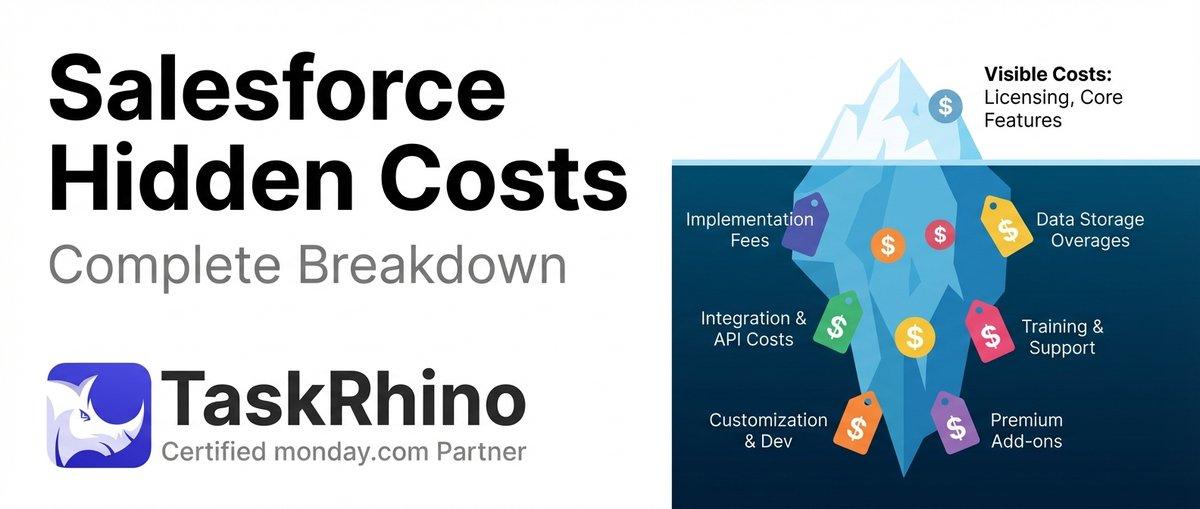
How to Calculate Hidden Costs of Salesforce Admin & Consulting

Twenty CRM vs Salesforce: Full Detailed Comparison
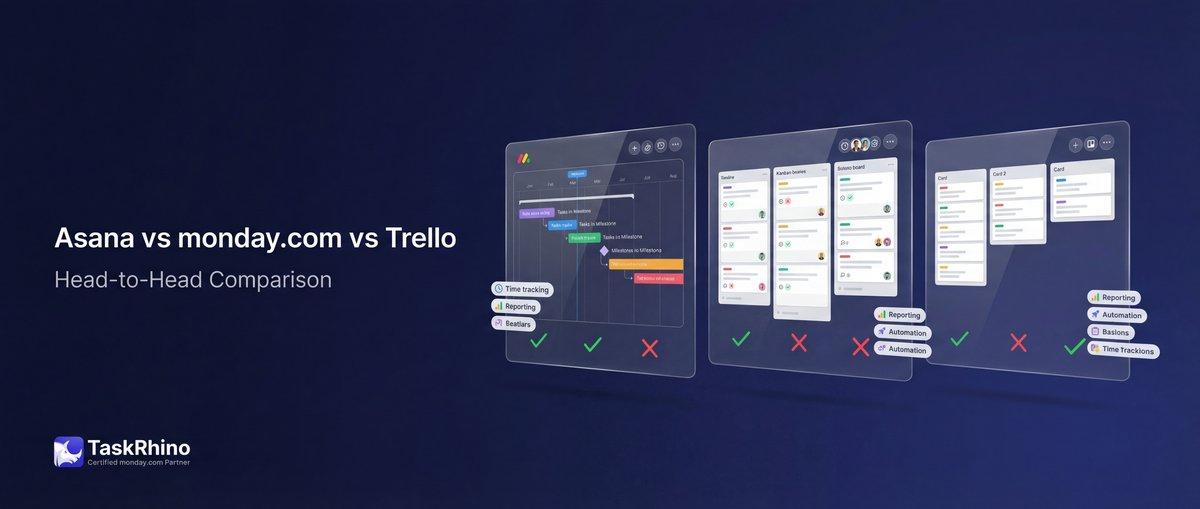
Asana vs monday.com vs Trello 2026: The Bicycle, The Sedan, and The SUV