

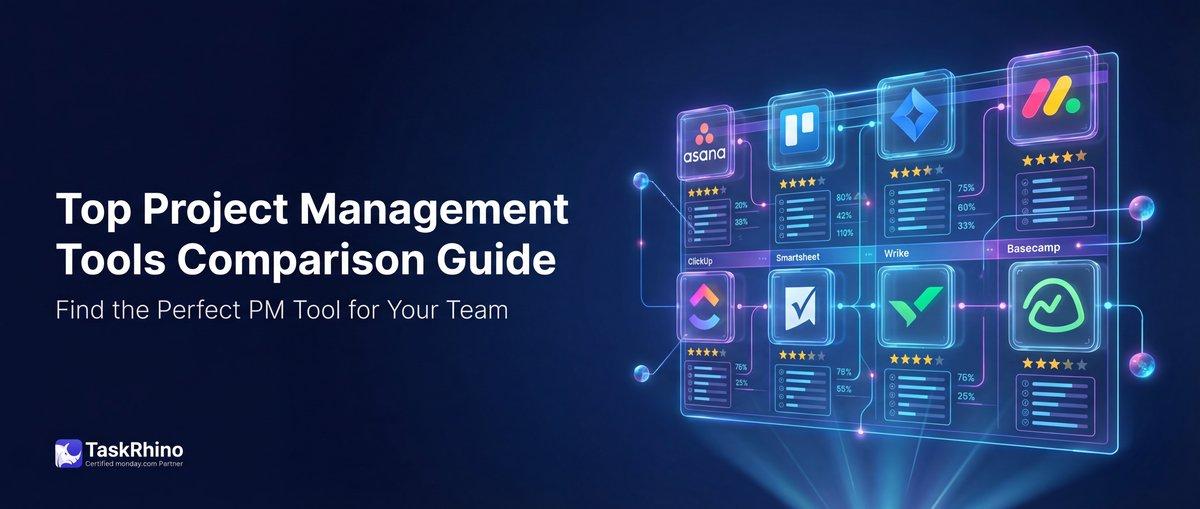
Project Management Tool Comparison Guide for 2025: Top Picks Explained
Last Updated: February 26, 2026
Managing complex projects across distributed teams requires the right platform — one that centralizes communication, streamlines workflows, and scales with your business. But with hundreds of project management tools on the market, how do you choose?
This guide compares the 7 leading project management platforms in 2026: monday.com, Asana, ClickUp, Jira, Wrike, Smartsheet, and Trello. We’ve tested each tool across 50+ criteria — from basic task management to advanced automation, reporting, and collaboration features.
What You’ll Learn:
- How each platform handles task management, workflows, and team collaboration
- Pricing breakdowns and what you actually get at each tier
- Feature-by-feature comparison across 15+ categories
- Real customer stories from teams who’ve successfully implemented these tools
- Which tool is best for your team size, industry, and use case
Whether you’re a startup managing your first client projects or an enterprise coordinating 500+ team members across multiple departments, this guide will help you make the right choice.
Quick Comparison: At a Glance
| Platform | Best For | Starting Price | Free Plan |
|---|---|---|---|
| monday.com | Visual workflows, customizable dashboards | $9/user/month | ✅ (up to 2 users) |
| Asana | Marketing teams, goal tracking | $10.99/user/month | ✅ (up to 15 users) |
| ClickUp | All-in-one workspace | $7/user/month | ✅ (unlimited users) |
| Jira | Software development, agile teams | $7.75/user/month | ✅ (up to 10 users) |
| Wrike | Enterprise project portfolios | $9.80/user/month | ✅ (unlimited users) |
| Smartsheet | Spreadsheet power users | $7/user/month | ✅ (1 user only) |
| Trello | Simple kanban boards | $5/user/month | ✅ (unlimited users) |
What Makes a Great Project Management Tool in 2026?
Before we dive into individual platforms, let’s establish the evaluation criteria. A modern project management tool should deliver across these seven dimensions:
1. Task & Workflow Management
Core functionality: creating tasks, assigning owners, setting due dates, tracking progress, dependencies, subtasks, and custom workflows.
2. Collaboration & Communication
Team features: comments, @mentions, file sharing, real-time updates, notifications, and integrations with Slack/Teams.
3. Views & Visualization
How you see your work: list, board, timeline, Gantt, calendar, table, and custom dashboards.
4. Automation & Workflows
Rule-based actions: status changes trigger notifications, overdue tasks escalate automatically, repetitive work runs without manual input.
5. Reporting & Analytics
Insights: workload distribution, time tracking, project health, burndown charts, custom reports, and portfolio dashboards.
6. Customization & Scalability
Flexibility: custom fields, templates, workflows, permissions, and the ability to grow from 5 to 500+ users.
7. Integrations & Extensibility
Ecosystem: native integrations with 50+ tools (Slack, Google Workspace, Microsoft 365, Salesforce, Jira) plus API access.
The 7 Best Project Management Tools: In-Depth Analysis
1. monday.com — The Visual Work OS
Best For: Teams who want highly visual, customizable workflows without coding
monday.com positions itself as a “Work Operating System” — a platform where you build custom workflows for any use case, from marketing campaigns to event planning to software releases.
Core Strengths
| Feature | monday.com Capability |
|---|---|
| Visual Flexibility | ✅ Color-coded boards, timeline views, Gantt charts, workload views |
| Customization | ✅ 30+ column types (status, people, date, formula, timeline) |
| Automation | ✅ 250,000+ automation actions/month on Enterprise |
| Dashboards | ✅ Unlimited custom dashboards with 30+ widget types |
What You Get:
- 200+ templates across industries (marketing, construction, product launches, CRM)
- Native time tracking with workload management
- Form builder (WorkForms) — though it can only create NEW items, not update existing ones
- Mobile apps (iOS/Android) with offline mode
- Integrations: 50+ native apps plus Zapier/Make for extended connectivity
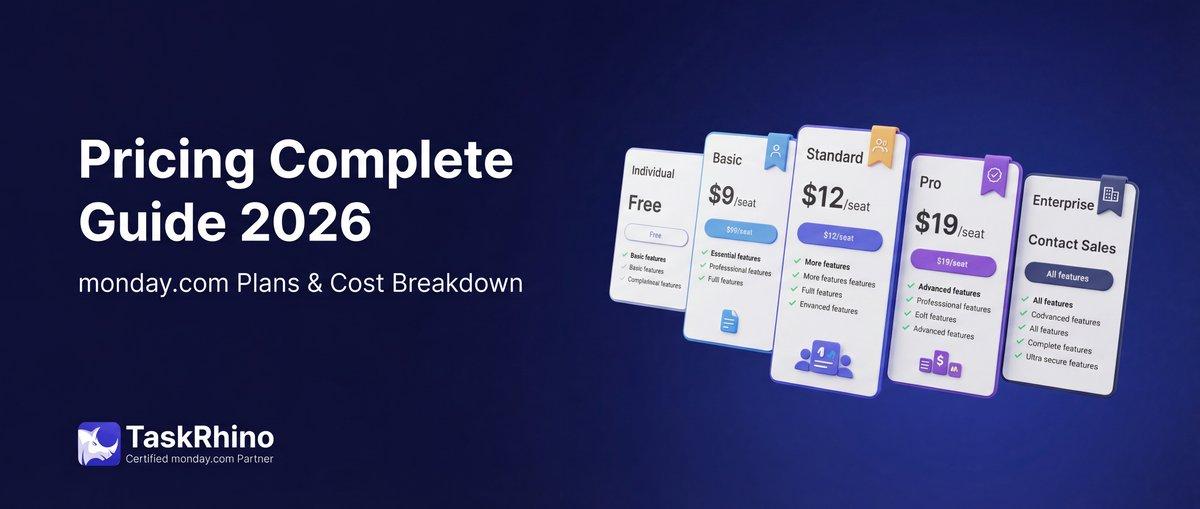
Pricing Breakdown (2026)
| Plan | Price/User/Month | Key Features |
|---|---|---|
| Free | $0 | Up to 2 users, 3 boards |
| Basic | $9 | Unlimited items, 5GB storage |
| Standard | $12 | Timeline & Gantt views, automations (250/month) |
| Pro | $19 | Private boards, time tracking, 25,000 automations |
| Enterprise | Custom | Advanced security, multi-level permissions, 250,000+ automations |
Best Use Cases
✅ Marketing teams running campaigns across channels ✅ Event management with multiple boards per event ✅ Creative agencies tracking client projects ✅ Operations teams coordinating logistics
Limitations
❌ Steep learning curve for non-technical users ❌ WorkForms can’t update existing items (only creates new) ❌ Limited native reporting on lower tiers ❌ Automation limits can be restrictive below Enterprise
2. Asana — The Team Coordination Hub
Best For: Marketing teams, cross-functional projects, and goal-driven organizations
Asana excels at connecting day-to-day tasks to larger company goals. Its clean interface and powerful goal-tracking features make it popular with marketing, operations, and product teams.
Core Strengths
| Feature | Asana Capability |
|---|---|
| Goal Tracking | ✅ Objectives cascade from company → team → individual |
| Timeline View | ✅ Drag-and-drop Gantt with dependency management |
| Workload Management | ✅ Visualize team capacity across projects |
| Portfolio Views | ✅ Roll up multiple projects into executive dashboards |
What You Get:
- 250+ integrations including Slack, Salesforce, Adobe Creative Cloud
- Custom rules (if-this-then-that automation)
- Forms that feed directly into projects
- Proofing & approvals for creative workflows
- Universal inbox for all your tasks and notifications
Pricing Breakdown (2026)
| Plan | Price/User/Month | Key Features |
|---|---|---|
| Personal | $0 | Unlimited tasks, up to 15 users |
| Starter | $10.99 | Timeline view, custom fields, 5GB storage |
| Advanced | $24.99 | Portfolios, workload, advanced search, 100GB storage |
| Enterprise | Custom | Admin console, data export, advanced security |
Best Use Cases
✅ Marketing campaign management with cross-team dependencies ✅ Product launches coordinating design, dev, and go-to-market ✅ Goal-oriented organizations (OKRs, quarterly planning) ✅ Remote teams needing clear visibility into priorities
Limitations
❌ No native time tracking (requires integrations) ❌ Limited customization vs. monday.com or ClickUp ❌ Advanced reporting only on highest tier ❌ Can feel rigid for teams needing highly custom workflows
3. ClickUp — The All-in-One Workspace
Best For: Teams consolidating multiple tools into one platform
ClickUp’s promise: replace 10+ tools with one. It combines project management, docs, goals, time tracking, chat, whiteboards, and even email — all in a single interface.
Core Strengths
| Feature | ClickUp Capability |
|---|---|
| Everything View | ✅ See all work across all workspaces in one place |
| Custom Views | ✅ 15+ view types (list, board, Gantt, calendar, workload, map, timeline, mind map) |
| ClickUp Brain (AI) | ✅ AI project manager, writer, and knowledge assistant |
| Unlimited Free Plan | ✅ Unlimited users, tasks, and 100MB storage |
What You Get:
- ClickUp Docs — collaborative documents with nested pages
- Whiteboards — brainstorm and diagram directly in the platform
- Native chat — reduce Slack dependency
- Email integration — send/receive emails within ClickUp
- 1,000+ integrations via API and Zapier
Pricing Breakdown (2026)
| Plan | Price/User/Month | Key Features |
|---|---|---|
| Free Forever | $0 | Unlimited users, 100MB storage, unlimited tasks |
| Unlimited | $7 | Unlimited storage, Gantt, integrations, custom fields |
| Business | $12 | Advanced automation, time tracking, goals, workload |
| Enterprise | Custom | White label, advanced permissions, dedicated support |
Best Use Cases
✅ Startups wanting one tool for everything ✅ Remote-first teams consolidating communication ✅ Agencies managing 50+ client projects ✅ Power users who love customization and configurability
Limitations
❌ Overwhelming interface for new users ❌ Performance can lag with very large workspaces ❌ Too many features can cause decision fatigue ❌ Steeper learning curve than simpler tools like Trello
4. Jira — The Agile Development Standard
Best For: Software teams practicing Scrum, Kanban, or hybrid agile methodologies
Jira is the default choice for software development teams. Built by Atlassian, it integrates deeply with Confluence, Bitbucket, and the entire Atlassian ecosystem.
Core Strengths
| Feature | Jira Capability |
|---|---|
| Scrum Boards | ✅ Sprints, backlog grooming, velocity tracking, burndown charts |
| Kanban Boards | ✅ WIP limits, swimlanes, cumulative flow diagrams |
| Issue Tracking | ✅ Bug tracking, user stories, epics, subtasks with custom workflows |
| Roadmaps | ✅ Portfolio-level planning with epic dependencies |
What You Get:
- Agile reports — 15+ built-in charts (velocity, burnup, sprint report, cumulative flow)
- DevOps integration — CI/CD pipelines via Bitbucket/Jenkins
- Advanced permissions — project roles, issue security schemes, workflow transitions
- Marketplace — 3,000+ apps and add-ons
Pricing Breakdown (2026)
| Plan | Price/User/Month | Key Features |
|---|---|---|
| Free | $0 | Up to 10 users, 2GB storage |
| Standard | $7.75 | Unlimited users, 250GB storage, user roles |
| Premium | $15.25 | Advanced roadmaps, sandbox, 24/7 support |
| Enterprise | Custom | Unlimited storage, unlimited sites, enterprise-grade security |
Best Use Cases
✅ Software development teams (Scrum, Kanban, or SAFe) ✅ DevOps workflows with CI/CD pipeline integration ✅ IT service management (ITSM) and support ticketing ✅ Teams already using Atlassian ecosystem (Confluence, Bitbucket)
Limitations
❌ Overkill for non-technical teams ❌ Steep learning curve for project managers without dev background ❌ Limited visual appeal (not as modern as ClickUp or monday.com) ❌ Best features locked behind Premium/Enterprise tiers
5. Wrike — The Enterprise Workhorse
Best For: Large enterprises managing complex project portfolios and resource allocation
Wrike is built for scale. It handles enterprise-level permissions, portfolio management, resource forecasting, and custom approval workflows that other tools struggle with.
Core Strengths
| Feature | Wrike Capability |
|---|---|
| Portfolio Dashboards | ✅ Real-time rollup of 100+ projects with health indicators |
| Resource Management | ✅ Capacity planning, workload balancing, utilization tracking |
| Custom Workflows | ✅ Multi-stage approvals with conditional routing |
| Proofing & Approvals | ✅ In-app markup on images, videos, PDFs |
What You Get:
- 400+ integrations including Salesforce, Tableau, Adobe Creative Cloud
- Advanced analytics — custom reports with cross-project data
- Dynamic request forms — conditional logic and auto-routing
- Time tracking with billable hours and budget tracking
- Blueprints — reusable project templates with automated setup
Pricing Breakdown (2026)
| Plan | Price/User/Month | Key Features |
|---|---|---|
| Free | $0 | Unlimited users, basic task management |
| Team | $9.80 | Gantt charts, 2GB/user, subtasks |
| Business | $24.80 | Custom workflows, reports, 5GB/user, integrations |
| Enterprise | Custom | Advanced security, admin controls, unlimited storage |
Best Use Cases
✅ Enterprise PMOs managing 50+ simultaneous projects ✅ Creative agencies with multi-stage approval workflows ✅ Professional services firms tracking billable hours ✅ Marketing teams coordinating across global offices
Limitations
❌ Expensive for small teams (Business plan is $24.80/user) ❌ Interface feels dated compared to ClickUp or monday.com ❌ Requires significant setup and training ❌ Limited functionality on Free and Team tiers
6. Smartsheet — The Spreadsheet Power User’s Dream
Best For: Teams who live in Excel but need project management features layered on top
Smartsheet is a spreadsheet on steroids. If your team is already managing projects in Google Sheets or Excel, Smartsheet gives you those familiar rows and columns plus Gantt charts, automation, dashboards, and collaboration.
Core Strengths
| Feature | Smartsheet Capability |
|---|---|
| Grid View | ✅ Familiar spreadsheet interface with formulas, cell linking |
| Gantt & Dependencies | ✅ Auto-schedule with critical path and resource allocation |
| Dashboards | ✅ Metric widgets, charts, and reports pulling from multiple sheets |
| Automation | ✅ Conditional workflows, approval requests, alerts |
What You Get:
- Dynamic views — filter and share subsets of data without duplicating sheets
- Forms — public or private data collection that feeds directly into sheets
- Resource management (add-on) — capacity planning and utilization tracking
- Bridge integration — two-way sync with enterprise systems (SAP, NetSuite, Salesforce)
- WorkApps — build custom portals for stakeholders without giving them full Smartsheet access
Pricing Breakdown (2026)
| Plan | Price/User/Month | Key Features |
|---|---|---|
| Free | $0 | 1 user, 2 editors on shared sheets |
| Pro | $7 | Unlimited sheets, Gantt, automations (250/month) |
| Business | $25 | Dynamic views, unlimited automations, admin controls |
| Enterprise | Custom | Premium integrations, unlimited WorkApps, HIPAA/FedRAMP compliance |
Best Use Cases
✅ Finance and accounting teams tracking budgets and invoices ✅ Construction project managers with complex dependencies ✅ Program managers consolidating data from multiple sources ✅ Teams migrating from Excel who need familiarity
Limitations
❌ Not ideal for teams unfamiliar with spreadsheets ❌ Less visual/modern than ClickUp or monday.com ❌ Resource Management is a paid add-on ❌ Expensive Business tier ($25/user) for full features
7. Trello — The Simple Kanban Classic
Best For: Small teams and individuals who need visual task boards without complexity
Trello pioneered the digital kanban board. It’s beautifully simple: cards move across lists on boards. Perfect for personal productivity, small team coordination, or lightweight project tracking.
Core Strengths
| Feature | Trello Capability |
|---|---|
| Visual Boards | ✅ Drag-and-drop cards across customizable lists |
| Power-Ups | ✅ 200+ integrations (calendar, voting, custom fields) |
| Butler Automation | ✅ Rule-based automation with natural language commands |
| Simplicity | ✅ 5-minute onboarding, intuitive interface |
What You Get:
- Unlimited cards and lists on all plans (including Free)
- Labels, due dates, checklists — all the basics
- Team boards with multi-member collaboration
- Mobile apps with offline mode
- Templates — 100+ community and Trello-made boards
Pricing Breakdown (2026)
| Plan | Price/User/Month | Key Features |
|---|---|---|
| Free | $0 | Unlimited cards, 10 boards/workspace, 1 Power-Up/board |
| Standard | $5 | Unlimited boards, unlimited Power-Ups, 250 automations |
| Premium | $10 | Calendar view, timeline view, dashboard, 1,000 automations |
| Enterprise | $17.50 | Organization-wide permissions, unlimited workspaces, admin controls |
Best Use Cases
✅ Personal productivity (GTD, daily planning) ✅ Editorial calendars for content teams ✅ Simple sales pipelines ✅ Event planning with task boards
Limitations
❌ No Gantt charts or advanced project views ❌ Limited native reporting and analytics ❌ Not designed for enterprise-scale projects ❌ Must rely on Power-Ups for advanced features
See How BoardBridge Handles This Workflow
Book a free demo to see BoardBridge solve this exact problem — live, with your data.
Feature-by-Feature Comparison Tables
Table 1: Task Management Fundamentals
| Platform | Task Dependencies | Subtasks | Recurring Tasks |
|---|---|---|---|
| monday.com | ✅ | ✅ | ✅ |
| Asana | ✅ | ✅ | ✅ |
| ClickUp | ✅ | ✅ | ✅ |
| Jira | ✅ (Epic hierarchy) | ✅ | ✅ |
| Wrike | ✅ | ✅ | ✅ |
| Smartsheet | ✅ | ✅ (child rows) | ✅ |
| Trello | ❌ | ✅ (checklists) | ✅ (via Power-Up) |
Table 2: Views & Visualization
| Platform | List | Board | Calendar |
|---|---|---|---|
| monday.com | ✅ | ✅ | ✅ |
| Asana | ✅ | ✅ | ✅ |
| ClickUp | ✅ | ✅ | ✅ |
| Jira | ✅ | ✅ | ✅ |
| Wrike | ✅ | ✅ | ✅ |
| Smartsheet | ✅ (Grid) | ✅ (Card view) | ✅ |
| Trello | ❌ | ✅ | ✅ (Premium) |
Table 3: Collaboration Features
| Platform | Comments | File Attachments | Real-Time Updates |
|---|---|---|---|
| monday.com | ✅ | ✅ (Unlimited on Pro+) | ✅ |
| Asana | ✅ | ✅ (100GB on Advanced) | ✅ |
| ClickUp | ✅ (threaded) | ✅ (Unlimited on Unlimited+) | ✅ |
| Jira | ✅ | ✅ (250GB on Standard) | ✅ |
| Wrike | ✅ | ✅ (5GB/user Business) | ✅ |
| Smartsheet | ✅ | ✅ (row attachments) | ✅ |
| Trello | ✅ | ✅ (250MB Free, 250GB Premium) | ✅ |
Table 4: Automation Capabilities
| Platform | Automation Actions/Month (Paid) | Conditional Logic | Custom Triggers |
|---|---|---|---|
| monday.com | 250 (Basic) to 250,000 (Enterprise) | ✅ | ✅ |
| Asana | 250 (Starter) to Unlimited (Enterprise) | ✅ (Rules) | ✅ |
| ClickUp | 1,000 (Unlimited) to Unlimited (Business+) | ✅ | ✅ |
| Jira | Unlimited (all paid plans) | ✅ | ✅ |
| Wrike | Unlimited (Business+) | ✅ | ✅ |
| Smartsheet | 250 (Pro) to Unlimited (Business+) | ✅ | ✅ |
| Trello | 250 (Standard) to 1,000 (Premium) | ✅ (Butler) | ✅ |
Table 5: Time Tracking & Workload
| Platform | Native Time Tracking | Workload View | Resource Allocation |
|---|---|---|---|
| monday.com | ✅ (Pro+) | ✅ (Pro+) | ✅ (Enterprise) |
| Asana | ❌ (integrations only) | ✅ (Advanced+) | ✅ (Business+) |
| ClickUp | ✅ (all plans) | ✅ (Unlimited+) | ✅ (Business+) |
| Jira | ❌ (Tempo add-on) | ❌ | ✅ (Advanced Roadmaps) |
| Wrike | ✅ (Business+) | ✅ (Business+) | ✅ (Resource Mgmt add-on) |
| Smartsheet | ❌ (integrations only) | ✅ (Resource Mgmt add-on) | ✅ (Resource Mgmt add-on) |
| Trello | ❌ (Power-Ups only) | ❌ | ❌ |
Table 6: Reporting & Analytics
| Platform | Custom Dashboards | Portfolio Reports | Advanced Analytics |
|---|---|---|---|
| monday.com | ✅ (Standard+) | ✅ (Enterprise) | ✅ (Enterprise) |
| Asana | ✅ (Advanced+) | ✅ (Business+) | ✅ (Enterprise) |
| ClickUp | ✅ (Unlimited+) | ✅ (Business+) | ✅ (Enterprise) |
| Jira | ✅ (all plans) | ✅ (Premium+) | ✅ (Premium+) |
| Wrike | ✅ (Business+) | ✅ (Business+) | ✅ (Enterprise) |
| Smartsheet | ✅ (all paid plans) | ✅ (Business+) | ✅ (Enterprise) |
| Trello | ❌ (Power-Ups only) | ❌ | ❌ |
Table 7: Integrations & API
| Platform | Native Integrations | Zapier/Make Support | API Access |
|---|---|---|---|
| monday.com | 50+ | ✅ | ✅ (all paid plans) |
| Asana | 250+ | ✅ | ✅ (all paid plans) |
| ClickUp | 1,000+ | ✅ | ✅ (all plans) |
| Jira | 3,000+ (Marketplace) | ✅ | ✅ (all plans) |
| Wrike | 400+ | ✅ | ✅ (Business+) |
| Smartsheet | 80+ | ✅ | ✅ (all paid plans) |
| Trello | 200+ (Power-Ups) | ✅ | ✅ (all plans) |
Table 8: Mobile Experience
| Platform | iOS App | Android App | Offline Mode |
|---|---|---|---|
| monday.com | ✅ | ✅ | ✅ |
| Asana | ✅ | ✅ | ✅ |
| ClickUp | ✅ | ✅ | ✅ |
| Jira | ✅ | ✅ | ✅ |
| Wrike | ✅ | ✅ | ✅ |
| Smartsheet | ✅ | ✅ | ✅ |
| Trello | ✅ | ✅ | ✅ |
Table 9: Security & Compliance
| Platform | 2FA | SSO (SAML) | SOC 2 Type II |
|---|---|---|---|
| monday.com | ✅ | ✅ (Enterprise) | ✅ |
| Asana | ✅ | ✅ (Enterprise) | ✅ |
| ClickUp | ✅ | ✅ (Enterprise) | ✅ |
| Jira | ✅ | ✅ (Premium+) | ✅ |
| Wrike | ✅ | ✅ (Enterprise) | ✅ |
| Smartsheet | ✅ | ✅ (Enterprise) | ✅ (plus HIPAA, FedRAMP) |
| Trello | ✅ | ✅ (Enterprise) | ✅ |
Table 10: Free Plan Comparison
| Platform | User Limit | Storage | Key Feature Restrictions |
|---|---|---|---|
| monday.com | 2 users | Unlimited items | Only 3 boards |
| Asana | 15 users | Unlimited tasks | No timeline, limited integrations |
| ClickUp | Unlimited | 100MB | Limited views, 100MB storage |
| Jira | 10 users | 2GB | Standard features only |
| Wrike | Unlimited | Basic task management | No Gantt, integrations, or custom fields |
| Smartsheet | 1 user | 2 editors on shared | Very limited collaboration |
| Trello | Unlimited | 10 boards/workspace | 1 Power-Up per board |
Table 11: Best for Team Size
| Platform | 1-10 Users | 11-50 Users | 201+ Users |
|---|---|---|---|
| monday.com | ✅ | ✅ | ✅ |
| Asana | ✅ | ✅ | ✅ |
| ClickUp | ✅ | ✅ | ✅ |
| Jira | ❌ (overkill) | ✅ | ✅ |
| Wrike | ❌ (expensive) | ✅ | ✅ |
| Smartsheet | ✅ | ✅ | ✅ |
| Trello | ✅ | ✅ | ❌ |
Table 12: Industry-Specific Strengths
| Platform | Software Dev | Marketing | Creative Agencies |
|---|---|---|---|
| monday.com | ✅ | ✅✅ | ✅✅ |
| Asana | ✅ | ✅✅✅ | ✅ |
| ClickUp | ✅✅ | ✅✅ | ✅✅ |
| Jira | ✅✅✅ | ❌ | ❌ |
| Wrike | ✅ | ✅✅ | ✅✅✅ |
| Smartsheet | ❌ | ✅ | ✅ |
| Trello | ✅ (solo devs) | ✅ | ✅ |
Table 13: Learning Curve vs. Power
| Platform | Learning Curve | Customization Power |
|---|---|---|
| monday.com | Medium | Very High |
| Asana | Low-Medium | Medium |
| ClickUp | High (feature overload) | Extremely High |
| Jira | High (technical) | High (for dev workflows) |
| Wrike | High | High |
| Smartsheet | Medium (if Excel-savvy) | High |
| Trello | Very Low | Low |
Table 14: Support & Training
| Platform | Live Chat | Phone Support | Dedicated CSM |
|---|---|---|---|
| monday.com | ✅ (Pro+) | ✅ (Enterprise) | ✅ (Enterprise) |
| Asana | ✅ (Advanced+) | ✅ (Enterprise) | ✅ (Enterprise) |
| ClickUp | ✅ (Business+) | ❌ | ✅ (Enterprise) |
| Jira | ✅ (Premium+) | ✅ (Premium+) | ✅ (Enterprise) |
| Wrike | ✅ (Business+) | ✅ (Enterprise) | ✅ (Enterprise) |
| Smartsheet | ✅ (Business+) | ✅ (Enterprise) | ✅ (Enterprise) |
| Trello | ❌ (email only) | ❌ | ✅ (Enterprise) |
Table 15: Forms & Data Collection
| Platform | Native Forms | Conditional Logic | Update Existing Items |
|---|---|---|---|
| monday.com | ✅ (WorkForms) | ✅ (Enterprise only) | ❌ (creates new only) |
| Asana | ✅ | ✅ | ❌ (creates new only) |
| ClickUp | ✅ | ✅ | ❌ (creates new only) |
| Jira | ✅ (Service Desk) | ✅ | ✅ (via issue updates) |
| Wrike | ✅ (Request Forms) | ✅ | ❌ (creates new only) |
| Smartsheet | ✅ | ✅ | ❌ (creates new only) |
| Trello | ❌ (Power-Up required) | ❌ | ❌ |
Table 16: Email Integration
| Platform | Email-to-Task | Email Notifications | Rich Email Automations |
|---|---|---|---|
| monday.com | ✅ | ✅ (plain text) | ❌ (no CC/BCC) |
| Asana | ✅ | ✅ (plain text) | ❌ |
| ClickUp | ✅ | ✅ (HTML) | ✅ (via automations) |
| Jira | ✅ | ✅ | ✅ (via Service Desk) |
| Wrike | ✅ | ✅ | ✅ (via approvals) |
| Smartsheet | ✅ | ✅ | ✅ (via automations) |
| Trello | ✅ | ✅ | ❌ |
Need Help With Your monday.com Setup?
TaskRhino has implemented monday.com for 110+ teams. Get a free consultation.
Real Customer Stories: How Teams Use These Tools
Story 1: Event Management Company (50 employees) — monday.com + BoardBridge
The Challenge: A Toronto-based event management company was running 200+ corporate events per year — golf tournaments, galas, conferences — with each event requiring coordination across 9 different boards: Event Overview, Band Confirmations, Team Confirmations, Travel, Transportation, Production, Lodging, and two specialized boards.
Their workflow on monday.com alone was breaking down:
- Manual board creation: Every “Won” deal in their CRM meant manually duplicating 9 template boards, renaming them, and copying over client details — 20+ minutes per event
- Form limitations: They needed vendors to UPDATE existing event items with travel details, equipment specs, and availability — but monday.com WorkForms could only CREATE new items
- Email chaos: Sending event forms meant manually CC’ing the right team members (band managers, production crew, logistics coordinators) on every email — easy to miss people
The Solution: They implemented BoardBridge (a form and automation platform built specifically for monday.com) alongside their existing monday.com setup:
- Automated event creation: When a deal moves to “Won” in their CRM board, BoardBridge automatically creates a complete event workspace — all 9 boards duplicated into a named folder, pre-loaded with band and team rosters, CRM data copied over, webhooks registered, and automations cloned. What took 20 minutes now happens in 30 seconds.
- Forms that update items: Each event item gets its own unique form link. When they email a vendor the “Show Form” (48 questions) or “Teebox Form” (37 questions), that vendor fills it out once and the data writes directly back to the existing Monday.com item — no new items created, no duplicate rows.
- Email automations with CC groups: Every outgoing email automatically includes the right team members on CC. Band confirmations go to the band coordinators, production emails include the A/V crew, travel updates loop in logistics — all configured once per board type and applied automatically to every new event.
The Results:
- Event setup time reduced from 20 minutes to 30 seconds (97% faster)
- Zero duplicate items created from form submissions
- 100% email visibility — no team member ever misses a critical update
- Vendor satisfaction up — “They just fill out ONE form instead of three separate emails”
“Before BoardBridge, we were spending 3-4 hours per week just setting up new event boards and manually forwarding emails. Now it’s completely automated. Our team focuses on running great events, not managing Monday.com.” — Operations Director
Learn more: If you’re managing complex multi-board projects on monday.com and hitting the limits of WorkForms or native automations, schedule a free consultation with TaskRhino to see how BoardBridge can streamline your workflows.
Story 2: Marketing Agency (25 employees) — Asana
The Challenge: A digital marketing agency managing 40+ client campaigns simultaneously needed better visibility into cross-functional work. Campaigns involved content writers, graphic designers, paid media specialists, and account managers — each working across multiple client projects with competing deadlines.
Their previous tool (a mix of Google Sheets and Trello) couldn’t:
- Show workload distribution across the team
- Connect daily tasks to quarterly OKRs
- Provide clients with real-time campaign progress
The Solution: They migrated to Asana Advanced and structured their workflow around portfolios and goals:
- Portfolio view: Each client became a portfolio containing 4-6 projects (content calendar, paid ads, email campaigns, design requests). The VP of Client Services could see every client’s project health in one dashboard.
- Goal tracking: Quarterly OKRs (e.g., “Increase client retention to 95%”) were broken into monthly goals, which cascaded into weekly tasks. Every team member could see how their daily work contributed to company objectives.
- Workload management: The resource manager used Asana’s workload view to balance assignments — preventing designer burnout during peak seasons and reallocating writers when campaigns shifted.
The Results:
- 30% improvement in on-time delivery (from 68% to 88%)
- Client satisfaction scores increased from 7.2/10 to 8.9/10
- Team visibility: 92% of employees reported “always knowing what to prioritize”
“Asana’s goal tracking changed how we work. Instead of just checking off tasks, everyone sees the bigger picture. It’s motivating.” — Creative Director
Story 3: SaaS Startup (12 employees) — ClickUp
The Challenge: A seed-stage SaaS startup (project management tool for construction teams) was juggling 6 different tools:
- Trello for product roadmap
- Google Docs for specs and meeting notes
- Slack for communication
- Harvest for time tracking
- Loom for async video updates
- GitHub for code/issue tracking
Context switching was killing productivity. Engineers couldn’t remember if a bug was logged in Trello or GitHub. Product specs lived in random Google Docs no one could find.
The Solution: They consolidated into ClickUp as their single workspace:
- Docs for specs: Product requirements, meeting notes, and onboarding guides moved into ClickUp Docs (nested pages with live embeds of tasks)
- Everything view: Engineers used the “Everything” view to see all their work across product development, customer support, and internal operations in one filtered list
- Time tracking: Built-in time tracking replaced Harvest — billable hours tracked per task, exportable for invoicing
- Native chat: Reduced Slack usage by 60% — most conversations happened in task comments with full context
The Results:
- Reduced from 6 tools to 1 (saving $840/month in subscriptions)
- Onboarding new hires went from 3 days to 1 day (everything in one place)
- Engineers reported 40% less context switching
“ClickUp is overwhelming at first — there are SO many features. But once you configure it for your workflow, it’s incredibly powerful. We’ll never go back to the tool-sprawl nightmare.” — CTO
How to Choose: Decision Framework
Still not sure which tool is right for your team? Use this decision tree:
START HERE: What’s your primary use case?
Software development (Scrum/Kanban)? → Jira (industry standard, best agile features) → ClickUp (if you want dev + marketing + operations in one tool)
Marketing campaigns & creative workflows? → Asana (goal tracking, portfolio management) → monday.com (visual, highly customizable) → Wrike (if you need advanced proofing & approvals)
Construction, engineering, or spreadsheet-heavy work? → Smartsheet (familiar grid interface, powerful formulas) → monday.com (if you want to move beyond spreadsheets)
Multi-department operations (HR, finance, IT, operations)? → ClickUp (consolidate everything into one workspace) → monday.com (separate boards per department, unified dashboards)
Simple task tracking for small teams? → Trello (easiest learning curve, free for most use cases) → ClickUp Free (more features, still free)
NEXT: What’s your team size?
1-10 users: ClickUp (generous free plan), Trello (simplicity), or Asana (if marketing-focused)
11-50 users: monday.com (visual, scalable), Asana (marketing/ops), or ClickUp (if consolidating tools)
51-200 users: monday.com, Asana Advanced, ClickUp Business, or Wrike (for enterprise workflows)
201+ users: monday.com Enterprise, Asana Enterprise, Jira Premium, or Wrike Enterprise (dedicated support, advanced security)
FINALLY: What’s your budget?
Free or under $5/user/month: ClickUp Free, Trello, Asana Free (up to 15 users), monday.com Free (2 users)
$5-$15/user/month: monday.com Standard ($12), ClickUp Unlimited ($7), Jira Standard ($7.75), Smartsheet Pro ($7), Asana Starter ($10.99), Wrike Team ($9.80), Trello Standard ($5)
$15-$25/user/month: Asana Advanced ($24.99), Wrike Business ($24.80), Smartsheet Business ($25), Jira Premium ($15.25), monday.com Pro ($19)
Enterprise (custom pricing): All platforms offer enterprise tiers with custom pricing — expect $25-50+/user/month depending on scale and features
Stop Creating Duplicates
BoardBridge forms update existing items — no Enterprise plan, no workarounds, no duplicates.
Frequently Asked Questions
How do monday.com’s minimum seat requirements impact small teams compared to ClickUp and Asana in 2026 pricing?
monday.com requires a minimum of 3 seats on all paid plans, forcing solo users or two-person teams to pay for unused seats (e.g., $36/month for Basic), unlike ClickUp’s per-user Unlimited plan at $7 with no minimum and Asana’s Starter at $10.99/user also without enforced minimums. This makes ClickUp the most cost-effective for small teams needing unlimited storage and custom views without overpaying for seats. Asana offers a generous free plan for up to 15 users, ideal for bootstrapped teams avoiding early paid commitments.
What are the automation limits in monday.com Pro vs ClickUp Business, and how do they affect high-volume workflows?
monday.com Pro provides 25,000 automations per month but locks advanced features like formula columns and time tracking behind this tier at $27/seat, while ClickUp Business offers unlimited automations at $12/user with added sprint reporting and private docs. For teams exceeding 25K actions monthly, ClickUp avoids overage risks and extra costs, making it superior for complex, automation-heavy workflows. monday.com’s limits can lead to manual interventions or plan upgrades in high-velocity environments.
Which tool provides native time tracking and Gantt views at the lowest paid tier among monday.com, Asana, and Wrike?
ClickUp’s Unlimited plan ($7/user/month) includes native time tracking, custom views like Gantt, and unlimited storage, outperforming monday.com Basic ($12/seat, no Gantt or time tracking) and Asana Starter ($10.99/user, adds Timeline but no native time tracking). Wrike’s Team plan at $10/user adds structured workflows but lacks ClickUp’s unlimited automations in the base paid tier. This positions ClickUp as optimal for budget-conscious teams needing these essentials without jumping to mid-tier plans ($12+).
For software dev teams, how does Jira’s pricing and agile features stack up against monday.com and ClickUp in 2026?
Jira Standard starts at $7.91/user/month with native agile boards and sprints for up to 10 free users, cheaper than monday.com Pro ($27/seat) which bolts on dev features without deep Git integration, and competitive with ClickUp Unlimited ($7) but more dev-specific. ClickUp offers flexible workflows at lower cost but requires custom setups for advanced Jira-like backlogs, while monday.com suits visual coordination less agile-focused. Jira excels for pure dev teams prioritizing scrum/kanban out-of-box over generalist customization.
What storage and integration differences exist in entry-level plans of Smartsheet vs the compared tools for data-heavy projects?
While specific 2026 Smartsheet entry-level details are limited, it typically offers spreadsheet-like storage scaling better for data-heavy projects than monday.com Basic’s 5GB cap without integrations, contrasting ClickUp Unlimited’s unlimited storage and custom integrations. Asana Starter provides unlimited storage but omits advanced integrations until Advanced ($24.99), making Smartsheet preferable for Excel-like data management in complex reporting workflows. Trello’s free Kanban focus lacks robust storage tiers, pushing data teams to paid upgrades sooner.
How do performance stability issues in ClickUp 3.0 affect enterprise adoption compared to Asana and monday.com?
ClickUp 3.0 rollout brings mixed reviews with ongoing performance instabilities and user preference splits, deterring some enterprises despite feature richness at $12 Business, unlike Asana’s consistently clean, intuitive design and monday.com’s visual stability. Asana Advanced ($24.99) prioritizes reliable workload views for scaling teams, while monday.com Pro handles cross-team coordination without reported v3.0-like hiccups. Enterprises should trial ClickUp for custom needs but favor Asana/monday.com for proven uptime in production environments.


Editor's Choice
monday.com Pricing 2026: Complete Guide

Salesforce to Twenty Data Migration: Best Practices and Strategy
How to Self-Host Twenty CRM on AWS: Step-by-Step Guide