

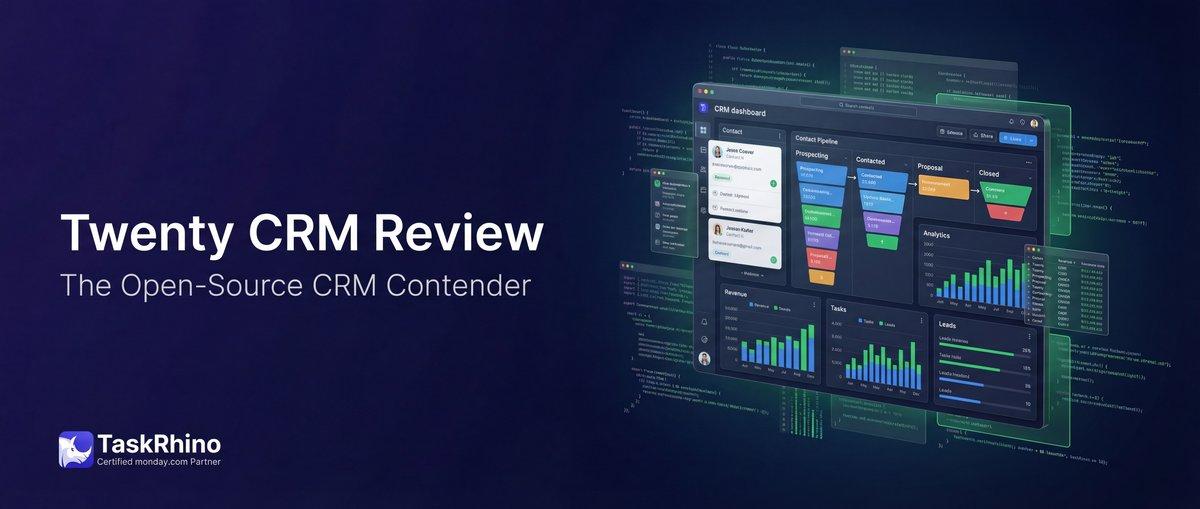
The Detailed Twenty CRM Review: Features and limitations
Salesforce remains the world’s leading CRM platform in 2026, powering businesses from 5-person startups to Fortune 500 enterprises. But understanding what Salesforce truly costs has become more complex than ever. Between base licenses, AI add-ons, implementation fees, and ongoing support costs, many organizations discover their total investment is 2.5X to 4X their initial budget.
This comprehensive guide breaks down every cost component of Salesforce in 2026—from the entry-level Starter Suite at $25/user/month to the AI-powered Agentforce 1 edition at $550/user/month. You’ll learn what’s included in each edition, which add-ons you actually need, and how to calculate your true 3-year Total Cost of Ownership (TCO).
Whether you’re evaluating Salesforce for the first time or trying to optimize your current investment, this guide provides the pricing transparency you need to make informed decisions.
Understanding Salesforce’s 2026 Pricing Structure
Salesforce operates on a per-user, per-month subscription model, billed annually. The company offers multiple “Clouds” (Sales Cloud, Service Cloud, Marketing Cloud) and multiple editions within each Cloud, creating dozens of pricing combinations.
In August 2025, Salesforce implemented a 6% price increase across Enterprise and Unlimited editions for Sales Cloud, Service Cloud, Field Service, and select Industry Clouds. This marked the first major pricing adjustment since 2023 and reflects the integration of new AI capabilities into the platform.
The Three Primary Salesforce Clouds
| Cloud | Primary Use Case | Pricing Range | Typical Users |
|---|---|---|---|
| Sales Cloud | Lead, opportunity, deal management | $25–$550/user/month | Sales reps, managers, executives |
| Service Cloud | Customer support, case management | $25–$550/user/month | Support agents, service managers |
| Marketing Cloud | Email marketing, journey automation | $1,250–$3,250/org/month | Marketing teams, demand gen |
Key Difference: Sales and Service Clouds charge per user. Marketing Cloud charges per organization, making it more cost-effective for larger marketing teams.
Salesforce Sales Cloud Pricing Breakdown (2026)
Sales Cloud is Salesforce’s flagship CRM product, designed for sales teams managing leads, opportunities, accounts, and deals. The 2026 pricing structure includes five editions:
Sales Cloud Edition Comparison
| Edition | Price/User/Month | Best For | Annual Cost (10 users) |
|---|---|---|---|
| Starter Suite | $25 | Teams under 10 users testing Salesforce | $3,000 |
| Pro Suite | $100 | Growing teams needing automation | $12,000 |
| Enterprise | $175 | Mid-market companies requiring customization | $21,000 |
| Unlimited | $350 | Large enterprises with complex processes | $42,000 |
What’s Included in Each Sales Cloud Edition
| Feature | Starter | Pro | Unlimited |
|---|---|---|---|
| Lead & Opportunity Management | ✓ | ✓ | ✓ |
| Contact & Account Management | ✓ | ✓ | ✓ |
| Mobile App | ✓ | ✓ | ✓ |
| Email Integration | ✓ | ✓ | ✓ |
| Forecasting | Basic | Advanced | Advanced |
| Workflow Automation | Limited | ✓ | ✓ |
| API Access | ❌ | Limited | Full |
| Custom Objects | ❌ | 10 | Unlimited |
| Sandbox Environments | ❌ | ❌ | Multiple |
| 24/7 Premier Support | Add-on | Add-on | Included |
Sales Cloud Add-Ons (2026 Pricing)
| Add-On | Price | What It Includes |
|---|---|---|
| Einstein Sales AI | $50/user/month | Lead scoring, opportunity insights, email generation |
| Sales Engagement | $50/user/month | Cadences, call logging, email tracking |
| Conversation Intelligence | $75/user/month | Call recording, transcription, AI analysis |
| Configure Price Quote (CPQ) | $75/user/month | Advanced quoting and proposal generation |
Real-World Example from TaskRhino Customer:
“When we implemented Salesforce Sales Cloud Enterprise for our 35-person sales team in 2024, we budgeted $73,500 annually for licenses. After adding Einstein AI ($1,750/month), Sales Engagement ($1,750/month), and CPQ for 10 power users ($750/month), our actual annual software cost reached $122,500—67% higher than our initial projection.”
— Director of Sales Operations, Commercial HVAC company, 150 employees
This experience is common. Most organizations underestimate add-on costs during initial budgeting.
Salesforce Service Cloud Pricing (2026)
Service Cloud powers customer support operations, providing case management, knowledge bases, omnichannel routing, and service analytics. The pricing tiers mirror Sales Cloud but include different features.
Service Cloud Edition Comparison
| Edition | Price/User/Month | Best For | Key Features |
|---|---|---|---|
| Starter Suite | $25 | Small support teams (under 10 agents) | Basic case management, email support |
| Pro Suite | $100 | Growing support teams | Automation, reporting, omnichannel |
| Enterprise | $175 | Mid-market service organizations | Custom workflows, API access, analytics |
| Unlimited | $350 | Enterprise contact centers | Premier support, advanced automation, multiple sandboxes |
Service Cloud Features by Edition
| Feature | Starter | Pro | Unlimited |
|---|---|---|---|
| Case Management | ✓ | ✓ | ✓ |
| Knowledge Base | ✓ | ✓ | ✓ |
| Omnichannel Routing | ❌ | ✓ | ✓ |
| Live Chat | ❌ | Add-on | Add-on |
| Einstein Chatbots | ❌ | ❌ | Included |
| Field Service Integration | ❌ | ❌ | ✓ |
| Service Catalogue | ❌ | ❌ | ✓ |
Service Cloud Add-Ons (2026 Pricing)
| Add-On | Monthly Cost | Annual Cost | Description |
|---|---|---|---|
| Digital Engagement | $75/user | $900/user | Messaging (SMS, WhatsApp, Facebook) |
| Einstein Bots | $50/conversation | Usage-based | AI-powered customer service chatbots |
| Field Service | $50/user | $600/user | Scheduling, dispatch, mobile workforce |
| Service Intelligence | $50/user | $600/user | AI-powered analytics and recommendations |
Salesforce Marketing Cloud Pricing (2026)
Unlike Sales and Service Clouds, Marketing Cloud uses organization-based pricing rather than per-user licensing. This makes it more cost-effective for larger marketing teams but represents a significant investment for smaller organizations.
Marketing Cloud Product Suite
| Product | Starting Price | Pricing Model | Best For |
|---|---|---|---|
| Marketing Cloud Growth | $1,500/org/month | Per organization | Small-to-mid market B2B/B2C |
| Marketing Cloud Advanced | $3,250/org/month | Per organization | Enterprise marketing teams |
| Account Engagement (Pardot) | $1,250/org/month | Per organization + contacts | B2B marketing automation |
| Marketing Cloud Engagement | $1,250/org/month | Per organization + sends | Email marketing at scale |
Marketing Cloud Growth vs. Advanced
| Feature | Growth | Advanced |
|---|---|---|
| Email Marketing | ✓ (50K sends/month) | ✓ (Unlimited) |
| Journey Builder | ✓ | ✓ |
| Segmentation | Basic | Advanced |
| SMS & Mobile Messaging | Add-on | ✓ |
| Predictive AI Scoring | ❌ | ✓ |
| Multi-Brand Support | ❌ | ✓ |
Marketing Cloud Add-Ons and Overages
| Component | Growth Edition Limit | Overage Cost |
|---|---|---|
| Email Sends | 50,000/month | $0.50 per 1,000 sends |
| Contact Records | 10,000 | $50/month per 1,000 contacts |
| SMS Messages | 500/month | $0.015 per message |
| Data Storage | 1GB | $100/month per GB |
TaskRhino Customer Story:
“We launched Marketing Cloud Growth for our product launch campaigns. The $1,500/month base price seemed reasonable, but we quickly exceeded our email send limits during peak campaigns. Our first quarter overage charges added $2,400 to our bill. Now we budget for Advanced Edition ($3,250/month) to avoid surprise costs.”
— Marketing Director, SaaS company, 75 employees
Agentforce 1: Salesforce’s AI-First Edition (2026)
Launched in late 2025, Agentforce 1 represents Salesforce’s premium, AI-first offering. At $550 per user per month, it’s the most expensive standard edition but includes features that would otherwise require multiple add-ons.
Agentforce 1 Inclusions
| What’s Included | Standalone Cost (If Purchased Separately) |
|---|---|
| Base Sales or Service Cloud Unlimited | $350/user/month |
| Einstein AI (Sales/Service GPT) | $50/user/month |
| Data Cloud | $125/user/month |
| Premier Success Support | 30% of license fees |
| Tableau Creator License | $75/user/month |
Total standalone value: ~$600+/user/month
Agentforce 1 bundled price: $550/user/month
Savings: $50+/user/month when you need all components
When Agentforce 1 Makes Financial Sense
Agentforce 1 is cost-effective when:
- Your team requires advanced AI features for lead scoring, email generation, or predictive analytics
- You need Data Cloud to unify customer data across systems
- You want premium support and additional Tableau analytics
- You’re implementing Salesforce for strategic roles (sales leadership, service managers, RevOps)
When Agentforce 1 Is Overkill
Stick with Enterprise or Unlimited editions if:
- Your users primarily do data entry and basic case/opportunity management
- You don’t need AI-powered insights
- You’re operating on a tight budget
- You’re implementing Salesforce for the first time and want to start simple
Not sure which Salesforce edition fits your needs? Schedule a free CRM assessment. →
Industry Cloud Pricing (2026)
Salesforce offers pre-configured solutions for specific industries. These “Industry Clouds” build on Sales and Service Cloud foundations with specialized features for healthcare, financial services, manufacturing, and other sectors.
Industry Cloud Editions and Pricing
| Industry Cloud | Starting Price | Built On | Unique Features |
|---|---|---|---|
| Financial Services Cloud | $325/user/month | Sales + Service | Client relationship management, household accounts |
| Health Cloud | $325/user/month | Service | Patient management, care coordination, HIPAA compliance |
| Manufacturing Cloud | $325/user/month | Sales | Sales agreements, forecasting, account-based forecasting |
| Consumer Goods Cloud | $325/user/month | Sales | Retail execution, trade promotion management |
Industry Cloud Add-On Requirements
Most Industry Clouds require the purchase of underlying Sales or Service Cloud licenses PLUS the Industry Cloud add-on:
| Component | Cost Example (10 users) |
|---|---|
| Base Service Cloud Enterprise | $175/user × 10 = $1,750/month |
| Health Cloud Add-On | $150/user × 10 = $1,500/month |
| Total Monthly Cost | $3,250 |
| Total Annual Cost | $39,000 |
Important: Always verify with Salesforce whether the Industry Cloud price includes the base cloud or if it’s an add-on. Pricing structures vary by industry vertical.
See How BoardBridge Handles This Workflow
Book a free demo to see BoardBridge solve this exact problem — live, with your data.
Einstein AI and Automation Add-Ons (2026)
Salesforce has integrated AI features throughout its platform under the “Einstein” brand. As of 2026, Einstein capabilities are bundled into higher editions or available as add-ons for lower tiers.
Einstein AI Pricing Structure
| AI Product | Monthly Cost | What’s Included | Required Base Edition |
|---|---|---|---|
| Sales GPT | $50/user | AI email generation, opportunity insights | Enterprise or higher |
| Service GPT | $50/user | Case summarization, knowledge recommendations | Enterprise or higher |
| Einstein Conversation Insights | $75/user | Call recording, transcription, sentiment analysis | Any Sales Cloud |
| Einstein Analytics (Tableau CRM) | $75/user | Advanced dashboards, predictive analytics | Any edition |
Einstein GPT Credits and Overages
Einstein GPT features (generative AI for email writing, case summaries, etc.) operate on a credit system:
- Enterprise Edition add-on: 500 credits per user per month
- Unlimited Edition: 1,000 credits per user per month included
- Agentforce 1: Unlimited credits
Overage pricing: $0.002 per credit (~$100 per 50,000 credits)
Einstein Features Included by Edition
| Einstein Feature | Starter | Pro | Agentforce 1 |
|---|---|---|---|
| Lead Scoring | ❌ | ❌ | ✓ |
| Opportunity Insights | ❌ | ❌ | ✓ |
| Email Generation | ❌ | ❌ | ✓ |
| Forecasting AI | ❌ | ❌ | ✓ |
| Conversation Intelligence | ❌ | ❌ | ✓ |
Data Cloud Pricing (2026)
Data Cloud is Salesforce’s customer data platform (CDP) that unifies data from Sales, Service, Marketing, and external systems. In late 2025, Salesforce overhauled Data Cloud pricing to make it more transparent and consumption-based.
Data Cloud Base Pricing
| License Tier | Monthly Cost | What’s Included |
|---|---|---|
| Data Cloud Starter | $6,250/org | Up to 1 million customer records, basic integrations |
| Data Cloud Pro | $12,500/org | Up to 5 million records, advanced segmentation |
| Data Cloud Enterprise | Custom pricing | 10M+ records, streaming ingestion, advanced AI |
Data Cloud Consumption Pricing (2026)
Beyond base licenses, Data Cloud charges based on usage:
| Consumption Type | Cost |
|---|---|
| Data Storage | $200 per terabyte (TB) per month |
| Data Ingestion (Batch) | $0.25 per 1,000 records processed |
| Data Ingestion (Streaming) | $0.75 per 1,000 records processed |
| Activations/Segment Refreshes | Included (up to usage limits) |
Example Cost Scenario:
- 3 million customer records = ~0.5 TB storage = $100/month
- Processing 500,000 new records monthly (batch) = $125/month
- Total monthly Data Cloud cost: ~$12,725
Implementation Costs: The Hidden Giant (2026)
Salesforce license fees are just the beginning. Implementation costs—system setup, data migration, integrations, customization, and training—often exceed first-year license costs.
Salesforce Implementation Cost by Company Size
| Company Size | Users | Typical Implementation Range | Timeline |
|---|---|---|---|
| Small Business | 5–20 | $10,000–$25,000 | 4–6 weeks |
| Growing SMB | 20–75 | $25,000–$75,000 | 2–4 months |
| Mid-Market | 75–300 | $75,000–$150,000 | 4–6 months |
| Enterprise | 300+ | $150,000–$500,000+ | 6–12+ months |
What’s Included in Implementation Costs
| Implementation Phase | % of Total Cost | Activities |
|---|---|---|
| Discovery & Planning | 10–15% | Requirements gathering, process mapping |
| Customization & Development | 25–40% | Custom objects, fields, workflows, automation |
| Data Migration | 10–20% | Data cleanup, mapping, transformation, loading |
| Integrations | 15–30% | Connecting ERP, marketing tools, support systems |
| Testing & QA | 5–10% | User acceptance testing, bug fixes |
| Training & Change Management | 10–15% | User training, documentation, adoption support |
| Post-Go-Live Support | 5–10% | Stabilization period (30–90 days) |
Implementation Consulting Rates (2026)
| Resource Type | Hourly Rate Range | When You Need Them |
|---|---|---|
| Salesforce Architect | $200–$300/hour | Complex multi-cloud implementations |
| Salesforce Developer | $125–$200/hour | Custom code, integrations, Lightning components |
| Salesforce Admin/Consultant | $90–$150/hour | Configuration, workflows, reports |
| Business Analyst | $75–$125/hour | Requirements gathering, process design |
TaskRhino Customer Story:
“Our initial Salesforce quote was $84,000 annually for 40 Enterprise licenses. The implementation partner quoted $120,000 for setup. We thought that was high until we realized we needed custom integrations with our ERP system (Oracle NetSuite), our legacy CRM database migration (180,000 records), and custom quoting workflows. Final implementation cost: $187,000. Total first-year investment: $271,000.”
— VP of Operations, Manufacturing distributor, 225 employees
This underscores a critical planning principle: Budget 1.5X to 3X your annual license cost for implementation.
Ongoing Support and Success Plan Costs (2026)
After going live, Salesforce requires ongoing administration, support, and optimization. These costs are often overlooked during initial budgeting.
Salesforce Success Plans (Official Support)
| Success Plan | Cost | What’s Included |
|---|---|---|
| Standard Success | Included with license | Online resources, community support, basic documentation |
| Premier Success | 30% of net license fees | 24/7 support, faster response times, admin office hours |
| Signature Success | Custom pricing (typically 40%+) | Dedicated technical account manager, priority routing, proactive reviews |
Example Premier Success Cost:
- Annual licenses: $100,000
- Premier Success: $30,000/year
- Total: $130,000/year
Internal Salesforce Administrator Costs
Most organizations hire at least one dedicated Salesforce Administrator to manage day-to-day operations:
| Role | Salary Range (US, 2026) | Responsibilities |
|---|---|---|
| Junior Salesforce Admin | $55,000–$75,000 | User management, basic reports, data entry |
| Salesforce Administrator | $70,000–$95,000 | Workflows, automation, integrations, training |
| Senior Salesforce Admin | $90,000–$120,000 | Complex automation, governance, strategic optimization |
| Salesforce Architect | $130,000–$180,000 | Multi-cloud strategy, enterprise architecture, compliance |
Managed Services Retainer (Alternative to In-House Admin)
Many mid-sized organizations use Salesforce consultancies on retainer rather than hiring full-time admins. See our Salesforce alternatives guide for more options:
| Service Level | Monthly Retainer | Hours Included | Typical Use Cases |
|---|---|---|---|
| Basic Support | $1,500–$3,000 | 10–20 hours | Minor changes, reports, user support |
| Standard Support | $3,000–$6,000 | 20–40 hours | Workflows, integrations, optimization |
| Premium Support | $6,000–$12,000+ | 40–80 hours | Strategic projects, multi-cloud management |
Need help calculating your total Salesforce cost of ownership? Get a custom TCO analysis. →
Hidden Costs Most Organizations Miss
Beyond licenses, implementation, and support, several hidden costs frequently surprise Salesforce buyers:
Common Hidden Salesforce Costs (2026)
| Hidden Cost | Typical Annual Impact | How to Mitigate |
|---|---|---|
| AppExchange Apps | $5,000–$50,000+ | Audit app usage quarterly, consolidate duplicate functionality |
| Data Storage Overages | $1,000–$10,000+ | Archive old records, implement data retention policies |
| API Call Overages | $500–$5,000+ | Optimize integrations, use bulk API where possible |
| Extra Sandbox Environments | $10,000–$30,000+ | Limit sandboxes to essential dev/test/UAT environments |
| Training & Certifications | $3,000–$15,000+ | Use free Trailhead resources, limit paid certifications to key staff |
| Failed Integrations/Rework | $10,000–$100,000+ | Thorough requirements gathering, phased implementation approach |
| User License Waste | $5,000–$50,000+ | Quarterly license audits, right-size editions per user role |
Data Storage Limits and Overage Costs
Each Salesforce edition includes limited data and file storage:
| Edition | Data Storage/User | File Storage/User | Overage Cost |
|---|---|---|---|
| Essentials | 20 MB | 612 MB | $25/GB/month |
| Professional | 20 MB | 612 MB | $25/GB/month |
| Enterprise | 20 MB | 2 GB | $25/GB/month |
| Unlimited | 120 MB | 2 GB | $25/GB/month |
Example: 50-user Enterprise org = 1 GB data storage included. If you store 5 GB, you’ll pay $100/month in overages ($1,200/year).
3-Year Total Cost of Ownership (TCO) Examples
To understand Salesforce’s true cost, calculate your 3-year Total Cost of Ownership. Here are real-world scenarios:
Small Business TCO (10 Users, Pro Suite)
| Cost Component | Year 1 | Year 2 | 3-Year Total |
|---|---|---|---|
| Licenses ($100/user × 10) | $12,000 | $12,720 | $38,182 |
| Implementation | $18,000 | — | $18,000 |
| Ongoing Support Retainer | $3,000 | $3,000 | $9,000 |
| AppExchange Apps | $1,200 | $1,200 | $3,600 |
| Training | $2,000 | $500 | $3,000 |
| Annual Total | $36,200 | $17,420 | $71,782 |
Assumption: 6% annual license increase
Mid-Market TCO (75 Users, Enterprise Edition)
| Cost Component | Year 1 | Year 2 | 3-Year Total |
|---|---|---|---|
| Licenses ($175/user × 75) | $157,500 | $166,950 | $501,417 |
| Einstein AI Add-on (25 users) | $15,000 | $15,900 | $47,754 |
| Implementation | $95,000 | — | $95,000 |
| Full-Time Admin (Salary + Benefits) | $95,000 | $97,850 | $293,636 |
| Premier Success (30% of licenses) | $47,250 | $50,085 | $150,425 |
| AppExchange Apps | $8,500 | $9,010 | $27,061 |
| Data Storage Overages | $1,800 | $1,800 | $5,400 |
| Ongoing Optimization Projects | $15,000 | $20,000 | $50,000 |
| Annual Total | $435,050 | $361,595 | $1,170,693 |
Enterprise TCO (250 Users, Unlimited Edition)
| Cost Component | Year 1 | Year 2 | 3-Year Total |
|---|---|---|---|
| Sales Cloud Unlimited (150 users) | $630,000 | $667,800 | $2,005,668 |
| Service Cloud Unlimited (100 users) | $420,000 | $445,200 | $1,337,112 |
| Marketing Cloud Advanced | $39,000 | $41,340 | $124,160 |
| Data Cloud Enterprise | $150,000 | $159,000 | $477,540 |
| Implementation (Multi-Cloud) | $325,000 | — | $325,000 |
| Salesforce Team (3 FTE) | $285,000 | $293,550 | $880,907 |
| Signature Success | $120,000 | $127,200 | $382,032 |
| AppExchange Apps & Integrations | $45,000 | $47,700 | $143,262 |
| Ongoing Development & Optimization | $80,000 | $100,000 | $260,000 |
| Annual Total | $2,094,000 | $1,881,790 | $5,935,681 |
Key Insight: First-year costs are typically 30–50% higher than subsequent years due to implementation. However, ongoing optimization, expansion, and support costs mean Year 2 and Year 3 remain significant.
Need Help With Your monday.com Setup?
TaskRhino has implemented monday.com for 110+ teams. Get a free consultation.
Salesforce ROI: Is It Worth the Investment?
With TCO reaching six or seven figures for mid-market and enterprise organizations, the critical question becomes: Does Salesforce deliver sufficient ROI?
How Salesforce Drives ROI
| Business Outcome | Typical Impact | Measurement Method |
|---|---|---|
| Increased Sales Productivity | 15–30% more deals closed per rep | Revenue per rep, deals closed, pipeline velocity |
| Faster Sales Cycles | 10–25% reduction in time-to-close | Average days from lead to closed-won |
| Improved Lead Conversion | 10–20% higher conversion rates | Lead-to-opportunity, opportunity-to-win percentages |
| Better Customer Retention | 5–15% reduction in churn | Net Revenue Retention (NRR), customer lifetime value |
| Service Efficiency Gains | 20–40% more cases resolved per agent | Cases per agent, first-contact resolution rate |
| Marketing ROI Improvement | 15–30% better campaign performance | Cost per lead, marketing-attributed revenue |
ROI Calculation Example (Mid-Market Company)
Scenario: 75-person company, $15M annual revenue, 20 sales reps
Baseline metrics:
- Average deal size: $25,000
- Deals per rep per year: 20
- Annual sales revenue: $10M
- Sales cycle: 90 days
Salesforce implementation outcomes:
- Sales productivity improvement: 20% (4 more deals per rep/year)
- Sales cycle reduction: 15% (from 90 to 77 days)
Revenue impact:
- Additional deals: 20 reps × 4 deals × $25,000 = $2,000,000
- Faster cash flow from shorter sales cycles (financial benefit)
Salesforce 3-year cost: $1,170,693 (from mid-market TCO example above)
3-year revenue increase: $6,000,000 (assuming consistent 20% productivity gain)
ROI: ($6,000,000 – $1,170,693) / $1,170,693 = 412% ROI over 3 years
This simplified calculation demonstrates why many organizations view Salesforce as worthwhile despite high costs—if properly implemented and adopted.
Salesforce vs. Competitors: Pricing Comparison (2026)
How does Salesforce pricing compare to alternative CRM platforms?
CRM Pricing Comparison
| CRM Platform | Entry Price | Mid-Tier Price | Implementation Cost |
|---|---|---|---|
| Salesforce | $25/user/month | $175/user/month | $10K–$500K+ |
| HubSpot CRM | Free | $100/user/month | $5K–$150K |
| Microsoft Dynamics 365 | $65/user/month | $95/user/month | $15K–$300K |
| Zoho CRM | $14/user/month | $23/user/month | $2K–$50K |
| Pipedrive | $14/user/month | $29/user/month | $1K–$25K |
Salesforce advantages:
- Deepest feature set and customization options
- Largest ecosystem of third-party apps and integrations
- Best-in-class AI and analytics (Einstein, Tableau)
- Strongest for enterprise-scale, multi-department implementations
Salesforce disadvantages:
- Highest total cost of ownership
- Steepest learning curve
- Most complex pricing structure
- Often overkill for small businesses (<25 users)
Cost Optimization Strategies for Salesforce (2026)
If you’re committed to Salesforce but need to control costs, these strategies can reduce TCO by 20–40%:
1. Right-Size Your License Mix
Problem: Many organizations buy Enterprise or Unlimited licenses for every user, even those who only need basic CRM access.
Solution:
- Sales leaders, managers: Unlimited or Enterprise editions
- Sales reps: Professional or Enterprise editions
- Sales support, operations: Professional or Essentials editions
Savings example (50-user org):
- Before: 50 Enterprise licenses × $175 = $105,000/year
- After: 10 Unlimited ($350) + 30 Professional ($100) + 10 Essentials ($25) = $41,500/year
- Annual savings: $63,500
2. Negotiate Multi-Year Contracts
Salesforce offers discounts for multi-year commitments:
- 1-year contract: List price
- 2-year contract: 5–10% discount
- 3-year contract: 10–15% discount
Negotiation tip: Most discounts are available around quarter-end (January, April, July, October) when sales teams have quota pressure.
3. Use AppExchange Wisely
Problem: Third-party apps add up quickly ($50–$200/user/month per app).
Solution:
- Audit apps quarterly—remove unused subscriptions
- Consolidate overlapping functionality
- Build simple features in-house using Salesforce’s native tools rather than buying apps
4. Optimize Data Storage
Problem: Data storage overages at $25/GB/month add up fast.
Solution:
- Implement data retention policies (archive records older than X years)
- Delete unnecessary attachments and files
- Use external storage solutions (AWS S3, Google Cloud) for large files
5. Choose the Right Implementation Partner
Problem: Inexperienced consultants lead to cost overruns, rework, and delays.
Solution:
- Hire Salesforce-certified partners with experience in your industry
- Request fixed-price implementations rather than time-and-materials
- Start with a pilot phase before full rollout
6. Invest in Training to Boost Adoption
Problem: Low user adoption means you’re paying for licenses that aren’t delivering value.
Solution:
- Mandatory onboarding for all new users
- Regular “office hours” for ongoing questions
- Gamification and incentives for CRM usage
ROI of training: Companies with strong CRM adoption see 40% higher productivity gains than those with poor adoption.
TaskRhino Customer Story:
“We implemented Salesforce Service Cloud Enterprise for our 55-agent contact center in early 2025. Our yearly license cost was $115,500 ($175/user × 55 agents). We added Digital Engagement for SMS/WhatsApp support ($75/user × 55 = $49,500/year) and Einstein Bots for tier-1 support ($50/conversation, averaging $3,200/month). Our total annual Service Cloud investment reached $203,900, but our average handle time dropped 32%, and customer satisfaction scores increased from 78% to 91%. The ROI was clear within 9 months.”
— Customer Experience Director, E-commerce company, 400 employees
When Salesforce ISN’T the Right Choice
Despite its market leadership, Salesforce isn’t always the best CRM choice. Consider alternatives if:
You’re a Small Business (Under 20 Users)
Why Salesforce may not fit:
- High implementation costs relative to company size
- Complexity requires dedicated admin time
- Simpler CRMs (HubSpot, Zoho, Pipedrive) deliver 80% of value at 20% of cost
Better alternatives:
- HubSpot CRM (free tier or Sales Hub)
- Zoho CRM
- Pipedrive
You Have Limited IT Resources
Why Salesforce may not fit:
- Requires ongoing admin and developer support
- Complex customization needs technical expertise
- Integration setup is non-trivial
Better alternatives:
- HubSpot (more user-friendly, less technical debt)
- Freshsales (simpler, lightweight)
You Need Immediate Time-to-Value
Why Salesforce may not fit:
- Implementation takes 2–12+ months
- Customization and training create delays
Better alternatives:
- Pipedrive (can go live in days)
- Zoho CRM (faster setup)
Your Budget Is Under $50K Total (First Year)
Why Salesforce may not fit:
- TCO almost always exceeds this threshold once you include implementation
Better alternatives:
- Almost any competitor CRM will fit this budget better
Stop Creating Duplicates
BoardBridge forms update existing items — no Enterprise plan, no workarounds, no duplicates.
Frequently Asked Questions
How can mid-sized teams minimize Salesforce total cost of ownership when adding Agentforce AI to Enterprise edition in 2026?
Opt for Flex Credits pricing for Agentforce instead of per-user licenses, which can reduce costs by up to 40% for variable SDR workloads, and bundle with Sales Cloud for negotiated discounts. Implementation stays under $50K by leveraging Salesforce’s Trailhead for basic setup and partnering for data migration only, avoiding full custom dev. Premier Support adds ~20% but can be deferred until post-go-live stabilization.
What are the real implementation cost ranges for Salesforce Unlimited edition versus Enterprise for 50-user deployments?
Enterprise implementations for 50 users typically range $25K-$75K, focusing on API integrations and basic custom objects, while Unlimited jumps to $75K-$300K+ due to full sandbox provisioning and premium support setup. Key drivers include data migration (30-40% of total) and third-party integrations, which double costs without pre-built AppExchange solutions. Starting with Pro Suite and tiering up cuts initial outlay by 60%.
Which Salesforce add-ons like Data Cloud or Einstein become cost-prohibitive on Pro Suite versus Unlimited?
On Pro Suite (~$100/user/mo), Data Cloud and Agentforce require $50-$550/user add-ons with no bundling discounts, easily doubling costs, whereas Unlimited (~$350/user) includes partial access and flex pricing. Email sequences and conversation intelligence add ~$75/user on lower tiers but are native in Unlimited. Pardot marketing automation starts at $1,250/mo separately across all tiers.
How does Salesforce’s 2026 pricing change post-August 2025 affect Lightning Enterprise license budgeting?
Lightning Enterprise rose to $175/user/mo and Unlimited to $350/user/mo after August 2025, increasing annual costs by 15-20% for existing contracts without auto-renewal negotiation. AI add-ons like Einstein/Agentforce start at $125/user/mo extra, pushing total per-user to $300+ for full features. Negotiate multi-year bundles with Service Cloud to offset hikes by 10-15%.
What negotiation tactics lower effective per-user cost for Sales Cloud + Pardot bundles in 2026?
Bundle Sales Cloud with Service Cloud for 15-25% per-product discounts, and add Pardot at $1,250/mo base by committing to annual billing. Start on Pro Suite ($100/user) proving ROI before upgrading to Enterprise, saving 40% upfront vs. direct Unlimited. Leverage partner-managed services for implementation to cap at fixed-price $25K-$50K.
For e-commerce teams, when does Commerce Cloud’s GMV-based pricing beat user licenses on Starter Suite?
GMV plans at 1-2% (e.g., $10K-$20K/year on $1M sales) undercut Starter Suite ($25/user/mo) for teams over 20 users with high-volume sales, including analytics absent in user tiers. Pay-As-You-Go avoids commitments but scales predictably; switch if projected GMV exceeds $500K annually. Add Field Services at $69/mo only if needed, as it’s absent in base GMV.

Want to Host, Customize, or Migrate to Twenty CRM
Editor's Choice
ClickUp Review 2026: Honest Analysis

monday.com Review 2026: Honest Analysis
Teamwork Review: The Ultimate Tool for Efficient Project Management