

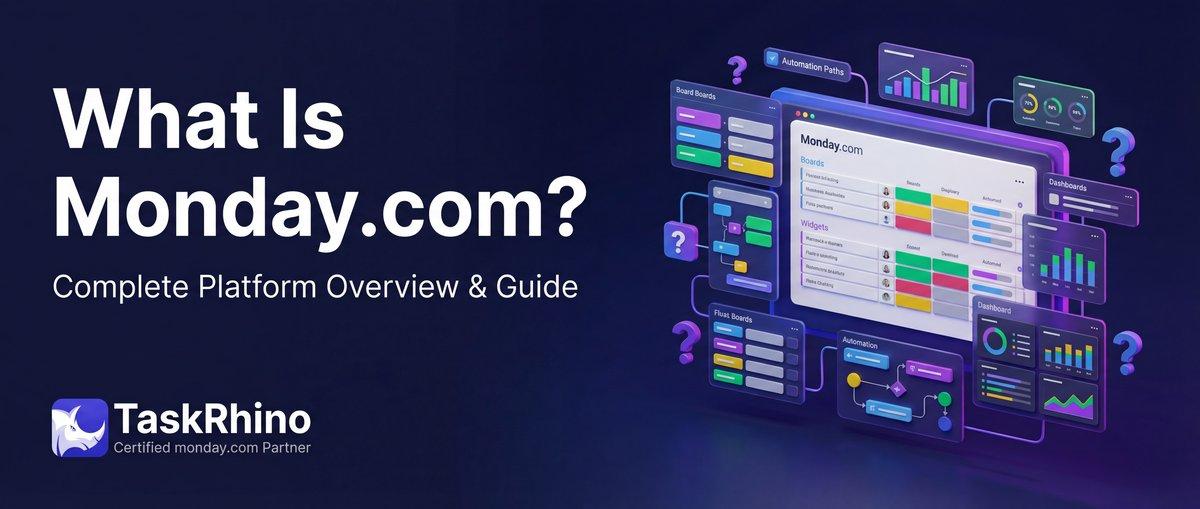
What Is Monday.com? The Complete 2026 Guide (From a Certified Partner)
monday.com is a Work Operating System — a fully customizable platform that lets teams build workflows for any process, not just project management. Think of it as the operating system for how work gets done across your organization.
From a 3-person marketing team tracking campaigns to a 10,000-seat enterprise managing portfolios across departments, monday.com adapts to how teams actually work. After implementing this platform for 110+ organizations at TaskRhino, I’ve seen it power everything from simple task boards to complex multi-department operations spanning CRM, dev sprints, and customer service.
Quick verdict: monday.com is the most flexible work platform you can get without hiring developers. It’s a Work OS, not just another project management tool. The no-code automation, visual interface, and ability to customize boards for any workflow make it powerful. But that flexibility comes with trade-offs — a 3-seat minimum pricing model, automation limits on lower tiers, and a learning curve for advanced features.
What Is monday.com, Really?
monday.com calls itself a Work Operating System, and that’s not marketing fluff. Unlike traditional project management tools that force you into rigid structures (tasks, subtasks, dependencies), monday.com gives you building blocks to construct workflows that match your actual processes.
Work OS means:
- Boards are fully customizable — not limited to “projects” or “tasks”
- Views let you see the same data 8+ different ways (Kanban, Timeline, Calendar, Chart, Map, Gantt)
- Automations handle repetitive work without code
- Integrations connect your entire tech stack
- Dashboards pull insights from multiple boards in one view
In our implementations, teams use monday.com for project management, yes — but also CRM pipelines, content calendars, product roadmaps, event planning, onboarding workflows, IT ticketing, hiring pipelines, budget tracking, and inventory management. One platform, infinite use cases.
Who Uses monday.com?
Over 225,000 organizations worldwide rely on monday.com. The platform scales from solo freelancers (on the 2-seat free plan) to enterprise teams with 10,000+ seats.
Team size breakdown:
- 63% small businesses (3-50 employees)
- 29% mid-market companies (50-1,000 employees)
- 8% enterprise organizations (1,000+ employees)
Industries we’ve seen adopt it:
- Technology companies (SaaS teams, dev agencies, product companies)
- Marketing and creative agencies (campaigns, client work, content production)
- Healthcare (clinic operations, patient workflows, compliance tracking)
- Finance (deal pipelines, client onboarding, compliance workflows)
- Education (course planning, student tracking, accreditation management)
- Manufacturing (production tracking, supply chain, quality control)
- Real estate (property management, deal tracking, agent coordination)
- Legal (case management, document workflows, client intake)
The platform’s flexibility means it works across industries. What matters more is team size and workflow complexity than vertical.
The Four Core Products
monday.com isn’t one monolithic app anymore. It’s evolved into a product suite — each built on the same Work OS foundation but optimized for specific use cases.
monday Work Management
The flagship product. Build custom workflows for any team or process. Project management, operations, marketing campaigns, event planning — if you need to track work and collaborate, this is the product.
Who it’s for: Operations teams, PMOs, marketing teams, HR teams, anyone managing cross-functional work.
monday CRM
A sales CRM built on the Work OS platform. Manage leads, track deals, automate follow-ups, and visualize your sales pipeline. Recently added monday campaigns for AI-powered marketing campaign management.
Who it’s for: Sales teams, agencies managing client relationships, B2B teams tracking complex sales cycles.
monday dev
Built for software development teams. Agile sprints, roadmap planning, bug tracking, release management — all with integrations to GitHub, GitLab, Jira, and other dev tools.
Who it’s for: Product teams, engineering teams, dev agencies. (Though pure dev teams often stick with Jira for deeper code-level integration.)
monday service
Customer service and ticketing platform. Manage support requests, track SLAs, automate ticket routing, and connect to customer communication channels.
Who it’s for: Support teams, IT teams, service organizations managing high volumes of customer requests.
Note: Each product is priced separately and can work standalone or together. You’re not paying for features you don’t need.
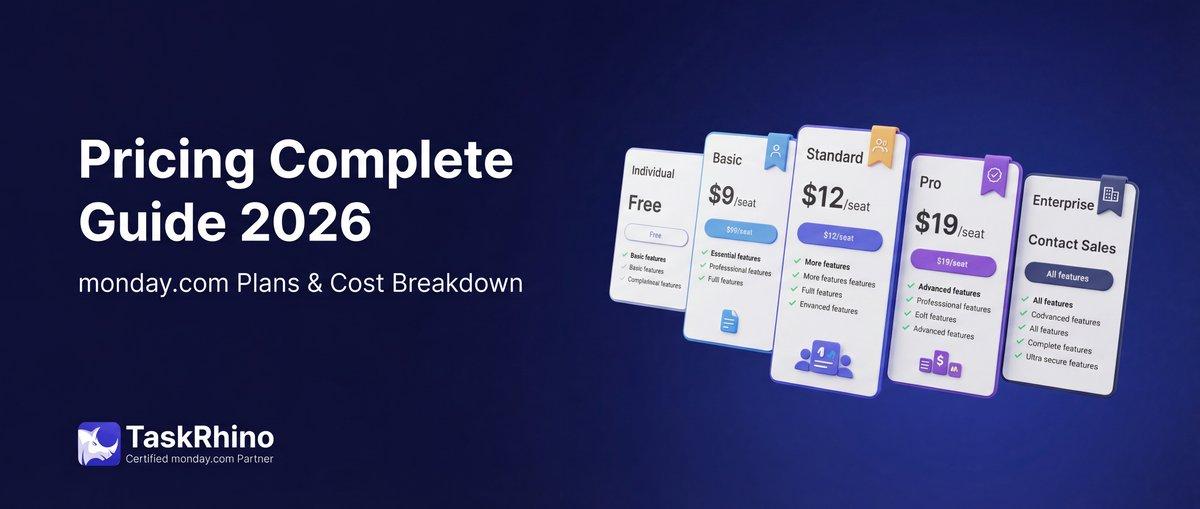
Pricing Breakdown [2026]
monday.com uses per-seat pricing across all products. Paid plans start at 3 seats minimum (a common pain point for solo users and 2-person teams).
| Plan | Price (Annual) | Best For | Key Limits |
|---|---|---|---|
| Free | $0 | Individuals, freelancers testing the platform | Up to 2 seats, 3 boards max, 8 column types, basic features only |
| Basic | $9/seat/month | Small teams starting out | 250 automations/month, 250 integrations/month, 5GB storage, dashboard limited to 1 board |
| Standard | $12/seat/month | Growing teams needing Timeline, Calendar, Guest access | 250 automations/month, 250 integrations/month, AI Sidekick (lite), dashboard combines 5 boards |
| Pro | $19/seat/month | Teams with complex workflows, private boards, advanced features | 25,000 automations/month, 25,000 integrations/month, formula columns, time tracking, chart view, dashboard combines 20 boards |
| Enterprise | Custom pricing | Large organizations needing security, governance, advanced AI | 250,000 automations/month, 250,000 integrations/month, portfolio management, resource management, multi-level permissions, SSO, advanced security, dashboard combines 50 boards |
Key pricing notes:
- 3-seat minimum on all paid plans (even if you have 1 person, you pay for 3)
- Seats are sold in multiples of 5 after the initial 3 (4-person team pays for 5 seats)
- 18% discount if you pay annually vs. monthly
- Unlimited free viewers (read-only access for stakeholders)
- Automation and integration actions are monthly limits that reset each month
What this means in practice: A 10-person team on the Pro plan pays $190/month ($1,900 billed annually). That includes 25,000 automation actions per month, which sounds like a lot but can get eaten up fast if you’re automating notification emails or status updates across multiple boards.
For current pricing details, check monday.com’s official pricing page.
See How BoardBridge Handles This Workflow
Book a free demo to see BoardBridge solve this exact problem — live, with your data.
Key Features Deep Dive
Boards — The Foundation
Boards are where all work lives. Unlike rigid project management tools, a monday.com board can represent anything: a project, a CRM pipeline, a content calendar, an inventory tracker, a hiring funnel.
Anatomy of a board:
- Items (rows) — individual tasks, leads, projects, inventory items, whatever you’re tracking
- Columns (fields) — customizable data fields with 20+ column types
- Groups — organize items into categories (phases, departments, priority levels)
- Automations — rules that trigger actions when conditions are met
- Views — different ways to visualize the same data
Example: A marketing board might have items for each campaign, columns for status/owner/budget/launch date, groups for Q1/Q2/Q3/Q4 campaigns, and automations that notify the team when a campaign status changes to “Live.”
Views — 8+ Ways to See Your Data
The same board can be viewed in multiple layouts. This is where monday.com separates from basic task lists — your data layer stays consistent, but the presentation adapts to what you need.
| View | What It Shows | Best For |
|---|---|---|
| Main Table | Classic spreadsheet layout with rows and columns | Detailed data entry, bulk editing, default view |
| Kanban | Cards organized in columns by status or category | Agile workflows, sales pipelines, visual task management |
| Timeline | Horizontal bars showing start/end dates on a calendar | Project planning, resource allocation, Gantt-style views |
| Gantt | Dependencies and critical path analysis | Complex project scheduling, identifying bottlenecks |
| Calendar | Items displayed on a monthly/weekly calendar | Event planning, content calendars, deadline tracking |
| Chart | Visual graphs (bar, line, pie) based on board data | Reporting, metrics visualization, executive dashboards |
| Map | Geographic view of items with location data | Field teams, sales territories, real estate properties |
| Workload | Team capacity across time periods | Resource management, balancing team workload |
Why this matters: In one implementation for a healthcare client, the same board powered a Kanban view for ops teams, a Calendar view for scheduling, and a Chart view for executive reporting — all from one data source. No duplicate boards, no manual syncing.
Automations — 250+ Pre-Built Recipes
Automations eliminate repetitive work. monday.com offers 250+ automation recipes you can customize without writing code.
Common automation patterns:
- Status changes: When status changes to “Done,” notify the project manager
- Due dates: 3 days before due date, send a reminder to the item owner
- Assignments: When a new item is created, assign it to a specific person
- Cross-board: When deal status changes to “Won” in CRM board, create an item in the project board
- Recurring tasks: Every Monday, create a new item for weekly reporting
The catch: Automations are limited by your plan. Basic and Standard plans get 250 actions/month. Pro gets 25,000. Enterprise gets 250,000. An “action” is each time an automation runs — so if you have an automation that sends 3 emails when a status changes, that’s 3 actions.
In practice, teams on Basic/Standard plans hit the limit fast and either upgrade or become selective about which automations to keep active.
Integrations — 200+ Native Connections
monday.com integrates with 200+ apps including:
Popular integrations:
- Communication: Slack, Microsoft Teams, Gmail, Outlook
- File storage: Google Drive, Dropbox, OneDrive, Box
- Development: GitHub, GitLab, Jira, Bitbucket
- Marketing: HubSpot, Mailchimp, Google Ads, Facebook Ads
- Finance: QuickBooks, Xero, Stripe, PayPal
- Other PM tools: Asana, Trello, ClickUp (for migrations)
- Automation platforms: Zapier, Make (formerly Integromat), Workato
Integration limits: Like automations, integrations count as actions. Each data sync or trigger uses one action from your monthly limit.
Dashboards — Cross-Board Insights
Dashboards aggregate data from multiple boards into one visual reporting hub. Add widgets for charts, numbers, timelines, tables — customize the layout to show what stakeholders need.
Dashboard limits by plan:
- Basic: 1 board per dashboard
- Standard: 5 boards per dashboard
- Pro: 20 boards per dashboard
- Enterprise: 50 boards per dashboard
Use case: An agency dashboard pulling data from 10 client project boards, showing budget burn rate, task completion, and upcoming deadlines — all in one view for the account director.
Docs — Collaborative Documentation
monday Docs are real-time collaborative documents (like Google Docs or Notion) that live inside the platform. Embed board data, link to items, and turn discussions into actionable tasks without leaving the doc.
Why it’s useful: In traditional setups, you write project briefs in Google Docs, manage tasks in monday.com, and constantly switch contexts. Docs bring documentation into the workflow.
WorkForms — Data Collection Forms
WorkForms are customizable forms that feed data directly into monday.com boards. Use them for lead capture, feedback collection, intake requests, event registrations.
The limitation: WorkForms can only create new items — they can’t update existing items. This is a major pain point in the monday.com community (6.5 years of forum threads, 15,000+ views). If you need forms that update existing items, you’ll need a third-party tool like BoardBridge, SuperForm, or Fillout.
Custom Fields — 20+ Column Types
monday.com supports 20+ column types to structure your data:
Basic columns:
- Text, Numbers, Long Text, Email, Phone, Link
Advanced columns:
- Status (color-coded dropdowns)
- People (assign team members)
- Date, Timeline (start/end dates)
- Dropdown (single or multi-select)
- Rating, Vote
- Formula (calculations based on other columns)
- Mirror (pull data from connected boards)
- Dependency (link items and create critical paths)
- Files (attach documents directly to items)
- Time Tracking
- Location (address with map integration)
- Color Picker, Country, World Clock
Why column variety matters: The right column types let you structure data the way your team thinks. A sales team needs People, Status, Timeline, and Formula columns. An event planning team needs Location, Date, Files, and Long Text columns. Flexibility is the point.
Need Help With Your monday.com Setup?
TaskRhino has implemented monday.com for 110+ teams. Get a free consultation.
What Makes monday.com Different
1. Flexibility — Build Workflows That Match Your Process
Most PM tools impose a structure: projects → tasks → subtasks. monday.com says: here are building blocks, configure them how you want.
This flexibility is powerful but requires upfront thinking. In our implementations, the first question is always “What does success look like for this workflow?” — not “How do we fit your workflow into the tool?”
2. No-Code Automation
You don’t need a developer to automate workflows. The automation center uses natural language recipes: “When status changes to X, notify Y, and move item to Z board.”
Compare that to Zapier-based automation (which requires external setup, extra cost, and more technical know-how). monday.com automations are built into the platform.
3. Visual Interface
monday.com prioritizes visual clarity. Color-coded statuses, drag-and-drop boards, visual timelines — the interface is designed for quick comprehension. Non-technical teams adopt it faster than tools like Jira or Smartsheet.
4. The Work OS Concept
This is the differentiator. monday.com isn’t competing with Asana or ClickUp on feature parity. It’s positioning as the operating system for work — the platform that replaces spreadsheets, email threads, and disconnected tools across your organization.
Whether that’s true depends on your needs. For mid-market teams managing complex cross-functional work, yes. For small teams with simple task lists, probably overkill.
Pros — What monday.com Does Well
Based on 110+ implementations, here’s where monday.com excels:
| Strength | Why It Matters |
|---|---|
| Extremely customizable | Adapts to any workflow — CRM, project management, operations, event planning, content calendars, product roadmaps. One platform, infinite configurations. |
| Intuitive UI | Non-technical teams get up to speed fast. Visual, color-coded, drag-and-drop interface beats Jira’s complexity and Smartsheet’s spreadsheet feel. |
| Powerful automations | 250+ recipes cover most repetitive tasks. No-code setup means ops teams can build automations without dev resources. |
| Great integrations | 200+ native integrations + Zapier/Make support. Connects to the tools teams already use. |
| Scalable | Works for 3-person startups and 10,000-seat enterprises. Scales as your team grows. |
| Multiple views | 8+ views (Kanban, Timeline, Gantt, Calendar, Chart, Map, Workload) mean everyone sees data their way. |
| Dashboards | Cross-board reporting without exporting to spreadsheets. Real-time insights for stakeholders. |
| Strong mobile apps | iOS and Android apps are fully functional — not watered-down versions. |
Cons — Where monday.com Falls Short
No platform is perfect. Here’s where monday.com has limitations:
| Weakness | What It Means for You |
|---|---|
| 3-seat minimum | Solo freelancers and 2-person teams pay for seats they don’t use. The free plan caps at 2 seats and 3 boards — not viable for real work. |
| Gets expensive at scale | A 50-person team on Pro pays $950/month. Enterprise pricing for 200+ seats can exceed $5,000/month. Compare that to ClickUp’s unlimited plan at flat rates. |
| Automation limits | Basic/Standard plans (250 actions/month) run out fast. Pro (25,000 actions) is better but still finite. You’ll hit limits if you automate heavily. |
| WorkForms are limited | Forms only create items, can’t update existing items. No conditional logic on Basic plans. No advanced features like payments or e-signatures. (This is where BoardBridge fits — forms that update existing items, conditional logic on all plans, multi-board mapping.) |
| Learning curve for advanced features | Simple boards are easy. Complex automations, formula columns, cross-board connections, and dashboards require training. Teams often need consulting help (like TaskRhino) to unlock advanced capabilities. |
| Reporting is board-centric | Advanced cross-board reporting requires Enterprise plan. Mid-tier plans have dashboard limits that constrain multi-board analysis. |
| No built-in time tracking on lower tiers | Time tracking is a Pro+ feature. Basic/Standard users need integrations like Toggl or Harvest. |
Who Should Use monday.com
Ideal for:
| Team Type | Why It Works |
|---|---|
| Operations teams | Need cross-functional workflows, automation, dashboards. monday.com consolidates multiple tools into one platform. |
| Marketing teams | Content calendars, campaign tracking, asset management, approval workflows — all visual and customizable. |
| PMOs (Project Management Offices) | Portfolio-level reporting, resource management, cross-project dependencies. Enterprise features support large-scale PMOs. |
| Agencies | Client project tracking, time tracking (Pro+), dashboards for client reporting, integrations with creative tools. |
| Mid-market companies (50-500 employees) | Need flexibility across departments. Work OS approach lets each team customize without buying separate tools. |
| Teams replacing spreadsheets | If you’re managing workflows in Excel/Google Sheets, monday.com upgrades you to automation, collaboration, and real-time visibility. |
monday.com vs alternatives:
- vs Asana: monday.com is more flexible and visual. Asana is simpler for straightforward task management. Read the full comparison.
- vs ClickUp: ClickUp offers more features at lower cost but feels overwhelming. monday.com is cleaner but pricier. See ClickUp vs monday.com breakdown.
- vs Trello: Trello is simple Kanban boards. monday.com is a full Work OS with automations, dashboards, and multiple views. Compare Trello vs monday.com.
- vs Jira: Jira is built for dev teams with deep issue tracking. monday.com works for broader project management. See Jira vs monday.com.
- vs Notion: Notion is docs + databases. monday.com is workflow management with automation and integrations. Read Notion vs monday.com.
For deeper dives, check out our reviews of Asana, ClickUp, and Jira.
Who Should NOT Use monday.com
Not ideal for:
| Team Type | Why It Doesn’t Fit |
|---|---|
| Solo freelancers | 3-seat minimum on paid plans means you pay for seats you don’t use. The free plan (2 seats, 3 boards) is too limited for real work. Consider Trello, Notion, or ClickUp’s free tier instead. |
| Pure dev teams | If you’re managing sprints, backlogs, and code-level issues, Jira or Linear offer deeper developer workflows. monday dev is solid but not as specialized. |
| Budget-constrained tiny teams | If you’re a 5-person startup watching every dollar, ClickUp or Asana offer more features at lower cost. monday.com’s value shows at scale. |
| Teams needing advanced form capabilities | WorkForms are basic. If you need forms that update existing items, conditional logic, payments, or e-signatures, you’ll need a third-party form tool or BoardBridge. |
| Organizations with strict on-premise requirements | monday.com is cloud-only. If regulatory requirements mandate on-premise deployment, this won’t work. |
Real-World Use Cases from 110+ Implementations
Use Case 1: Healthcare Clinic — Patient Onboarding Workflow
Challenge: Manual patient intake, scattered forms, delays in getting patient info to clinical staff.
Solution: Built a monday.com board for patient onboarding with statuses for “Form Submitted,” “Insurance Verified,” “Appointment Scheduled,” “Pre-Visit Complete.” WorkForms captured intake data. Automations notified staff when forms were submitted and triggered insurance verification tasks.
Result: Onboarding time dropped from 5 days to 2 days. Clinical staff had patient data before appointments instead of scrambling day-of.
Use Case 2: SaaS Company — Product Roadmap Management
Challenge: Product, engineering, and marketing teams had roadmaps in separate tools (Notion, Jira, spreadsheets). No single source of truth.
Solution: Migrated roadmap to monday dev. Engineering tracked sprints and releases. Product managed feature requests and prioritization. Marketing tracked launch campaigns tied to releases. Dashboards showed cross-team alignment.
Result: Reduced “Where’s the roadmap?” questions by 80%. Launch coordination improved because marketing could see dev progress in real time.
Use Case 3: Marketing Agency — Client Campaign Tracking
Challenge: 20+ active clients, each with multiple campaigns. Tracking deliverables, approvals, budgets, and deadlines across spreadsheets and email.
Solution: Built individual client boards with statuses for campaign phases (Planning, In Progress, Review, Launched). Automations sent client approvals via WorkForms. Dashboards aggregated all client work for the agency director.
Result: Eliminated missed deadlines. Client satisfaction increased because the team had visibility into every campaign stage.
Use Case 4: Finance Team — Budget Management Across Departments
Challenge: Department budgets tracked in Excel. No real-time visibility into spend. Quarterly reporting required manual data consolidation.
Solution: Created budget boards for each department with columns for budget category, allocated amount, spent amount, remaining (formula column), and owner. Dashboards pulled budget health across all departments.
Result: Finance team cut quarterly reporting time from 2 weeks to 3 days. Department heads could see budget status in real time instead of waiting for reports.
Use Case 5: Real Estate Firm — Deal Pipeline Management
Challenge: Sales team tracked deals in a mix of spreadsheets, CRM, and email. No visibility into pipeline health or next steps.
Solution: Deployed monday CRM. Deal pipeline with stages (Lead, Qualified, Proposal, Negotiation, Closed Won, Closed Lost). Automations triggered follow-up tasks. Dashboards showed pipeline value, conversion rates, and deals at risk.
Result: Closed deal cycle time dropped by 15%. Sales manager had real-time pipeline visibility instead of weekly status meetings.
Stop Creating Duplicates
BoardBridge forms update existing items — no Enterprise plan, no workarounds, no duplicates.
Frequently Asked Questions
How do enterprise accounts configure granular board roles in monday.com to prevent unauthorized changes while maintaining collaboration in 2026?
Enterprise accounts in monday.com now support precise board roles such as editor, contributor, assigned contributor, and viewer, allowing project managers to control board structure, task managers to update work items, and requesters to track progress without altering data. This feature, introduced in January 2026, integrates with existing permissions for enhanced governance across complex workflows. For advanced role-based access in multi-board environments, TaskRhino recommends BoardBridge to automate role assignments based on user skills and project phases.
What are the key differences between classic automations and monday workflows for building complex cross-board processes?
Monday workflows extend classic automations by supporting drag-and-drop triggers, conditions, delayed actions, and data from previous steps across multiple boards or workspaces, ideal for intricate processes like sales pipelines or service requests. Unlike basic automations, workflows enable intelligent control for team transitions and platform integrations. BoardBridge enhances this by providing pre-built workflow templates that scale for enterprise use, reducing setup time by up to 50%.
How does monday.com’s AI Blocks integrate with board columns and automations for predictive workflow insights in 2026?
AI Blocks in monday work management embed actions like categorize, summarize, sentiment detection, translation, or custom prompts directly into columns and automations on boards, supporting Text, Date, Numbers, Dropdown, People, and Status columns. Autofill with AI applies these actions natively, while AI templates kickstart projects with preconfigured AI-ready columns for faster execution. Pair with BoardBridge for AI-driven portfolio oversight that connects daily tasks to strategic goals across departments.
In what ways does monday work management’s portfolio visibility align daily tasks with organizational goals for cross-department teams?
Monday work management provides portfolio dashboards as a single source of truth, linking individual boards to high-level objectives with real-time data, resource allocation views, and AI-powered risk detection to prevent delays. Features like instant view switching and skill-based resource tracking ensure leaders spot overloads and reallocate dynamically without silos. BoardBridge amplifies this by automating portfolio syncing from multiple workspaces, offering executive-ready visualizations.
How can monday.com’s no-code customization and 200+ integrations unify a fragmented tech stack for scalable growth?
With no-code customization, teams build tailored workflows, dashboards, and automations that adapt to processes without technical debt, while 200+ native integrations sync data from tools like Jira, Slack, GitHub, Outlook, and Microsoft Teams automatically. This scalable cloud architecture supports thousands of users with 99.9% uptime and enterprise security like SOC 2 Type II and GDPR compliance. TaskRhino’s BoardBridge solution bridges gaps in complex integrations, ensuring seamless data flow across legacy systems.
What enterprise-grade security controls does monday.com offer for AI features and multi-team collaboration in 2026?
Monday.com provides granular permissions, account-level AI toggles, data region adherence, and compliance with SOC 2 Type II, GDPR, and ISO standards, ensuring AI respects existing roles and processes sensitive data securely. New board roles for enterprise accounts add precise controls like viewer-only access to protect structure during collaboration. BoardBridge extends this with audit-ready automation logs for regulated industries, simplifying compliance reporting.


Editor's Choice
monday.com Pricing 2026: Complete Guide

Salesforce to Twenty Data Migration: Best Practices and Strategy
How to Self-Host Twenty CRM on AWS: Step-by-Step Guide