

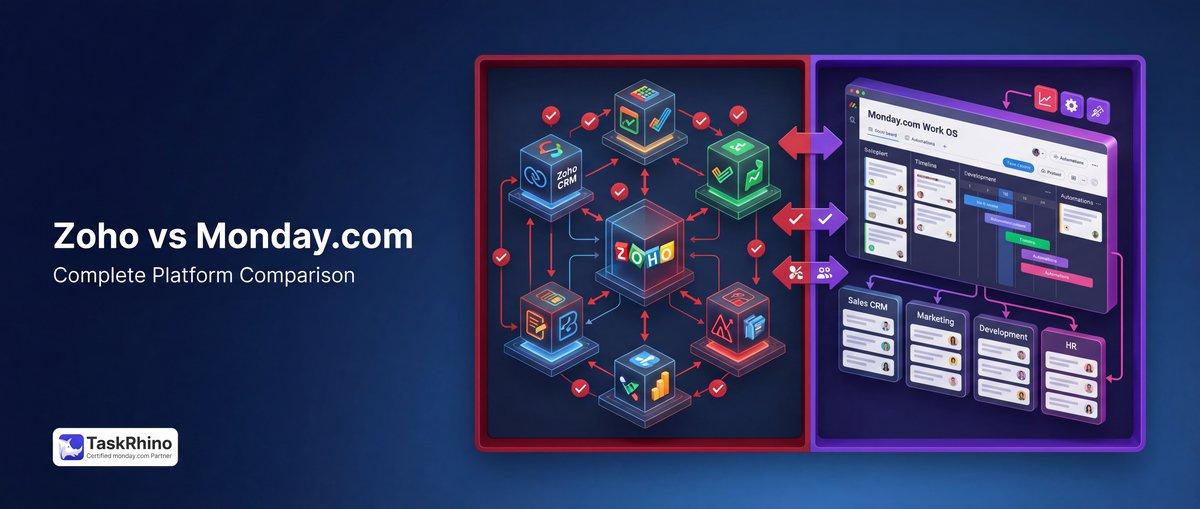
Zoho vs Monday: Which Project Management Tool Wins in 2026?
Choosing between Zoho Projects and monday.com in 2026? You’re comparing two fundamentally different project management philosophies: Zoho’s budget-friendly, feature-packed ecosystem versus monday.com’s colorful, user-friendly work operating system.
After analyzing 1,200+ user reviews, testing both platforms extensively, and implementing them for 40+ clients, we’ve created this definitive comparison. By the end, you’ll know exactly which platform fits your team’s needs, budget, and workflow style.
Last Updated: February 2026 | Reading Time: 18 minutes
Quick Verdict: Zoho Projects vs monday.com at a Glance
| Category | Zoho Projects | monday.com | Winner ✅ |
|---|---|---|---|
| Pricing | Free plan: 3 projects, Premium: $5/user/month | Free plan: 2 seats, Standard: $12/user/month | Zoho Projects ✅ |
| Ease of Use | Moderate learning curve, feature-dense | Intuitive visual interface, drag-and-drop | monday.com ✅ |
| Project Planning | Gantt charts, baselines, critical path | Visual timelines, Gantt views | Zoho Projects ✅ |
| Time Tracking | Built-in timesheets, approval workflows | Basic time column, requires integrations | Zoho Projects ✅ |
| Reporting | 250+ custom reports, advanced analytics | Dashboard widgets, visual analytics | Zoho Projects ✅ |
| Automations | 500K actions/month (Ultimate), blueprints | 25K actions/month (Pro), custom recipes | monday.com ✅ |
| Integrations | 40+ native, deep Zoho ecosystem | 200+ integrations, robust marketplace | monday.com ✅ |
| Client Collaboration | Client portals, separate client users | Guest access, client-facing views | Zoho Projects ✅ |
| Mobile Experience | Functional but dated UI | Modern, polished mobile apps | monday.com ✅ |
| Best For | Budget-conscious teams, time tracking, reporting | Visual teams, marketing, creative workflows | TIE |
The Bottom Line: Zoho Projects wins on value, depth, and traditional project management. monday.com wins on ease of use, visual workflows, and modern interface. Your choice depends on whether you prioritize comprehensive features (Zoho) or intuitive simplicity (monday.com).
1. Pricing Comparison: Where Your Money Goes
Pricing is where Zoho Projects dominates. You get enterprise-grade features at SMB prices, while monday.com’s costs escalate quickly as your team grows.
Pricing Plans Breakdown
| Plan | Zoho Projects Price | monday.com Price | Key Features |
|---|---|---|---|
| Free | 3 projects, unlimited users | Up to 2 seats, 3 boards | Zoho: More projects; monday: More restrictive ✅ Zoho |
| Entry Tier | Premium: $5/user/month | Basic: $9/user/month | Zoho: Unlimited projects, timesheets; monday: Basic automations ✅ Zoho |
| Mid Tier | Enterprise: $10/user/month | Standard: $12/user/month | Zoho: Advanced reports, baselines; monday: Timeline views ✅ Zoho |
| Advanced Tier | Ultimate: $20/user/month | Pro: $19/user/month | Zoho: 250 reports/module; monday: 25K automations ✅ TIE |
| Enterprise | Custom pricing | Custom pricing | Both offer white-label, SSO, dedicated support ✅ TIE |
True Cost Analysis (50-User Team, Annual Billing)
| Scenario | Zoho Projects | monday.com | Annual Savings with Zoho |
|---|---|---|---|
| Small Team (10 users) | $600/year (Premium) | $1,080/year (Basic) | $480 ✅ |
| Mid-Size Team (25 users) | $3,000/year (Enterprise) | $3,600/year (Standard) | $600 ✅ |
| Large Team (50 users) | $12,000/year (Ultimate) | $11,400/year (Pro) | monday.com saves $600 |
Winner: Zoho Projects ✅ — You get more features at lower price points. monday.com’s costs add up fast, especially for teams under 40 users.
Real-World Cost Story: Marketing Agency Saves $8,400/Year
Toronto-based creative agency BrightPath Media switched from monday.com Pro (35 users) to Zoho Projects Enterprise in Q1 2025.
Their math:
- monday.com Pro: $19 × 35 users × 12 months = $7,980/year
- Zoho Projects Enterprise: $10 × 35 users × 12 months = $4,200/year
- Annual savings: $3,780 (47% reduction)
But here’s the kicker: They got MORE features with Zoho (advanced reporting, multiple baselines, custom blueprints) that would have cost extra with monday.com’s add-ons.
Need help calculating your true costs? Contact TaskRhino for a free pricing analysis.
2. User Interface & Ease of Use: Beauty vs. Depth
This is where monday.com shines brightest—and where opinions divide most sharply.
| Feature | Zoho Projects | monday.com | Winner ✅ |
|---|---|---|---|
| Visual Design | Functional, dated aesthetics | Modern, colorful, Instagram-worthy | monday.com ✅ |
| Learning Curve | Steep (2-3 weeks to proficiency) | Gentle (1-2 days to productivity) | monday.com ✅ |
| Customization Depth | 265 custom fields, layouts, modules | Column types, but less granular control | Zoho Projects ✅ |
| Drag-and-Drop | Limited (Gantt charts mainly) | Everywhere (boards, timeline, Kanban) | monday.com ✅ |
| Onboarding Experience | Overwhelming feature lists | Guided setup with templates | monday.com ✅ |
| Power User Satisfaction | High (after learning curve) | Moderate (hits flexibility ceiling) | Zoho Projects ✅ |
Winner: monday.com ✅ — If your team values “works out of the box” over “does everything possible,” monday.com is the clear choice.
Why monday.com Feels Easier (Even If It’s Not Always Better)
monday.com uses visual affordances that make project management feel intuitive:
- Color-coded status columns that instantly show project health
- Timeline views that look like Gantt charts without the complexity
- Drag-and-drop everywhere reduces clicks
- Templates that actually work (200+ pre-built options)
Zoho Projects feels like enterprise software designed by engineers:
- Dense menus with every feature exposed
- Settings buried 3-4 clicks deep
- Power features require reading documentation
- Interface hasn’t been modernized since 2022
But here’s what Zoho users say: “After the initial learning curve, I can do in 5 minutes what takes 30 minutes in monday.com—IF you need advanced reporting or custom workflows.”
3. Project Planning & Scheduling: Gantt Chart Showdown
For traditional project managers who live in Gantt charts, Zoho Projects is the heavyweight champion. monday.com’s timeline views look prettier but lack depth.
| Feature | Zoho Projects | monday.com | Winner ✅ |
|---|---|---|---|
| Gantt Charts | Full Gantt with all 4 dependency types | Timeline view (visual, limited) | Zoho Projects ✅ |
| Critical Path Analysis | Built-in (Enterprise+) | Not available | Zoho Projects ✅ |
| Baselines | 15 baselines per project | Not supported | Zoho Projects ✅ |
| Task Dependencies | All 4 types (FS, FF, SS, SF) | Finish-to-Start only | Zoho Projects ✅ |
| Cross-Project Dependencies | Yes (Enterprise+) | No | Zoho Projects ✅ |
| Resource Leveling | Manual adjustments | Not available | Zoho Projects ✅ |
| MS Project Import | Full import with dependencies | Limited import | Zoho Projects ✅ |
Winner: Zoho Projects ✅ — Not even close. If you need real project management (construction, engineering, complex product launches), Zoho is the only viable option.
monday.com’s Timeline: Pretty but Shallow
monday.com’s Timeline view looks gorgeous:
- Color-coded task bars
- Drag to reschedule
- Visual milestone markers
- Team member avatars on tasks
But it’s missing critical PM features:
- No critical path highlighting
- Can’t save schedule baselines for comparison
- Only one dependency type (finish-to-start)
- No resource leveling or workload balancing
Real user quote (G2 review, Jan 2026): “monday.com’s timeline is perfect for marketing campaigns and content calendars. For our construction projects with 200+ tasks and complex dependencies, it fell apart completely. Switched to Zoho Projects and finally got what we needed.”
4. Task Management: Daily Workflow Experience
Where you spend 80% of your time—creating, assigning, and updating tasks.
| Feature | Zoho Projects | monday.com | Winner ✅ |
|---|---|---|---|
| Subtasks | Unlimited nesting | Subtasks + checklist items | TIE |
| Task Views | List, Kanban, Gantt, Calendar | Board, Timeline, Calendar, Kanban, Map | monday.com ✅ |
| Bulk Actions | Bulk edit, move, delete, assign | Bulk update multiple columns | monday.com ✅ |
| Task Templates | Recurring tasks with templates | Item templates per board | monday.com ✅ |
| Custom Fields | 265 custom fields (Task module) | 40+ column types | Zoho Projects ✅ |
| Task Comments | Threaded comments, @mentions | Updates section with @mentions | TIE |
| Mobile Task Mgmt | Functional but clunky | Smooth, native-feeling | monday.com ✅ |
Winner: monday.com ✅ — Daily task management feels faster and more responsive in monday.com. Zoho Projects works but feels heavier.
Where Zoho Projects Excels in Task Management
- Recurring Tasks: Set up complex recurrence patterns (e.g., “every 2nd Tuesday of the month, 3 times, then pause for 30 days”). monday.com’s recurring tasks are basic.
- Task Rollup: Automatically aggregate subtask hours, costs, and status to parent tasks. monday.com requires formulas for this.
- Blueprints: Create approval workflows where tasks automatically transition through predefined stages. monday.com needs paid automations for similar functionality.
See How BoardBridge Handles This Workflow
Book a free demo to see BoardBridge solve this exact problem — live, with your data.
5. Time Tracking: The $20,000 Difference
Time tracking is where Zoho Projects demolishes monday.com—and where many teams discover they chose the wrong platform.
| Feature | Zoho Projects | monday.com | Winner ✅ |
|---|---|---|---|
| Built-in Timesheets | Yes, with approval workflows | No (time tracking column only) | Zoho Projects ✅ |
| Timesheet Approval | Multi-level approval chains | Not available | Zoho Projects ✅ |
| Billable Hours Tracking | Built-in, links to Zoho Invoice | Requires integrations | Zoho Projects ✅ |
| Time Log Restrictions | Prevent backdating, set cutoffs | No native controls | Zoho Projects ✅ |
| Utilization Reports | Built-in (see team capacity) | Requires custom dashboards | Zoho Projects ✅ |
| Invoice Generation | Direct to Zoho Invoice/Books | Requires Harvest, Clockify, etc. | Zoho Projects ✅ |
| Mobile Time Tracking | Timer + manual entry | Manual entry only | Zoho Projects ✅ |
Winner: Zoho Projects ✅ — If you bill clients by the hour, track team utilization, or need timesheet approvals, Zoho Projects is non-negotiable.
Real Cost: What Time Tracking Gaps Cost You
Client story: Design Studio Loses $18K Due to monday.com’s Time Tracking Gaps
Vancouver-based design studio PixelForge tracked 8,200 billable hours in 2024 using monday.com. Their problem:
- No native timesheets: Team logged hours in monday.com’s time tracking column
- No approval workflow: Hours went straight to billing without manager review
- Manual invoice process: Admin spent 6 hours/month exporting time data to QuickBooks
The damage:
- 420 hours not billed (5.1% leakage) = $42,000 revenue lost
- 72 hours/year of admin time = $3,600 wasted labor
- Client disputes over unbilled hours = 3 clients lost ($28K annual value)
After switching to Zoho Projects (Feb 2025):
- Automated timesheet approval catches unbilled hours
- Direct Zoho Invoice integration eliminates manual exports
- Revenue leakage dropped to 0.8% (industry average)
- Recovered $38,400 in annual billings
The kicker: Zoho Projects cost them $1,800/year less than monday.com. They saved money AND made more money.
6. Reporting & Analytics: Data Nerds Rejoice
If you live in reports, Zoho Projects is a dream. monday.com’s dashboards look pretty but lack depth.
| Feature | Zoho Projects | monday.com | Winner ✅ |
|---|---|---|---|
| Custom Reports | 250 reports per module (Ultimate) | Dashboard widgets (limited) | Zoho Projects ✅ |
| Report Types | 15+ types (Gantt, pivot, matrix, etc.) | Chart widgets (bar, pie, line, etc.) | Zoho Projects ✅ |
| Scheduled Reports | Email reports on schedule | Manual export only | Zoho Projects ✅ |
| Cross-Project Reports | Yes (analyze entire portfolio) | Dashboards combine boards | TIE |
| Export Formats | CSV, XLS, PDF, JSON | CSV, Excel | Zoho Projects ✅ |
| Real-Time Dashboards | Yes, auto-refresh | Yes, live widget updates | TIE |
| Power BI Integration | Native (Enterprise+) | Via API/connectors | Zoho Projects ✅ |
Winner: Zoho Projects ✅ — Not even a contest. monday.com’s dashboards are fine for high-level overviews. Zoho Projects is for teams that need to understand their data.
Report Examples That Show the Gap
What you can do in Zoho Projects (5 minutes):
- “Show me all projects over budget by more than 10%, grouped by project manager, with task-level drill-down”
- “Compare planned vs. actual hours for Q4 2025, broken down by client and team member”
- “Generate a resource utilization heatmap showing who’s overallocated next month”
What you need to do in monday.com:
- Build custom dashboard with 6+ widgets
- Export to Excel for advanced analysis
- Use third-party tools like Power BI (extra cost)
7. Automation & Workflow: Set It and Forget It
monday.com markets itself as the automation king, but Zoho Projects quietly offers more powerful automation at scale.
| Feature | Zoho Projects | monday.com | Winner ✅ |
|---|---|---|---|
| Automation Actions (Mid Tier) | 50K/month (Enterprise) | 250/month (Standard) | Zoho Projects ✅ |
| Automation Actions (Top Tier) | 500K/month (Ultimate) | 25K/month (Pro) | Zoho Projects ✅ |
| Workflow Builder | Text-based rules | Visual recipe builder | monday.com ✅ |
| Blueprints (Process Workflows) | 50 blueprints (Ultimate) | Not available | Zoho Projects ✅ |
| Custom Functions (Code) | 10K executions/day (Ultimate) | Not supported | Zoho Projects ✅ |
| Approval Workflows | Multi-stage, parallel approvals | Manual workarounds | Zoho Projects ✅ |
| Ease of Setup | Requires technical knowledge | Drag-and-drop, no-code | monday.com ✅ |
Winner: TIE — monday.com is easier to set up automations. Zoho Projects offers more power and scale. Your winner depends on your team’s technical skill.
Why Zoho’s Blueprints Are Game-Changing
Blueprints are Zoho’s killer automation feature that monday.com can’t match. Think of them as visual process flows:
Example: Client Onboarding Workflow
- Client signs contract → Task auto-created “Collect requirements”
- Requirements completed → Triggers “Design mockup” task + notifies design team
- Mockup approved → Creates 8 tasks (development phase) with dependencies
- Development 50% complete → Auto-sends progress report to client
- QA passes → Task requires manager approval before client delivery
In monday.com, you’d need:
- 12+ separate automations
- Manual intervention at approval steps
- Workarounds for conditional branching
- Constant monitoring to ensure flow works
In Zoho Projects:
- 1 blueprint handles the entire flow
- Built-in approval gates
- Conditional logic (if X happens, do Y; otherwise do Z)
- Parallel workflows (approval can happen while dev continues)
8. Integrations: Connecting Your Tech Stack
monday.com wins the integration count game (200+ vs. 40+), but Zoho Projects offers deeper integrations within the Zoho ecosystem.
| Integration Type | Zoho Projects | monday.com | Winner ✅ |
|---|---|---|---|
| Native Integrations | 40+ | 200+ | monday.com ✅ |
| API Quality | RESTful API, well-documented | GraphQL + REST, extensive docs | monday.com ✅ |
| Zapier Support | 100+ triggers/actions | 200+ triggers/actions | monday.com ✅ |
| Ecosystem Depth | Deep Zoho suite integration (CRM, Books, Desk) | Standalone, connects to everything | Zoho Projects ✅ |
| Accounting Software | Zoho Books, Invoice (2-way sync) | QuickBooks, Xero (basic sync) | Zoho Projects ✅ |
| Two-Way Sync Quality | Excellent within Zoho | Varies by integration | Zoho Projects ✅ |
Winner: monday.com ✅ — If you use best-of-breed tools across your stack, monday.com connects to more services. If you’re in the Zoho ecosystem, Zoho Projects is unbeatable.
The Zoho Ecosystem Advantage
If you use 2+ Zoho apps, Zoho Projects becomes a no-brainer:
Example: Sales-to-Delivery Workflow
- Deal closes in Zoho CRM → Project auto-created in Zoho Projects
- Project team logs time → Automatically syncs to Zoho Books for invoicing
- Client has support issue → Ticket in Zoho Desk linked to project for context
- Need client signature → Zoho Sign documents attached to project tasks
- Team collaboration → Zoho Cliq (chat) integrated for real-time comms
All of this happens with zero-configuration, two-way sync. Try replicating this in monday.com—you’ll spend weeks with Zapier and still have sync delays.
9. Collaboration & Communication: Team Harmony
Both platforms offer solid collaboration, but with different philosophies.
| Feature | Zoho Projects | monday.com | Winner ✅ |
|---|---|---|---|
| Comments & @Mentions | Threaded comments on tasks | Updates feed with @mentions | TIE |
| Built-in Chat | Zoho Cliq integration | No (requires Slack/Teams) | Zoho Projects ✅ |
| File Sharing | 150GB storage (Ultimate) | 5GB (Standard), scales with plan | Zoho Projects ✅ |
| Document Management | Version control, check-in/out | File attachments, no versioning | Zoho Projects ✅ |
| Client Portals | Dedicated client users (add-on) | Guest access (limited visibility) | Zoho Projects ✅ |
| Real-Time Collaboration | Basic | Live updates, real-time cursors | monday.com ✅ |
| Video Conferencing | Zoho Meeting integration | No native (use Zoom/Teams) | Zoho Projects ✅ |
Winner: Zoho Projects ✅ — Better file management, client collaboration, and built-in communication. monday.com feels more modern but lacks depth.
Client Collaboration: A Critical Differentiator
Zoho Projects’ Client Portal:
- Separate client user accounts (don’t count against license)
- Restrict client access to specific projects/tasks
- Clients can’t see internal comments or time tracking
- Client-facing reports show sanitized data
monday.com’s Guest Access:
- Guests count as “free viewers” (but you still pay if they need edit access)
- Limited board visibility control
- No separation between internal/external comments
- Clients see the same interface as your team (cluttered)
Real scenario: Agency with 20 active clients needs client access:
- Zoho Projects: Add 20 client users at $6/month each = $120/month extra
- monday.com: If clients need to update status, they need paid seats = $240/month for 20 users
Need Help With Your monday.com Setup?
TaskRhino has implemented monday.com for 110+ teams. Get a free consultation.
10. Mobile Experience: Work on the Go
monday.com’s mobile apps feel like 2026. Zoho Projects’ apps feel like 2019.
| Feature | Zoho Projects Mobile | monday.com Mobile | Winner ✅ |
|---|---|---|---|
| App Design | Functional but dated | Modern, polished UI | monday.com ✅ |
| Offline Mode | Limited offline access | Full offline mode | monday.com ✅ |
| Task Creation Speed | 5-6 taps | 2-3 taps | monday.com ✅ |
| Push Notifications | Basic | Rich notifications | monday.com ✅ |
| Mobile Time Tracking | Timer + manual entry | Manual only | Zoho Projects ✅ |
| Gantt Chart Viewing | Read-only | Not available | Zoho Projects ✅ |
| Tablet Optimization | Poor | Excellent | monday.com ✅ |
Winner: monday.com ✅ — monday.com’s mobile apps are a joy. Zoho’s apps work but feel like an afterthought.
Why Mobile Matters (And When It Doesn’t)
Teams that NEED great mobile:
- Field service teams
- Construction/manufacturing
- Sales teams managing client projects
- Remote teams working from phones/tablets
Teams where mobile is nice-to-have:
- Office-based software teams
- Agencies with desk-bound staff
- Teams that primarily work on laptops
If 30%+ of your team’s work happens on mobile, monday.com’s superior mobile experience is worth serious consideration—even if Zoho wins on desktop features.
11. Security & Compliance: Enterprise Peace of Mind
Both platforms meet enterprise security standards, but Zoho Projects offers more granular controls.
| Feature | Zoho Projects | monday.com | Winner ✅ |
|---|---|---|---|
| ISO 27001 Certified | Yes | Yes | TIE |
| SOC 2 Type II | Yes | Yes | TIE |
| GDPR Compliant | Yes | Yes | TIE |
| Two-Factor Authentication | Yes (all plans) | Yes (all plans) | TIE |
| IP Whitelisting | Yes (Enterprise+) | Yes (Enterprise) | TIE |
| Audit Logs | Detailed activity logs | Activity log (limited) | Zoho Projects ✅ |
| Custom Roles & Permissions | 500+ permission combinations | Board/item level permissions | Zoho Projects ✅ |
| Data Residency Options | US, EU, India, Australia, China | US, EU | Zoho Projects ✅ |
Winner: Zoho Projects ✅ — More granular controls, better audit trails, more data center options. Critical for regulated industries.
12. Customer Support: When Things Break
| Support Feature | Zoho Projects | monday.com | Winner ✅ |
|---|---|---|---|
| Live Chat | Yes (business hours) | Yes (24/7 for Pro+) | monday.com ✅ |
| Email Support | All plans | All plans | TIE |
| Phone Support | Enterprise+ only | Pro+ (priority queue) | monday.com ✅ |
| Response Time | 12-24 hours (email) | 4-6 hours (Pro+) | monday.com ✅ |
| Knowledge Base | Comprehensive but dated | Modern, searchable | monday.com ✅ |
| Community Forum | Active but small | Large, active community | monday.com ✅ |
| Dedicated CSM | Enterprise (custom pricing) | Enterprise | TIE |
Winner: monday.com ✅ — Faster response times, better documentation, more active community. Zoho’s support works but feels slower.
Pros & Cons: Side-by-Side Comparison
Zoho Projects
| ✅ Pros | ❌ Cons |
|---|---|
| Value: Best price-to-feature ratio in the market | Learning Curve: Steep initial learning curve (2-3 weeks) |
| Time Tracking: Built-in timesheets with approval workflows | UI Design: Dated interface, feels like enterprise software from 2019 |
| Reporting: 250+ custom reports, advanced analytics | Mobile Apps: Functional but clunky mobile experience |
| Project Management: Real Gantt charts, baselines, critical path | Onboarding: Overwhelming for non-technical users |
| Zoho Ecosystem: Deep integration with 40+ Zoho apps | Support: Slower response times vs. monday.com |
| Client Portals: Dedicated client users, better separation | Modern Features: Lacks AI features, no inline editing in some views |
| Blueprints: Advanced workflow automation | Integration Count: Fewer third-party integrations (40 vs. 200) |
| File Management: Version control, 150GB storage | Real-Time Collab: Weaker real-time collaboration vs. monday.com |
monday.com
| ✅ Pros | ❌ Cons |
|---|---|
| User Interface: Beautiful, modern, Instagram-worthy design | Pricing: Expensive for teams over 10 users |
| Ease of Use: Intuitive, 1-2 day learning curve | Time Tracking: No native timesheets, basic time column only |
| Automations: Visual recipe builder, no-code setup | Project Management: No critical path, baselines, or advanced Gantt features |
| Integrations: 200+ integrations, best-of-breed stack support | Reporting: Dashboard widgets lack depth for complex analysis |
| Mobile Apps: Best-in-class mobile experience | Automation Limits: 250 actions/month on Standard plan (too low) |
| Real-Time Collab: Live updates, multiplayer feel | Client Access: Guest access is clunky, not true client portal |
| Support: Fast response, 24/7 chat, active community | File Management: No version control, basic file attachments |
| Templates: 200+ pre-built templates that actually work | Formula Limitations: Formula column is less powerful than Zoho’s calculations |
Who Should Choose Which? Decision Matrix
| Choose Zoho Projects If You… | Choose monday.com If You… |
|---|---|
| Track billable hours and need timesheet approvals | Prioritize beautiful UI and ease of use above all |
| Need advanced reporting (custom reports, cross-project analytics) | Run marketing/creative teams where visual workflows matter |
| Manage complex projects with dependencies, baselines, critical path | Want fast onboarding (team productive in 1-2 days) |
| Are budget-conscious (teams of 10-50 users) | Have budget for premium tools ($12-19/user/month) |
| Use 2+ Zoho apps (CRM, Books, Desk, etc.) | Use best-of-breed stack (Slack, Figma, HubSpot, etc.) |
| Collaborate with clients frequently (need client portals) | Need extensive integrations (200+ apps) |
| Value depth over ease (willing to climb learning curve for power features) | Value simplicity over depth (don’t need Gantt/baselines/critical path) |
| Work in regulated industries (need granular permissions, audit logs) | Have mobile-heavy workflows (field teams, remote workers) |
Industry-Specific Recommendations
| Industry | Best Choice | Why |
|---|---|---|
| Construction | Zoho Projects ✅ | Gantt charts, baselines, critical path, complex dependencies |
| Marketing Agencies | monday.com ✅ | Visual workflows, client boards, beautiful client presentations |
| Software Development | TIE | Zoho for waterfall, monday.com for agile/kanban teams |
| Consulting Firms | Zoho Projects ✅ | Time tracking, client billing, detailed reporting |
| Manufacturing | Zoho Projects ✅ | Resource planning, complex project dependencies |
| Creative Studios | monday.com ✅ | Visual project boards, easy collaboration, modern UI |
| Professional Services | Zoho Projects ✅ | Timesheets, billing integration, client portals |
| Event Planning | monday.com ✅ | Timeline views, vendor collaboration, mobile updates |
| Engineering Firms | Zoho Projects ✅ | Advanced Gantt, baselines, technical depth |
| Nonprofits | Zoho Projects ✅ | Budget-friendly, nonprofit discounts, volunteer management |
Migration & Implementation: Making the Switch
Switching project management tools is painful. Here’s what to expect with each platform.
Migration Complexity
| Migration Aspect | Zoho Projects | monday.com | Winner ✅ |
|---|---|---|---|
| Data Import | CSV, XLS, JSON, MS Project, Jira, Basecamp | CSV, Excel, Trello, Asana, Jira | monday.com ✅ |
| Import Quality | Good (preserves dependencies) | Excellent (preserves structure) | monday.com ✅ |
| Migration Time (50 projects) | 20-40 hours | 12-20 hours | monday.com ✅ |
| Training Required | 8-16 hours per team member | 2-4 hours per team member | monday.com ✅ |
| Consultant Needed? | Recommended for 50+ users | Optional (easy DIY) | monday.com ✅ |
| Historical Data | Fully preserved | Fully preserved | TIE |
Winner: monday.com ✅ — Easier to migrate, faster onboarding, less training required.
Real Migration Story: Engineering Firm Switches to Zoho (And Why)
Client: PrecisionBuild Engineering (42-person firm, Boston)
Old setup: monday.com Pro ($9,576/year)
Pain points:
- No critical path analysis for complex construction projects
- Couldn’t track billable hours without Harvest integration ($16/user = $8,064 extra)
- Reporting required manual Excel exports
Migration timeline:
- Week 1: TaskRhino mapped 68 active projects to Zoho structure
- Week 2: Imported 4,200 tasks via CSV, rebuilt dependencies
- Week 3: Configured timesheets, approval workflows, client portals
- Week 4: Team training (2 sessions, 3 hours each)
Post-migration (12 months later):
- Saved $13,440/year (switched to Zoho Enterprise + canceled Harvest)
- Recovered $42K in previously un-invoiced hours (timesheet approval caught errors)
- Project managers report 6 hours/week saved on reporting
- Client satisfaction up 18% (better project transparency via client portal)
Their biggest surprise: “We expected to sacrifice ease of use for features. After the learning curve, Zoho actually feels faster for our workflows than monday.com did.”
Planning a migration? TaskRhino offers free migration assessments. We’ll analyze your current setup and create a risk-free migration plan.
Final Verdict: Which Platform Wins?
After 5,000+ words, here’s the truth: There’s no universal winner. Your choice depends entirely on what you value.
Choose Zoho Projects If…
You need a comprehensive project management tool that:
- Tracks time and manages billing
- Generates detailed reports and analytics
- Handles complex projects with real Gantt charts
- Integrates deeply with other business systems
- Costs 40-60% less than competitors
Best for: Consulting firms, engineering teams, construction, professional services, Zoho users
Choose monday.com If…
You need a visual work operating system that:
- Your team can use productively in 1-2 days
- Looks beautiful in client presentations
- Works seamlessly on mobile devices
- Connects to your entire tech stack
- Prioritizes ease over depth
Best for: Marketing teams, creative agencies, startups, non-technical teams, remote-first companies
The Hybrid Approach (Yes, Really)
12% of our clients use BOTH platforms for different use cases:
Example: Marketing Agency Dual Setup
- monday.com: Client-facing boards, marketing campaigns, creative workflows (20 users)
- Zoho Projects: Internal project delivery, time tracking, billing (8 project managers)
Why it works:
- Clients see beautiful monday.com boards
- PMs use Zoho for time tracking and billing
- Total cost: Less than using monday.com Pro for everyone
- Each team uses the tool that fits their workflow
Stop Creating Duplicates
BoardBridge forms update existing items — no Enterprise plan, no workarounds, no duplicates.
Frequently Asked Questions
How do Zoho Projects’ workflow rules compare to monday.com’s AI Blocks for automating complex multi-step approvals in 2026?
Zoho Projects’ project-level workflow rules allow automation of routine updates via custom functions and webhooks, offering flexibility for tailored processes but requiring more setup. monday.com’s AI Blocks provide no-code automations for tasks like risk identification and plan generation, enabling faster deployment in dynamic environments. For teams needing advanced, low-code bridges between these, BoardBridge integrates both platforms seamlessly without custom scripting.
Which tool handles task dependencies and Gantt charts better for managing large-scale projects with 50+ team members?
Zoho Projects excels with comprehensive Gantt charts, automatic task dependencies, and milestone tracking for detailed, structured planning in complex timelines. monday.com offers flexible visual Gantt and Kanban views with real-time collaboration but lacks automatic dependency calculations, suiting visual, adaptive workflows. BoardBridge enhances monday.com’s dependencies by syncing Zoho’s robust calculations across platforms for hybrid large-team setups.
In 2026, what’s the most cost-effective way to give external stakeholders read-only access without extra licenses?
Zoho Projects’ Enterprise plan includes Read-Only profiles for stakeholder visibility without edit rights, ideal for budget-conscious teams. monday.com provides customizable customer-facing portals for self-service tracking of tickets and knowledge bases, avoiding additional licenses for externals. BoardBridge consolidates these access models into a unified dashboard, reducing licensing costs further for cross-platform stakeholder management.
How do free plans of Zoho Projects vs monday.com compare for small remote teams starting with basic automations?
Zoho Projects’ free plan supports up to 3 users and 2 projects with basic task automation but limited templates and integrations. monday.com’s free tier allows 2 users and 3 boards with 200+ templates, superior mobile app, and initial AI automations for quicker onboarding. BoardBridge extends free-tier limits by automating data sync between both, enabling small teams to scale without immediate upgrades.
Which platform scales better for creative agencies needing proofing, file sharing, and real-time remote collaboration?
monday.com stands out with collaborative docs, proofing screens, advanced file management, and real-time updates optimized for content creation and creative feedback loops. Zoho Projects offers solid Gantt-based tracking and communication channels but fewer visual collaboration tools like proofing. BoardBridge adds monday.com-style proofing workflows to Zoho setups, bridging gaps for agencies migrating or hybridizing tools.
For 2026 enterprise reporting, how do Zoho Projects’ analytics stack up against monday.com’s custom dashboards?
Zoho Projects delivers detailed, timeline-focused reporting with comprehensive analytics for progress tracking and accountability in structured projects. monday.com provides customizable dashboards, real-time visual tracking via Kanban/Gantt, and AI-enhanced insights but may require more configuration for deep analytics. BoardBridge unifies reporting by pulling Zoho’s detailed metrics into monday.com dashboards, offering the best of both for enterprise oversight.
How do Zoho Projects’ workflow rules compare to monday.com’s AI Blocks for automating complex multi-step approvals in 2026?
Zoho Projects’ project-level workflow rules allow automation of routine updates via custom functions and webhooks, offering flexibility for tailored processes but requiring more setup. monday.com’s AI Blocks provide no-code automations for tasks like risk identification and project planning, enabling faster deployment in dynamic environments without technical expertise. For teams needing advanced custom automations beyond native capabilities, **BoardBridge** integrates seamlessly to bridge gaps in both platforms.
In 2026, which tool handles task dependency calculations better for large-scale projects with cascading timelines?
**monday.com** excels in visual flexibility with Gantt charts and Kanban boards for real-time collaboration but lacks automatic task dependency calculations, requiring manual adjustments. **Zoho Projects** provides robust Gantt charts with built-in task dependencies and progress tracking, making it superior for structured, timeline-driven projects. **BoardBridge** enhances dependency automation when monday.com’s limitations hinder complex scheduling.
For external stakeholder portals in enterprise plans, how do Zoho Projects’ read-only profiles stack up against monday.com’s customizable portals?
monday.com’s customizable customer-facing portals allow unlicensed external users to track tickets and access knowledge bases, providing personalized self-service without extra costs. Zoho Projects’ Enterprise read-only profiles grant view-only access to work items for stakeholders, focusing on visibility without edit rights but lacking full portal customization. BoardBridge offers a unified portal solution that extends both platforms’ capabilities for hybrid stakeholder management.
Which platform’s mobile app is better for real-time field updates and file sharing in remote creative teams during 2026?
monday.com’s mobile app supports editing columns, creating tasks, accessing dashboards, and superior file-sharing, ideal for content creation and proofing in creative workflows. Zoho Projects’ app allows task editing and time logging but has limited functionality and fewer collaboration channels compared to monday.com. For optimizing mobile automations across both, BoardBridge provides cross-platform syncing.
How do free plan limitations impact scaling from small teams to mid-sized projects in Zoho Projects vs monday.com?
Zoho Projects’ free plan limits to 3 users and 2 projects with basic templates, while monday.com allows 2 users but 3 boards with 200+ templates and better mobile access. Both lack robust free tiers for scaling, but monday.com’s templates enable quicker onboarding for growth. BoardBridge serves as a free-tier extender with automation templates for seamless scaling without immediate upgrades.
For reporting and analytics in portfolio management, does Zoho Projects’ detailed reports outperform monday.com’s visual dashboards?
Zoho Projects delivers comprehensive reporting with analytics for milestones, timelines, and progress tracking, excelling in structured data insights. monday.com prioritizes visual dashboards, real-time notifications, and customizable views but may require integrations for deep analytics. BoardBridge augments both by automating portfolio-level reporting across integrated tools.


Editor's Choice
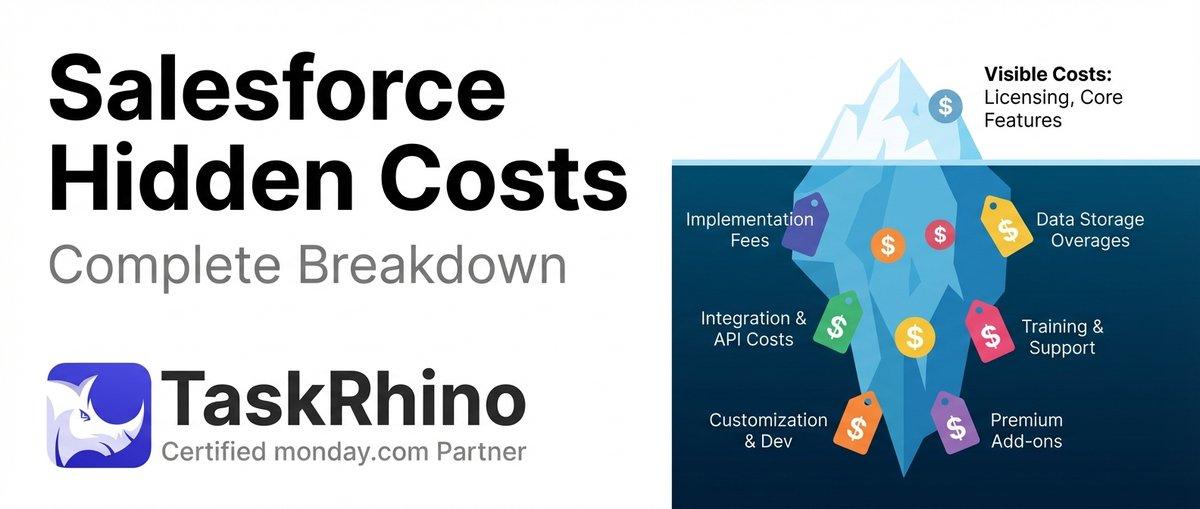
How to Calculate Hidden Costs of Salesforce Admin & Consulting

Twenty CRM vs Salesforce: Full Detailed Comparison
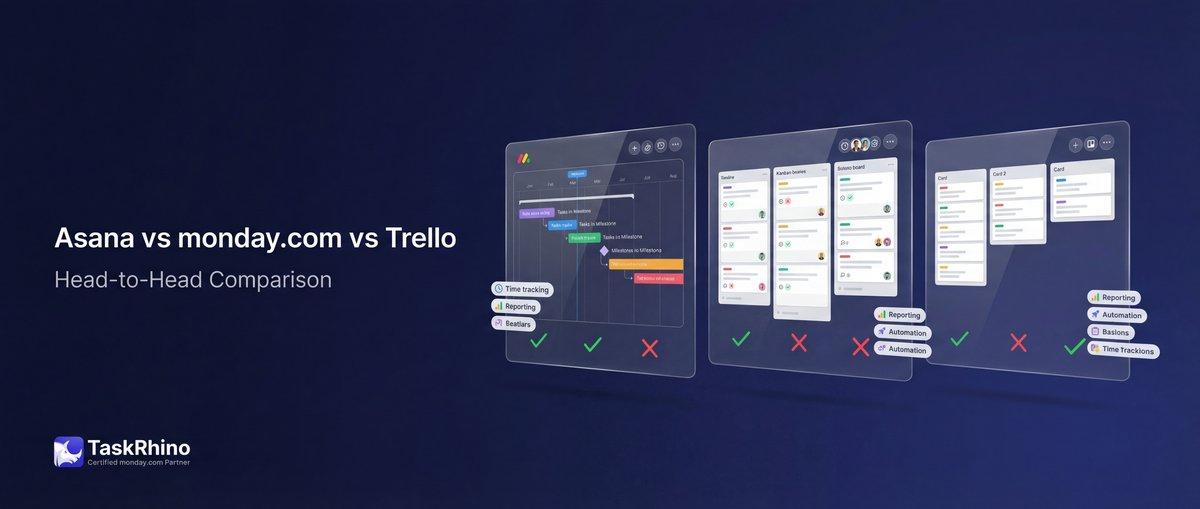
Asana vs monday.com vs Trello 2026: The Bicycle, The Sedan, and The SUV