

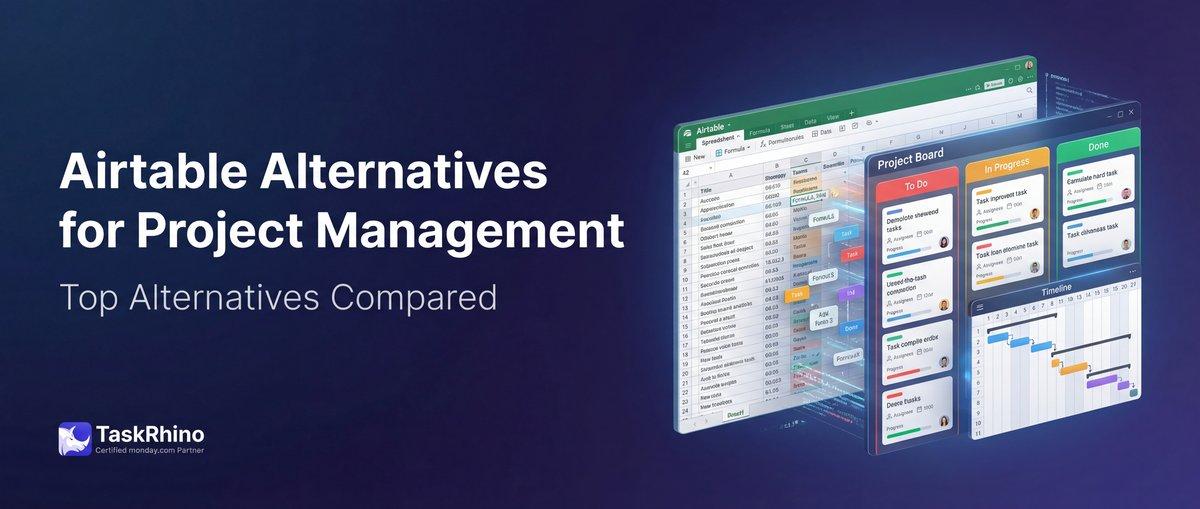
Top 10 Airtable Alternatives for Project Management in 2025
Airtable is expensive, hits record limits when you’re growing, and charges per seat even for read-only viewers. If you’re paying $24+ per user per month and running into 50,000-record caps on the Team plan or 125,000 on Business, you’ve probably started looking elsewhere.
This guide breaks down 7 alternatives — from monday.com’s workflow-first approach to open-source options like Baserow and NocoDB that eliminate vendor lock-in entirely. Each tool solves different problems. Some match Airtable’s database power but cost less. Others go beyond databases into full project management. And two let you self-host everything on your own infrastructure.
Quick Comparison: Airtable vs Top 7 Alternatives
| Tool | Best For | Starting Price | Free Plan |
|---|---|---|---|
| monday.com | Workflow automation + databases | $12/user/month | ✅ Up to 2 users |
| Notion | Doc-database hybrid | $10/user/month | ✅ Unlimited pages |
| ClickUp | All-in-one project management | $10/user/month | ✅ Unlimited tasks |
| Coda | Formula-powered documents | $12/user/month | ✅ Unlimited docs |
| Tool | Best For | Starting Price | Free Plan |
|---|---|---|---|
| Smartsheet | Enterprise spreadsheet workflows | $9/user/month | ✅ 1 user, 2 sheets |
| Baserow | Open-source Airtable clone | $5/user/month (cloud) | ✅ Self-host free |
| NocoDB | Turn existing databases into UIs | Free (self-hosted) | ✅ Fully free |
Why Teams Leave Airtable
1. Record Limits Kill Growth
Airtable caps records per base: 50,000 on Team ($24/user/month), 125,000 on Business ($45/user/month), and 500,000 on Enterprise Scale (custom pricing). When you hit that limit, operations stop. You can’t add more customer records, inventory items, or project data until you upgrade or split your base — which breaks automations and linked records.
Real scenario: A healthcare operations team using Airtable to track patient intake forms hit the 50,000-record limit after 18 months. They had to archive old records manually every quarter and rebuild views. That’s not scaling — that’s scrambling.
2. Pricing Scales Faster Than Your Budget
Airtable charges per seat for anyone who needs edit access. Even collaborators who only update a few fields pay full price. For a 20-person team on the Team plan, that’s $480/month ($5,760/year). Add more automations, record history, or advanced reporting? You’re upgrading to Business at $45/user — now $900/month for the same 20 people.
3. Workflow Automation Is Bare-Bones
Airtable automations are limited to 25,000 runs/month on Team and 100,000 on Business. Triggers are basic — record created, updated, matches conditions. No multi-step workflows, no cross-base automation (you can’t trigger actions in Base B from changes in Base A), and no advanced conditional logic. Teams end up duct-taping Zapier or Make on top, adding another subscription and another point of failure.
4. Interface Builder Requires Business Plan
Airtable’s Interface Designer — where you build custom dashboards, forms, and client-facing views — is locked behind the $45/user Business plan. The Team plan only gets grid, calendar, gallery, Kanban, and form views. If you want a customized interface for your team or external stakeholders, you’re paying 88% more per seat.
#1: monday.com — Workflow-First Alternative with Database Power
monday.com started as a project management platform but evolved into a full Work OS with database capabilities, visual boards, and deep automation. It’s the opposite of Airtable’s approach: instead of building a database first and adding workflows second, monday.com builds workflows first and stores the data to power them.
Best for: Teams who need structured workflows and automation alongside flexible data storage. Perfect if you’re outgrowing Airtable’s automation limits or need cross-board workflows.
What monday.com Does Better Than Airtable
| Feature | monday.com | Airtable |
|---|---|---|
| Cross-board automation | ✅ One trigger, multiple boards | ❌ Single base only |
| Workflow templates | ✅ 200+ pre-built templates | ❌ Community-driven only |
| Visual timeline | ✅ Gantt built-in | ✅ Timeline view (paid) |
| Feature | monday.com | Airtable |
|---|---|---|
| Conditional form logic | ✅ Available on Pro ($12/user) | ❌ Enterprise only ($54/user) |
| Read-only pricing | ✅ Viewer seats free | ❌ Collaborators pay full price |
| Record limits | ✅ No hard caps | ❌ 50k–500k per base |
Real Story: CRM-to-Project Handoff in 3 Minutes
We worked with an event management company using Airtable for their CRM. When a deal closed, they manually created 7 new bases (one per event department), copied contact details across all of them, and sent invite emails to department heads. It took 45 minutes per event, and they ran 30+ events per year — that’s 22+ hours of copy-paste per year.
We migrated them to monday.com and built one automation: When a deal status changes to “Won,” monday.com creates 7 connected boards (Venue, Catering, Production, Logistics, Marketing, Finance, Operations), populates each with the client’s details pulled from the CRM board, assigns department owners, and sends notification emails with board links.
Setup: 45 minutes. New event setup: 3 minutes. Time saved per year: 21+ hours. The automation handles 100% of the handoff without a single manual step.
Pricing: monday.com vs Airtable
| Plan | Price/User/Month | Record Limit | Conditional Forms |
|---|---|---|---|
| Free | $0 | ✅ Up to 1,000 rows | ❌ |
| Basic | $12 | ✅ Unlimited | ❌ |
| Standard | $14 | ✅ Unlimited | ✅ |
| Pro | $24 | ✅ Unlimited | ✅ |
Airtable equivalent:
- Team: $24/user/month, 50,000 records, 25,000 automation runs, no conditional forms
- Business: $45/user/month, 125,000 records, 100,000 runs, conditional forms included
For a 15-person team:
- monday.com Standard: $210/month ($2,520/year) — unlimited records, 25k automation runs, conditional forms
- Airtable Team: $360/month ($4,320/year) — 50k record limit, same automation runs, no conditional forms
Savings: $1,800/year with monday.com.
Pros & Cons
| Pros | Cons |
|---|---|
| ✅ No record limits on any plan | ❌ Learning curve for complex automations |
| ✅ Cross-board workflows built-in | ❌ Database views not as flexible as Airtable |
| ✅ Conditional forms on Standard ($14/user) | ❌ Formula syntax less intuitive |
| ✅ Free viewer seats for read-only access | ❌ Mobile app can be slow with large boards |
When to Choose monday.com Over Airtable
- Your team hits record limits regularly and can’t afford Business plan pricing
- You need automations that span multiple boards (e.g., CRM → Operations → Finance)
- You want built-in time tracking, timeline views, and workload management without add-ons
- You’re paying for read-only collaborators on Airtable and want to cut that cost
Try monday.com free for 14 days — no credit card required. Need help migrating from Airtable? TaskRhino handles data migration, board setup, and automation configuration. Book a free 30-minute consultation.
#2: Notion — The Doc-Database Hybrid
Notion is a workspace platform that combines documents, wikis, tasks, and databases in one tool. It’s not a pure database like Airtable — it’s a flexible canvas where databases live alongside meeting notes, project documentation, and team wikis.
Best for: Teams who need a blend of documentation and structured data. Perfect if you’re frustrated by Airtable’s lack of rich text editing and context around your databases.
What Notion Does Better Than Airtable
| Feature | Notion | Airtable |
|---|---|---|
| Nested pages | ✅ Unlimited hierarchy | ❌ Flat base structure |
| Rich text in views | ✅ Inline editing everywhere | ❌ Long text in modal only |
| Wiki + database combo | ✅ Databases embedded in docs | ❌ Separate interfaces |
| Feature | Notion | Airtable |
|---|---|---|
| Offline access | ✅ Full offline editing | ❌ View-only offline |
| Templates gallery | ✅ 5,000+ community templates | ✅ Template marketplace |
| Free plan limits | ✅ Unlimited pages/blocks | ❌ 1,000 records per base |
Limitations Compared to Airtable
Notion’s databases are less powerful than Airtable’s:
- Formulas: Simpler than Airtable. No ARRAYUNIQUE, ARRAYFLATTEN, or complex array operations.
- Relational filters: Can’t filter a linked database by properties of related items (Airtable’s lookup fields are more advanced).
- API rate limits: 3 requests/second on free and Plus plans vs. Airtable’s 5 requests/second.
- Field types: No attachment limits, but large files slow down page load times.
If you rely heavily on complex formulas or need advanced relational database features, Notion will feel limiting.
Real Story: Knowledge Base + Project Tracker in One Tool
We helped a legal consulting firm migrate from Airtable (client database) + Google Docs (case files) + Confluence (internal wiki) to Notion. They were paying for three tools and constantly switching tabs to find context.
In Notion, each client has a database entry with status, contacts, and billing details. Click the client name, and you’re inside a nested page with case notes, contract templates, internal discussions, and linked tasks — all in one place. The database powers their pipeline view, but the pages give them the narrative context Airtable couldn’t provide.
Result: Reduced tools from 3 to 1. Consolidated $85/month in subscriptions. Found client context 3x faster because notes and data live together.
Pricing: Notion vs Airtable
| Plan | Price/User/Month | Storage | File Upload Size |
|---|---|---|---|
| Free | $0 | Unlimited pages | 5 MB per file |
| Plus | $10 | Unlimited | 5 MB |
| Business | $18 | Unlimited | 5 MB |
| Enterprise | Custom | Unlimited | Unlimited |
Airtable equivalent:
- Free: $0, 1,000 records per base, 2 GB attachment space
- Team: $24/user/month, 50,000 records, 25 GB per base
- Business: $45/user/month, 125,000 records, 1 TB per workspace
For a 10-person team needing collaboration + structured data:
- Notion Plus: $100/month ($1,200/year)
- Airtable Team: $240/month ($2,880/year)
Savings: $1,680/year with Notion.
Pros & Cons
| Pros | Cons |
|---|---|
| ✅ Combines docs, wikis, and databases | ❌ Formula language weaker than Airtable |
| ✅ Beautiful, flexible layouts | ❌ Can become messy without structure |
| ✅ Unlimited pages on free plan | ❌ Performance issues with large databases (10k+ rows) |
| ✅ Full offline editing | ❌ No conditional form logic |
When to Choose Notion Over Airtable
- You need documentation and context around your data, not just tables
- Your team relies heavily on meeting notes, wikis, and collaborative writing
- You’re frustrated by Airtable’s rigid interface and want design flexibility
- You want a generous free plan for personal use or small teams
See How BoardBridge Handles This Workflow
Book a free demo to see BoardBridge solve this exact problem — live, with your data.
#3: ClickUp — All-in-One Project Management with Database Views
ClickUp is a comprehensive project management platform with task management, time tracking, goals, docs, whiteboards — and yes, database views. It’s not a database first; it’s a task management system that can display tasks in table, list, board, calendar, and Gantt views.
Best for: Teams who need full project management features with the ability to organize tasks in database-style views. Perfect if Airtable feels too bare-bones for managing projects.
What ClickUp Does Better Than Airtable
| Feature | ClickUp | Airtable |
|---|---|---|
| Native time tracking | ✅ Built-in timer + estimates | ❌ Requires third-party add-ons |
| Task dependencies | ✅ Waiting on, blocking, linked | ❌ Linked records only |
| Goals & OKRs | ✅ Built-in goal tracking | ❌ Requires custom setup |
| Feature | ClickUp | Airtable |
|---|---|---|
| Whiteboards | ✅ Collaborative visual brainstorming | ❌ No whiteboard feature |
| Docs with tasks | ✅ Embed live tasks in docs | ❌ Separate interface builder |
| Unlimited free plan | ✅ Unlimited tasks, 100 MB storage | ❌ 1,000 records, 2 GB |
Limitations Compared to Airtable
ClickUp is built for project management, not data management:
- Relational data: Linked tasks exist, but not true relational database joins like Airtable.
- Field types: Fewer field types (no rating, barcode, or button fields like Airtable).
- Formulas: Basic custom fields. No array formulas, no ROLLUP equivalent.
- API flexibility: Airtable’s API is simpler and more database-focused. ClickUp’s API is task-centric.
If you’re storing inventory, customer data, or non-project data, ClickUp won’t match Airtable’s flexibility.
Pricing: ClickUp vs Airtable
| Plan | Price/User/Month | Tasks | Integrations |
|---|---|---|---|
| Free | $0 | Unlimited | Limited |
| Unlimited | $10 | Unlimited | All |
| Business | $19 | Unlimited | All + API |
| Enterprise | Custom | Unlimited | All + advanced |
Airtable equivalent:
- Free: $0, 1,000 records, 2 GB
- Team: $24/user/month, 50,000 records, 25 GB, 25k automations
- Business: $45/user/month, 125,000 records, 1 TB, 100k automations
For a 12-person team:
- ClickUp Unlimited: $120/month ($1,440/year)
- Airtable Team: $288/month ($3,456/year)
Savings: $2,016/year with ClickUp.
Pros & Cons
| Pros | Cons |
|---|---|
| ✅ Comprehensive project management features | ❌ Overwhelming UI for new users |
| ✅ Unlimited tasks on free plan | ❌ Not a true relational database |
| ✅ Built-in time tracking, goals, docs | ❌ Performance issues with 10k+ tasks |
| ✅ Native integrations with 1,000+ apps | ❌ Formula capabilities limited |
When to Choose ClickUp Over Airtable
- You need task dependencies, time tracking, and Gantt charts alongside your data
- Your team is frustrated by Airtable’s lack of project management features
- You want an all-in-one tool instead of Airtable + Asana/Trello/separate PM tool
- You’re hitting Airtable’s automation limits and need 10x more automation runs
#4: Coda — Document-Powered Database with Advanced Formulas
Coda is a doc editor that thinks it’s a database. Start with a blank page, add text, then embed tables that act like full databases with formulas, automations, and integrations. It’s Notion’s flexibility combined with Airtable’s formula power.
Best for: Teams who want powerful formulas and automation inside living documents. Perfect if you love Airtable’s formula language but hate the rigid interface.
What Coda Does Better Than Airtable
| Feature | Coda | Airtable |
|---|---|---|
| Formula language | ✅ More powerful (200+ functions) | ✅ Strong (60+ functions) |
| Docs + data | ✅ Tables embedded in rich docs | ❌ Separate interface builder |
| Automations | ✅ 10,000/month on Pro ($12/user) | ❌ 25,000 on Team ($24/user) |
| Feature | Coda | Airtable |
|---|---|---|
| Button formulas | ✅ Complex workflows in one click | ✅ Basic button actions |
| Pack integrations | ✅ 600+ native packs (Slack, Gmail, Jira) | ✅ Sync with external APIs |
| Public docs | ✅ Publish docs with interactive tables | ❌ Shared views are static |
Limitations Compared to Airtable
- Interface simplicity: Airtable’s grid view is cleaner. Coda tables are embedded in docs, which can feel cluttered.
- Mobile experience: Airtable’s mobile app is better. Coda mobile is limited.
- Field types: Fewer specialized fields (no barcode, rating scale, or attachment previews like Airtable).
- Learning curve: Coda’s formula language is powerful but harder to learn.
Real Story: Client Portal Built Entirely in Coda
A consulting firm needed a client portal where clients could view project status, submit requests, and download deliverables. In Airtable, they’d need to build an Interface, set permissions, and still couldn’t embed it in a doc with instructions.
We built their portal in Coda: one doc with sections for project status (table view), request form (button that opens a modal), and deliverables (file attachments in a table). Published the doc with a custom domain. Clients see a polished, branded page — not a database interface. Formulas auto-update project health based on task completion percentages.
Result: Client-facing portal built in 3 hours. No Interface Designer. No separate form tool. One Coda doc handles it all.
Pricing: Coda vs Airtable
| Plan | Price/User/Month | Docs | API Access |
|---|---|---|---|
| Free | $0 | Unlimited | ✅ |
| Pro | $12 | Unlimited | ✅ |
| Team | $36 | Unlimited | ✅ |
| Enterprise | Custom | Unlimited | ✅ |
Airtable equivalent:
- Free: $0, 1,000 records, 2 GB, no automations
- Team: $24/user/month, 50,000 records, 25 GB, 25k automations
- Business: $45/user/month, 125,000 records, 1 TB, 100k automations
For a 10-person team:
- Coda Pro: $120/month ($1,440/year) — 10k automations/month
- Airtable Team: $240/month ($2,880/year) — 25k automations/month
Savings: $1,440/year with Coda (though Airtable gives you 2.5x more automation runs).
Pros & Cons
| Pros | Cons |
|---|---|
| ✅ Powerful formula language (200+ functions) | ❌ Steeper learning curve |
| ✅ Tables live inside rich documents | ❌ Mobile experience is weak |
| ✅ 600+ native integrations (Packs) | ❌ Interface can feel cluttered |
| ✅ Publish interactive docs publicly | ❌ Not optimized for large datasets (10k+ rows) |
When to Choose Coda Over Airtable
- You love formulas and want more functions than Airtable offers
- Your team needs docs, workflows, and data in one flexible tool
- You’re building client-facing or public-facing portals with embedded data
- You want button-driven workflows (approval buttons, status update buttons, send email buttons)
#5: Smartsheet — Enterprise Spreadsheet with Database Features
Smartsheet is a spreadsheet on steroids. It looks like Excel but behaves like a project management and database tool. Built for enterprises that want familiar spreadsheet layouts with collaboration, automation, and resource management.
Best for: Teams who love spreadsheets and need enterprise-grade governance, permissions, and reporting. Perfect if you’re comfortable in Excel and want Airtable’s collaboration without learning a new paradigm.
What Smartsheet Does Better Than Airtable
| Feature | Smartsheet | Airtable |
|---|---|---|
| Spreadsheet familiarity | ✅ Excel-like interface | ❌ Database-first UI |
| Resource management | ✅ Built-in capacity planning | ❌ Requires custom setup |
| Gantt charts | ✅ Native dependency tracking | ✅ Timeline view |
| Feature | Smartsheet | Airtable |
|---|---|---|
| Portfolio-level reporting | ✅ Cross-sheet reports + dashboards | ❌ Cross-base views limited |
| Row limits | ✅ 20,000 rows per sheet | ❌ 50k records per base (Team) |
| Approval workflows | ✅ Built-in approval routing | ❌ Requires custom automations |
Limitations Compared to Airtable
- Field types: Fewer specialized field types. No rating, barcode, or multi-select lookups like Airtable.
- Relational data: Linked sheets are clunky compared to Airtable’s linked records.
- Formulas: Excel-style formulas are less intuitive for database operations than Airtable’s syntax.
- Interface flexibility: Smartsheet is grid-first. Airtable’s views (gallery, kanban, calendar) are more visual.
Pricing: Smartsheet vs Airtable
| Plan | Price/User/Month | Rows/Sheet | Resource Management |
|---|---|---|---|
| Free | $0 | 50 rows | ❌ |
| Pro | $9 | 20,000 | ❌ |
| Business | $32 | 20,000 | ✅ |
| Enterprise | Custom | Custom | ✅ |
Airtable equivalent:
- Free: $0, 1,000 records, 2 GB
- Team: $24/user/month, 50,000 records, 25 GB
- Business: $45/user/month, 125,000 records, 1 TB
For a 15-person team:
- Smartsheet Business: $480/month ($5,760/year)
- Airtable Team: $360/month ($4,320/year)
Airtable is cheaper than Smartsheet at the Business tier, but Smartsheet includes resource management and portfolio reporting that Airtable doesn’t offer without add-ons.
Pros & Cons
| Pros | Cons |
|---|---|
| ✅ Spreadsheet interface (easy for Excel users) | ❌ Less flexible than Airtable for relational data |
| ✅ Enterprise-grade permissions and governance | ❌ More expensive at higher tiers |
| ✅ Built-in resource management | ❌ Fewer field types and views |
| ✅ Portfolio-level reporting across sheets | ❌ Interface feels dated compared to Airtable |
When to Choose Smartsheet Over Airtable
- Your team is comfortable in Excel and resistant to learning new interfaces
- You need resource management, workload balancing, and capacity planning
- You’re in a regulated industry (healthcare, finance) and need enterprise governance
- You want portfolio-level reporting across multiple projects without building custom views
Need Help With Your monday.com Setup?
TaskRhino has implemented monday.com for 110+ teams. Get a free consultation.
#6: Baserow — Open-Source Airtable Clone
Baserow is an open-source, self-hostable alternative to Airtable. It’s nearly a 1:1 clone: grid views, forms, gallery views, linked records, formula fields. The difference? You can host it on your own server, pay nothing for unlimited users, and extend it with custom plugins.
Best for: Teams who want Airtable’s features without vendor lock-in, or who need data sovereignty (GDPR, HIPAA, SOC 2 compliance). Perfect if you’re comfortable with self-hosting or want a cloud option at 1/5th Airtable’s price.
What Baserow Does Better Than Airtable
| Feature | Baserow | Airtable |
|---|---|---|
| Open-source | ✅ Self-host for free | ❌ Proprietary SaaS only |
| Pricing | ✅ $5/user (cloud) or free (self-host) | ❌ $24/user (Team plan) |
| Data sovereignty | ✅ Full control over data location | ❌ Hosted on Airtable’s servers |
| Feature | Baserow | Airtable |
|---|---|---|
| No record limits | ✅ Only limited by server capacity | ❌ 50k–500k per base |
| API performance | ✅ Faster (user reports) | ✅ 5 req/sec rate limit |
| Custom plugins | ✅ Build your own extensions | ❌ Marketplace apps only |
Limitations Compared to Airtable
- Feature parity: Baserow is catching up but still missing some Airtable features (no interfaces yet, fewer automation triggers).
- Community size: Airtable has 300k+ users. Baserow’s community is smaller, so fewer templates and integrations.
- Mobile app: Baserow’s mobile experience is functional but not as polished as Airtable’s.
- Support: Self-hosted = DIY support. Cloud plan offers email support.
Real Story: Healthcare Startup Achieves HIPAA Compliance with Self-Hosted Baserow
A healthcare tech startup needed a database for patient intake forms but couldn’t use Airtable because of data residency requirements — they needed data hosted in Canada, and Airtable’s servers are in the US.
We deployed Baserow on their AWS infrastructure in the Toronto region. They built intake forms, linked patient records to appointment schedules, and set up automations to notify providers when forms were completed. Data never leaves their AWS environment.
Cost comparison:
- Airtable Business (required for HIPAA compliance): $45/user/month for 8 users = $360/month ($4,320/year)
- Baserow self-hosted: $50/month AWS infrastructure = $600/year
Savings: $3,720/year + full data control.
Pricing: Baserow vs Airtable
| Plan | Price/User/Month | Hosting | Support |
|---|---|---|---|
| Free (self-host) | $0 | Your server | Community |
| Premium (cloud) | $5 | Baserow cloud | |
| Advanced (cloud) | $20 | Baserow cloud | Priority |
| Enterprise | Custom | Cloud or on-prem | Dedicated |
Airtable equivalent:
- Free: $0, 1,000 records, 2 GB
- Team: $24/user/month, 50,000 records, 25 GB, 25k automations
- Business: $45/user/month, 125,000 records, 1 TB, 100k automations
For a 10-person team:
- Baserow Premium (cloud): $50/month ($600/year)
- Airtable Team: $240/month ($2,880/year)
Savings: $2,280/year with Baserow.
Pros & Cons
| Pros | Cons |
|---|---|
| ✅ Open-source (self-host for free) | ❌ Feature set still catching up to Airtable |
| ✅ 80% cheaper on cloud plan | ❌ Smaller community and template library |
| ✅ No record limits | ❌ Self-hosting requires DevOps knowledge |
| ✅ Full data sovereignty and control | ❌ No Interface Designer (yet) |
When to Choose Baserow Over Airtable
- You need data hosted in a specific region or on your own infrastructure
- You’re in a regulated industry (healthcare, finance, legal) and need full data control
- You’re comfortable self-hosting or have DevOps resources
- Airtable’s pricing is prohibitive and you want an open-source alternative
#7: NocoDB — Turn Any Database into an Airtable UI
NocoDB is different from every other tool on this list. It doesn’t store your data — it connects to your existing MySQL, PostgreSQL, SQL Server, or SQLite database and gives you an Airtable-like spreadsheet interface on top of it. “Bring your own database” approach.
Best for: Teams who already have databases and want a no-code UI for non-technical users. Perfect if you’re running a production database and don’t want to migrate data to Airtable.
What NocoDB Does Better Than Airtable
| Feature | NocoDB | Airtable |
|---|---|---|
| Use existing databases | ✅ MySQL, Postgres, SQL Server, SQLite | ❌ Airtable-hosted only |
| Open-source | ✅ Self-host for free | ❌ Proprietary SaaS |
| No migration needed | ✅ Connect to existing data | ❌ Must import/export |
| Feature | NocoDB | Airtable |
|---|---|---|
| Record limits | ✅ Limited only by your database | ❌ 50k–500k per base |
| Cost | ✅ Free (self-host) | ❌ $24+/user/month |
| Data ownership | ✅ You own the infrastructure | ❌ Vendor-controlled |
Limitations Compared to Airtable
- Feature set: NocoDB is early-stage. Fewer field types, no interfaces, basic automations.
- Complex setup: Requires database knowledge. Not plug-and-play like Airtable.
- Mobile app: No native mobile app. Web interface only.
- Formulas: Basic compared to Airtable. No array functions, limited aggregations.
Real Story: SaaS Startup Gives Non-Technical Team Airtable-Like Access to Production Database
A SaaS company had customer data in a PostgreSQL database. Their support team needed to view and update customer records but didn’t know SQL. They considered exporting to Airtable nightly, but that created stale data and sync issues.
We deployed NocoDB connected to their read-replica PostgreSQL database. Support team got an Airtable-like grid view with forms, filters, and sorting. They could update customer status, add notes, and tag accounts — all writing directly to the production database. Zero data duplication. Zero sync lag.
Cost: $0 (NocoDB self-hosted on existing infrastructure). Alternative (Airtable + sync tool): $24/user x 6 support agents + Zapier = $150+/month.
Savings: $1,800/year.
Pricing: NocoDB vs Airtable
| Plan | Price | Hosting | Automations |
|---|---|---|---|
| Free (self-host) | $0 | Your server | ✅ Basic |
| Cloud (coming soon) | TBD | NocoDB cloud | ✅ |
| Enterprise | Custom | Cloud or on-prem | ✅ Advanced |
Airtable equivalent:
- Free: $0, 1,000 records per base
- Team: $24/user/month, 50,000 records
- Business: $45/user/month, 125,000 records
If you already have a database, NocoDB is 100% free. No per-user fees. No record limits.
Pros & Cons
| Pros | Cons |
|---|---|
| ✅ Free and open-source | ❌ Requires existing database setup |
| ✅ No data migration needed | ❌ Feature set is basic (early-stage product) |
| ✅ Write directly to production databases | ❌ No mobile app |
| ✅ Unlimited users and records | ❌ Complex setup for non-technical teams |
When to Choose NocoDB Over Airtable
- You already have data in MySQL, PostgreSQL, or SQL Server and don’t want to migrate
- You need non-technical team members to access production data without learning SQL
- You’re a developer-first team comfortable with self-hosting
- You want zero per-user costs and unlimited records
Side-by-Side Feature Comparison
Database & Data Management
| Feature | monday.com | Notion | Coda |
|---|---|---|---|
| Record/Row Limits | ✅ Unlimited | ✅ Unlimited | ✅ 10k rows (Pro) |
| Relational Data | ✅ Linked items | ✅ Relations | ✅ Lookup tables |
| Formula Fields | ✅ 40+ functions | ⚠️ Simpler | ✅ 200+ functions |
| Field Types | ✅ 20+ types | ✅ 15+ types | ✅ 15+ types |
| Feature | Smartsheet | Baserow | NocoDB |
|---|---|---|---|
| Record/Row Limits | ⚠️ 20k rows/sheet | ✅ Unlimited | ✅ Unlimited |
| Relational Data | ⚠️ Cell linking | ✅ Linked records | ✅ Relations |
| Formula Fields | ✅ Excel-style | ✅ Airtable-style | ⚠️ Basic |
| Field Types | ⚠️ 10+ types | ✅ 15+ types | ⚠️ 10+ types |
Views & Interfaces
| Feature | monday.com | Notion | Coda |
|---|---|---|---|
| Grid View | ✅ | ✅ | ✅ |
| Kanban Board | ✅ | ✅ | ✅ |
| Calendar | ✅ | ✅ | ✅ |
| Gallery | ✅ | ✅ | ⚠️ |
| Feature | Smartsheet | Baserow | NocoDB |
|---|---|---|---|
| Grid View | ✅ | ✅ | ✅ |
| Kanban Board | ⚠️ | ✅ | ✅ |
| Calendar | ✅ | ✅ | ✅ |
| Gallery | ❌ | ✅ | ✅ |
Automation & Integrations
| Feature | monday.com | Notion | Coda |
|---|---|---|---|
| Native Automations | ✅ 250k runs (Pro) | ⚠️ Basic | ✅ 10k runs (Pro) |
| Zapier Integration | ✅ | ✅ | ✅ |
| API Access | ✅ Generous | ✅ 3 req/sec | ✅ |
| Webhooks | ✅ | ⚠️ Limited | ✅ |
| Feature | Smartsheet | Baserow | NocoDB |
|---|---|---|---|
| Native Automations | ✅ 10k runs (Business) | ✅ 1k runs (Premium) | ⚠️ Basic |
| Zapier Integration | ✅ | ✅ | ✅ |
| API Access | ✅ | ✅ Fast | ✅ |
| Webhooks | ✅ | ✅ | ✅ |
Collaboration & Permissions
| Feature | monday.com | Notion | Coda |
|---|---|---|---|
| Real-Time Collaboration | ✅ | ✅ | ✅ |
| Granular Permissions | ✅ Board/item level | ✅ Page level | ✅ Doc/table level |
| Viewer Seats (Free) | ✅ | ❌ | ⚠️ Limited |
| Comments & Mentions | ✅ | ✅ | ✅ |
| Feature | Smartsheet | Baserow | NocoDB |
|---|---|---|---|
| Real-Time Collaboration | ✅ | ✅ | ✅ |
| Granular Permissions | ✅ Sheet/row level | ✅ Table/row level | ✅ Table/row level |
| Viewer Seats (Free) | ❌ | ⚠️ Cloud only | ✅ Self-host |
| Comments & Mentions | ✅ | ✅ | ⚠️ Basic |
Decision Matrix: Which Tool Should You Choose?
Choose monday.com if:
- ✅ You’re hitting Airtable’s record limits and need unlimited rows
- ✅ You need cross-board automations (trigger actions across multiple boards)
- ✅ You want workflow management + database in one tool
- ✅ You’re paying for read-only collaborators and want free viewer seats
Choose Notion if:
- ✅ You need documentation, wikis, and databases in one workspace
- ✅ Your team values beautiful, flexible layouts over raw database power
- ✅ You’re frustrated by Airtable’s lack of rich text editing and context
- ✅ You want a generous free plan for personal use or small teams
Choose ClickUp if:
- ✅ You need full project management (tasks, time tracking, goals, dependencies)
- ✅ Airtable feels too bare-bones for managing projects
- ✅ You want unlimited tasks on the free plan
- ✅ You’re hitting Airtable’s automation limits (ClickUp offers 10x more runs)
Choose Coda if:
- ✅ You love Airtable’s formulas and want even more power (200+ functions)
- ✅ You need tables embedded in rich documents, not standalone databases
- ✅ You’re building client-facing portals with interactive data
- ✅ You want button-driven workflows (approve, send email, update status)
Choose Smartsheet if:
- ✅ Your team is comfortable in Excel and resistant to new interfaces
- ✅ You need resource management and workload balancing built-in
- ✅ You’re in a regulated industry and need enterprise governance
- ✅ You want portfolio-level reporting across multiple projects
Choose Baserow if:
- ✅ You need data hosted in a specific region or on your own infrastructure
- ✅ Airtable’s pricing is prohibitive (Baserow is 80% cheaper)
- ✅ You’re comfortable self-hosting or have DevOps resources
- ✅ You want an open-source tool with no vendor lock-in
Choose NocoDB if:
- ✅ You already have data in MySQL, PostgreSQL, or SQL Server
- ✅ You need non-technical users to access production databases
- ✅ You’re a developer-first team comfortable with self-hosting
- ✅ You want zero per-user costs and unlimited records
Stop Creating Duplicates
BoardBridge forms update existing items — no Enterprise plan, no workarounds, no duplicates.
Frequently Asked Questions
How do ClickUp’s pricing and per-user costs compare to Airtable when you factor in read-only collaborators and API usage?
ClickUp charges $7/user/month with a more flexible permission model than Airtable’s per-seat pricing, making it cheaper for teams with many read-only viewers. However, ClickUp’s advanced features and AI capabilities require paid tiers, whereas Airtable’s per-record limits (50,000 on Team, 125,000 on Business) may force you to upgrade plans regardless of feature needs—making the true cost comparison dependent on your record volume and collaboration patterns rather than just headcount.
If I’m using Airtable primarily for relational databases and custom app-building with Cobuilder, which alternative won’t force me to rebuild my data architecture?
NocoDB and Baserow are open-source alternatives that preserve relational database capabilities and no-code app-building without coding, while Boost.space offers no-code app building similar to Airtable’s Cobuilder. However, Monday.com and ClickUp are task-execution focused rather than database-first, so migrating complex relational schemas would require redesigning your data model around their project management workflows instead of maintaining your existing structure.
What’s the actual record limit and scaling cost difference between Airtable’s Team/Business plans and Boost.space’s operations-based pricing model?
Boost.space charges based on the number of records or operations synchronized monthly rather than per-user seats, offering more transparent cost control as you scale data volume. This structure directly addresses Airtable’s hard record caps (50,000 Team / 125,000 Business) where you’re forced to upgrade plans even if you only need more storage, not more features—making Boost.space’s variable pricing potentially more cost-effective for data-heavy operations.
For teams managing both project workflows and data standardization across multiple tools, does Boost.space’s integration ecosystem and data cleaning actually reduce the need for separate ETL tools?
Boost.space excels in combining and cleaning duplicated data across tools with an integration ecosystem that surpasses many competitors, effectively handling data standardization without separate ETL platforms. However, this strength is most valuable if your primary pain point is data fragmentation across systems; if you need Airtable-level relational depth for complex business logic, you’d still need additional tools for advanced transformations.
If our team is split between spreadsheet-power-users and project managers, does Smartsheet’s spreadsheet-centric interface actually reduce training friction compared to Airtable’s database-first approach?
Smartsheet provides a familiar grid layout with Excel/Sheets-like cells while adding Gantt charts, automation, and dashboards, making it the optimal exit for spreadsheet-dependent teams avoiding Airtable’s database abstraction layer. However, Smartsheet is optimized for large-scale project tracking and PMO workflows rather than flexible data modeling, so if your spreadsheet users need to build custom relational structures, you’ll lose that flexibility compared to Airtable despite gaining the familiar interface.
Between self-hosted open-source options (NocoDB, Baserow) and cloud alternatives, what’s the actual operational cost trade-off when factoring in infrastructure, maintenance, and team expertise?
Self-hosted solutions like NocoDB and Baserow eliminate vendor lock-in and ongoing per-user licensing costs, but require infrastructure management, security patching, and DevOps expertise that cloud tools handle automatically. For technical teams with existing infrastructure and DevOps capacity, self-hosting recovers licensing costs within 6-12 months; for non-technical teams, the hidden cost of maintenance often exceeds cloud subscription savings within the first year.
Which Airtable alternatives offer per-operation or record-based pricing to avoid seat-based costs for read-only viewers?
Boost.space uses a pricing model based on monthly records or operations synchronized, providing cost-effective scaling without per-seat charges for viewers, unlike Airtable’s $24+/user model. Most others like ClickUp ($7/user) and monday.com maintain per-user pricing, but Boost.space’s approach suits data-heavy workflows with many observers. Open-source options like Baserow (mentioned in video context) eliminate licensing costs entirely via self-hosting.
Can Notion or monday.com replicate Airtable’s relational database features for complex project workflows?
Notion provides lightweight databases with relational linking via synced blocks and rollups, suitable for documentation-heavy projects but less robust for heavy operational data or complex queries compared to Airtable. monday.com excels in visual workflows with custom fields, automations, and multiple views (Kanban, Gantt), but lacks true relational tables, making it better for task-oriented PM than pure databases. For advanced relations, consider Jestor or Coda, which blend docs and structured data more flexibly.
What are the self-hosting options among Airtable alternatives for avoiding vendor lock-in in project management?
Baserow and NocoDB (highlighted in no-code contexts) are open-source, self-hostable alternatives that mirror Airtable’s interface while offering unlimited records and no per-seat fees, ideal for data sovereignty. They support real-time collaboration and custom automations without cloud dependencies, though setup requires technical admin effort. Unlike proprietary tools like Smartsheet or ClickUp, they prevent lock-in by allowing full data export and on-prem deployment.
How does ClickUp’s automation compare to Airtable for project management when migrating large datasets?
ClickUp combines tasks, docs, goals, and automations out-of-the-box, with rules for approvals, time tracking, and multi-view support, handling complex PM better than Airtable’s base features at lower cost ($7/user). It supports custom fields and integrations for seamless data import from Airtable, though lacks Airtable’s grid-based relational depth. Users report easier scaling for daily workflows without record caps.
For spreadsheet-centric teams hitting Airtable limits, does Smartsheet provide better Gantt and reporting than monday.com?
Smartsheet enhances Excel-like grids with native Gantt charts, automated workflows, and dashboards for large-scale project tracking, feeling natural for spreadsheet users while surpassing Airtable’s reporting. monday.com offers intuitive visual Gantt, timelines, and resource management but ties more to customizable boards than pure sheets, potentially less ideal for cell-based editing. Smartsheet edges out for high-level oversight in ops-heavy projects at $9/user.


Editor's Choice
2026 Accounting Seed Review: Top Alternatives & Comparisons

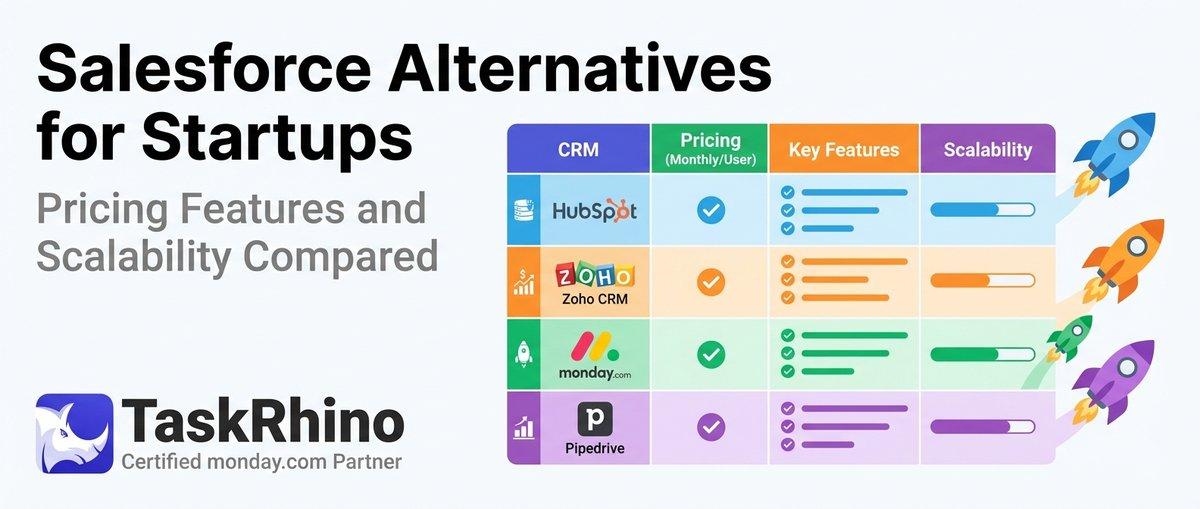
10 Best Salesforce Alternatives for Startups: Pricing, Features & Scalability Compared

10 Best Salesforce Alternatives for Growing SMBs ( Latest Rankings)