

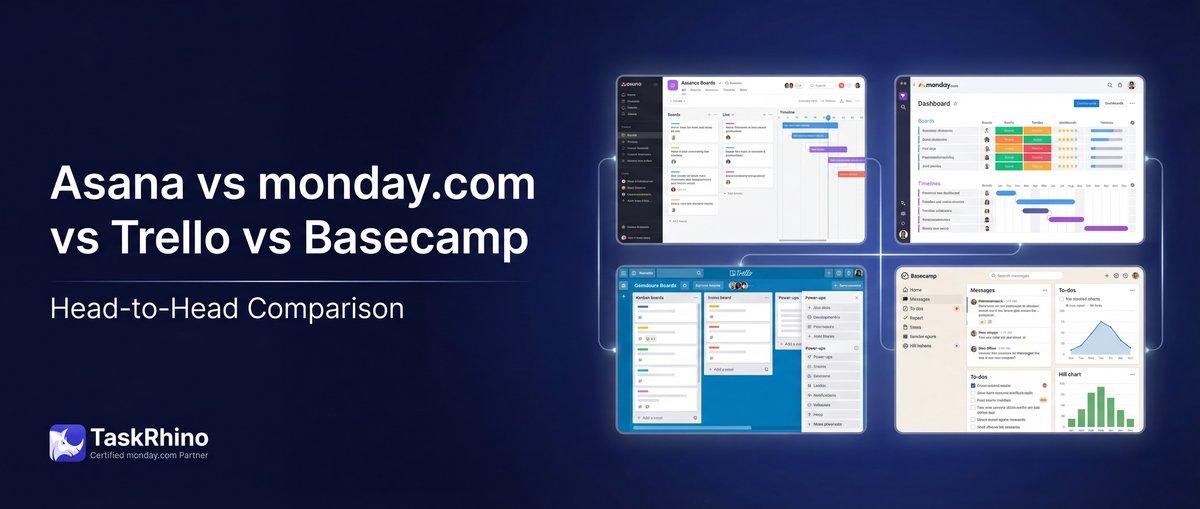
Asana vs Monday vs Trello vs Basecamp: Complete 2026 Comparison Guide
Choosing project management software in 2026 feels like walking into a car dealership where every salesperson insists their model is perfect for you. Asana promises elegant task management. Monday.com touts visual workflows. Trello champions simplicity. Basecamp preaches flat pricing for unlimited users.
They’re all good tools. But “good” doesn’t help you pick the right one.
This guide cuts through the marketing fluff and compares Asana, Monday.com, Trello, and Basecamp across the features that actually matter: pricing models, automation capabilities, customization depth, team collaboration tools, reporting power, and real-world use cases.
You’ll see side-by-side feature comparisons in clear 4-column tables, understand what each tool does best (and worst), and walk away knowing which platform fits your team’s workflow, budget, and growth trajectory.
No bias. No affiliations. Just data, experience, and honest recommendations.
Let’s start with the quick comparison table that shows you where each tool stands at a glance.
Quick Comparison Table
| Feature | Asana | Monday.com | Basecamp |
|---|---|---|---|
| Best For | Task dependencies & portfolios | Visual workflows & automation | Client collaboration |
| Starting Price | $10.99/user/month | $12/user/month | $15/user/month |
| Free Plan | ✅ Up to 15 users | ✅ Up to 2 users | ✅ 1 project, 20 users |
| Unlimited Pricing Option | ❌ Per-seat only | ❌ Per-seat only | ✅ $299/month flat |
| Custom Automations | ✅ Advanced | ✅ Most powerful | ❌ Very basic |
| Native Time Tracking | ✅ Advanced plan+ | ✅ Pro plan+ | ✅ All plans |
| Advanced Reporting | ✅ Advanced plan+ | ✅ Standard plan+ | ❌ Very limited |
| Integrations | ✅ 400+ | ✅ 200+ | ⚠️ ~30 native |
| Mobile App Quality | ✅ Excellent | ✅ Excellent | ⚠️ Good |
| Learning Curve | Medium | Medium-High | Very Low |
| Customization Depth | High | Very High | Very Low |
Pricing Breakdown: What You’ll Actually Pay in 2026
Pricing is rarely straightforward with project management tools. Every platform has hidden costs, scale-up surprises, and “contact sales” tiers that make real budget planning difficult.
Here’s what you’ll actually pay with each tool in 2026, broken down by team size scenarios.
Pricing Comparison: Small Team (10 Users)
| Platform | Plan | Monthly Cost | What You Get |
|---|---|---|---|
| Trello | Standard | $50 | Unlimited boards, 1 Power-Up per board, 250 automations/month |
| Asana | Starter | $109.90 | Timeline, custom fields, advanced search, unlimited projects |
| Monday.com | Basic | $120 | 5 boards, basic views, 250 automations, 5GB storage |
| Basecamp | Plus | $150 | Everything unlimited, per-user billing, full features |
Winner for 10 users: Trello — if simplicity is enough. Asana — if you need portfolios and dependencies.
Pricing Comparison: Mid-Size Team (50 Users)
| Platform | Plan | Monthly Cost | What You Get |
|---|---|---|---|
| Trello | Premium | $500 | Unlimited Power-Ups, dashboard views, admin tools |
| Asana | Advanced | $1,249.50 | Goals, portfolios, workload, advanced integrations |
| Monday.com | Standard | $1,200 | Timeline, Gantt, 250 automations/month, 100GB storage |
| Basecamp | Pro Unlimited | $299 | Everything unlimited, flat rate, all 50 users included |
Winner for 50 users: Basecamp — flat pricing saves $10,406/year vs Asana.
Pricing Comparison: Enterprise Team (200 Users)
| Platform | Plan | Monthly Cost | What You Get |
|---|---|---|---|
| Basecamp | Pro Unlimited | $299 | All features, unlimited users, flat rate |
| Trello | Enterprise | $3,500* | Organization-wide permissions, unlimited workspaces, SSO |
| Monday.com | Enterprise | Custom | Custom everything, dedicated support, advanced security |
| Asana | Enterprise | Custom | Advanced admin controls, data residency, premium support |
Trello Enterprise starts at $17.50/user for minimum 50 users, scales down with volume *Estimated based on 200-user deployments
Winner for 200 users: Basecamp — by a landslide. You’ll save $31,000-$56,000/year vs competitors.
Hidden Costs & Add-Ons
| Cost Type | Asana | Monday.com | Basecamp |
|---|---|---|---|
| Storage Overages | ✅ Charged beyond 100GB/250GB | ✅ Charged beyond limits | ❌ Unlimited (500GB) |
| Premium Support | ✅ Enterprise only | ✅ $1,000+/month add-on | ✅ Included all plans |
| Advanced Security (SSO, SAML) | ✅ Enterprise only | ✅ Enterprise only | ✅ Included Pro Unlimited |
| API Access Limits | ⚠️ Rate limits vary | ⚠️ Rate limits vary | ✅ No pay-walled limits |
Feature Showdown: Core Project Management
Let’s compare how each tool handles the fundamental project management workflows: task creation, assignment, organization, and tracking.
Task Management Fundamentals
| Feature | Asana | Monday.com | Basecamp |
|---|---|---|---|
| Subtasks | ✅ Unlimited nesting | ✅ Up to 5 levels deep | ✅ To-dos with nested items |
| Task Dependencies | ✅ Start-to-finish, finish-to-start | ✅ Full dependency types | ❌ Not available |
| Recurring Tasks | ✅ Advanced scheduling | ✅ Advanced scheduling | ⚠️ Manual only |
| Custom Fields | ✅ Starter plan+ (dropdown, text, number, date) | ✅ All plans (40+ field types) | ❌ Not available |
Winner: Monday.com — 40+ custom field types beat everyone else’s basic options.
Views & Visualization
| View Type | Asana | Monday.com | Basecamp |
|---|---|---|---|
| List View | ✅ All plans | ✅ All plans | ✅ All plans |
| Kanban Board | ✅ All plans | ✅ All plans | ❌ Not available |
| Timeline/Gantt | ✅ Starter plan+ | ✅ Standard plan+ | ❌ Not available |
| Calendar View | ✅ All plans | ✅ All plans | ✅ All plans |
| Workload View | ✅ Advanced plan+ | ✅ Standard plan+ | ❌ Not available |
| Dashboard/Reporting View | ✅ Advanced plan+ | ✅ Standard plan+ | ❌ Not available |
Winner: Monday.com — most views available at lower pricing tiers.
Collaboration Tools
| Feature | Asana | Monday.com | Basecamp |
|---|---|---|---|
| @Mentions | ✅ All plans | ✅ All plans | ✅ All plans |
| File Attachments | ✅ All plans (size limits vary) | ✅ All plans (5-1000GB by tier) | ✅ All plans (500GB flat) |
| Comments & Threads | ✅ Threaded conversations | ✅ Threaded conversations | ✅ Message boards + Campfires |
| Proofing & Approvals | ✅ Advanced plan+ | ✅ Standard plan+ | ❌ Not built-in |
| Guest/Client Access | ✅ Limited free guests | ✅ Viewer seats (paid) | ✅ Included all plans |
Winner: Basecamp — client collaboration is core to the platform design; everyone else charges extra.
Automation & Workflow Power
Automation separates modern project management platforms from glorified to-do lists. Here’s how each tool handles the repetitive work that bogs teams down.
Automation Capabilities
| Feature | Asana | Monday.com | Basecamp |
|---|---|---|---|
| Pre-Built Automation Templates | ✅ 50+ rules | ✅ 200+ recipes | ❌ Manual workflows only |
| Custom Automation Builder | ✅ Visual rule builder | ✅ Most advanced builder | ❌ Not available |
| Cross-Project Automations | ✅ Advanced plan+ | ✅ Standard plan+ | ❌ Not available |
| Conditional Logic (IF/THEN) | ✅ Starter plan+ | ✅ All paid plans | ❌ Not available |
Winner: Monday.com — automation is baked into the platform at every tier.
Automation Limits by Plan
| Platform | Free Plan | Entry Paid Plan | Top Tier |
|---|---|---|---|
| Asana | 0 automations | Unlimited (Starter) | Unlimited (Enterprise) |
| Monday.com | 0 automations | 250/month (Basic) | 250,000/month (Pro) |
| Trello | 1 automation/board | Unlimited (Standard) | Unlimited (Enterprise) |
| Basecamp | N/A | N/A | N/A |
Note: Monday.com’s automation “actions” count separately — moving an item, sending an email, and updating a status = 3 actions, not 1.
Integration Ecosystem
| Integration Type | Asana | Monday.com | Basecamp |
|---|---|---|---|
| Total Native Integrations | 400+ | 200+ | ~30 |
| Zapier Support | ✅ Premium tier | ✅ Premium tier | ✅ Yes |
| Slack Integration | ✅ Bi-directional sync | ✅ Bi-directional sync | ✅ Notifications only |
| Google Workspace | ✅ Calendar, Drive, Gmail | ✅ Calendar, Drive, Gmail | ✅ Calendar |
| Microsoft 365 | ✅ Teams, Outlook, OneDrive | ✅ Teams, Outlook, OneDrive | ❌ No native integration |
Winner: Asana — 400+ integrations is double monday.com’s count, though monday.com’s depth per integration is often stronger.
See How BoardBridge Handles This Workflow
Book a free demo to see BoardBridge solve this exact problem — live, with your data.
Reporting & Analytics
Data-driven teams need visibility into project health, team capacity, and delivery timelines. Here’s what each platform offers.
Reporting Features
| Report Type | Asana | Monday.com | Basecamp |
|---|---|---|---|
| Portfolio-Level Dashboards | ✅ Advanced plan+ | ✅ Standard plan+ | ❌ Not available |
| Custom Dashboards | ✅ Advanced plan+ | ✅ Basic plan+ (limited) | ❌ Not available |
| Workload & Capacity Planning | ✅ Advanced plan+ | ✅ Standard plan+ | ❌ Not available |
| Time Tracking Reports | ✅ Advanced plan+ (native) | ✅ Pro plan+ (native) | ✅ All plans (basic) |
| Export to CSV/Excel | ✅ All plans | ✅ All plans | ✅ All plans |
Winner: Monday.com — dashboards available starting at Basic plan ($12/user), while Asana locks them behind Advanced ($24.99/user).
Analytics Depth Comparison
| Metric/Insight | Asana | Monday.com | Basecamp |
|---|---|---|---|
| Burndown Charts | ✅ Advanced plan+ | ✅ Standard plan+ | ❌ Not available |
| Velocity Tracking | ⚠️ Third-party integrations | ✅ Standard plan+ | ❌ Not available |
| Budget Tracking | ⚠️ Custom fields only | ✅ Pro plan+ (formula columns) | ❌ Not available |
| Resource Forecasting | ✅ Advanced plan+ (workload) | ✅ Pro plan+ (workload) | ❌ Not available |
Winner: Tie between Asana and Monday.com — both offer enterprise-grade reporting, but monday.com delivers it at a lower price point.
Customization & Flexibility
Some teams need the tool to adapt to their workflow. Others want the workflow to adapt to the tool. Here’s where each platform falls on the flexibility spectrum.
Customization Options
| Customization Type | Asana | Monday.com | Basecamp |
|---|---|---|---|
| Custom Fields | ✅ Starter plan+ (8 types) | ✅ All plans (40+ types) | ❌ Not available |
| Custom Templates | ✅ All plans | ✅ All plans | ✅ All plans |
| Workflow States | ✅ Sections in lists | ✅ Fully customizable statuses | ⚠️ Fixed workflow stages |
| Formula Fields | ❌ Not available | ✅ Standard plan+ (Excel-like) | ❌ Not available |
| Custom Branding | ⚠️ Enterprise only | ⚠️ Enterprise only | ❌ Not available |
Winner: Monday.com — formula columns and 40+ field types let you build almost anything without code.
API & Developer Tools
| Developer Feature | Asana | Monday.com | Basecamp |
|---|---|---|---|
| REST API Access | ✅ All plans | ✅ All plans | ✅ All plans |
| Webhooks | ✅ All plans | ✅ All plans | ✅ All plans |
| GraphQL API | ❌ REST only | ✅ GraphQL + REST | ❌ REST only |
| SDK Availability | ✅ Node, Python, Ruby | ✅ Node, Python, Ruby, PHP | ✅ Ruby, Python |
| Rate Limits | 1,500 requests/minute | Varies by plan (150-10,000) | 50 requests/10 seconds |
Winner: Monday.com — GraphQL API gives developers more efficient data fetching; rate limits scale with plan tier.
Real-World Use Cases: Which Tool Fits Your Team?
Theory is great. Practice is better. Here are three real-world scenarios showing how teams used (or struggled with) each platform.
TaskRhino Story #1: Marketing Agency Outgrows Trello
The Challenge: A 22-person marketing agency was running client campaigns on Trello. Each client had a board. Each board had lists for “Backlog,” “In Progress,” “Client Review,” and “Done.” It worked fine when they had 8 clients. At 22 clients, it became a disaster.
Trello boards don’t talk to each other. The creative director had no visibility into team capacity across all 22 boards. Designers were overloaded on some clients while idle on others. There was no way to see “which designer has bandwidth this week” without opening 22 boards manually.
The Solution: They switched to Monday.com and built a single “Team Capacity” board with workload view. Every client project still had its own board, but now the creative director could see real-time capacity across all projects in one dashboard. When a new client project came in, they could instantly see who had availability.
The Result: Designer utilization improved by 34%. Project delivery timelines shortened by 11 days on average. The team stopped missing deadlines caused by uneven workload distribution.
Takeaway: Trello works beautifully for simple workflows. It breaks when you need cross-board visibility, reporting, or resource management.
TaskRhino Story #2: Software Team Needs Dependency Tracking (Asana Wins)
The Challenge: A 40-person software development team was using Basecamp to track sprints, feature development, and bug fixes. Basecamp’s simplicity was appealing at first — no overwhelming options, just to-do lists and message boards.
But software development has dependencies. QA can’t test Feature X until Backend finishes API development. Frontend can’t proceed until Design delivers final mockups. Basecamp couldn’t model these relationships. The team relied on Slack messages and spreadsheet trackers to manually communicate blockers.
The Solution: They moved to Asana. Every task could have dependencies: “Task B blocked by Task A.” When Task A was completed, Task B’s assignee received an automatic notification. Timeline view showed the entire feature roadmap with dependency chains visualized as connecting lines.
The Result: Sprint velocity increased 28%. Developers stopped waiting on unclear blockers — the system surfaced what was blocking them automatically. Timeline view became the source of truth for release planning.
Takeaway: Basecamp is great for non-technical teams doing client work. Software teams need dependency modeling, timeline visualization, and automation — Asana or Monday.com are better fits.
TaskRhino Story #3: Growing Team Hits Monday.com’s Automation Limits
The Challenge: A 60-person operations team was running event logistics on monday.com’s Standard plan. They automated everything: when a deal status changed to “Won,” automations created 9 event boards, sent emails to vendors, updated CRM records, and assigned team members.
It worked perfectly… until it didn’t. They hit the 25,000 actions/month limit mid-way through their busy season. Automations stopped firing. Event boards weren’t created. Vendor emails didn’t send. The team had to manually process 40+ events while waiting for the monthly limit to reset.
The Solution: We built them a custom solution using BoardBridge — Form & Workflow Automation for monday.com. BoardBridge handled the CRM-to-event automation workflow outside monday.com’s native automation system, bypassing the action count limits entirely. One trigger created all 9 boards, pre-loaded team rosters, registered webhooks, and sent vendor emails — with no automation action limits.
The Result: They processed 140 events in their peak month without hitting limits. Vendor email response times improved because emails sent immediately instead of being queued behind the automation backlog.
Takeaway: Monday.com’s automation limits are real. High-volume workflows hit ceilings fast. If you’re automating at scale, factor in overage costs or consider external automation tools like BoardBridge.
Need Help With Your monday.com Setup?
TaskRhino has implemented monday.com for 110+ teams. Get a free consultation.
Security, Compliance & Admin Controls
Enterprise buyers care about SSO, SAML, audit logs, and data residency. Here’s what each platform offers.
Security Features
| Security Feature | Asana | Monday.com | Basecamp |
|---|---|---|---|
| SSO (SAML 2.0) | ✅ Enterprise only | ✅ Enterprise only | ✅ Pro Unlimited |
| Two-Factor Authentication (2FA) | ✅ All plans | ✅ All plans | ✅ All plans |
| Audit Logs | ✅ Enterprise only | ✅ Enterprise only | ❌ Not available |
| Data Residency Options | ✅ Enterprise only (EU/US) | ✅ Enterprise only (EU/US) | ❌ US-only hosting |
| SOC 2 Type II Certified | ✅ Yes | ✅ Yes | ⚠️ No public certification |
Winner: Basecamp — SSO included in Pro Unlimited ($299/month flat) instead of forcing you into enterprise sales calls.
User & Permission Management
| Admin Feature | Asana | Monday.com | Basecamp |
|---|---|---|---|
| Role-Based Permissions | ✅ Advanced plan+ (5 roles) | ✅ Basic plan+ (4 roles) | ⚠️ Admin/Member only |
| Guest Access Controls | ✅ Starter plan+ | ✅ All plans (paid viewers) | ✅ All plans |
| Project-Level Permissions | ✅ Starter plan+ | ✅ All plans | ✅ Project-level controls |
| Team/Workspace Separation | ✅ Advanced plan+ | ✅ Standard plan+ | ✅ All plans |
Winner: Monday.com — permissions available starting at Basic plan; everyone else locks them behind $20-25/user tiers.
Mobile Experience
Your team doesn’t work from desks all day. Mobile app quality matters. Here’s how each platform performs on iOS and Android.
Mobile App Features
| Mobile Feature | Asana | Monday.com | Basecamp |
|---|---|---|---|
| Offline Mode | ✅ View tasks offline | ✅ View boards offline | ⚠️ Limited offline access |
| Push Notifications | ✅ Highly customizable | ✅ Highly customizable | ✅ Basic notifications |
| Mobile Task Creation | ✅ Full creation flow | ✅ Full creation flow | ✅ Full creation flow |
| Photo Attachments | ✅ Camera + gallery | ✅ Camera + gallery | ✅ Camera + gallery |
| Voice-to-Text Task Entry | ✅ iOS & Android | ⚠️ iOS only | ❌ Not available |
Winner: Tie between Asana, Monday.com, and Trello — all three have excellent mobile apps. Basecamp’s is functional but dated.
Support & Onboarding
When things break (and they will), how fast can you get help?
Support Channels
| Support Type | Asana | Monday.com | Basecamp |
|---|---|---|---|
| Email Support | ✅ All plans | ✅ All plans | ✅ All plans |
| Live Chat | ✅ Paid plans | ✅ Paid plans | ❌ Email-only |
| Phone Support | ⚠️ Enterprise only | ⚠️ Enterprise only | ❌ Not available |
| Dedicated Account Manager | ⚠️ Enterprise only | ⚠️ Enterprise only | ❌ Not available |
| Response Time (Paid Plans) | 24 hours | 24 hours | 24-48 hours |
Winner: Tie — everyone offers similar support tiers. Enterprise buyers get priority; everyone else waits.
Onboarding & Training Resources
| Resource Type | Asana | Monday.com | Basecamp |
|---|---|---|---|
| Documentation Quality | ✅ Excellent (searchable, video-rich) | ✅ Excellent (searchable, video-rich) | ⚠️ Good (text-heavy) |
| Video Tutorials | ✅ Asana Academy (free courses) | ✅ Monday Academy (free courses) | ⚠️ Limited videos |
| Live Webinars | ✅ Weekly public webinars | ✅ Weekly public webinars | ❌ Not offered |
| Community Forum | ✅ Active (50K+ members) | ✅ Active (100K+ members) | ⚠️ Less active |
Winner: Monday.com — largest community, most active forum, best onboarding academy.
The Verdict: Which Tool Should You Choose?
There’s no universal winner. The right tool depends on your team size, complexity needs, budget, and growth trajectory.
Choose Asana If:
- Your team manages projects with complex dependencies (software development, product launches, construction)
- You need portfolio-level visibility across 10+ concurrent projects
- Advanced reporting (goals, workload, custom dashboards) justifies $24.99/user/month
- You value clean UI and elegant design over visual customization
- You’re already in the Google Workspace or Adobe ecosystem (native integrations are strong)
Don’t choose Asana if: You’re a small team (<10 people) doing simple task tracking. You’ll pay for features you won’t use.
Choose Monday.com If:
- You want the most powerful automation and workflow capabilities on the market
- Your team needs highly customized workflows (40+ custom field types, formula columns, conditional logic)
- You need visual dashboards and reporting starting at the $12/user price point
- You’re willing to invest time learning the platform (steeper learning curve than competitors)
- You work across multiple departments (sales, operations, marketing) and need one platform for everything
Don’t choose Monday.com if: You’ll hit automation limits (25,000 actions/month on Standard plan fills up fast). Factor in overage costs or plan to upgrade to Pro.
Need more than Monday.com offers? BoardBridge extends monday.com with features the platform doesn’t offer natively: forms that update existing items, advanced email automations with CC/BCC, cross-board workflows, and CRM-to-project handoff automation. Book a free 30-minute consultation to see if BoardBridge fits your workflow.
Choose Trello If:
- You’re a small team (<15 people) with straightforward Kanban-based workflows
- Simplicity and ease of use matter more than advanced features
- Your budget is tight ($5/user/month is the most affordable paid option)
- You don’t need dependencies, Gantt charts, or advanced reporting
- Your workflows fit naturally into “To Do → Doing → Done” structure
Don’t choose Trello if: You manage 20+ projects simultaneously or need cross-board visibility. Trello doesn’t scale well beyond single-team use cases.
Choose Basecamp If:
- You’re a growing team (30-200+ users) and per-seat pricing is killing your budget
- You work heavily with external clients and need guest access built into the pricing model
- You value simplicity and low learning curve over customization depth
- You need unlimited users at a fixed price ($299/month Pro Unlimited is unbeatable economics at scale)
- Your workflows don’t require automation, dependencies, or advanced reporting
Don’t choose Basecamp if: You’re a technical team needing dependency tracking, automation, or Gantt charts. Basecamp is built for client services and creative agencies, not software development or engineering.
Stop Creating Duplicates
BoardBridge forms update existing items — no Enterprise plan, no workarounds, no duplicates.
Frequently Asked Questions
How do task dependencies and subtasks compare across Asana, Monday.com, Trello, and Basecamp for complex workflows?
Asana supports unlimited nesting subtasks and full task dependencies like start-to-finish and finish-to-start, while Monday.com offers subtasks up to 5 levels deep with comprehensive dependency types; Trello lacks native dependencies and relies on Power-Ups, and Basecamp provides nested to-dos but no dependencies. For teams needing advanced dependency management without high customization overhead, BoardBridge integrates seamlessly with these tools to add robust dependency mapping and automation layers.
What are the automation capabilities and limitations of Trello Butler vs Asana Rules vs Monday.com workflows at scale?
Trello’s Butler offers simple ‘if-this-then-that’ logic with limited cross-board actions unless upgraded, Asana provides rules-based triggers available in upper tiers, and Monday.com excels with multi-step conditional logic, native cross-board data transfer, and AI blocks like summarization. At scale, Monday.com’s automations (250/month on Standard) outperform Trello’s 250/month limit, but BoardBridge can extend any of these with enterprise-grade, no-code automation for hybrid environments.
For a 200-user team, which platform offers the best value in pricing including hidden costs like integrations and storage?
Basecamp wins decisively for 200 users with flat unlimited pricing, saving $31,000-$56,000/year compared to Asana Advanced ($1,249.50/month), Monday.com Standard ($1,200/month), or Trello Enterprise ($17.50/user minimum 50 users). Asana and Monday.com incur steep tier jumps for features like portfolios and Gantt views, while Trello’s Power-Ups add hidden costs; BoardBridge provides a cost-effective overlay for scaling teams needing advanced features without full platform migration.
How do free and standard plans limit scalability for teams of 20+ users in Asana vs Monday.com vs Trello vs Basecamp?
Trello’s free plan supports unlimited users but limits boards and Power-Ups, Asana restricts to 15 users without timelines, Monday.com limits to individual use, and Basecamp has no free tier but flat pricing scales unlimited users immediately. For growing teams outpacing free tiers, BoardBridge bridges limitations by adding workload views and dependencies on top of Trello or Asana without upgrading.
Which tool handles cross-team workflows and custom views best: Asana portfolios, Monday.com templates, Trello Power-Ups, or Basecamp projects?
Monday.com leads for cross-team workflows with flexible templates, automations, and multiple views (Kanban, timeline, table), Asana shines in structured portfolios and workload for 20-200 users, Trello suits simple Kanban but needs Power-Ups for views, and Basecamp offers minimal customization. BoardBridge enhances any platform with unified cross-team dashboards and custom dependency views, ideal for migrating from Basecamp’s rigidity.
What are the mobile app and integration differences for field teams using Asana, Monday.com, Trello, or Basecamp?
Asana, Monday.com, and Trello tie with excellent mobile apps for on-the-go task management, while Basecamp’s is functional but dated; integrations favor Asana (400+) and Monday.com (200+) over Trello’s ~30 native and Basecamp’s limited options. For field teams needing deeper mobile automations and 1000+ integrations, BoardBridge acts as a mobile-first layer atop Trello or Basecamp without switching tools.
If I need cross-board automation and visibility across multiple teams, which platform handles this without hitting paywall limits?
Monday.com offers **native, seamless cross-board automation** at the Standard tier ($1,200/month for 200 users), while Asana restricts advanced cross-board rules to higher tiers and Trello’s Butler automation is limited without Power-Ups. For teams requiring sophisticated multi-board workflows without escalating costs, Monday.com’s native capabilities provide the best value, though BoardBridge can enhance visibility layers across any platform if you’re already invested elsewhere.
At what team size does Basecamp’s flat-rate pricing actually become cheaper than per-user models, and when does it stop making financial sense?
Basecamp delivers **$31,000–$56,000 annual savings for 200-user deployments** compared to competitors, making it unbeatable at scale. However, this advantage disappears if your team needs advanced dependencies, workload management, or cross-project reporting—features Basecamp lacks entirely. The breakeven point is roughly 40–50 users; below that, Trello’s low entry cost wins; above that, Basecamp wins financially only if your workflow fits its simplistic to-do-list model.
Which platform’s automation engine can actually handle conditional logic chains without forcing me into a third-party tool like Zapier?
Monday.com’s **multi-step conditional logic** natively handles complex automation workflows that Trello’s basic “If-this-then-that” Butler cannot manage, while Asana’s rules-based approach falls between them. If you’re running intricate approval chains or status-dependent cascades, Monday.com eliminates the Zapier tax; Asana requires careful planning; Trello forces you to bolt on external automation.
If my team is already split between Asana and Monday, would consolidating on one platform cost more than maintaining both with integration layers?
Consolidation typically saves 20–30% in annual licensing versus running dual platforms with integration overhead, but the real cost is **migration friction and retraining time**. Monday.com’s template system and faster onboarding reduce transition costs versus Asana’s steeper learning curve; BoardBridge or similar integration tools can preserve visibility across both systems during a phased migration, making the financial case for consolidation stronger if you’re at 50+ users.
For software development teams running sprints, does Basecamp’s lack of task dependencies create enough operational drag to justify switching despite its cost advantage?
Yes—Basecamp’s missing dependency features caused one 40-person development team to eventually outgrow it because sprint planning and feature sequencing became manual workarounds. Asana and Monday.com both offer **full dependency types** (start-to-finish, finish-to-start), with Monday.com’s 250 automations/month and Gantt views providing better sprint visibility at comparable cost to Asana’s Advanced tier.
Which platform’s free tier actually lets you evaluate it with a real team, versus forcing a paid upgrade to test core functionality?
Trello’s free plan is **most generous for team evaluation**, supporting unlimited users and basic boards, while Asana limits free users and hides Timeline/Forms, and Monday.com restricts free access to individuals only. If you need to pilot with 5–10 people before committing budget, Trello wins; if you need to test Monday’s or Asana’s core strengths, you’ll hit paywall features immediately and should request a trial instead of relying on free tiers.


Editor's Choice
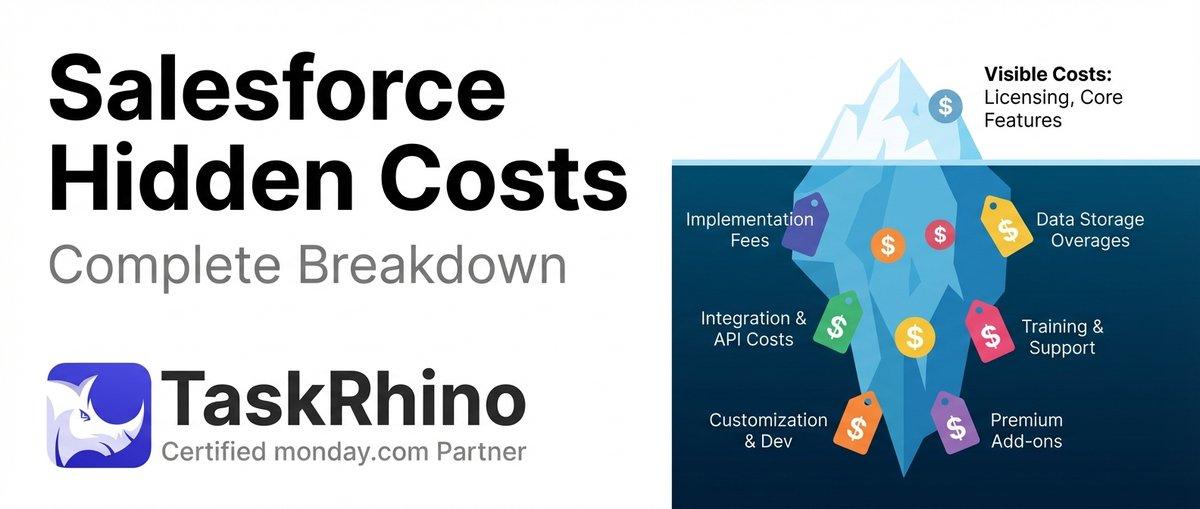
How to Calculate Hidden Costs of Salesforce Admin & Consulting

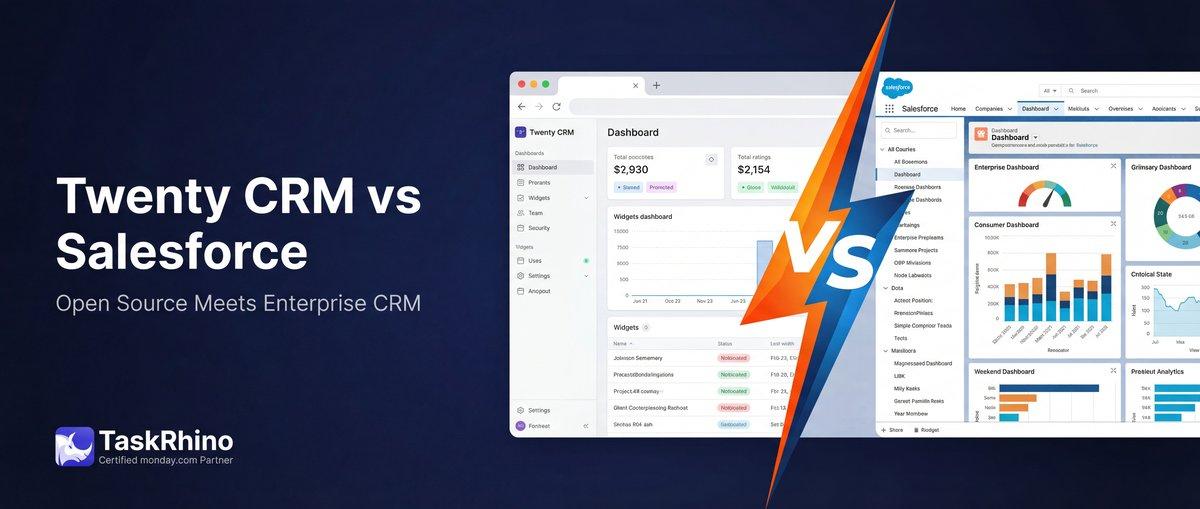
Twenty CRM vs Salesforce: Full Detailed Comparison
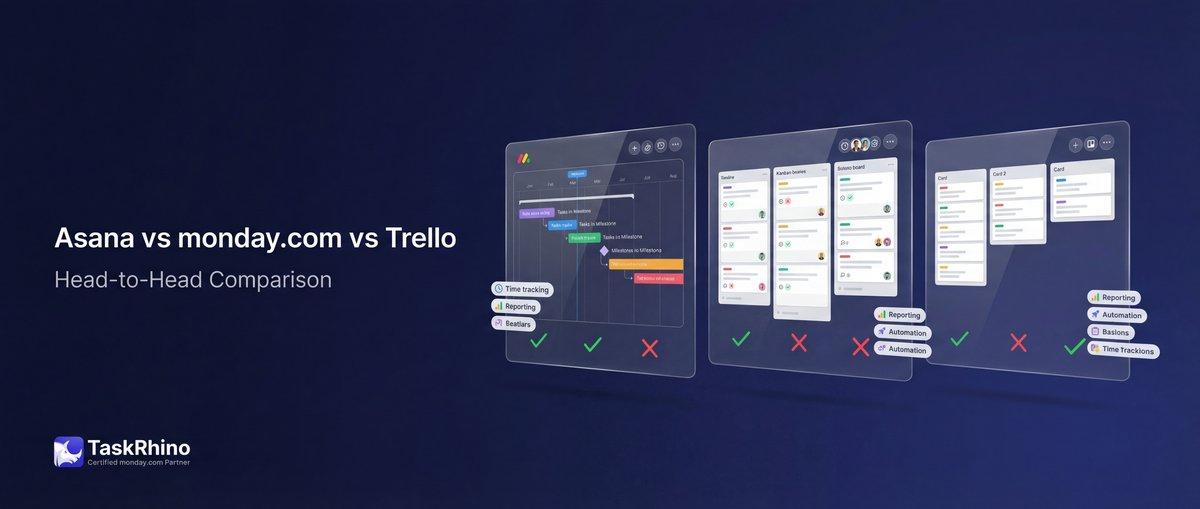
Asana vs monday.com vs Trello 2026: The Bicycle, The Sedan, and The SUV