

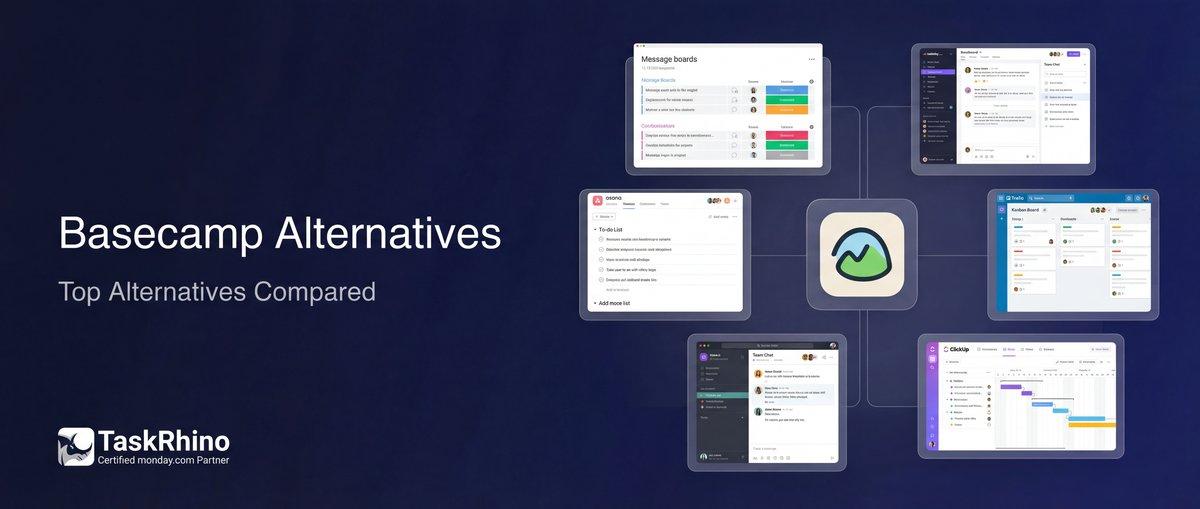
Top 10 Basecamp Alternatives for Better Project Management
Basecamp is simple, clean, and gets the job done for small teams managing straightforward projects. But when your workflows grow more complex, you start feeling the gaps — no custom fields, no advanced automation, limited reporting, and a pricing model that gets expensive fast when you need multiple projects.
We’ve worked with 110+ teams transitioning from Basecamp to more flexible platforms. The most common pain points? Teams outgrow the simplicity. They need custom workflows, visual project views, automation that goes beyond basic notifications, and granular control over permissions and reporting.
This guide covers seven proven Basecamp alternatives — from visual work management platforms to all-in-one workspaces — chosen based on what teams actually need after hitting Basecamp’s limits.
Table of Contents
- Quick Comparison: 7 Basecamp Alternatives
- monday.com — Best for Visual Workflows & Automation
- Asana — Best for Task-Centric Teams
- ClickUp — Best for Feature-Rich Customization
- Trello — Best for Kanban-Style Simplicity
- Wrike — Best for Resource Management
- Teamwork — Best for Client Project Management
- Notion — Best for Knowledge Management + Tasks
- Real Migration Stories
- How to Choose the Right Alternative
- Frequently Asked Questions
Quick Comparison: 7 Basecamp Alternatives
| Tool | Best For | Starting Price | Free Plan? |
|---|---|---|---|
| monday.com | Visual workflows, automation, forms | $9/user/mo | ✅ Yes (up to 2 users) |
| Asana | Task management, timeline views | $10.99/user/mo | ✅ Yes (up to 15 users) |
| ClickUp | Highly customizable, all-in-one | $7/user/mo | ✅ Yes (unlimited users) |
| Trello | Kanban boards, simple workflows | $5/user/mo | ✅ Yes (unlimited boards) |
| Wrike | Resource management, Gantt charts | $9.80/user/mo | ✅ Yes (limited features) |
| Teamwork | Client projects, time tracking | $10.99/user/mo | ✅ Yes (up to 5 users) |
| Notion | Docs + tasks, knowledge base | $8/user/mo | ✅ Yes (unlimited individuals) |
What Makes These Alternatives Better Than Basecamp?
Basecamp positions itself as deliberately simple — flat pricing, minimal features, focused on communication. But that simplicity becomes a bottleneck when you need:
| What You Need | Why Basecamp Falls Short | What Alternatives Offer |
|---|---|---|
| Custom workflows | Fixed structure, no custom fields | Fully customizable fields, statuses, and views |
| Visual project views | To-do lists and timelines only | Kanban, Gantt, calendar, workload charts |
| Advanced automation | Basic notifications only | Trigger-based workflows, cross-project automation |
| Granular reporting | Minimal built-in reports | Time tracking, resource allocation, custom dashboards |
Basecamp charges a flat $299/month regardless of how many users or projects you have. That sounds great — until you realize you’re paying for a tool that can’t scale with your needs. The alternatives below offer more flexibility at comparable or lower costs for small teams, and justify higher costs with significantly more power for larger teams.
1. monday.com — Best for Visual Workflows & Automation
Why teams choose it: monday.com replaces Basecamp’s simplicity with visual flexibility. Instead of forcing you into to-do lists, it lets you build boards that match how your team actually works — with custom columns, color-coded statuses, and multiple view types.
Key Features
| Feature | Description |
|---|---|
| Custom boards | Unlimited customizable fields (status, date, people, dropdown, formulas) |
| Multiple views | Kanban, Gantt, calendar, timeline, workload, map views |
| Automation | 250+ automation recipes: status changes, notifications, recurring tasks |
| Forms | Public forms that create items (or use BoardBridge for update-existing-item forms) |
What monday.com Does Better Than Basecamp
| Capability | monday.com | Basecamp |
|---|---|---|
| Custom fields | ✅ Unlimited types | ❌ Fixed structure |
| Visual views | ✅ 8+ view types | ❌ Lists + timeline only |
| Automation | ✅ 250+ recipes | ❌ Basic notifications |
| Integrations | ✅ 200+ native apps | ❌ Limited integrations |
Pros & Cons
| Pros | Cons |
|---|---|
| ✅ Highly visual and intuitive interface | ❌ Can get expensive for large teams |
| ✅ Strong automation and integration ecosystem | ❌ Learning curve for advanced features |
| ✅ Flexible pricing tiers for different needs | ❌ Native forms only create items (don’t update) |
| ✅ Mobile app with full feature parity | ❌ Reporting limited on lower tiers |
Real-World Use Case
A healthcare operations team we worked with was using Basecamp to manage patient onboarding and care coordination. They hit a wall when they needed to track appointment statuses, care team assignments, and document approvals across 40+ clinics.
After migrating to monday.com, they built custom boards with color-coded status columns for each stage of patient care, automated notifications when documents needed review, and set up dashboard views that let clinic managers see their team’s workload at a glance. What used to take 12 hours of weekly manual updates now runs automatically.
Pricing
| Plan | Price | Best For |
|---|---|---|
| Free | $0 (up to 2 users) | Individual or duo testing |
| Basic | $9/user/mo | Small teams, basic boards |
| Standard | $12/user/mo | Automation, timeline views |
| Pro | $19/user/mo | Time tracking, formulas, dashboards |
Billed annually. Monthly billing adds ~20%.
When to Choose monday.com Over Basecamp
- You need visual project tracking with Gantt charts, Kanban boards, or workload views
- Your workflows require custom fields and automation
- You’re managing cross-functional projects with dependencies
- You want forms that integrate directly with project boards
Ready to move beyond Basecamp’s limitations? Contact us for a free 30-minute consultation to see how monday.com can replace your Basecamp workflow with a scalable, visual platform.
2. Asana — Best for Task-Centric Teams
Why teams choose it: Asana excels at breaking down projects into clear, actionable tasks with owners, due dates, and dependencies. If your team thinks in terms of “who’s doing what by when,” Asana’s task-first structure makes more sense than Basecamp’s message-board approach.
Key Features
| Feature | Description |
|---|---|
| Task dependencies | Link tasks so downstream work waits for upstream completion |
| Timeline view | Gantt-style project timeline with drag-and-drop scheduling |
| Portfolios | Roll up multiple projects into one executive-level view |
| Custom fields | Add dropdowns, numbers, dates, and text to any task |
What Asana Does Better Than Basecamp
| Capability | Asana | Basecamp |
|---|---|---|
| Task dependencies | ✅ Native support | ❌ Not available |
| Portfolio views | ✅ Multi-project dashboards | ❌ Single-project focus |
| Advanced search | ✅ Saved searches, filters | ❌ Basic search |
| Guest access | ✅ Granular permissions | ❌ All-or-nothing access |
Pros & Cons
| Pros | Cons |
|---|---|
| ✅ Excellent task management with subtasks and dependencies | ❌ Limited communication features compared to Basecamp |
| ✅ Timeline view for scheduling and dependency tracking | ❌ Automation locked to higher-tier plans |
| ✅ Free plan supports up to 15 users | ❌ Reporting and portfolios require Premium+ |
| ✅ Clean, uncluttered interface | ❌ No built-in time tracking (requires integrations) |
Real-World Use Case
A legal operations team managing 50+ client cases simultaneously needed better task visibility than Basecamp’s to-do lists provided. They moved to Asana to get subtasks (each case broken into research, drafting, review, filing steps), dependencies (filing waits for partner approval), and portfolio views (all active cases in one dashboard).
The result: Case handoffs became seamless, missed deadlines dropped by 70%, and partners could finally see real-time case status without checking in manually.
Pricing
| Plan | Price | Best For |
|---|---|---|
| Personal | $0 (up to 15 users) | Small teams, basic tasks |
| Starter | $10.99/user/mo | Timeline, custom fields |
| Advanced | $24.99/user/mo | Portfolios, automation, reporting |
Billed annually. Add 20% for monthly billing.
When to Choose Asana Over Basecamp
- Your projects have complex task dependencies
- You need portfolio-level visibility across multiple projects
- Task assignments and deadlines are more important than team communication
- You want a cleaner, less cluttered interface than monday.com
3. ClickUp — Best for Feature-Rich Customization
Why teams choose it: ClickUp is the “everything app” alternative to Basecamp — tasks, docs, goals, time tracking, whiteboards, and more, all in one platform. If Basecamp feels too simple and you want a single tool to replace five others, ClickUp delivers.
Key Features
| Feature | Description |
|---|---|
| ClickUp Docs | Real-time collaborative docs linked to tasks (alternative to Basecamp’s Campfire) |
| Custom views | 15+ views: list, board, Gantt, calendar, workload, table, map, timeline |
| Goals & OKRs | Track team objectives with measurable targets |
| Automations | 100+ automation templates (status changes, assignments, notifications) |
What ClickUp Does Better Than Basecamp
| Capability | ClickUp | Basecamp |
|---|---|---|
| Custom views | ✅ 15+ view types | ❌ 2 views (list + timeline) |
| Time tracking | ✅ Native built-in | ❌ Requires integration |
| Goals tracking | ✅ Native OKRs | ❌ Not available |
| Whiteboards | ✅ Built-in brainstorming | ❌ Not available |
Pros & Cons
| Pros | Cons |
|---|---|
| ✅ Incredibly feature-rich (docs, goals, chat, whiteboards) | ❌ Overwhelming for new users — steep learning curve |
| ✅ Generous free plan with unlimited users | ❌ Performance can slow with heavy data |
| ✅ Extensive customization options | ❌ Mobile app less polished than desktop |
| ✅ Strong automation and integration library | ❌ Too much flexibility = setup takes time |
Real-World Use Case
A retail operations team coordinating 25 store openings needed a single tool to replace Basecamp (communication), Google Sheets (inventory tracking), Trello (task boards), and standalone time tracking. ClickUp consolidated everything — task boards for construction progress, custom fields for budget tracking, docs for store manuals, and time tracking for contractor hours.
Setup took three weeks (vs. Basecamp’s two hours), but the team eliminated four separate tools and saved $400/month in subscriptions.
Pricing
| Plan | Price | Best For |
|---|---|---|
| Free | $0 (unlimited users) | Small teams testing features |
| Unlimited | $7/user/mo | Unlimited storage, advanced features |
| Business | $12/user/mo | Automations, dashboards, goals |
Billed annually. Monthly billing adds ~30%.
When to Choose ClickUp Over Basecamp
- You want to consolidate multiple tools into one platform
- Your team needs docs, tasks, goals, and chat in a single workspace
- You value deep customization over simplicity
- You want a generous free plan for unlimited users
See How BoardBridge Handles This Workflow
Book a free demo to see BoardBridge solve this exact problem — live, with your data.
4. Trello — Best for Kanban-Style Simplicity
Why teams choose it: Trello is Basecamp’s opposite — pure visual simplicity. If Basecamp’s message boards feel cluttered and you just want to see cards moving across columns, Trello delivers the cleanest Kanban experience available.
Key Features
| Feature | Description |
|---|---|
| Visual boards | Drag-and-drop cards across customizable columns |
| Power-Ups | Add features via integrations (calendar view, voting, custom fields) |
| Butler automation | Rule-based automation for card movements and notifications |
| Templates | 100+ pre-built board templates for common workflows |
What Trello Does Better Than Basecamp
| Capability | Trello | Basecamp |
|---|---|---|
| Visual workflow | ✅ Instant Kanban clarity | ❌ List-based structure |
| Simplicity | ✅ 5-minute setup | ❌ Requires more setup |
| Free tier | ✅ Unlimited boards | ❌ No free tier |
| Mobile UX | ✅ Best-in-class mobile | ❌ Mobile web only |
Pros & Cons
| Pros | Cons |
|---|---|
| ✅ Extremely intuitive — anyone can use it in minutes | ❌ Limited features without Power-Ups |
| ✅ Free tier with unlimited boards and users | ❌ Not ideal for complex project dependencies |
| ✅ Best mobile app experience of any tool here | ❌ Reporting and analytics are weak |
| ✅ Clean, distraction-free interface | ❌ Scales poorly for large projects (100+ cards) |
Real-World Use Case
A marketing agency running 15 client campaigns struggled with Basecamp’s communication-first design. They needed to see campaign stages at a glance — pitching, content creation, review, published.
Trello boards gave each client a visual pipeline. Cards moved from “Drafting” to “Client Review” to “Approved” with a simple drag. The team added due dates, attachments, and checklists to each card. No more hunting through Basecamp message threads to find project status — one glance at the board showed everything.
Pricing
| Plan | Price | Best For |
|---|---|---|
| Free | $0 (unlimited users) | Individuals, small teams |
| Standard | $5/user/mo | Unlimited boards, advanced checklists |
| Premium | $10/user/mo | Calendar view, dashboards, admin controls |
Billed annually. Monthly billing available.
When to Choose Trello Over Basecamp
- You want pure visual simplicity without feature bloat
- Your workflows fit a Kanban structure (columns of moving cards)
- You need a mobile-first experience
- You prefer free tools with pay-as-you-grow pricing
5. Wrike — Best for Resource Management
Why teams choose it: Wrike is the enterprise-grade alternative to Basecamp — built for teams that need resource allocation, workload balancing, and detailed reporting. If Basecamp feels like a toy when managing 20+ people across multiple projects, Wrike is the industrial-strength upgrade.
Key Features
| Feature | Description |
|---|---|
| Resource management | Workload charts showing who’s overloaded or underutilized |
| Gantt charts | Interactive timelines with dependencies and critical path |
| Request forms | Intake forms for new work requests (alternative to Basecamp’s “Hey!” feature) |
| Custom workflows | Define approval stages, review processes, and handoff steps |
What Wrike Does Better Than Basecamp
| Capability | Wrike | Basecamp |
|---|---|---|
| Resource planning | ✅ Workload views, capacity planning | ❌ Not available |
| Custom workflows | ✅ Multi-stage approval flows | ❌ Fixed structure |
| Advanced reporting | ✅ Time tracking, budgets, analytics | ❌ Minimal reporting |
| Permissions | ✅ Granular role-based access | ❌ All-or-nothing sharing |
Pros & Cons
| Pros | Cons |
|---|---|
| ✅ Excellent resource and workload management | ❌ Expensive compared to simpler alternatives |
| ✅ Powerful reporting and analytics | ❌ Steeper learning curve |
| ✅ Custom workflows for complex processes | ❌ Interface feels less modern than competitors |
| ✅ Enterprise-grade security and admin controls | ❌ Overkill for small teams (<10 people) |
Real-World Use Case
A financial services firm managing 12 concurrent audit projects across a team of 30 analysts needed better resource visibility. Basecamp showed them tasks, but not who was drowning in work while others were idle.
Wrike’s workload view revealed that four analysts were working 60-hour weeks while six others were below 30 hours. Rebalancing work across the team reduced overtime by 40% and eliminated missed deadlines caused by overloaded team members.
Pricing
| Plan | Price | Best For |
|---|---|---|
| Free | $0 (limited features) | Trial and small projects |
| Professional | $9.80/user/mo | Gantt charts, custom fields |
| Business | $24.80/user/mo | Reports, resource management |
Billed annually. Enterprise pricing available.
When to Choose Wrike Over Basecamp
- You need to manage resource allocation across multiple projects
- Your team size is 20+ people
- You require detailed reporting and time tracking
- Custom approval workflows are critical to your process
Need help choosing between these alternatives? Contact us for a free consultation — we’ve helped 110+ teams migrate from Basecamp to the right platform for their needs.
6. Teamwork — Best for Client Project Management
Why teams choose it: Teamwork is built specifically for agencies and consultancies managing client projects. If Basecamp’s flat structure doesn’t distinguish between internal work and billable client work, Teamwork’s built-in time tracking, profitability tracking, and client portals solve that.
Key Features
| Feature | Description |
|---|---|
| Time tracking | Native time tracking with billable/non-billable tagging |
| Client users | Invite clients with limited access (see their projects only) |
| Profitability | Track budgets vs. actuals, estimated vs. logged hours |
| Milestones | Group tasks into client deliverables with deadlines |
What Teamwork Does Better Than Basecamp
| Capability | Teamwork | Basecamp |
|---|---|---|
| Time tracking | ✅ Native built-in | ❌ Requires third-party tools |
| Client portals | ✅ Separate client access | ❌ Clients see everything or nothing |
| Profitability tracking | ✅ Budget vs. actual reporting | ❌ Not available |
| Invoicing integration | ✅ Export time to QuickBooks, Xero | ❌ Manual process |
Pros & Cons
| Pros | Cons |
|---|---|
| ✅ Purpose-built for client services businesses | ❌ More expensive than Basecamp for small teams |
| ✅ Excellent time tracking and billing features | ❌ Interface feels cluttered compared to simpler tools |
| ✅ Client users don’t count toward seat limits | ❌ Limited customization compared to ClickUp or monday.com |
| ✅ Profitability reporting helps agencies stay profitable | ❌ Mobile app has fewer features than desktop |
Real-World Use Case
A design agency with 12 active clients needed to track billable hours, project budgets, and client deliverables more rigorously than Basecamp allowed. They were manually exporting time logs from Toggl, matching them to projects in spreadsheets, and emailing status updates to clients weekly.
Teamwork consolidated everything — designers logged time directly on tasks, clients logged into their portal to see project status, and the agency owner saw real-time profitability per project. Billing time dropped from 8 hours/month to 1 hour.
Pricing
| Plan | Price | Best For |
|---|---|---|
| Free | $0 (up to 5 users) | Freelancers, tiny agencies |
| Deliver | $10.99/user/mo | Time tracking, milestones |
| Grow | $19.99/user/mo | Profitability, custom fields |
Billed annually. Monthly billing adds 20%.
When to Choose Teamwork Over Basecamp
- You run an agency or consultancy managing client projects
- Time tracking and profitability are critical
- You need client portals with restricted access
- You bill clients hourly or by milestone
Need Help With Your monday.com Setup?
TaskRhino has implemented monday.com for 110+ teams. Get a free consultation.
7. Notion — Best for Knowledge Management + Tasks
Why teams choose it: Notion blurs the line between wiki, knowledge base, and project management. If Basecamp’s communication-heavy approach doesn’t capture institutional knowledge well, Notion’s docs-first structure with embedded task databases solves that.
Key Features
| Feature | Description |
|---|---|
| Linked databases | Task databases embedded in project docs |
| Templates | Reusable page templates for projects, meetings, SOPs |
| Wikis | Build a team knowledge base alongside tasks |
| Relational data | Link pages, tasks, and databases together |
What Notion Does Better Than Basecamp
| Capability | Notion | Basecamp |
|---|---|---|
| Knowledge base | ✅ Rich wikis with nested pages | ❌ Docs section limited |
| Templates | ✅ Full page templates | ❌ Limited templates |
| Linked data | ✅ Relational databases | ❌ Flat structure |
| Customization | ✅ Infinite page structures | ❌ Fixed layout |
Pros & Cons
| Pros | Cons |
|---|---|
| ✅ All-in-one docs, wikis, tasks, and databases | ❌ Not purpose-built for project management |
| ✅ Highly flexible and customizable | ❌ Lacks native time tracking and Gantt charts |
| ✅ Excellent for building team knowledge bases | ❌ Performance issues with large databases |
| ✅ Beautiful, modern interface | ❌ Steep learning curve for advanced features |
Real-World Use Case
A software startup using Basecamp for project management found that product documentation, engineering specs, and project tasks lived in separate tools (Basecamp, Confluence, Jira). Context-switching was killing productivity.
They consolidated everything into Notion — product roadmaps embedded task databases, engineering docs linked to feature tickets, and sprint planning lived alongside technical specs. The team stopped switching between five tools and centralized everything in one searchable workspace.
Pricing
| Plan | Price | Best For |
|---|---|---|
| Free | $0 (individuals) | Personal use, testing |
| Plus | $8/user/mo | Small teams, unlimited pages |
| Business | $15/user/mo | Advanced permissions, analytics |
Billed annually. Monthly billing adds 20%.
When to Choose Notion Over Basecamp
- You need a knowledge base as much as task management
- Your team values flexible docs and wikis
- You want one tool for documentation + projects
- You’re comfortable with a learning curve for deep customization
Real Migration Stories: Teams Who Left Basecamp
Story 1: Healthcare Operations Team — 40 Clinics, 200 Staff
The Basecamp Problem: A multi-clinic healthcare network used Basecamp to coordinate patient onboarding across 40 locations. To-do lists showed what needed to happen but didn’t show who was overloaded, where bottlenecks were forming, or which clinics were falling behind.
The Migration: Moved to monday.com to get:
- Color-coded status columns showing patient progress through onboarding stages
- Workload views showing which clinic coordinators were underwater
- Automations sending reminders when documents sat in “Pending Review” for 48+ hours
The Result: Patient onboarding time dropped from 12 days to 8 days. Coordinators spent 12 fewer hours per week on manual status updates. Clinic managers could finally see real-time progress without asking.
Story 2: Design Agency — 15 Clients, 8 Designers
The Basecamp Problem: A design agency juggling 15 clients needed better time tracking, project profitability visibility, and client portals. Basecamp’s flat pricing was great, but the lack of built-in time tracking meant exporting logs from Toggl, matching them to projects in spreadsheets, and manually invoicing clients.
The Migration: Moved to Teamwork to get:
- Native time tracking directly on tasks (no separate tool)
- Budget vs. actual reporting showing which projects were profitable
- Client portals where clients saw their projects without accessing internal agency boards
The Result: Billing time dropped from 8 hours/month to 1 hour. Three underperforming clients were identified and renegotiated. Profitability increased 18% in six months.
Story 3: Retail Operations — 25 Store Openings
The Basecamp Problem: A retail chain coordinating 25 new store openings across six states used Basecamp for task coordination. They also used Google Sheets for budget tracking, Trello for visual task boards, standalone time tracking, and Slack for communication. Managing five tools was chaos.
The Migration: Moved to ClickUp to consolidate:
- Task boards for construction and setup progress
- Custom fields tracking budgets, contractor hours, and inspection statuses
- Docs for store opening manuals and checklists
- Built-in time tracking for contractor invoicing
The Result: Eliminated four separate tools, saved $400/month in subscriptions, and reduced project coordination time by 30%. Setup took three weeks (vs. Basecamp’s two hours), but the consolidation paid off within two months.
How to Choose the Right Basecamp Alternative
Decision Matrix
| If You Need… | Choose This | Why |
|---|---|---|
| Visual workflows + automation | monday.com | Best balance of visual clarity and automation power |
| Task dependencies + timeline views | Asana | Purpose-built for task-centric project management |
| All-in-one consolidation | ClickUp | Replace multiple tools with one highly customizable platform |
| Pure Kanban simplicity | Trello | Cleanest, most intuitive visual boards |
| Resource and workload management | Wrike | Enterprise-grade resource planning and reporting |
| Client project tracking + time billing | Teamwork | Built specifically for agencies and consultancies |
| Docs + tasks + knowledge base | Notion | Best hybrid of wiki and task management |
Key Questions to Ask Your Team
1. What broke in Basecamp?
- Need custom fields? → monday.com, ClickUp, Asana
- Need better reporting? → Wrike, Teamwork, monday.com
- Need visual workflows? → Trello, monday.com, ClickUp
- Need time tracking? → Teamwork, ClickUp, Wrike
2. How big is your team?
- 2-10 people → Trello, Asana (free plans), monday.com
- 10-50 people → monday.com, ClickUp, Asana
- 50+ people → Wrike, monday.com Business/Enterprise
3. What’s your budget per user?
- Under $10/user/mo → ClickUp, Trello, monday.com Basic
- $10-20/user/mo → Asana, Teamwork, monday.com Standard
- $20+/user/mo → Wrike, Enterprise tiers
4. What’s your tolerance for complexity?
- Low (want simplicity) → Trello, Asana
- Medium (some customization) → monday.com, Teamwork
- High (want deep flexibility) → ClickUp, Notion, Wrike
Feature Comparison: All 7 Alternatives
| Feature | monday.com | Asana | Notion |
|---|---|---|---|
| Kanban boards | ✅ | ✅ | ✅ |
| Gantt charts | ✅ | ✅ | ❌ |
| Time tracking | ✅ (Pro+) | ❌ | ❌ |
| Automation | ✅ (250+ recipes) | ✅ (Premium+) | ❌ |
Pricing Comparison: First-Tier Paid Plans
| Tool | Plan Name | Price/User/Mo | Key Features Unlocked |
|---|---|---|---|
| monday.com | Basic | $9 | Unlimited boards, 5GB storage |
| Asana | Starter | $10.99 | Timeline view, custom fields |
| ClickUp | Unlimited | $7 | Unlimited storage, Gantt, goals |
| Trello | Standard | $5 | Unlimited boards, advanced checklists |
Automation Comparison
| Tool | Automation Tier | Recipes/Templates | Cross-Project? |
|---|---|---|---|
| monday.com | Standard plan | 250+ | ✅ |
| Asana | Premium plan | 50+ | ❌ |
| ClickUp | Unlimited plan | 100+ | ✅ |
| Wrike | Professional plan | 30+ | ✅ |
Mobile App Quality
| Tool | iOS Rating | Android Rating | Feature Parity? |
|---|---|---|---|
| monday.com | 4.7/5 | 4.5/5 | ✅ High |
| Asana | 4.7/5 | 4.4/5 | ✅ High |
| ClickUp | 4.5/5 | 4.2/5 | ⚠️ Medium |
| Trello | 4.8/5 | 4.6/5 | ✅ High |
BoardBridge: Extend monday.com Beyond Native Limits
If you choose monday.com as your Basecamp alternative, you’ll eventually hit limitations with forms and email automations. monday.com’s native WorkForms can only create items — they can’t update existing ones. And email notifications are plain text with no CC/BCC support.
BoardBridge — Form & Workflow Automation for monday.com solves this:
| What monday.com Can’t Do | How BoardBridge Solves It |
|---|---|
| Forms that update existing items | Each item gets a unique form URL. Submissions write to that specific item — no duplicates. |
| CC/BCC on email automations | CC groups, conditional CC rules, and BCC support on every automated email. |
| Rich HTML email formatting | Full rich-text editor with merge variables, formatted like real business emails. |
| Cross-board workflows | One trigger creates items on multiple boards or updates statuses across your workspace. |
BoardBridge was built by TaskRhino, a certified monday.com consulting partner, specifically to fill the gaps teams encounter after migrating from Basecamp to monday.com.
Ready to see how BoardBridge extends monday.com? Contact us for a free consultation to explore how forms, email automations, and cross-board workflows can replace your Basecamp processes.
Stop Creating Duplicates
BoardBridge forms update existing items — no Enterprise plan, no workarounds, no duplicates.
Frequently Asked Questions
How does ProofHub handle task dependencies and timelines compared to Basecamp’s flat project structure?
ProofHub provides deeper flexibility with timelines, dependencies, and workloads, allowing teams to manage complex projects without extra integrations, unlike Basecamp’s communication-focused approach. It centralizes tasks, files, discussions, and reporting in one flat-priced platform, enabling project categories for multi-team or client management. This makes it ideal for teams outgrowing Basecamp’s simplicity while retaining ease of setup.
What advanced reporting and analytics features do Wrike and Workstatus offer over Basecamp?
Wrike delivers detailed reporting, analytics, customizable charts, real-time KPI tracking, and AI-driven budget planning to visualize performance and predict outcomes, surpassing Basecamp’s limited options. Workstatus adds predictive analytics for proactive issue resolution, historical data analysis, and contextual task insights to identify delays and causes. Both tools provide in-depth project insights like profitability tracking and planned vs. actual comparisons for better control.
Can Trello support custom fields and Agile workflows that Basecamp lacks for growing teams?
Trello offers customizable dashboards, fields, Agile methodologies, campaign management, and real-time updates with gamification and issue tracking, filling Basecamp’s gaps in advanced features. Its Kanban boards enable flexible pipelines and Scrum frameworks for complex projects, accommodating various team sizes without limits on boards or cards. This visual system supports task assignments, due dates, checklists, and file attachments for clear responsibility.
How does Nifty address Basecamp’s missing automation and budgeting for resource tracking?
Nifty centralizes collaboration, project planning, and workflow automation with budgeting, forecasting, cost-to-completion tracking, and time/expense monitoring, features absent in Basecamp. It includes email-to-task conversion, video chat, and conferencing for efficient communication in modern teams. These capabilities ensure resource efficiency without Basecamp’s pricing escalation for multiple projects.
Which Basecamp alternatives like Monday.com and ClickUp best manage custom workflows and multi-project visibility?
Monday.com excels with data-driven dashboards, workload views, and department-adapted automations for custom workflows, outperforming Basecamp in complex, cross-functional projects. ClickUp supports nested hierarchies, task dependencies, and modular automation for structured control across multiple teams. Both provide unified systems for timelines, deliverables, and visibility, ideal for enterprises scaling beyond Basecamp.
What time tracking and invoicing integrations make Paymo or Zoho Projects superior for client-facing teams?
Paymo offers advanced time tracking for individuals and tasks, reusable templates, workload measurement, and customizable interfaces for expanded features over Basecamp. Zoho Projects includes cost estimation, progress tracking, and integrations with Zoho apps for internal/external collaboration and invoicing. ProofHub complements this with built-in billing and customizable reports, streamlining finances alongside tasks.


Editor's Choice
2026 Accounting Seed Review: Top Alternatives & Comparisons

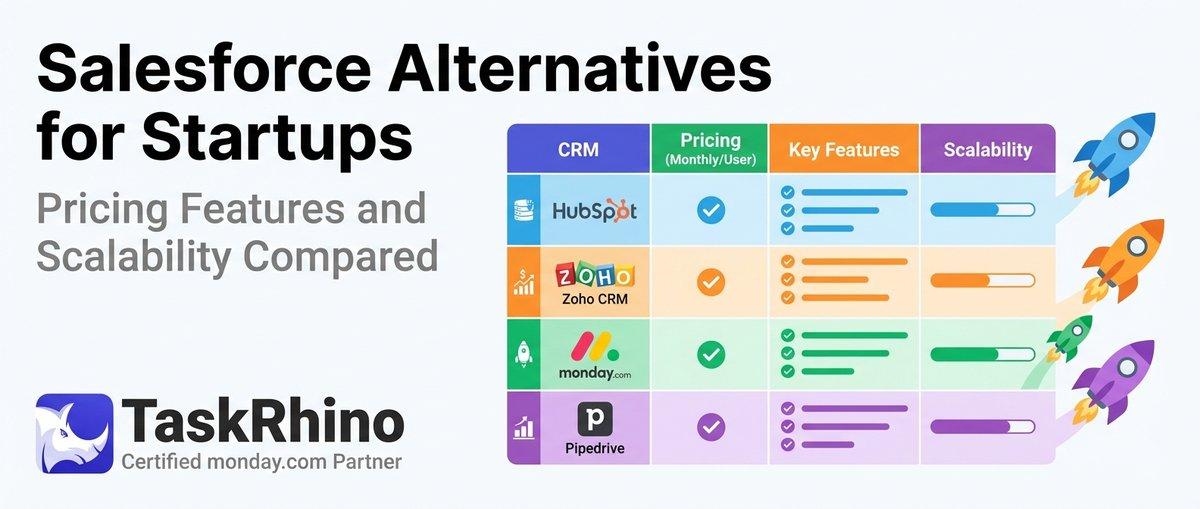
10 Best Salesforce Alternatives for Startups: Pricing, Features & Scalability Compared

10 Best Salesforce Alternatives for Growing SMBs ( Latest Rankings)