

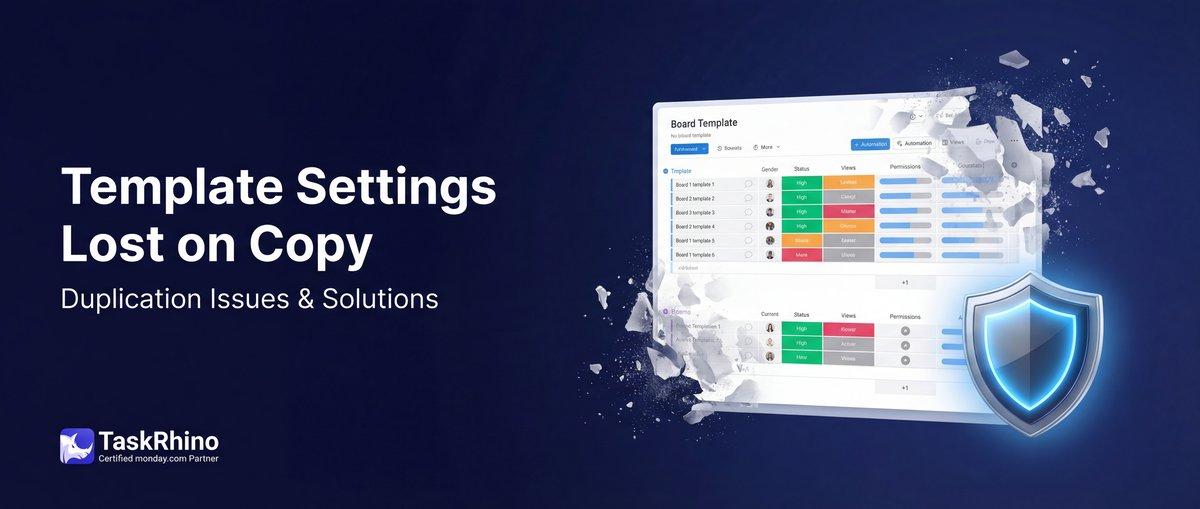
monday.com Template Board Settings Lost on Duplication
You spent three hours building the perfect template board. Columns, groups, views — all dialed in. Then you set up 15 automations: status changes trigger emails, button clicks send forms, cross-board connections create items. You added a Gmail integration for client notifications and a Slack integration for team updates.
Everything works beautifully. You save it as a template.
Three weeks later, you duplicate the template for a new project. The board structure looks great — columns, groups, all there. You open the Automations panel.
Only 9 of your 15 automations carried over. The Gmail integration: gone. The Slack automation: gone. The cross-board triggers that create items on other boards: gone.
Welcome to monday.com’s template duplication problem.
Boards Pain Point #5: Template Board Settings Are Lost When Duplicated
Here’s what teams expect when duplicating a template board:
- All automations carry over to the new board
- Email integrations (Gmail, Outlook) remain active
- External integrations (Slack, webhooks, API connections) transfer
- Cross-board automations update to reference the new boards
- The duplicated board works identically to the template — no manual rewiring
What monday.com actually delivers:
Monday.com’s official documentation lists exactly what does NOT carry over when boards are duplicated: Source
Automations that are lost:
- Custom recipes using integration blocks — Gmail, Outlook, Slack automations vanish entirely
- Cross-board automation recipes — automations that create or update items on other boards do not duplicate Source
- Custom recipes — any automation built with custom conditions or multi-step logic
- Automations with item mapping — automations that map column values between items
What DOES carry over:
- Regular status-based automations (if toggled ON)
- Simple notification automations (monday.com notifications only, not email)
- Basic same-board recipes
The result: Every duplicated board requires 10-30 minutes of manual automation rebuilding. At scale (50+ projects/year), this is hundreds of hours of repeated setup work.
What Monday.com Users Are Saying
Thread: Duplicate board not carrying ALL automations to the new duplicated board — September 2021 – June 2024 (20+ replies, 3+ years unresolved) Source
“All recipes (automations) that has integration with ’email’…are not carrying to new duplicated board.” — Roni Raimundo, September 17, 2021
The user’s template had 44 automations. The duplicated board had 39 automations — 5 automations silently dropped.
Multiple organizations confirmed this as a “HUGE time saver” if resolved, citing the risk of human error when manually recreating dozens of automations.
No monday.com staff response in this thread as of June 2024.
Thread: Email Automations Don’t Duplicate When the Board Duplicates — June 2022 – June 2024 (11 replies)
“I have a templated board for project managers and am now having to rebuild 10 automations on each PM’s board to ensure it works correctly.” — Jeanette, February 22, 2023
“so annoying to have to recreate the entire automation” — dk_NFroehlich, June 10, 2022
“one of the main reasons to make a ‘template’ is that custom automations with emails or slack notifications are fiddly to reproduce.” — Louise McKay, March 6, 2023
“Rewriting the all the automations 200 times is incredibly tedious.” — Aprel Dobson, February 9, 2024
Monday.com staff (Juliette, June 2024) encouraged voting on feature requests to influence product priorities. No fix offered.
Thread: Board duplication not duplicating automations — January – August 2023 (8 replies)
“I’ve set up a board with a bunch of automations…but when I duplicate that board, none of the automations are being carried across” — maddiecoachbright, January 23, 2023
“Everything, including the automations, would duplicate when I would duplicate a board. As of yesterday, none of the automations are duplicating and on about half of my boards the automations spontaneously disappeared.” — scunningham, February 24, 2023
Monday.com staff (mark.anley) acknowledged automations “should be carried over when boards are duplicated” and recommended contacting support — suggesting it was a bug, not a design choice. Yet the problem persists.
Thread: Duplicate integrations when duplicating a board — April 2020 – present (5+ years unresolved, 20+ replies)
“when I’m duplicating a board that already has some automations & integrations set up, only the automations get duplicated [not integrations]” — pszymanska (Patrycja), April 21, 2020
“templates are kind of useless if they don’t duplicate integrations…it’s a major pain that we can’t make use of the integrations feature.” — JessS, August 20, 2020
“I have a webhook integration…it is not copying over. Would really love to see this at least be a ghost option!” — jailynnhoops, November 18, 2022
Monday.com staff (ErickE) officially explained the root cause:
Integrations are “mapped directly to the Board ID” — ErickE-monday.com, May 14, 2020
This means integrations are fundamentally hardcoded to specific board IDs and cannot follow boards when duplicated. It’s a core architectural limitation, not a bug.
Auto-Create Project Folders from CRM
Status change → folder + boards + rosters + webhooks + automations. All automatic.
Why This Happens: Board IDs Are Hardcoded
Monday.com automations reference boards by their unique ID (e.g., board_id: 123456789). When you build an automation that says “when status changes to Done, create an item on the Production board,” monday.com stores that as:
“ Trigger: status_change on board 123456789 Action: create_item on board 987654321 “
When you duplicate the board, monday.com creates a new board with a new ID (e.g., 234567890). Source The automation is copied, but it still says:
“ Trigger: status_change on board 234567890 (NEW board) Action: create_item on board 987654321 (ORIGINAL Production board) “
The automation now points to the wrong board. It creates items on the original template Production board, not the new project’s Production board.
For email and Slack integrations, the problem is worse: they don’t copy at all. Monday.com strips them entirely during duplication. Source
How BoardBridge Solves This
BoardBridge takes a fundamentally different approach: workflow rules are stored in an external database, not embedded in monday.com’s automation engine.
When you set up a workflow rule (e.g., “when status changes to Confirmed, send email”), BoardBridge stores it as:
“json { "trigger": "status_change", "boardId": "template_overview_board", "column": "confirmation_status", "value": "Confirmed", "action": "send_email", "emailTemplateId": "band_confirmation_email", "recipientColumnId": "email_column" } “
Notice: The board is referenced as "template_overview_board" — a logical name, not a monday.com board ID.
When a New Project Is Created
After all template boards are duplicated, BoardBridge’s automation cloning workflow runs:
Step 1: Fetch All Template Workflow Rules
Query the database for all workflow rules associated with the template boards:
- Status change triggers
- Button click triggers
- Cross-board item creation rules
- Email automations
- Cross-board status updates
Step 2: Build a Board ID Mapping
Create a lookup table that maps old board IDs to new board IDs:
“ template_overview_board (ID: 123456) → project_overview_board (ID: 789012) template_production_board (ID: 234567) → project_production_board (ID: 890123) template_travel_board (ID: 345678) → project_travel_board (ID: 901234) “
Step 3: Clone Each Workflow Rule with Board ID Remapping
For each workflow rule, create a new copy where every board ID reference is replaced:
Original rule (template): “json { "trigger": "button_click", "boardId": "123456", "action": "create_item", "targetBoardId": "234567" } “
Cloned rule (project): “json { "trigger": "button_click", "boardId": "789012", // NEW overview board "action": "create_item", "targetBoardId": "890123" // NEW production board } “
Step 4: Register Webhooks on the New Boards
For each new project board, register a webhook with monday.com so the system receives real-time notifications when triggers fire (status changes, button clicks, column updates).
Step 5: Activate All Cloned Rules
Mark all cloned workflow rules as active. The new project boards are now fully wired with all the same automation logic as the templates.
The Result
Every workflow rule from your template boards is replicated on the new project boards:
- ✅ Status changes trigger emails (with CC groups)
- ✅ Button clicks send forms and update statuses
- ✅ Cross-board triggers create items on the correct new boards
- ✅ Conditional email templates work (outbound vs return travel logic)
- ✅ Multi-step workflows execute in sequence
Zero manual automation rebuilding.
See How BoardBridge Handles Board Management
Book a free demo to see BoardBridge solve this exact problem — live, with your data.
Real-World Example: Event Management Templates
Template boards include:
- Event Overview (15 automations)
- Band Confirmations (8 automations)
- Travel (12 automations)
- Production (10 automations)
Total: 45 workflow rules
When a new event project is created:
- All 4 boards duplicated
- All 45 workflow rules cloned
- Every board ID reference remapped to the new boards
- Webhooks registered on all 4 new boards
- All rules active
Manual effort: 0 minutes
With native monday.com automations: 30-45 minutes to rebuild 45 automations by hand, plus the risk of missing one or misconfiguring a cross-board reference.
What Gets Cloned
BoardBridge clones these workflow rule types:
Status Change Triggers:
- When status changes to X → send email
- When status changes to X → create item on another board
- When status changes to X → update status on another board
- When status changes to X → switch email template conditionally
Button Click Triggers:
- When button clicked → send email with form links
- When button clicked → update multiple status columns
- When button clicked → create item on another board
Cross-Board Triggers:
- When item created on Board A → create item on Board B
- When status changes on Board A → update item on Board B
Conditional Logic:
- If dropdown = “Outbound” → send Template A, else send Template B
- If status = “Confirmed” AND type = “Band” → CC band coordinator
- If column is not empty → include in email
Email Rules:
- Recipient from column value
- CC groups (named groups of email addresses)
- Conditional CC (add recipients based on column values)
- Dynamic subject lines
- Rich text body with column value variables
Limitations You Should Know
Native monday.com automations are NOT cloned. If you’ve built automations in monday.com’s automation center (outside of BoardBridge), those follow monday.com’s rules: most don’t carry over, and the ones that do still point to the original boards.
Migration required. To use BoardBridge’s automation cloning, you need to migrate your workflow logic from monday.com’s automation center to BoardBridge’s workflow rule system. This is a one-time setup process per template board.
Webhooks are required. BoardBridge monitors boards via webhooks. If webhooks are disabled in your monday.com workspace (Enterprise security policy), the system cannot receive real-time triggers. Webhook registration happens automatically per board when projects are created.
Need Help With Your monday.com Setup?
TaskRhino has implemented monday.com for 110+ teams. Get a free consultation.
Frequently Asked Questions
Why do custom automations disappear when duplicating a monday.com template board?
Custom automations using integration blocks, such as Gmail or Slack connections, do not carry over when duplicating a board from a template because monday.com only duplicates standard automation recipes, requiring manual recreation on the new board. This limitation affects complex setups like status-triggered emails or button-click forms. Tools like **BoardBridge** can migrate these automations reliably without rebuilding.
How to retain subitem settings in board views after duplicating a monday.com template?
Subitem settings in views like Gantt or Kanban are lost during board duplication in monday.com, as the process does not preserve view-specific configurations. Workarounds include manually reapplying settings post-duplication or using the monday.com SDK for custom view apps. **BoardBridge** preserves all view configurations, including subitems, during template duplication for seamless replication.
Do integrations like Gmail and Slack survive monday.com board template duplication?
Integrations such as Gmail for notifications or Slack for updates do not transfer when creating a new board from a template, as they rely on custom automation blocks that monday.com excludes from duplication. Users must reconnect these manually on the duplicated board. **BoardBridge** handles integration migrations automatically, ensuring client notifications and team updates function immediately.
Why are some automations missing after duplicating a complex monday.com template board?
When duplicating boards with many automations (e.g., 44 recipes), monday.com may drop custom or integration-based ones, resulting in fewer automations on the new board due to platform limitations. This is a known issue not resolved by browser changes or incognito mode. **BoardBridge** ensures 100% automation fidelity, including all 15+ recipes like cross-board connections.
How to duplicate a monday.com template board without losing automation recipes and connections?
Standard duplication in monday.com copies structure and standard automations but skips custom recipes and integrations like button-triggered forms or cross-board item creation. Templates exacerbate this by design, forcing recreation. **BoardBridge** provides a one-click solution to duplicate with full automation, integration, and view preservation.
Workaround for lost board settings like automations when using monday.com templates for new projects?
Saving as a template and duplicating loses custom automations and integrations, unlike direct board duplication which at least copies standard recipes, but still requires manual fixes. Admin tweaks like disabling Projects help avoid format changes but not settings loss. **BoardBridge** bypasses these issues by cloning entire template configurations accurately for new projects.

Editor's Choice
monday.com Automation Safety: Preventing Duplicate Items

monday.com No Dry-Run Mode for Automations
monday.com Automation Test Sandbox Mode