

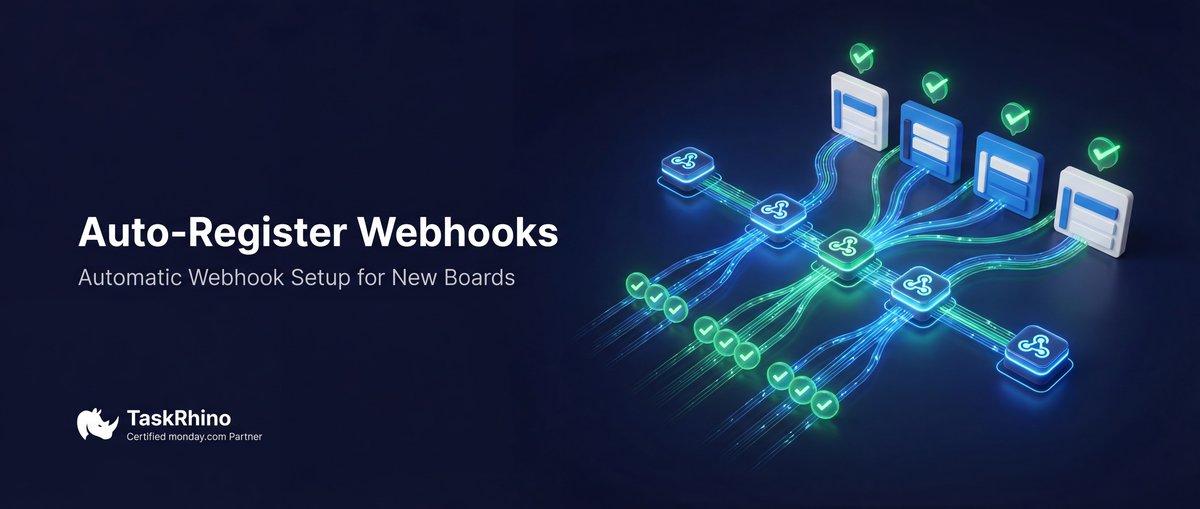
monday.com Webhooks Auto-Register on New Boards
Webhooks work instantly. Not after manual re-registration.
Can monday.com webhook auto-register on new boards? When you duplicate boards or create new project workspaces from templates on monday.com, you expect your automations to just work. But there’s a hidden technical requirement that breaks most automation systems: webhook subscriptions don’t transfer to new boards.
Every time you create a board from a template — whether for a new client project, event, campaign, or sales deal — you have to manually set up webhook listeners again. For teams managing 50-100+ projects per year, this isn’t just tedious. It’s a scalability blocker that prevents true automation at scale.
BoardBridge — Form & Workflow Automation for monday.com — auto-registers webhooks on every new board created from templates. Zero manual setup required.
Why monday.com Webhooks Don’t Transfer on Board Duplication
Pain Point #36: Webhook subscriptions disappear when you duplicate boards, requiring manual re-registration
When you duplicate a monday.com board template, here’s what monday.com duplicates: Source
- ✓ Columns
- ✓ Groups
- ✓ Views
- ✓ Automations (automation rules themselves)
- ✗ Webhook subscriptions (not duplicated)
Webhook subscriptions are tied to specific board IDs. They don’t copy when you duplicate. Even if your automation rules mention webhooks, the actual listener connections stay on the original board.
How Webhooks Work in monday.com
When you set up a webhook on a board:
- monday.com’s API registers a subscription
- The subscription listens for events on that specific board ID
- When events happen (item created, status changed, etc.), monday.com sends HTTP POST requests to your webhook URL
- Your system processes the events
When you duplicate the board:
- A new board is created with a new board ID
- The original webhook subscription still listens to the original board ID
- The new board has zero webhook listeners
- Events on the new board are ignored — no webhook notifications sent
The Broken Workflow
Here’s what happens when teams use webhooks with template board duplication:
- Build a perfect template board with custom webhooks set up
- Configure webhooks to send events to external system (Make, Zapier, custom app, etc.)
- Duplicate board for new project
- Events happen on the new board (items created, statuses change, etc.)
- External system receives zero notifications because webhooks aren’t registered on the new board
- Automations fail silently
- PM doesn’t realize until hours/days later when something breaks
What the Community Says
From monday.com forums:
“Webhook subscriptions don’t transfer when duplicating boards. Every new project requires manual webhook re-registration.” — Community thread: Webhooks on duplicated boards
“This is killing our automation at scale. We create 20+ projects per month, and manual webhook setup is not sustainable.” — Community feedback: Webhook scalability issue
Even monday.com’s documentation doesn’t address this — it’s a known gap, not a feature.
Auto-Create Project Folders from CRM
Status change → folder + boards + rosters + webhooks + automations. All automatic.
How BoardBridge Handles monday.com Webhook Auto-Registration
When BoardBridge creates a project (triggered by a CRM deal moving to “Won” or a manual button-click email), the webhook registration for that board happens automatically and simultaneously with board creation.
The Auto-Registration Flow
- Duplicate board from template (creates new board ID)
- Fetch webhook config from the original template board (where webhooks are defined)
- Register webhooks on the new board (pointing to the same event listener URLs)
- Verify registration and log success
- Return confirmation that webhooks are active
How It Works
BoardBridge maintains a webhook configuration library — a list of:
- Which template boards have webhooks set up
- Which URLs those webhooks should point to
- Which event types trigger notifications
When a new board is created from that template, BoardBridge:
- Looks up the template’s webhook config
- Creates new webhook subscriptions on the new board, pointing to the same URLs
- Ensures the new board receives all the same event notifications as the template
Result: Your external system (Make, Zapier, custom app) starts receiving webhook events from the new board instantly.
Zero Manual Setup
You never have to:
- Log into monday.com’s API dashboard
- Manually register webhook subscriptions
- Copy webhook URLs or configuration from the template
- Test webhooks to see if they’re working
- Troubleshoot silent failures
All of this happens automatically.
See How BoardBridge Handles Board Management
Book a free demo to see BoardBridge solve this exact problem — live, with your data.
Real-World Scenario: Event Automation at Scale
A company manages events and uses webhooks to sync monday.com boards with an external project timeline system via Make.
Before BoardBridge (manual webhook re-registration):
- Event deal won on CRM
- Board duplicated from template
- External timeline system is configured to listen to the template board only
- New board is created but webhooks aren’t registered
- Event starts, items are created and status changes occur
- Timeline system receives zero notifications
- Team realizes it’s broken 24 hours later when the timeline is out of sync
- PM manually registers webhooks on the new board via monday.com API
- Webhooks finally start working
- Time per project: 15-20 minutes of troubleshooting + manual setup
With BoardBridge (automatic webhook auto-registration):
- Event deal won on CRM
- BoardBridge duplicates board and auto-registers webhooks
- New board is created with webhooks already active
- Event starts, items are created and status changes occur
- Timeline system receives webhook notifications immediately
- Timeline is in sync from day one
- Time per project: Zero
Why This Beats Manual Webhook Setup
| Need | Manual Webhook Setup | BoardBridge Auto-Registration |
|---|---|---|
| Webhook subscriptions on new boards | No — must be done manually | ✓ Automatic on board creation |
| External systems receive events from new boards | No — until manual setup | ✓ Yes, immediately |
| Zero webhook configuration knowledge needed | No | ✓ Yes — all automatic |
| Consistent webhook configuration across projects | No — easy to miss boards | ✓ Yes — template-based |
| Time per project | 15-20 minutes of setup | ✓ Zero |
How to Set It Up
- Configure webhooks on your template board in monday.com (this is one-time)
- Document webhook URLs and event types in BoardBridge’s webhook config
- Configure project creation trigger (usually CRM Won status)
- Test: Create a test project and verify webhooks are registered on the new board
- Verify: Check that your external system receives webhook events from the new board
Common Questions
Q: Do monday.com webhooks auto-register on new boards? A: No. Webhook subscriptions don’t transfer when duplicating boards. You have to manually re-register them on every new board. BoardBridge auto-registers webhooks as part of project creation.
Q: What event types are supported for auto-registration? A: BoardBridge supports all monday.com webhook event types: create_item, change_column_value, change_status, update_item, archive_item, delete_item, and others. Any webhook that works on the template board works on the new board.
Q: Can I use BoardBridge webhooks with external platforms like Make, Zapier, or custom apps? A: Yes. BoardBridge auto-registers webhooks that point to any URL. Your external system doesn’t need to know it’s a BoardBridge project — it just receives standard monday.com webhook payloads.
Q: What if I update the webhook config on the template board later? A: New projects created after the update will use the new webhook config. Old projects keep their original webhooks (they don’t retroactively update). This prevents breaking existing projects.
Q: Does auto-registration consume monday.com API calls? A: Yes — one API call per webhook subscription per board created. BoardBridge manages the overhead, but if you have 10 webhooks and create 20 projects per month, that’s 200 API calls. Most teams find this acceptable.
Q: Can I disable webhook auto-registration for specific boards? A: Yes. You can configure which boards should have webhooks auto-registered. Some boards might not need external notifications, so you can skip them.
Q: What if a webhook URL becomes invalid? A: BoardBridge will log the error and skip that webhook subscription. The project creation continues, but that specific webhook won’t work. Fix the URL and re-run the auto-registration for that project.
Q: Do I still need to set up webhooks on the template board manually? A: Yes, one time. You set up webhooks on the template board in monday.com. BoardBridge then auto-registers them on every duplicated board. The template setup is a one-time investment.
Who This Is For
This feature is built for teams who:
- Use webhooks to sync monday.com with external systems (Make, Zapier, custom apps, internal tools)
- Create multiple projects per month from template boards
- Can’t afford manual webhook re-registration for every project
- Want external systems to start receiving notifications immediately after project creation
- Need reliable automation that doesn’t break silently
If you’ve ever discovered that webhooks stopped working on a new board because you forgot to re-register them, auto-registration solves that.
Need webhook auto-registration on every new board? BoardBridge by TaskRhino auto-registers webhooks during project creation — no manual setup required. Book a free 30-minute consultation at https://calendly.com/rp-spaceo/call-with-rakesh-est-timezone
Need Help With Your monday.com Setup?
TaskRhino has implemented monday.com for 110+ teams. Get a free consultation.
Frequently Asked Questions
Why do monday.com webhooks get disabled when duplicating a board from a template?
monday.com webhook subscriptions do not transfer or remain active on boards created by duplication or from templates, requiring manual re-registration each time. This is a platform limitation, as confirmed in community discussions where users report integrations being disabled on new boards. BoardBridge solves this by automatically registering webhooks on every new board from templates, eliminating manual setup.
Can I use the monday.com API to programmatically re-enable webhooks on newly created boards?
Yes, you can use the `create_webhooks` mutation via the monday.com API to add webhooks to new boards after creation, but this requires custom scripting for each board event. This approach works around the duplication limitation but demands ongoing automation logic to detect new boards. For seamless handling, BoardBridge auto-registers webhooks instantly without API scripting.
How to automatically register webhooks for boards created via monday.com automations?
Native monday.com automations for creating boards from templates do not carry over webhook integrations, necessitating post-creation API calls or third-party tools. Users often resort to tools like Make for polling and re-registering, but this isn’t instantaneous. BoardBridge provides instant auto-registration for all new template boards, ensuring webhooks work without delay.
What triggers are needed to detect new boards and auto-register webhooks in monday.com?
monday.com lacks built-in webhooks for board creation or structural changes, so detecting new boards requires polling via API or external schedulers. This setup is complex for high-volume template usage, as confirmed in community threads on board adaptations. BoardBridge bypasses this by monitoring and auto-registering webhooks on new boards automatically.
Is there a way to make webhook integrations persistent across duplicated monday.com boards?
No native persistence exists for webhooks on duplicated or template-derived boards; they must be manually or programmatically recreated each time. API-based recreation via `create_webhooks` is possible but not automatic for bulk or frequent duplications. BoardBridge ensures persistence by auto-registering webhooks on every new board, with zero manual intervention.
How does BoardBridge handle webhook auto-registration for monday.com boards from multiple templates?
BoardBridge monitors board creation events from any templates and instantly registers predefined webhooks, supporting complex workflows without per-board configuration. Unlike API polling or Make scenarios, it requires no custom triggers or delays for verification challenges. This makes it ideal for teams duplicating boards frequently, as webhooks activate immediately.

Editor's Choice
monday.com Automation Safety: Preventing Duplicate Items

monday.com No Dry-Run Mode for Automations
monday.com Automation Test Sandbox Mode