

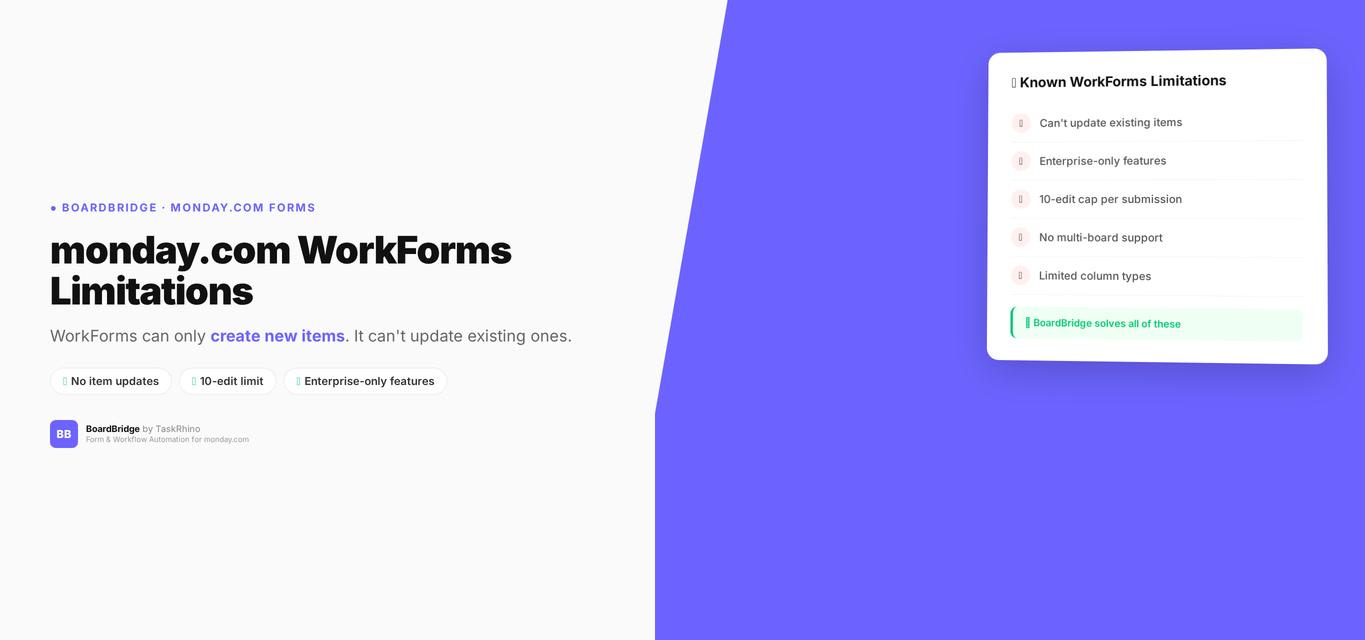
monday.com WorkForms Limitations: Why Your Forms Can’t Edit Existing Items
You’ve built the perfect form. Your client fills it out. Monday.com creates a brand new item. Then the client realizes they made a mistake. They fill out the form again. Another brand new item. Now you have two items for one submission, and you’re stuck manually merging data or deleting duplicates.
This isn’t a workflow problem. It’s a WorkForms problem. Monday.com’s native form builder can only create new items — it cannot update existing ones. And despite ongoing community requests over 6+ years, it remains unsolved in 2026.
This post documents known WorkForms limitations, why they exist, what Monday.com has (and hasn’t) done to fix them, and what you can actually do about it. By the end, you’ll know if WorkForms will work for your use case — or if you need something else.
TL;DR: If you need a form that updates existing items, WorkForms can’t do it. BoardBridge can. See a quick demo.
Known WorkForms Limitations (2026):
- Forms can’t update existing items (the main limitation, requested since January 2020)
- Upload limits — WorkForms have restrictive file upload limits, hindering collection of high-resolution media or large documentation
- Edit limit of 10 edits per submission — Even on Enterprise, submissions can only be edited 10 times maximum Source
- No editing of Signature or Connect Boards field types — These field types cannot be edited even on Enterprise accounts Source
- Inconsistent form display — Forms sometimes show different fields on the published form vs. in the board
- Permission/admin restrictions — Admins sometimes can’t make changes to published forms
- Limited conditional logic — Conditional field visibility is Enterprise-only Source and basic compared to dedicated form tools like Typeform or JotForm
Quick solution: BoardBridge — Form & Workflow Automation for monday.com — was built specifically to solve this. Every form updates existing items via unique URLs. No duplicates, no manual merging. Book a free demo to see it in action.
The #1 WorkForms Limitation: Forms Can’t Update Existing Items
Forms Pain Point #1: Intake forms need to populate columns on an existing project item, not create a new one. Learn how to update existing monday.com items with a form.
This is the most-requested monday.com feature in history. The community thread “Use Forms to edit/update existing items and columns” Source has been active from January 2020 to February 2026 (6+ years and counting) with over 165 replies.
Real quote from the thread:
“The original request was to give users a way to edit existing items using forms… what we got was a way for users to edit items CREATED with forms.” — daltonjazz (Sean), July 7, 2025
What users actually need:
- Forms Pain Point #2: Multiple intake forms need to populate the same project item (different forms writing to the same item, not creating separate rows)
- Forms Pain Point #3: Vendor or contractor fills a form that should update their assigned item (external contact fills form → updates existing item on their board, no Monday account needed)
- Forms Pain Point #7: Client-facing form needs to populate a project board that was set up before the form was sent (pre-created items should be the target of form submissions)
What Monday.com Released (and Why It Doesn’t Help)
In January 2025, Monday.com released “Edit Form Responses” for Enterprise customers only Source. Here’s what it does:
✅ Lets users edit form submissions they already made ❌ Only works on items the form itself created — not pre-existing items ❌ Caps at 10 edits per submission Source ❌ Must be enabled before publishing the form (can’t add retroactively) ❌ Cannot edit Signature or Connect Boards question types, even on Enterprise Source ❌ Files can only be added, not deleted or replaced
Community response:
“it has been a year since this post. As an enterprise customer, I am still not seeing view or edit versions of the form capability. Has this been scrapped?” — xMarcus (MK), February 15, 2026
“the core request here was to be able to edit/update ‘existing’ items… all that has been released is the ability to edit your own new submissions” — Dickson.Cody (Cody Dickson), February 15, 2026
Forms Pain Point #8: “Edit Form Responses” only works on items the form itself created — not on pre-existing items, items created manually, items created via API, or items created by automation. Learn more about monday.com form response editing limitations and workarounds.
Forms Pain Point #12: Form response editing has a hard limit of 10 edits per submission Source. After that, the form response is permanently locked.
Category 2: Forms Can’t Write to Multiple Boards
Forms Pain Point #15: One intake form collects info that belongs on two different boards (e.g., project overview + production details). WorkForms targets only one board per form. No secondary board mapping.
Example: You have an event intake form. Event logistics belong on the Event Overview board. Production details (A/V, stage setup) belong on the Production board. With WorkForms, you need two separate forms, two separate emails, two separate submissions — doubling your client’s workload.
Forms Pain Point #19: Connect Boards columns can’t be populated via form submissions. The Connect Boards column type is completely unsupported in WorkForms — you can’t even add it to a form.
Official Monday.com docs confirm: WorkForms supports text, dropdown, status, and similar columns — but explicitly excludes Connect Boards and Mirror columns from form building Source.
Competitor advantage: Fillout advertises “Make forms that choose and filter down records from multiple Monday tables” as a key differentiator. SuperForm supports Connect Boards, Mirror, and cross-board data in forms — all unsupported in native WorkForms Source.
Category 3: Forms Have No Conditional Logic (Unless You’re on Enterprise)
Forms Pain Point #21: Different respondents should see different questions based on their answers. WorkForms has no conditional logic on Standard or Pro plans Source. Enterprise gets basic “show/hide section” logic added in late 2025 — but it’s severely limited.
What you can’t do:
- Forms Pain Point #22: Skip entire sections when they don’t apply (Enterprise conditional logic is section-level only — can’t conditionally show/hide individual fields)
- Forms Pain Point #23: Show a question only if the item’s status is “Active” (conditional logic only uses form answers — can’t reference live board data)
- Forms Pain Point #24: Compound conditions like “IF answer A = ‘Yes’ AND answer B = ‘External’ THEN show Section 3” (only simple single-condition branching, no AND/OR)
- Forms Pain Point #25: Hide required fields conditionally (required fields remain required even when their section is hidden, blocking submission)
Enterprise gating confirmed: Conditional logic forms are Enterprise-only Source.
What competitors offer on ALL plans:
- Fillout: “powerful hiding and validation logic” + multi-page forms with conditional branching — free up to 1,000 submissions Source
- SuperForm: conditional logic based on board data, not just form answers Source
- JotForm, Typeform: full conditional logic on all plans
Stop Creating Duplicates
BoardBridge forms update existing items — no Enterprise plan, no workarounds, no duplicates.
Category 4: Forms Don’t Support Many Column Types
WorkForms can’t create or populate approximately 12 Monday.com column types. If your board uses these columns, forms simply can’t write to them.
Forms Pain Point #27: People Column forces board to restricted access mode when used in forms. The column type is essentially unusable in form context.
Official docs confirm People Column restriction Source:
- People Column “will be prompted to restrict the form access to account members only”
- Admin must explicitly enable via Administration > Customization > Features
- Warning: “User information, such as names, titles, and photos, may be accessible to external individuals”
Forms Pain Point #28: Formula, Mirror, and Auto-Number columns are invisible to forms (computed column types can’t appear on forms — not even as read-only display)
Forms Pain Point #29: Dependencies, Time Tracking, and Tags columns can’t be set via forms (completely excluded from WorkForms field mapping)
Forms Pain Point #32: Dropdown fields are limited to 500 options in forms. Boards with larger dropdowns (1,000+ options for locations, products, SKUs) can’t fully replicate in forms.
Forms Pain Point #33: Form “tags” only create Text columns on the board — can’t map to existing Status, Dropdown, or other typed columns. Tag answers always create plain text columns, no way to map to typed columns.
SuperForm’s competitive advantage: Supports Connect Boards, Mirror, Formula, Subitems, Dependencies, Tags, Hour, WorldClock, Week, and Item ID column types — all unsupported in native WorkForms Source.
Category 5: Key Form Features Are Enterprise-Only
Monday.com gates critical form features behind the Enterprise plan, leaving Standard and Pro users with a bare-bones form builder.
| Feature | Free/Standard | Pro | Enterprise |
|---|---|---|---|
| Hide branding | NO | YES | YES |
| Pre-fill (Account) | NO | NO | YES |
| Pre-fill (URL Parameter) | NO | YES | YES |
| Response editing | NO | NO | YES |
| Password protection | NO | NO | YES |
| Conditional logic | NO | NO | YES |
Source: WorkForms settings and permissions
For a complete breakdown of monday.com form features by plan, see our detailed comparison guide.
Forms Pain Point #34: Response editing requires Enterprise Source — Standard and Pro users can’t let people edit their submissions. No workaround.
Forms Pain Point #35: Account-level pre-fill (auto-fill form fields from Monday.com data) requires Enterprise Source. Pro users can only use URL parameter pre-fill.
Forms Pain Point #37: Conditional logic requires Enterprise Source. Standard and Pro users have no branching at all.
Forms Pain Point #40: Pre-fill via URL parameters only supports 7 question types (Short Text, Long Text, Numbers, Email, Phone, Link, Dropdown) Source. Date, Rating, File, Checkbox, Country, Signature, and all other types can’t be pre-filled — even on Enterprise.
Pro user frustration is loud and documented:
“When will this be released for Pro users??” — Daniel-WSU, January 11, 2026
“how this could be a solution for a non enterprise users? (we are pro users)” — hlopezvc, January 21, 2025
Category 6: Form Design & UX Gaps
WorkForms lacks standard form builder features that exist in every competitor (Typeform, JotForm, Google Forms).
Forms Pain Point #41: No multi-page forms — every question is on one long scrolling page. WorkForms is single-page only. No pagination, no step-by-step wizard.
Forms Pain Point #44: “Save as Draft” feature doesn’t save uploaded files or signatures. Drafts lose file uploads and signatures. Respondents must re-upload everything when resuming.
Official docs confirm Source:
“Files or signatures in the signature question will not be saved” when using Save as Draft.
Forms Pain Point #45: No form embedding via iframe or native embed code. Forms must be shared as standalone Monday.com-hosted links.
Forms Pain Point #47: No email confirmation sent to respondent after form submission. WorkForms doesn’t send submission confirmations. Submitters get no receipt or proof of submission.
Forms Pain Point #48: No payment processing in forms (credit card, invoice, etc.). Need external payment processor (Stripe, PayPal) with manual integration.
What competitors offer natively:
| Feature | WorkForms | JotForm | Typeform | Fillout |
|---|---|---|---|---|
| Multi-page forms | No | Yes | Yes (1 question/page) | Yes |
| Custom CSS/branding | Pro+ (branding only) | All plans | All plans | All plans |
| Mobile form builder | No | Yes | Yes | Yes |
| Payment processing | No | 41 integrations | Yes | Yes |
| Email confirmations | No | Yes | Yes | Yes |
| Form embedding | No | Yes | Yes | Yes |
See How BoardBridge Handles Form Updates
Book a free demo to see BoardBridge solve this exact problem — live, with your data.
Category 7: Form Submissions Have Hard Limits
Forms Pain Point #49: Board has a hard limit of 10,000 items for Standard/Pro plans, 100,000 for Enterprise Source — forms creating new items will hit this ceiling. High-volume forms (event registrations, surveys, applications) hit this wall. No auto-archive.
Forms Pain Point #50: Each form submission can consume 5-10+ automation actions in a complex workflow chain. Automation limits per plan Source:
- Standard = 250/month — at ~8 form submissions/day with a basic chain, you exhaust the limit
- Pro = 25,000/month — sounds high, but each submission can consume 5-10+ actions
- Enterprise = 250,000/month — only Enterprise can purchase additional actions
At 100% usage, the account is BLOCKED from editing or adding new Automations/Integrations.
Forms Pain Point #54: No “form submission” automation trigger — can’t fire automations specifically when a form creates an item. Must use generic “when item created” trigger, which fires on ALL item creation (manual, API, automation, form) with no way to filter form-only submissions.
Category 8: Forms Are Unreliable at Scale
Forms Pain Point #55: Mass form corruption event (Feb 2025): Multiple users reported forms breaking overnight with no warning.
Documented incident where Monday.com acknowledged issues but no root cause published. Users reported forms resetting settings (save-as-draft disabled, visual rendering corrupted).
“We pay 50k a year, and are currently receiving a terrible service, over night, every single one of over a thousand forms has been reset to not save a draft, also our main site choice column has 5 choices not displaying on the form end only (1000s of forms), also some forms now have black backgrounds with black text, also the save as draft button has been switched off for every form at once” — Community user report, February 2025
Forms Pain Point #56: No form backup or restore mechanism — when forms break, there’s no way to recover. No form version history, no backup, no restore point.
Forms Pain Point #58: Form visual rendering can corrupt — users report black-on-black text, invisible fields. Known visual rendering bugs that make forms unusable.
Forms Pain Point #61: Monday.com has warned about future form monetization — features may move behind paywalls Source.
“Certain WorkForms features may require payment in the future.”
Summary: Key Form Pain Points in 8 Categories
| Category | Core Limitation | Severity |
|---|---|---|
| Forms can’t update existing items | WorkForms only creates new items; Enterprise edit is crippled | Critical |
| Forms can’t write to multiple boards | One form = one board target; Connect Boards unsupported | High |
| Forms have no conditional logic | Enterprise-only, section-level only, no compound conditions | Critical |
| Forms don’t support many column types | ~12 column types completely excluded from forms | High |
| Key form features are Enterprise-only | Response editing, pre-fill, conditional logic, passwords all gated | Critical |
| Form design & UX gaps | No multi-page, no embed, no mobile builder, no confirmations | High |
| Form submissions have hard limits | 10K item cap (Standard/Pro), automation quotas multiply per submission | High |
| Forms are unreliable at scale | Mass corruption, no backup/restore, visual rendering bugs | Critical |
Your Alternatives
1. Third-Party Form Apps
- SuperForm (marketplace app) — supports more column types, pre-fill, conditional logic, and updating existing items Source
- Fillout (free up to 1,000/mo) — multi-page forms, powerful logic, updates existing items via formula links Source
- JotForm — full-featured form builder with 41 payment integrations, embeds anywhere
- OnlyForm — niche monday.com form app
Pros: More features than WorkForms, some support Connect Boards and Mirror columns, SuperForm and Fillout can update existing items Cons: JotForm and OnlyForm still create new items only. Column name changes can break third-party integrations. Monthly subscription costs add up.
2. Google Forms + Zapier/Make
Use Google Forms for data collection, then push to Monday.com via middleware.
Pros: Google Forms is free and full-featured Cons: Two-step setup, middleware costs ($20–$99/mo), no native Monday.com column type support, data sync delays
3. BoardBridge — Form & Workflow Automation for monday.com
Built specifically to solve the “forms can’t update existing items” problem. Every form gets a unique URL per Monday.com item. When someone opens the form:
- Existing column values pre-fill automatically
- They update what needs changing
- The original Monday.com item updates in place — no duplicates, no manual merging
What it solves from this list:
- ✅ Updates existing items
- ✅ Primary + secondary board mapping
- ✅ Conditional logic with AND/OR on any plan (not restricted to Enterprise like native monday.com)
- ✅ Custom branding, 4 layouts including wizard/stepper
- ✅ Pre-fill on all 10 field types, any plan
- ✅ Per-field overwrite protection
- ✅ Custom redirect after submission
- ✅ Zero automation quota consumption
- ✅ Dedicated “form submitted” trigger
What it doesn’t solve (yet):
- Self-service portal for external clients
- People, Dependencies, Connect Boards column types
- Password protection
- Payment processing
Book a free demo to see how BoardBridge handles form updates, cross-board mapping, and conditional logic.
Need Help With Your monday.com Setup?
TaskRhino has implemented monday.com for 110+ teams. Get a free consultation.
Frequently Asked Questions
Can monday.com forms update existing items?
No. Monday.com WorkForms can only create new items. The “Edit Form Responses” feature (Enterprise-only Source, released January 2025) only lets users edit submissions they already made — it doesn’t let forms update pre-existing items. This limitation has been the #1 feature request for 6+ years Source.
Why can’t WorkForms update existing items?
Monday.com built WorkForms as a submission-to-item pipeline — one submission creates one item. Updating existing items would require per-item unique URLs, pre-fill from board data, and overwrite logic. Monday.com hasn’t implemented this architecture, even after 6+ years of requests.
What form features require Enterprise plan?
Response editing Source, account-level pre-fill Source, conditional logic Source, and password protection all require Enterprise. Pro gets URL parameter pre-fill and branding removal. Standard gets none of these features.
How many form submissions can a monday.com board handle?
Boards cap at 10,000 items for Standard/Pro plans, 100,000 for Enterprise Source. Since each WorkForms submission creates a new item, high-volume forms (event registrations, surveys) hit this limit quickly. There’s no auto-archive or bulk cleanup tool.
Can WorkForms write to multiple boards?
No. Each form targets one board. You cannot split form data across two or more boards natively, and Connect Boards columns are not supported in forms at all Source.
Is there a form alternative that updates existing monday.com items?
Yes. BoardBridge, SuperForm Source, and Fillout all support updating existing monday.com items. BoardBridge uses unique URLs per item with unlimited edits and no plan restrictions. SuperForm and Fillout also support this feature. JotForm and OnlyForm create new items like WorkForms does. See our comparison of the best monday.com form alternatives.
Need forms that update existing monday.com items, advanced email automations, or cross-board workflows? BoardBridge by TaskRhino handles all of it. [Book a free 30-minute consultation](https://calendly.com/rp-spaceo/call-with-rakesh-est-timezone) to see how it works with your setup.
Rakesh Patel is the builder of BoardBridge and founder of TaskRhino. With 110+ client implementations, he helps teams get the most out of monday.com — from board architecture to custom integrations. Book a free consultation | Follow on LinkedIn

Editor's Choice
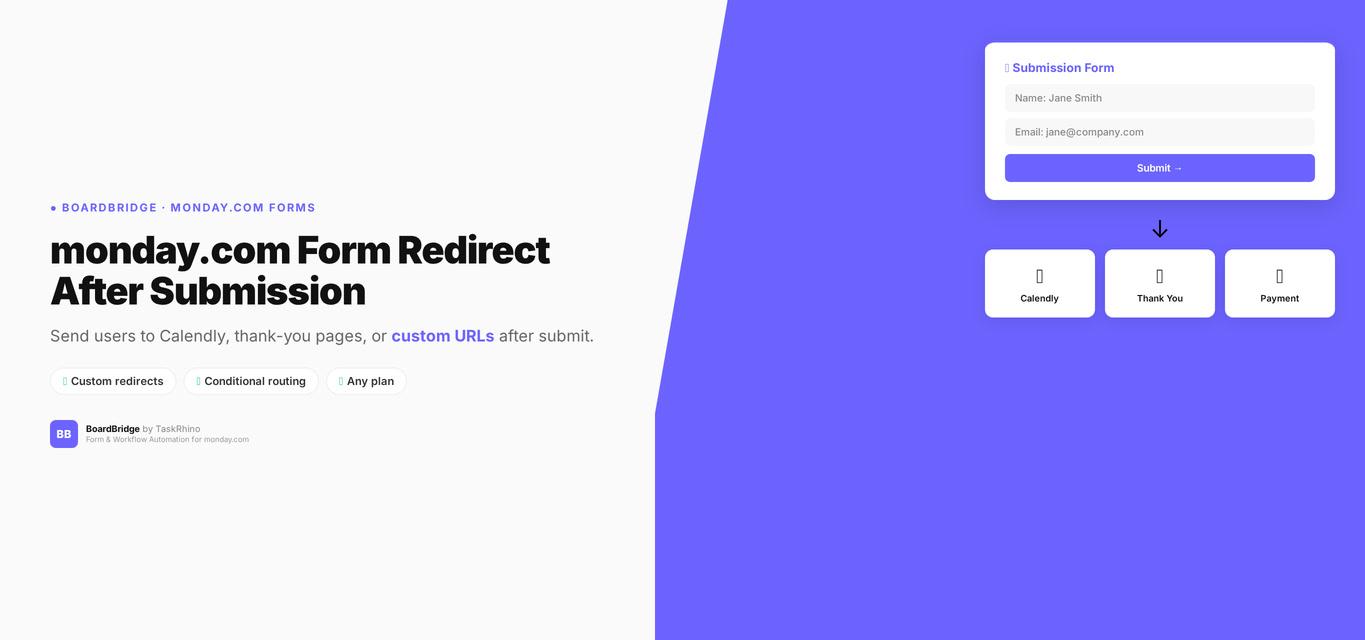
monday.com Form Redirect After Submission: How to Send Users to Calendly, Thank-You Pages, or Custom URLs

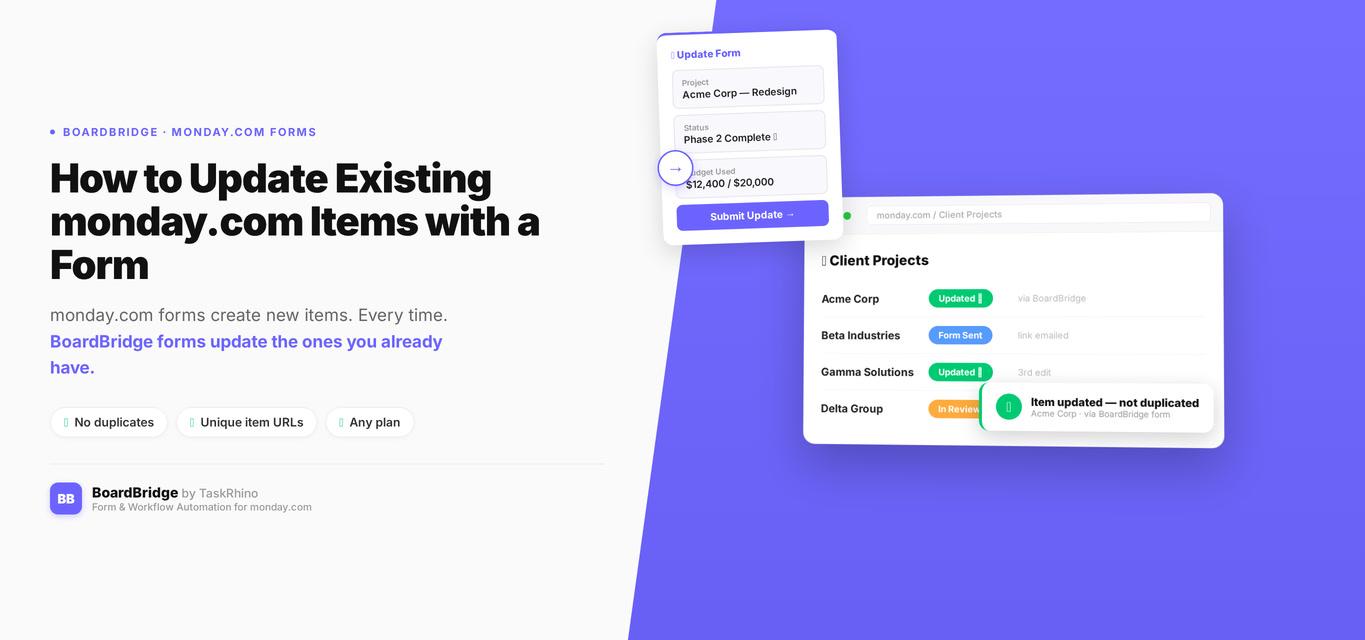
How to Update Existing monday.com Items with a Form