

Slack vs monday.com 2026: Communication Hub vs Work Management OS (Use Both)
If you’re comparing Slack vs monday.com, you’re probably asking the wrong question. These aren’t competitors — they solve different problems. Slack handles real-time team communication. monday.com manages work, projects, and workflows. Most high-performing teams use both.
The real question isn’t “which one should I choose?” It’s “which one should be my team’s primary hub — and how do I connect them?”
What Slack and monday.com Actually Do
Before diving into features and pricing, let’s clarify what each tool is built for.
Slack: Your Communication Hub
Slack is a team messaging platform designed for real-time conversations. Think of it as the modern replacement for email chains and scattered chat threads.
What Slack does:
- Channels for topic-based conversations (like #marketing, #dev-team, #random)
- Direct messages and group DMs
- Threaded replies to keep conversations organized
- Voice and video huddles for quick calls
- File sharing and search across all messages
- App integrations (2,600+ apps) to bring notifications into Slack
What Slack doesn’t do: Track tasks, manage projects, assign work, monitor deadlines, or provide structured workflows. You can talk about work in Slack, but you can’t organize and track it there.
monday.com: Your Work Management Hub
monday.com is a Work OS — a visual platform for organizing, tracking, and managing any type of work.
What monday.com does:
- Visual boards for projects, tasks, clients, campaigns, processes
- Task assignments with owners, due dates, status tracking
- Automations to move work forward without manual updates
- Timeline and Gantt views for project scheduling
- Dashboards that combine data from multiple boards
- 200+ integrations to connect your tech stack
What monday.com doesn’t do: Replace team chat. Yes, it has updates and @mentions, but you wouldn’t use it for “Hey, where should we grab lunch?” or quick back-and-forth troubleshooting. monday.com is where work lives. Conversations about that work happen in Slack.
Slack vs monday.com: Quick Comparison
Here’s the side-by-side at a glance:
| Feature | Slack | monday.com |
|---|---|---|
| Primary Purpose | Real-time team communication | Work & project management |
| Best For | Conversations, questions, quick decisions | Task tracking, project planning, workflows |
| Starting Price | Free (limited history) | Free (up to 2 seats, 3 boards) |
| Paid Plans | $8.75/user/mo (Pro) | $9/seat/mo (Basic) |
| Free Plan Limits | 90-day message history, 10 integrations | 2 seats, 3 boards, 200+ templates |
| Key Strength | Instant communication, 2,600+ integrations | Visual work tracking, automations |
| Mobile Apps | iOS, Android (excellent) | iOS, Android (excellent) |
| Search | Full-text search across all messages | Board search, item filtering |
| Learning Curve | Low (feels like texting) | Moderate (requires setup) |
Pricing Breakdown: Slack vs monday.com
Let’s break down what each tool actually costs for a team in 2026.
Slack Pricing (2026)
| Plan | Price | What You Get |
|---|---|---|
| Free | $0 | 90-day message history, 1:1 video calls, 10 app integrations, 5GB storage |
| Pro | $8.75/user/mo (annual) or $10/user/mo (monthly) | Unlimited message history, unlimited app integrations, group video calls (up to 50 people), 10GB storage per user |
| Business+ | $12.50/user/mo (annual) or $15/user/mo (monthly) | Everything in Pro + SAML-based SSO, 99.99% uptime SLA, 24/7 support, compliance exports |
| Enterprise Grid | Custom pricing | Multi-workspace management, advanced security, unlimited workspaces, dedicated support |
Slack’s pricing notes:
- 3-user minimum for paid plans
- Annual billing saves ~15%
- Free plan is genuinely usable for small teams (if 90-day history is enough)
monday.com Pricing (2026)
| Plan | Price | What You Get |
|---|---|---|
| Free | $0 | Up to 2 seats, 3 boards, 3 docs, 200+ templates, iOS/Android apps |
| Basic | $9/seat/mo (annual) or $12/seat/mo (monthly) | Unlimited boards, unlimited free viewers, 5GB storage, dashboard (1 board), 500 automation actions/month |
| Standard | $12/seat/mo (annual) or $14/seat/mo (monthly) | Timeline & Gantt views, calendar view, guest access, 250 automation actions/month, dashboard (5 boards), AI Sidekick (lite) |
| Pro | $19/seat/mo (annual) or $24/seat/mo (monthly) | Private boards, time tracking, formula columns, chart view, 25,000 automation actions/month, dashboard (20 boards) |
| Enterprise | Custom pricing | Advanced AI, portfolio management, resource management, 250K automation actions/month, dashboard (50 boards), enterprise security, 24/7 support |
monday.com pricing notes:
- 3-seat minimum for paid plans
- Add users in increments of 5 after initial signup
- 14-day free trial available for paid plans
- Annual billing saves 18%
View official monday.com pricing
Cost Comparison: 10-Person Team
Let’s compare actual costs for a typical small team (10 people, annual billing):
| Tool | Plan | Annual Cost | Per User/Year |
|---|---|---|---|
| Slack | Pro | $1,050 | $105 |
| monday.com | Standard | $1,440 | $144 |
| Both Tools | Slack Pro + monday.com Standard | $2,490 | $249 |
For most teams, spending ~$250/user/year to have both a communication hub (Slack) and a work management hub (monday.com) is reasonable. The productivity gains from using the right tool for each job far outweigh the cost.
See How BoardBridge Handles This Workflow
Book a free demo to see BoardBridge solve this exact problem — live, with your data.
Core Features: Slack vs monday.com
Here’s where each tool shines — and where they fall short.
Communication Features
| Feature | Slack | monday.com |
|---|---|---|
| Real-time messaging | ✅ Primary feature | ⚠️ Basic updates only |
| Channels/groups | ✅ Unlimited channels | ❌ No equivalent |
| Threaded conversations | ✅ Keep discussions organized | ⚠️ Item-level updates only |
| Direct messages | ✅ 1:1 and group DMs | ❌ No DMs |
| Voice/video calls | ✅ Huddles + full video calls | ⚠️ Limited (Zoom integration) |
| @mentions | ✅ Notify individuals or groups | ✅ Tag team members on items |
| Message search | ✅ Full-text search, filters | ❌ Not applicable |
| File sharing in chat | ✅ Drag and drop anywhere | ⚠️ Files attach to board items |
Winner for communication: Slack, by a landslide. monday.com isn’t trying to be a chat tool.
Work Management Features
| Feature | Slack | monday.com |
|---|---|---|
| Task tracking | ❌ No native tasks (need integrations) | ✅ Primary feature |
| Project boards | ❌ No visual boards | ✅ Unlimited customizable boards |
| Due dates & owners | ❌ Not applicable | ✅ Built-in columns |
| Timeline/Gantt views | ❌ No project views | ✅ Timeline, Gantt, calendar |
| Automations | ⚠️ Via Slack Workflows (limited) | ✅ Robust automation engine |
| Dashboards | ❌ No dashboards | ✅ Combine data from multiple boards |
| Templates | ❌ Message templates only | ✅ 200+ workflow templates |
| Time tracking | ⚠️ Via integrations | ✅ Built-in (Pro+ plans) |
Winner for work management: monday.com, without question. Slack isn’t built for project tracking.
Integration & Automation Features
| Feature | Slack | monday.com |
|---|---|---|
| Total integrations | 2,600+ apps | 200+ apps |
| Native integrations | Google Drive, Salesforce, Zoom, GitHub, etc. | Slack, Google, Microsoft, Zoom, Salesforce, etc. |
| Zapier support | ✅ Deep integration | ✅ Full support |
| API access | ✅ Extensive API | ✅ Full REST API |
| Automation builder | ⚠️ Workflow Builder (basic) | ✅ Visual automation builder |
| Webhooks | ✅ Incoming/outgoing | ✅ Incoming/outgoing |
Winner for integrations: Slack has more app connections (2,600 vs 200), but monday.com’s automation engine is more powerful for structured workflows. It depends on whether you prioritize “connecting everything” (Slack) or “automating structured work” (monday.com).
Collaboration Features
| Feature | Slack | monday.com |
|---|---|---|
| Real-time collaboration | ✅ Messages appear instantly | ✅ Updates appear in real-time |
| Screen sharing | ✅ In video calls | ⚠️ Via Zoom integration |
| Guest access | ✅ Shared channels (Business+) | ✅ Guest access (Standard+) |
| Mobile experience | ✅ Excellent app | ✅ Excellent app |
| Offline access | ⚠️ Read-only | ⚠️ Limited |
| Comments/discussions | ✅ All conversations are comments | ⚠️ Item-level updates only |
Winner for collaboration: Slack for real-time conversations. monday.com for structured work collaboration. Both are excellent at what they’re designed for.
Slack vs monday.com: Use Cases
Let’s look at real-world scenarios where each tool excels.
When Slack Is the Better Choice
Use Slack when:
- Your team needs instant communication — “Is anyone free to review this draft?” gets answered in seconds.
- You’re troubleshooting in real-time — Dev teams use Slack channels to debug issues together.
- You have remote/distributed teams — Async communication across time zones works well in Slack.
- You need topic-based conversations — Channels like #product-ideas or #customer-wins keep discussions organized.
- You want to centralize notifications — Pull alerts from GitHub, Zendesk, Google Analytics, and 2,600+ other tools into Slack.
- You’re replacing email — Internal email threads become Slack channels.
Real example: A 25-person marketing agency uses Slack as their communication hub. They have channels for each client (#acme-corp, #widget-co), internal channels (#creative-team, #account-managers), and social channels (#wins, #random). Quick questions get answered in minutes. Files get shared instantly. When someone says “check the #acme-corp channel,” everyone knows where to look.
When monday.com Is the Better Choice
Use monday.com when:
- You need to track project progress — Who’s working on what? What’s due this week? monday.com shows you at a glance.
- You’re managing client work — Create boards for each client with tasks, deadlines, files, and status updates.
- You want visual accountability — Everyone can see what’s assigned to them and when it’s due.
- You need automations — “When status changes to Done, notify the client and archive the item.”
- You’re replacing spreadsheets — If you’re managing work in Google Sheets or Excel, monday.com is a massive upgrade.
- You need dashboards — Combine data from multiple projects into executive-level views.
Real example: A 40-person software development team uses monday.com to manage their entire development pipeline. They have boards for feature requests, bug tracking, sprint planning, and release management. Each task has an owner, priority, status, and due date. Automations move tasks through the pipeline. Managers view a dashboard that combines all boards to see team capacity and project health.
When You Need Both (Most Teams)
Here’s the truth: most teams over 10 people benefit from having both Slack and monday.com. They complement each other.
The ideal setup:
- Slack = Where conversations happen. Questions get asked, decisions get made, ideas get discussed.
- monday.com = Where work gets tracked. Tasks have owners, deadlines get monitored, progress is visible.
- Integration = Connect them so updates flow between both tools.
Real example: A 60-person product company uses both:
- Product ideas get discussed in #product-ideas Slack channel
- Once approved, they’re added to the “Product Roadmap” board in monday.com
- When an engineer starts working on a feature, the status changes in monday.com
- A monday.com automation posts to #dev-updates in Slack: “John just started working on the new export feature”
- When the feature ships, status changes to “Done,” and another Slack message goes to #wins
- Conversations about the feature happen in Slack. Tracking and accountability happen in monday.com.
Neither tool replaces the other. They work together.
How Slack and monday.com Integrate
The good news: Slack and monday.com integrate natively. You can connect them in minutes.
What the Integration Does
From monday.com to Slack:
- Send notifications to Slack channels when items are created, updated, or completed
- Post daily/weekly summaries of board activity
- Alert specific Slack channels when deadlines are approaching
- Share board views as links in Slack conversations
From Slack to monday.com:
- Create monday.com items directly from Slack messages (with /monday command)
- Update item statuses without leaving Slack
- Search monday.com boards from within Slack
- Get reminders about assigned tasks
How to Set Up the Integration
- Open any monday.com board
- Click the “Integrate” button in the top menu
- Search for “Slack” in the integration center
- Choose a pre-built automation template (like “When status changes to something, send a notification to Slack”)
- Authorize the connection between monday.com and your Slack workspace
- Configure which board updates trigger which Slack notifications
Common automation recipes:
| Trigger (monday.com) | Action (Slack) |
|---|---|
| When item is created | Post message to #new-tasks channel |
| When status changes to “Done” | Post message to #wins channel |
| When due date is tomorrow | Send DM to assigned person |
| Every Monday at 9am | Post weekly board summary to #team-updates |
The native integration is included in all monday.com plans (even Free). No Zapier needed.
Need Help With Your monday.com Setup?
TaskRhino has implemented monday.com for 110+ teams. Get a free consultation.
Strengths and Weaknesses
Let’s be honest about where each tool excels — and where it falls short.
Slack Strengths
| Strength | Why It Matters |
|---|---|
| Instant communication | Questions get answered in seconds, not hours |
| Searchable history | Find any message, file, or link shared months ago |
| 2,600+ integrations | Connect nearly every tool your team uses |
| Channels keep things organized | Topic-based conversations prevent inbox chaos |
| Low learning curve | Feels like texting — anyone can use it immediately |
| Huddles for quick calls | No need to schedule a Zoom for a 5-minute question |
| Excellent mobile app | Stay connected from anywhere |
| Threaded replies | Keep side discussions from cluttering the main channel |
Slack Weaknesses
| Weakness | Why It’s a Problem |
|---|---|
| Not built for task management | You can talk about tasks, but you can’t track them |
| Can become overwhelming | Busy channels generate hundreds of messages per day |
| No visual project views | No timelines, Gantt charts, or dashboards |
| Free plan limits history | Only 90 days of searchable messages (vs unlimited in paid plans) |
| Notification fatigue | Too many @channel mentions can burn people out |
| No structured workflows | Great for conversations, terrible for process management |
monday.com Strengths
| Strength | Why It Matters |
|---|---|
| Visual work tracking | See what everyone’s working on at a glance |
| Powerful automations | Reduce manual work with “when this, then that” logic |
| Flexible board structure | Customize columns, views, and workflows for any use case |
| Multiple views | Timeline, Gantt, calendar, Kanban — switch based on your needs |
| Dashboards | Combine data from multiple boards into executive views |
| 200+ templates | Start with proven workflows for your industry |
| Time tracking built-in | See how long tasks take (Pro+ plans) |
| Guest access | Collaborate with clients without adding them as full users |
monday.com Weaknesses
| Weakness | Why It’s a Problem |
|---|---|
| Not a chat tool | Updates are fine, but not a replacement for real-time conversation |
| Steeper learning curve | Requires setup and training to use effectively |
| Pricing adds up | 3-user minimum + add users in increments of 5 |
| Automation limits on lower plans | Only 250 actions/month on Standard (vs 25K on Pro) |
| Overkill for simple task lists | If you just need a to-do list, monday.com might be too much |
| Can get cluttered | Without proper board structure, things get messy fast |
Which One Should Be Your “Hub”?
Here’s how to decide which tool should be your team’s primary hub — the place where people start their workday.
Choose Slack as Your Hub If:
✅ Your team primarily does collaborative, conversation-heavy work (support, sales, creative agencies) ✅ You need instant answers more than structured task tracking ✅ You’re a small team (under 10 people) where everyone knows what they’re working on ✅ Most of your work happens in other tools (Google Docs, Figma, GitHub) and you just need a place to discuss it ✅ Your team is fully remote/distributed and async communication is critical
The Slack-first workflow:
- Start your day in Slack — check messages, see what’s happening
- Jump into other tools (Google Drive, Notion, Jira) as needed
- Come back to Slack to update the team, ask questions, share wins
- Use monday.com (or another project tool) for high-level planning only
Choose monday.com as Your Hub If:
✅ Your team manages complex projects with multiple stakeholders ✅ You need visual accountability — who’s doing what, when it’s due ✅ You’re replacing spreadsheets or outdated project tools ✅ You need dashboards and reporting for executives or clients ✅ Your work involves repeatable processes that can be automated ✅ You’re a growing team (20+ people) where work can’t be tracked in people’s heads
The monday.com-first workflow:
- Start your day in monday.com — check your assigned tasks, see what’s due
- Work on tasks, update statuses as you go
- Ask questions or discuss details in Slack (or in item updates if simple)
- Use dashboards to report progress to leadership
- Let automations handle notifications and status changes
The Hybrid Approach (Recommended for Most Teams)
For most teams over 10 people, the best setup is:
monday.com = Source of truth for work Slack = Source of truth for conversations
- All tasks, projects, and deadlines live in monday.com
- All discussions, questions, and quick decisions happen in Slack
- The native integration keeps them in sync
- People check monday.com to see what they’re working on
- People check Slack to see what people are saying about that work
This hybrid approach gives you the best of both worlds: structured work management + fluid communication.
Alternatives to Consider
If you’re evaluating Slack and monday.com, here are some alternatives worth considering:
Slack Alternatives
| Tool | Best For | Key Difference |
|---|---|---|
| Microsoft Teams | Organizations already using Microsoft 365 | Deeper Office integration, included in M365 plans |
| Discord | Tech-savvy teams, gaming communities | Originally for gamers, now popular with developer teams |
| Google Chat | Google Workspace users | Native Gmail/Drive integration, free with Workspace |
| Mattermost | Security-conscious teams | Self-hosted, open-source alternative to Slack |
monday.com Alternatives
| Tool | Best For | Key Difference |
|---|---|---|
| Asana | Teams that want simplicity over customization | Cleaner UI, less overwhelming, better free plan |
| ClickUp | Power users who want everything in one tool | More features, steeper learning curve |
| Trello | Small teams with simple workflows | Kanban-only, much simpler (and cheaper) |
| Notion | Teams that want docs + tasks in one place | Combines wiki, docs, and task management |
Related reading:
- monday.com vs Asana — Which project management tool fits your team?
- ClickUp vs monday.com — Feature-by-feature comparison
- Trello vs monday.com — Simple Kanban vs full Work OS
Stop Creating Duplicates
BoardBridge forms update existing items — no Enterprise plan, no workarounds, no duplicates.
Frequently Asked Questions
Can Slack replace monday.com for project management?
No. Slack isn’t designed for task tracking, project timelines, or visual work management. You can create tasks in Slack with integrations (like Asana, Todoist, or Trello), but Slack itself has no native project management features. If you try to manage projects in Slack channels, you’ll quickly end up with tasks buried in message history and no way to see what’s due or who’s responsible.
Can monday.com replace Slack for team communication?
No. monday.com has item updates and @mentions, but it’s not a real-time chat tool. Conversations in monday.com are tied to specific board items, not free-flowing like Slack channels. You wouldn’t use monday.com for “Hey, anyone free to review this?” or “Where should we order lunch from?” monday.com is where work lives, not where casual team conversations happen.
Do Slack and monday.com integrate with each other?
Yes, they integrate natively. You can set up automations so that when something happens in monday.com (like a status change or new item), a notification gets sent to a Slack channel. You can also create monday.com items directly from Slack using slash commands. The integration is included in all monday.com plans and takes about 5 minutes to set up.
Which one is better for remote teams?
Both are excellent for remote teams, but they serve different purposes. Slack is better for real-time communication across time zones — async discussions, quick questions, team bonding. monday.com is better for distributed work management — ensuring everyone knows what they’re working on and when it’s due, even if they’re not online at the same time. Most successful remote teams use both.
Is the free plan enough, or do I need to pay?
Slack Free: Works well for small teams (under 10 people) if 90-day message history is enough. Once your team grows or you need full search history, upgrade to Pro ($8.75/user/mo).
monday.com Free: Very limited (only 2 seats, 3 boards). It’s good for testing, but most teams will need at least the Basic plan ($9/seat/mo) for real work. The Standard plan ($12/seat/mo) is where monday.com becomes truly useful (timeline views, guest access, integrations).
Can I use Slack and monday.com together?
Yes, and you should. They’re not competitors — they complement each other. Use Slack for conversations and monday.com for work tracking. The native integration keeps them in sync. This is the setup most high-performing teams use.
Which tool has better mobile apps?
Both have excellent mobile apps (iOS and Android). Slack’s app is better for real-time communication — you can respond to messages, join huddles, and search history. monday.com’s app is better for checking your tasks — see what’s assigned to you, update statuses, view boards. For a complete mobile experience, you’d want both apps installed.
How long does it take to set up each tool?
Slack: 10 minutes. Create a workspace, invite your team, create a few channels, and you’re live. It’s intuitive.
monday.com: 1-2 hours. You need to design your board structure, add columns, set up automations, and train your team on how to use it. There’s a learning curve. However, monday.com’s 200+ templates help — you can start with a pre-built template and customize from there.
Which tool is better for large teams (50+ people)?
For large teams, you need both:
• Slack keeps communication flowing across departments. Use channels to organize conversations by team (#engineering, #marketing) and by project (#product-launch-2026). • monday.com keeps work visible and organized. Use boards for each department’s workflows, and dashboards to give executives a high-level view across all projects.
Large teams (50+) are where the Slack + monday.com combo really shines. You get structured work management (monday.com) and fluid communication (Slack) in a way that neither tool can provide alone.
Can I migrate from one tool to another?
You can’t “migrate” from Slack to monday.com (they do different things). However, you can add monday.com to a Slack-first workflow or vice versa:
• If your team lives in Slack but has no project management tool, add monday.com to track work and integrate it with Slack • If your team uses monday.com but relies on email, add Slack for real-time communication and connect it to monday.com
Final Verdict: Slack vs monday.com
Slack and monday.com aren’t competitors. They’re complements.
Slack is a communication hub. monday.com is a work management hub. You need both if you want your team to operate efficiently.
Choose Slack if:
- You’re a small team (under 10 people) where communication is the bottleneck, not task tracking
- Your work is primarily collaborative and conversation-heavy (support, sales, creative)
- You need a central place for discussions, notifications, and quick decisions
- You already use other tools for project management (and just need a chat layer)
Choose monday.com if:
- You’re managing complex projects with deadlines, dependencies, and accountability
- You need visual dashboards and reporting for clients or executives
- You’re replacing spreadsheets or outdated project tools
- Your team is growing and “keeping it all in our heads” isn’t working anymore
Choose both if:
- You have more than 10 people on your team
- You need structured work management and real-time communication
- You want to reduce email, improve accountability, and keep everyone aligned
- You’re willing to invest ~$250/user/year for the productivity gains
The bottom line: Most teams over 10 people end up using both Slack and monday.com. They integrate natively, they solve different problems, and together they create a complete system for how work gets done.
The question isn’t “Slack vs monday.com?” It’s “Which one should be my primary hub — and how do I connect them?”
Need help setting up Slack, monday.com, or both? Our team specializes in helping companies design the right workflows, set up integrations, and train teams on best practices. Book a free 30-minute consultation to map out your setup.
Further reading:
- monday.com Review — Full review of monday.com’s features, pricing, and use cases
- What is monday.com? — Complete guide to monday.com’s Work OS platform
- monday.com vs Asana — Compare two popular project management tools
- Book a consultation — Get personalized advice for your team’s workflow


Editor's Choice
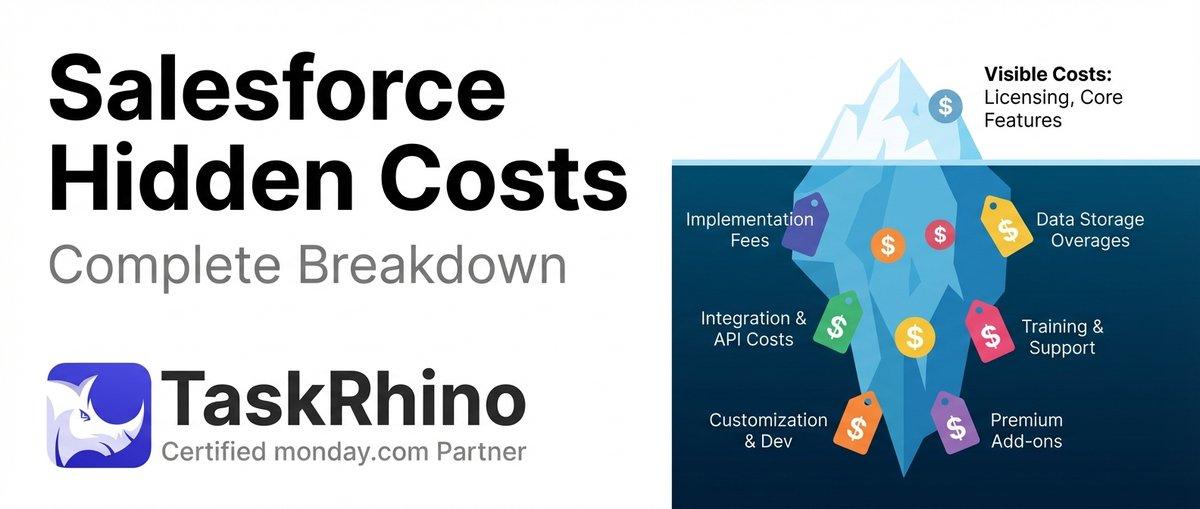
How to Calculate Hidden Costs of Salesforce Admin & Consulting

Twenty CRM vs Salesforce: Full Detailed Comparison
Asana vs monday.com vs Trello 2026: The Bicycle, The Sedan, and The SUV