

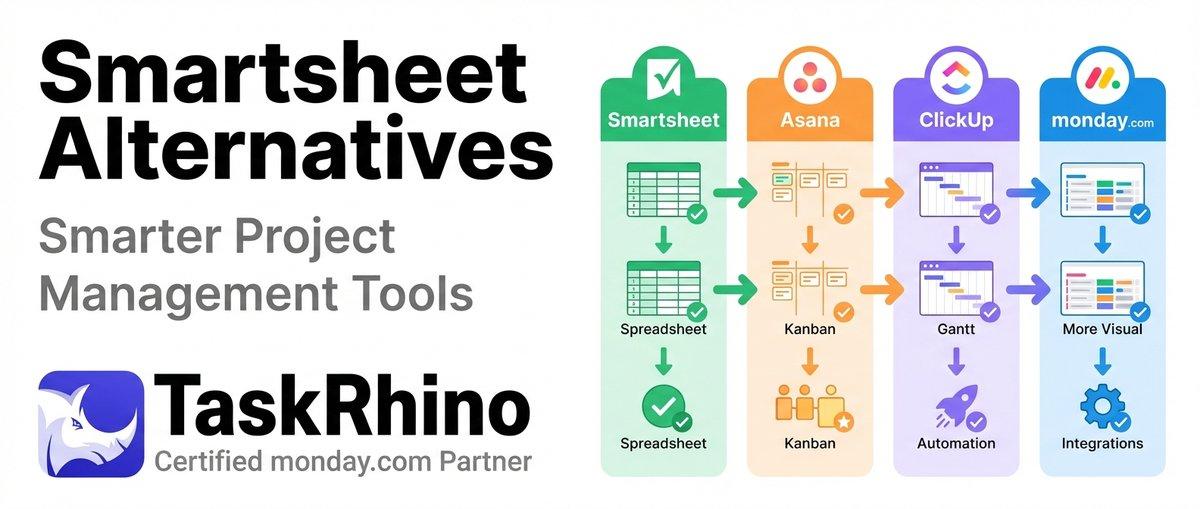
Smartsheet Alternatives: Discover Smarter Project Management Tools
Smartsheet has been a project management staple for years, but its pricing changes, licensing limitations, and outdated interface are pushing teams to explore alternatives. If you’re facing rising costs, administrative burden, or feature gaps, you’re not alone — thousands of teams made the switch in 2025.
This guide covers seven proven Smartsheet alternatives that solve the problems teams face most: better collaboration features, transparent pricing, modern interfaces, and automation that actually works.
What Is Smartsheet?
Smartsheet is a cloud-based work management platform that combines spreadsheet functionality with project management features. It offers Gantt charts, resource management, automation, and dashboards — positioned as an enterprise solution for teams managing complex projects.
Core features include:
- ✅ Spreadsheet-style interface with grid, Gantt, card, and calendar views
- ✅ Project scheduling with dependencies and critical path tracking
- ✅ Automated workflows and approval processes
- ✅ Dashboards and reporting
- ✅ Forms for data collection
- ✅ Resource management and capacity planning
Smartsheet pricing (2026):
| Plan | Price | Best For |
|---|---|---|
| Free | $0 | 1 editor, 2 sheets |
| Pro | $9/user/month | Small teams (up to 10) |
| Business | $32/user/month | Growing teams |
| Enterprise | Custom | Large organizations |
All prices are annual billing.
Why Teams Are Leaving Smartsheet in 2026
Based on user reviews, community forums, and migration data, here are the top reasons teams abandon Smartsheet:
1. Pricing Changes and Hidden Costs
Smartsheet changed its licensing model in 2025, introducing viewer limits and charging for users who previously accessed sheets for free. Teams report billing surprises and administrative overhead managing permissions to avoid overcharges.
Real user quote (Reddit, November 2025): “Been with Smartsheet for 10 years and we will be moving to a new tool this new year. The licensing model changes and administrative burden to manage ongoing to ensure we aren’t getting over charged is pushing us to move on.”
2. Limited Automation Capabilities
While Smartsheet offers automation, users consistently report hitting walls:
- ✅ Cross-sheet formulas work but are severely limited
- ✅ Cannot have a form fill out more than one sheet at a time
- ✅ No simple way to create relational data structures
- ✅ Workflow complexity caps out quickly compared to dedicated automation platforms
3. Outdated User Experience
Smartsheet’s interface hasn’t evolved significantly in years. New users find the spreadsheet-first paradigm confusing, and the learning curve is steeper than modern alternatives. Dashboard customization is limited, and the mobile experience lags competitors.
4. Slow Feature Development
Users frequently request improvements — even small, straightforward ones — but changes either never get implemented or take extremely long to appear. There’s no public product roadmap, leaving teams guessing about future capabilities.
5. Forms That Only Create New Rows
Smartsheet forms can only create new entries. If you need external users (clients, vendors, contractors) to update existing rows, you’re out of luck. The only workaround is Update Requests, which require manual triggers and don’t scale.
TaskRhino customer story: A healthcare staffing agency used Smartsheet to manage nurse assignments across 40 facilities. Each time a nurse confirmed availability, staff had to manually update the schedule sheet. With 200+ nurses submitting updates weekly, the administrative burden was unsustainable. After switching to a solution with update-capable forms, they eliminated 15 hours of weekly manual data entry.
6. Limited Conditional Logic and Customization
Advanced form features like conditional logic, multi-page forms, and custom branding require workarounds or third-party tools. Dashboard widgets and charts have limited customization options compared to alternatives.
Quick Comparison: 7 Best Smartsheet Alternatives
Here’s how the top alternatives stack up:
| Tool | Starting Price | Best For |
|---|---|---|
| monday.com | $9/seat/month | Visual workflows & automation |
| Airtable | $20/seat/month | Database-powered projects |
| ClickUp | $7/user/month | All-in-one productivity |
| Asana | $10.99/user/month | Task & team management |
| Wrike | $9.80/user/month | Enterprise project management |
| Notion | $8/user/month | Knowledge & project management |
| Coda | $10/user/month | Docs that do work |
1. monday.com — Best Overall Smartsheet Alternative
Best for: Teams wanting visual workflows, powerful automation, and better collaboration without the spreadsheet learning curve.
monday.com consistently ranks as the #1 Smartsheet alternative for good reason. It combines intuitive design with enterprise-grade features, making it accessible for small teams while scaling to complex enterprise workflows.
Why monday.com Beats Smartsheet
Superior User Experience:
- ✅ Modern visual interface — color-coded boards, drag-and-drop customization
- ✅ 27+ column types — everything from status and timeline to location and voting
- ✅ Multiple view options — Kanban, Gantt, calendar, timeline, map, and chart views
- ✅ Zero learning curve — new users productive in hours, not weeks
More Powerful Automation:
- ✅ 250,000+ automation combinations with triggers, conditions, and actions
- ✅ Cross-board automation — trigger actions across multiple boards
- ✅ Integration automation — connect 200+ apps without Zapier
- ✅ AI-powered automation suggestions based on your workflow patterns
Better Collaboration:
- ✅ Built-in communication — comments, @mentions, and updates directly on items
- ✅ Real-time collaboration — see who’s viewing and editing simultaneously
- ✅ Guest access — collaborate with clients and vendors without extra licenses
- ✅ Native time tracking — log hours without third-party tools
Transparent Pricing: Unlike Smartsheet’s recent licensing changes, monday.com pricing is straightforward. You pay per seat with clear feature tiers — no surprise charges for viewers or collaborators.
monday.com Pricing (2026)
| Plan | Price | Features |
|---|---|---|
| Free | $0 | Up to 2 seats, 3 boards |
| Basic | $9/seat/month | Unlimited items, 5GB storage |
| Standard | $12/seat/month | Timeline, Gantt, calendar views |
| Pro | $19/seat/month | Time tracking, formula columns |
| Enterprise | Custom | Advanced security, multi-level permissions |
Pros and Cons
| Pros | Cons |
|---|---|
| ✅ Intuitive visual interface | ❌ Can get expensive for large teams |
| ✅ Powerful automation without code | ❌ Reporting could be more advanced |
| ✅ Excellent mobile app | ❌ Steep pricing jump to Enterprise |
| ✅ 200+ native integrations | ❌ Limited offline functionality |
Best Use Cases
- Marketing teams managing campaigns across multiple channels
- Software development tracking sprints and releases
- Sales teams managing pipelines and client relationships
- Operations teams coordinating cross-functional projects
TaskRhino customer story: A mid-sized event management company managing 40+ live events monthly across the U.S. moved from Smartsheet to monday.com after hitting automation limits. They needed event details from CRM deals to automatically create multi-board project workspaces with pre-loaded vendor rosters and automated confirmation emails. Smartsheet couldn’t handle the cross-board complexity. After the switch, their event setup time dropped from 90 minutes to under 5 minutes per event.
Why Choose monday.com Over Smartsheet
Choose monday.com if you want:
- Visual workflows instead of spreadsheet grids
- Automation that doesn’t require technical expertise
- Better collaboration features for distributed teams
- Transparent pricing without licensing surprises
Get started with monday.com automation →
2. Airtable — Best for Database-Powered Project Management
Best for: Teams that need relational database power with spreadsheet simplicity and custom workflows.
Airtable bridges the gap between spreadsheets and databases, offering powerful relational data management wrapped in an approachable interface. It’s ideal for teams that have outgrown spreadsheets but don’t want enterprise database complexity.
Why Airtable Beats Smartsheet
Database Flexibility:
- ✅ Relational tables — link records across tables with proper one-to-many relationships
- ✅ 21 field types — including attachments, checkboxes, formulas, rollups, and lookups
- ✅ Views for every need — grid, calendar, Kanban, gallery, Gantt, and timeline
- ✅ Blocks for extensions — add charts, pivot tables, maps, and custom scripts
Better Forms:
- ✅ Conditional logic — show/hide fields based on answers
- ✅ Pre-filled forms — send forms with existing data already populated
- ✅ Custom branding — remove Airtable branding on paid plans
- ✅ Form views — each form can target a specific view with filters
Developer-Friendly:
- ✅ Robust API — access and manipulate data programmatically
- ✅ Scripting block — write custom JavaScript for complex logic
- ✅ Webhooks — trigger external actions on record changes
- ✅ Extensions — build custom functionality with Airtable’s extension SDK
Airtable Pricing (2026)
| Plan | Price | Features |
|---|---|---|
| Free | $0 | 1,000 records/base, 2GB |
| Team | $20/seat/month | 50,000 records, 20GB, 6-month history |
| Business | $45/seat/month | 125,000 records, priority support |
| Enterprise | Custom | Unlimited records, advanced admin |
Pros and Cons
| Pros | Cons |
|---|---|
| ✅ Relational database power | ❌ Steeper learning curve than monday.com |
| ✅ Beautiful gallery views | ❌ Expensive for large teams |
| ✅ Excellent API and extensions | ❌ Automation limited on lower tiers |
| ✅ Flexible data modeling | ❌ Limited Gantt chart features |
Best Use Cases
- Content teams managing editorial calendars with writer assignments
- Product teams tracking features across releases and customers
- Event planners coordinating venues, vendors, and attendees
- Nonprofits managing donors, campaigns, and volunteer schedules
Why Choose Airtable Over Smartsheet
Choose Airtable if you need:
- Proper relational database relationships
- Beautiful gallery and calendar views for visual content
- Developer tools for custom integrations
- Flexibility to model complex data structures
See How BoardBridge Handles This Workflow
Book a free demo to see BoardBridge solve this exact problem — live, with your data.
3. ClickUp — Best All-in-One Productivity Platform
Best for: Teams wanting to consolidate multiple tools (project management, docs, chat, goals) into one platform.
ClickUp positions itself as “one app to replace them all” — and it comes close. It combines project management, documentation, chat, goals, and time tracking in a feature-rich (some say overwhelming) platform.
Why ClickUp Beats Smartsheet
Everything in One Place:
- ✅ Tasks, docs, chat, and goals — no need for separate tools
- ✅ 15+ view options — including list, board, timeline, workload, mind map, and table
- ✅ Unlimited hierarchy — spaces, folders, lists, tasks, subtasks, nested subtasks
- ✅ Built-in docs — create wikis, SOPs, and documentation alongside projects
Powerful Features:
- ✅ Custom fields — create any data structure you need
- ✅ Automation builder — 50+ automations on free plan, unlimited on paid
- ✅ Time tracking — native time tracking across all tasks
- ✅ Goals and OKRs — track objectives with measurable targets
Generous Free Plan: ClickUp offers one of the most generous free plans in project management:
- ✅ Unlimited tasks and users
- ✅ 100MB storage
- ✅ Collaborative docs
- ✅ Real-time chat
- ✅ Native time tracking
ClickUp Pricing (2026)
| Plan | Price | Features |
|---|---|---|
| Free | $0 | Unlimited users, 100MB storage |
| Unlimited | $7/user/month | Unlimited storage, integrations |
| Business | $12/user/month | Advanced automation, timelines |
| Enterprise | Custom | White labeling, dedicated support |
Pros and Cons
| Pros | Cons |
|---|---|
| ✅ Incredibly feature-rich | ❌ Can feel overwhelming for new users |
| ✅ Generous free plan | ❌ Steep learning curve |
| ✅ All-in-one consolidation | ❌ Interface can feel cluttered |
| ✅ Excellent value for price | ❌ Too many options for simple needs |
Best Use Cases
- Agencies managing clients, projects, and internal operations
- Startups needing full productivity suite on a budget
- Remote teams wanting docs, chat, and PM in one place
- Growing teams looking to consolidate tool stack
Why Choose ClickUp Over Smartsheet
Choose ClickUp if you want:
- To consolidate 5+ tools into one platform
- Incredible feature depth and customization
- A generous free plan for unlimited users
- Built-in docs and knowledge management
4. Asana — Best for Task and Team Management
Best for: Teams prioritizing task clarity, team coordination, and straightforward project tracking.
Asana focuses on task management fundamentals done exceptionally well. It doesn’t try to be a database or a CRM — it helps teams organize work, assign responsibilities, and track progress with minimal friction.
Why Asana Beats Smartsheet
Simplicity and Clarity:
- ✅ Clean, uncluttered interface — less overwhelming than Smartsheet or ClickUp
- ✅ Multiple project views — list, board, timeline, calendar
- ✅ Task dependencies — visualize what’s blocked and by what
- ✅ Custom fields — add dropdowns, dates, numbers, and text fields
Team Collaboration:
- ✅ Workload view — see team capacity and redistribute work
- ✅ Portfolios — track multiple projects in one view
- ✅ Goals — align work to company objectives
- ✅ Status updates — project-level progress reporting
Workflow Automation:
- ✅ Rules and triggers — automate task assignments and status changes
- ✅ Forms — capture requests and convert to tasks automatically
- ✅ Templates — standardize recurring project workflows
- ✅ Approval workflows — route work for review and sign-off
Asana Pricing (2026)
| Plan | Price | Features |
|---|---|---|
| Basic | $0 | Unlimited tasks, up to 15 users |
| Premium | $10.99/user/month | Timeline, workflow builder, forms |
| Business | $24.99/user/month | Portfolios, workload, goals |
| Enterprise | Custom | Data security, admin controls |
Pros and Cons
| Pros | Cons |
|---|---|
| ✅ Clean, easy-to-learn interface | ❌ Limited customization vs competitors |
| ✅ Excellent onboarding experience | ❌ Basic reporting on lower tiers |
| ✅ Strong mobile apps | ❌ No built-in time tracking |
| ✅ Great for distributed teams | ❌ Forms are basic |
Best Use Cases
- Marketing teams planning campaigns and content calendars
- Creative agencies tracking projects from brief to delivery
- Operations teams managing recurring processes
- Remote teams needing clear task ownership and progress
Why Choose Asana Over Smartsheet
Choose Asana if you want:
- Simplicity and ease of use over feature depth
- Strong team collaboration features
- Clear task dependencies and workload management
- A tool non-technical teams adopt quickly
5. Wrike — Best for Enterprise Project Management
Best for: Enterprise teams managing complex projects with custom workflows, advanced permissions, and extensive integrations.
Wrike targets mid-market to enterprise teams with sophisticated project management needs. It offers deep customization, powerful automation, and enterprise-grade security — positioned as the grown-up alternative to simpler tools.
Why Wrike Beats Smartsheet
Enterprise-Grade Features:
- ✅ Custom workflows — build approval chains and multi-stage processes
- ✅ Advanced permissions — role-based access at granular levels
- ✅ Proofing and approvals — review and approve creative assets in-platform
- ✅ Resource management — capacity planning and allocation tools
Powerful Reporting:
- ✅ Custom dashboards — build executive dashboards with real-time data
- ✅ Cross-project reports — aggregate data across portfolios
- ✅ Time and budget tracking — track hours and expenses against budgets
- ✅ Custom fields — create any data structure for reporting
Integration Ecosystem:
- ✅ 400+ integrations — connect with enterprise tools like Salesforce, Jira, Tableau
- ✅ Adobe Creative Cloud — proof and approve designs without leaving Wrike
- ✅ Automation — trigger actions based on complex conditions
- ✅ API access — build custom integrations and extensions
Wrike Pricing (2026)
| Plan | Price | Features |
|---|---|---|
| Free | $0 | Up to 5 users, basic task management |
| Team | $9.80/user/month | Shareable dashboards, 2GB storage |
| Business | $24.80/user/month | Custom workflows, reports, 5GB |
| Enterprise | Custom | Advanced security, dedicated support |
Pros and Cons
| Pros | Cons |
|---|---|
| ✅ Deep enterprise features | ❌ Steep learning curve |
| ✅ Excellent proofing tools | ❌ Expensive for small teams |
| ✅ Robust reporting capabilities | ❌ Interface feels dated |
| ✅ Strong security and compliance | ❌ Overkill for simple projects |
Best Use Cases
- Enterprise marketing managing global campaigns
- Creative agencies proofing and approving designs
- Professional services tracking billable hours and budgets
- IT teams managing complex technical projects
Why Choose Wrike Over Smartsheet
Choose Wrike if you need:
- Enterprise-grade security and compliance
- Advanced proofing and approval workflows
- Sophisticated resource management
- Deep customization for complex processes
Explore enterprise project management solutions →
6. Notion — Best for Knowledge and Project Management
Best for: Teams wanting a flexible workspace that combines wikis, docs, databases, and project management in one tool.
Notion reimagines what a productivity tool can be. It’s not just project management — it’s a connected workspace where documentation, knowledge bases, and project tracking live together in a modular, endlessly customizable environment.
Why Notion Beats Smartsheet
Flexibility and Modularity:
- ✅ Block-based editing — build pages from modular content blocks
- ✅ Databases everywhere — turn any page into a database with views
- ✅ Connected workspaces — link docs, projects, and wikis seamlessly
- ✅ Templates — thousands of community templates for any use case
Documentation + Projects:
- ✅ Wikis and docs — build knowledge bases alongside project tracking
- ✅ Meeting notes — connect meeting notes directly to project tasks
- ✅ Embeds — embed Figma, Google Docs, Miro, and more
- ✅ AI assistant — Notion AI helps draft, summarize, and organize content
Beautiful Design:
- ✅ Visual-first interface — every page can include images, videos, and embeds
- ✅ Clean editing experience — write in a distraction-free environment
- ✅ Dark mode — full dark mode support across all platforms
- ✅ Custom icons — personalize every page and database
Notion Pricing (2026)
| Plan | Price | Features |
|---|---|---|
| Free | $0 | Unlimited pages, 10 guests |
| Plus | $8/user/month | Unlimited file uploads, 100 guests |
| Business | $15/user/month | Advanced permissions, SAML SSO |
| Enterprise | Custom | Dedicated support, advanced security |
Pros and Cons
| Pros | Cons |
|---|---|
| ✅ Incredibly flexible and customizable | ❌ Can be slow with large databases |
| ✅ Beautiful, modern interface | ❌ Learning curve for complex setups |
| ✅ Great for docs and wikis | ❌ Limited Gantt and timeline features |
| ✅ Affordable pricing | ❌ Not purpose-built for PM |
Best Use Cases
- Startups building company wikis and operating systems
- Product teams combining roadmaps, specs, and docs
- Content teams managing editorial calendars with style guides
- Consultants building client workspaces with deliverables
Why Choose Notion Over Smartsheet
Choose Notion if you want:
- A flexible workspace that adapts to your workflow
- Documentation and project management combined
- Beautiful, modern interface
- To build your own systems from modular blocks
TaskRhino customer story: A SaaS company managing product development across 6 distributed teams struggled with Smartsheet’s rigid structure. They needed documentation, roadmaps, sprint planning, and customer feedback in one place — not scattered across Smartsheet, Confluence, and Jira. After consolidating into a custom Notion workspace, their product discovery cycle shortened by 40% and cross-team visibility improved dramatically.
Need Help With Your monday.com Setup?
TaskRhino has implemented monday.com for 110+ teams. Get a free consultation.
7. Coda — Best for Docs That Do Work
Best for: Teams wanting powerful automation and databases embedded in documents, replacing spreadsheets with interactive docs.
Coda calls itself “a new type of doc” — and that’s accurate. It combines document editing, databases, and automation in a format that feels like a doc but acts like software. If Notion is a flexible workspace, Coda is a programmable one.
Why Coda Beats Smartsheet
Docs + Databases:
- ✅ Tables in docs — embed databases directly in documents
- ✅ Formulas — 300+ formulas for calculations and logic
- ✅ Packs — pre-built integrations with Gmail, Slack, Google Calendar, and more
- ✅ Buttons — create buttons that trigger actions and automations
Powerful Automation:
- ✅ Automations — trigger actions based on doc changes
- ✅ Connected data — pull data from external sources into docs
- ✅ Two-way sync — sync data between Coda and other tools
- ✅ Custom apps — build internal tools with no code
Developer-Friendly:
- ✅ API access — read and write Coda docs programmatically
- ✅ Custom packs — build your own integrations
- ✅ Webhooks — trigger external actions from Coda events
- ✅ Formulas and logic — build complex calculations and conditions
Coda Pricing (2026)
| Plan | Price | Features |
|---|---|---|
| Free | $0 | Unlimited docs, 2 editors |
| Pro | $10/user/month | Unlimited automations, 2-way sync |
| Team | $30/user/month | Advanced permissions, admin tools |
| Enterprise | Custom | Dedicated support, advanced security |
Pros and Cons
| Pros | Cons |
|---|---|
| ✅ Incredibly powerful formulas | ❌ Steep learning curve |
| ✅ Automation embedded in docs | ❌ Can feel complex for simple needs |
| ✅ Excellent for custom tools | ❌ Limited templates vs competitors |
| ✅ Developer-friendly | ❌ Not ideal for traditional PM |
Best Use Cases
- Operations teams building custom internal tools
- Data teams creating reports and dashboards
- Teams replacing spreadsheets with interactive docs
- Companies building lightweight internal apps
Why Choose Coda Over Smartsheet
Choose Coda if you want:
- Powerful automation and formulas
- To replace spreadsheets with interactive docs
- To build custom tools without code
- Developer-friendly features and API access
Talk to an expert about automating your workflows →
Feature Comparison: What Each Tool Offers
Here’s how the alternatives compare on key features:
Project Views
| Tool | Grid | Gantt | Calendar |
|---|---|---|---|
| monday.com | ✅ | ✅ | ✅ |
| Airtable | ✅ | ✅ | ✅ |
| ClickUp | ✅ | ✅ | ✅ |
| Asana | ✅ | ✅ | ✅ |
| Wrike | ✅ | ✅ | ✅ |
| Notion | ✅ | ⚠️ Limited | ✅ |
| Coda | ✅ | ❌ | ✅ |
Automation & Integration
| Tool | Native Automation | API Access | Integrations |
|---|---|---|---|
| monday.com | ✅ Advanced | ✅ | 200+ |
| Airtable | ✅ | ✅ Robust | 1,000+ via Zapier |
| ClickUp | ✅ Powerful | ✅ | 1,000+ |
| Asana | ✅ | ✅ | 200+ |
| Wrike | ✅ Advanced | ✅ | 400+ |
| Notion | ⚠️ Basic | ✅ | 50+ |
| Coda | ✅ Advanced | ✅ | 600+ via Packs |
Collaboration Features
| Tool | Comments | Real-time | Time Tracking |
|---|---|---|---|
| monday.com | ✅ | ✅ | ✅ Native |
| Airtable | ✅ | ✅ | Via extensions |
| ClickUp | ✅ | ✅ | ✅ Native |
| Asana | ✅ | ✅ | Via integrations |
| Wrike | ✅ | ✅ | ✅ Native |
| Notion | ✅ | ✅ | Via integrations |
| Coda | ✅ | ✅ | Via packs |
Forms & Data Collection
| Tool | Forms | Update Existing | Custom Branding |
|---|---|---|---|
| monday.com | ✅ | ❌ WorkForms only create | ⚠️ Pro+ |
| Airtable | ✅ | ❌ | ✅ |
| ClickUp | ✅ | ❌ | ✅ |
| Asana | ✅ | ❌ | ❌ |
| Wrike | ✅ | ❌ | ✅ |
| Notion | ✅ | ❌ | ❌ |
| Coda | ✅ | ✅ Via buttons | ❌ |
How to Choose the Right Smartsheet Alternative
Picking the right tool depends on your team’s priorities. Here’s how to decide:
Choose monday.com if you want:
- ✅ The most intuitive visual interface
- ✅ Powerful automation without technical expertise
- ✅ Best all-around balance of features and usability
- ✅ Transparent pricing without licensing surprises
Choose Airtable if you need:
- ✅ Relational database power with spreadsheet simplicity
- ✅ Beautiful gallery and calendar views
- ✅ Flexible data modeling for complex structures
- ✅ Developer tools and robust API
Choose ClickUp if you want:
- ✅ To consolidate 5+ tools into one platform
- ✅ Incredible feature depth and customization
- ✅ Generous free plan for unlimited users
- ✅ Built-in docs, chat, and time tracking
Choose Asana if you prioritize:
- ✅ Simplicity and ease of use
- ✅ Clean interface with minimal learning curve
- ✅ Team collaboration and workload management
- ✅ Tool that non-technical teams adopt quickly
Choose Wrike if you need:
- ✅ Enterprise-grade security and compliance
- ✅ Advanced proofing and approval workflows
- ✅ Sophisticated resource management
- ✅ Deep customization for complex processes
Choose Notion if you want:
- ✅ Flexible workspace combining docs and databases
- ✅ Beautiful, modern interface
- ✅ Documentation and project management together
- ✅ To build custom systems from modular blocks
Choose Coda if you need:
- ✅ Powerful automation and formulas
- ✅ To replace spreadsheets with interactive docs
- ✅ To build custom tools without code
- ✅ Developer-friendly features and API
Migration Guide: Moving from Smartsheet to an Alternative
Switching project management platforms feels daunting, but with proper planning, most teams complete migration in 2-4 weeks. Here’s how to do it smoothly:
Phase 1: Plan and Prepare (Week 1)
Audit your current setup:
- ✅ List all active Smartsheet sheets, reports, and dashboards
- ✅ Document critical workflows and automations
- ✅ Identify which sheets are actively used vs. archived
- ✅ Note integrations with other tools
Choose what to migrate: Not everything needs to move. Focus on:
- ✅ Active projects (last 6 months)
- ✅ Templates used regularly
- ✅ Critical automations
- ✅ Dashboards and reports stakeholders depend on
Set up your new tool:
- ✅ Create workspace structure (folders, projects, boards)
- ✅ Define custom fields and column types
- ✅ Set up user permissions and access
- ✅ Import or recreate templates
Phase 2: Migrate Data (Week 2)
Export from Smartsheet: Most alternatives offer CSV/Excel import. Export your sheets to CSV from Smartsheet’s File menu.
Import considerations:
- ✅ Clean data before import (remove outdated rows)
- ✅ Map columns to new tool’s field types
- ✅ Test with one small sheet first
- ✅ Verify formulas and calculations after import
Rebuild automations: Smartsheet automations won’t transfer automatically. Rebuild them in your new tool:
- ✅ Document existing automations first
- ✅ Map triggers and actions to new platform’s options
- ✅ Test thoroughly before going live
Phase 3: Parallel Run (Week 3)
Run both tools simultaneously for one week:
- ✅ Enter new work in the new tool only
- ✅ Keep Smartsheet for reference
- ✅ Train team members on new workflows
- ✅ Address questions and confusion
Phase 4: Cut Over (Week 4)
Fully switch to the new tool:
- ✅ Announce cutover date to all stakeholders
- ✅ Make Smartsheet sheets read-only
- ✅ Update bookmarks and links
- ✅ Cancel Smartsheet subscription (or downgrade)
Pro tip: Keep Smartsheet accessible (read-only) for 30 days after cutover for reference.
Stop Creating Duplicates
BoardBridge forms update existing items — no Enterprise plan, no workarounds, no duplicates.
Frequently Asked Questions
How does Celoxis or Zoho Projects handle Gantt charts and automation better for SMBs already in established ecosystems?
Celoxis tops lists as a Smartsheet alternative with robust task management, while Zoho Projects integrates seamlessly for Zoho users, offering Gantt charts, time tracking, automation, and detailed reporting at cost-effective pricing. Both provide intuitive interfaces for diverse skill levels, surpassing Smartsheet’s outdated UI with automated scheduling and timeline analysis. Zoho’s Microsoft 365 compatibility adds free access for subscribers, easing ecosystem transitions.


Editor's Choice
Salesforce Alternatives for SaaS Companies: 10 CRMs Built for Recurring Revenue

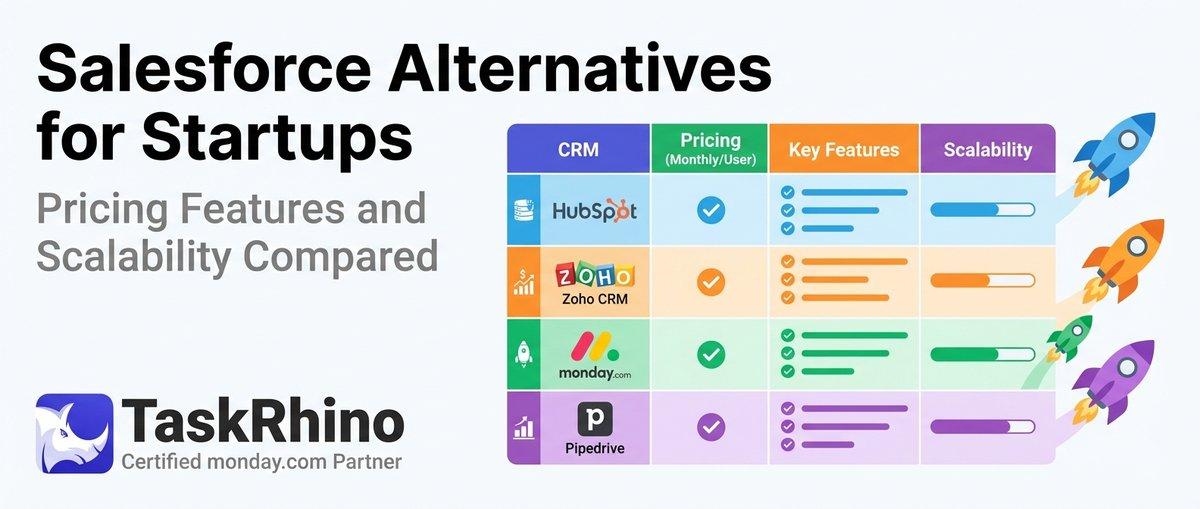
10 Best Salesforce Alternatives for Startups: Pricing, Features & Scalability Compared

10 Best Salesforce Alternatives for Growing SMBs ( Latest Rankings)