

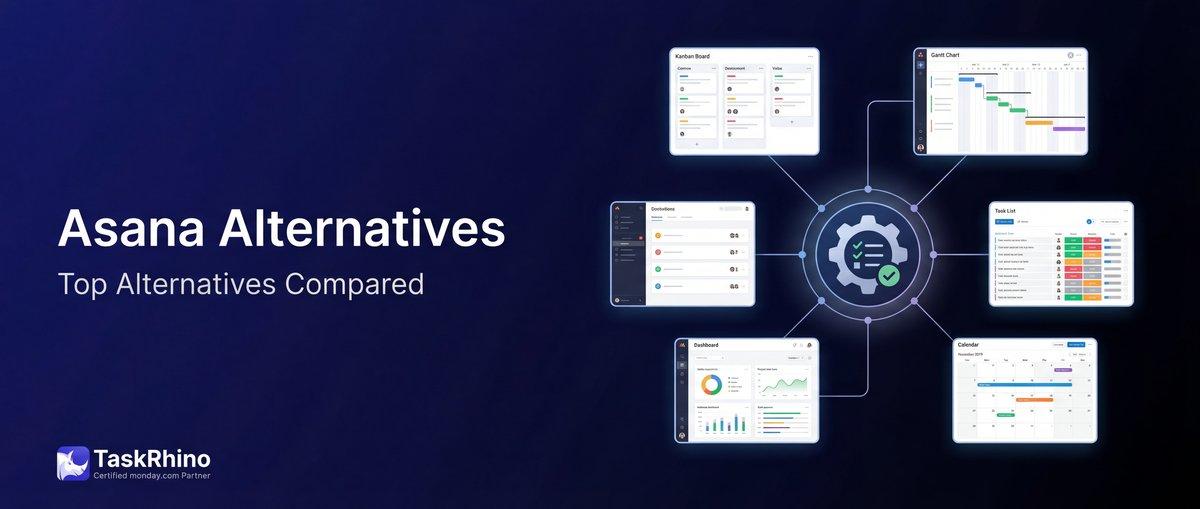
Top Asana Alternatives: Discover Your Perfect Project Tool
Asana’s a household name in project management, but it’s not the right fit for everyone. If you’ve hit the limits of Asana’s timeline view, found yourself needing better automation, or realized you need more robust resource management—you’re not alone.
We tested 10 Asana alternatives to find tools that give you more power, better customization, and stronger features for managing real projects. Whether you need advanced automation, better reporting, or just more flexibility, there’s a tool here that’ll work better for your team.
Quick Comparison: Top 10 Asana Alternatives
| Tool | Best For | Starting Price | Key Advantage |
|---|---|---|---|
| monday.com | Overall alternative | $9/seat/mo | Superior automation & customization |
| ClickUp | Free alternative | Free | Most features at any price point |
| Trello | Simple Kanban | Free | Easiest learning curve |
| Jira | Development teams | Free | Built for agile software development |
| Notion | Docs + lightweight PM | Free | Best knowledge base + task management |
| Wrike | Professional services | $10/user/mo | Advanced request forms & proofing |
| Smartsheet | Spreadsheet lovers | $9/user/mo | Familiar grid interface with PM power |
| Basecamp | Simplicity | $15/user or $299/mo flat | Flat-rate pricing for unlimited users |
| Teamwork | Agencies & client work | Free | Built-in time tracking & billing |
| Linear | Software teams | Free | Fastest issue tracking for developers |
Why Teams Leave Asana
Asana does a lot well—task management, basic boards, timeline views. But after working with 50+ teams migrating away from Asana, the same pain points come up:
Limited automation. Asana’s automation recipes are basic. You can’t build conditional logic that checks multiple criteria, trigger actions across projects, or automate complex workflows without integrations.
Timeline isn’t a true Gantt chart. You can’t identify the critical path, set baselines to compare planned vs. actual progress, or manage dependencies at scale. For real project scheduling, Asana’s timeline falls short.
No resource management. There are no workload views showing how many hours each team member has assigned, no timesheets, and no way to balance resources before people burn out.
Pricing tiers are limiting. The features most teams need—timeline, portfolios, advanced reporting—are locked behind Business tier at $24.99/user/month. That’s steep for growing teams.
Customization hits a ceiling. Custom fields help, but you can’t build the exact workflow views, automations, or data structures many teams need. Everything works Asana’s way or not at all.
If any of these resonate, the alternatives below will give you more power and flexibility.
1. monday.com — Best Overall Asana Alternative
monday.com is the most complete Asana alternative. It gives you the customization, automation, and visual project management Asana promises—but actually delivers on it.
What Makes monday.com Better Than Asana
Automation that actually works. monday.com lets you build automation recipes with conditional logic, multi-step workflows, and cross-board triggers. Need to update 5 boards when a deal closes? Done. Want to notify different people based on priority and status? Easy. Asana’s automations feel like training wheels by comparison.
True resource management. The workload view shows exactly how many hours each person has on their plate. You can see capacity before assigning work, reassign tasks with drag-and-drop, and track actual time against estimates. Asana doesn’t have anything close.
More project views. Asana has list, board, timeline, and calendar. monday.com adds Gantt (with critical path), Kanban, workload, map, chart, and form views. Every team member can work in the view that fits their role.
Customizable to your workflow. Build custom automations, dashboards, and integrations without code. Asana locks you into their structure—monday.com bends to yours.
Better value at scale. monday.com’s Standard plan ($12/seat/mo) includes timeline, automations, integrations, and dashboards. Asana charges $24.99/user/mo for similar features on Business tier.
monday.com vs. Asana: Feature Comparison
| Feature | monday.com | Asana |
|---|---|---|
| Automation recipes | 250+ actions/month (Standard) | Limited, basic triggers |
| Gantt charts w/ critical path | ✓ | ✗ (timeline only) |
| Workload & resource management | ✓ | ✗ |
| Custom dashboards | ✓ (Standard+) | ✓ (Business only) |
| Time tracking (native) | ✓ | ✗ |
| Integrations | 200+ | 200+ |
| Mobile apps | iOS, Android | iOS, Android |
| Free plan | Up to 2 seats | Up to 15 users |
| Starting price | $9/seat/mo (Basic) | $13.49/user/mo (Starter) |
Pricing
- Free: Up to 2 seats, unlimited boards, 200+ templates
- Basic: $9/seat/mo — Unlimited items, 5GB storage
- Standard: $12/seat/mo — Timeline, automations (250/month), integrations
- Pro: $19/seat/mo — Advanced automations (25,000/month), time tracking, dashboards
- Enterprise: Custom pricing — Advanced security, dedicated support
When to Choose monday.com Over Asana
Pick monday.com if you need:
- Real automation — conditional logic, multi-board workflows
- Resource management — see team capacity, balance workload
- Flexibility — highly customizable boards and automations
- Scalability — better value as your team grows
monday.com is the best overall Asana alternative for teams that have outgrown Asana’s limitations but still want a visual, intuitive platform.
Read our full monday.com vs. Asana comparison or explore what monday.com can do.
2. ClickUp — Best Free Asana Alternative
ClickUp gives you the most features of any tool on this list—for free. If budget is tight and you need power, ClickUp is your best bet.
Why ClickUp Beats Asana for Free Teams
Unlimited tasks and users. Asana’s free plan caps you at 15 users. ClickUp’s free plan is truly unlimited—add as many people as you need.
More views than any competitor. List, board, calendar, Gantt, timeline, workload, table, map, mind map, activity, and more. Asana’s free plan gives you list, board, and calendar. That’s it.
Built-in docs and whiteboards. ClickUp combines task management with documentation and brainstorming tools. Asana requires separate tools for this.
Native time tracking. Track time on tasks without third-party integrations. Asana doesn’t have native time tracking at any price.
Customization overload. You can customize almost everything—task types, statuses, fields, views, automations. That’s a double-edged sword (see cons below), but it’s powerful.
ClickUp vs. Asana: Feature Comparison
| Feature | ClickUp | Asana |
|---|---|---|
| Free plan task limit | Unlimited | Unlimited |
| Free plan user limit | Unlimited | 15 users |
| Views (free plan) | 10+ | 3 (list, board, calendar) |
| Native time tracking | ✓ | ✗ |
| Gantt charts (free) | ✓ | ✗ |
| Docs & wiki | ✓ | ✗ (requires add-on) |
| Automations (free) | 100/month | Very limited |
| Storage (free) | 100MB | Unlimited |
| Starting paid price | $7/user/mo | $13.49/user/mo |
The Catch: ClickUp’s Learning Curve
ClickUp’s biggest weakness is its overwhelming UI. There are so many features, views, and customization options that new users often feel lost. Teams coming from Asana report spending 2-3 weeks just figuring out how to set up ClickUp the way they want.
If you have the patience to learn it, ClickUp rewards you with incredible power. If you want something you can set up in an afternoon, look elsewhere.
Pricing
- Free: Unlimited users & tasks, 100MB storage, 100 automations/month
- Unlimited: $7/user/mo — Unlimited storage, integrations, Gantt, timeline
- Business: $12/user/mo — Advanced automations, goals, custom fields
- Enterprise: Custom pricing — White labeling, advanced permissions, SSO
When to Choose ClickUp Over Asana
Pick ClickUp if:
- Budget is your top concern — ClickUp’s free plan is unmatched
- You need every feature — docs, whiteboards, mind maps, all in one place
- You’re willing to learn — the UI is cluttered but powerful
- Customization matters more than simplicity
See how ClickUp compares to monday.com or read our full ClickUp review.
3. Trello — Best for Simple Kanban
Trello is the simplest tool on this list. If Asana feels like overkill and you just need visual task boards, Trello is your answer.
Why Trello Works When Asana Doesn’t
One view, done perfectly. Trello is all Kanban boards, all the time. No switching between views, no complex setup. You create boards, add cards, move them through columns. That’s it.
Fastest setup time. You can set up a Trello board in 5 minutes. Asana requires project setup, choosing views, configuring fields. Trello removes all that friction.
Perfect for visual thinkers. If your team thinks in “to-do → doing → done,” Trello nails that workflow better than Asana’s board view.
Power-Ups extend functionality. Trello’s basic, but Power-Ups (Trello’s integrations) add calendar views, Gantt charts, time tracking, and automation when you need them.
Trello vs. Asana: Feature Comparison
| Feature | Trello | Asana |
|---|---|---|
| Primary view | Kanban boards only | List, board, timeline, calendar |
| Gantt charts | ✗ (requires Power-Up) | Timeline view (limited) |
| Automation | Butler (built-in) | Basic rules |
| Custom fields | ✓ (Standard+) | ✓ (Premium+) |
| Integrations | 200+ Power-Ups | 200+ apps |
| Learning curve | Easiest on this list | Moderate |
| Free plan | Unlimited cards, 10 boards/workspace | Unlimited tasks, projects |
| Starting paid price | $5/user/mo | $13.49/user/mo |
Trello’s Limitations
Trello is simple because it’s limited. No timeline view, no resource management, no advanced reporting. It’s a digital whiteboard with cards—nothing more.
If your projects need scheduling, dependencies, or workload tracking, Trello won’t cut it. But if you need lightweight task tracking without the complexity, Trello is perfect.
Pricing
- Free: Unlimited cards, 10 boards per workspace, 1 Power-Up per board
- Standard: $5/user/mo — Unlimited boards, advanced checklists, custom fields
- Premium: $10/user/mo — Calendar/timeline/dashboard views, unlimited Power-Ups
- Enterprise: $17.50/user/mo — Unlimited workspaces, public board management, admin controls
When to Choose Trello Over Asana
Pick Trello if:
- Simplicity is non-negotiable — Trello is the easiest tool here
- Kanban is all you need — no timelines, no Gantt charts required
- You want fast setup — 5 minutes and you’re working
- Your team is small — Trello shines for teams under 20 people
Compare Trello vs. monday.com for Kanban workflows.
See How BoardBridge Handles This Workflow
Book a free demo to see BoardBridge solve this exact problem — live, with your data.
4. Jira — Best for Development Teams
Jira is purpose-built for software teams running agile workflows. If you’re shipping code, Jira is the standard.
Why Dev Teams Choose Jira Over Asana
Built for agile. Jira has scrum boards, sprint planning, burndown charts, velocity tracking, and backlog management out of the box. Asana bolts agile features on as an afterthought.
Deep issue tracking. Track bugs, features, stories, and epics with custom workflows, priority levels, and severity ratings. Asana’s tasks are generic by comparison.
Integrations with dev tools. Jira connects to GitHub, GitLab, Bitbucket, Jenkins, and every CI/CD tool you use. Asana’s integrations are more general-purpose.
Granular permissions. Control who can create, edit, transition, or close issues at the project level. Asana’s permissions are simpler but less flexible.
Jira vs. Asana: Feature Comparison
| Feature | Jira | Asana |
|---|---|---|
| Agile frameworks | Scrum, Kanban, built-in | Basic board view |
| Sprint planning | ✓ Native | Limited |
| Burndown/velocity charts | ✓ | ✗ |
| Issue types | Bug, story, epic, task (custom) | Task (generic) |
| Developer integrations | GitHub, GitLab, Bitbucket, Jenkins | Limited |
| Workflow automation | Advanced (scripting available) | Basic |
| Free plan | Up to 10 users | Up to 15 users |
| Starting paid price | $7.75/user/mo | $13.49/user/mo |
Jira’s Drawbacks
Jira is powerful but complex. Non-technical teams find it confusing. The UI feels dated compared to Asana or monday.com, and setting up workflows requires admin knowledge.
If your team isn’t doing agile software development, Jira is overkill. But for dev teams, it’s the gold standard.
Pricing
- Free: Up to 10 users, 2GB storage, scrum & Kanban boards
- Standard: $7.75/user/mo (up to 10,000 users) — 250GB storage, advanced permissions
- Premium: $15.25/user/mo — Unlimited storage, advanced roadmaps, 24/7 support
- Enterprise: Custom pricing — Unlimited sites, enterprise-grade security
When to Choose Jira Over Asana
Pick Jira if:
- You’re shipping software — Jira is built for dev teams
- Agile methodology is core — scrum or Kanban with sprints
- You need deep issue tracking — bugs, features, epics, stories
- Integration with dev tools matters — GitHub, GitLab, CI/CD pipelines
Compare Jira vs. monday.com or read our full Jira review.
5. Notion — Best for Docs + Lightweight PM
Notion is half knowledge base, half task manager. If your team lives in docs and needs lightweight project tracking alongside, Notion is perfect.
Why Notion Works Better Than Asana for Some Teams
Everything in one place. Meeting notes, project docs, task lists, wikis, and databases all live in Notion. Asana requires separate tools for documentation.
Flexible databases. Create custom views (table, board, calendar, gallery) from the same data. Way more flexible than Asana’s rigid structure.
Beautiful, clean interface. Notion feels like a modern note-taking app. Asana feels like enterprise software.
Templates for everything. Roadmaps, sprint boards, meeting notes, onboarding guides—Notion’s template gallery is huge.
Notion vs. Asana: Feature Comparison
| Feature | Notion | Asana |
|---|---|---|
| Primary focus | Docs + lightweight PM | Project & task management |
| Knowledge base | ✓ Best-in-class | ✗ |
| Gantt charts | ✗ | Timeline view |
| Time tracking | ✗ | ✗ |
| Database views | Table, board, calendar, gallery, timeline | List, board, calendar, timeline |
| Automation | Limited (database automations) | Basic rules |
| Free plan | Unlimited blocks (individuals) | Up to 15 users |
| Starting paid price | $10/user/mo | $13.49/user/mo |
Notion’s Project Management Limits
Notion isn’t a true project management tool. It has no resource management, no workload views, no Gantt charts with dependencies. It’s great for planning and documentation, but weak for execution and tracking.
If your work is document-heavy (product specs, design briefs, meeting notes) and you need basic task tracking, Notion is ideal. If you need real project scheduling and reporting, look elsewhere.
Pricing
- Free: Individuals, unlimited blocks and pages
- Plus: $10/user/mo — Unlimited file uploads, version history
- Business: $18/user/mo — Advanced permissions, SAML SSO, audit log
- Enterprise: Custom pricing — Advanced security, dedicated support
When to Choose Notion Over Asana
Pick Notion if:
- Docs are 60% of your work — Notion is the best knowledge base
- You need lightweight PM — simple task lists and boards
- Your team is small — Notion works best for teams under 30
- You want flexibility — Notion bends to any workflow
Compare Notion vs. monday.com.
6. Wrike — Best for Professional Services
Wrike is built for agencies, consultancies, and professional services teams managing client work at scale.
Why Professional Services Teams Choose Wrike
Request forms for intake. Clients and stakeholders submit work via custom forms that auto-create projects with the right templates and assignments. Way more structured than Asana’s basic forms.
Proofing and approvals. Review creative assets, leave markup feedback, and track approval workflows natively. Asana requires third-party tools.
Advanced reporting. Custom reports on project health, team utilization, budget vs. actual, and more. Asana’s reporting is basic by comparison.
Client collaboration. Share specific projects with clients without exposing your entire workspace. Asana’s guest permissions are less granular.
Wrike vs. Asana: Feature Comparison
| Feature | Wrike | Asana |
|---|---|---|
| Request forms | Advanced (conditional logic) | Basic |
| Proofing & approvals | ✓ Native | ✗ (requires integrations) |
| Time tracking | ✓ Native | ✗ |
| Custom reports | Advanced | Basic (Business tier) |
| Resource management | Workload view, capacity planning | ✗ |
| Client portals | ✓ | Guest access (limited) |
| Free plan | ✗ | ✓ (up to 15 users) |
| Starting paid price | $10/user/mo | $13.49/user/mo |
Wrike’s Downsides
Wrike’s UI feels dated. It’s powerful but clunky compared to modern tools like Asana or monday.com. The learning curve is steep—expect a few weeks of onboarding.
Pricing also adds up fast. You’ll likely need Business tier ($24.80/user/mo) to get the features agencies actually need.
Pricing
- Free: No free plan (14-day trial available)
- Team: $10/user/mo (1-15 users) — Gantt charts, board view, 2GB storage
- Business: $24.80/user/mo — Custom fields, request forms, reports
- Enterprise: Custom pricing — Advanced integrations, admin controls
- Pinnacle: Custom pricing — Work intelligence, performance analytics
When to Choose Wrike Over Asana
Pick Wrike if:
- You manage client work — agencies, consultancies, professional services
- Proofing and approvals are critical — review creative work in-app
- You need advanced request forms — structured project intake
- Reporting matters — track utilization, budgets, project health
7. Smartsheet — Best for Spreadsheet Lovers
Smartsheet is a spreadsheet on steroids. If your team loves Excel but needs project management features, Smartsheet bridges that gap.
Why Spreadsheet Teams Choose Smartsheet
Familiar grid interface. It looks and works like a spreadsheet. Teams comfortable in Excel adapt instantly.
Formulas and functions. Use Excel-style formulas for calculations, roll-ups, and conditional formatting. Asana doesn’t support complex calculations.
Grid, Gantt, calendar, and card views. Start in the spreadsheet, then switch to Gantt or Kanban when you need a different perspective.
Automated workflows. Trigger notifications, approvals, and updates based on cell changes or dates. More powerful than Asana’s basic rules.
Smartsheet vs. Asana: Feature Comparison
| Feature | Smartsheet | Asana |
|---|---|---|
| Primary interface | Spreadsheet grid | Task lists & boards |
| Formulas & calculations | ✓ Excel-style | ✗ |
| Gantt charts | ✓ Full-featured | Timeline (limited) |
| Resource management | ✓ | ✗ |
| Automated workflows | ✓ Advanced | Basic |
| Proofing | ✓ | ✗ |
| Free plan | ✗ | ✓ |
| Starting paid price | $9/user/mo (Pro, max 10 users) | $13.49/user/mo |
Smartsheet’s Limitations
Smartsheet’s strength is its weakness—it’s still fundamentally a spreadsheet. Teams that don’t like spreadsheets will find it tedious. The UI also feels dated compared to modern PM tools.
Setup takes time. You’ll spend hours building out your grid structure, formulas, and automations before you’re productive.
Pricing
- Free: No free plan (30-day trial available)
- Pro: $9/user/mo (1-10 users) — Unlimited sheets, automations, integrations
- Business: $32/user/mo (3+ users) — Resource management, proofing, dynamic view
- Enterprise: Custom pricing — Advanced security, admin controls
When to Choose Smartsheet Over Asana
Pick Smartsheet if:
- Your team lives in Excel — Smartsheet feels instantly familiar
- You need calculations — budget roll-ups, weighted scoring, complex formulas
- Gantt charts matter — Smartsheet’s Gantt view is robust
- You manage large, complex projects — construction, manufacturing, enterprise PMO
Compare Smartsheet vs. monday.com.
Need Help With Your monday.com Setup?
TaskRhino has implemented monday.com for 110+ teams. Get a free consultation.
8. Basecamp — Best for Simplicity
Basecamp is the anti-feature tool. It strips away complexity and gives you just enough to get work done.
Why Teams Choose Basecamp’s Simplicity
Flat-rate pricing. $299/month for unlimited users. No per-seat costs. For teams over 20 people, Basecamp is often the cheapest option.
No setup required. Create a project, add to-dos, post messages. That’s it. No views to configure, no fields to customize.
Built-in communication. Message boards, group chat (Campfire), and automatic check-ins replace scattered Slack threads and email chains.
Opinionated design. Basecamp tells you how to work. You either love it or hate it, but there’s no decision fatigue.
Basecamp vs. Asana: Feature Comparison
| Feature | Basecamp | Asana |
|---|---|---|
| Pricing model | Flat-rate ($299/mo unlimited) | Per-seat |
| Project views | To-do lists, message boards, schedules | List, board, timeline, calendar |
| Gantt charts | ✗ | Timeline |
| Automation | ✗ | Basic |
| Integrations | Very limited | 200+ |
| Time tracking | ✗ | ✗ |
| Free plan | ✓ (1 project, up to 20 users) | ✓ (unlimited, up to 15 users) |
| Paid pricing | $15/user/mo or $299/mo flat | $13.49/user/mo |
Basecamp’s Trade-Offs
Basecamp intentionally leaves out features. No Gantt charts, no time tracking, no resource management, no custom fields. If you need any of those, Basecamp isn’t for you.
The message board/chat hybrid (Campfire) also becomes chaotic fast. Conversations don’t thread well, and there’s no way to archive or organize old messages.
Pricing
- Free: 1 project, up to 20 users (individuals & freelancers)
- Basecamp: $15/user/mo — Unlimited projects, 500GB storage
- Basecamp Pro Unlimited: $299/mo flat — Unlimited users, projects, storage
When to Choose Basecamp Over Asana
Pick Basecamp if:
- You have a large team — flat pricing beats per-seat at scale
- Simplicity matters more than features — less is more
- You hate setup and configuration — Basecamp works out of the box
- You want communication + PM in one tool
Compare Basecamp vs. monday.com.
9. Teamwork — Best for Agencies & Client Work
Teamwork is designed for agencies managing multiple client projects with billable hours and profitability tracking.
Why Agencies Choose Teamwork
Built-in time tracking. Log billable hours directly on tasks. Asana requires third-party integrations.
Profitability tracking. Track budgets vs. actuals, billable vs. non-billable time, and project profitability in real-time.
Client access. Give clients limited access to their projects without exposing your internal work. More granular than Asana’s guest permissions.
Invoicing integration. Connect to QuickBooks, Xero, and FreshBooks to bill clients based on tracked time.
Teamwork vs. Asana: Feature Comparison
| Feature | Teamwork | Asana |
|---|---|---|
| Time tracking (native) | ✓ | ✗ |
| Profitability tracking | ✓ | ✗ |
| Invoicing | ✓ (via integrations) | ✗ |
| Client portals | ✓ | Guest access (limited) |
| Gantt charts | ✓ | Timeline |
| Workload management | ✓ | ✗ |
| Free plan | ✓ (up to 5 users) | ✓ (up to 15 users) |
| Starting paid price | $10.99/user/mo | $13.49/user/mo |
Teamwork’s Drawbacks
Teamwork’s interface feels cluttered. There are too many features competing for attention, and navigation isn’t intuitive.
The free plan is limited to 5 users, which is tight for growing agencies. And like Wrike, you’ll need a higher-tier plan to unlock the features agencies actually need.
Pricing
- Free Forever: Up to 5 users, 2 projects, 100MB storage
- Starter: $5.99/user/mo (3-user minimum) — Unlimited projects, time tracking
- Deliver: $10.99/user/mo — Gantt charts, workload, invoicing
- Grow: $19.99/user/mo — Profitability, budgets, custom fields
- Enterprise: Custom pricing — Dedicated support, advanced security
When to Choose Teamwork Over Asana
Pick Teamwork if:
- You bill clients by the hour — time tracking is native
- Profitability tracking matters — see which projects make money
- You manage agency or consultancy work — client portals, invoicing
- You need workload management — see team capacity
10. Linear — Best for Software Teams
Linear is the modern alternative to Jira—built for speed, built for developers.
Why Software Teams Love Linear
Blazing fast. Linear is the fastest issue tracker on this list. Keyboard shortcuts, instant search, zero lag.
Beautiful, minimal UI. Feels like a design tool, not enterprise software. Engineers actually enjoy using it.
GitHub/GitLab integration. Auto-close issues from commit messages, link PRs to issues, sync status automatically.
Cycles (sprints). Plan 1-2 week cycles with automatic velocity tracking and burndown charts.
Linear vs. Asana: Feature Comparison
| Feature | Linear | Asana |
|---|---|---|
| Speed | Fastest issue tracker | Standard |
| Keyboard shortcuts | Extensive | Limited |
| GitHub/GitLab integration | Deep, native | Basic |
| Issue types | Issue, bug, feature (custom) | Task (generic) |
| Roadmaps | ✓ | Timeline |
| Cycles (sprints) | ✓ | Limited |
| UI design | Modern, minimal | Standard |
| Free plan | ✓ (unlimited users, 250 issues) | ✓ (up to 15 users) |
| Starting paid price | $8/user/mo | $13.49/user/mo |
Linear’s Limitations
Linear is purpose-built for software teams. If you’re not shipping code, Linear is overkill. It has no time tracking, no resource management, and no features for non-engineering teams.
The free plan caps you at 250 issues, which small teams hit fast.
Pricing
- Free: Unlimited users, 250 issues, unlimited file uploads
- Standard: $8/user/mo — Unlimited issues, integrations, automations
- Plus: $14/user/mo — Advanced security, guest access, priority support
- Enterprise: Custom pricing — SSO, SCIM, custom SLAs
When to Choose Linear Over Asana
Pick Linear if:
- You’re a software team — Linear is built for engineers
- Speed matters — fastest tool on this list
- You love keyboard shortcuts — power users thrive here
- You want a beautiful, minimal UI — Linear feels modern
Overall Feature Comparison: All 10 Alternatives
| Feature | monday.com | ClickUp | Trello |
|---|---|---|---|
| Gantt/Timeline | ✓ | ✓ | ✗ |
| Kanban boards | ✓ | ✓ | ✓ |
| Resource mgmt | ✓ | ✓ | ✗ |
| Time tracking | ✓ | ✓ | Power-Up |
| Automation | Advanced | Advanced | Butler |
| Custom dashboards | ✓ | ✓ | ✗ |
| Docs/wiki | ✓ | ✓ | ✗ |
| Mobile apps | ✓ | ✓ | ✓ |
| Free plan | ✓ | ✓ | ✓ |
| Starting price | $9 | $7 | $5 |
How to Choose the Right Asana Alternative
Here’s how to narrow down your choice:
If you need the most complete Asana alternative:
Choose monday.com. Best automation, resource management, and customization.
If budget is your top concern:
Choose ClickUp. Most features for free, but steeper learning curve.
If you want the simplest tool:
Choose Trello for Kanban-only or Basecamp for all-in-one simplicity.
If you’re a software development team:
Choose Jira for agile/scrum or Linear for modern speed and design.
If you manage client work:
Choose Wrike (professional services) or Teamwork (agencies with billable hours).
If you love spreadsheets:
Choose Smartsheet. Best for teams comfortable in Excel.
If you need docs + lightweight PM:
Choose Notion. Best knowledge base with basic task management.
Stop Creating Duplicates
BoardBridge forms update existing items — no Enterprise plan, no workarounds, no duplicates.
Frequently Asked Questions
What’s the best overall alternative to Asana?
monday.com is the best overall alternative. It offers better automation, resource management, and customization than Asana—at a better price point once you factor in the features you actually need. Teams that outgrow Asana’s limitations consistently land on monday.com as the next step.
Which Asana alternative has the best free plan?
ClickUp has the most generous free plan—unlimited users, unlimited tasks, and access to Gantt charts, time tracking, and advanced views. Asana’s free plan is limited to 15 users and lacks Gantt/timeline views. Trello and Notion also have strong free plans if you don’t need advanced project management.
Can I import my Asana projects into these alternatives?
Yes, most tools offer CSV import or direct Asana integrations. monday.com, ClickUp, Wrike, and Smartsheet all support importing from Asana. You’ll typically export your Asana data as CSV and map fields during import. Some data loss (custom fields, attachments) is common—test with a small project first.
Which tool is easiest to learn if I’m coming from Asana?
Trello is the easiest—it’s just boards and cards. monday.com and ClickUp have more features but are still intuitive. Jira and Smartsheet have the steepest learning curves. If ease of use is your priority, avoid Wrike and Jira unless your team has project management experience.
Do these alternatives integrate with the same apps as Asana?
Most do. monday.com, ClickUp, Wrike, and Jira all have 200+ integrations covering Slack, Google Drive, Zoom, Microsoft Teams, Salesforce, and more. Basecamp and Trello have fewer native integrations but support Zapier for connecting to other tools. Linear focuses on developer integrations (GitHub, GitLab, Figma).
Which Asana alternative is best for remote teams?
monday.com and ClickUp both excel for remote work—they offer real-time collaboration, activity tracking, and communication features. Basecamp is also popular with remote teams because of its built-in message boards and Campfire chat. Avoid tools that require constant communication outside the app (like Trello without Power-Ups).
Can I use these tools for agile/scrum project management?
Yes. Jira and Linear are purpose-built for agile software development. ClickUp and monday.com both support sprints, backlog management, and burndown charts. Asana has basic agile features, but Jira and Linear are more powerful for dev teams running scrum or Kanban.
Which alternative has the best mobile app?
monday.com and ClickUp have the most full-featured mobile apps. You can view boards, update tasks, track time, and collaborate from iOS or Android. Basecamp’s mobile app is simple and fast. Smartsheet’s mobile experience is weaker—it’s best used on desktop. Linear’s mobile app is fast but limited to issue tracking.
How much do these Asana alternatives actually cost for a team of 10?
Here’s the monthly cost for 10 users on the most popular paid plan:
• monday.com (Standard): $120/month • ClickUp (Unlimited): $70/month • Trello (Standard): $50/month • Jira (Standard): $77.50/month • Notion (Plus): $100/month • Wrike (Team): $98/month • Smartsheet (Pro): $90/month (capped at 10 users) • Basecamp (Flat): $299/month (unlimited users) • Teamwork (Deliver): $109.90/month • Linear (Standard): $80/month
Asana’s Starter plan for 10 users costs $134.90/month. Most alternatives are cheaper *and* more feature-rich.
Can I switch from Asana without losing data?
Yes, but it requires planning. Most tools let you export Asana tasks as CSV and import them. You’ll lose some formatting, custom fields, and attachments in the process. The cleanest migration path is to:
1. Export Asana data (CSV or via API) 2. Clean and map your data to the new tool’s structure 3. Import in batches to test 4. Migrate active projects first, archive old ones in Asana
If your data is complex, consider hiring a migration specialist. We help teams migrate from Asana to monday.com and other platforms—book a free consultation to discuss your specific needs.
—
Final Verdict: Which Asana Alternative Should You Choose?
For most teams: monday.com is the best overall alternative. It’s more customizable, has better automation, includes native resource management, and offers better value as you scale. If Asana’s limitations are holding you back, monday.com is the obvious next step.
For free/budget-conscious teams: ClickUp gives you the most power for free—just be ready for a learning curve.
For simplicity: Trello (Kanban-only) or Basecamp (all-in-one) strip away complexity.
For software teams: Jira (agile/scrum) or Linear (modern, fast issue tracking).
For agencies and client work: Wrike (professional services) or Teamwork (billable hours and profitability).
For spreadsheet lovers: Smartsheet bridges Excel and project management.
For docs + lightweight PM: Notion combines knowledge management with task tracking.
The truth is, Asana isn’t bad—it just tries to be everything for everyone and ends up being just okay at most things. The alternatives above are purpose-built for specific workflows, and that focus makes them better at what they do.
If you’re ready to move beyond Asana but need help choosing the right tool, setting it up, or migrating your data—we’ve done this for 50+ teams. Book a free 30-minute consultation and we’ll walk you through the best option for your specific workflow.


Editor's Choice
2026 Accounting Seed Review: Top Alternatives & Comparisons

10 Best Salesforce Alternatives for Startups: Pricing, Features & Scalability Compared

10 Best Salesforce Alternatives for Growing SMBs ( Latest Rankings)