

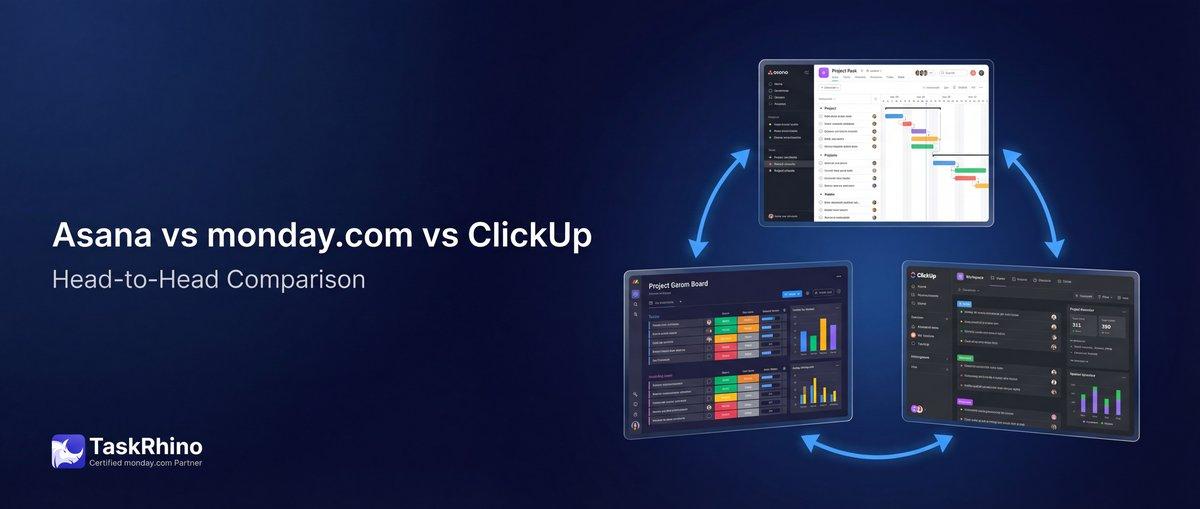
Asana vs monday.com vs ClickUp 2026: The Big Three PM Tools Compared
Choosing between Asana, monday.com, and ClickUp isn’t about finding the “best” project management tool—it’s about finding the right one for how your team actually works.
All three platforms can handle tasks, timelines, and team collaboration. But they take fundamentally different approaches to project management, and those differences matter more than you’d think.
Asana is clean, goal-oriented, and opinionated about how work should flow. monday.com is a visual, flexible Work OS that adapts to any workflow. ClickUp packs every conceivable feature into one platform at an aggressive price point.
In this guide, we’ll cut through the marketing speak and show you exactly how these three tools compare—from pricing and ease of use to automation, views, and scalability. By the end, you’ll know which platform fits your team, your budget, and your way of working.
Quick Comparison: Asana vs monday.com vs ClickUp
| Factor | Asana | monday.com | ClickUp |
|---|---|---|---|
| Best For | Marketing teams, goal-driven orgs | Cross-functional teams needing flexibility | Budget-conscious power users |
| Starting Price | Free (up to 2 users) | Free (up to 2 users) | Free (unlimited users) |
| Paid Plans | $10.99–$24.99/user/mo | $9–$19/seat/mo | $7–$12/user/mo |
| Key Strength | Goals, portfolios, OKRs | Visual customization, automation | Most features for the price |
| Learning Curve | Low | Medium | High |
| Automation | Unlimited rules (Starter+) | 250–25K actions/mo by plan | Included on all paid plans |
| Native Time Tracking | Advanced plan only | Pro plan ($19/seat) | Unlimited plan ($7/user) |
| Mobile Experience | Polished, simple | Intuitive, visual | Feature-rich but complex |
| Integrations | 100+ free | 200+ | 1,000+ |
| Ideal Team Size | 5–500 | 10–5,000 | 1–1,000+ |
Quick Verdict:
- Budget-conscious power users → ClickUp ($7/user gets you nearly everything)
- Marketing and goal-driven teams → Asana (best Goals/OKR implementation)
- Cross-functional teams needing flexibility → monday.com (most customizable workflows)
Pricing Comparison: Which Offers the Best Value?
Pricing is where these three platforms start to diverge—and where ClickUp makes its most compelling case.
Asana Pricing
| Plan | Price | Key Features |
|---|---|---|
| Personal | Free | 2 users, unlimited tasks, list/board/calendar views |
| Starter | $10.99/user/mo (annual) | Timeline & Gantt, workflow builder, unlimited rules, forms |
| Advanced | $24.99/user/mo (annual) | Goals, portfolios, forms branching, approvals, native time tracking |
| Enterprise | Custom | Capacity planning, SAML, 24/7 support |
What you need to know:
- Most teams will need Starter ($10.99/user/mo) for Timeline views and automation
- Goals (for OKRs) only unlock at Advanced ($24.99/user/mo)—a key differentiator
- Native time tracking requires Advanced plan
- Clean pricing—no hidden automation limits
monday.com Pricing
| Plan | Price | Key Features |
|---|---|---|
| Free | $0 | Up to 2 seats, 3 boards, 200+ templates |
| Basic | $9/seat/mo (annual) | Unlimited items, 5GB storage, 1-board dashboards |
| Standard | $12/seat/mo (annual) | Timeline & Gantt, calendar, 250 automations/integrations, guest access |
| Pro | $19/seat/mo (annual) | Private boards, time tracking, 25K automations/integrations, chart view |
| Enterprise | Custom | 250K automations, multi-level permissions, advanced security |
What you need to know:
- Automation limits matter—250/month on Standard, 25K on Pro
- Time tracking unlocks at Pro ($19/seat/mo)
- Dashboards scale with plan tier (1 board on Basic, 5 boards on Standard, 20 on Pro)
- Most flexible for visual-first teams
ClickUp Pricing
| Plan | Price | Key Features |
|---|---|---|
| Free Forever | $0 | Unlimited users, 100MB storage, unlimited tasks, 1 form |
| Unlimited | $7/user/mo (annual) | Unlimited storage, Gantt charts, goals & portfolios, native time tracking, resource management |
| Business | $12/user/mo (annual) | Unlimited dashboards, workload management, Google SSO, more automations |
| Enterprise | Custom | White labeling, advanced permissions, SSO, HIPAA available |
What you need to know:
- Best value by far—$7/user gets you goals, portfolios, Gantt, and time tracking
- Free plan includes unlimited users (vs. 2 on Asana and monday.com)
- No automation limits on any paid plan
- Steeper learning curve offsets the value
Pricing Verdict
| Scenario | Winner | Why |
|---|---|---|
| Tightest budget | ClickUp | $7/user includes goals, time tracking, Gantt—features that cost $19–$25/user on competitors |
| Small team (2-5 people) | Asana or monday.com | Cleaner UX, faster to value, worth the $10–$12/user for ease of use |
| Mid-market (50–200 users) | monday.com | Best balance of customization and scalability; automation limits scale with plan |
| Enterprise (500+) | Asana | Superior security, compliance, and admin controls; proven at scale |
| Automation-heavy workflows | ClickUp or Asana | Unlimited automations (no action limits) |
For most teams, ClickUp wins on pure price-to-feature ratio. But Asana and monday.com justify their premium pricing with smoother onboarding, better UX, and fewer bugs.
Ease of Use: Which Tool Has the Shortest Learning Curve?
This is where personal preference and team composition matter most. All three tools are “easy” once you know them—but the path to proficiency looks very different.
| Platform | Learning Curve | Setup Time | Best For |
|---|---|---|---|
| Asana | ⭐⭐ Low | 1-2 hours | Non-technical teams, marketing |
| monday.com | ⭐⭐⭐ Medium | 2-4 hours | Visual learners, creative teams |
| ClickUp | ⭐⭐⭐⭐ High | 4-8 hours | Power users, technical teams |
Asana: Clean, Opinionated, and Fast to Learn
Why it’s easy:
- Minimalist interface with limited visual noise
- Clear hierarchy: Workspaces → Teams → Projects → Tasks → Subtasks
- Onboarding guides you through core concepts quickly
- Consistent design language across web and mobile
Why it might feel limiting:
- Fewer customization options (by design)
- Less visual flexibility—can’t change colors or board layouts as freely
- Opinionated about “the right way” to manage projects
Best for: Teams that want to hit the ground running with minimal training. Marketing teams, agencies, and non-technical users thrive in Asana’s structured environment.
monday.com: Visual, Intuitive, and Flexible
Why it’s intuitive:
- Color-coded boards make status instantly visible
- Drag-and-drop everything (columns, items, automations)
- Low-code automation builder with visual logic
- Feels like a spreadsheet + kanban board hybrid
Why it takes longer:
- So many customization options that you’ll spend time tweaking
- “Pulses” and “boards” terminology requires a mental shift
- Integrations and automations need configuration
Best for: Cross-functional teams that value visual clarity. Creative agencies, operations teams, and anyone who thinks in spreadsheets will feel at home.
ClickUp: Powerful, Complex, and Feature-Dense
Why it’s powerful:
- Every feature imaginable is somewhere in the interface
- Hyper-customizable—can replicate almost any workflow
- Multiple “views” of the same data (List, Board, Gantt, Calendar, etc.)
Why it’s overwhelming:
- Too many options create analysis paralysis for new users
- Settings are nested 3-4 levels deep
- Frequent updates mean UI changes constantly
- Bugs and performance issues more common than competitors
Best for: Power users and technical teams willing to invest time upfront for long-term flexibility. Software teams, agencies, and DIY-minded operations teams love ClickUp once they master it.
Ease of Use Verdict
| User Profile | Recommended Tool |
|---|---|
| Non-technical team, wants fast adoption | Asana |
| Visual learners, creative workflows | monday.com |
| Power users, willing to learn for max flexibility | ClickUp |
| Mixed team (technical + non-technical) | monday.com (best balance) |
| Remote team needing instant clarity | Asana or monday.com |
Real talk from Reddit users:
“Monday is easier to use for less technical users on basic projects. If you have anyone with intermediate skills on project management, I’d definitely be leaning towards Asana.”
“ClickUp ended up scaling better for our mix of planning and execution without constant rework—but it took us 2 months to get there.”
Our take: If your team can spare 1-2 days for training, ClickUp’s power is worth it. If you need everyone productive by next week, Asana or monday.com will get you there faster.
Views and Layouts: How Do You Visualize Your Work?
All three platforms offer the standard project management views—but they differ in flexibility, polish, and how many views you can use simultaneously.
View Availability by Platform
| View Type | Asana | monday.com | ClickUp |
|---|---|---|---|
| List | ✅ All plans | ✅ All plans | ✅ All plans |
| Board (Kanban) | ✅ All plans | ✅ All plans | ✅ All plans |
| Calendar | ✅ All plans | ✅ Standard+ | ✅ All plans |
| Timeline (Gantt) | ✅ Starter+ | ✅ Standard+ | ✅ Unlimited+ |
| Gantt (detailed) | ✅ Starter+ | ✅ Standard+ | ✅ Unlimited+ |
| Table | ❌ | ✅ All plans | ✅ All plans |
| Map | ❌ | ✅ Pro+ | ✅ Business+ |
| Workload | ✅ Advanced+ (Portfolio) | ✅ Pro+ | ✅ Unlimited+ |
| Mind Map | ❌ | ✅ Pro+ | ✅ Business+ |
| Form | ✅ Starter+ | ✅ Basic+ | ✅ Free (1 form), Unlimited+ |
| Docs | ✅ Notes (all plans) | ✅ Docs (all plans) | ✅ Docs (all plans) |
| Whiteboard | ❌ | ✅ Standard+ | ✅ Business+ |
Asana Views: Polished and Purposeful
Strengths:
- Timeline view is the cleanest, most polished Gantt implementation
- Portfolio view (Advanced+) consolidates project health across dozens of projects
- Goals view (Advanced+) connects daily tasks to company OKRs
- Switching between views is fast and intuitive
Limitations:
- No native table/spreadsheet view
- No mind maps or whiteboards
- Can’t create custom views or save view configurations (without workarounds)
Best use case: Teams that need goal-oriented project tracking with clean visualizations. Perfect for marketing teams tracking campaigns against quarterly OKRs.
monday.com Views: Flexible and Visual-First
Strengths:
- Most view types of any platform (table, Kanban, Gantt, calendar, map, chart)
- Color-coded status columns make board views instantly scannable
- Dashboards aggregate data from multiple boards with custom widgets
- Every board can display multiple views simultaneously
Limitations:
- Timeline view is less polished than Asana’s
- View switching requires more clicks
- Workload management limited to Pro plan ($19/seat)
Best use case: Cross-functional teams that need multiple perspectives on the same data. Sales, operations, and project teams viewing the same work in table, Gantt, and map formats.
ClickUp Views: Maximum Flexibility, Maximum Complexity
Strengths:
- 15+ view types including Box, Activity, Embed, and more
- Everything view shows all tasks across all projects (unique to ClickUp)
- Can create unlimited custom views with filters
- “Spaces” and “Folders” add organizational hierarchy
Limitations:
- So many views that teams struggle to agree on one
- Performance degrades with large datasets in complex views
- View management becomes a chore at scale
Best use case: Power users and agencies managing vastly different project types in one workspace (e.g., development sprints + client deliverables + internal operations).
Views Verdict
| Need | Winner |
|---|---|
| Cleanest, most polished views | Asana |
| Most view variety | ClickUp (15+ views) |
| Best visual clarity | monday.com (color-coded boards) |
| Best for Gantt/Timeline planning | Asana (smoothest Timeline UI) |
| Best for resource planning | monday.com or ClickUp (workload views) |
| Best dashboards | monday.com (multi-board aggregation) |
If your team relies heavily on Gantt charts and timeline planning, Asana’s Timeline view is unmatched. If you need visual flexibility, monday.com strikes the best balance. If you want every possible view, ClickUp has you covered—but expect complexity.
Automation: What Can You Automate and at What Cost?
Automation is table stakes in 2026—but automation limits and ease of setup vary dramatically.
Automation Capabilities Comparison
| Platform | Automation Limits | Setup Difficulty | Notable Features |
|---|---|---|---|
| Asana | Unlimited rules (Starter+) | ⭐⭐ Easy | Rules, forms branching (Advanced), approval workflows (Advanced) |
| monday.com | 250–250K actions/mo by plan | ⭐⭐ Easy | Visual automation builder, 200+ templates, integration recipes |
| ClickUp | Unlimited (all paid plans) | ⭐⭐⭐ Moderate | 100+ pre-built automations, custom automations, ClickUp Brain AI |
Asana: Rules-Based Automation
How it works:
- Rules = “When X happens, do Y” triggers (e.g., “When task moves to ‘In Progress,’ assign to John”)
- Available on Starter+ with unlimited rules
- Advanced plan adds approvals and forms branching
Strengths:
- No action limits—run as many automations as you need
- Clean, simple interface for building rules
- Dependable and stable
Limitations:
- Limited to task-level actions (can’t automate cross-project workflows easily)
- No native AI-powered automation
- Approval workflows require Advanced plan ($24.99/user)
Best for: Teams that need reliable, simple automations without worrying about monthly limits.
monday.com: Visual Automation Builder
How it works:
- Drag-and-drop automation recipes
- Pre-built templates like “When status changes to ‘Done,’ notify team and archive item”
- Action limits = 250/month (Standard), 25K/month (Pro), 250K/month (Enterprise)
Strengths:
- Easiest to set up—visual, no-code builder
- 200+ pre-built automation templates
- Integration recipes combine monday.com + external apps (Slack, Gmail, etc.)
Limitations:
- Action limits matter—exceeding your plan’s limit pauses automations
- Complex multi-step automations get expensive fast
- No true “if-then-else” conditional logic (without workarounds)
Best for: Teams with moderate automation needs (under 25K actions/month) who value ease of setup.
ClickUp: Power User Automations
How it works:
- 100+ pre-built automation templates
- Custom automations with triggers, conditions, actions
- ClickUp Brain (AI add-on) can suggest and create automations
Strengths:
- Unlimited automations on all paid plans (no action limits)
- Most flexibility for complex, multi-step workflows
- Can trigger external webhooks and API calls
Limitations:
- Harder to set up than Asana or monday.com
- Bugs and reliability issues more common
- AI automation features require separate ClickUp Brain subscription
Best for: Power users who need complex, unlimited automations without per-action fees.
Automation Verdict
| Priority | Winner |
|---|---|
| Easiest to set up | monday.com (visual builder, templates) |
| No limits | Asana and ClickUp (unlimited) |
| Most powerful | ClickUp (webhooks, API triggers) |
| Best for high-volume workflows | Asana or ClickUp (no action limits) |
| Best for cross-app automation | monday.com (200+ integration recipes) |
Critical insight: If your team runs more than 25K automation actions per month, monday.com becomes expensive (Enterprise plan required). Asana and ClickUp offer unlimited automations at lower price points—but with less visual polish.
See How BoardBridge Handles This Workflow
Book a free demo to see BoardBridge solve this exact problem — live, with your data.
Integrations: Which Tool Plays Best with Others?
All three platforms integrate with the usual suspects (Slack, Google Drive, Microsoft 365)—but the depth and ease of integration vary.
Integration Comparison
| Platform | Native Integrations | Zapier Support | Notable Integrations |
|---|---|---|---|
| Asana | 100+ free | ✅ Yes | Salesforce, Tableau, Power BI (Advanced+), Jira Cloud (Advanced+) |
| monday.com | 200+ | ✅ Yes | Gmail, Outlook, Slack, Teams, Zoom, DocuSign, Excel |
| ClickUp | 1,000+ (via native + Zapier) | ✅ Yes | GitHub, GitLab, Figma, Everhour, Harvest, Toggl |
Asana Integrations
Strengths:
- Business intelligence integrations (Salesforce, Tableau, Power BI) on Advanced+ plan
- Two-way Jira Cloud sync (Advanced+)
- Native Slack and Microsoft Teams apps are polished
- Time tracking integrations (Harvest, Toggl, Everhour)
Limitations:
- Fewer integrations than competitors (100 vs. 200+ and 1,000+)
- Best integrations locked behind Advanced plan ($24.99/user)
Best for: Teams that need CRM and BI integrations (marketing ops, sales ops, data teams).
monday.com Integrations
Strengths:
- 200+ native integrations covering most business tools
- Integration recipes make setup easier (e.g., “Sync monday.com board with Google Sheets”)
- Excellent Microsoft 365 and Google Workspace support
- Bidirectional syncing with calendars, email, and file storage
Limitations:
- Integration actions count toward automation limits
- Some integrations require Pro plan or higher
Best for: Cross-functional teams needing deep integrations with communication and productivity tools (Slack, Teams, Gmail, Drive).
ClickUp Integrations
Strengths:
- 1,000+ integrations (native + Zapier + Make)
- Native GitHub/GitLab integrations for dev teams
- Time tracking integrations on even the Free plan
- API access on all plans
Limitations:
- Integration quality varies—some are buggy
- Zapier required for many “integrations” (not native)
Best for: Development teams and agencies needing GitHub, Figma, and time tracking integrations on a budget.
Integrations Verdict
| Need | Winner |
|---|---|
| Most integrations | ClickUp (1,000+) |
| Best for business ops | monday.com (communication + productivity apps) |
| Best for data/BI teams | Asana (Salesforce, Tableau, Power BI) |
| Best for dev teams | ClickUp (GitHub, GitLab, Figma) |
| Easiest setup | monday.com (integration recipes) |
If your workflow depends on Salesforce or business intelligence tools, Asana’s Advanced plan justifies the cost. If you’re an agency juggling Slack, Figma, and Harvest, ClickUp offers the broadest coverage. For cross-functional teams, monday.com’s 200+ integrations cover the essentials with less complexity.
Learn more about monday.com’s integration ecosystem in our guide: [What Is monday.com? [2026 Guide]]
Reporting and Dashboards: How Do You Track Progress?
Reporting is where monday.com and ClickUp pull ahead—but Asana’s Goals feature (Advanced plan) offers something competitors don’t: true OKR tracking.
Reporting Features Comparison
| Feature | Asana | monday.com | ClickUp |
|---|---|---|---|
| Project dashboards | ✅ Starter+ | ✅ Basic+ (1 board), Standard+ (5 boards), Pro+ (20 boards) | ✅ Unlimited (Business plan) |
| Cross-project reporting | ✅ Universal Reporting (Starter+) | ✅ Dashboards (all plans) | ✅ Everything view (all plans) |
| Custom charts | ✅ Starter+ | ✅ All plans | ✅ Business+ |
| Portfolio reporting | ✅ Advanced+ | ✅ Enterprise | ✅ Unlimited+ |
| Goals/OKR tracking | ✅ Advanced+ (best-in-class) | ⚠️ Via dashboards (not native) | ✅ Unlimited+ (basic) |
| Workload/capacity reporting | ✅ Advanced+ (Portfolio Workload) | ✅ Pro+ | ✅ Unlimited+ |
| Time tracking reports | ✅ Advanced+ (native) | ✅ Pro+ | ✅ Unlimited+ |
| Formula fields | ✅ Advanced+ | ✅ Pro+ | ✅ Unlimited+ |
| CSV/PDF export | ✅ All plans | ✅ All plans | ✅ All plans |
| PowerPoint export | ✅ Enterprise+ | ✅ Enterprise | ❌ |
Asana Reporting: Goal-Oriented Tracking
Strengths:
- Goals (Advanced+) is the best OKR implementation of any PM tool
- Connects daily tasks → projects → goals → company objectives
- Portfolio dashboards (Advanced+) show project health across 50+ projects
- Clean, executive-ready visualizations
Limitations:
- Most reporting locked behind Advanced plan ($24.99/user)
- Can’t create custom report templates as easily as monday.com
- No native Gantt chart reporting (timeline view only)
Best for: Marketing and goal-driven teams that need to connect daily work to quarterly OKRs. See our [Asana Review [2026]] for more on Goals.
monday.com Reporting: Visual Dashboards
Strengths:
- Dashboards on all plans (even Free)
- Combine data from multiple boards into one view
- 20+ widget types (charts, timelines, numbers, battery, workload)
- Custom formulas for calculated fields
Limitations:
- Dashboard complexity scales with plan (1 board on Basic, 50 boards on Enterprise)
- Not as polished as Asana’s Goals for OKR tracking
- Advanced analytics require Enterprise plan
Best for: Cross-functional teams that need visual, real-time dashboards showing project status across departments. Read our [monday.com Review [2026]] for dashboard deep dives.
ClickUp Reporting: Maximum Data, Maximum Effort
Strengths:
- Unlimited dashboards on Business plan ($12/user)
- Most customization options (50+ widget types)
- Everything view shows all tasks across all workspaces
- Time tracking, workload, and resource reporting on Unlimited plan ($7/user)
Limitations:
- Setup takes longer than competitors
- Performance issues with large datasets
- Overwhelming number of options
Best for: Power users and agencies that need granular reporting across diverse project types. Our [ClickUp Review [2026]] covers reporting in detail.
Reporting Verdict
| Need | Winner |
|---|---|
| Best for OKRs/goal tracking | Asana (Goals feature is unmatched) |
| Best visual dashboards | monday.com (cleanest UI, easiest setup) |
| Most reporting features | ClickUp (unlimited dashboards, 50+ widgets) |
| Best for executives | Asana (cleanest, most polished) |
| Best value | ClickUp (full reporting at $7/user) |
If your organization runs on OKRs, Asana’s Goals feature justifies the Advanced plan cost. If you need multi-board dashboards for cross-functional visibility, monday.com delivers. If you want unlimited dashboards on a budget, ClickUp wins.
Collaboration Features: How Do Teams Work Together?
All three platforms support comments, mentions, and file attachments—but real-time collaboration and team communication differ significantly.
Collaboration Features Comparison
| Feature | Asana | monday.com | ClickUp |
|---|---|---|---|
| Task comments | ✅ All plans | ✅ All plans | ✅ All plans |
| @mentions | ✅ All plans | ✅ All plans | ✅ All plans |
| File attachments | ✅ Unlimited files, 100MB each | ✅ 5GB (Basic), scales by plan | ✅ 100MB (Free), unlimited (Unlimited+) |
| Proofing (markup/annotations) | ✅ Advanced+ | ✅ Pro+ | ✅ Business+ |
| Real-time docs | ✅ Notes (all plans) | ✅ Docs (all plans) | ✅ Docs (all plans) |
| Whiteboarding | ❌ | ✅ Standard+ | ✅ Business+ |
| In-app video recording | ❌ | ❌ | ✅ Free+ |
| Guest access | ✅ Unlimited free guests (Starter+) | ✅ Guest access (Standard+) | ✅ Guests with permissions (Unlimited+) |
| Approval workflows | ✅ Advanced+ | ✅ Pro+ | ✅ Business+ |
| Private teams/projects | ✅ Starter+ | ✅ Pro+ (private boards) | ✅ Business+ |
Asana Collaboration: Clean and Focused
Strengths:
- Comments stay threaded and organized
- Proofing (Advanced+) allows markup on designs and PDFs
- Approval workflows (Advanced+) formalize review processes
- Unlimited free guest access (Starter+)
Limitations:
- No native video recording or whiteboarding
- No chat beyond task comments
- Collaboration features require paid plans
Best for: Teams that prefer asynchronous, focused communication over real-time chat.
monday.com Collaboration: Visual and Real-Time
Strengths:
- Real-time updates—see changes as teammates make them
- Docs are collaborative (like Google Docs)
- Whiteboards (Standard+) for brainstorming
- Guest access (Standard+) for client collaboration
Limitations:
- No native video recording
- Private boards require Pro plan ($19/seat)
Best for: Cross-functional and creative teams that need real-time collaboration and visual brainstorming.
ClickUp Collaboration: Feature-Rich but Complex
Strengths:
- In-app video recording (Clip) on Free plan
- Whiteboards (Business+) for planning
- Chat view consolidates task comments
- Assign comments to create follow-up tasks
Limitations:
- Comments can get lost in complex hierarchies
- Real-time collaboration less polished than monday.com
- Feature overload creates noise
Best for: Remote teams and agencies that want video, docs, and tasks in one tool.
Collaboration Verdict
| Need | Winner |
|---|---|
| Best for async collaboration | Asana (clean, organized threads) |
| Best for real-time collaboration | monday.com (live updates, whiteboards) |
| Best for video + screen recording | ClickUp (native Clip feature) |
| Best for client collaboration | Asana (unlimited free guests) |
| Best for creative teams | monday.com (whiteboards, proofing) |
If your team is remote and async-first, Asana’s focused communication model reduces noise. If you’re a creative team brainstorming in real-time, monday.com’s whiteboards and live updates shine. If you want video recording built-in, ClickUp’s Clip feature is a game-changer.
Need Help With Your monday.com Setup?
TaskRhino has implemented monday.com for 110+ teams. Get a free consultation.
Scalability: Which Tool Grows with You?
Scalability isn’t just about user limits—it’s about performance, admin controls, and whether the platform grows or becomes a bottleneck.
Scalability Comparison
| Factor | Asana | monday.com | ClickUp |
|---|---|---|---|
| Ideal team size | 5–500 | 10–5,000 | 1–1,000+ |
| Performance at scale | Excellent | Good | Moderate (degrades with large datasets) |
| Admin controls | ✅ Admin console (Starter+) | ✅ Admin console (Basic+) | ✅ Admin console (Unlimited+) |
| SAML SSO | ✅ Enterprise | ✅ Enterprise | ✅ Enterprise |
| SCIM provisioning | ✅ Enterprise | ✅ Enterprise | ✅ Enterprise |
| Multi-level permissions | ✅ Advanced+ | ✅ Enterprise | ✅ Enterprise |
| Custom roles | ❌ | ❌ | ✅ Enterprise |
| Capacity planning | ✅ Enterprise | ✅ Enterprise (Resource Management) | ✅ Unlimited+ (Workload) |
| Sandbox environments | ✅ Enterprise+ | ❌ | ❌ |
Asana: Proven at Enterprise Scale
Why it scales:
- Used by Fortune 500 companies (Amazon, Google, NASA, Spotify)
- Stable performance even with 1,000+ users
- Enterprise+ offers sandbox environments, managed workspaces, HIPAA compliance
- Best-in-class security (SOC 2, ISO 27001, GDPR)
Limitations:
- Most expensive at scale ($24.99/user for Advanced features)
- Custom roles not available (permissions are role-based but not fully customizable)
Best for: Enterprises (500+ users) needing security, compliance, and predictable performance.
monday.com: Flexible for Mid-Market and Enterprise
Why it scales:
- Handles 5,000+ users with good performance
- Enterprise plan offers 250K automation actions, multi-level permissions, advanced security
- Portfolio management (Enterprise) for program-level visibility
Limitations:
- Performance can degrade with overly complex boards (100+ columns)
- Custom roles not available
Best for: Mid-market and enterprise teams (50–5,000 users) needing flexibility without rigid structure.
ClickUp: Scalable but Performance-Sensitive
Why it scales:
- No user limits on any plan
- Hierarchies (Spaces → Folders → Lists) support complex org structures
- Custom roles (Enterprise) offer granular permissions
Limitations:
- Performance degrades with large datasets (10K+ tasks in one view)
- Bugs more common at scale
- Onboarding 500+ users requires significant training investment
Best for: Growing teams (10–500 users) that prioritize features and price over polish. Not recommended for 1,000+ users unless you have dedicated ClickUp admins.
Scalability Verdict
| Team Size | Recommended Tool |
|---|---|
| 1-10 users | ClickUp (best value) or Asana (easiest) |
| 10-50 users | monday.com (best balance) or ClickUp (most features) |
| 50-200 users | monday.com (most flexible) |
| 200-500 users | Asana (most stable) or monday.com |
| 500+ users | Asana (proven enterprise scale) |
Critical insight: Asana handles scale effortlessly. monday.com scales well but requires more admin attention. ClickUp scales—but expect performance issues and training overhead beyond 500 users.
Compare Asana and monday.com for mid-market teams: [Asana vs monday.com [2026]]
Mobile Experience: How Do They Perform on the Go?
All three platforms offer iOS and Android apps—but mobile UX and offline functionality vary.
Mobile App Comparison
| Feature | Asana | monday.com | ClickUp |
|---|---|---|---|
| iOS app | ✅ All plans | ✅ All plans | ✅ All plans |
| Android app | ✅ All plans | ✅ All plans | ✅ All plans |
| Offline mode | ⚠️ Limited | ⚠️ Limited | ⚠️ Limited |
| Create tasks | ✅ Fast | ✅ Fast | ✅ Fast |
| Edit custom fields | ✅ | ✅ | ✅ |
| View Gantt/Timeline | ✅ | ✅ | ✅ |
| Dashboards | ⚠️ Limited | ✅ Full | ⚠️ Limited |
| Mobile-optimized UI | ⭐⭐⭐⭐⭐ Excellent | ⭐⭐⭐⭐ Good | ⭐⭐⭐ Moderate |
Asana Mobile: Polished and Fast
Strengths:
- Clean, minimalist interface optimized for small screens
- Fast load times
- Inbox and My Tasks views work beautifully
- Notifications are timely and relevant
Limitations:
- Dashboards and portfolios are limited on mobile
- Timeline view is functional but cramped
Best for: Teams that need quick task updates on the go.
monday.com Mobile: Visual and Functional
Strengths:
- Color-coded boards translate well to mobile
- Full dashboard functionality
- Intuitive navigation
Limitations:
- Gantt/Timeline views feel cramped
- Complex boards harder to navigate on small screens
Best for: Teams that need visual project status on mobile.
ClickUp Mobile: Feature-Rich but Cluttered
Strengths:
- Every feature is accessible (views, dashboards, docs, etc.)
- Time tracking works well on mobile
Limitations:
- Cluttered UI—too many options on small screens
- Performance lags on older devices
- Frequent updates sometimes break mobile features
Best for: Power users who need full desktop functionality on mobile (not recommended for casual users).
Mobile Verdict
| Priority | Winner |
|---|---|
| Best mobile UX | Asana (cleanest, fastest) |
| Best for dashboards | monday.com (full functionality) |
| Most features on mobile | ClickUp (everything, but cluttered) |
| Best for executives on the go | Asana or monday.com |
If your team relies heavily on mobile, Asana’s polished UX and monday.com’s visual dashboards are safer bets than ClickUp’s feature-dense app.
Support and Training: How Do You Get Help?
All three platforms offer help centers, communities, and paid support—but quality and accessibility differ.
Support Comparison
| Support Type | Asana | monday.com | ClickUp |
|---|---|---|---|
| Help center | ✅ Excellent | ✅ Excellent | ✅ Good |
| Community forum | ✅ Active | ✅ Active | ✅ Active |
| Email support | ✅ Starter+ | ✅ Basic+ | ✅ All plans (24/7) |
| Live chat | ✅ Starter+ | ✅ Basic+ | ✅ All plans (24/7) |
| 24/7 support | ✅ Enterprise+ | ✅ Enterprise | ✅ All paid plans |
| Dedicated CSM | ✅ Enterprise (conditions apply) | ✅ Enterprise | ✅ Enterprise |
| Training/certifications | ✅ Asana Academy (free) | ✅ monday.com Academy (free) | ✅ ClickUp University (free) |
| Onboarding assistance | ✅ Advanced+ | ✅ Pro+ | ✅ Unlimited+ |
Asana Support: Professional and Responsive
Strengths:
- Asana Academy offers free certifications and training
- Support tickets resolved quickly (avg. 24 hours)
- Extensive help documentation
Limitations:
- 24/7 support requires Enterprise plan
- Customer Success Manager (CSM) has eligibility requirements
Best for: Teams that value polished documentation and professional support.
monday.com Support: Fast and Accessible
Strengths:
- Prioritized support starts at Basic plan ($9/seat)
- monday.com Academy offers free courses
- Active community forum
Limitations:
- 24/7 support requires Enterprise plan
- Complex issues sometimes require escalation
Best for: Teams that need fast, accessible support at lower price tiers.
ClickUp Support: 24/7 but Inconsistent
Strengths:
- 24/7 live chat on all paid plans (even $7/user)
- Active community and Facebook groups
- ClickUp University offers free training
Limitations:
- Support quality varies—some reps are excellent, others are unhelpful
- Bug resolution can take weeks
- Help docs lag behind feature updates
Best for: Teams comfortable troubleshooting independently with community help.
Support Verdict
| Need | Winner |
|---|---|
| Best support quality | Asana (professional, consistent) |
| Best value | ClickUp (24/7 support at $7/user) |
| Best training resources | Asana (Asana Academy is excellent) |
| Best for fast responses | monday.com (prioritized support at $9/seat) |
If reliable, professional support matters, Asana wins. If you want 24/7 support on a budget, ClickUp offers it at $7/user (though quality varies). If you need quick responses at mid-tier pricing, monday.com delivers.
The Honest Breakdown: What You Should Actually Know
After comparing pricing, features, and UX, here’s the unvarnished truth about each platform.
When Asana Is the Right Choice
Choose Asana if:
- Your team values clean UX and fast onboarding over customization
- You need Goals and OKR tracking connected to daily work
- You’re a marketing, creative, or non-technical team
- You want stable, bug-free software (Asana is the most polished)
- Budget isn’t a constraint—you’re willing to pay $10.99–$24.99/user for quality
Skip Asana if:
- You need heavy customization (monday.com or ClickUp are more flexible)
- Budget is tight—ClickUp offers similar features at $7/user
- You need native time tracking without paying $24.99/user
When monday.com Is the Right Choice
Choose monday.com if:
- You need visual, color-coded boards for cross-functional teams
- Your workflows require customization without complexity
- You value real-time collaboration and dashboards
- You’re managing diverse project types (sales, marketing, ops, product)
- You want a Work OS that adapts to any workflow
Skip monday.com if:
- You run high-volume automations (action limits become expensive)
- Budget is tight—ClickUp offers more features for less
- You need best-in-class OKR tracking (Asana’s Goals are better)
When ClickUp Is the Right Choice
Choose ClickUp if:
- You’re budget-conscious and want maximum features per dollar
- You’re a power user willing to invest time learning the platform
- You need unlimited automations, dashboards, and time tracking at $7–$12/user
- You’re an agency or dev team managing diverse workflows
- You want everything in one tool (docs, whiteboards, time tracking, goals, etc.)
Skip ClickUp if:
- Your team is non-technical or needs fast onboarding
- You value stability over features (ClickUp has more bugs)
- You’re an enterprise (500+ users) without dedicated ClickUp admins
The Real Trade-Offs
| Dimension | Asana | monday.com | ClickUp |
|---|---|---|---|
| Ease vs. Power | Easy | Balanced | Powerful |
| Polish vs. Features | Polished | Balanced | Feature-rich |
| Cost vs. Value | Premium | Fair | Best value |
| Stability vs. Innovation | Stable | Stable | Frequent updates, more bugs |
| Opinionated vs. Flexible | Opinionated | Flexible | Hyper-flexible |
Compare ClickUp and monday.com head-to-head: [ClickUp vs monday.com [2026]]
Stop Creating Duplicates
BoardBridge forms update existing items — no Enterprise plan, no workarounds, no duplicates.
Frequently Asked Questions
Which is better: Asana, monday.com, or ClickUp?
It depends on your priorities: • Asana is best for marketing and goal-driven teams that value clean UX and OKR tracking. • monday.com is best for cross-functional teams needing visual workflows and flexibility. • ClickUp is best for budget-conscious power users who want maximum features and don’t mind complexity.
Which is cheapest: Asana, monday.com, or ClickUp?
ClickUp is the cheapest: • ClickUp Unlimited: $7/user/mo (goals, time tracking, Gantt, unlimited storage) • monday.com Basic: $9/seat/mo (limited features) • Asana Starter: $10.99/user/mo (timeline, automation, forms)
ClickUp’s Free plan also includes unlimited users, while Asana and monday.com cap free plans at 2 users.
Can Asana replace monday.com or ClickUp?
Asana can replace monday.com or ClickUp for most teams—but with trade-offs: • You gain: Cleaner UX, better OKR/Goals tracking, more stable software • You lose: Visual flexibility (color-coded boards), cheaper pricing, native time tracking (unless you pay $24.99/user for Advanced)
If your team values simplicity and goals over customization, Asana is a great replacement.
Which has the best mobile app: Asana, monday.com, or ClickUp?
Asana has the best mobile app—cleanest UI, fastest performance, and most intuitive for quick task updates. monday.com comes second with full dashboard functionality. ClickUp is feature-rich but cluttered on mobile.
Which tool is best for small teams (5-10 people)?
For small teams, we recommend: • Asana if you want fast onboarding and clean UX • ClickUp if budget is tight and you’re willing to learn • monday.com if you need visual workflows and moderate customization
All three work well for small teams—choose based on ease of use (Asana), value (ClickUp), or flexibility (monday.com).
Do Asana, monday.com, and ClickUp integrate with Slack?
Yes, all three integrate with Slack: • Asana: Native Slack app, create tasks from messages, get notifications • monday.com: Native Slack app, bidirectional sync, automation recipes • ClickUp: Native Slack app, create tasks, notifications, ClickUp Brain (AI) in Slack
All three integrations are free and work on all paid plans.
Which is best for remote teams?
All three work well for remote teams, but: • Asana is best for async-first teams (clean, focused communication) • monday.com is best for real-time collaboration (live updates, whiteboards) • ClickUp is best for all-in-one remote work (video recording, docs, tasks)
Can I migrate from Asana to ClickUp or monday.com?
Yes, all three platforms offer migration assistance: • Asana → monday.com: Use monday.com’s import tool or hire a consultant • Asana → ClickUp: Use ClickUp’s native Asana importer (or CSV import) • monday.com → ClickUp: CSV export → ClickUp import
Expect 1-4 weeks for full migration depending on team size and complexity.
Which tool has the best automation?
ClickUp and Asana offer unlimited automations with no action limits. monday.com limits automations by plan (250–250K actions/month). For ease of setup, monday.com’s visual builder wins. For power and flexibility, ClickUp wins.
Which is better for agencies: Asana, monday.com, or ClickUp?
ClickUp is most popular with agencies due to: • Best value ($7–$12/user for full feature set) • Client management (unlimited guests on Unlimited plan) • Time tracking and reporting (built-in at $7/user)
monday.com is second-best for agencies needing visual client dashboards. Asana works but is more expensive for agency use cases.
Compare all three for project management workflows: [Asana vs monday.com vs Trello [2026]]
Final Verdict: Which Should You Choose?
After comparing pricing, features, and real-world use cases, here’s our final recommendation:
Choose Asana if:
- You’re a marketing, creative, or goal-driven team
- You value clean UX, stability, and fast onboarding
- You need OKR/Goals tracking connected to daily work
- Budget allows $10.99–$24.99/user/mo for premium software
- You want enterprise-grade security and support at scale (500+ users)
Bottom line: Asana is the most polished, stable, and user-friendly option. You pay a premium, but you get a tool that “just works.”
Choose monday.com if:
- You’re a cross-functional team (marketing + sales + ops + product)
- You need visual workflows that non-technical users can customize
- You want flexible automation without overwhelming complexity
- You value real-time collaboration and dashboards
- You’re mid-market (50–500 users) and need a Work OS that adapts to any workflow
Bottom line: monday.com offers the best balance of flexibility, visual clarity, and ease of use. It’s the safest choice for diverse teams.
Choose ClickUp if:
- You’re budget-conscious and want the most features per dollar
- You’re a power user or technical team willing to invest in training
- You need unlimited automation, time tracking, and goals at $7/user
- You’re an agency or dev team managing complex, varied workflows
- You want everything in one tool and can tolerate some bugs
Bottom line: ClickUp offers unbeatable value—but you’ll work harder to get there. Best for DIY teams that prioritize features over polish.
The Simple Decision Framework
| Your Priority | Choose |
|---|---|
| Ease of use | Asana |
| Flexibility | monday.com |
| Value (features per dollar) | ClickUp |
| Goal/OKR tracking | Asana |
| Visual workflows | monday.com |
| All-in-one solution | ClickUp |
| Enterprise scale (500+ users) | Asana |
| Mid-market (50-500 users) | monday.com |
| Small team (5-50 users) | ClickUp or Asana |
Still Not Sure? Let’s Talk.
Choosing the right project management tool isn’t just about features—it’s about how your team works, scales, and collaborates.
If you’re still weighing options or need help migrating from another tool, our team can help. We’ve helped dozens of teams implement Asana, monday.com, and ClickUp—and we know which tool works best for which use case.
Get expert help choosing and implementing the right PM tool →
We’ll help you:
- Evaluate your workflow and recommend the best fit
- Plan your migration and avoid common pitfalls
- Set up automations, dashboards, and integrations
- Train your team for fast adoption
No sales pitch—just honest advice from people who’ve implemented all three platforms dozens of times.


Editor's Choice
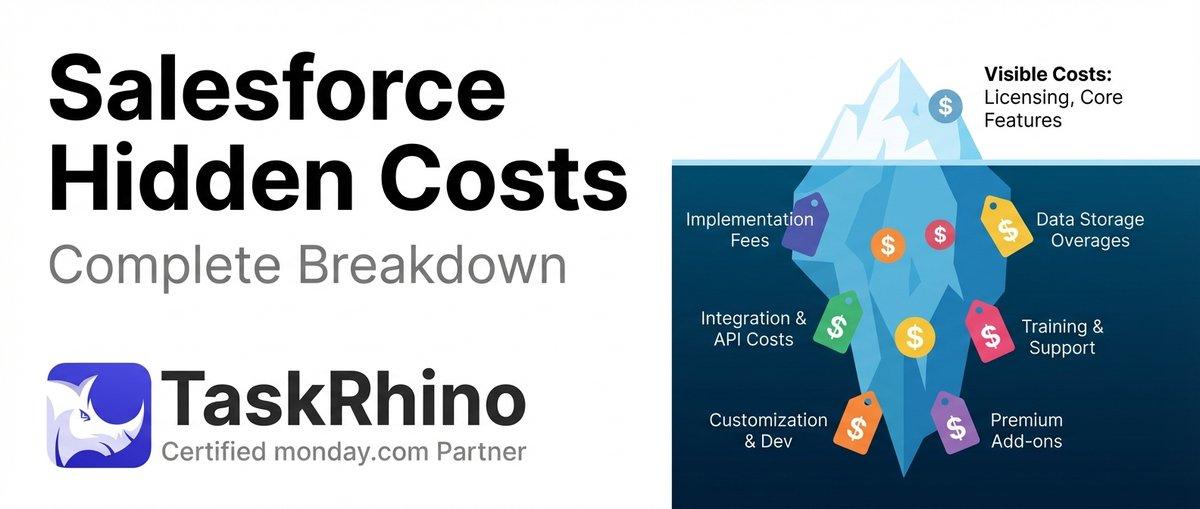
How to Calculate Hidden Costs of Salesforce Admin & Consulting

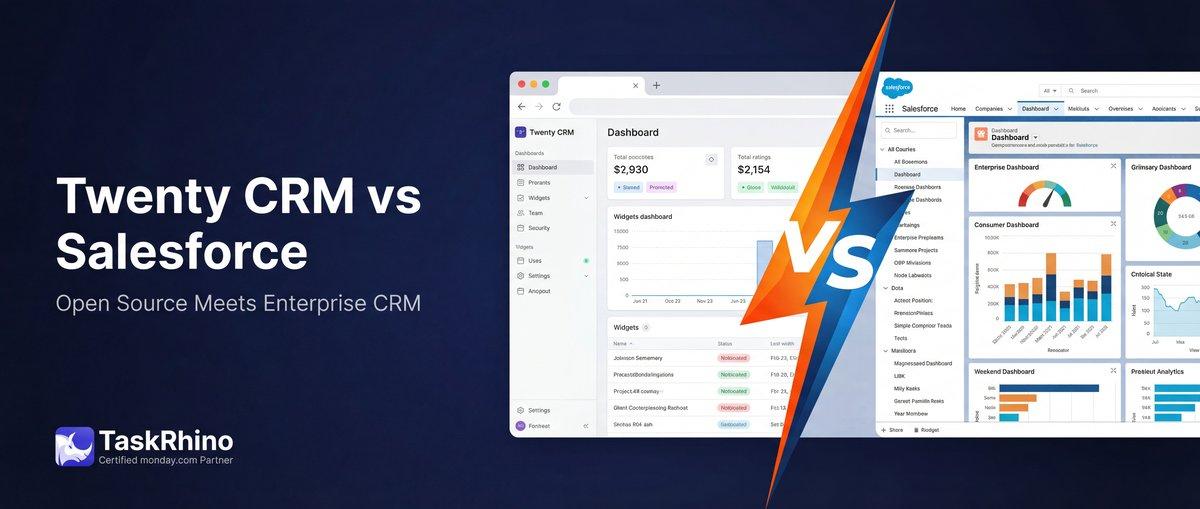
Twenty CRM vs Salesforce: Full Detailed Comparison
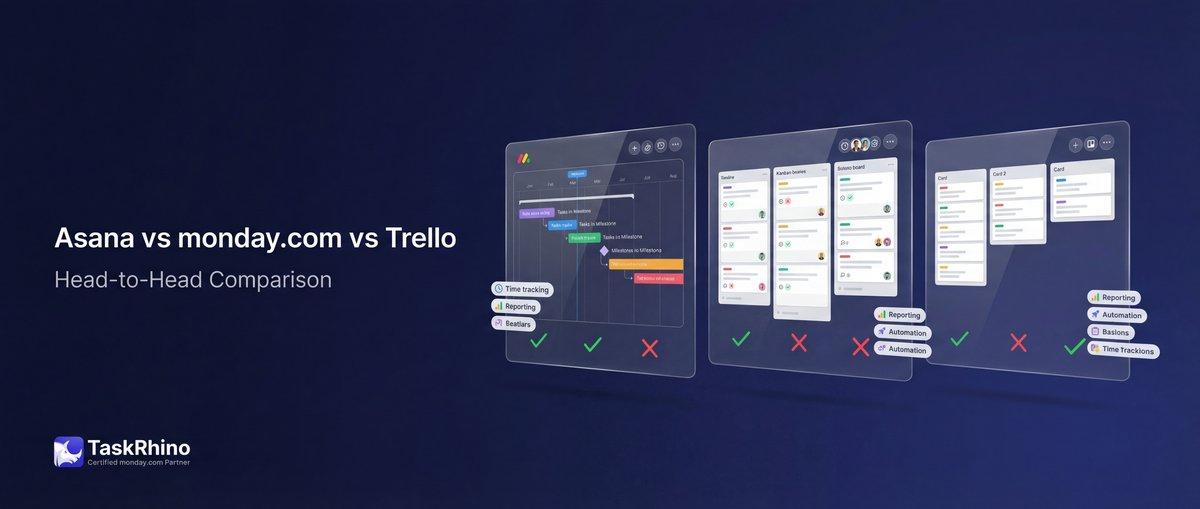
Asana vs monday.com vs Trello 2026: The Bicycle, The Sedan, and The SUV