

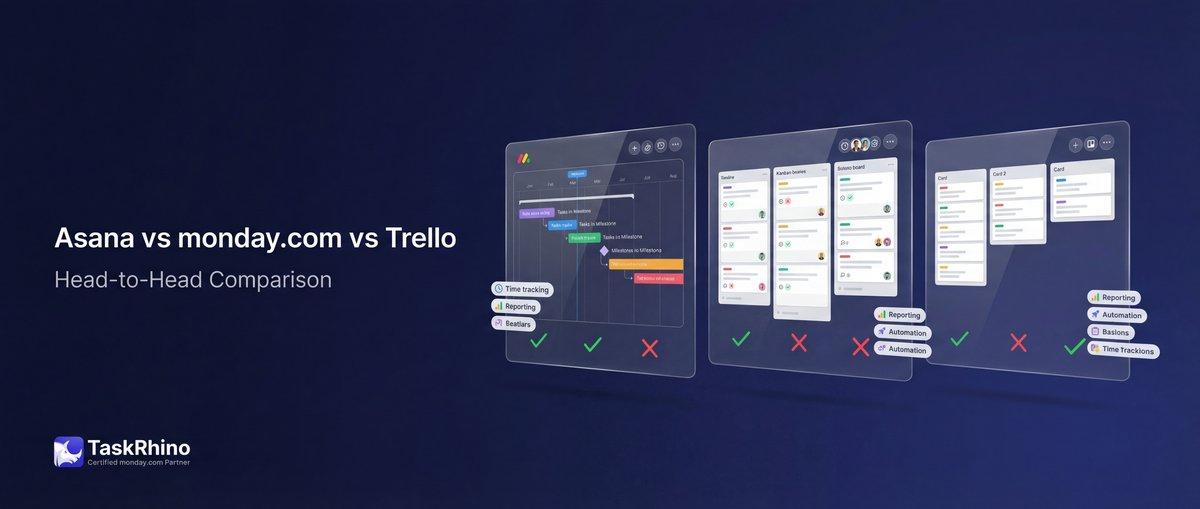
Asana vs monday.com vs Trello 2026: The Bicycle, The Sedan, and The SUV
If you’re trying to choose between Asana, monday.com, and Trello, you’re comparing three of the most popular project management tools on the market — but they’re built for completely different teams.
Trello is the simplest option, perfect for small teams who want visual Kanban boards without the learning curve. Asana sits in the middle, offering clean task management with built-in goal tracking that marketing and product teams love. monday.com is the most flexible of the three, positioning itself as a full Work OS that can handle everything from project tracking to CRM workflows.
This guide breaks down how Asana, monday.com, and Trello compare across pricing, ease of use, views, automation, integrations, reporting, and scalability — so you can pick the tool that actually fits your team’s needs.
Quick Picks: Which Tool to Choose
| Tool | Best For | Starting Price | Free Plan |
|---|---|---|---|
| Trello | Small teams wanting simple Kanban boards | $5/user/month | Yes (10 boards, up to 10 users) |
| Asana | Marketing and goal-driven teams | $10.99/user/month | Yes (up to 2 users) |
| monday.com | Cross-functional teams needing customization | $9/seat/month | Yes (up to 2 seats, 3 boards) |
Simple recommendation:
- Trello if you need dead-simple task boards and your team is under 10 people
- Asana if you’re managing marketing campaigns, product launches, or goal-driven work
- monday.com if you need to customize workflows across multiple departments
Pricing Comparison: Trello vs Asana vs monday.com
All three tools offer free plans, but the features and limitations vary significantly.
Trello Pricing
| Plan | Price | Best For | Key Features |
|---|---|---|---|
| Free | $0 | Individuals and small teams | 10 boards, unlimited cards, 1 Power-Up per board, 10MB file attachments |
| Standard | $5/user/month | Teams needing more boards | Unlimited boards, advanced checklists, custom fields, card mirroring |
| Premium | $10/user/month | Teams wanting views and AI | Timeline, calendar, dashboard, map views, unlimited automation |
| Enterprise | $17.50/user/month | Large organizations | Atlassian Guard SSO, 24/7 support, unlimited workspaces |
Free plan limit: 10 boards per workspace is the biggest constraint. Once you hit that, you’re forced to upgrade or archive old boards.
Asana Pricing
| Plan | Price | Best For | Key Features |
|---|---|---|---|
| Personal | $0 | 1-2 users | Unlimited tasks and projects, list/board/calendar views, basic search |
| Starter | $10.99/user/month | Growing teams | Timeline, Gantt, workflow builder, forms, unlimited automation |
| Advanced | $24.99/user/month | Companies tracking goals | Goals, portfolios, approvals, proofing, time tracking |
| Enterprise | Contact sales | Large organizations | Workflow bundles, capacity planning, SAML SSO, 24/7 support |
Free plan limit: Only 2 users. As soon as you add a third person, you need to pay for everyone.
monday.com Pricing
| Plan | Price | Best For | Key Features |
|---|---|---|---|
| Free | $0 | 1-2 seats | Up to 3 boards, 200+ templates, iOS/Android apps, 8 column types |
| Basic | $9/seat/month | Teams managing work | Unlimited items, 5GB storage, dashboard (1 board), prioritized support |
| Standard | $12/seat/month | Collaborative teams | Timeline/Gantt, calendar, guest access, 250 automations/month, dashboard (5 boards) |
| Pro | $19/seat/month | Teams with complex workflows | Private boards, time tracking, formula columns, 25K automations/month, dashboard (20 boards) |
| Enterprise | Contact sales | Large organizations | 250K automations/month, portfolio management, multi-level permissions, advanced security |
Free plan limit: Only 3 boards and 2 seats. The 3-board limit hits fast if you’re managing multiple projects.
View monday.com’s current pricing
Pricing Winner: Trello for Free Plans, monday.com for Paid Plans
Trello wins for free plans. The free version supports up to 10 users and 10 boards, which gives small teams actual room to work. Asana’s free plan caps at 2 users, and monday.com caps at 2 seats and 3 boards.
monday.com wins for paid plans. At $9/seat/month, the Basic plan is the cheapest entry point for small teams that need more than the free tier. Trello’s Standard plan is $5/user/month, but you’ll quickly run into feature limits. Asana’s $10.99/user/month gets you solid features, but it’s pricier than monday.com’s Basic plan.
For detailed pricing analysis between two tools at a time, check out our guides on monday.com vs Asana and Trello vs monday.com.
Ease of Use: How Quickly Can Your Team Get Started?
Trello: Zero Learning Curve
Trello is built on Kanban boards — lists of cards that move left to right. You can start using it in under 5 minutes without watching a single tutorial. Create a board, add lists (To Do, In Progress, Done), drop in cards, and start dragging them around.
The simplicity is its strength and its weakness. If you need task dependencies, time tracking, or custom fields, you’re either adding Power-Ups or looking for a different tool.
Onboarding time: 5 minutes Best for: Teams who need to start today without training
Asana: Clean UI with a Small Learning Curve
Asana’s interface is clean and intuitive, but it has more structure than Trello. You organize work into projects, and each project can be viewed as a list, board, calendar, or timeline. There’s a small learning curve around how to set up tasks, subtasks, custom fields, and dependencies — but nothing that requires formal training.
Where Asana gets complex is when you start using portfolios, goals, and advanced automation. Those features are powerful, but they take time to set up properly.
Onboarding time: 15-30 minutes Best for: Teams willing to invest a bit of time for more structured project management
monday.com: Most Flexible, Steepest Learning Curve
monday.com is built like a visual spreadsheet. Every board is a grid of items (rows) and columns (status, person, date, text, etc.). The flexibility is incredible — you can build project trackers, CRM pipelines, content calendars, and hiring boards all in the same tool.
But that flexibility comes with complexity. You need to think through your board structure, column types, automation recipes, and views. Teams that dive in without a plan end up with messy boards that don’t match their workflow.
Onboarding time: 30-60 minutes (longer for custom setups) Best for: Teams willing to invest setup time for long-term customization
Ease of Use Winner: Trello
If you want your team working today without training, Trello wins. Asana is a close second — still easy, just a bit more structured. monday.com requires the most upfront setup, but pays off if you need custom workflows.
Views: How You See Your Work
Trello Views
| View | Free Plan | Standard Plan | Premium Plan |
|---|---|---|---|
| Board (Kanban) | ✅ | ✅ | ✅ |
| Calendar | View-only | ✅ | ✅ |
| Timeline | ❌ | ❌ | ✅ |
| Table | ❌ | ❌ | ✅ |
| Dashboard | ❌ | ❌ | ✅ |
| Map | ❌ | ❌ | ✅ |
| Workspace views | ❌ | ❌ | ✅ |
Trello is Kanban-first. The board view is excellent, but if you need other views, they’re locked behind the $10/user/month Premium plan.
Asana Views
| View | Personal Plan | Starter Plan | Advanced Plan |
|---|---|---|---|
| List | ✅ | ✅ | ✅ |
| Board (Kanban) | ✅ | ✅ | ✅ |
| Calendar | ✅ | ✅ | ✅ |
| Timeline (Gantt) | ❌ | ✅ | ✅ |
| Gantt (advanced) | ❌ | ✅ | ✅ |
| Goals | ❌ | ❌ | ✅ |
| Portfolios | ❌ | ❌ | ✅ |
Asana gives you list, board, and calendar on the free plan. Timeline and Gantt unlock at $10.99/user/month. Goals and portfolios (the real power features) require the $24.99/user/month Advanced plan.
monday.com Views
| View | Free Plan | Basic Plan | Pro Plan |
|---|---|---|---|
| Board (grid) | ✅ | ✅ | ✅ |
| Kanban | ✅ | ✅ | ✅ |
| Timeline (Gantt) | ❌ | ❌ | ✅ |
| Calendar | ❌ | ❌ | ✅ |
| Chart | ❌ | ❌ | ✅ |
| Form | ✅ | ✅ | ✅ |
| Map | ✅ | ✅ | ✅ |
| Workload | ✅ | ✅ | ✅ |
monday.com gives you more views out of the box. Kanban, map, form, and workload views are available on the free plan. Timeline and calendar unlock at $12/seat/month. Chart view (critical for reporting) requires the $19/seat/month Pro plan.
Views Winner: monday.com
monday.com offers the most views across all pricing tiers. Trello is locked into Kanban unless you pay $10/user/month. Asana’s free plan gives you three views, but you’ll need the Advanced plan ($24.99/user/month) to get goals and portfolios.
Automation: Reducing Manual Work
Automation is where these tools separate into different leagues.
Trello Automation: Butler (Built-In, Simple)
Trello includes Butler, a no-code automation tool that lets you set rules, buttons, and scheduled commands.
Free plan: 250 automation runs per month per workspace Standard plan: 1,000 runs/month Premium plan: Unlimited runs
Example automation: When a card is moved to “Done,” add a green label and archive it after 7 days.
Butler is simple and visual, but it’s limited to single-board automations. You can’t trigger actions across multiple boards without using Zapier or third-party Power-Ups.
Asana Automation: Rules (Unlimited on Starter Plan)
Asana’s automation is called Rules. You set triggers (when a task is moved, when a due date arrives) and actions (assign a task, add a follower, send a notification).
Free plan: No automation Starter plan: Unlimited rules Advanced plan: Unlimited rules + approvals and advanced triggers
Example automation: When a task is moved to “In Review,” assign it to the project manager and set the due date to 3 days from now.
Asana’s automation is more powerful than Trello’s because it works across projects and integrates with forms and approvals. However, it’s still limited to task-level actions — you can’t automate cross-team workflows without integrations.
monday.com Automation: Most Powerful of the Three
monday.com’s automation engine is the most flexible. You can trigger actions based on status changes, time, recurring events, or integrations — and those actions can span multiple boards.
Free plan: Not included Basic plan: Not included Standard plan: 250 actions/month Pro plan: 25,000 actions/month Enterprise plan: 250,000 actions/month
Example automation: When a deal status changes to “Won” in the CRM board, create a new project in the Operations board, assign it to the project manager, and send a Slack notification to the team.
The difference is cross-board automation. monday.com lets you build workflows that span sales, operations, marketing, and support — all triggered from a single status change.
Automation Winner: monday.com
monday.com’s automation is in a different league. It’s more flexible, more powerful, and scales to 250K actions/month on the Enterprise plan. Asana’s automation is solid for project-level tasks, and Trello’s Butler is good for simple board automation — but neither can match monday.com’s cross-board, cross-team capabilities.
See How BoardBridge Handles This Workflow
Book a free demo to see BoardBridge solve this exact problem — live, with your data.
Integrations: Connecting Your Tools
All three platforms integrate with popular apps, but the depth and ease of setup vary.
Trello Integrations: Power-Ups
Trello calls integrations “Power-Ups.” There are 200+ available, including Slack, Google Drive, Jira, Salesforce, and Dropbox.
Free plan: 1 Power-Up per board Standard plan: Unlimited Power-Ups per board
The 1 Power-Up limit on the free plan is restrictive. If you need Slack + Google Drive + Calendar sync on one board, you’ll need to upgrade.
Common integrations:
- Slack (notifications)
- Google Drive (file attachments)
- Jira (sync with dev teams)
- Zapier (custom workflows)
Asana Integrations: 100+ Free Integrations
Asana integrates with 100+ tools, including Slack, Microsoft Teams, Google Workspace, Zoom, Salesforce, Tableau, and Power BI.
All integrations are free to use on every plan. No artificial limits.
Common integrations:
- Slack (task updates in channels)
- Microsoft Teams (tasks and projects in Teams)
- Google Drive (attach files from Drive)
- Salesforce (sync Asana projects with Salesforce data)
- Tableau & Power BI (pull Asana data for reporting)
Asana’s integrations are deeper than Trello’s Power-Ups. The Salesforce integration, for example, lets you link Asana tasks to Salesforce records — something Trello can’t do natively.
monday.com Integrations: 200+ Apps + API
monday.com has 200+ integrations, including Slack, Google Workspace, Microsoft Teams, Zoom, Zapier, QuickBooks, HubSpot, and Salesforce.
Standard plan: 250 integration actions/month Pro plan: 25,000 actions/month Enterprise plan: 250,000 actions/month
monday.com’s integrations are tied to the automation quota, so high-volume teams will need the Pro or Enterprise plan.
Common integrations:
- Slack (board updates in channels)
- QuickBooks (financial data sync)
- HubSpot (CRM sync)
- Zapier (custom workflows)
- API (build custom integrations)
monday.com’s API is the most robust of the three, making it the best choice for teams that need custom integrations or want to build their own apps.
Integrations Winner: Asana (No Limits) and monday.com (Depth)
Asana wins for no integration limits. Every integration is free on every plan. monday.com wins for depth and API access. If you need to build custom workflows or connect monday.com to niche tools, the API makes it possible.
Trello’s 1 Power-Up limit on the free plan is a dealbreaker for most teams.
Reporting and Dashboards: Seeing the Big Picture
Trello Reporting: Dashboard View (Premium Only)
Trello’s reporting is limited. The Dashboard view (Premium plan, $10/user/month) shows card counts, due dates, and member activity — but it’s basic compared to Asana and monday.com.
If you need real reporting, you’ll export data to a spreadsheet or use a third-party Power-Up.
Trello reporting:
- Basic card analytics
- No native time tracking
- No portfolio-level reporting
- Export to CSV for external analysis
Asana Reporting: Project Dashboards and Universal Reporting
Asana’s reporting starts at the Starter plan ($10.99/user/month).
Starter plan:
- Project dashboards (charts and metrics per project)
- Universal reporting (pull data from multiple projects)
- Custom chart types (burndown, completion rate, task by assignee)
Advanced plan:
- Portfolio dashboards (track multiple projects in one view)
- Goals reporting (measure progress toward OKRs)
- Time tracking (compare estimated vs. actual time)
- Export to Tableau, Power BI, Salesforce
Asana’s reporting is excellent for marketing teams, product teams, and agencies that need to track campaign progress or project health.
monday.com Reporting: Dashboards and Advanced Analytics
monday.com’s dashboards are free on all plans, but the number of boards you can combine varies by plan:
Free plan: 1 board per dashboard Basic plan: 1 board per dashboard Standard plan: 5 boards per dashboard Pro plan: 20 boards per dashboard Enterprise plan: 50 boards per dashboard
monday.com’s dashboards are highly customizable. You can add charts, timelines, workload views, and numbers widgets — all pulling live data from your boards.
Advanced reporting (Pro and Enterprise plans):
- Formula columns (calculate metrics in real-time)
- Private boards for sensitive data
- Cross-board formulas (pull data from multiple boards)
- Export to Excel, Google Sheets, and BI tools
Reporting Winner: monday.com for Flexibility, Asana for Goal Tracking
monday.com wins for flexible, real-time dashboards. You can build custom reports that combine data from 50 boards, track budgets with formula columns, and visualize workload across teams.
Asana wins for goal tracking. If your team uses OKRs or needs to tie daily work to company objectives, Asana’s Goals feature is unmatched.
Trello doesn’t compete in this category — its reporting is too basic.
Collaboration Features: How Teams Work Together
Trello Collaboration
Trello’s collaboration is simple: comments on cards, @mentions, attachments, and due dates.
What Trello does well:
- Card comments (threaded conversations)
- @mentions (notify team members)
- Attachments (from Google Drive, Dropbox, or local files)
- Checklists (assign checklist items to team members on Standard plan)
What Trello doesn’t do:
- Proofing (no markup tools for images or PDFs)
- Approvals (no approval workflows)
- Native time tracking
- Cross-board collaboration (can’t link cards across boards)
Trello works for small teams where everyone’s on the same board. Once you scale to multiple boards or departments, collaboration becomes harder.
Asana Collaboration
Asana is built for team collaboration.
What Asana does well:
- Task comments (rich-text, threaded)
- @mentions (notify anyone in your workspace)
- Proofing (markup PDFs and images directly in Asana)
- Approvals (set approval workflows on Advanced plan)
- Forms (collect requests from stakeholders)
- Project conversations (chat about the project, not just individual tasks)
What Asana doesn’t do:
- Native video calls (requires Zoom integration)
- Built-in chat (comments only, no direct messaging)
Asana’s proofing and approval features make it ideal for marketing teams, creative teams, and agencies managing client work.
monday.com Collaboration
monday.com combines project tracking with collaboration tools.
What monday.com does well:
- Item updates (threaded conversations per item)
- @mentions (notify team members)
- Guest access (invite external collaborators without paying for seats)
- Forms (collect data from stakeholders and turn it into board items)
- File attachments (store files directly in items)
- Activity log (see who changed what and when)
What monday.com doesn’t do:
- Built-in video calls (requires Zoom integration)
- Native proofing (no markup tools like Asana)
monday.com’s guest access is a big win. You can invite clients, contractors, or vendors to specific boards without paying for additional seats.
Collaboration Winner: Asana for Creative Teams, monday.com for Guest Access
Asana wins for creative collaboration. Proofing and approvals are built-in, making it the best choice for design and marketing teams.
monday.com wins for external collaboration. Guest access makes it easy to work with clients, freelancers, and vendors without inflating your bill.
Trello is fine for internal team collaboration but lacks advanced features like proofing and approvals.
Need Help With Your monday.com Setup?
TaskRhino has implemented monday.com for 110+ teams. Get a free consultation.
Mobile Apps: Managing Work on the Go
All three platforms offer iOS and Android apps.
Trello Mobile
Trello’s mobile app is excellent. The Kanban board view translates perfectly to mobile screens. You can move cards, add comments, upload photos, and scan documents with your phone’s camera.
Trello mobile features:
- Full board access
- Card creation and editing
- Drag-and-drop between lists
- Barcode and QR code scanning
- Offline mode (changes sync when you’re back online)
Asana Mobile
Asana’s mobile app is clean and functional. You can view projects in list, board, or calendar view, create tasks, add comments, and set due dates.
Asana mobile features:
- Full project and task access
- List, board, and calendar views
- Task creation and editing
- Voice-to-task (speak your task and Asana creates it)
- Offline mode
Asana’s mobile app is solid but not as smooth as Trello’s. The interface feels more complex because Asana has more features to navigate.
monday.com Mobile
monday.com’s mobile app gives you full access to your boards, dashboards, and updates.
monday.com mobile features:
- Full board access
- Dashboard widgets
- Item creation and editing
- Camera integration (take photos and attach to items)
- Push notifications
- Offline mode (limited)
The mobile app can feel overwhelming if your boards are complex. The desktop experience is better for setup and administration, but the mobile app works well for checking updates and adding quick items.
Mobile Winner: Trello for Simplicity, Tie Between Asana and monday.com for Features
Trello’s mobile app is the easiest to use. The Kanban board works perfectly on a phone.
Asana and monday.com are equally functional. Both give you full access to your work, but the mobile experience is better for checking updates than doing deep project planning.
Scalability: Growing with Your Team
Trello Scalability
Trello scales well for small teams (5-20 people) working on a handful of boards. Once you hit 50+ people or need to manage cross-functional workflows, Trello starts to break down.
Trello’s scaling challenges:
- No cross-board automation
- Limited reporting
- No portfolio management
- Hard to manage 50+ boards
Teams that outgrow Trello typically move to Asana or monday.com.
Asana Scalability
Asana is built for mid-sized teams (20-200 people) managing multiple projects across departments.
Asana’s scaling strengths:
- Portfolios (group related projects)
- Goals (track company-wide objectives)
- Advanced search (find tasks across all projects)
- Workload management (see who’s overloaded)
Asana works well for marketing teams, product teams, and agencies with 50-500 people. Beyond that, you’ll need the Enterprise plan for advanced controls.
monday.com Scalability
monday.com is designed to scale from 3 people to 3,000+ people.
monday.com’s scaling strengths:
- Cross-board automations (connect departments)
- Portfolio management (Enterprise plan)
- Multi-level permissions (control who sees what)
- API access (build custom integrations)
- Enterprise-grade security (SAML SSO, audit logs)
monday.com’s flexibility is its superpower. You can start with a simple project tracker and grow into a full Work OS managing sales, operations, HR, and finance — all in one platform.
Scalability Winner: monday.com
monday.com scales the best. Trello is great for small teams but hits a wall around 50 people. Asana scales well for mid-sized teams but requires the Enterprise plan for large organizations. monday.com is built to grow with you, from startup to enterprise.
Support: Getting Help When You Need It
Trello Support
Free plan: Community support (forums and help center) Standard plan: Local business hours support Premium plan: 24/5 premium support Enterprise plan: 24/7 enterprise admin support
Trello’s community forums are active, and the help center is solid. Response times on paid plans are reasonable (usually within 24 hours).
Asana Support
All plans: Community forums, Asana Academy (training), help center Starter, Advanced, Enterprise plans: Direct support via email
Asana’s support is good but not exceptional. Response times vary, and you won’t get phone support unless you’re on the Enterprise plan.
Asana Academy is excellent — it offers free courses on how to use Asana effectively.
monday.com Support
Free plan: Community support Basic plan: Prioritized support Standard and Pro plans: Prioritized support (faster response times) Enterprise plan: 24/7 enterprise support with a priority queue
monday.com’s support team is known for being responsive and helpful. They’ll hop on a call to help you set up complex boards or troubleshoot automation issues.
Support Winner: monday.com
monday.com offers the best support experience. Their team is responsive, and they’ll actually help you build workflows instead of just answering technical questions. Asana’s support is solid, and Trello’s support is good enough for basic questions.
Final Verdict: Which Tool Should You Choose?
Choose Trello if:
✅ You’re a small team (5-10 people) with simple task tracking needs ✅ You love visual Kanban boards and want zero learning curve ✅ You’re budget-conscious and the free plan covers your needs ✅ You don’t need cross-board automation or advanced reporting
Trello is the bicycle. It gets you from point A to point B with no fuss. It’s not fancy, but it works.
Read our full Trello review and alternatives for more details.
Choose Asana if:
✅ You’re a marketing, product, or creative team (10-100 people) ✅ You need to track goals and OKRs alongside daily tasks ✅ You want proofing and approval workflows for creative work ✅ You value clean design and a structured approach to project management
Asana is the sedan. It’s comfortable, reliable, and has everything you need for a smooth ride. It’s not as flexible as monday.com, but it’s easier to drive.
Check out our Asana review and monday.com vs Asana comparison for more.
Choose monday.com if:
✅ You’re a cross-functional team (10-500+ people) managing complex workflows ✅ You need customization — every team has different processes ✅ You want cross-board automation to connect departments ✅ You plan to scale and need a platform that grows with you
monday.com is the SUV. It’s big, powerful, and can handle rough terrain. It costs more to run, but it’ll get you anywhere you need to go.
Learn more in our monday.com review and what is monday.com guide.
Comparison Tables: Asana vs monday.com vs Trello
Pricing Comparison
| Feature | Trello | Asana | monday.com |
|---|---|---|---|
| Free plan user limit | 10 users | 2 users | 2 seats |
| Free plan board limit | 10 boards | Unlimited projects | 3 boards |
| Cheapest paid plan | $5/user/month | $10.99/user/month | $9/seat/month |
| Mid-tier plan | $10/user/month (Premium) | $24.99/user/month (Advanced) | $19/seat/month (Pro) |
| Enterprise plan | $17.50/user/month | Contact sales | Contact sales |
| Annual discount | Yes (17% off) | Yes (18% off) | Yes (18% off) |
Views Comparison
| View Type | Trello Free | Asana Free | monday.com Free |
|---|---|---|---|
| Kanban board | ✅ | ✅ | ✅ |
| List | N/A | ✅ | ✅ (Grid view) |
| Calendar | View-only | ✅ | ❌ |
| Timeline/Gantt | ❌ | ❌ | ❌ |
| Dashboard | ❌ | ❌ | ✅ (1 board) |
| Form | ❌ | ❌ | ✅ |
| Workload | ❌ | ❌ | ✅ |
Automation Comparison
| Feature | Trello | Asana | monday.com |
|---|---|---|---|
| Automation on free plan | 250 runs/month | ❌ | ❌ |
| Automation on paid plans | Unlimited (Premium) | Unlimited (Starter+) | 250-250K/month by plan |
| Cross-board automation | ❌ | Limited | ✅ (Pro+) |
| Custom triggers | Limited | Good | Excellent |
| No-code builder | ✅ (Butler) | ✅ (Rules) | ✅ (Automations) |
| Integration automations | Via Zapier | Via Zapier or native | ✅ (Built-in) |
Integrations Comparison
| Feature | Trello | Asana | monday.com |
|---|---|---|---|
| Number of integrations | 200+ Power-Ups | 100+ | 200+ |
| Integrations on free plan | 1 per board | Unlimited | Unlimited |
| Slack | ✅ | ✅ | ✅ |
| Google Workspace | ✅ | ✅ | ✅ |
| Microsoft Teams | ✅ | ✅ | ✅ |
| Salesforce | Power-Up | ✅ | ✅ |
| QuickBooks | Power-Up | ❌ | ✅ |
| API access | Yes | Yes | Yes (most robust) |
Collaboration Comparison
| Feature | Trello | Asana | monday.com |
|---|---|---|---|
| Comments/discussions | ✅ | ✅ | ✅ |
| @mentions | ✅ | ✅ | ✅ |
| File attachments | ✅ (10MB free) | ✅ (100MB free) | ✅ |
| Guest access | ✅ | ✅ (Unlimited free guests on Starter+) | ✅ (Standard+) |
| Proofing (markup) | ❌ | ✅ (Advanced+) | ❌ |
| Approvals | ❌ | ✅ (Advanced+) | ✅ (Via automations) |
| Forms | ❌ | ✅ (Starter+) | ✅ (All plans) |
| Time tracking | Via Power-Up | ✅ (Advanced+) | ✅ (Pro+) |
Reporting Comparison
| Feature | Trello | Asana | monday.com |
|---|---|---|---|
| Project dashboards | Premium only | ✅ (Starter+) | ✅ (All plans) |
| Multi-project dashboards | ❌ | ✅ (Advanced+) | ✅ (Varies by plan) |
| Custom charts | Limited | ✅ | ✅ |
| Goals tracking | ❌ | ✅ (Advanced+) | ✅ (Enterprise) |
| Portfolio management | ❌ | ✅ (Advanced+) | ✅ (Enterprise) |
| Time tracking | Via Power-Up | ✅ (Advanced+) | ✅ (Pro+) |
| Formula columns | ❌ | ✅ (Formulas in Advanced+) | ✅ (Pro+) |
| Export options | CSV | CSV, PDF | CSV, Excel, PDF |
Ease of Use Comparison
| Factor | Trello | Asana | monday.com |
|---|---|---|---|
| Onboarding time | 5 minutes | 15-30 minutes | 30-60 minutes |
| Learning curve | Very low | Low-medium | Medium |
| Interface simplicity | Excellent | Good | Good |
| Mobile app quality | Excellent | Good | Good |
| Templates available | 100+ | 200+ | 200+ |
| Best for beginners | ⭐⭐⭐⭐⭐ | ⭐⭐⭐⭐ | ⭐⭐⭐ |
Scalability Comparison
| Factor | Trello | Asana | monday.com |
|---|---|---|---|
| Ideal team size | 5-20 people | 20-200 people | 10-500+ people |
| Cross-board workflows | ❌ | Limited | ✅ |
| Portfolio management | ❌ | ✅ (Advanced+) | ✅ (Enterprise) |
| Multi-level permissions | Basic | Good | Excellent |
| Enterprise security | ✅ (Enterprise) | ✅ (Enterprise) | ✅ (Enterprise) |
| API for custom builds | Yes | Yes | Yes (most robust) |
| Scales to 500+ users | ❌ | ✅ | ✅ |
Stop Creating Duplicates
BoardBridge forms update existing items — no Enterprise plan, no workarounds, no duplicates.
Frequently Asked Questions
Which is better: Asana, monday.com, or Trello?
It depends on your team size and needs. Trello is best for small teams (5-10 people) wanting simple Kanban boards. Asana is best for marketing and goal-driven teams (10-100 people) who need structured project management. monday.com is best for cross-functional teams (10-500+ people) who need customization and cross-board automation.
Is Trello easier to use than Asana and monday.com?
Yes. Trello has the simplest interface and the shortest learning curve. You can start using it in 5 minutes. Asana takes 15-30 minutes to set up properly, and monday.com takes 30-60 minutes because it’s more customizable.
Which tool has the best free plan?
Trello has the best free plan for small teams. It supports up to 10 users and 10 boards, which is enough for most small teams. Asana’s free plan only supports 2 users, and monday.com’s free plan only allows 3 boards.
Can I use Asana, monday.com, or Trello for remote teams?
Yes, all three tools work well for remote teams. They all have mobile apps, comments, file attachments, and @mentions. monday.com and Asana have better reporting and collaboration features for larger remote teams.
Which tool has the best automation?
monday.com has the best automation. It supports cross-board automations, custom triggers, and up to 250,000 automation actions per month on the Enterprise plan. Asana’s automation is good for project-level tasks, and Trello’s Butler is solid for simple board automation.
Does Trello, Asana, or monday.com integrate with Slack?
Yes, all three integrate with Slack. Asana and monday.com allow unlimited Slack integrations on all plans. Trello’s free plan only allows 1 Power-Up per board, so you’ll need to upgrade to use Slack + other integrations on the same board.
Which tool is best for marketing teams?
Asana is the best choice for marketing teams. It has built-in goal tracking (OKRs), proofing tools for creative assets, approval workflows, and project dashboards. monday.com is a close second if you need more customization.
Which tool is best for software development teams?
monday.com is the best for software teams that need custom workflows. Trello is also popular with dev teams because it integrates well with Jira and GitHub. Asana works but is less common in dev environments.
Can I switch from Trello to Asana or monday.com?
Yes. Both Asana and monday.com offer import tools to migrate Trello boards. You can also export Trello boards as JSON and manually recreate them in the new tool. The process takes time but is straightforward.
Which tool has the best customer support?
monday.com has the best customer support. Their team is responsive and will help you set up workflows. Asana’s support is good but slower. Trello’s support is adequate for basic questions.
Is monday.com more expensive than Asana and Trello?
It depends on the plan. monday.com’s Basic plan ($9/seat/month) is cheaper than Asana’s Starter plan ($10.99/user/month). However, monday.com’s Pro plan ($19/seat/month) is cheaper than Asana’s Advanced plan ($24.99/user/month). Trello’s Standard plan ($5/user/month) is the cheapest, but it has fewer features.
Which tool is best for small businesses?
Trello is best for small businesses with simple needs. If you need more features, monday.com’s Basic plan ($9/seat/month) offers better value than Asana’s Starter plan ($10.99/user/month).
Choosing between Asana, monday.com, and Trello is just the first step. Setting up boards, automations, and workflows that actually match how your team works takes time and experience.
Whether you’re migrating from spreadsheets, switching between tools, or building your first project management system, TaskRhino can help.
We specialize in monday.com consulting, but we’ve also set up Asana and Trello for dozens of teams. We’ll help you:
• Choose the right tool for your team size and workflow • Build boards and templates that match your processes • Set up automations that save hours every week • Train your team so they actually use the tool
Book a free 30-minute consultation to talk through your needs: Contact TaskRhino
No sales pitch — just honest advice on what’ll work for your team.
Need Help Choosing or Setting Up Your Project Management Tool?
Choosing between Asana, monday.com, and Trello is just the first step. Setting up boards, automations, and workflows that actually match how your team works takes time and experience.
Whether you’re migrating from spreadsheets, switching between tools, or building your first project management system, TaskRhino can help.
We specialize in monday.com consulting, but we’ve also set up Asana and Trello for dozens of teams. We’ll help you:
- Choose the right tool for your team size and workflow
- Build boards and templates that match your processes
- Set up automations that save hours every week
- Train your team so they actually use the tool
Book a free 30-minute consultation to talk through your needs: Contact TaskRhino
No sales pitch — just honest advice on what’ll work for your team.


Editor's Choice
How to Calculate Hidden Costs of Salesforce Admin & Consulting

Twenty CRM vs Salesforce: Full Detailed Comparison
Asana vs Monday vs Trello vs Basecamp: Complete 2026 Comparison Guide