

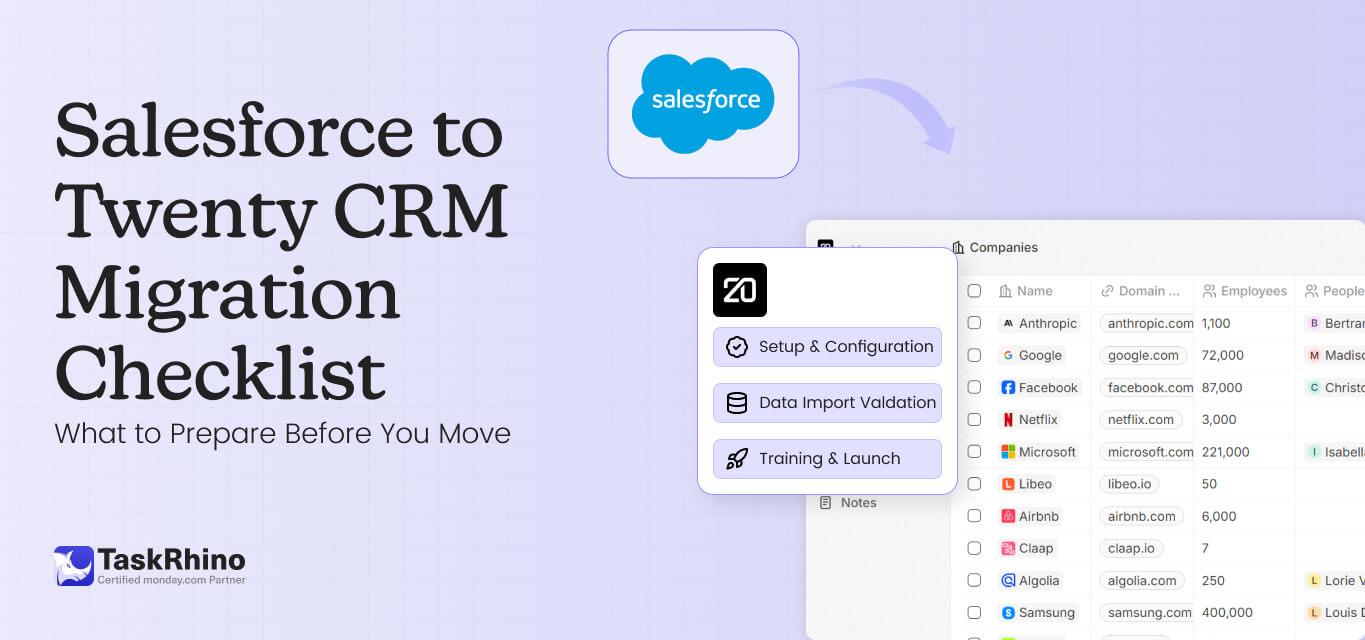
Salesforce to Twenty CRM Migration Checklist: What to Prepare Before You Move
Migrating from Salesforce to any alternative CRM like Twenty is one of the highest-stakes projects an operations team can undertake.
Get it right, and you save the cost of migrations, simplified workflows, and a system that actually fits how your team works. Get it wrong, and you face data loss, broken integrations, angry sales reps, and executives questioning why they approved the project.
The difference between success and failure comes down to preparation.
After helping organizations navigate CRM transitions across industries, TaskRhino has observed consistent migration patterns. Failures tend to follow predictable gaps in planning and execution, while successful transitions share common strategic foundations.
TaskRhino is a Twenty CRM implementation partner with 85 completed CRM migrations. Our migration services cover structured planning, data mapping, field transformation, and user adoption — designed to reduce transition risk and build your team’s long-term independence.
Our dedicated Twenty CRM implementation services help you structured migration planning, data mapping, and user adoption strategies reduce transition risks.
This checklist distills those lessons into a practical framework for planning and executing a Salesforce to Twenty CRM migration. This guide also focuses on preparation and execution rather than platform advocacy.
Salesforce to Twenty CRM Migration: Key Facts
Typical Timeline: 2–4 weeks (small teams) | 4–8 weeks (mid-size) | 2–4 months (enterprise)
Data Cleanup Effort: 20–30% of total project time
Pilot Cycles Needed: 3–5 rounds before clean import
Recommended Training Budget: 15–20% of migration budget
Post-Migration Reviews: 30, 60, and 90 days
Why are Teams Moving Away from Salesforce to Twenty CRM?
Before diving into migration mechanics, understanding what drives organizations to evaluate alternatives provides context for the decisions ahead. Here are the key reasons to know why companies are leaving Salesforce and switching to Twenty CRM:
1. Complexity exceeding team capacity
Salesforce is a powerful platform designed for enterprise-scale operations. That power comes with configuration overhead that smaller teams struggle to manage. Organizations without dedicated Salesforce administrators often find themselves using 15-20% of available features while maintaining a system built for much larger deployments.
A 25-person company does not need Einstein Analytics, Process Builder, Flow, Apex triggers, and Lightning Web Components. Those capabilities sit unused while creating confusion about which tool handles which purpose. The Salesforce complexity tax shows up in longer onboarding times, higher error rates, and users reverting to spreadsheets because the CRM feels intimidating.
Why Twenty CRM fits: Twenty was designed with intentional simplicity. Rather than overwhelming teams with enterprise features they will never use, it provides core CRM functionality (contacts, companies, opportunities, activities) with a clean interface that requires no dedicated administrator.
Teams can be productive within days rather than months, and the learning curve reflects how modern teams actually work.
2. Cost structure misalignment
Per-seat licensing models create budget pressure as organizations grow or contract. Teams pay for capabilities they do not use and seats they do not need. The gap between advertised pricing and actual Salesforce costs and its hidden expenses often surprises organizations during their first renewal cycle.
Why Twenty CRM fits: Twenty is fully open-source under the AGPL license. Organizations can self-host on their own infrastructure, maintaining complete ownership of customer data with no dependency on vendor decisions. The open-source model means the platform evolves based on community needs rather than shareholder pressure to maximize per-seat revenue.
Compliance profile: License: AGPL-3.0
Self-Hosting: Any cloud or on-premise infrastructure
Data Sovereignty: Host in any region
Supports: GDPR, PIPEDA, HIPAA (via self-hosting and your own security controls)
Code: Fully auditable, 39,000+ GitHub stars.
3. Workflow simplification needs
Some teams discover their actual CRM requirements are more straightforward than their current setup suggests. A system with fewer features but better alignment with daily workflows can significantly improve adoption and data quality.
For a deeper comparison, explore our salesforce vs twenty crm analysis to understand where each platform fits different business needs.
When salespeople can log a customer interaction in three taps in Twenty CRM but need fifteen taps in Salesforce, they naturally choose the path of least resistance. A simpler system that teams consistently use often delivers far more value than a sophisticated platform that remains underutilized.
Why Twenty CRM fits: Twenty’s interface prioritizes the workflows teams use daily. Logging activities, updating opportunities, and finding customer context happens quickly without navigating nested menus or remembering which of five automation tools handles a specific task. The result is higher adoption rates and cleaner data because the system removes friction rather than adding it.
4. Integration architecture changes
When an organization’s tech stack evolves, the connective tissue between systems sometimes needs to change. A CRM that integrates more naturally with current tools can reduce maintenance burden and eliminate middleware dependencies.
Organizations with modern, API-first architectures often find that newer platforms offer cleaner integration patterns than legacy enterprise systems built on older technical foundations.
Why Twenty CRM fits: Twenty was built API-first with modern REST and GraphQL interfaces. Connecting to marketing platforms, support tools, billing systems, and custom applications uses contemporary patterns that developers understand without specialized certifications. No middleware platforms required. Unlike the Salesforce API limits in Enterprise Edition that throttle integrations during peak usage, Twenty has no caps on API calls. The technical architecture reflects how modern software ecosystems actually connect.
5. Data ownership and open-source preferences
Organizations with specific data sovereignty requirements or preferences for open-source software may seek platforms that align with those values. Several open-source Salesforce alternatives now offer enterprise-grade features with full data ownership.
Self-hosted options provide complete control over customer data, eliminate vendor lock-in concerns, and reduce long-term licensing exposure.
Why Twenty CRM fits: Twenty is fully open-source under the AGPL license. Organizations can self-host on their own infrastructure, maintaining complete ownership of customer data with no dependency on vendor decisions. The open-source model means the platform evolves based on community needs rather than shareholder pressure to maximize per-seat revenue.
None of these reasons are inherently right or wrong. The key is honest assessment of whether the pain of migration is justified by the expected improvements.
What Should You do Before Migrating from Salesforce?
The success of any CRM migration is largely determined before a single record is exported. This preparation phase is where most teams underinvest, and where cutting corners creates problems that compound throughout the project. It must be followed when you are migrating from Salesforce to Twenty CRM.
1. Audit your current Salesforce instance
A thorough audit clarifies what actually needs to move and exposes data hygiene issues better addressed before migration than after. Rushing this step creates expensive problems downstream.
| Audit Area | Key Questions to Answer |
|---|---|
| Data objects | Which standard and custom objects contain critical data? |
| Record counts | How many contacts, accounts, opportunities, and custom records exist? |
| Data quality | What percentage of records have complete, accurate information? |
| Field usage | Which custom fields are actively used versus legacy clutter? |
| Attachments | How much file storage is consumed, and where does it live? |
| Relationships | How are objects connected, and which relationships are critical? |
Export record counts for each object type and compare against what users actually reference. Organizations frequently discover that 40-60% of their Salesforce data consists of stale leads, abandoned opportunities, and contacts with no recent activity. Migrating this dead weight wastes effort and clutters the new system.
Data quality assessment framework:
Run reports identifying records with missing required fields, duplicate entries, outdated information (contacts at companies that no longer exist), and orphaned records (activities linked to deleted contacts). Document the scope of cleanup required before migration.
2. Document your workflows and automations
Salesforce installations accumulate automation over time. Process Builder flows, workflow rules, approval processes, Apex triggers, and Lightning flows create an interconnected web that often surprises teams during migration planning.
Create a comprehensive inventory including:
- What triggers each automation (record creation, field change, time-based)
- What actions it performs (field updates, email alerts, task creation, record creation)
- Which users or roles depend on it for daily work
- Whether the automation is still actively needed or has become obsolete
Many organizations discover during this exercise that a significant portion of their automations are redundant, conflicting, or no longer relevant. A company I worked with found 47 workflow rules, of which only 12 were actively used. The rest had been created for past initiatives, left running, and forgotten.
Document business logic separately from implementation:
Write out what each automation is supposed to accomplish in plain language before considering how to replicate it. This separation helps identify which processes should be migrated as-is, which should be simplified, and which should be eliminated entirely.
3. Map your integration landscape
List every system that connects to your Salesforce instance and document how data flows between them. This map becomes essential for rebuilding connections in your new environment.
| Integration | Data Flow | Frequency | Business Process |
|---|---|---|---|
| Marketing automation | Bidirectional | Real-time | Lead scoring, campaign attribution |
| Customer support | Salesforce → Support | Hourly sync | Account context for tickets |
| Billing system | Bidirectional | Daily batch | Invoice generation, payment status |
| Data enrichment | External → Salesforce | On demand | Contact and company data |
| Custom applications | Via API | Real-time | Order processing, inventory |
For each integration, note whether it uses native connectors, middleware platforms, or custom API code. Native connectors are typically easiest to replace. Custom code requires development resources and testing. Middleware platforms like MuleSoft or Zapier may need reconfiguration but preserve some logic.
Planning a CRM Migration from Salesforce?
Let us help your business plan and execute Salesforce to Twenty CRM migrations with minimal disruption. Our migration assessments identify risks, estimate timelines, and create detailed project plans before you commit to moving.
4. Identify stakeholders and document requirements
CRM migrations affect multiple teams with different needs and priorities. Collecting requirements upfront prevents scope creep and ensures the new system serves everyone who depends on it.
Gather input from:
- Sales teams: Deal tracking, pipeline visibility, activity logging, forecasting needs
- Marketing: Lead management, campaign attribution, list segmentation, scoring models
- Customer success: Account health tracking, renewal workflows, expansion signals
- Operations: Reporting requirements, data governance policies, compliance needs
- Leadership: Dashboard requirements, forecasting accuracy, executive visibility
Document not just current usage but pain points with the existing system. This helps prioritize what to replicate versus what to redesign. If sales managers hate how Salesforce handles forecasting, migrating that exact process to a new system wastes an opportunity to improve.
Create a requirements matrix:
| Requirement | Priority | Current State | Migration Approach |
|---|---|---|---|
| Pipeline reporting | Critical | Working well | Replicate exactly |
| Lead assignment | High | Problematic | Redesign in new system |
| Email logging | Medium | Manual process | Automate if possible |
| Territory management | Low | Not used | Do not migrate |
5. Establish data migration scope
Not all data deserves migration. Moving everything creates unnecessary complexity and clutters your new system with historical baggage that provides little value.
Consider each data category:
- Active records: Current customers, open opportunities, recent leads (past 12-24 months)
- Historical data: Closed deals, converted leads, archived accounts
- Activity history: Emails, calls, meeting notes, task logs
- Files and attachments: Proposals, contracts, supporting documents
For historical data, determine retention requirements based on business needs and compliance obligations. Some organizations migrate everything. Others archive older records separately and start fresh with active data only. A hybrid approach migrates summary information (closed deal amounts, key dates) without full activity detail.
Attachment strategy:
File attachments often represent the largest data volume in Salesforce migrations. Evaluate whether attachments need to live in the CRM or can remain in external storage with links. Moving 500 GB of files takes significantly longer than moving 5 GB of structured data.
6. Clean your data before migration
Migrating dirty data just transfers problems to your new system. Use the migration as an opportunity to address issues that have accumulated over time.
Data cleaning priorities:
| Issue | Impact if Not Addressed | Resolution Approach |
|---|---|---|
| Duplicate records | Confusion, inflated metrics | Merge before migration |
| Incomplete records | Missing context, broken workflows | Complete or archive |
| Outdated information | Wasted outreach, embarrassment | Update or delete |
| Orphaned records | Broken relationships | Reassign or delete |
| Invalid formats | Import failures | Standardize before export |
Phone numbers, addresses, and email formats cause particular problems during migration. Standardize these fields before export to prevent import failures and data quality issues in your new system.
Once data is standardized and validated, the focus shifts from preparation to execution. This is where careful sequencing and attention to detail determine whether the migration stays smooth or becomes disruptive.
How Do You Execute a Salesforce to Twenty CRM Migration?
With preparation complete, the migration itself requires methodical execution and continuous validation. Rushing this phase creates problems that are expensive to fix after users start working in the new system.
7. Establish a data migration sequence
CRM data has dependencies. Parent records must exist before child records can reference them. Violating this sequence creates orphaned records and broken relationships that require manual cleanup.
Typical migration sequence:
- Users and teams: Create user accounts and team structures first
- Accounts/companies: Parent records that other objects reference
- Contacts: Link to accounts during import
- Opportunities/deals: Reference accounts, contacts, and owners
- Activities and notes: Link to contacts, accounts, and opportunities
- Custom objects: Migrate based on their relationship dependencies
- Attachments and files: Associate with parent records
Relationship integrity matters more than speed:
A contact imported before its parent account exists becomes an orphan. An opportunity imported before its associated contacts exist loses relationship context. Take the time to sequence properly rather than importing everything simultaneously and hoping the system sorts it out.
8. Perform field mapping
Create explicit mappings between Salesforce fields and their Twenty CRM equivalents. This exercise reveals gaps, transformation requirements, and decisions about which data to preserve.
Pay special attention to:
- Picklist values: Ensure dropdown options align or have clear mappings. If Salesforce uses “Prospecting” and Twenty uses “New,” define the translation explicitly.
- Required fields: Identify conflicts between source and destination requirements. A field optional in Salesforce but required in Twenty needs default values or data cleanup.
- Data types: Watch for text-to-number conversions, date format differences, and currency handling. These mismatches cause import failures.
- Custom fields: Decide which to recreate versus retire. Migration is an opportunity to eliminate fields nobody uses.
9. Run pilot migrations
Never migrate everything at once. Run iterative test migrations with representative data samples to identify and resolve issues before the full migration.
Pilot migration approach:
- Export a small subset of representative data (50-100 records per object type)
- Run the import into a test environment
- Validate record counts, field accuracy, and relationship integrity
- Document issues encountered and adjust mapping/transformation rules
- Repeat until pilot migrations complete without errors
Expect to run three to five pilot cycles before achieving clean imports. Each cycle reveals issues that previous cycles missed. A pilot that works perfectly on the first try probably tested too narrow a data sample.
10. Plan for parallel operation
Determine your cutover strategy based on risk tolerance, team size, and operational requirements.
Cutover options:
- Hard cutover minimizes duplicate data entry but creates pressure to resolve issues quickly. If problems emerge after cutover, users have no fallback.
- Parallel running reduces risk but requires discipline to keep both systems synchronized. Users may resist entering data twice, leading to incomplete records in one or both systems.
- Phased migration spreads risk across multiple smaller cutovers but extends the overall timeline and creates complexity managing which teams use which system.
Need Help With Data Migration from Salesforce to Twenty?
TaskRhino’s data migration specialists handle the technical complexity so your team can focus on business continuity. We manage field mapping, data transformation, and validation testing to ensure zero data loss.
Once you’ve performed all these practices during the Salesforce to Twenty migration, you need to check the post-phase migration, which can’t be missed.
How Do You Validate a CRM Migration Was Successful?
5 Common Mistakes to Avoid During Salesforce Migrations The migration is not complete when data lands in the new system. Validation and user adoption determine whether the effort was worthwhile. Organizations that skip this phase discover problems weeks or months later when they are expensive to fix.
11. Validate data integrity
Run systematic checks comparing source and destination data. Automated validation catches issues that manual spot-checking misses.
Validation checklist:
| Check | Method | Acceptable Threshold |
|---|---|---|
| Record counts | Compare totals by object type | 100% match |
| Relationship integrity | Verify parent-child linkages | 99%+ linked correctly |
| Field accuracy | Sample 5% of records per field | 99%+ match |
| Attachment availability | Verify files open correctly | 100% accessible |
| Activity history | Confirm notes and tasks present | 95%+ preserved |
| User assignments | Verify ownership transferred | 100% correct owners |
Create validation reports that stakeholders can review and sign off on. Document any known discrepancies and their business impact. A 1% error rate on 100,000 records means 1,000 records with problems. Decide whether that is acceptable or requires remediation.
12. Rebuild and test integrations
Reconnect external systems and verify data flows correctly in both directions. Integration failures often surface only under production load, so testing should simulate realistic usage patterns.
Integration validation:
- Create test records and verify they sync to connected systems
- Update records and confirm changes propagate correctly
- Delete records and verify cascading behavior matches expectations
- Test automation triggers with realistic scenarios
- Verify error handling works when connected systems are unavailable
Test each integration with multiple scenarios, not just connectivity checks. An integration that works for new records may fail for updates. An integration that works for standard fields may fail for custom fields.
13. Conduct user acceptance testing
Have actual users perform their daily workflows before declaring the migration complete. Technical validation confirms data moved correctly. User acceptance testing confirms the system supports real work.
UAT scenarios to cover:
- Creating and updating records (contacts, accounts, opportunities)
- Running reports users depend on daily
- Executing their specific workflows (lead assignment, opportunity progression)
- Finding information they need regularly (search, filters, related records)
- Completing tasks that were pain points in Salesforce
Document gaps and address them before broader rollout. Discovering that sales reps cannot generate quotes during their first real deal creates frustration that undermines adoption.
14. Train users and update documentation
Even intuitive systems require onboarding. Familiarity with Salesforce creates expectations about how CRMs work. Twenty CRM’s different approach requires adjustment even for experienced users.
Training investment guidelines:
| Training Type | Audience | Duration | Outcome |
|---|---|---|---|
| Role-specific sessions | All users | 2-4 hours | Can complete daily tasks |
| Power user training | Super users | 1-2 days | Can help colleagues, customize views |
| Admin training | System admins | 2-3 days | Can configure, troubleshoot, extend |
| Ongoing office hours | All users | Weekly, ongoing | Continuous skill building |
Training investment directly correlates with adoption success. Organizations that spend $2,000 on training for a $200,000 implementation have inverted the ratio. Allocate 15-20% of migration budget to training and enablement.
Training sets the foundation for adoption, but it cannot compensate for poor migration decisions. Before moving forward, it’s critical to understand the most common mistakes organizations make during Salesforce migrations.
What are the Most Common Salesforce Migration Mistakes?
Observing dozens of CRM migrations reveals patterns in how projects fail. Avoiding these mistakes significantly improves success probability. Here is what goes wrong and how experienced migration partners prevent these failures.
1. Underestimating data cleanup needs
Organizations assume their Salesforce data is cleaner than it actually is. Duplicates, incomplete records, and outdated information that users have learned to ignore cause significant problems during migration. Plan for data cleanup to consume 20-30% of total project effort.
How TaskRhino prevents this: Every migration engagement begins with a comprehensive data quality assessment. We conduct automated audits to identify duplicate entries, orphaned records, incomplete data fields, and formatting inconsistencies before migration planning starts.
Teams preparing for data extraction should back up and structure their records before starting the transition. Our Salesforce data export guide walks through the process step by step.This proactive approach ensures clients clearly understand the true condition of their CRM data from day one.
2. Ignoring historical context
Activity history often provides crucial context for customer relationships. A contact record without notes about past conversations, resolved issues, and relationship history loses much of its value. Decide deliberately what history to preserve rather than assuming it will migrate automatically.
How TaskRhino prevents this: We conduct stakeholder interviews specifically focused on historical data value. Which activity types matter for ongoing relationships? How far back does relevant history extend? Our migration plans explicitly document what history migrates, what gets archived separately, and what gets retired, ensuring no critical context disappears without deliberate decision-making.
3. Skipping stakeholder alignment
Teams who feel excluded from the migration process resist the new system. A sales manager surprised by changes to their pipeline reports becomes a vocal critic rather than a champion. Involve stakeholders early and often, even when their feedback complicates the project.
How TaskRhino prevents this: Our migration methodology includes structured stakeholder workshops at project kickoff, requirements validation sessions with each affected team, and preview demonstrations before cutover. Sales, marketing, customer success, and operations all see their workflows in Twenty CRM before go-live. Early involvement transforms potential critics into advocates.
4. Rushing the timeline
Pressure to complete quickly leads to shortcuts that create long-term problems. A migration that takes eight weeks instead of four but produces clean data and trained users delivers far more value than a rushed project that leaves debris for months.
How TaskRhino prevents this: We provide realistic timeline estimates based on 85 completed implementations, not optimistic projections. Our project plans include a buffer for pilot iterations, stakeholder feedback cycles, and training completion. When clients face pressure to accelerate, we clearly explain the tradeoffs so leadership can make informed decisions rather than unknowingly accepting technical debt.
5. Neglecting change management
Technical success means nothing if users revert to spreadsheets and workarounds. Salesforce user adoption failures are well-documented — and the same risks apply to any new CRM. Adoption is a change management challenge as much as a technical one.
How TaskRhino prevents this: Training and enablement are built into every migration engagement, not treated as optional add-ons. We provide role-specific training sessions, create custom documentation for client workflows, and offer post-migration office hours for questions that arise during real work.
6. Assuming feature parity
Different systems work differently. Expecting Twenty CRM to replicate every Salesforce behavior misses the point of migration. Identify which behaviors matter and which should change. Accept that some adjustment is inevitable and often beneficial.
How TaskRhino prevents this: During requirements gathering, we distinguish between essential functionality that must migrate and Salesforce-specific behaviors that should not. We help clients recognize which processes deserve preservation and which deserve reimagination. For an honest look at what Twenty CRM currently offers and where it has gaps, see our full Twenty CRM review.
Before you can validate a migration, you need clarity on what truly matters. Separating essential functionality from Salesforce-specific behaviors prevents you from carrying unnecessary complexity into the new system. With that foundation in place, let’s check the three best practices for validating a successful CRM migration.
3 Best Practices for Validating a Successful CRM Migration
How do you know the migration actually worked? Define success criteria upfront and measure against them systematically. Here are the 3 best practices for validating a successful CRM migration from Salesforce to Twenty.
1. Establish measurable success criteria
- Data accuracy: Error rate on migrated records below 1 percent, measured in week one after migration
- User adoption: At least 80 percent of licensed users active daily by day 30
- Process completion: All core workflows fully functional by week two
- Reporting parity: Key reports delivering at least 95 percent accurate data by week three
- Integration stability: All connected systems operating without failures on an ongoing basis
2. Conduct formal review checkpoints
Schedule reviews at 30, 60, and 90 days post-migration. Issues often surface only after users encounter edge cases in their regular work. A salesperson who closes deals weekly may not discover forecasting problems until month-end.
- 30-day review focus: Basic functionality, critical workflow completion, major data issues
- 60-day review focus: Reporting accuracy, integration stability, user feedback themes
- 90-day review focus: Adoption metrics, process optimization opportunities, lessons learned
3. Document lessons learned
Capture what worked and what did not while the experience is fresh. This documentation helps future projects and provides accountability for addressing outstanding issues.
Should You Hire Experts for Your Salesforce Migration?
A CRM migration is a significant undertaking with real operational risk. The checklist above will not eliminate that risk, but it provides a framework for managing it systematically.
Organizations that navigate migrations successfully share common traits. They invest heavily in pre-migration preparation. They clean data before moving it. They involve stakeholders throughout the process. They test thoroughly before cutover. They budget adequately for training and adoption support. They measure outcomes against predefined success criteria.
The teams that struggle share different traits. They underestimate complexity. They rush timelines. They skip validation steps. They assume users will figure out the new system on their own.
Whether you are moving to Twenty CRM or evaluating the best Salesforce alternatives, the preparation work remains the same.
Audit your current state honestly. Document what matters and what does not. Clean your data. Map your integrations. Involve your stakeholders. Test your migration before committing to it.
Invest the time upfront, and the transition becomes considerably more manageable. Rush the preparation, and you will spend far more time resolving problems after the fact.
Ready to Migrate Without the Risk?
TaskRhino provides end-to-end Salesforce to Twenty CRM migration services, from initial assessment through post-migration support. We handle data cleanup, field mapping, validation testing, and user training so your team stays focused on business continuity.
Frequently Asked Questions
How long does a Salesforce to Twenty CRM migration typically take?
Migration timelines vary based on data volume, customization complexity, number of integrations, and team availability. Small teams with straightforward setups (under 25 users, minimal customization) may complete migrations in 2-4 weeks. Mid-sized organizations (25-100 users) typically require 4-8 weeks. Larger organizations with complex configurations often need 2-4 months of planning and execution. These timelines assume adequate preparation. Organizations that skip the pre-migration phase extend timelines significantly when issues surface during execution. TaskRhino’s Twenty CRM implementation services include structured migration planning to keep projects on schedule.
Can I migrate all historical data from Salesforce to Twenty CRM?
Yes, historical data including closed opportunities, past activities, and archived records can be migrated. The decision of what to migrate should balance the value of historical context against the cost and complexity of moving older data. Some organizations migrate everything. Others archive historical data separately and start fresh with active records only. A common approach migrates 2-3 years of history while archiving older data in a separate system accessible for reference.
What happens to my Salesforce integrations during migration?
Integrations must be rebuilt in the new system. Native connectors available for both platforms may offer straightforward replacement. Custom API integrations require development work to redirect connections. Middleware platforms like Zapier may need reconfiguration but preserve some integration logic. Plan for integration work to consume 20-30% of migration effort, and test thoroughly before cutover.
Should I clean my data before or after migration?
Before. Migrating dirty data compounds problems and makes post-migration cleanup more difficult. Use the migration as an opportunity to address duplicate records, incomplete fields, and outdated information. Data cleaning typically requires 20-30% of total project effort. Organizations that skip this step spend more time resolving issues after migration than they would have spent cleaning proactively.
What is the biggest risk in CRM migrations?
User adoption failure represents the biggest risk. Technical migrations can succeed while the project overall fails because users abandon the new system. Invest in change management, training, and stakeholder communication proportional to the scope of change. A technically perfect migration that users reject delivers negative ROI. That’s why our Salesforce to Twenty CRM migration services include change management, role-specific training, and post-migration support as standard — not optional add-ons.
How do I know if my migration was successful?
Define success criteria before migration and measure against them systematically. Key indicators include data accuracy rates (target less than 1% errors), user adoption levels (target 80%+ daily active users by day 30), reporting accuracy (key reports match expected values), and integration stability (connected systems functioning without intervention). Conduct formal reviews at 30, 60, and 90 days to identify and address issues before they become entrenched.

Want to Host, Customize, or Migrate to Twenty CRM
Editor's Choice
How to Self-Host Twenty CRM on AWS: Step-by-Step Guide

Is Twenty CRM Right for Your Business? A Guide for Growing Teams
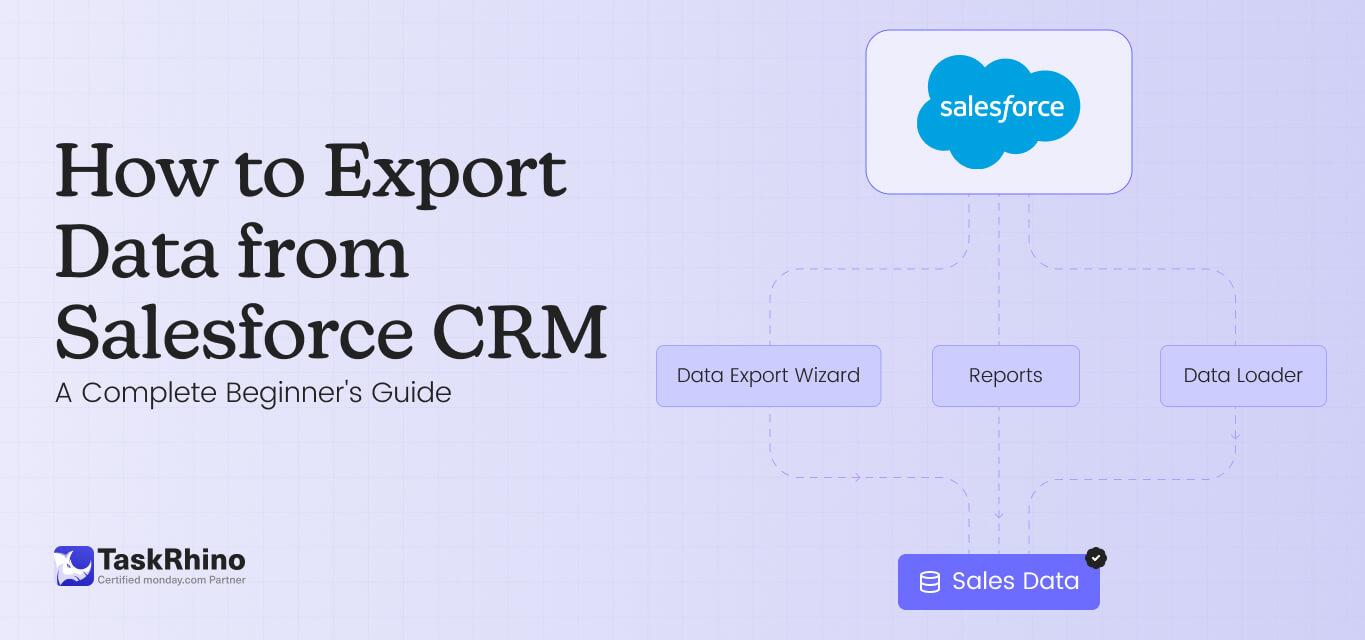
How to Export Data from Salesforce CRM: A Complete Beginner’s Guide