7 Best Open Source Salesforce Alternatives for Growing Businesses

Salesforce still leads the CRM market: IDC ranked it the #1 CRM for the 12th year running, with 20.7% of the market in 2024. It has become the default choice for many companies, but market leadership does not automatically mean the best fit for every business.
For many organizations, Salesforce has become too expensive, too complex, and too locked-in. Per-user pricing continues to rise, implementations can take months, and customization often requires expensive expertise. For teams with simpler needs or tighter budgets, Salesforce can quickly feel like overkill.
The good news is that open source CRM solutions like Twenty CRM have evolved significantly. Today’s best open source Salesforce alternatives offer enterprise-grade features, full data ownership, and zero licensing fees, making them viable options for startups, SMBs, and tech-forward teams.
TaskRhino offers Twenty CRM services, and this guide compares seven open source Salesforce alternatives to help you find the CRM that fits your workflows.
When to Look for Salesforce Alternatives: Top 5 Reasons
Salesforce is a powerful CRM, but it can also create friction for growing businesses. Many teams start with Salesforce and later realize that the platform’s scale, complexity, and cost no longer match their needs. If any of the issues below resonate, it may be time to consider open source alternatives.
Here are the main reasons to switch to open source Salesforce alternatives:
Reason 1: Cost becomes unsustainable as you scale
Salesforce pricing begins at $25 per user per month for basic CRM, but meaningful functionality often requires $195 to $550 per user per month (the editions sold to new buyers since September 2026). At $195 per user per month, licensing alone for a 50-person sales team comes to $117,000 a year.
Cost is one of the most common reasons companies leave Salesforce. Organizations report that initial discounts disappear at renewal, hidden fees accumulate, and total cost of ownership far exceeds expectations. Understanding the full cost picture requires examining both published pricing and the additional expenses that accumulate over time.
1. Salesforce pricing structure
The published pricing tiers represent starting points rather than final costs. Most organizations find themselves pushed toward higher tiers to access features they consider essential.
| Plan | Price/User/Month (USD) | Billing |
| Free Suite | $0 | Free tier |
| Starter Suite | $25 | Monthly or annual |
| Pro Suite | $100 | Annual |
| Core | $195 | Annual; Premier Success Plan included |
| Advanced | $395 | Annual; Premier Success Plan included |
| Max | $550 | Annual; Premier Success Plan included |
These base prices tell only part of the story. Organizations must account for implementation, support, storage, and staffing costs that can multiply the initial investment several times over.
2. The hidden costs that add up
When finance teams calculate true total cost of ownership, they consistently discover expenses that weren't apparent during the sales process:
- Success plans: Premier is included with Core, Advanced and Max; the higher Signature plan is priced by your account executive (Source: Salesforce Success Plans)
- Data and file storage: extra storage is billed once you exceed your edition’s included limits
- Implementation services: partner fees that grow with complexity
- Certified administrator: a salaried admin or contractor for ongoing management
- Consultant time: hourly rates for configuration changes
For a 50-person team on Core at $195 per user/month, licences alone come to $117,000 a year, before support, storage, administration and consulting. What drives Salesforce consultant rates covers the consulting part of that bill.
3. How Salesforce funds growth through price increases
Salesforce’s revenue reached $37.9 billion in FY2025, up 9%, of which subscription and support made up $35.7 billion. In FY2026 it reached $41.5 billion, up 10% including the Informatica acquisition. (Sources: Salesforce FY2025 and FY2026 results)
In practical terms, almost all of that revenue is subscriptions, so renewal pricing matters to Salesforce as much as new customers do; in August 2025 it raised Enterprise and Unlimited list prices by an average of 6%. As pricing continues to rise while feature improvements arrive incrementally or as paid add-ons, many organizations are reassessing the return on their CRM investment.
The economic equation that once justified premium pricing, paying more for clearly differentiated value, becomes harder to defend when costs increase faster than the benefits delivered to day-to-day users.
Reason 2: You feel locked in to one vendor
Your customer data lives on Salesforce’s infrastructure and is subject to their policies. Pricing changes, feature deprecations, and platform updates happen on Salesforce’s timeline, not yours, which can create uncertainty and dependency.
Salesforce encourages deep integration across business systems. The more connections established, the more difficult departure becomes. Some organizations see this as a strategy that prioritizes retention over customer success. Understanding these lock-in mechanisms helps organizations make informed decisions about their CRM architecture.
1. Migration is harder than expected
Basic customer data can be exported, but critical business context often cannot. Custom objects, field relationships, activity history, and automation logic are tightly tied to Salesforce’s data model. Recreating this structure in another CRM requires significant effort, specialized expertise, and often results in lost or simplified data.
2. Dependencies accumulate over time
As companies add AppExchange tools, custom code, and complex workflows, switching costs increase. Custom Apex code and automations cannot be reused outside Salesforce, turning years of investment into sunk cost. Teams also develop Salesforce-specific skills that don’t easily transfer, creating internal resistance to change.
3. Contracts restrict flexibility
Multi-year agreements, automatic renewals, and early termination penalties make it difficult to respond to changing business needs. Missed notice windows can lock organizations into another costly renewal cycle.
4. Integrations require ongoing maintenance
Despite promises of seamless connectivity, real-world integrations often need continuous customization and monitoring. API limits, premium features, and sync issues add cost and complexity as systems evolve. Over time, the ecosystem becomes harder to manage instead of easier.
What starts as a flexible CRM can gradually become a rigid system that limits agility—turning vendor lock-in into a long-term strategic risk.
Reason 3: Implementation takes too long and costs too much
Salesforce deployments frequently require certified consultants, extensive configuration, and ongoing training. For smaller teams, the implementation effort can outweigh the value, especially when simpler CRMs can meet core needs faster. See what drives Salesforce consultant rates.
Beyond cost, Salesforce's complexity creates adoption barriers that undermine the platform's entire value proposition. The most expensive CRM isn't the one with the highest licence fee; it's the one that sits unused while sales teams maintain their own spreadsheets.
1. Why user adoption determines CRM success
When sales teams find a CRM cumbersome, they revert to spreadsheets, email, and informal tracking methods. At that point, the organization is paying enterprise CRM prices while getting spreadsheet-level results.
2. The administrative burden that never stops growing
Salesforce requires certified administrators to manage effectively, creating an ongoing staffing requirement that many organizations underestimate. Simple customizations that should take hours often require external consultants billing at premium rates.
Configuration changes can take weeks to implement as they move through change management processes. Ongoing maintenance demands dedicated staff time that could otherwise focus on revenue-generating activities. What began as a manageable system becomes an intricate web that only specialized personnel can navigate.
3. User experience friction that kills daily adoption
The feature-dense interface that makes Salesforce powerful for administrators creates cognitive overload for daily users. Sales representatives need to log activities, update opportunities, and access customer information quickly. Instead, they navigate through screens designed to accommodate every possible use case rather than streamlining common workflows.
Extensive training programs become necessary for basic tasks that should be intuitive. Updates and changes disrupt established workflows, requiring retraining cycles. The mobile experience often lags desktop functionality, frustrating field sales teams who need access while travelling. Each friction point reduces the likelihood that teams will use the system consistently.
Reason 4: Salesforce’s AI strategy leaves customers unsure what they pay for
Salesforce's 2025 workforce restructuring raised questions about platform stability and support quality. Organizations evaluating long-term CRM investments must consider these developments and their implications for the customer experience.
1. What the 2025 support cuts mean for customers
In July 2025, CEO Marc Benioff said AI would not lead to “some huge mass layoff of white-collar workers.” (Source: BusinessInsider) On a podcast aired at the end of August 2025, he said Salesforce had reduced its support headcount from about 9,000 to about 5,000 as AI agents took on more customer conversations, describing it as a rebalance. (Source: TechRadar)
For enterprise customers, the practical question is what a smaller support organization means for the support they pay for, and how much of it now runs through AI agents.
2. Paying premium prices for AI features most can't use
James Kelley, Manager of Client Services at Pedowitz Group, told CX Today that Salesforce's AI pricing strategy may not align with customer capabilities:
| "I doubt 70 percent of their client base is ready to implement AI, whether due to security concerns, data completeness or accuracy, processed documentation to drive AI, or several other aspects that need to enable AI within the business."( Credit: CX Today) |
Organizations are being asked to pay premium prices for AI capabilities they cannot yet utilize effectively. Data quality issues, governance concerns, and integration complexity can keep organizations from getting value from AI features.
Meanwhile, competitors offer AI capabilities without the legacy architecture constraints that limit Salesforce's flexibility—and without asking customers to pay extra for features they're not ready to implement.
These challenges are prompting organizations to move beyond incremental fixes and seriously consider modern Salesforce CRM alternatives designed to avoid legacy constraints altogether.
Reason 5: You pay for features you never use
Many businesses use only a fraction of Salesforce’s capabilities while paying for the full enterprise stack. If you need strong CRM fundamentals without the complexity, a lighter, open source platform may be a better fit.
No single tool solves every challenge overnight, but if these pain points feel familiar, the best open source Salesforce alternatives below offer compelling paths forward.
Before diving into detailed reviews, here’s a quick snapshot to help you identify which platforms match your priorities.
Quick Comparison: 7 Open Source Salesforce Alternatives
Here’s a quick comparison of the best open source Salesforce alternatives, showing what each platform is best for and whether it supports self-hosting or cloud deployment.
| Platform | GitHub Stars (Oct 2026) | Best For | Self-Hosted | Cloud Option |
|---|---|---|---|---|
| Twenty | 59.9k | Modern developer experience | ||
| Odoo | 55.4k | All-in-one business suite | ||
| ERPNext | 40.7k | Manufacturing & operations | ||
| SuiteCRM | 5.8k | Salesforce-like depth | ||
| Dolibarr | 7.8k | SMBs & freelancers | ||
| EspoCRM | 3.5k | Simplicity & speed | ||
| Corteza | 2.2k | Low-code customization |
Prices below are as listed on each vendor’s page in October 2026, in USD unless marked: Odoo shows Canadian visitors CAD prices, and DoliCloud lists euros.
Now that you have the bird's-eye view, let's dive deeper into each platform. We'll start with our top pick for businesses seeking a fresh, modern approach to CRM.
Detailed Review: 7 Best Open Source Salesforce Alternatives for You
1. Twenty – The modern challenger
Twenty is the new generation of open source CRM, built from scratch using modern technologies and design principles. If you have used tools like Notion, Linear, or Figma, Twenty’s interface will feel immediately familiar. It is clean, fast, and treats developers as first-class citizens.
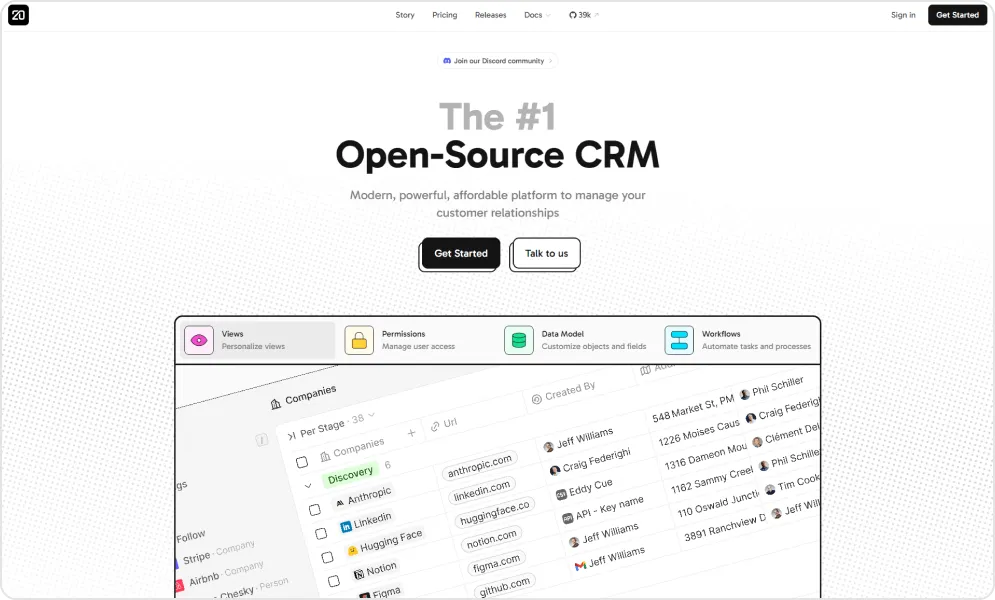
The platform’s core is AGPLv3 licensed (some enterprise files use a commercial licence), meaning you own the software instead of renting it. You get the simplicity of SaaS with the freedom and cost savings of open source. Core features like contacts, companies, deals, notes, tasks, and workflows are implemented exceptionally well without the bloat of legacy systems.
Twenty’s GraphQL API makes integrations straightforward, and the codebase is clean and well documented. For tech-forward companies building custom workflows or developers who want to extend their CRM, Twenty provides a foundation that supports growth rather than fights it.
Pros and cons of using Twenty CRM

- The platform offers a beautiful and modern user interface that improves usability and enhances overall user experience.
- It allows businesses to maintain full control over their CRM environment, which is especially valuable for organizations prioritizing customization and data ownership.
- Its developer-friendly architecture makes it easier to customize workflows, extend features, and integrate with internal systems.
- The system is designed to be fast and lightweight, helping teams maintain performance efficiency without unnecessary resource consumption.
- With its GraphQL API, developers can build flexible and efficient integrations while enabling faster data queries and better application performance.
- The platform is under active development, which means it continues to receive updates, improvements, and evolving capabilities.

- Being a relatively younger project, it has a smaller community compared to more established CRM platforms, which can limit community-driven support and resources.
- Non-technical users may require technical assistance during implementation, particularly when configuring advanced customizations or deployments.
- The platform currently supports fewer integrations than long-established CRM tools, which may require additional development efforts for specific third-party connections.
- It offers less feature depth compared to mature solutions like SuiteCRM, which may impact organizations looking for highly advanced out-of-the-box capabilities.
- Some enterprise-grade features are still evolving, meaning larger organizations may need to wait for further enhancements.
- Since the platform supports self-hosting, users must have a certain level of technical comfort to manage deployment, maintenance, and updates effectively.
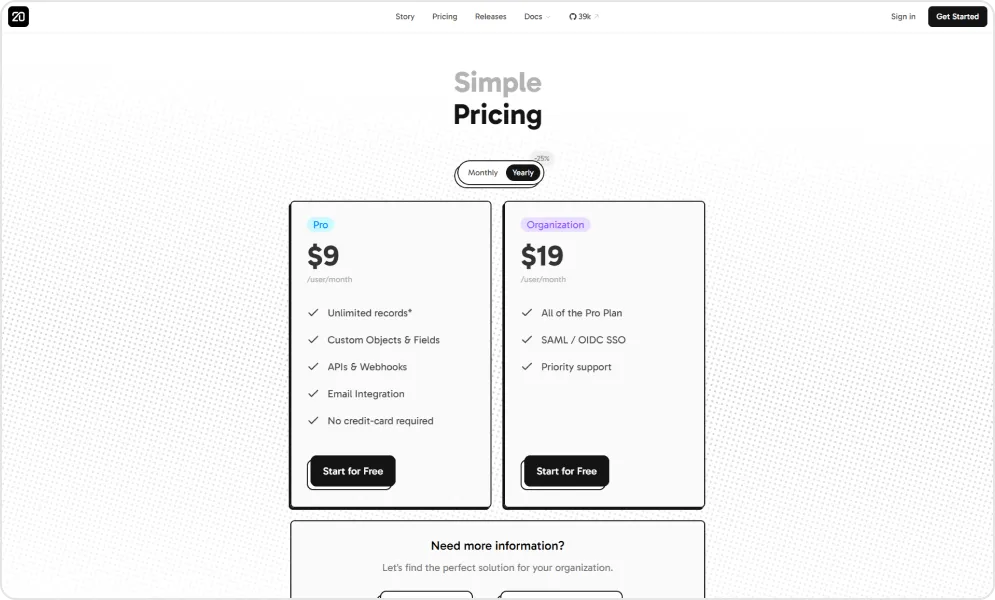
Pricing of Twenty
| Edition | Cost |
|---|---|
| Self-Hosted | Free |
| Twenty Cloud - Pro | $9/user/month (billed yearly) |
| Twenty Cloud - Organization | $39/user/month (billed yearly) |
| Twenty Cloud - Enterprise | From $50k/year |
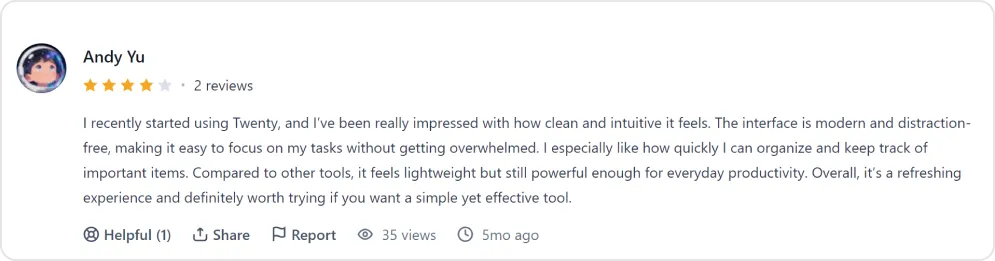
Reviews of Twenty
Twenty excels at modern design and developer experience but what if you need battle-tested enterprise features right out of the box? That's where our next option shines.
As a Twenty CRM consulting services provider, TaskRhino helps businesses bridge this gap by offering implementation support, customization, integration development, and strategic consulting.
For a side-by-side look at the two platforms, see Twenty CRM vs Salesforce. TaskRhino aligns the platform with each organization’s operational, scalability, and automation requirements.
2. SuiteCRM – The enterprise-grade powerhouse
SuiteCRM describes itself as the world’s #1 open source CRM, with more than 5 million users. It originated as a fork of SugarCRM’s community edition and has evolved into a genuinely enterprise-ready platform.
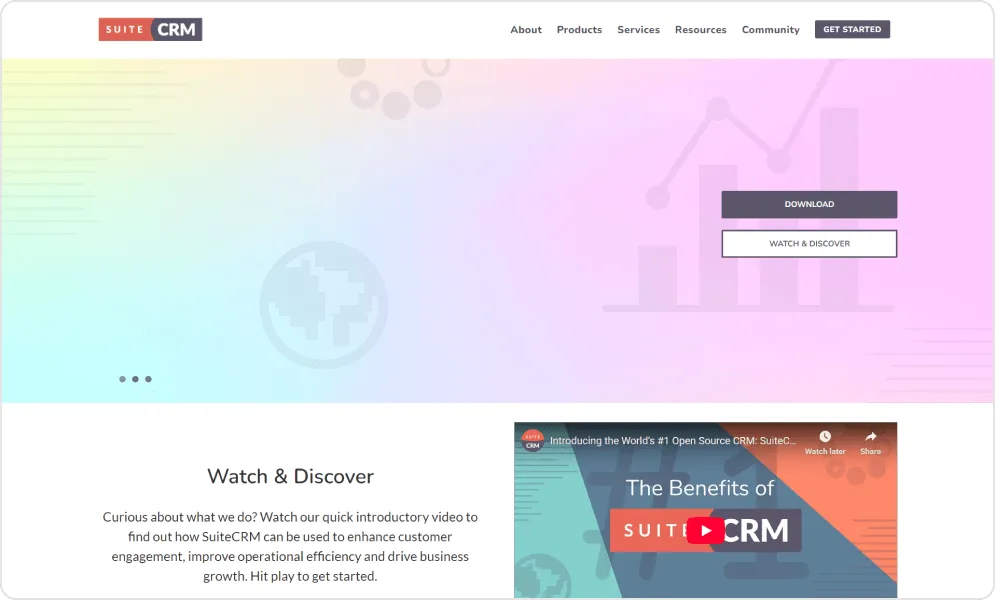
What makes SuiteCRM compelling is its depth. You get comprehensive sales pipeline management, marketing automation with campaign builders and email tools, a sophisticated workflow engine for complex business processes, and integrated multichannel support ticketing. It's the closest open source equivalent to Salesforce's feature set.
The platform offers a 360-degree view of customer interactions, centralizing data from sales, marketing, and support into unified customer profiles. For businesses migrating from Salesforce, this familiarity reduces the learning curve significantly.
Pros and cons of using SuiteCRM
- SuiteCRM offers a comprehensive set of built-in modules, including sales automation, marketing campaigns, customer support, reporting, and workflow automation, making it a complete CRM solution for businesses.
- The platform has an active global community, extensive documentation, user forums, and a marketplace of extensions that help users resolve issues and extend functionality.
- The platform provides REST API capabilities, allowing seamless integration with third-party tools, internal applications, and external business systems.
- As an open-source solution, SuiteCRM eliminates per-seat licensing fees, making it a cost-effective option for businesses that want scalable CRM adoption.
- Due to its extensive feature set and customization flexibility, new users and non-technical teams may require additional time and training to fully utilize the platform.
- Compared to newer CRM solutions, SuiteCRM’s interface is sometimes considered outdated, which may impact user experience and onboarding efficiency.
- Complex customizations, module development, and integrations often require developer involvement, which can increase implementation effort.
- Businesses that choose self-hosted deployment must manage server setup, maintenance, security, updates, and performance optimization.
- While the software itself is free, organizations seeking dedicated enterprise support, managed hosting, or professional services need to opt for paid plans.
Pricing of SuiteCRM
| Edition | Cost |
|---|---|
| Community (Self-Hosted) | Free (plus your infrastructure) |
| Fully Managed Hosting | From £50/month (application support required on top) |
Review - G2 site
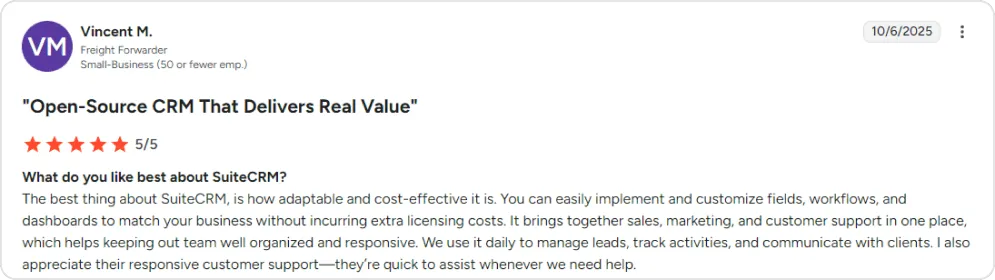
SuiteCRM delivers deep CRM functionality but some businesses need more than just customer relationship management. If you're looking for a platform that handles CRM alongside accounting, inventory, and eCommerce, keep reading.
3. Odoo – The all-in-one business suite
Odoo is more than a CRM, it is a complete business suite with apps covering CRM, accounting, inventory, eCommerce, HR, manufacturing, and more. The CRM module integrates seamlessly with the rest of the platform, creating a unified system for your entire operation.
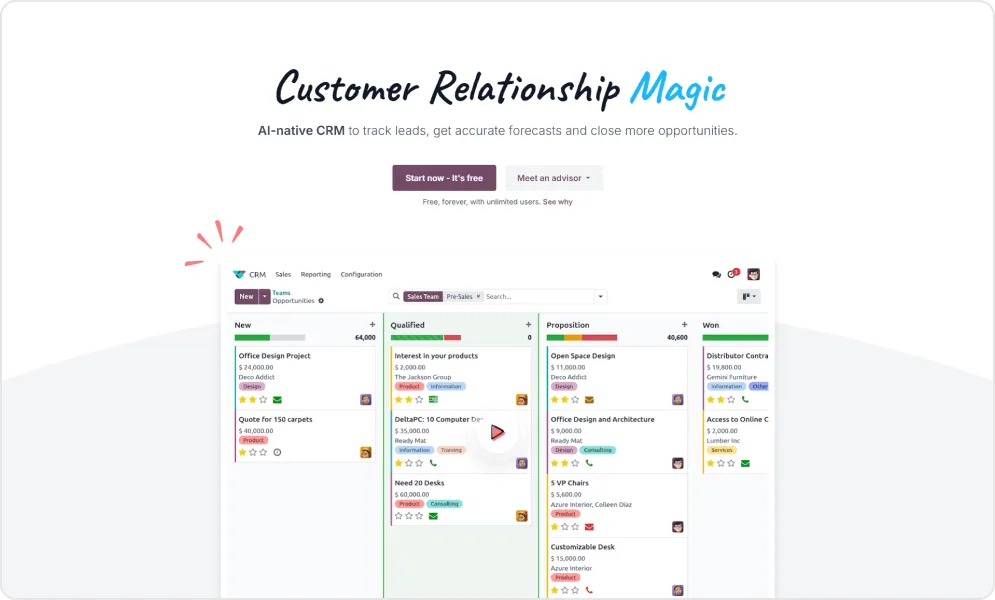
Odoo has ecosystem depth that rivals proprietary giants. Its modular architecture lets you start with CRM and expand into accounting, inventory, or project management as your business grows, all within one integrated system.
The CRM features include intuitive visual pipeline management, lead scoring to prioritize prospects, and built-in VoIP integration so your team can call directly from customer records. For businesses tired of stitching together multiple tools, Odoo’s integration advantage is a major benefit.
Pros and cons of using Odoo
- Centralizes all core business functions (CRM, sales, inventory, invoicing, accounting) in one integrated platform
- Clean, intuitive interface with easy-to-navigate dashboards and modules
- Visual pipeline view with drag-and-drop functionality makes lead tracking effortless
- Modular structure lets businesses add only the apps they need as they scale
- Seamless integration between modules means data flows automatically, reducing manual work and errors
- Built-in automation features for activity assignment, follow-ups, and pipeline management
- Real-time reporting and analytics for tracking sales performance
- Ability to send quotes directly from the CRM, speeding up the sales cycle
- Available on web, desktop, and mobile
- Cost-effective single-price-per-user model compared to other CRM systems
- Initial setup and customization can be time-consuming, especially for non-technical teams.
- Advanced features have a steep learning curve and often require significant onboarding training.
- Many automation tools, advanced features, and modules are only available in paid plans, increasing costs as users scale.
- Full customization and complex workflows typically require developer or technical support.
- Email integration is not fully seamless, as emails must be sent from within Odoo to enable tracking.
- Reporting capabilities can be limited for specific requirements, often requiring data exports to Excel for deeper analysis.
- The interface can feel cluttered and heavy when only a small portion of the platform is actively used.
- Some modules lack ready-to-use templates and require additional configuration to fit specific business workflows.
- Customer support response times may be slow during peak periods and sometimes rely heavily on documentation.
- Performance may slow down when handling large datasets or running multiple active modules.
Pricing of Odoo
| Edition | Cost |
|---|---|
| Community (Self-Hosted) | Free |
| Odoo Online - One App Free | Free (one app, unlimited users) |
| Odoo Online - Standard | CAD 44.00/user/month billed yearly (CAD 55.00 monthly) |
| Odoo Online - Custom | CAD 73.00/user/month billed yearly (CAD 91.90 monthly) |
Odoo also offers new customers a first-year discount on these prices.
Review - G2 site
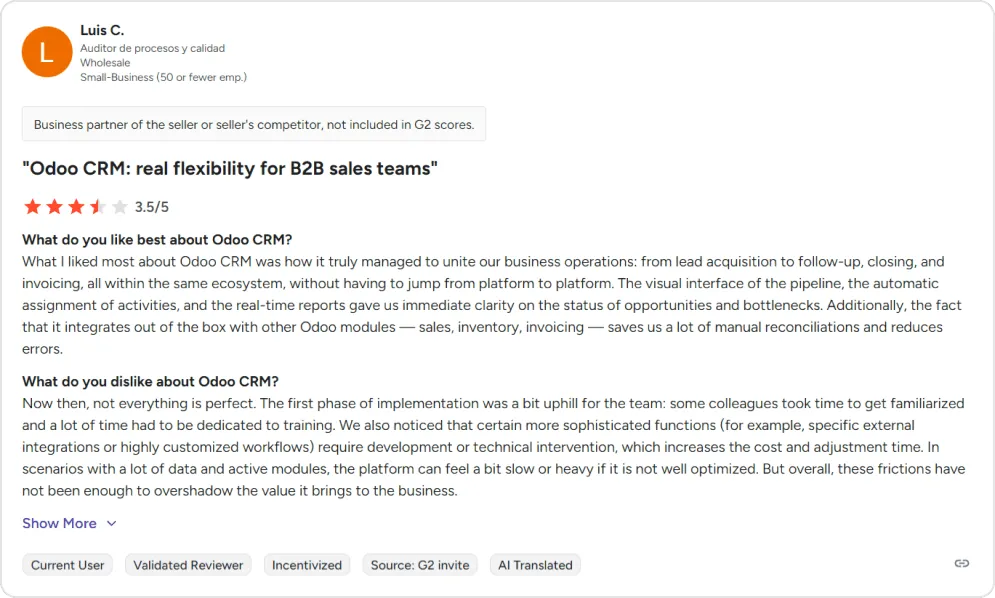
Odoo's strength lies in its breadth across business functions. But for companies in manufacturing or distribution where operational integration is mission-critical, there's a platform built specifically for that challenge.
4. ERPNext – The operations powerhouse
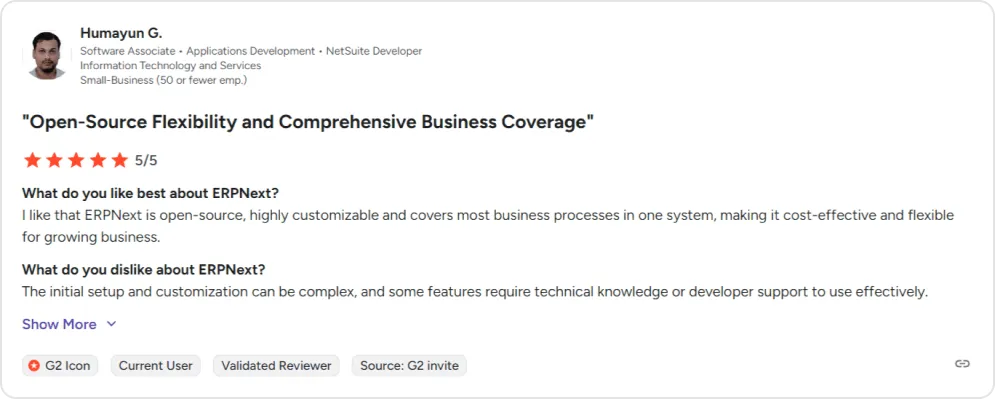
ERPNext goes beyond customer relationships into full enterprise resource planning. Adopted by 30,000+ companies, according to Frappe, it handles financial accounting, order management, HR/payroll, manufacturing, CRM, project management, helpdesk, and asset tracking in one integrated system.
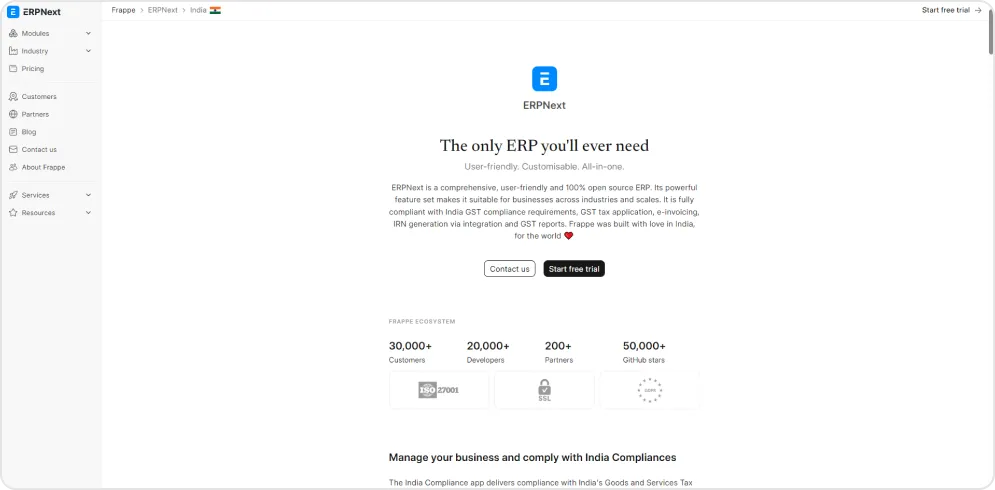
For manufacturing companies, distributors, or service businesses with complex operations, ERPNext's strength is connecting the dots. When a sale closes in CRM, it can automatically trigger inventory allocation, production orders, invoicing, and delivery scheduling—without manual handoffs between disconnected systems.
The CRM module includes lead management, opportunity tracking, customer communication logs, and territory management. It's not as deep as dedicated CRM tools, but for businesses where sales connects directly to operations, that integration value outweighs feature gaps.
Pros and cons of using ERPNext
- Fully open-source and flexible — businesses can modify the system to fit their processes, not the other way around.
- Covers all core business functions (accounting, sales, purchasing, inventory, HR, projects, and quality control) on a single platform.
- No per-user licence cost — pricing is based on hosting and storage, making it highly cost-effective even for large teams.
- Strong customization capabilities, including low-code development to add new features with minimal effort.
- Built-in workflow engine helps eliminate paperwork and streamline approvals digitally.
- Flexible API-based integrations with third-party tools like WooCommerce and other external systems.
- User-friendly interface that is simple to navigate for day-to-day operations.
- Budget-friendly ERP option well-suited for small to mid-sized businesses.
- Easier to implement compared to many other ERP alternatives.
- The wide range of features creates a steep learning curve that can overwhelm new or infrequent users.
- The standard out-of-the-box package offers limited functionality without customization, making developer involvement often necessary.
- Heavy customizations can become unstable during system upgrades, potentially disrupting business operations.
- The vendor and partner ecosystem can be inconsistent, with some providers lacking deep technical or business process expertise.
- Customer support response times can sometimes be slow.
- Limited country-specific resources and domain expertise are available in many regions.
- Integration with some external tools requires additional configuration and technical effort.
- Infrequent users may struggle to re-familiarize themselves with the interface after time away.
Pricing of ERPNext
| Edition | Cost |
|---|---|
| Self-Hosted | Free |
| Frappe Cloud - Site Plans | From $5/month (no per-user pricing) |
| Frappe Cloud - Dedicated Plans | From $40/month |
Review - G2 site
ERPNext and Odoo are powerful but they can feel like overkill for smaller teams that just want solid CRM with good automation. If simplicity and speed matter more than comprehensive ERP features, our next option delivers exactly that.
5. EspoCRM – The lightweight champion
EspoCRM hits the sweet spot between simplicity and capability. It's lightweight enough to deploy in hours, intuitive enough for non-technical users, yet powerful enough to handle serious business automation through its BPMN 2.0 workflow engine.
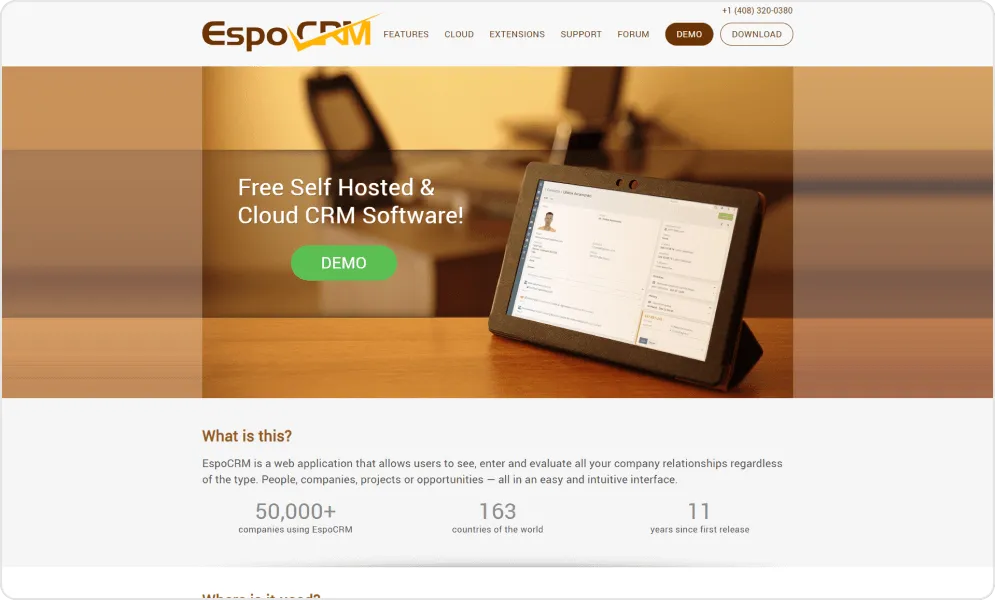
The visual workflow builder lets you create complex automation sequences—lead assignment rules, follow-up triggers, approval processes—without writing code. For small to mid-sized businesses wanting automation power without enterprise complexity, EspoCRM delivers.
Both self-hosted and cloud options are available, giving teams flexibility while maintaining full data ownership. The interface is clean and responsive, calendar and activity management are built-in, and social media integration helps capture leads from multiple channels.
Pros and cons of using EspoCRM
- Highly flexible and customizable with code-free tools — non-technical users can create custom entities, fields, pipeline stages, and layouts without developer help.
- Drag-and-drop, role-based dashboards and views allow easy personalization.
- Built-in workflow and BPM engine helps automate repetitive tasks and streamline business processes.
- Centralizes customer information, interaction history, and sales data in one place.
- Sales and marketing automation templates help improve team productivity.
- Includes email management functionality with personalized email templates within the system.
- Designed specifically for small and mid-sized businesses.
- Supports self-hosting, giving businesses full control over their data.
- Extension packs and add-ons are available to extend functionality and integrate third-party tools.
- Offers a user-friendly, modern interface compared to many traditional CRM platforms.
- Makes it easy to create proposals and connect payment methods.
- Limited scalability — may struggle to handle large volumes of data, which can create challenges for growing businesses.
- No native SMS or messaging capabilities — requires third-party tools like Twilio along with manual logging.
- Cannot create dynamic customer segments (such as region-based or purchase-history-based) for targeted campaigns without CSV export workarounds.
- Limited third-party integrations out of the box — requires additional native connectors.
- The initial installation and integration process can be tedious and complex.
- Steep learning curve, with limited documentation making the system harder to master.
- Some advanced features require technical knowledge to implement effectively.
- Customer support may not always be available in a timely manner.
- Lacks built-in accounting capabilities in both free and paid versions.
- The file backup system requires improvement.
- Missing some reporting and workflow capabilities compared to more mature CRM platforms.
- No built-in contract signing that complies with European legal standards.
Pricing
| Edition | Cost |
|---|---|
| Self-Hosted | Free |
| EspoCRM Cloud - Basic | $15/user/month (minimum 3 users) |
| EspoCRM Cloud - Enterprise | $25/user/month (minimum 5 users) |
| EspoCRM Cloud - Ultimate | $69/user/month (minimum 10 users) |
Review - G2 site
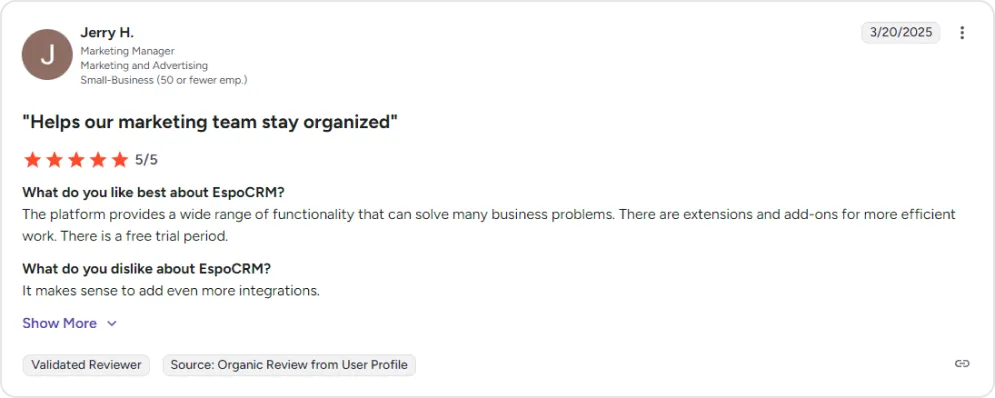
EspoCRM proves you don't need bloated software to get things done. Our next platform keeps things lean in a different way: module by module.
6. Dolibarr – The modular ERP and CRM
Dolibarr is a modular ERP and CRM suite that runs on a standard Apache, PHP and MySQL stack, so it suits organizations running on limited infrastructure.
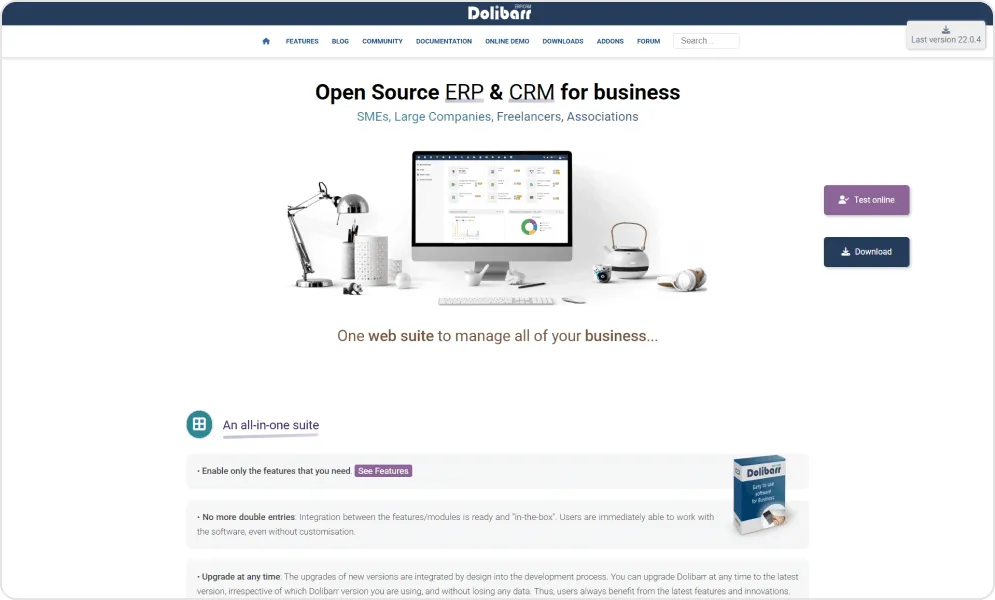
Beyond environmental efficiency, Dolibarr offers comprehensive business management—CRM, invoicing, stock management, manufacturing, POS, project management, HR, and finance. It supports multi-station, mobile, and multi-user access, scaling from freelancers to mid-sized organizations.
The modular architecture lets you enable only what you need, keeping the system lean.
Pros and cons of using Dolibarr
- Free, open-source, all-in-one ERP and CRM suite covering sales, purchasing, inventory, finance, expenses, projects, and more.
- Extremely quick and easy installation — can be set up in minutes, even for self-hosted environments.
- No technical knowledge required for day-to-day use — manages prospects, customers, orders, stock, bank accounts, timesheets, and expense reports out of the box.
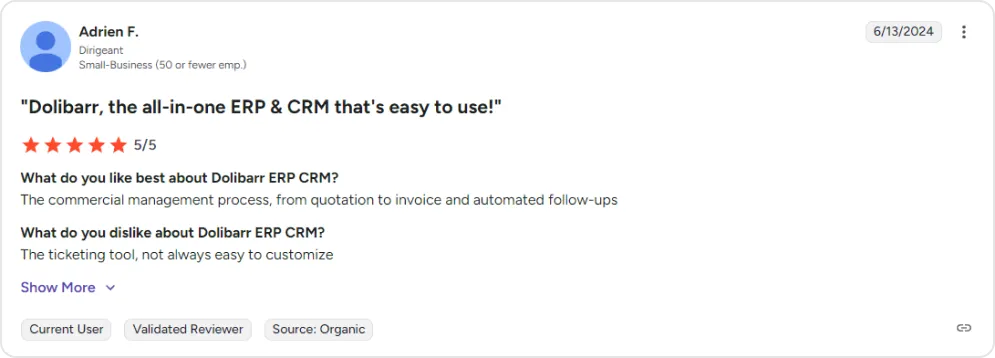
- Supports complete commercial management processes from quotation to invoice with automated follow-ups.
- Highly customizable and extensible — forms, reports, and business logic can be tailored to specific needs.
- Adaptable to companies of any type and size, with remote administration support.
- Works cross-platform — compatible with Mac, PC, iPad, and web browsers.
- Cost-effective alternative to tools like QuickBooks, Intuit, and Tally without per-user licensing.
- Includes predefined business modules with dashboard graphics, notification management, and role-based access control.
- Supported by an active community providing assistance in multiple languages (primarily French and English).
- Can be self-hosted on a NAS or existing server stack (Apache, PHP, and MySQL).
- Continuously improves through regular updates and new feature releases.
- The interface feels outdated and visually plain — improving it often requires purchasing a theme.
- No native mobile app — lacks dedicated iOS and Android support.
- Bugs have been reported in core modules, particularly in finance, expenses, inventory, and manufacturing.
- The manufacturing module is not fully mature or comprehensive.
- Limited built-in analytics — advanced reporting typically requires third-party tools like Power BI.
- The knowledge base and documentation are heavily French-focused, with limited resources for English-speaking users.
- Does not support mass item updates, which can be challenging for product-heavy businesses.
- The ticketing tool is difficult to customize.
- Additional functionality and customization beyond basic features can become expensive due to paid support and add-ons.
- Program logic can sometimes feel unintuitive and difficult to understand.
- Limited third-party integrations, including challenges with OpenCart integration and payment terminal connectivity.
- Not ideal for large or rapidly growing businesses due to limited scalability and incomplete feature coverage for complex workflows.
- Self-hosting requires considerable time and technical knowledge to set up and maintain properly.
Pricing
| Edition | Cost |
|---|---|
| Self-Hosted | Free |
| DoliCloud - Basic | €14/user/month |
| DoliCloud - Premium | €30/month + €15/user/month |
Review - G2 site
All the platforms we've covered so far offer pre-built CRM functionality. But what if your business processes are unique enough that no off-the-shelf solution fits? Our final option takes a radically different approach.
7. Corteza – The low-code platform
Corteza takes a different approach. Rather than giving you a pre-built CRM, it provides a 100% open source low-code platform for building custom business applications. Think of it as the foundation for creating your ideal CRM rather than adapting to someone else's vision.
The platform includes visual workflow automation, data harmonization across multiple sources, REST API accessibility, and Docker deployment for easy hosting. It is maintained by Planet Crust, its founder, and released under the permissive Apache 2.0 licence.
For organizations with unique processes that don't fit standard CRM patterns, Corteza offers the flexibility to build precisely what you need. The trade-off is higher initial investment in design and configuration—but the result is a system that fits like a glove.
Pros and cons of using Corteza
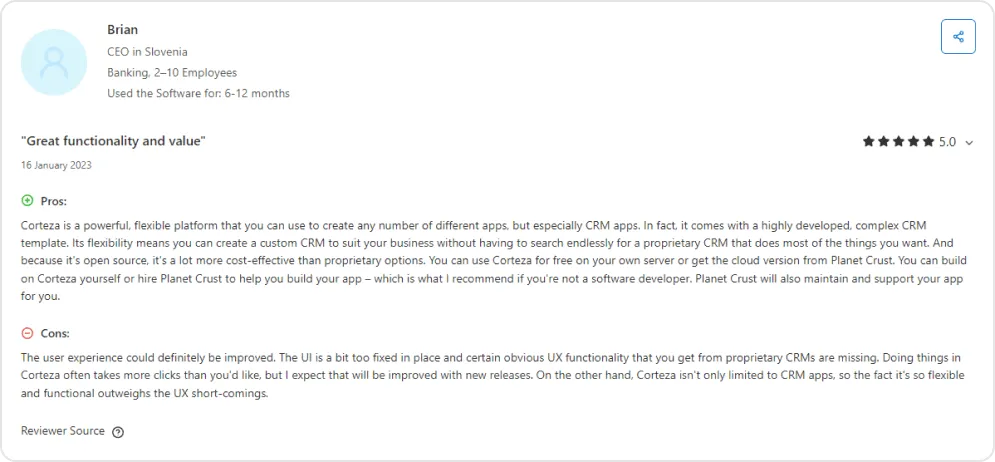
- Powerful and flexible low-code platform that can be used to build custom CRM apps and other business applications.
- Comes with a highly developed, ready-to-use CRM template out of the box.
- Fully open-source — can be self-hosted for free or used via cloud hosting through Planet Crust.
- Highly cost-effective compared to proprietary CRM solutions.
- Accessible to non-technical users — enables people without development skills to build professional applications.
- Customizable enough to support niche industries where proprietary solutions may not exist (such as funeral services).
- Not limited to CRM — can be used to create multiple types of business applications.
- Professional support and app development services are available through Planet Crust if needed.
- The user experience needs improvement — the interface can feel rigid and less polished compared to proprietary CRM platforms.
- Common actions may require more clicks than expected, which can reduce workflow efficiency.
- Some standard UX features found in established CRM solutions are missing.
- Limited community and ecosystem — only a small number of public reviews, indicating a relatively smaller user base.
- Non-technical users may still require paid support from Planet Crust to build or maintain applications effectively.
- The platform’s flexibility often requires additional setup and configuration effort.
Pricing
| Edition | Cost |
|---|---|
| Self-Hosted | Free |
| Corteza Cloud | Contact for pricing |
Review - Capterra site
With seven solid options on the table, the question becomes: which one is right for your business? Let's break it down.
How to Know It’s Time to Leave Salesforce: 5 Signals
As Salesforce contract renewals approach, organizations should pause before automatically renewing. A structured evaluation helps teams make decisions based on real business needs rather than inertia.
Signal 1: Your true total cost keeps climbing
Licence fees represent only a fraction of Salesforce's actual cost. A meaningful assessment includes support plans, add-ons, implementation services, internal administration, and training.
Project these costs over the next three to five years—factoring in renewal price increases (list prices for Enterprise and Unlimited rose by an average of 6% in August 2025), and compare them with the total cost of alternative platforms. This calculation often reveals a much larger financial gap than expected. Our breakdown of the costs a Salesforce quote leaves out lists what to include.
Signal 2: Your teams aren't actually using what you're paying for
Many organizations pay for features that deliver little or no value. Reviewing usage data shows which capabilities are actively used and which remain untouched.
Low adoption rates, recurring workarounds, or persistent user frustration signal that the platform is not aligned with daily workflows. Comparing cost against real usage provides a clearer picture of ROI and often reveals your funding capabilities that sit unused. Unused features are among the reasons Salesforce CRM projects don’t deliver expected results.
Signal 3: The cost of staying exceeds the cost of switching
Leaving Salesforce requires effort, but staying can be more expensive over time. Identify integrations, custom objects, automation, and data volume to understand migration complexity. Consider retraining needs and short-term productivity impact, then weigh these costs against continued overpayment and operational friction.
For many teams, a one-time migration investment becomes the more rational choice compared to paying rising licence fees every year.
Signal 4: Your business needs are outgrowing (or outpacing) the platform
CRM decisions should support where the business is headed, not where it has been. Evaluate whether the platform can adapt to future requirements such as automation, AI readiness, and evolving workflows.
Assess the vendor's product direction, pricing strategy, and long-term viability to ensure alignment with your growth plans. If Salesforce's roadmap prioritizes enterprise AI features you can't use while raising prices on core functionality you need, that misalignment will only worsen.
Signal 5: You're making business decisions around CRM limitations
When teams start saying "we can't do that because of Salesforce" or "we'll need to hire consultants to make that change," the CRM has stopped serving the business and started constraining it.
If your CRM dictates your processes instead of supporting them, it's time to reevaluate whether the platform still fits your organization.
Taken together, these signals point to a broader shift in how organizations evaluate CRM platforms. Choosing the right CRM for your organization means selecting a platform that supports smooth business operations rather than one that creates administrative overhead and budget pressure. For picks by company type, see our Salesforce alternatives for SaaS companies and Salesforce alternatives for startups.
How to Pick the Right Open Source Salesforce Alternative (A Decision Framework)
If you are still unsure which platform fits your needs, use this framework to narrow your options based on how your team works and what you value most.
Choose Twenty if
- Modern design and a strong developer experience matter
- You are building a tech-forward company
- You want a clean CRM foundation without legacy complexity
Choose SuiteCRM if
- You need Salesforce-level features without enterprise pricing
- You are migrating from Salesforce and want a familiar structure
- Deep customization matters more than modern UI
Choose Odoo if
- You need CRM plus accounting, inventory, or eCommerce
- You prefer one integrated system over multiple tools
- Scalability from startup to enterprise is important
Choose ERPNext if
- You operate in manufacturing, distribution, or complex operations
- Your CRM must connect directly to production and inventory
- Full ERP integration matters more than pure CRM depth
Choose EspoCRM if
- You want fast deployment with minimal complexity
- Workflow automation is a priority
- You are a small to mid-sized team
Choose Dolibarr if
- You want a lean system you can switch on module by module
- You need reliable ERP and CRM capabilities at a freelance or SMB scale
Choose Corteza if
- Your processes do not fit standard CRM models
- You want to build a custom solution using a low-code platform
- Maximum flexibility matters more than out-of-the-box convenience
There is no universally best CRM, only the one that best fits your specific needs. Let’s wrap up with a few final thoughts.
Choose What’s Best for Your Business
Salesforce is not disappearing anytime soon. It remains a strong choice for organizations with large budgets, complex requirements, and dedicated admin teams. However, for businesses prioritizing cost efficiency, data ownership, and long-term flexibility, open source CRM alternatives now offer a far more balanced and future-ready path. For options beyond open source, see our Salesforce alternatives guide.
Platforms like Twenty are redefining modern CRM with a clean interface and a developer-first foundation. But technology alone is not enough. A successful transition depends on a well-planned migration, a clean data structure, and workflows aligned with how your teams actually operate.
TaskRhino helps businesses seamlessly transition from Salesforce to modern open-source CRMs like Twenty with a plan that protects data and keeps disruption low. The team begins with a structured platform evaluation to assess business workflows, integration dependencies, and scalability requirements.
Through tailored proof-of-concept development, TaskRhino validates CRM performance, automation capabilities, and user adoption readiness before full migration.
During migration, TaskRhino handles secure data mapping, custom workflow recreation, third-party integration transfer, and system performance optimization.
Post-deployment, the team provides customization support, automation enhancement, user training, and continuous performance monitoring to ensure the new CRM not only replaces Salesforce but improves operational efficiency, reduces licensing costs, and supports long-term business growth.
Ready to Break Free From Salesforce Complexity and Costs?
Talk to TaskRhino today to plan your Salesforce to Twenty CRM migration with confidence and clarity.
Schedule a Consultation CallFree 30-minute call · No obligation
Frequently Asked Questions
Is open source CRM really free?
The software itself is free to download and use. However, you’ll incur costs for hosting (if self-hosted), implementation, customization, and potentially support. Those costs depend on your data, integrations and team, but they replace per-user licence fees: at Salesforce’s $195 per user/month, a 50-person team pays $117,000 a year in licences alone.
Can I migrate my data from Salesforce to open source CRM?
Yes. Most platforms support CSV imports, and tools exist for direct Salesforce migration. How long it takes depends on data volume, custom objects and integrations, so plan the timeline after a data audit rather than from a rule of thumb.
Do open source CRMs integrate with other tools?
Absolutely. Leading platforms offer REST/GraphQL APIs, and integrations with popular tools like Slack, Microsoft 365, Google Workspace, Mailchimp, and accounting software are common. The integration ecosystem is smaller than Salesforce's AppExchange, but core integrations are well-covered.
What about security and compliance?
Self-hosted open source CRMs give you complete control over data location and security configurations—an advantage for GDPR, HIPAA, or industry-specific compliance. You're responsible for security best practices, but you're not dependent on a vendor's policies or potential breaches.
Do I need technical staff to run open source CRM?
For basic usage with cloud-hosted options, no. For self-hosted deployments or significant customizations, having access to technical resources (internal or contracted) is strongly recommended. EspoCRM and Twenty are the most accessible for non-technical teams.
How do I get support without a vendor?
Options include community forums (very active for popular platforms), paid support tiers from the project maintainers, third-party consultants specializing in specific platforms, and the extensive documentation most projects provide.
How much does it cost to migrate from Salesforce to another CRM?
Migration costs depend on data complexity, customization levels, and integration requirements, so get a scoped estimate after a data audit. TaskRhino’s migration services include data transfer, workflow recreation, team training, and parallel running support. Compare the one-time cost with what you pay Salesforce each year: at $195 per user/month, 50 users pay $117,000 a year in licences.
How long does a Salesforce replacement implementation take?
It depends on data volume, custom objects and integrations. Twenty’s simpler architecture and modern interface reduce configuration complexity and training requirements, which shortens the project compared with a typical Salesforce deployment. A shorter timeline also reduces the risk window during which teams operate on partially-implemented systems.
What happens to our Salesforce integrations when we switch?
Integration migration requires evaluation on a case-by-case basis. Twenty CRM’s API-first architecture supports both REST and GraphQL, enabling connections to most external systems. Many organizations find they can simplify their integration landscape during migration, eliminating redundant connections that accumulated over time, and rebuild the critical ones against Twenty’s APIs.
Is Twenty CRM suitable for organizations with complex sales processes?
Twenty CRM supports custom objects, custom fields, workflow automation, and pipeline management that accommodate complex sales processes. The platform's flexibility through source code access enables customizations beyond what Salesforce allows within its ecosystem constraints. Organizations with unique requirements often find Twenty CRM more adaptable because they can modify the platform itself rather than working around limitations.
Want to Host, Customize, or Migrate to Twenty CRM
More in Salesforce Alternatives






Related posts