

Is Twenty CRM Right for Your Business? A Guide for Growing Teams
Choosing a CRM is one of the most important decisions a growing business will make. The right system streamlines your sales process, improves team collaboration, and scales with you. The wrong one creates friction, wastes time, and forces your team into workflows that don’t fit.
Twenty CRM has gained attention as an open-source alternative in a market dominated by enterprise platforms. But is it the right fit for your business?
This guide breaks down what Twenty CRM is, who it works well for, and when you might want to explore other open-source Salesforce alternatives.
Whether you’re a founder evaluating your first CRM, a sales ops leader looking to switch platforms, or a growing team reassessing your tech stack, this article will help you make an informed decision.
TaskRhino is a Twenty CRM implementation service provider specializing in Salesforce-to-Twenty migrations for SMBs and tech-forward teams. We’ve designed data models, configured integrations, and led full CRM deployments which gives us a practical perspective on where Twenty fits and where it doesn’t.
What Is Twenty CRM?
Twenty is an open-source CRM designed to give businesses flexible building blocks rather than a rigid, one-size-fits-all system.
Backed by Y Combinator with $5.5M in seed funding, it has grown to over 39,000 GitHub stars and 300+ contributors, making it one of the most actively developed open-source CRM projects available. The platform positions itself as a modern alternative for teams who want control over their customer relationship management without the complexity of enterprise solutions.
Unlike traditional CRMs that come with predetermined structures, Twenty takes a different approach. The platform emphasizes customization at its core. Instead of forcing you into predefined workflows, Twenty lets you create custom objects, fields, and processes that match how your business actually operates.
The philosophy behind Twenty addresses a fundamental tension in the CRM market: businesses need systems that are powerful enough to handle complexity, yet flexible enough to adapt to their unique processes. Twenty attempts to solve this by providing universal building blocks rather than rigid feature sets.
Twenty CRM at a glance:
- Tech Stack: React, TypeScript, NestJS, PostgreSQL
- API: GraphQL + REST (unlimited calls)
- License: AGPL-3.0 (100% open source)
- Hosting: Self-hosted (Docker, AWS, any cloud) or Twenty Cloud
- Custom Objects: Unlimited
- Pricing: Free (self-hosted) | Cloud plans available
- Backed By: Y Combinator ($5.5M seed funding)
- GitHub: 39,000+ stars | 5,000+ forks | 300+ contributors
What features does Twenty CRM include?
Twenty CRM offers a comprehensive set of features designed for modern sales teams:
- Email and calendar sync allows you to centralize all communications directly within your CRM records, eliminating the need to switch between applications
- Custom data models enable you to create objects and fields that align with your unique business processes, rather than forcing your workflow into predefined structures
- Kanban boards and pipeline views provide visual sales tracking that helps teams understand deal progress at a glance
- Workflow automation connects your CRM with external tools and automates repetitive tasks, freeing your team to focus on relationship building
- AI-powered features enhance productivity through intelligent suggestions and automated insights
- Role-based permissions ensure the right people have access to the right information, protecting sensitive customer data
- REST and GraphQL APIs give developers the tools they need to build custom integrations and extend functionality
Why does open source matter for your CRM?
Because Twenty is open source, teams can self-host the platform on their own infrastructure. This gives them full ownership of their customer data and complete independence from vendor roadmaps or pricing changes. For businesses concerned about data sovereignty or long-term vendor relationships, this represents a significant advantage.
The open-source model also means transparency. You can inspect the code, understand exactly how your data is being handled, and contribute improvements back to the community if you choose.
Understanding what Twenty offers is just the first step. To evaluate whether it’s right for your business, you need to understand the problems CRMs are meant to solve in the first place. If you want the full technical breakdown first, read our complete Twenty CRM review: features and limitations.
Teams choosing Twenty CRM often pair it with TaskRhino’s implementation services for data model design, Metabase analytics setup, and custom API integrations to make the platform enterprise-ready from day one.
What CRM Problems do Growing Teams Actually Face?
Before evaluating any specific CRM, it helps to understand the problems these tools are meant to solve. Growing teams typically encounter predictable challenges as they scale, and recognizing these patterns can help you identify what matters most for your situation.
1. Outgrowing spreadsheets
Nearly every business starts with spreadsheets. They’re familiar, flexible, and free. But what begins as a simple contact list becomes unmanageable as your pipeline grows.
When you have ten leads, a spreadsheet works fine. When you have a hundred, things start to break down. When you have a thousand, chaos ensues. Tracking leads, follow-ups, and deal stages in spreadsheets leads to missed opportunities, duplicated effort, and conflicting information across team members.
The transition from spreadsheets to a proper CRM is often triggered by a painful missed opportunity—a deal that fell through because a follow-up slipped through the cracks, or a customer who received contradictory information from different team members.
2. Rigid systems that don’t fit
Many businesses make their first CRM purchase only to discover that the system doesn’t match how they actually work. Traditional CRMs often force teams into standardized workflows designed for generic sales processes.
When your sales process is unique and most are, to some degree this creates friction. Team members develop workarounds, maintain shadow systems in spreadsheets, or simply avoid using the CRM altogether. These Salesforce user adoption challenges are well-documented and affect organizations of all sizes. The tool that was supposed to improve efficiency becomes another obstacle to overcome.
This rigidity is particularly problematic for businesses with complex sales cycles, multiple product lines, or non-traditional customer relationships. The CRM becomes a reporting tool rather than a working tool, filled with data after the fact rather than guiding day-to-day activities. Salesforce complexity is one of the most common reasons growing teams start looking for alternatives.
3. Data silos and fragmented information
Without a central system, customer information lives everywhere and nowhere. Sales notes exist in email inboxes. Meeting summaries sit in personal documents. Contact details spread across phone apps, business cards, and LinkedIn connections.
This fragmentation makes collaboration difficult. When a team member goes on vacation or leaves the company, critical relationship context goes with them. Customers receive inconsistent experiences because no one has a complete picture of the relationship history.
Data silos also make it nearly impossible to gain meaningful insights from your customer relationships. You can’t analyze what you can’t see, and scattered data remains invisible to analysis.
4. Vendor lock-in and dependency
Traditional CRMs often create strong dependencies that make switching difficult. Your data lives on their servers, in their format, governed by their policies. Over time, you build workflows, integrations, and institutional knowledge around the platform.
When the vendor raises prices, deprecates features you rely on, or takes the product in a direction that doesn’t serve your needs, you face an uncomfortable choice: accept the changes or undertake an expensive, time-consuming migration.
This lock-in effect grows stronger over time. The more you invest in a platform, the harder it becomes to leave regardless of whether it continues to serve your needs.
5. Cost unpredictability
Per-seat pricing models can become expensive quickly as teams scale. What seemed affordable for a five-person sales team becomes a major line item when you grow to fifty people. And because CRM pricing often increases at each tier, the cost curve can be steeper than linear growth.
For early-stage companies managing cash flow carefully, this unpredictability creates planning challenges. It can also create perverse incentives, like limiting CRM access to save costs even when broader access would improve collaboration. And that’s before factoring in Salesforce consultant rates, which can add $100–$250/hour on top of licensing.
These challenges aren’t unique to any particular CRM—they’re industry-wide patterns. The question is how different platforms address them, and which approach aligns best with your specific situation.
Understanding these common challenges helps you ask better questions when assessing any CRM platform, including Twenty.
Who is Twenty CRM Best Suited For?
Twenty CRM shines in specific contexts. Its design philosophy and technical architecture make it particularly well-suited for certain types of organizations and use cases. Consider Twenty if your situation matches any of these profiles.
1. Tech-savvy teams and startups
If you have developers on staff or technical resources available, Twenty’s API-first architecture and customization options become powerful advantages. You can build exactly what you need without waiting for a vendor to add features or paying for expensive add-ons.
The platform’s GraphQL and REST APIs provide extensive flexibility for custom integrations. Technical teams can connect Twenty to their existing tools, build custom workflows, and extend functionality in ways that wouldn’t be possible with closed platforms.
For startups with strong engineering cultures, this technical flexibility often outweighs the convenience of pre-built features. You trade some out-of-the-box functionality for the ability to create exactly what you need.
Best for: Tech-forward startups with 10–50 employees, in-house developers, and a preference for API-first tools over pre-built SaaS features.
2. Organizations that value data ownership
For businesses in regulated industries—healthcare, finance, legal services—or those with strict data policies, self-hosting gives you complete control. Your customer data stays on your infrastructure, under your security policies, subject to your compliance requirements.
This level of control is increasingly important as data privacy regulations expand globally. When you host your own CRM, you know exactly where your data lives, who can access it, and how it’s protected. You’re not dependent on a vendor’s security practices or their interpretation of regulatory requirements.
Compliance profile: License: AGPL-3.0
Data Sovereignty: Self-host in any region (AWS, Azure, GCP, or on-premise)
Supports: GDPR, PIPEDA, HIPAA (via self-hosting and your own security controls)
Code: Fully auditable open-source codebase.
Self-hosting also provides protection against vendor business risks. If a SaaS provider goes out of business, gets acquired, or discontinues their product, self-hosted customers can continue operating without disruption.
Best for: Regulated industries (healthcare, finance, legal) and organizations subject to GDPR, PIPEDA, or internal data residency policies.
3. Teams with unique or complex workflows
If your sales process doesn’t fit neatly into standard CRM templates, Twenty’s custom objects and fields let you model your business accurately. You adapt the tool to your process, not the other way around.
This flexibility is particularly valuable for businesses with non-traditional sales cycles. Perhaps you’re managing complex B2B relationships with multiple stakeholders. Maybe your “sales process” doesn’t look like a traditional pipeline at all. Twenty’s building-block approach lets you construct the data model that actually represents your business.
The ability to create unlimited custom objects means you’re not constrained by predetermined categories like “leads,” “contacts,” and “opportunities.” You can model whatever entities matter for your business, with whatever relationships exist between them.
Best for: B2B companies with multi-stakeholder sales cycles, non-linear pipelines, or industry-specific data models that don’t fit standard CRM templates.
4. Early-stage companies managing costs
Open-source Salesforce alternatives like Twenty eliminates ongoing license fees. While there are costs associated with hosting and maintenance, teams with technical capabilities can often achieve significant savings compared to traditional SaaS subscriptions—especially as they scale.
For bootstrapped startups or companies in capital-efficient mode, this cost structure provides predictability. Your CRM costs don’t automatically increase as you add team members or grow your customer base. You control the infrastructure, so you control the costs.
This economic model becomes increasingly advantageous as you scale. While per-seat SaaS pricing creates linear (or worse) cost growth, self-hosted open source allows for more efficient scaling.
Best for: Bootstrapped startups and capital-efficient companies spending $50K–$200K+/year on Salesforce licenses looking to reduce CRM costs without losing functionality.
5. Businesses planning for long-term independence
If you want independence from external product roadmaps and pricing changes, open source provides stability. You’re not subject to sudden feature deprecations, forced upgrades, or price increases that don’t align with the value you receive.
The open-source model means the software exists independently of any single company’s business decisions. Even if the primary maintainers change direction, the code remains available. Communities can fork and continue development. Your investment in the platform is protected.
For businesses building long-term customer relationships, this stability matters. Your CRM becomes part of your institutional memory. Having confidence that it will remain available and under your control provides peace of mind.
Before making a decision, it’s equally important to understand the scenarios where a different approach might serve you better.
When Should You Not Use Twenty CRM? 5 Signs to Consider
Twenty CRM isn’t the right choice for everyone. Recognizing when a different solution might serve you better is just as important as identifying good fit scenarios. Consider alternatives if any of these situations apply to your organization.
1. You need out-of-the-box simplicity
If your team lacks technical resources and you need a system that works immediately without significant configuration, a more opinionated SaaS CRM may serve you better. Twenty’s flexibility is a strength, but it comes with a trade-off: you need to invest time and effort to set it up properly.
Some teams simply want a CRM that works on day one with minimal setup. They’re willing to adapt their processes to the tool in exchange for immediate productivity. If that describes your situation, a platform with strong defaults and guided setup may be more appropriate — our guide to the best Salesforce alternatives covers several options across different use cases.
The flexibility that makes Twenty powerful for technical teams can feel overwhelming for teams without technical resources. If you don’t have someone who can configure the system thoughtfully, that flexibility goes unused.
Let Us Helps You With Our Twenty CRM Services
TaskRhino offers you services to plan, implement, customize, and integrate Twenty CRM into your business workflows.
2. You want extensive pre-built integrations
While Twenty offers robust APIs and growing integration options, mature SaaS platforms typically have larger ecosystems of pre-built connectors. If your workflow depends on dozens of third-party tools working together seamlessly, verify that Twenty supports what you need before committing.
Enterprise CRM platforms have spent years building integration marketplaces with hundreds or thousands of connectors. If you need native integrations with specific marketing automation platforms, customer support tools, or industry-specific software, check Twenty’s current integration availability.
APIs provide flexibility to build what you need, but building takes time and resources. That said, unlike Salesforce API limits in Enterprise Edition, Twenty CRM has no cap on API calls, so integration-heavy teams won’t hit a ceiling as they scale. If you need pre-built integrations working immediately without development effort though, mature SaaS platforms still have clear advantages.
3. Your team is non-technical
Self-hosting and deep customization require technical knowledge. If your organization doesn’t have IT resources or developer time available, the maintenance overhead may outweigh the benefits of open-source flexibility.
Running your own infrastructure means handling updates, security patches, backups, and troubleshooting. For organizations without technical staff, these responsibilities can become burdensome. The cost savings from avoiding SaaS fees can quickly be consumed by the time required for maintenance.
Similarly, the customization capabilities that make Twenty powerful require someone who can implement them. If you don’t have technical resources to build custom objects, configure workflows, and develop integrations, those capabilities provide limited value.
4. You need enterprise-grade support
Open-source projects typically rely on community support, documentation, and forums. If your business requires guaranteed response times, dedicated account management, and phone support, a traditional vendor relationship may be more appropriate.
When something goes wrong with a business-critical system, the ability to pick up the phone and reach a support engineer matters. Enterprise CRM vendors provide service level agreements, dedicated support channels, and professional services. Open-source communities, while often helpful, can’t make the same guarantees.
For businesses where CRM downtime has significant revenue impact, the support question deserves careful consideration. Evaluate whether your team can troubleshoot issues independently or whether you need vendor support as a safety net.
5. You need advanced features immediately
Some features in Twenty are still maturing as the platform develops. If you need sophisticated reporting, complex formula fields, or specific functionality that’s still on the roadmap, confirm that the platform supports your requirements in its current state.
Twenty is actively developed and adding capabilities regularly, but it may not yet have feature parity with platforms that have been in the market for decades. If you have specific feature requirements, verify they’re available today rather than assuming they exist.
This is particularly relevant for features like advanced reporting, complex automation, or specialized industry capabilities. Check the documentation and, if possible, test the platform against your specific requirements before committing.
Understanding both the strengths and limitations helps you make an honest assessment. But regardless of which platform you’re considering, certain questions apply universally.
What Should You Ask Before Choosing any CRM? 7 Key Questions
Regardless of which platform you’re evaluating, these questions help clarify your needs and ensure you’re making a decision based on your actual requirements rather than marketing promises.
1. What does our sales process actually look like?
Before shopping for tools, map out your current workflow in detail. How do leads enter your system? What stages do they pass through? Who’s responsible at each step? What information needs to be captured?
Understanding your process helps you evaluate whether a CRM supports or restricts it. You’ll be able to identify which features matter and which are irrelevant to your situation. This clarity prevents you from being swayed by impressive features you’ll never use.
Be honest about what your process actually is, not what you wish it were. The best CRM is one that supports your real workflow, not an idealized version of it.
2. Who will use this system daily?
Consider the technical comfort level of your team. A powerful system that nobody uses provides no value. The best CRM is one that your team will actually adopt and use consistently.
Think about the daily users, not just the people making the purchasing decision. Sales representatives, customer success managers, and support staff all have different needs and different comfort levels with technology. A CRM that works for your most technical team member might frustrate everyone else.
User adoption is the single biggest factor in CRM success or failure. No feature set matters if the system sits unused.
3. What integrations are non-negotiable?
List the tools your team relies on daily. Email, calendar, marketing automation, customer support, billing systems—map out your current tech stack and verify compatibility before committing to any CRM.
Some integrations are merely nice to have; others are essential. Identify which category each falls into. A CRM that doesn’t integrate with your email system is probably a non-starter. A CRM that doesn’t integrate with a rarely-used analytics tool might be acceptable.
Also consider future needs. If you’re planning to add marketing automation or customer support tools in the next year, verify that your CRM choice will integrate with likely options.
4. How important is data ownership?
For some businesses, controlling where data lives is critical. Regulatory requirements, customer contracts, or company policy may mandate that customer information remains on controlled infrastructure.
For others, data ownership isn’t a significant concern. If you’re comfortable with SaaS data handling and don’t face regulatory constraints, the flexibility of self-hosting may not be worth the operational overhead.
Know where your organization stands on this question. It significantly affects which CRM architectures are appropriate for your situation.
5. What are our growth projections?
Consider not just your current team size but where you’ll be in two or three years. Evaluate how pricing and complexity scale with your anticipated growth.
A CRM that’s affordable at your current size might become prohibitively expensive as you grow. Conversely, a platform designed for enterprise scale might be overkill for a small team with modest growth plans.
Think about data growth as well as team growth. How many contacts, companies, and deals do you expect to manage? Some platforms handle large data volumes better than others.
6. What internal resources can we dedicate?
Be honest about your team’s capacity for setup, customization, and ongoing maintenance. Factor this into your total cost of ownership, not just the sticker price.
A free open-source platform that requires a developer to maintain is more expensive than it appears. A pricey SaaS platform that requires no maintenance may be more economical than it seems. Calculate the true cost including internal time and resources.
Also consider who will own the CRM ongoing. Someone needs to be responsible for configuration, user management, and ensuring the system continues to meet evolving needs.
7. What happens if we need to switch?
Understand data portability before you commit. How easy is it to export your information if the platform no longer meets your needs? What format will your data be in? How much historical context will you lose?
CRM migrations, whether it’s from Salesforce to Twenty — are never painless, but some platforms make them harder than others. Proprietary data formats, limited export options, and complex data structures can make leaving extremely difficult. We’ve created a checklist if you are migrating from Salesforce to Twenty CRM.
Asking this question upfront ensures you’re not creating a dependency you’ll regret later.
Take time to answer these questions honestly. Your responses will guide you toward the CRM that actually fits your needs, rather than the one with the best marketing.
Making the Right Decision for Your Team
Choosing the right CRM comes down to fit, not hype. The best platform is one your team actually adopts, aligns with your workflows, and scales without adding unnecessary complexity.
Twenty CRM stands out for teams that prioritize flexibility, data ownership, and long-term control. Its open-source foundation and self-hosting options make it especially appealing for SaaS and technical teams with custom processes or strict compliance needs. That said, Twenty performs best when implemented thoughtfully. Without the right setup, its flexibility can quickly turn into friction.
This is where TaskRhino adds real value. With deep experience in providing Twenty CRM services, TaskRhino helps teams design clean data models, configure analytics, and go live faster without overengineering. The result is a CRM that supports growth instead of slowing it down.
Typical implementation timelines: Initial setup and configuration takes 1–2 weeks. Full implementations with Salesforce data migration, custom integrations, and analytics setup average 4–8 weeks depending on complexity. Every engagement begins with a free strategy call to scope your requirements.
Ready To Implement The Right CRM With Confidence?
TaskRhino helps you get a clear, practical roadmap for Twenty CRM implementation and optimization.
Frequently Asked Questions
Is Twenty CRM free to use?
Twenty CRM is open source, meaning the core software is free. However, costs may include hosting infrastructure (if self-hosting), technical resources for setup and maintenance, and optional paid cloud hosting plans if you prefer a managed solution.
Who is Twenty CRM best suited for?
Twenty CRM works best for tech-savvy teams and startups with development resources, organizations in regulated industries requiring data ownership, businesses with unique workflows that don’t fit standard CRM templates, and early-stage companies looking for cost-effective, scalable solutions.
Can I self-host Twenty CRM?
Yes. Self-hosting is one of Twenty’s key advantages. You can deploy it on your own servers or cloud infrastructure, giving you complete control over your customer data and independence from vendor pricing changes. If you’re currently on Salesforce, our Salesforce to Twenty CRM migration guide covers the full process from data export to go-live.
Does Twenty CRM integrate with other tools?
Twenty offers REST and GraphQL APIs for building custom integrations. While its pre-built integration ecosystem is still growing, technical teams can connect it to most tools through API development.
How does Twenty CRM compare to Salesforce or HubSpot?
Twenty is a lightweight, open-source alternative focused on flexibility and customization. Unlike Salesforce or HubSpot, it offers self-hosting options and no per-seat licensing fees. However, it may require more technical resources to set up and lacks the extensive pre-built features of mature enterprise platforms. For a detailed feature-by-feature breakdown, see our full Twenty CRM vs Salesforce comparison.
Is Twenty CRM suitable for non-technical teams?
Twenty is primarily designed for teams with technical resources. Non-technical teams may find the setup and customization requirements challenging. If your team lacks IT or developer support, a more opinionated SaaS CRM with guided setup may be a better fit.
How secure is Twenty CRM?
As open-source software, Twenty’s code is transparent and auditable. When self-hosted, security depends on your infrastructure and practices. You maintain full control over data access, encryption, and compliance measures.
How long does it take to implement Twenty CRM?
Self-hosted setup can be completed in under a day for basic configurations. Full implementations with data migration from Salesforce, custom integrations, and analytics setup typically take 4–8 weeks when working with an experienced implementation partner like TaskRhino.
Can I migrate from Salesforce to Twenty CRM?
Yes. Twenty CRM supports data import via CSV and APIs. TaskRhino provides end-to-end Salesforce-to-Twenty migration services including data mapping, cleansing, validation, and post-migration testing. For a step-by-step overview, see our Salesforce to Twenty CRM migration guide.

Want to Host, Customize, or Migrate to Twenty CRM
Editor's Choice
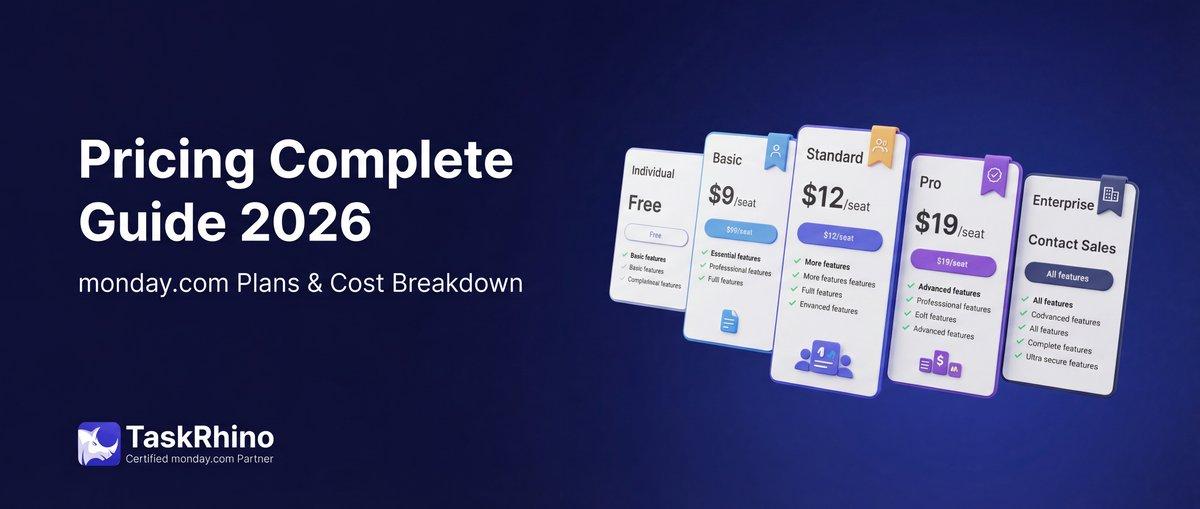
monday.com Pricing 2026: Complete Guide

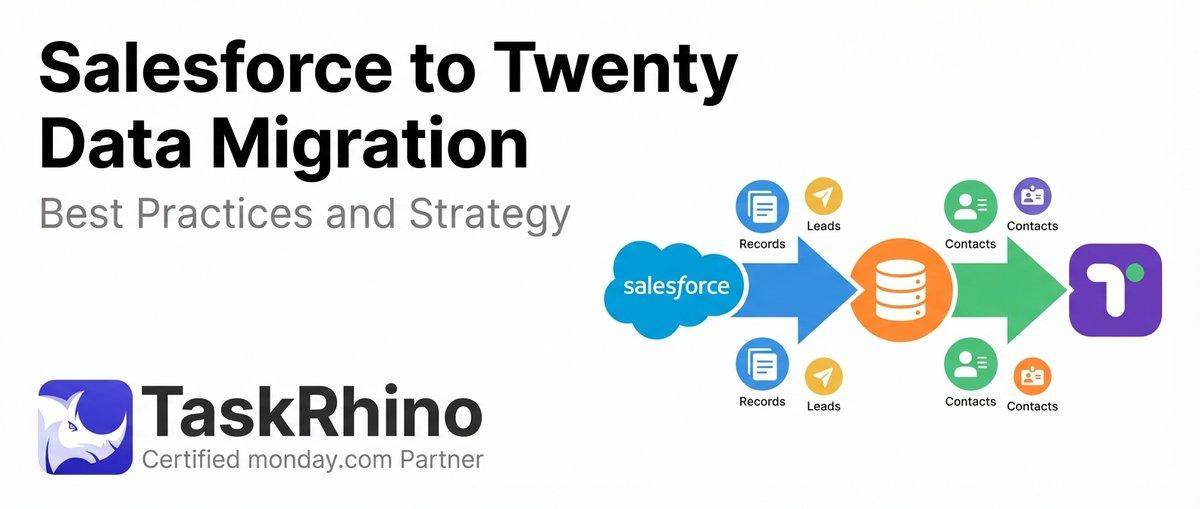
Salesforce to Twenty Data Migration: Best Practices and Strategy
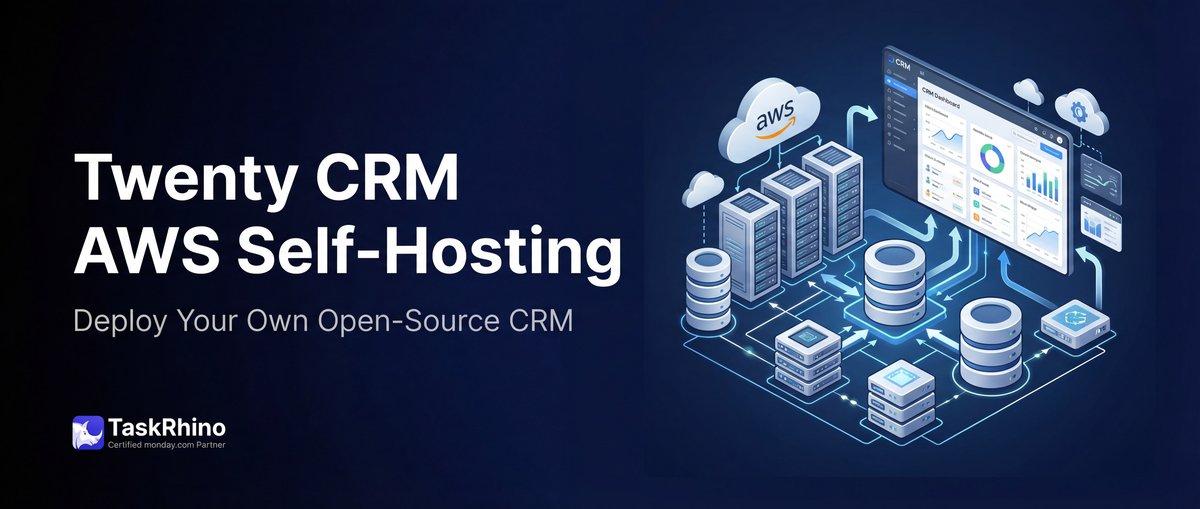
How to Self-Host Twenty CRM on AWS: Step-by-Step Guide